trunk CADILLAC XLR 2005 1.G User Guide
[x] Cancel search | Manufacturer: CADILLAC, Model Year: 2005, Model line: XLR, Model: CADILLAC XLR 2005 1.GPages: 438, PDF Size: 3.69 MB
Page 76 of 438
The theft-deterrent system will not arm if you lock the
driver’s door with the power door lock switch after
the doors are closed.
If your passenger stays in the vehicle when you leave
with the keyless access transmitter, have the passenger
lock the vehicle after the doors are closed. This way the
alarm will not arm, and your passenger will not set it off.
Testing the Alarm
Do the following to test the system:
1. Make sure the trunk lid is latched.
2. Lower the window on the driver’s door.
3. Manually arm the system.
4. Close the doors and wait 30 seconds.
5. Reach through the open window and manually pull
the release lever on the oor.
6. Turn off the alarm by pressing the unlock button on
the transmitter.If the alarm is inoperative, check to see if the horn
works. If not, check the horn fuse. SeeFuses and Circuit
Breakers on page 6-80. If the horn works, but the
alarm doesn’t go off, see your dealer.
Disarming the System
Always use your keyless access transmitter to unlock a
door either by pressing the unlock button on the
transmitter or by squeezing the door handle sensor
while you have the transmitter with you. Unlocking a
door any other way will set off the alarm. If your alarm
sounds, press the unlock button on the keyless
access transmitter to disarm it.
2-20
Page 77 of 438
Valet Lockout Switch
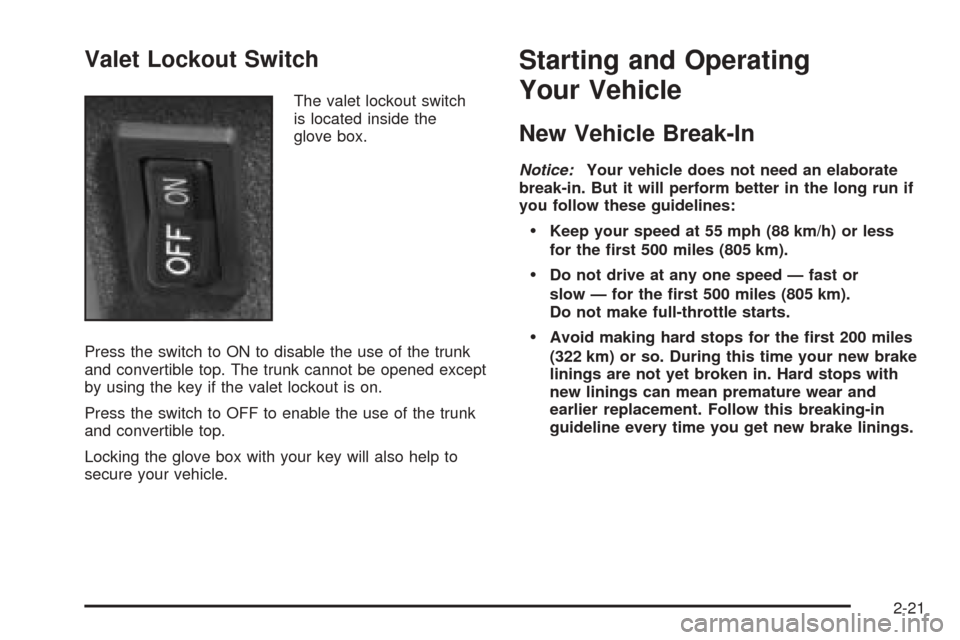
The valet lockout switch
is located inside the
glove box.
Press the switch to ON to disable the use of the trunk
and convertible top. The trunk cannot be opened except
by using the key if the valet lockout is on.
Press the switch to OFF to enable the use of the trunk
and convertible top.
Locking the glove box with your key will also help to
secure your vehicle.
Starting and Operating
Your Vehicle
New Vehicle Break-In
Notice:Your vehicle does not need an elaborate
break-in. But it will perform better in the long run if
you follow these guidelines:
Keep your speed at 55 mph (88 km/h) or less
for the rst 500 miles (805 km).
Do not drive at any one speed — fast or
slow — for the rst 500 miles (805 km).
Do not make full-throttle starts.
Avoid making hard stops for the rst 200 miles
(322 km) or so. During this time your new brake
linings are not yet broken in. Hard stops with
new linings can mean premature wear and
earlier replacement. Follow this breaking-in
guideline every time you get new brake linings.
2-21
Page 100 of 438
Rear Storage Area
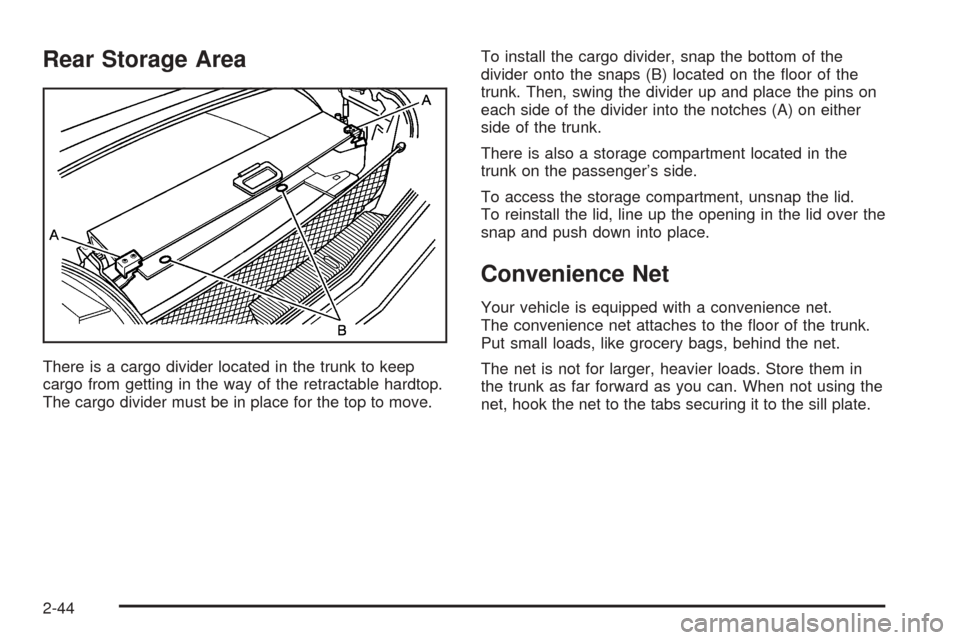
There is a cargo divider located in the trunk to keep
cargo from getting in the way of the retractable hardtop.
The cargo divider must be in place for the top to move.To install the cargo divider, snap the bottom of the
divider onto the snaps (B) located on the oor of the
trunk. Then, swing the divider up and place the pins on
each side of the divider into the notches (A) on either
side of the trunk.
There is also a storage compartment located in the
trunk on the passenger’s side.
To access the storage compartment, unsnap the lid.
To reinstall the lid, line up the opening in the lid over the
snap and push down into place.
Convenience Net
Your vehicle is equipped with a convenience net.
The convenience net attaches to the oor of the trunk.
Put small loads, like grocery bags, behind the net.
The net is not for larger, heavier loads. Store them in
the trunk as far forward as you can. When not using the
net, hook the net to the tabs securing it to the sill plate.
2-44
Page 102 of 438
4. Make sure that nothing or no one is on or around
the top. Make sure the trunk cargo cover is in
place with nothing on top or in front of the cargo
cover. SeeRear Storage Area on page 2-44
for more information. Also, make sure the valet
lockout switch is off.
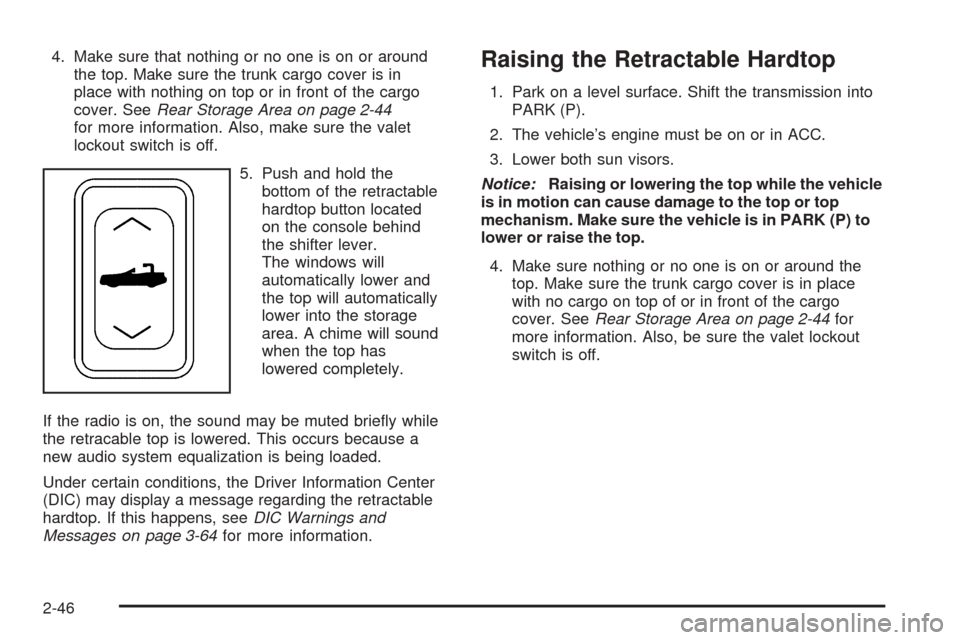
5. Push and hold the
bottom of the retractable
hardtop button located
on the console behind
the shifter lever.
The windows will
automatically lower and
the top will automatically
lower into the storage
area. A chime will sound
when the top has
lowered completely.
If the radio is on, the sound may be muted briey while
the retracable top is lowered. This occurs because a
new audio system equalization is being loaded.
Under certain conditions, the Driver Information Center
(DIC) may display a message regarding the retractable
hardtop. If this happens, seeDIC Warnings and
Messages on page 3-64for more information.Raising the Retractable Hardtop
1. Park on a level surface. Shift the transmission into
PARK (P).
2. The vehicle’s engine must be on or in ACC.
3. Lower both sun visors.
Notice:Raising or lowering the top while the vehicle
is in motion can cause damage to the top or top
mechanism. Make sure the vehicle is in PARK (P) to
lower or raise the top.
4. Make sure nothing or no one is on or around the
top. Make sure the trunk cargo cover is in place
with no cargo on top of or in front of the cargo
cover. SeeRear Storage Area on page 2-44for
more information. Also, be sure the valet lockout
switch is off.
2-46
Page 103 of 438
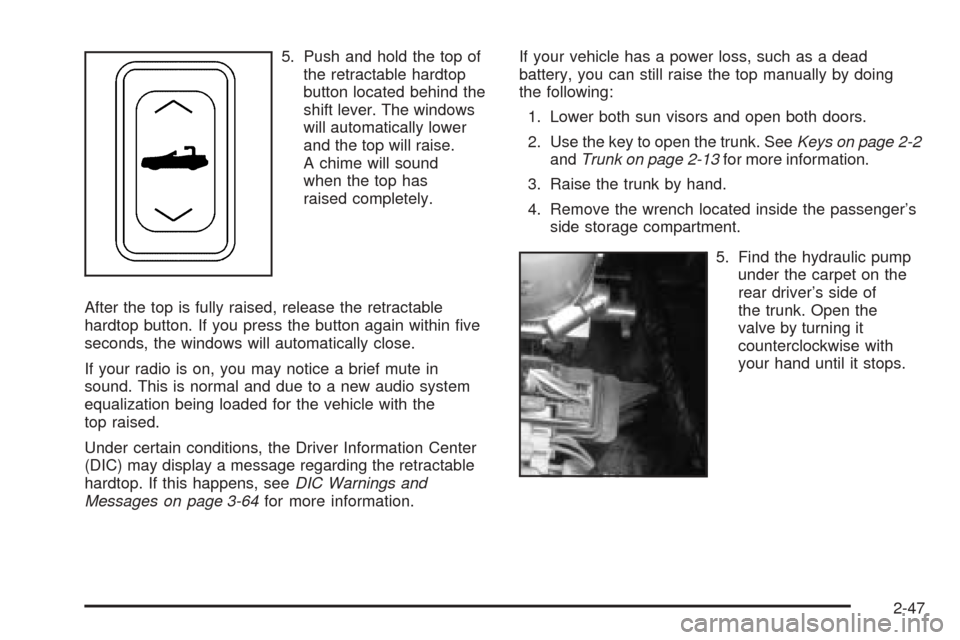
5. Push and hold the top of
the retractable hardtop
button located behind the
shift lever. The windows
will automatically lower
and the top will raise.
A chime will sound
when the top has
raised completely.
After the top is fully raised, release the retractable
hardtop button. If you press the button again within ve
seconds, the windows will automatically close.
If your radio is on, you may notice a brief mute in
sound. This is normal and due to a new audio system
equalization being loaded for the vehicle with the
top raised.
Under certain conditions, the Driver Information Center
(DIC) may display a message regarding the retractable
hardtop. If this happens, seeDIC Warnings and
Messages on page 3-64for more information.If your vehicle has a power loss, such as a dead
battery, you can still raise the top manually by doing
the following:
1. Lower both sun visors and open both doors.
2. Use the key to open the trunk. SeeKeys on page 2-2
andTrunk on page 2-13for more information.
3. Raise the trunk by hand.
4. Remove the wrench located inside the passenger’s
side storage compartment.
5. Find the hydraulic pump
under the carpet on the
rear driver’s side of
the trunk. Open the
valve by turning it
counterclockwise with
your hand until it stops.
2-47
Page 104 of 438
Notice:Pressing the retractable hardtop button
when the hydraulic pump valve is open could
damage the pump. Always close the hydraulic pump
valve after the retractable hardtop has been closed
manually.
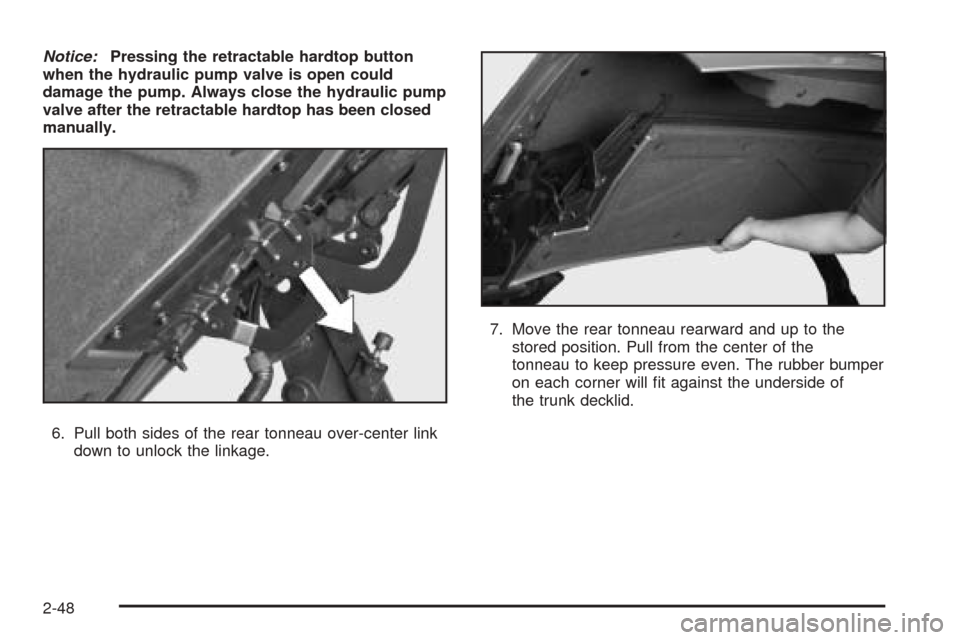
6. Pull both sides of the rear tonneau over-center link
down to unlock the linkage.7. Move the rear tonneau rearward and up to the
stored position. Pull from the center of the
tonneau to keep pressure even. The rubber bumper
on each corner will t against the underside of
the trunk decklid.
2-48
Page 110 of 438
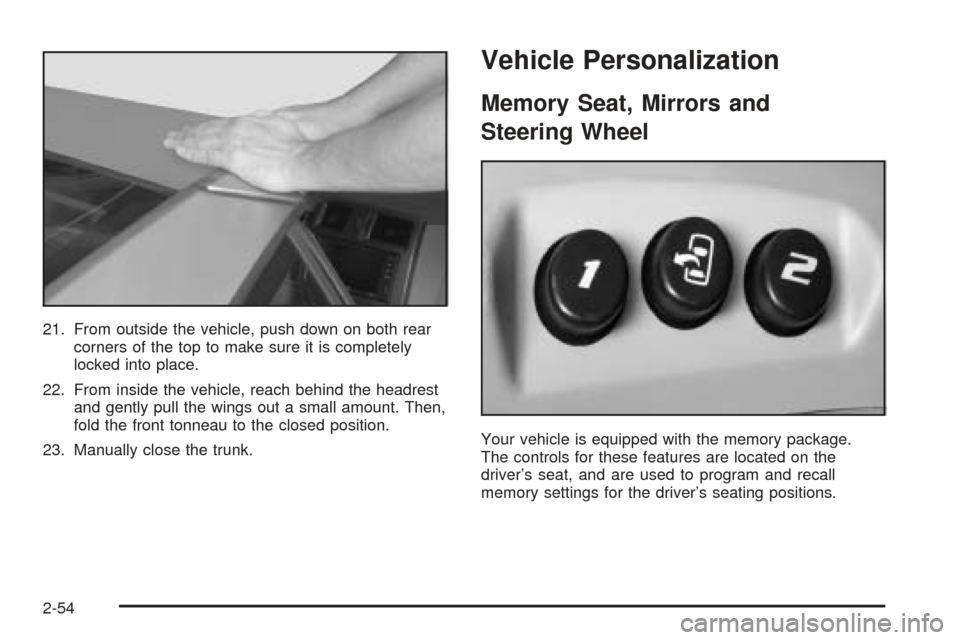
21. From outside the vehicle, push down on both rear
corners of the top to make sure it is completely
locked into place.
22. From inside the vehicle, reach behind the headrest
and gently pull the wings out a small amount. Then,
fold the front tonneau to the closed position.
23. Manually close the trunk.
Vehicle Personalization
Memory Seat, Mirrors and
Steering Wheel
Your vehicle is equipped with the memory package.
The controls for these features are located on the
driver’s seat, and are used to program and recall
memory settings for the driver’s seating positions.
2-54
Page 145 of 438
Courtesy Lamps
When any door or the trunk lid is opened, the interior
lamps will go on unless it is bright outside.
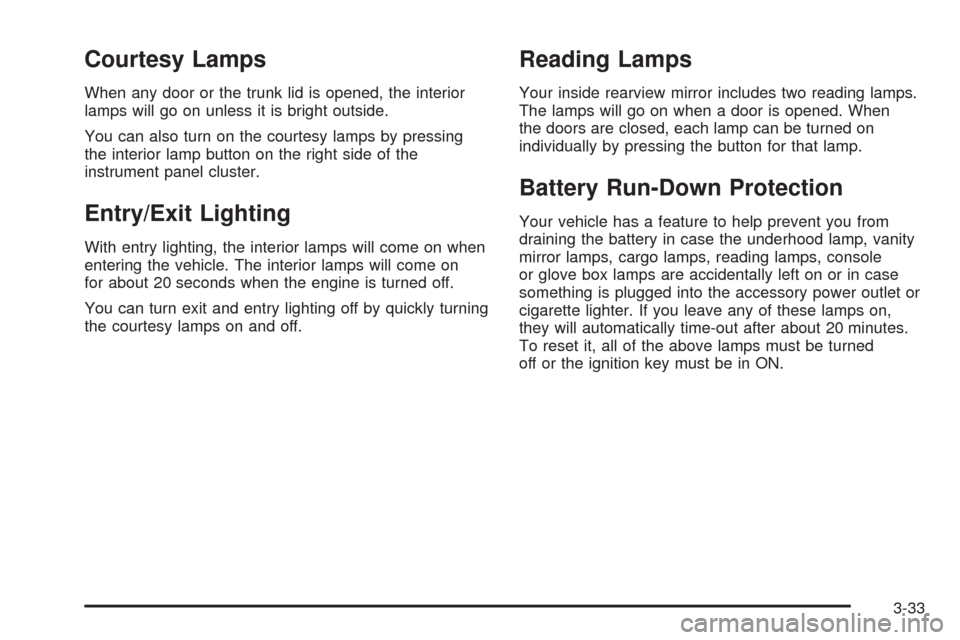
You can also turn on the courtesy lamps by pressing
the interior lamp button on the right side of the
instrument panel cluster.
Entry/Exit Lighting
With entry lighting, the interior lamps will come on when
entering the vehicle. The interior lamps will come on
for about 20 seconds when the engine is turned off.
You can turn exit and entry lighting off by quickly turning
the courtesy lamps on and off.
Reading Lamps
Your inside rearview mirror includes two reading lamps.
The lamps will go on when a door is opened. When
the doors are closed, each lamp can be turned on
individually by pressing the button for that lamp.
Battery Run-Down Protection
Your vehicle has a feature to help prevent you from
draining the battery in case the underhood lamp, vanity
mirror lamps, cargo lamps, reading lamps, console
or glove box lamps are accidentally left on or in case
something is plugged into the accessory power outlet or
cigarette lighter. If you leave any of these lamps on,
they will automatically time-out after about 20 minutes.
To reset it, all of the above lamps must be turned
off or the ignition key must be in ON.
3-33
Page 150 of 438
When you shift into REVERSE (R) and an object is
detected, the following will occur in sequence depending
on the distance from the object:
At 5 feet (1.5 m) a chime will sound and one amber
light will be lit;
at 40 inches (1.0 m) both amber lights will be lit;
at 20 inches (0.5 m) a continuous chime will sound
and all three lights (amber/amber/red) will be lit; and
at 1 foot (0.3 m) a continuous chime will sound and
all three lights (amber/amber/red) will ash.
URPA can detect objects 3 inches (7.6 cm) and wider,
and at least 10 inches (25.4 cm) tall, but it cannot detect
objects that are above trunk level. In order for the
rear sensors to recognize an object, it must be within
operating range.
If the URPA system is not functioning properly, the
display will ash red, indicating that there is a problem.
The light will also ash red while driving if a trailer is
attached to your vehicle, or a bicycle or object is on the
back of, or hanging out of your trunk. The light will
continue to ash until the trailer or the object is
removed and your vehicle is driven forward at least
15 mph (25 km/h).It may also ash red if the ultrasonic sensors are not
kept clean. So be sure to keep your rear bumper free of
mud, dirt, snow, ice and slush or materials such as
paint or the system may not work properly. If after
cleaning the rear bumper and driving forward at least
15 mph (25 km/h), the display continues to ash red, see
your dealer. For cleaning instructions, seeWashing
Your Vehicle on page 6-74.
It may also ash red if your vehicle is moving in
REVERSE (R) at a speed greater than 3 mph (5 km/h).
Other conditions that may affect system performance
include things like the vibrations from a jackhammer or
the compression of air brakes on a very large truck.
As always, drivers should use care when backing up a
vehicle. Always look behind you, being sure to check
for other vehicles, obstructions and blind spots.
Accessory Power Outlets
The accessory power outlet can be used to connect
electrical equipment such as a cellular phone or
CB radio.
The accessory power outlet is located inside the center
console storage compartment, on the forward left side.
To use the outlet, remove the tethered cap. When not
using it, always cover the outlet with the protective cap.
3-38
Page 176 of 438
DIC Warnings and Messages
These messages will appear if there is a problem
sensed in one of your vehicle’s systems. You must then
press RESET to clear the display screen for further
use. However, be sure to take any message that
appears on the display screen seriously and remember
that pressing the RESET button will only make the
message disappear, not the problem.
DIC messages can also be displayed in English,
French, German, Italian and Spanish.
ABS ACTIVE:When your anti-lock system is adjusting
brake pressure to help avoid a braking skid, the ABS
ACTIVE message will be displayed.
Slippery road conditions may exist if this message is
displayed, so adjust your driving accordingly. The
message may stay on for a few seconds after the
system stops adjusting brake pressure.
BATTERY SAVER ACTIVE:This message is displayed
when the vehicle has detected that the battery voltage
is dropping beyond a reasonable point. The battery
saver system will start reducing certain features of the
vehicle that you may not be able to notice. At the
point that features are disabled, this message is
displayed. It means that the vehicle is trying to save the
charge in the battery. Turn off unnecessary accessories
to allow the battery to recharge.CHANGE OIL NOW:This means that the life of the
engine oil has expired. SeeScheduled Maintenance on
page 7-4. After an oil change, the Oil Life Indicator
must be reset. SeeOil Life Indicator on page 3-77and
Engine Oil Life System on page 6-16.
CHARGE SYSTEM FAULT:This message will display
when a problem with the charging system has been
detected. Have your vehicle serviced by your GM dealer.
CHECK GAS CAP:This message will appear if the
gas cap has not been fully tightened. You should
recheck your gas cap to ensure that it is on properly.
CLEAN RADAR CRUISE:This message indicates the
ACC system is disabled because the radar is blocked and
cannot detect vehicles in your path. It may also activate
during heavy rain or due to road spray. To clean the
system, see “Adaptive Cruise Control (ACC)” underTurn
Signal/Multifunction Lever on page 3-7.
CLOSE CARGO DIVIDER:This message indicates that
the cargo divider is not in place. Open the trunk and
make sure the cargo divider is secure and no objects are
on the divider. SeeRear Storage Area on page 2-44
for more information.
3-64