warning CADILLAC XLR 2008 1.G Owner's Manual
[x] Cancel search | Manufacturer: CADILLAC, Model Year: 2008, Model line: XLR, Model: CADILLAC XLR 2008 1.GPages: 470, PDF Size: 8.39 MB
Page 156 of 470

Be sure to continue scanning your displays, controls
and driving environment just as you would in a vehicle
without HUD. If you never look at your instrument
panel cluster, you may not see something important,
such as a warning light. Under important warning
conditions, the CHECK GAGES message will display in
the HUD. View your Driver Information Center (DIC)
for more information.The HUD controls are
located to the left of the
steering wheel.
+
!- (Brightness):This button is used to adjust the
brightness of the HUD and the instrument panel cluster.
DIMMER:This button is used to select the HUD or
the instrument panel cluster to adjust the brightness.
HUD:This button is used to adjust the vertical position
of the HUD display.
3-34
Page 165 of 470

Warning Lights, Gages,
and Indicators
This part describes the warning lights and gages on
your vehicle. The pictures help to locate them.
Warning lights and gages can signal that something is
wrong before it becomes serious enough to cause
an expensive repair or replacement. Paying attention
to the warning lights and gages could also save you
or others from injury.
Warning lights come on when there may be or is a
problem with one of your vehicle’s functions. As the
details show on the next few pages, some warning lights
come on briey when you start the engine just to let
you know they are working. If you are familiar with
this section, you should not be alarmed when this
happens.Gages can indicate when there may be or is a problem
with one of your vehicle’s functions. Often gages
and warning lights work together to let you know when
there is a problem with your vehicle.
When one of the warning lights comes on and stays on
as you are driving, or when one of the gages shows
there may be a problem, check the section that tells
you what to do about it. Please follow this manual’s
advice. Waiting to do repairs can be costly and even
dangerous. So please get to know your vehicle’s
warning lights and gages. They can be a big help.
Your vehicle also has a Driver Information Center (DIC)
that works along with warning lights and gages.
SeeDIC Warnings and Messages on page 3-63for
more information.
3-43
Page 166 of 470

Instrument Panel Cluster
Your instrument panel cluster and Driver Information Center (DIC) are designed to let you know at a glance how the
vehicle is running. You will know how fast you are going, about how much fuel you have left and many other things
you will need to know to drive safely and economically. The instrument panel cluster indicator warning lights, gages
and DIC messages are explained on the following pages.
United States Base Cluster shown, Canada and Uplevel similar
3-44
Page 169 of 470

{CAUTION:
If the airbag readiness light stays on after you
start your vehicle, it means the airbag system
may not be working properly. The airbags in
your vehicle may not inate in a crash, or they
could even inate without a crash. To help avoid
injury to yourself or others, have your vehicle
serviced right away if the airbag readiness light
stays on after you start your vehicle.
The airbag readiness light should ash for a few
seconds when you start the engine. If the light does not
come on then, have it xed immediately. If there is a
problem with the airbag system, an airbag Driver
Information Center (DIC) message may also come on.
SeeDIC Warnings and Messages on page 3-63for
more information.
Passenger Airbag Status Indicator
Your vehicle has the passenger sensing system. Your
rearview mirror has a passenger airbag status indicator.
When you start the vehicle, the passenger airbag status
indicator will light ON and OFF, or the symbol for on
and off, for several seconds as a system check. Then,
after several more seconds, the status indicator will
light either ON or OFF, or either the on or off symbol,
to let you know the status to let you know the status of
the right front passenger’s frontal and seat-mounted
side impact airbags.United States
Canada
3-47
Page 171 of 470

If, after several seconds, both status indicator lights
remain on, or if there are no lights at all, there may be a
problem with the lights or the passenger sensing system.
See your dealer/retailer for service.
{CAUTION:
If the airbag readiness light in the instrument
panel cluster ever comes on and stays on,
it means that something may be wrong with
the airbag system. If this ever happens, have
the vehicle serviced promptly, because an
adult-size person sitting in the right front
passenger’s seat may not have the protection
of the airbag(s). SeeAirbag Readiness Light
on page 3-46for more on this, including
important safety information.
Charging System Light
This light will come on
briey when you turn
on the ignition, but
the engine is not running,
as a check to show
you it is working.
It should go out once the engine is running. If it stays
on, or comes on while you are driving, you may have a
problem with the charging system. A charging system
Driver Information Center (DIC) message may also
appear. SeeDIC Warnings and Messages on page 3-63
for more information. This light could indicate that you
have problems with a generator drive belt, or another
electrical problem. Have it checked right away.
If you must drive a short distance with the light on,
be certain to turn off all your accessories, such as
the radio and air conditioner.
3-49
Page 172 of 470

Voltmeter Gage
When the vehicle is in
accessory mode, the
voltmeter shows the
voltage output of your
battery. When the engine
is running, it shows
the voltage output of
the charging system.
The reading will change as the rate of charge changes
(with engine speed, for example), but if the voltmeter
reads at 9 volts or below, your instrument panel
cluster and other systems may shut down. The Driver
Information Center (DIC) will read LOW VOLTAGE when
your vehicle is at 10 volts or below. Have it checked
right away. Driving with the voltmeter reading at
10 volts or below could drain your battery and disable
your vehicle.
Brake System Warning Light
Your vehicle’s hydraulic brake system is divided into
two parts. If one part is not working, the other part can
still work and stop you. For good braking, though,
you need both parts working well.
This light should come on when you start the engine.
If it does not come on then, have it xed so it will
be ready to warn you if there is a problem.
If this warning light stays on after you start the engine,
the parking brake may still be set or there could be
a brake problem. Refer toParking Brake on page 2-30
to see if it is set. If the parking brake is not set, have
your brake system inspected right away.
United StatesCanada
3-50
Page 173 of 470
If the light comes on while you are driving and you have
a LOW BRAKE FLUID message showing on the DIC,
pull off the road and stop carefully. You may notice
that the pedal is harder to push. Or, the pedal may
go closer to the oor. It may take longer to stop.
If the light is still on, have the vehicle towed for service.
SeeTowing Your Vehicle on page 5-27.
{CAUTION:
Your brake system may not be working
properly if the brake system warning light is
on. Driving with the brake system warning
light on can lead to an accident. If the light
is still on after you have pulled off the road
and stopped carefully, have the vehicle towed
for service.
Antilock Brake System
Warning Light
For vehicles with
the Antilock Brake
System (ABS), this
light will come on
briey when you
start the engine.
That is normal. If the light does not come on then, have it
xed so it will be ready to warn you if there is a problem.
If the ABS light stays on, turn the ignition off, if the light
comes on when you are driving, stop as soon as it is
safely possible and turn the ignition off. Then start the
engine again to reset the system. If the ABS light still
stays on, or comes on again while you are driving,
your vehicle needs service. If the regular brake system
warning light is not on, you still have brakes, but you do
not have antilock brakes. If the regular brake system
warning light is also on, you do not have antilock
brakes and there is a problem with your regular brakes.
SeeBrake System Warning Light on page 3-50
For vehicles with a Driver Information Center (DIC),
seeDIC Warnings and Messages on page 3-63for
all brake related DIC messages.
3-51
Page 174 of 470
Traction Control System (TCS)
Warning Light
This light should
come on briey as
you start the engine.
If the light does not come on then, have it xed so it will
be ready to warn you if there is a problem.
The light will also come on while the StabiliTrak
®system
warms up and the STABILITRAK WARMING message
will be displayed in the Driver Information Center (DIC).
If it stays on, or comes on and the DIC shows a
SERVICE TRACTION SYS message when you are
driving, there is a problem with your Traction Control
System (TCS) and your vehicle needs service.
When this light is on, the system will not limit wheel
spin. Adjust your driving accordingly. If the driver turns
off TCS by pressing the button on the console, the
TCS light will come on and the TRACTION SYSTEM
OFF message will show on the DIC.If the light stays on or comes on while you are driving,
a chime sounds and a SERVICE STABILITRAK
message appears on the DIC, there is a problem with
your StabiliTrak
®and the vehicle needs service.
You can acknowledge this message by pressing the
RESET button. When the SERVICE STABILITRAK
message is displayed, the StabiliTrak
®system will not
assist you in controlling the vehicle. You should have the
system serviced as soon as possible. Adjust your
driving accordingly.
When the system is working, you will see the
STABILITRAK ACTIVE message displayed in the DIC.
You may also feel of hear the system working.
This is normal.
If you turn off the StabiliTrak
®system, by pressing the
front part of the button on the console for ve seconds,
the TCS light will come on, a chime will sound and
the TRAC/STABILITRAK OFF message will be
displayed in the DIC. The TCS will also be turned off.
SeeDIC Warnings and Messages on page 3-63
for more information.
If the StabiliTrak
®system and TCS are turned off,
pressing the console button momentarily will
turn both systems on. The DIC will display the
TRAC/STABILITRAK ON message, the instrument
cluster light will be off and a chime will sound.
SeeDIC Warnings and Messages on page 3-63for
more information.
3-52
Page 175 of 470
Engine Coolant Temperature Gage
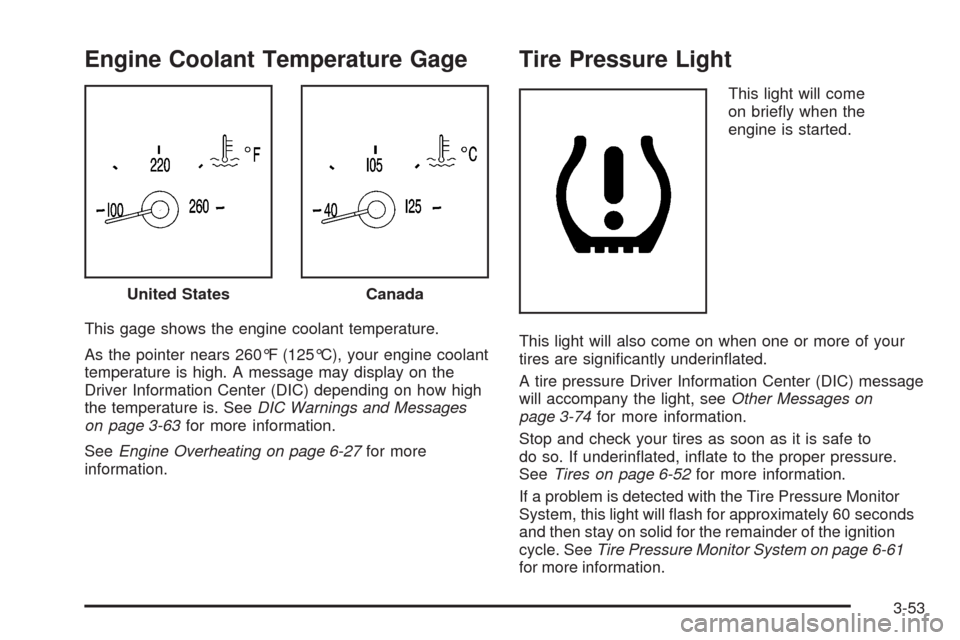
This gage shows the engine coolant temperature.
As the pointer nears 260°F (125°C), your engine coolant
temperature is high. A message may display on the
Driver Information Center (DIC) depending on how high
the temperature is. SeeDIC Warnings and Messages
on page 3-63for more information.
SeeEngine Overheating on page 6-27for more
information.
Tire Pressure Light
This light will come
on briey when the
engine is started.
This light will also come on when one or more of your
tires are signicantly underinated.
A tire pressure Driver Information Center (DIC) message
will accompany the light, seeOther Messages on
page 3-74for more information.
Stop and check your tires as soon as it is safe to
do so. If underinated, inate to the proper pressure.
SeeTires on page 6-52for more information.
If a problem is detected with the Tire Pressure Monitor
System, this light will ash for approximately 60 seconds
and then stay on solid for the remainder of the ignition
cycle. SeeTire Pressure Monitor System on page 6-61
for more information. United States
Canada
3-53
Page 179 of 470

Engine Oil Pressure Gage
The engine oil pressure gage shows the engine oil
pressure in psi (pounds per square inch) or kPa
(kilopascals) when the engine is running.
Oil pressure should be 20 to 80 psi (140 to 550 kPa).
In certain situations such as long, extended idles on
hot days, it could read as low as 6 psi (40 kPa) and still
be considered normal. It may vary with engine speed,
outside temperature and oil viscosity. The Driver
Information Center (DIC) may display messages
regarding the oil condition. SeeDIC Warnings and
Messages on page 3-63andEngine Oil on page 6-16.
{CAUTION:
Do not keep driving if the oil pressure is low.
If you do, your engine can become so hot that
it catches re. You or others could be burned.
Check your oil as soon as possible and have
your vehicle serviced.
Notice:Lack of proper engine oil maintenance
may damage the engine. The repairs would not
be covered by your warranty. Always follow
the maintenance schedule in this manual for
changing engine oil. United States
Canada
3-57