navigation CADILLAC XLR 2008 1.G Owner's Guide
[x] Cancel search | Manufacturer: CADILLAC, Model Year: 2008, Model line: XLR, Model: CADILLAC XLR 2008 1.GPages: 470, PDF Size: 8.39 MB
Page 284 of 470
Voice Recognition
The navigation system’s voice recognition allows for
hands-free operation of navigation and audio system
features. Voice recognition can be used when the
ignition is on or when Retained Accessory Power (RAP)
is active.
This feature only works if the map DVD is inserted and
I AGREE has been selected. If you try to use voice
recognition without the map DVD inserted, the system
will display “Please insert the navigation map DVD
to use the voice recognition feature.” See “Installing the
DVD Map Disc” underMaps on page 4-39.To use navigation voice recognition, do the following:
1. Push and hold the talk
symbol steering wheel
control until you
hear a beep. The audio
system will mute.
2. Clearly state one of the commands listed on the
following pages. For example, say “FM1”.
3. The system will tell you the command being
implemented. For example, the system will say
“FM1 Radio” and change the audio system to the
FM1 source.
You can end voice recognition by not speaking any
commands. After about ve seconds of silence,
the system will automatically cancel voice recognition.
At times, the system may not understand a spoken
command. If this happens, try saying the command
again. If a spoken command is not available, the system
will provide feedback based on availability.
While using voice recognition, make sure to keep interior
noise levels to a minimum. Otherwise, the system might
not recognize voice commands.
The system will only recognize commands spoken in
English.
4-76
Page 285 of 470
Voice Recognition Commands
The following list shows all of the voice commands
available for the navigation system with a brief
description of each. To use the voice commands, refer
to the instructions listed previously.
Help Commands
These commands are universal and will enable you to
use the help prompts available from the system.
Map Help:This command will enable the system to
provide the available commands for the map screen.
Destination Help:This command will enable the
system to provide the available commands for entering
a destination.
Guidance Help:This command will enable the system
to provide the available commands for the guidance
method.
Radio Help:This command will enable the system to
provide the available commands for the radio.
Disc Help:This command will enable the system to
provide the available commands for the CD changer.
Radio Commands
Radio:This command will change the audio system to
the next radio audio source.
AM:This command will change the audio system to the
AM audio source.
FM1:This command will change the audio system to
the FM1 audio source.
FM2:This command will change the audio system to
the FM2 audio source.
XM1:This command will change the audio system to
the XM1 audio source.
XM2:This command will change the audio system to
the XM2 audio source.
CD Changer:This command will change the audio
system to the CD changer audio source.
WX, Weather Band:These commands will change the
audio system to the weather band audio source.
Power On, Audio On:These commands will turn the
system’s power on.
Power Off, Audio Off:These commands will turn the
system’s power off.
4-77
Page 287 of 470
North Up, Change to North Up:These commands will
cause the system to display the North Up heading
when on the map screen if the map scale is set
to 2 miles (4 km) or less.
Map Direction, Change Map Direction:These
commands will cause the system to change the vehicle’s
direction from North Up to Heading Up or Heading Up
to North Up on the map screen if the map scale is set
to 2 miles (4 km) or less.
Mark, Mark This Point:These commands will cause
the system to mark the location as a memory point while
on the map screen.
Destination Commands
Home, Go Home:These commands will cause the
system to enter the Home destination, if one is set.
Go To Starting Point, Previous Starting Point:
These commands will cause the system to enter the
last available starting point as a destination.
Guidance Commands
Repeat Guidance, Repeat Voice:These commands
will cause the system to repeat the last available
voice prompt guidance command if a destination has
been set.
Louder:This command will cause the system to
increase the volume of the navigation voice prompts if a
destination has been set.
Softer:This command will cause the system to
decrease the volume of the navigation voice prompts if
a destination has been set.
Voice Guidance Off:This command will cause the
system to turn off the navigation voice prompts if
a destination has been set.
Voice Guidance On:This command will cause the
system to turn on the navigation voice prompts if
a destination has been set.
Open Guidance, Open Guidance Screen, Open
Guide, Open Guide Screen:These commands will
cause the system to open the Guidance Appearance
menu if a destination has been set.
4-79
Page 437 of 470

Customer Assistance and Information...............8-2
Customer Satisfaction Procedure......................8-2
Online Owner Center......................................8-4
Customer Assistance for Text
Telephone (TTY) Users................................8-5
Customer Assistance Offices............................8-5
GM Mobility Reimbursement Program................8-7
Roadside Service...........................................8-7
Scheduling Service Appointments....................8-10
Courtesy Transportation.................................8-10
Collision Damage Repair................................8-12Reporting Safety Defects................................8-15
Reporting Safety Defects to the
United States Government..........................8-15
Reporting Safety Defects to the
Canadian Government................................8-15
Reporting Safety Defects to General Motors.....8-16
Service Publications Ordering Information.........8-16
Vehicle Data Recording and Privacy................8-17
Event Data Recorders...................................8-18
OnStar
®......................................................8-19
Navigation System........................................8-19
Radio Frequency Identication (RFID)..............8-19
Section 8 Customer Assistance Information
8-1
Page 455 of 470
OnStar®
If your vehicle has OnStar®and you subscribe to
the OnStar®services, please refer to the OnStar®Terms
and Conditions for information on data collection and
use. See alsoOnStar
®System on page 2-41in
this manual for more information.
Navigation System
If your vehicle has a navigation system, use of the
system may result in the storage of destinations,
addresses, telephone numbers, and other trip
information. Refer to the navigation system operating
manual for information on stored data and for deletion
instructions.
Radio Frequency
Identication (RFID)
RFID technology is used in some vehicles for functions
such as tire pressure monitoring and ignition system
security, as well as in connection with conveniences
such as key fobs for remote door locking/unlocking and
starting, and in-vehicle transmitters for garage door
openers. RFID technology in GM vehicles does not use
or record personal information or link with any other
GM system containing personal information.
8-19
Page 462 of 470

G
Gage
Engine Coolant Temperature.........................3-53
Engine Oil Pressure.....................................3-57
Fuel..........................................................3-59
Speedometer..............................................3-45
Tachometer.................................................3-45
Voltmeter Gage...........................................3-50
Garage Door Opener.......................................2-44
Gasoline
Octane........................................................ 6-5
Specications............................................... 6-5
Getting Started
Getting Started, Navigation............................. 4-4
Global Positioning System (GPS)......................4-50
Glove Box.....................................................2-52
GM Mobility Reimbursement Program.................. 8-7
H
Hazard Warning Flashers................................... 3-6
Headlamp
Aiming.......................................................6-47
Vertical Aiming............................................6-48Headlamps
Adaptive Forward Lighting System.................3-30
Bulb Replacement.......................................6-50
Daytime Running Lamps...............................3-29
Exterior Lamps............................................3-28
Flash-to-Pass............................................... 3-9
High/Low Beam Changer................................ 3-9
On Reminder..............................................3-29
Washer......................................................3-12
Wiper Activated...........................................3-29
Head-Up Display (HUD)...................................3-33
Heated Seats................................................... 1-3
Heated Steering Wheel..................................... 3-7
Heater...........................................................3-38
Highbeam On Light.........................................3-58
Highway Hypnosis...........................................5-16
Hill and Mountain Roads..................................5-16
Hood
Checking Things Under................................6-10
Release.....................................................6-11
Horn............................................................... 3-6
How to Wear Safety Belts Properly...................1-11
6
Page 465 of 470

Message
DIC Warnings and Messages........................3-63
Mirrors
Automatic Dimming Rearview with OnStar
®.....2-36
Outside Automatic Dimming Mirror.................2-37
Outside Convex Mirror.................................2-38
Outside Power Heated Mirrors.......................2-36
Park Assist.................................................2-37
MyGMLink.com................................................ 8-4
N
Navigation.................................................4-2, 4-4
Using the System........................................4-11
Navigation System, Privacy..............................8-19
New Vehicle Break-In......................................2-23
Normal Maintenance Replacement Parts............7-13
O
Odometer......................................................3-45
Odometer, Trip...............................................3-45
Off-Road Recovery..........................................5-11Oil
Engine.......................................................6-16
Engine Oil Pressure Gage............................3-57
Life Indicator...............................................3-80
Oil, Engine Oil Life System..............................6-20
Older Children, Restraints................................1-23
Online Owner Center........................................ 8-4
OnStar, Privacy..............................................8-19
OnStar
®System.............................................4-50
OnStar®System, see OnStar®Manual...............2-41
Operation, Universal Home Remote System........2-45
Ordering
Map DVDs.................................................4-53
Other Warning Devices...................................... 3-6
Outlet Adjustment............................................3-42
Outlets
Accessory Power.........................................3-36
Outside
Automatic Dimming Mirror.............................2-37
Convex Mirror.............................................2-38
Power Heated Mirrors..................................2-36
Overheated Engine Protection Operating Mode . . . 6-29
Owner Checks and Services.............................. 7-8
Owners, Canadian.............................................. iii
9
Page 466 of 470

P
Paint, Damage...............................................6-87
Park Aid........................................................2-38
Park Assist Mirror...........................................2-37
Park Brake....................................................2-30
Park (P)
Shifting Into................................................2-32
Shifting Out of............................................2-33
Parking
Assist........................................................2-38
Over Things That Burn.................................2-34
Passenger Airbag Status Indicator.....................3-47
Passenger Compartment Air Filter.....................3-42
Passenger Sensing System..............................1-45
Passing.........................................................5-12
Perchlorate Materials Requirements, California...... 6-4
Plan Route....................................................4-19
Power
Door Locks.................................................2-12
Electrical System.........................................6-90
Lumbar Controls........................................... 1-2
Reclining Seatbacks...................................... 1-4
Retained Accessory (RAP)............................2-24
Seat............................................................ 1-2
Steering Fluid.............................................6-35
Tilt Wheel and Telescopic Steering Column....... 3-7
Windows....................................................2-17Privacy..........................................................8-17
Event Data Recorders..................................8-18
Navigation System.......................................8-19
OnStar.......................................................8-19
Radio Frequency Identication.......................8-19
Problems with Route Guidance.........................4-52
Programmable Automatic Door Unlock...............2-12
R
Racing or Other Competitive Driving..................5-13
Radio............................................................4-54
Personalization with Home and
Away Feature..........................................4-75
Radio Frequency Identication (RFID),
Privacy......................................................8-19
Radios..........................................................3-81
Care of Your CD Player...............................3-85
Care of Your CDs........................................3-85
Reception...................................................3-84
Theft-Deterrent............................................3-82
Rainsense™ Wipers........................................3-11
Raising the Retractable Hardtop........................2-55
Reading Lamps..............................................3-32
Rear Axle......................................................6-46
Limited-Slip.................................................. 5-7
Rear Storage Area..........................................2-53
10
Page 468 of 470
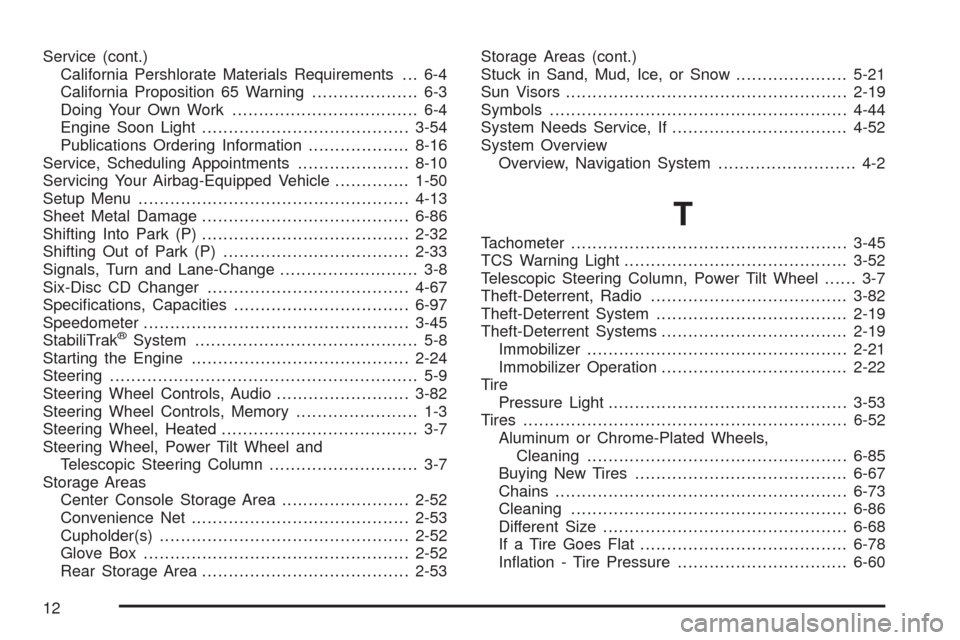
Service (cont.)
California Pershlorate Materials Requirements . . . 6-4
California Proposition 65 Warning.................... 6-3
Doing Your Own Work................................... 6-4
Engine Soon Light.......................................3-54
Publications Ordering Information...................8-16
Service, Scheduling Appointments.....................8-10
Servicing Your Airbag-Equipped Vehicle..............1-50
Setup Menu...................................................4-13
Sheet Metal Damage.......................................6-86
Shifting Into Park (P).......................................2-32
Shifting Out of Park (P)...................................2-33
Signals, Turn and Lane-Change.......................... 3-8
Six-Disc CD Changer......................................4-67
Specications, Capacities.................................6-97
Speedometer..................................................3-45
StabiliTrak
®System.......................................... 5-8
Starting the Engine.........................................2-24
Steering.......................................................... 5-9
Steering Wheel Controls, Audio.........................3-82
Steering Wheel Controls, Memory....................... 1-3
Steering Wheel, Heated..................................... 3-7
Steering Wheel, Power Tilt Wheel and
Telescopic Steering Column............................ 3-7
Storage Areas
Center Console Storage Area........................2-52
Convenience Net.........................................2-53
Cupholder(s)...............................................2-52
Glove Box..................................................2-52
Rear Storage Area.......................................2-53Storage Areas (cont.)
Stuck in Sand, Mud, Ice, or Snow.....................5-21
Sun Visors.....................................................2-19
Symbols........................................................4-44
System Needs Service, If.................................4-52
System Overview
Overview, Navigation System.......................... 4-2
T
Tachometer....................................................3-45
TCS Warning Light..........................................3-52
Telescopic Steering Column, Power Tilt Wheel...... 3-7
Theft-Deterrent, Radio.....................................3-82
Theft-Deterrent System....................................2-19
Theft-Deterrent Systems...................................2-19
Immobilizer.................................................2-21
Immobilizer Operation...................................2-22
Tire
Pressure Light.............................................3-53
Tires.............................................................6-52
Aluminum or Chrome-Plated Wheels,
Cleaning.................................................6-85
Buying New Tires........................................6-67
Chains.......................................................6-73
Cleaning....................................................6-86
Different Size..............................................6-68
If a Tire Goes Flat.......................................6-78
Ination - Tire Pressure................................6-60
12