lock CADILLAC XLR 2008 1.G Service Manual
[x] Cancel search | Manufacturer: CADILLAC, Model Year: 2008, Model line: XLR, Model: CADILLAC XLR 2008 1.GPages: 470, PDF Size: 8.39 MB
Page 173 of 470
If the light comes on while you are driving and you have
a LOW BRAKE FLUID message showing on the DIC,
pull off the road and stop carefully. You may notice
that the pedal is harder to push. Or, the pedal may
go closer to the oor. It may take longer to stop.
If the light is still on, have the vehicle towed for service.
SeeTowing Your Vehicle on page 5-27.
{CAUTION:
Your brake system may not be working
properly if the brake system warning light is
on. Driving with the brake system warning
light on can lead to an accident. If the light
is still on after you have pulled off the road
and stopped carefully, have the vehicle towed
for service.
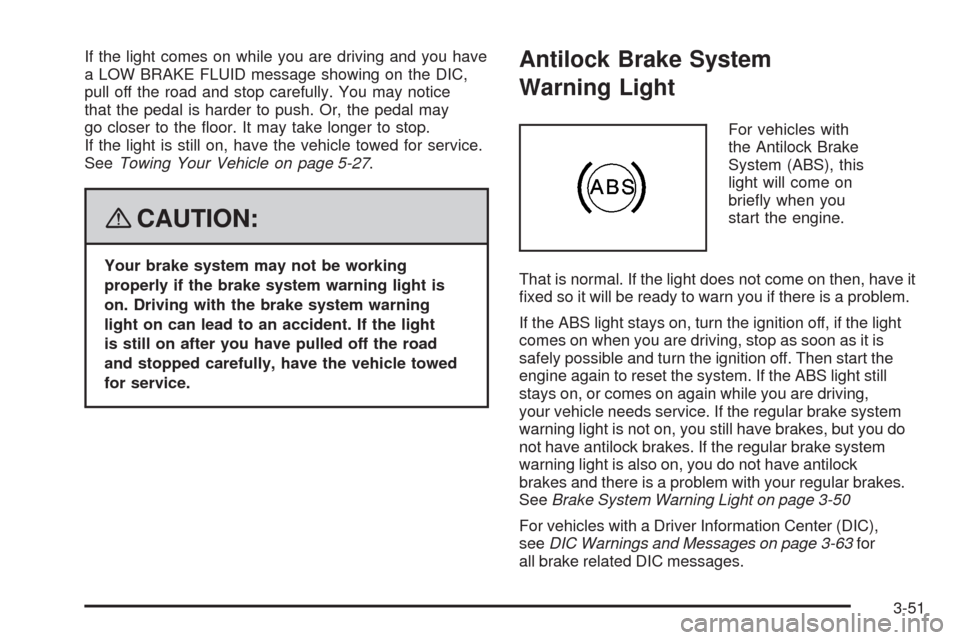
Antilock Brake System
Warning Light
For vehicles with
the Antilock Brake
System (ABS), this
light will come on
briey when you
start the engine.
That is normal. If the light does not come on then, have it
xed so it will be ready to warn you if there is a problem.
If the ABS light stays on, turn the ignition off, if the light
comes on when you are driving, stop as soon as it is
safely possible and turn the ignition off. Then start the
engine again to reset the system. If the ABS light still
stays on, or comes on again while you are driving,
your vehicle needs service. If the regular brake system
warning light is not on, you still have brakes, but you do
not have antilock brakes. If the regular brake system
warning light is also on, you do not have antilock
brakes and there is a problem with your regular brakes.
SeeBrake System Warning Light on page 3-50
For vehicles with a Driver Information Center (DIC),
seeDIC Warnings and Messages on page 3-63for
all brake related DIC messages.
3-51
Page 184 of 470
AVERAGE SPEED:This feature shows the average
speed the vehicle has traveled since the last time
the value was reset. To reset the value, press the
information button to display AVERAGE SPEED, then
press and hold the RESET button until AVERAGE
SPEED 00.0 is displayed.
ELAPSED TIME:This feature is like a stopwatch, in
that you can clock the time it takes to get from one point
to another.
To operate, press the information button to display
ELAPSED TIME. Each of the elds for the hours,
minutes, and seconds are two numeric digits.
Once ELAPSED TIME 00:00:00 is displayed, press the
RESET button to start the timing feature. Press the
RESET button again to stop it. If you will be starting and
stopping your vehicle, during a trip for instance, the
ELAPSED TIME feature will automatically start timing
where it left off when you last stopped. To reset it,
press and hold the RESET button until the display
reads ELAPSED TIME 00:00:00. Press the information
button to exit from the ELAPSED TIME display.FRONT Lxx Rxx PSI:This feature shows the tire
pressure for the front left and right tires.
REAR Lxx Rxx PSI:This feature shows the tire
pressure for the rear left and right tires.
OIL LIFE:This feature shows the estimated oil life
remaining. SeeOil Life Indicator on page 3-80for more
information. To reset the engine oil life system, see
Engine Oil Life System on page 6-20. This only needs
to be reset after you have had the oil changed.
In addition to the engine oil life system monitoring oil
life, additional maintenance is recommended in the
Maintenance Schedule in this manual. SeeScheduled
Maintenance on page 7-4andEngine Oil on page 6-16
for more information.
ENG/METRIC (English/Metric):This feature allows
you to switch the DIC displays between English
and Metric. Press the RESET button to switch the
display between English and Metric. There will be
an arrow next to the option that is selected.
3-62
Page 185 of 470
DIC Warnings and Messages
These messages appear if there is a problem detected
in one of your vehicle’s systems. You must then
press RESET to clear the display screen for further use.
However, be sure to take any message that appears
on the display screen seriously and remember that
pressing the RESET button will only make the message
disappear, not the problem.
DIC messages can also be displayed in English,
French, German, Italian, Japanese, and Spanish.
ABS (Antilock Brake System) ACTIVE
This message displays when the Antilock Brake
System (ABS) is adjusting brake pressure to help
avoid a braking skid.
Slippery road conditions may exist if this message
displays, so adjust your driving accordingly.
The message may stay on for a few seconds after
the system stops adjusting brake pressure.
BUCKLE PASSENGER
This message reminds you to buckle the passenger’s
safety belt.
This message displays and a chime sounds when the
ignition is on, the driver’s safety belt is buckled, the
passenger’s safety belt is unbuckled with the passenger
airbag enabled, and the vehicle is in motion. You
should have the passenger buckle their safety belt.
The reminder will be repeated if the ignition is on, the
vehicle is in motion, the driver is buckled and the
passenger is still unbuckled, and the passenger airbag
is enabled. If the passenger’s safety belt is already
buckled, this message and chime will not come on.
BUCKLE SEAT BELT
This message reminds you to buckle the driver’s
safety belt.
This message displays and a chime sounds when the
ignition is on, the driver’s safety belt is unbuckled,
and the vehicle is in motion. You should buckle your
safety belt.
3-63
Page 186 of 470

If the driver remains unbuckled when the ignition is
on and the vehicle is in motion, the reminder will
be repeated. If the driver’s safety belt is already buckled,
this message and chime will not come on.
This message is an additional reminder to the Safety
Belt Reminder Light in the instrument panel cluster.
SeeSafety Belt Reminders on page 3-46for more
information.
CHANGE OIL NOW
This message displays when the life of the engine oil
has expired. SeeScheduled Maintenance on page 7-4.
After an oil change, the Oil Life Indicator must be
reset. SeeOil Life Indicator on page 3-80andEngine
Oil Life System on page 6-20.
CHARGE SYSTEM FAULT
This message displays when a problem with the
charging system has been detected. Have your vehicle
serviced by your dealer/retailer.
CHECK GAS CAP
This message displays if the fuel cap has not been
fully tightened. Check the fuel cap to make sure that
it is on properly.
CLEAN RADAR CRUISE
If your vehicle has this feature, this message displays
when the Adaptive Cruise Control (ACC) system is
disabled because the radar is blocked and cannot
detect vehicles in your path. It may also activate during
heavy rain or due to road spray. To clean the system,
seeAdaptive Cruise Control on page 3-15.
CLOSE CARGO DIVIDER
This message displays if the cargo divider is not in
place. Open the trunk and make sure the cargo divider
is secure and no objects are on the divider. See
Rear Storage Area on page 2-53for more information.
COOLANT OVER TEMP (Temperature)
This message displays when the engine coolant
temperature is too hot. Stop and allow your vehicle to
idle in PARK (P) until it cools down and the message
is removed. Do not increase engine speed above
a normal idle. If it does not cool down, turn off the
engine and have your vehicle serviced by your
dealer/retailer before driving it again. Severe engine
damage can result from an overheated engine.
SeeEngine Overheating on page 6-27.
3-64
Page 192 of 470
REDUCED ENGINE POWER
This message displays when the vehicle is reducing
engine power because the transmission is being placed
in gear under conditions that may cause damage to
the vehicle’s engine, transmission, or ability to
accelerate. Reduced engine power can affect the
vehicle’s ability to accelerate. If this message is on,
but there is no reduction in performance, proceed
to your destination. The performance may be reduced
the next time the vehicle is driven. The vehicle may
be driven at a reduced speed while this message is on,
but acceleration and speed may be reduced. Anytime
this message stays on, the vehicle should be taken
to your dealer/retailer for service as soon as possible.
RIGHT DOOR AJAR
This message displays anytime the engine is running,
the transmission is not in PARK (P), and the passenger
door is open or ajar. A chime sounds if the vehicle’s
speed is greater than 3 mph (5 km/h).
SERVICE A/C
This message displays when the electronic sensors that
control the air conditioning and heating systems are
no longer working. Have the climate control system
serviced by your dealer/retailer if you notice a drop in
heating and air conditioning efficiency.
SERVICE ABS (Antilock Brake System)
If this message displays when you are driving, stop
as soon as possible and turn the ignition off. Then start
the engine again to reset the system. If the message
stays on, or comes back on again while you are driving,
your vehicle is in need of service. See your
dealer/retailer.
If the SERVICE ABS message is being displayed, the
Traction Control System (TCS) and StabiliTrak
®System
will also be disabled. The Driver Information Center
will scroll three messages: SERVICE ABS, SERVICE
TRACTION SYS, and SERVICE STABILITRAK, and the
antilock brake system and traction control warning
lights on the instrument panel cluster will be illuminated.
SeeAntilock Brake System Warning Light on page 3-51
andTraction Control System (TCS) Warning Light on
page 3-52. The driver can acknowledge these messages
by pressing the RESET button three times. When the
service message is displayed, the computer controlled
systems will not assist the driver and you should
have the system repaired by your dealer/retailer as
soon as possible. Adjust your driving accordingly.
3-70
Page 198 of 470

DIC Vehicle Personalization
Your vehicle has personalization capabilities that allow
you to program certain features to a preferred setting
for up to two drivers. The back of the keyless access
transmitters are labelled 1 or 2.
The current driver’s preferences are recalled when one
of the following occurs:
The lock or unlock button on the keyless access
transmitter, programmed as 1 or 2, is pressed.
The appropriate memory button, 1 or 2, located on
the driver’s seat is pressed. SeeMemory Seat,
Mirrors and Steering Wheel on page 1-3for more
information.
A valid keyless access transmitter is detected upon
opening the driver’s door.
If more than one valid keyless access transmitter is
detected upon opening the driver’s door, the driver
preferences for the lowest driver number will be recalled.
If a keyless access transmitter is programmed
as #3 or #4, the personalization system will not
recognize the transmitter. The Driver Information
Center (DIC) will not display a current driver number
and the features that are normally programmed
through the DIC will be set to the default states.Also, if the OPTIONS button is pressed, the DIC does
not display the menus used to set personalizations,
but instead displays OPTIONS UNAVAILABLE for
a few seconds.
Feature Programming
To change feature preferences, make sure the vehicle
is running and in PARK (P). To avoid excessive drain
on the battery, it is recommended that the headlamps
are turned off. Press the OPTIONS button and the
Driver Information Center (DIC) will display the
current driver for a few seconds, then display the
rst personalization menu item. You can now use the
OPTIONS button to change the setting of the displayed
feature. Press the top or bottom of the information
button to scroll up or down the list of features. When
you get to a feature you want to change, press the
OPTIONS button again. When you are nished, press
the RESET button to exit the personalization menu.
If no button is pressed within 45 seconds, the DIC will
exit the personalization menu.
The following are DIC options that will be available in
the personalization menu.
3-76
Page 199 of 470
Auto Recall
This feature allows the steering column, outside mirrors
and the driver’s seat to automatically move to the current
driver’s set position when the engine starts. The DIC will
display AUTO RECALL OFF or AUTO RECALL ON.
Press the OPTIONS button to change the setting.
Auto Exit Recall
This feature allows the steering column and driver’s
seat to automatically move to the current driver’s
exit position when one of the following occurs:
The vehicle is turned off or in RAP or accessory
mode and the driver’s door is opened.
The vehicle is turned off or in RAP and the
unlock button on the keyless access transmitter
is pressed.
The DIC will display AUTO EXIT RECALL OFF or
AUTO EXIT RECALL ON. Press the OPTIONS
button to change the setting.
Approach Lights
This feature activates the parking lamps, front fog lamps
and back-up lamps during low light periods when the
unlock button on the keyless access transmitter is
pressed, both doors are closed and the vehicle is off or
in RAP. The lamps remain on for 20 seconds or until
a door is opened, the lock button on the keyless access
transmitter is pressed or the vehicle is no longer off
or in RAP.
The DIC will display APPROACH LIGHTS OFF or
APPROACH LIGHTS ON. Press the OPTIONS button
to change the setting.
Exit Lights
This feature activates the parking lamps and front fog
lamps for 15, 30 or 90 seconds. This will occur when
the vehicle is off or in RAP and the headlamps are on
due to the automatic headlamp system. The parking
lamps and front fog lamps will remain on until the driver
selected time period expires, the exterior lamp control
is activated or the vehicle is no longer off or in RAP.
The DIC will display EXIT LIGHTS OFF, EXIT
LIGHTS - 15 SEC, EXIT LIGHTS - 30 SEC, or
EXIT LIGHTS - 90 SEC. Press the OPTIONS button
to change the setting.
3-77
Page 200 of 470
Flash at Unlock
This feature activates the front and rear turn signals for
two short ashes when the unlock or trunk button on
the keyless access transmitter is pressed. This will only
occur when the vehicle is off.
The DIC will display NO FLASH AT UNLOCK or
FLASH AT UNLOCK. Press the OPTIONS button to
change the setting.
Flash at Lock
This feature activates the front and rear turn signals for
one long ash when the lock button on the keyless
access transmitter is pressed. This will only occur when
the vehicle is off. If the lock button is pressed again
within ve seconds, the horn will sound regardless of
which setting you have selected.
The DIC will display NO FLASH AT LOCK or
FLASH AT LOCK. Press the OPTIONS button to
change the setting.
FOB Reminder
This feature sounds the horn three times when
the driver door is closed and there is a keyless
access transmitter inside the interior of the vehicle.
This will only occur when the vehicle is off.
The DIC will display FOB REMINDER OFF or
FOB REMINDER HORN. Press the OPTIONS button
to change the setting.
Passive Locking
This feature allows you to select whether the doors
automatically lock during normal vehicle exit. When the
ignition is turned off and all doors become closed,
the vehicle will determine how many keyless access
transmitters remain in the vehicle interior. If at least
one keyless access transmitter has been removed
from the interior of the vehicle, the doors will lock
after eight seconds.
For example, if there are two keyless access
transmitters in the vehicle and one is removed, the
other will be locked in. The keyless access transmitter
locked in the vehicle can still be used to start the vehicle
or unlock the doors, if needed. A person approaching
the outside of the locked vehicle without an authorized
keyless access transmitter, however, will not be able
to open the door, even with a transmitter in the vehicle.
3-78
Page 201 of 470
You may temporarily disable the passive door locking
feature by pressing the door unlock switch for
three seconds on an open door. Passive door locking
will then remain disabled until a door lock switch is
pressed or until the power mode transitions from
the off power mode.
You can select to not have the horn sound when the
passive lock occurs. If you choose this setting, the doors
will automatically lock eight seconds after you turn the
ignition off, remove a keyless access transmitter
from the interior of the vehicle, and close both doors.
You can also select to have the horn sound once when
the passive lock occurs. If you choose this setting,
the doors will automatically lock and the horn will chirp
eight seconds after you turn the ignition off, remove
a keyless access transmitter from the interior of
the vehicle, and close both doors.
If you are parking in a quiet area and do not want the
horn to sound when the doors lock, press the lock button
on the keyless access transmitter immediately after
removing it from the interior and closing the doors.
This will lock the doors and cancel the passive locking
for this ignition cycle.
The DIC will display PASSIVE LOCKING OFF, SILENT
PASSIVE LOCK, or HORN AT PASSIVE LOCK.
Press the OPTIONS button to change the setting.Passive Unlocking
This feature allows you to select which doors will
automatically unlock when you approach and open the
driver’s door with your keyless access transmitter.
You can choose to have the driver’s door unlock or
both doors unlock. SeeDoor Locks on page 2-10
for more information.
The DIC will display PASSIVE UNLK DRIVER or
PASSIVE UNLK BOTH. Press the OPTIONS button
to change this setting.
Auto Unlock
This feature automatically unlocks either the driver’s
door or both doors, depending on the setting, when
the shift lever is moved to PARK (P).
The DIC will display AUTO UNLOCK OFF,
AUTO UNLOCK DRIVER, or AUTO UNLOCK BOTH.
Press the OPTIONS button to change the setting.
Park Assist
This feature tilts the passenger’s side mirror downward
when the shifter is moved to REVERSE (R). This can
help you to see the curb while backing up. If you adjust
the mirror while in REVERSE (R), the new position
will be saved as the park assist position.
The DIC will display PARK ASSIST OFF or
PARK ASSIST ON.
3-79
Page 204 of 470

Theft-Deterrent Feature
THEFTLOCK®is designed to discourage theft of your
vehicle’s radio. The feature works automatically by
learning a portion of the Vehicle Identication Number
(VIN). If the radio is moved to a different vehicle, it does
not operate. If the radio is removed from your vehicle,
the original VIN in the radio can be used to trace
the radio back to your vehicle.
With THEFTLOCK
®activated, the radio does not
operate if stolen.
Audio Steering Wheel Controls
Your vehicle has audio steering wheel controls,
they could differ depending on your vehicle’s options.
There are two versions.On the outboard side, you may have:
1. SEEK, SRCE, Heated Steering Wheel and
Cruise Control Cancel.
2. SRCE, Heated Steering Wheel, Adaptive
Cruise Control Gap, and Cruise Control Cancel.
The right side controls are the same for all versions.
Audio Controls
With Heated Steering
Wheel and Cruise
Control Cancel
Audio Controls
With Heated Steering
Wheel and Adaptive
Cruise and GAP
3-82