brake CADILLAC XT4 2019 Owner's Manual
[x] Cancel search | Manufacturer: CADILLAC, Model Year: 2019, Model line: XT4, Model: CADILLAC XT4 2019Pages: 381, PDF Size: 6.4 MB
Page 3 of 381
Cadillac XT4 Owner Manual (GMNA-Localizing-U.S./Canada/Mexico-
12017481) - 2019 - Insert - 1/15/20
2
Caution
If the vehicle is towed with all four
wheels on the ground, the
drivetrain components could be
damaged. The repairs would not be
covered by the vehicle warranty. Do
not tow the vehicle with all four
wheels on the ground.
The vehicle is neither designed nor
intended to be towed with all four
wheels on the ground. If the vehicle
must be towed, a dolly should be
used. See the following information on
dolly towing.
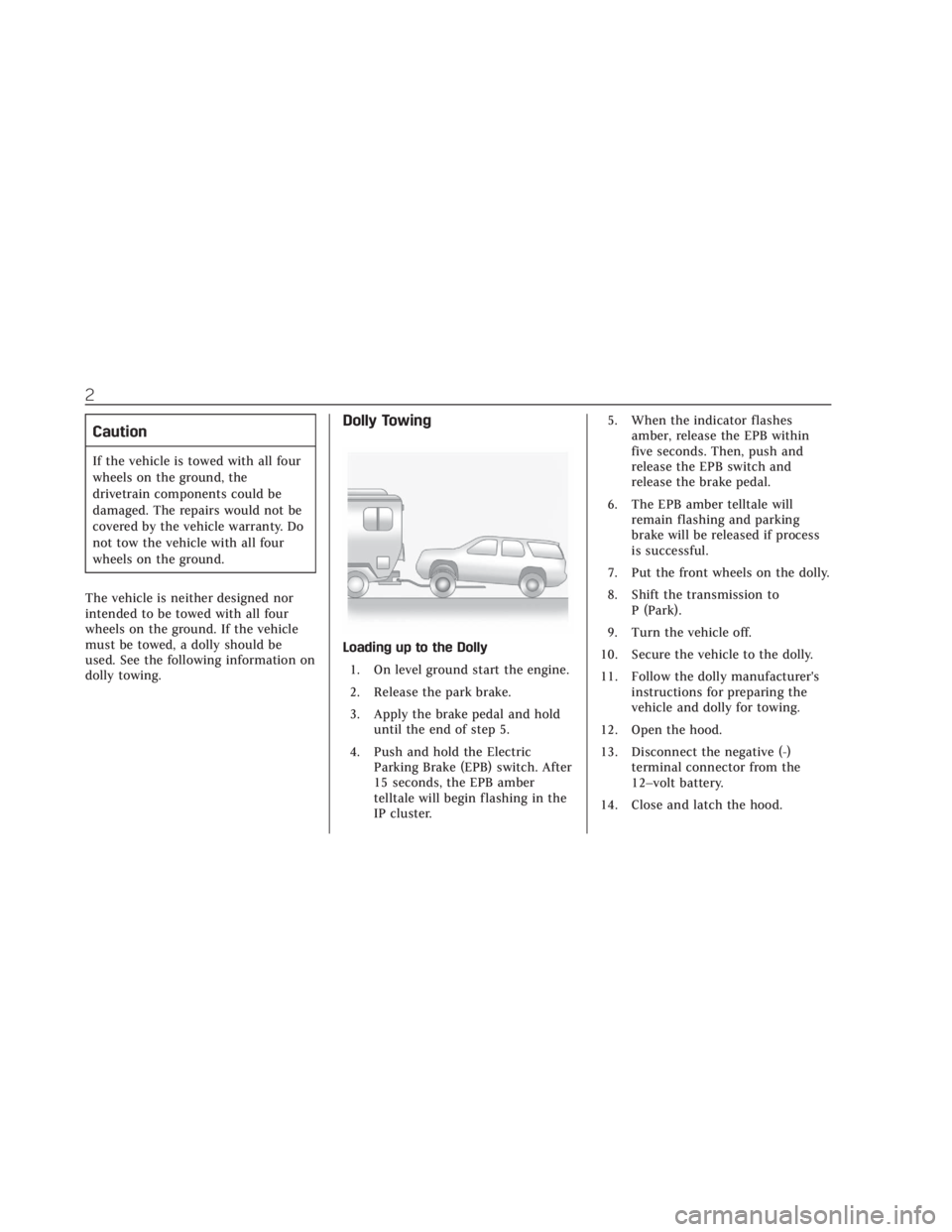
Dolly Towing
Loading up to the Dolly 1. On level ground start the engine.
2. Release the park brake.
3. Apply the brake pedal and hold until the end of step 5.
4. Push and hold the Electric Parking Brake (EPB) switch. After
15 seconds, the EPB amber
telltale will begin flashing in the
IP cluster. 5. When the indicator flashes
amber, release the EPB within
five seconds. Then, push and
release the EPB switch and
release the brake pedal.
6. The EPB amber telltale will remain flashing and parking
brake will be released if process
is successful.
7. Put the front wheels on the dolly.
8. Shift the transmission to P (Park).
9. Turn the vehicle off.
10. Secure the vehicle to the dolly.
11. Follow the dolly manufacturer's instructions for preparing the
vehicle and dolly for towing.
12. Open the hood.
13. Disconnect the negative (-) terminal connector from the
12–volt battery.
14. Close and latch the hood.
Page 4 of 381
Cadillac XT4 Owner Manual (GMNA-Localizing-U.S./Canada/Mexico-
12017481) - 2019 - Insert - 1/15/20
3
Unloading from the Dolly1. On level ground open the hood.
2. Connect the negative (-) terminal connector to the 12– volt battery.
3. Close the hood.
4. Follow the dolly manufacturer's instructions for preparing the
vehicle and dolly for unloading.
5. Unsecure the vehicle from the dolly.
6. Start the engine.
7. Shift the transmission to R (Reverse).
8. Drive vehicle off of the dolly.
9. Shift the transmission to P (Park).
10. Apply the brake pedal and hold until step 12.
11. Push and hold the EPB switch for 5 seconds. 12. The EPB amber telltale in the IP
cluster will go out.
13. Apply and release Parking Brake by pushing the EPB switch.
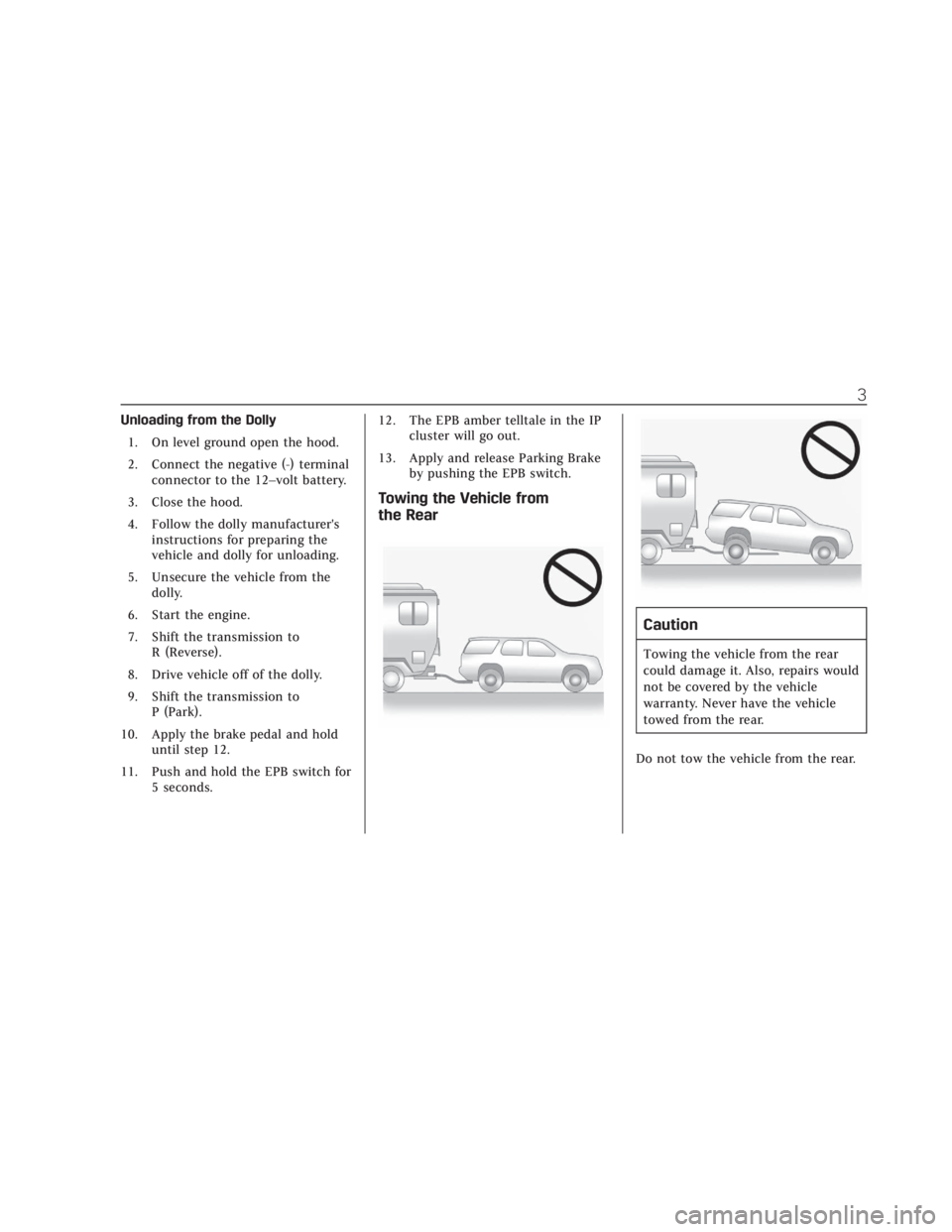
Towing the Vehicle from
the Rear
Caution
Towing the vehicle from the rear
could damage it. Also, repairs would
not be covered by the vehicle
warranty. Never have the vehicle
towed from the rear.
Do not tow the vehicle from the rear.
Page 8 of 381
Cadillac XT4 Owner Manual (GMNA-Localizing-U.S./Canada/Mexico-
12017481) - 2019 - CRC - 11/5/18
4 INTRODUCTION
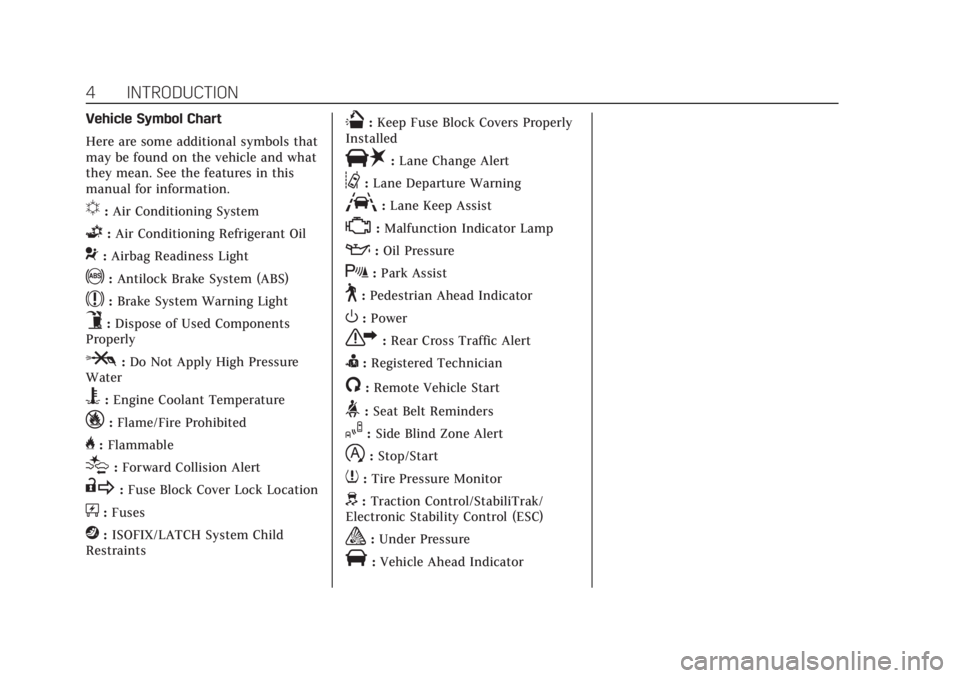
Vehicle Symbol Chart
Here are some additional symbols that
may be found on the vehicle and what
they mean. See the features in this
manual for information.
u:Air Conditioning System
G:Air Conditioning Refrigerant Oil
9:Airbag Readiness Light
!:Antilock Brake System (ABS)
$:Brake System Warning Light
9:Dispose of Used Components
Properly
P: Do Not Apply High Pressure
Water
B: Engine Coolant Temperature
_:Flame/Fire Prohibited
H: Flammable
[:Forward Collision Alert
R: Fuse Block Cover Lock Location
+:Fuses
j:ISOFIX/LATCH System Child
Restraints
Q: Keep Fuse Block Covers Properly
Installed
|: Lane Change Alert
@:Lane Departure Warning
A:Lane Keep Assist
*:Malfunction Indicator Lamp
::Oil Pressure
X:Park Assist
~:Pedestrian Ahead Indicator
O:Power
7: Rear Cross Traffic Alert
I:Registered Technician
/:Remote Vehicle Start
>:Seat Belt Reminders
I: Side Blind Zone Alert
h:Stop/Start
7: Tire Pressure Monitor
d:Traction Control/StabiliTrak/
Electronic Stability Control (ESC)
a: Under Pressure
V:Vehicle Ahead Indicator
Page 12 of 381
Cadillac XT4 Owner Manual (GMNA-Localizing-U.S./Canada/Mexico-
12017481) - 2019 - CRC - 11/5/18
8 IN BRIEF
24.Cruise Control 0206.
Adaptive Cruise Control 0209 (If
Equipped).
Heated Steering Wheel 0117 (If
Equipped).
Forward Collision Alert (FCA)
System 0226 (If Equipped).
25. Head-Up Display (HUD) 0145
(Out of View) (If Equipped).
26. Data Link Connector. See Malfunction Indicator Lamp (Check
Engine Light) 0133 (Out of View).
27. Instrument Panel Illumination
Control 0162.
28. Hood Release. See Hood0255
(Out of View).
29. Electric Parking Brake 0201.Initial Drive Information
This section provides a brief overview
about some of the important features
that may or may not be on your
specific vehicle.
For more detailed information, refer to
each of the features which can be
found later in this owner’s manual.
Stop/Start System
The Stop/Start system will shut off
the engine to help conserve fuel.
It has components designed for the
increased number of starts.
When the brakes are applied and the
vehicle is at a complete stop, the
engine may turn off. When stopped,
the tachometer displays AUTO STOP.
See Tachometer 0129. When the brake
pedal is released or the accelerator
pedal is pressed, the engine will
restart. See Stop/Start System 0187.
The automatic engine Stop/Start
feature can be disabled and enabled
by pressing the switch with the
h
symbol. Auto Stop is enabled each
time you start the vehicle.
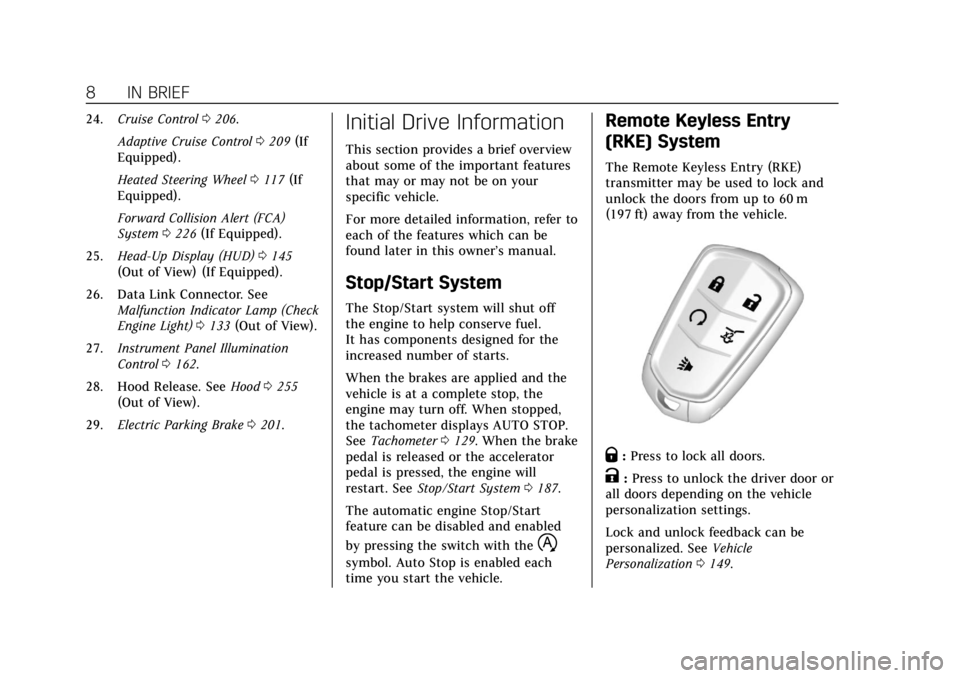
Remote Keyless Entry
(RKE) System
The Remote Keyless Entry (RKE)
transmitter may be used to lock and
unlock the doors from up to 60 m
(197 ft) away from the vehicle.
Q: Press to lock all doors.
K:Press to unlock the driver door or
all doors depending on the vehicle
personalization settings.
Lock and unlock feedback can be
personalized. See Vehicle
Personalization 0149.
Page 24 of 381

Cadillac XT4 Owner Manual (GMNA-Localizing-U.S./Canada/Mexico-
12017481) - 2019 - CRC - 11/5/18
20 IN BRIEF
SET−:Push down briefly to set the
speed and activate cruise control.
If the cruise control is already active,
use to decrease vehicle speed. To
decrease speed by 1 km/h (1 mph),
push SET− down to the first detent.
To decrease speed to the next 5 km/h
(5 mph) mark on the speedometer,
push SET− down to the second detent.
*:Press to disengage cruise control
without erasing the set speed from
memory.
See Cruise Control 0206 orAdaptive
Cruise Control 0209 (if equipped).
Driver Information
Center (DIC)
The DIC display is in the instrument
cluster. It shows the status of many
vehicle systems.
SorT:Press to move between the
interactive display zones in the
cluster. Press
Sto go back to the
previous menu.
yorz: Use the thumbwheel to
scroll to the previous or next
selection.
V: Press the thumbwheel to select.
See Driver Information Center (DIC)
0 142.
Forward Collision Alert
(FCA) System
If equipped, FCA may help avoid or
reduce the harm caused by front-end
crashes. FCA provides a green
indicator,
V, when a vehicle is
detected ahead. This indicator
displays amber when following a
vehicle much too closely. When
approaching a vehicle ahead too
quickly, FCA provides a flashing red
alert on the windshield and rapidly
beeps or pulses the driver seat.
See Forward Collision Alert (FCA)
System 0226.
Forward Automatic
Braking (FAB)
If the vehicle has Forward Collision
Alert (FCA), it also has FAB, which
includes Intelligent Brake Assist (IBA).
When the system detects a vehicle
ahead in your path that is traveling in
the same direction that you may be
about to crash into, it can provide a
boost to braking or automatically
Page 25 of 381
Cadillac XT4 Owner Manual (GMNA-Localizing-U.S./Canada/Mexico-
12017481) - 2019 - CRC - 11/5/18
IN BRIEF 21
brake the vehicle. This can help avoid
or lessen the severity of crashes when
driving in a forward gear.
SeeForward Automatic Braking (FAB)
0 228.
Front Pedestrian Braking
(FPB) System
If equipped, the FPB system may help
avoid or reduce the harm caused by
front-end crashes with nearby
pedestrians when driving in a
forward gear. FPB displays an amber
indicator,
~, when a nearby
pedestrian is detected directly ahead.
When approaching a detected
pedestrian too quickly, FPB provides a
red flashing alert on the windshield
and rapidly beeps or pulses the driver
seat. FPB can provide a boost to
braking or automatically brake the
vehicle.
See Front Pedestrian Braking (FPB)
System 0230.
Lane Keep Assist (LKA)
If equipped, LKA may help avoid
crashes due to unintentional lane
departures. It may assist by gently
turning the steering wheel if the
vehicle approaches a detected lane
marking without using a turn signal in
that direction. It may also provide a
Lane Departure Warning (LDW) alert
as the lane marking is crossed. The
system will not assist or alert if it
detects that you are actively steering.
Override LKA by turning the steering
wheel. LKA uses a camera to detect
lane markings between 60 km/h
(37 mph) and 180 km/h (112 mph).
See Lane Departure Warning (LDW)
0 234 and Lane Keep Assist (LKA)
0 234.
Lane Change Alert (LCA)
If equipped, the LCA system is a
lane-changing aid that assists drivers
with avoiding lane change crashes
that occur with moving vehicles in the
side blind zone (or spot) areas or with
vehicles rapidly approaching these
areas from behind. The LCA warning display will light up in the
corresponding outside mirror and will
flash if the turn signal is on. The Side
Blind Zone Alert (SBZA) system is
included as part of the LCA system.
See
Side Blind Zone Alert (SBZA) 0232
and Lane Change Alert (LCA) 0232.
Surround Vision
If equipped, views around the vehicle
appear in the infotainment display to
aid with parking and low-speed
maneuvers.
See “Surround Vision ”under
Assistance Systems for Parking or
Backing 0219.
Front Vision Camera
If equipped, a view of the area in front
of the vehicle appears on the
infotainment display to aid with
parking and low-speed maneuvers.
See “Front Vision Camera ”under
Assistance Systems for Parking or
Backing 0219.
Page 26 of 381
Cadillac XT4 Owner Manual (GMNA-Localizing-U.S./Canada/Mexico-
12017481) - 2019 - CRC - 11/5/18
22 IN BRIEF
Rear Vision Camera (RVC)
If equipped, RVC shows a view of the
area behind the vehicle on the
infotainment display when the vehicle
is shifted into R (Reverse) to aid with
parking and low-speed backing
maneuvers.
SeeAssistance Systems for Parking or
Backing 0219.
Rear Cross Traffic Alert
(RCTA) System
If equipped, the RCTA system shows a
triangle with an arrow on the
infotainment display to warn of traffic
behind your vehicle that may cross
your vehicle's path while in
R (Reverse). In addition, beeps will
sound, or the driver seat will pulse.
See Assistance Systems for Parking or
Backing 0219.
Park Assist
If equipped, Rear Park Assist (RPA)
uses sensors on the rear bumper to
assist with parking and avoiding
objects while in R (Reverse). It operates at speeds less than 8 km/h
(5 mph). RPA may show a warning
triangle on the infotainment display
and a graphic on the instrument
cluster to provide the object distance.
In addition, multiple beeps or seat
pulses may occur if very close to an
object.
The vehicle may also have the Front
Park Assist system.
See
Assistance Systems for Parking or
Backing 0219.
Automatic Parking
Assist (APA)
If equipped, the APA system helps to
search for and maneuver the vehicle
into parallel or perpendicular parking
spots using automatic steering, DIC
displays, and beeps. When the vehicle
speed is below 30 km/h (18 mph),
press
Oto enable the system.
See “Automatic Parking Assist (APA)”
under Assistance Systems for Parking
or Backing 0219.
Reverse Automatic
Braking (RAB)
If the vehicle has Adaptive Cruise
Control (ACC) it also has the RAB
system, which is designed to help
avoid or reduce the harm caused by
backing crashes when the vehicle is
shifted into R (Reverse). If the system
detects the vehicle is backing too fast
to avoid a crash with a detected object
behind your vehicle in your path, it
may automatically brake hard to
a stop.
See Assistance Systems for Parking or
Backing 0219.
Power Outlets
The accessory power outlets can be
used to plug in electrical equipment,
such as a cell phone or MP3 player.
Page 30 of 381
Cadillac XT4 Owner Manual (GMNA-Localizing-U.S./Canada/Mexico-
12017481) - 2019 - CRC - 11/5/18
26 IN BRIEF
E85 or FlexFuel
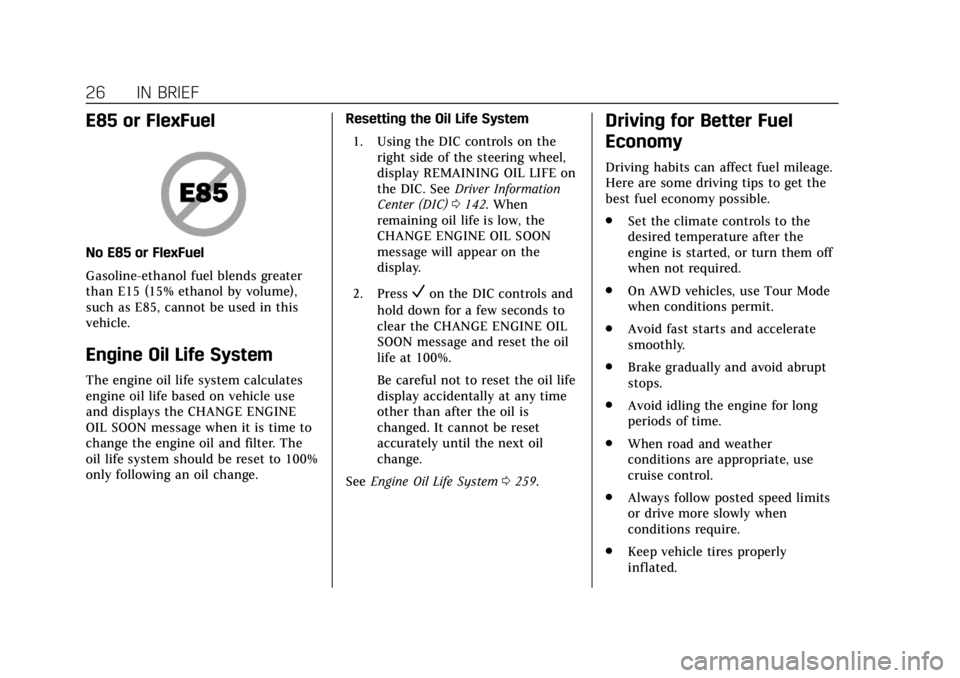
No E85 or FlexFuel
Gasoline-ethanol fuel blends greater
than E15 (15% ethanol by volume),
such as E85, cannot be used in this
vehicle.
Engine Oil Life System
The engine oil life system calculates
engine oil life based on vehicle use
and displays the CHANGE ENGINE
OIL SOON message when it is time to
change the engine oil and filter. The
oil life system should be reset to 100%
only following an oil change.Resetting the Oil Life System
1. Using the DIC controls on the right side of the steering wheel,
display REMAINING OIL LIFE on
the DIC. See Driver Information
Center (DIC) 0142. When
remaining oil life is low, the
CHANGE ENGINE OIL SOON
message will appear on the
display.
2. Press
Von the DIC controls and
hold down for a few seconds to
clear the CHANGE ENGINE OIL
SOON message and reset the oil
life at 100%.
Be careful not to reset the oil life
display accidentally at any time
other than after the oil is
changed. It cannot be reset
accurately until the next oil
change.
See Engine Oil Life System 0259.
Driving for Better Fuel
Economy
Driving habits can affect fuel mileage.
Here are some driving tips to get the
best fuel economy possible.
.
Set the climate controls to the
desired temperature after the
engine is started, or turn them off
when not required.
. On AWD vehicles, use Tour Mode
when conditions permit.
. Avoid fast starts and accelerate
smoothly.
. Brake gradually and avoid abrupt
stops.
. Avoid idling the engine for long
periods of time.
. When road and weather
conditions are appropriate, use
cruise control.
. Always follow posted speed limits
or drive more slowly when
conditions require.
. Keep vehicle tires properly
inflated.
Page 39 of 381
Cadillac XT4 Owner Manual (GMNA-Localizing-U.S./Canada/Mexico-
12017481) - 2019 - CRC - 11/5/18
KEYS, DOORS, AND WINDOWS 35
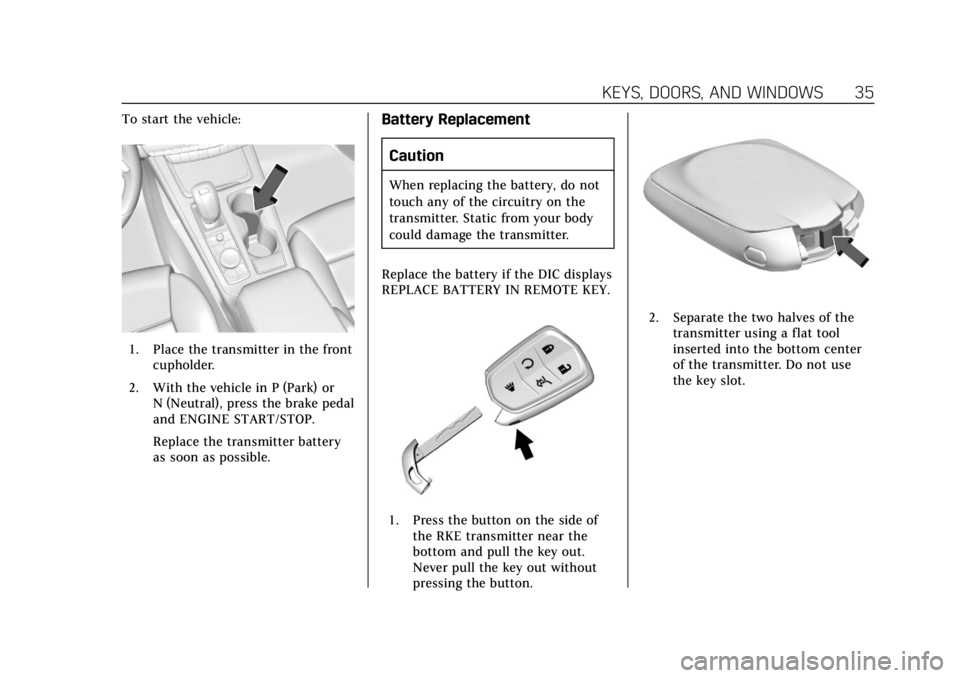
To start the vehicle:
1. Place the transmitter in the frontcupholder.
2. With the vehicle in P (Park) or N (Neutral), press the brake pedal
and ENGINE START/STOP.
Replace the transmitter battery
as soon as possible.
Battery Replacement
Caution
When replacing the battery, do not
touch any of the circuitry on the
transmitter. Static from your body
could damage the transmitter.
Replace the battery if the DIC displays
REPLACE BATTERY IN REMOTE KEY.
1. Press the button on the side of the RKE transmitter near the
bottom and pull the key out.
Never pull the key out without
pressing the button.
2. Separate the two halves of thetransmitter using a flat tool
inserted into the bottom center
of the transmitter. Do not use
the key slot.
Page 40 of 381
Cadillac XT4 Owner Manual (GMNA-Localizing-U.S./Canada/Mexico-
12017481) - 2019 - CRC - 11/5/18
36 KEYS, DOORS, AND WINDOWS
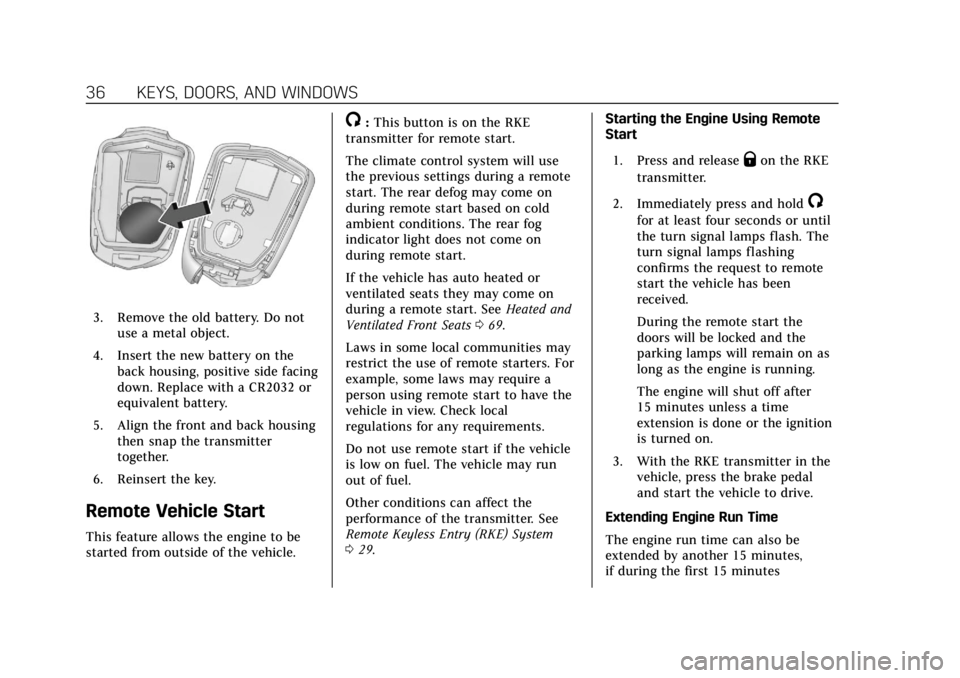
3. Remove the old battery. Do notuse a metal object.
4. Insert the new battery on the back housing, positive side facing
down. Replace with a CR2032 or
equivalent battery.
5. Align the front and back housing then snap the transmitter
together.
6. Reinsert the key.
Remote Vehicle Start
This feature allows the engine to be
started from outside of the vehicle.
/: This button is on the RKE
transmitter for remote start.
The climate control system will use
the previous settings during a remote
start. The rear defog may come on
during remote start based on cold
ambient conditions. The rear fog
indicator light does not come on
during remote start.
If the vehicle has auto heated or
ventilated seats they may come on
during a remote start. See Heated and
Ventilated Front Seats 069.
Laws in some local communities may
restrict the use of remote starters. For
example, some laws may require a
person using remote start to have the
vehicle in view. Check local
regulations for any requirements.
Do not use remote start if the vehicle
is low on fuel. The vehicle may run
out of fuel.
Other conditions can affect the
performance of the transmitter. See
Remote Keyless Entry (RKE) System
0 29. Starting the Engine Using Remote
Start
1. Press and release
Qon the RKE
transmitter.
2. Immediately press and hold
/
for at least four seconds or until
the turn signal lamps flash. The
turn signal lamps flashing
confirms the request to remote
start the vehicle has been
received.
During the remote start the
doors will be locked and the
parking lamps will remain on as
long as the engine is running.
The engine will shut off after
15 minutes unless a time
extension is done or the ignition
is turned on.
3. With the RKE transmitter in the vehicle, press the brake pedal
and start the vehicle to drive.
Extending Engine Run Time
The engine run time can also be
extended by another 15 minutes,
if during the first 15 minutes