Information CADILLAC XT5 2017 1.G Workshop Manual
[x] Cancel search | Manufacturer: CADILLAC, Model Year: 2017, Model line: XT5, Model: CADILLAC XT5 2017 1.GPages: 339, PDF Size: 2.75 MB
Page 169 of 339
Cadillac XT5 Owner Manual (GMNA-Localizing-MidEast-10260744) - 2017 -
crc - 1/14/16
Lighting 169
Lighting Features
Entry Lighting
Some exterior lamps and most of
the interior lights turn on briefly at
night, or in areas of limited lighting
when
Kis pressed on the Remote
Keyless Entry (RKE) transmitter.
See Remote Keyless Entry (RKE)
System Operation 026. When the
driver door is opened, all control
lights, Driver Information Center
(DIC) lights, and door pocket lights
turn on. After about 30 seconds the
exterior lamps turn off, then the
remaining interior lights dim to off.
Entry lighting can be disabled
manually by changing the ignition
out of the OFF position, or by
pressing
Qon the RKE transmitter.
This feature can be changed. See
“Vehicle Locator Lights” under
Vehicle Personalization 0151.
Exit Lighting
Some exterior lamps and interior
lights come on at night, or in areas
with limited lighting, when the driver
door is opened after the ignition is
turned off. The dome lamp comes
on after the ignition is changed to
the OFF position. The exterior
lamps and dome lamp remain on for
a set amount of time, then
automatically turn off.
The exterior lamps turn off
immediately by turning the exterior
lamp control off.
This feature can be changed. See
Vehicle Personalization 0151.
Battery Power Protection
The battery saver feature is
designed to protect the vehicle's
battery.
If some interior lamps are left on
and the ignition is turned off, the
battery rundown protection system
automatically turns the lamp off after
some time.
Exterior Lighting Battery
Saver
The exterior lamps turn off about
10 minutes after the ignition is
turned off, if the parking lamps or
headlamps have been manually left
on. This protects against draining
the battery. To restart the 10-minute
timer, turn the exterior lamp control
to the off position and then back to
the parking lamp or headlamp
position.
To keep the lamps on for more than
10 minutes, the ignition must be in
the ACC/ACCESSORY or ON/RUN
position.
Page 170 of 339
Cadillac XT5 Owner Manual (GMNA-Localizing-MidEast-10260744) - 2017 -
crc - 1/14/16
170 Infotainment System
Infotainment
System
Introduction
Infotainment . . . . . . . . . . . . . . . . . . 170
Introduction
Infotainment
See the infotainment manual for
information on the radio, audio
players, phone, navigation system,
and voice or speech recognition.
It also includes information on
settings.
Page 173 of 339
Cadillac XT5 Owner Manual (GMNA-Localizing-MidEast-10260744) - 2017 -
crc - 1/14/16
Climate Controls 173
warm weather. The recirculation
light will not come on. Press
@to
select recirculation; press it again to
select outside air.
English units can be changed to
metric units through the instrument
cluster. See “Cluster Application
Displays” underInstrument Cluster
(Uplevel Cluster) 0119 or
Instrument Cluster (Base
Cluster) 0117.
OFF : Press to turn the fan on or
off. The front and rear climate
displays turn off when the fan is
turned off. The temperature control
and air delivery mode can still be
adjusted.
w/x: The temperature can be
adjusted separately for the driver
and the passenger. Press to
increase or decrease the
temperature. Press and hold to
rapidly increase or decrease the
temperature.
The driver and passenger
temperatures can also be adjusted
by touching the buttons on the touch
screen. SYNC :
Touch SYNC on the touch
screen to link all climate zone
settings to the driver settings. Adjust
the driver side temperature control
to change the linked temperature.
When the front or rear passenger
settings are adjusted, the SYNC
indicator light turns off when the
temperatures are unlinked.
Rear : If equipped, touch Rear on
the front climate control touch
screen to open the rear climate
control screen. The rear climate
control settings can now be
adjusted from the front passenger
area. See Rear Climate Control
System 0176.
Manual OperationQ 9 R:Press the fan control
buttons or the touch screen fan
control, to increase or decrease the
fan speed. Press and hold the
buttons or the touch screen control
to adjust speed more quickly. The
fan speed setting displays. Pressing
either button cancels automatic fan
control and the fan can be
controlled manually. Press AUTO to
return to automatic operation. To turn off the fan and climate control
system, press and hold the fan
down button or touch screen fan
control until it is off.
Air Delivery Mode Control :
When
the climate information is displayed,
touch the desired air delivery mode
on the touch screen to change the
direction of the airflow. The selected
air delivery mode button is lit.
Touching any of the air delivery
buttons cancels automatic air
delivery control and the direction of
the airflow can be controlled
manually. Press AUTO to return to
automatic operation.
To change the current mode, select
one of the following:Y: Air is directed to the instrument
panel outlets.
\: Air is divided between the
instrument panel outlets and the
floor outlets.
[: Air is directed to the floor
outlets.
-: Clears the windows of fog or
moisture. Air is directed to the
windshield and floor outlets.
Page 175 of 339
Cadillac XT5 Owner Manual (GMNA-Localizing-MidEast-10260744) - 2017 -
crc - 1/14/16
Climate Controls 175
Caution (Continued)
defogger grid and affect the
radio's ability to pick up stations
clearly. The repairs would not be
covered by the vehicle warranty.
Driver and Passenger Heated and
Ventilated Seats (If Equipped) :
Press
Jorzto heat the driver or
passenger seat cushion and
seatback.
Press
Ior+to heat the driver or
passenger seatback only.
Press
Cor{to ventilate the driver
or passenger seat. See Heated and
Ventilated Front Seats 059.
Auto Heated and Ventilated
Seats : When the vehicle is on, this
feature will automatically activate
the heated or ventilated seats at the
level required by the vehicle's
interior temperature. The active
high, medium, low, or off heated
seat level will be indicated by the
manual heated seat buttons on the
center stack. Use the manual heated or ventilated seat buttons on
the center stack to turn auto heated
or ventilated seats off. See
Heated
and Ventilated Front Seats 059 and
Vehicle Personalization 0151.
Remote Start Climate Control
Operation : If equipped with the
remote start feature, the climate
control system may run when the
vehicle is started remotely. The
system uses the driver ’s previous
settings to heat or cool the inside of
the vehicle. The rear defog may
come on during remote start based
on cold ambient conditions. The
rear defog indicator light does not
come on during a remote start.
If equipped with heated or ventilated
seats, they may come on during a
remote start. See Remote Vehicle
Start 031 and Heated and
Ventilated Front Seats 059.
Sensor
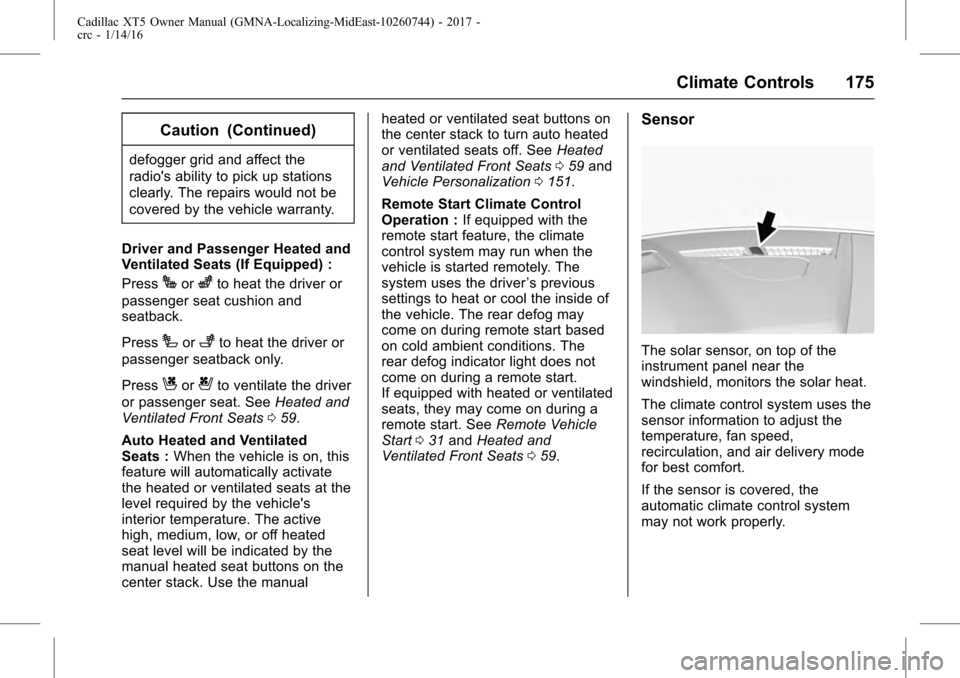
The solar sensor, on top of the
instrument panel near the
windshield, monitors the solar heat.
The climate control system uses the
sensor information to adjust the
temperature, fan speed,
recirculation, and air delivery mode
for best comfort.
If the sensor is covered, the
automatic climate control system
may not work properly.
Page 180 of 339
Cadillac XT5 Owner Manual (GMNA-Localizing-MidEast-10260744) - 2017 -
crc - 1/14/16
180 Driving and Operating
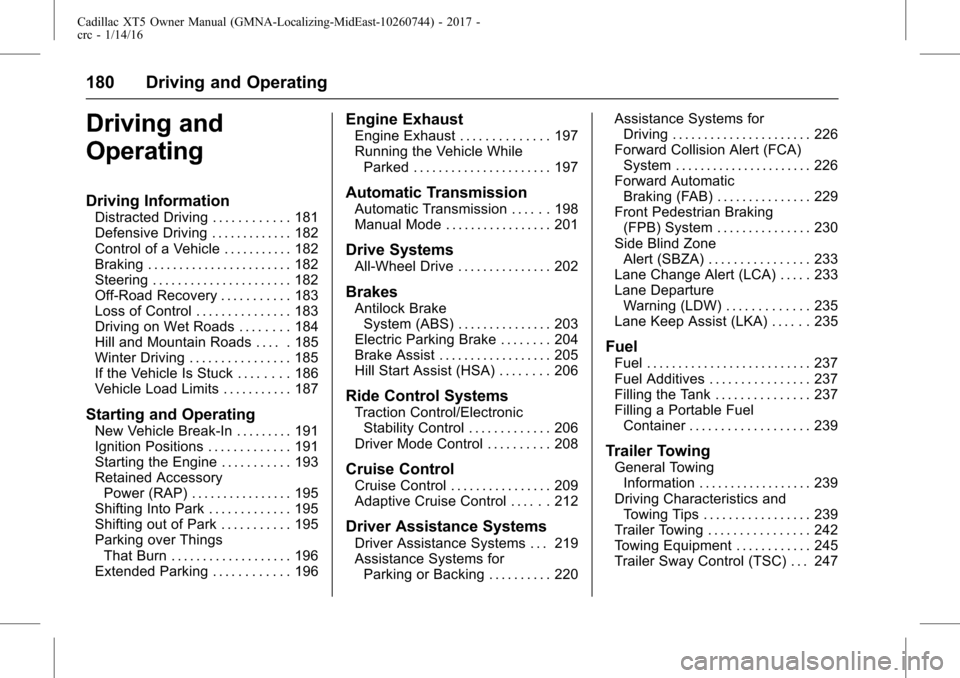
Driving and
Operating
Driving Information
Distracted Driving . . . . . . . . . . . . 181
Defensive Driving . . . . . . . . . . . . . 182
Control of a Vehicle . . . . . . . . . . . 182
Braking . . . . . . . . . . . . . . . . . . . . . . . 182
Steering . . . . . . . . . . . . . . . . . . . . . . 182
Off-Road Recovery . . . . . . . . . . . 183
Loss of Control . . . . . . . . . . . . . . . 183
Driving on Wet Roads . . . . . . . . 184
Hill and Mountain Roads . . . . . 185
Winter Driving . . . . . . . . . . . . . . . . 185
If the Vehicle Is Stuck . . . . . . . . 186
Vehicle Load Limits . . . . . . . . . . . 187
Starting and Operating
New Vehicle Break-In . . . . . . . . . 191
Ignition Positions . . . . . . . . . . . . . 191
Starting the Engine . . . . . . . . . . . 193
Retained AccessoryPower (RAP) . . . . . . . . . . . . . . . . 195
Shifting Into Park . . . . . . . . . . . . . 195
Shifting out of Park . . . . . . . . . . . 195
Parking over Things That Burn . . . . . . . . . . . . . . . . . . . 196
Extended Parking . . . . . . . . . . . . 196
Engine Exhaust
Engine Exhaust . . . . . . . . . . . . . . 197
Running the Vehicle While Parked . . . . . . . . . . . . . . . . . . . . . . 197
Automatic Transmission
Automatic Transmission . . . . . . 198
Manual Mode . . . . . . . . . . . . . . . . . 201
Drive Systems
All-Wheel Drive . . . . . . . . . . . . . . . 202
Brakes
Antilock BrakeSystem (ABS) . . . . . . . . . . . . . . . 203
Electric Parking Brake . . . . . . . . 204
Brake Assist . . . . . . . . . . . . . . . . . . 205
Hill Start Assist (HSA) . . . . . . . . 206
Ride Control Systems
Traction Control/Electronic Stability Control . . . . . . . . . . . . . 206
Driver Mode Control . . . . . . . . . . 208
Cruise Control
Cruise Control . . . . . . . . . . . . . . . . 209
Adaptive Cruise Control . . . . . . 212
Driver Assistance Systems
Driver Assistance Systems . . . 219
Assistance Systems for Parking or Backing . . . . . . . . . . 220 Assistance Systems for
Driving . . . . . . . . . . . . . . . . . . . . . . 226
Forward Collision Alert (FCA) System . . . . . . . . . . . . . . . . . . . . . . 226
Forward Automatic
Braking (FAB) . . . . . . . . . . . . . . . 229
Front Pedestrian Braking (FPB) System . . . . . . . . . . . . . . . 230
Side Blind Zone Alert (SBZA) . . . . . . . . . . . . . . . . 233
Lane Change Alert (LCA) . . . . . 233
Lane Departure Warning (LDW) . . . . . . . . . . . . . 235
Lane Keep Assist (LKA) . . . . . . 235
Fuel
Fuel . . . . . . . . . . . . . . . . . . . . . . . . . . 237
Fuel Additives . . . . . . . . . . . . . . . . 237
Filling the Tank . . . . . . . . . . . . . . . 237
Filling a Portable Fuel Container . . . . . . . . . . . . . . . . . . . 239
Trailer Towing
General TowingInformation . . . . . . . . . . . . . . . . . . 239
Driving Characteristics and Towing Tips . . . . . . . . . . . . . . . . . 239
Trailer Towing . . . . . . . . . . . . . . . . 242
Towing Equipment . . . . . . . . . . . . 245
Trailer Sway Control (TSC) . . . 247
Page 181 of 339
Cadillac XT5 Owner Manual (GMNA-Localizing-MidEast-10260744) - 2017 -
crc - 1/14/16
Driving and Operating 181
Conversions and Add-Ons
Add-On ElectricalEquipment . . . . . . . . . . . . . . . . . . 248Driving Information
Distracted Driving
Distraction comes in many forms
and can take your focus from the
task of driving. Exercise good
judgment and do not let other
activities divert your attention away
from the road. Many local
governments have enacted laws
regarding driver distraction. Become
familiar with the local laws in
your area.
To avoid distracted driving, always
keep your eyes on the road, hands
on the wheel, and mind on the drive.
. Do not use a phone in
demanding driving situations.
Use a hands-free method to
place or receive necessary
phone calls.
. Watch the road. Do not read,
take notes, or look up
information on phones or other
electronic devices.
. Designate a front seat
passenger to handle potential
distractions. .
Become familiar with vehicle
features before driving, such as
programming favorite radio
stations and adjusting climate
control and seat settings.
Program all trip information into
any navigation device prior to
driving.
. Wait until the vehicle is parked
to retrieve items that have fallen
to the floor.
. Stop or park the vehicle to tend
to children.
. Keep pets in an appropriate
carrier or restraint.
. Avoid stressful conversations
while driving, whether with a
passenger or on a cell phone.
{Warning
Taking your eyes off the road too
long or too often could cause a
crash resulting in injury or death.
Focus your attention on driving.
Page 182 of 339
Cadillac XT5 Owner Manual (GMNA-Localizing-MidEast-10260744) - 2017 -
crc - 1/14/16
182 Driving and Operating
Refer to the infotainment manual for
more information on using that
system, including pairing and using
a cell phone
Defensive Driving
Defensive driving means“always
expect the unexpected.” The first
step in driving defensively is to wear
the safety belt. See Safety
Belts 064.
. Assume that other road users
(pedestrians, bicyclists, and
other drivers) are going to be
careless and make mistakes.
Anticipate what they might do
and be ready.
. Allow enough following distance
between you and the driver in
front of you.
. Focus on the task of driving.
Control of a Vehicle
Braking, steering, and accelerating
are important factors in helping to
control a vehicle while driving.
Braking
Braking action involves perception
time and reaction time. Deciding to
push the brake pedal is perception
time. Actually doing it is
reaction time.
Average driver reaction time is
about three-quarters of a second. In
that time, a vehicle moving at
100 km/h (60 mph) travels 20 m
(66 ft), which could be a lot of
distance in an emergency.
Helpful braking tips to keep in mind
include:
.Keep enough distance between
you and the vehicle in front
of you.
. Avoid needless heavy braking.
. Keep pace with traffic.
If the engine ever stops while the
vehicle is being driven, brake
normally but do not pump the
brakes. Doing so could make the
pedal harder to push down. If the
engine stops, there will be some
power brake assist but it will be
used when the brake is applied. Once the power assist is used up, it
can take longer to stop and the
brake pedal will be harder to push.
Steering
Electric Power Steering
The vehicle has electric power
steering. It does not have power
steering fluid. Regular maintenance
is not required.
If power steering assist is lost due
to a system malfunction, the vehicle
can be steered, but may require
increased effort.
See your dealer if there is a
problem.
If the steering wheel is turned until it
reaches the end of its travel and is
held against that position for an
extended period of time, power
steering assist may be reduced.
If the steering assist is used for an
extended period of time, power
assist may be reduced.
Normal use of the power steering
assist should return when the
system cools down.
Page 186 of 339
Cadillac XT5 Owner Manual (GMNA-Localizing-MidEast-10260744) - 2017 -
crc - 1/14/16
186 Driving and Operating
clear roads in shaded areas.
The surface of a curve or an
overpass can remain icy when
the surrounding roads are clear.
Avoid sudden steering
maneuvers and braking while
on ice.
. Turn off cruise control.
. Select All-Wheel Drive (AWD)
mode. See Driver Mode Control
0 208 andAll-Wheel
Drive 0202.
Blizzard Conditions
Stop the vehicle in a safe place and
signal for help. Stay with the vehicle
unless there is help nearby. Get
help and keep everyone in the
vehicle safe:
.
Turn on the hazard warning
flashers.
. Tie a red cloth to an outside
mirror.
{Warning
Snow can trap engine exhaust
under the vehicle. This may
cause exhaust gases to get
inside. Engine exhaust contains
carbon monoxide (CO), which
cannot be seen or smelled. It can
cause unconsciousness and even
death.
If the vehicle is stuck in snow:
. Clear snow from the base of
the vehicle, especially any
blocking the exhaust pipe.
. Open a window about 5 cm
(2 in) on the vehicle side
that is away from the wind,
to bring in fresh air.
. Fully open the air outlets on
or under the instrument
panel.
. Adjust the climate control
system to circulate the air
inside the vehicle and set
(Continued)
Warning (Continued)
the fan speed to the highest
setting. See“Climate
Control Systems.”
For more information about CO,
see Engine Exhaust 0197.
To save fuel, run the engine for
short periods to warm the vehicle
and then shut the engine off and
partially close the window. Moving
about to keep warm also helps.
If it takes time for help to arrive,
when running the engine, push the
accelerator pedal slightly so the
engine runs faster than the idle
speed. This keeps the battery
charged to restart the vehicle and to
signal for help with the headlamps.
Do this as little as possible, to
save fuel.
If the Vehicle Is Stuck
Slowly and cautiously spin the
wheels to free the vehicle when
stuck in sand, mud, ice, or snow.
Page 187 of 339
Cadillac XT5 Owner Manual (GMNA-Localizing-MidEast-10260744) - 2017 -
crc - 1/14/16
Driving and Operating 187
If stuck too severely for the traction
system to free the vehicle, turn the
traction system off and use the
rocking method. SeeTraction
Control/Electronic Stability
Control 0206.
{Warning
If the vehicle's tires spin at high
speed, they can explode, and you
or others could be injured. The
vehicle can overheat, causing an
engine compartment fire or other
damage. Spin the wheels as little
as possible and avoid going
above 56 km/h (35 mph).
Select All-Wheel Drive (AWD)
Mode. See Driver Mode Control
0 208 andAll-Wheel Drive 0202.
Rocking the Vehicle to Get
it Out
Turn the steering wheel left and
right to clear the area around the
front wheels. Turn off any traction
system. Shift back and forth
between R (Reverse) and a low forward gear, spinning the wheels
as little as possible. To prevent
transmission wear, wait until the
wheels stop spinning before shifting
gears. Release the accelerator
pedal while shifting, and press
lightly on the accelerator pedal
when the transmission is in gear.
Slowly spinning the wheels in the
forward and reverse directions
causes a rocking motion that could
free the vehicle. If that does not get
the vehicle out after a few tries, it
might need to be towed out. If the
vehicle does need to be towed out,
see
Towing the Vehicle 0303.
Vehicle Load Limits
It is very important to know how
much weight the vehicle can
carry. This weight is called the
vehicle capacity weight and
includes the weight of all
occupants, cargo, and all
nonfactory-installed options.
Two labels on the vehicle may
show how much weight it may properly carry, the Tire and
Loading Information label and
the Certification/Tire label.
{Warning
Do not load the vehicle any
heavier than the Gross
Vehicle Weight Rating
(GVWR), or either the
maximum front or rear Gross
Axle Weight Rating (GAWR).
This can cause systems to
break and change the way the
vehicle handles. This could
cause loss of control and a
crash. Overloading can also
reduce stopping distance,
damage the tires, and shorten
the life of the vehicle.
Page 188 of 339
Cadillac XT5 Owner Manual (GMNA-Localizing-MidEast-10260744) - 2017 -
crc - 1/14/16
188 Driving and Operating
Tire and Loading Information
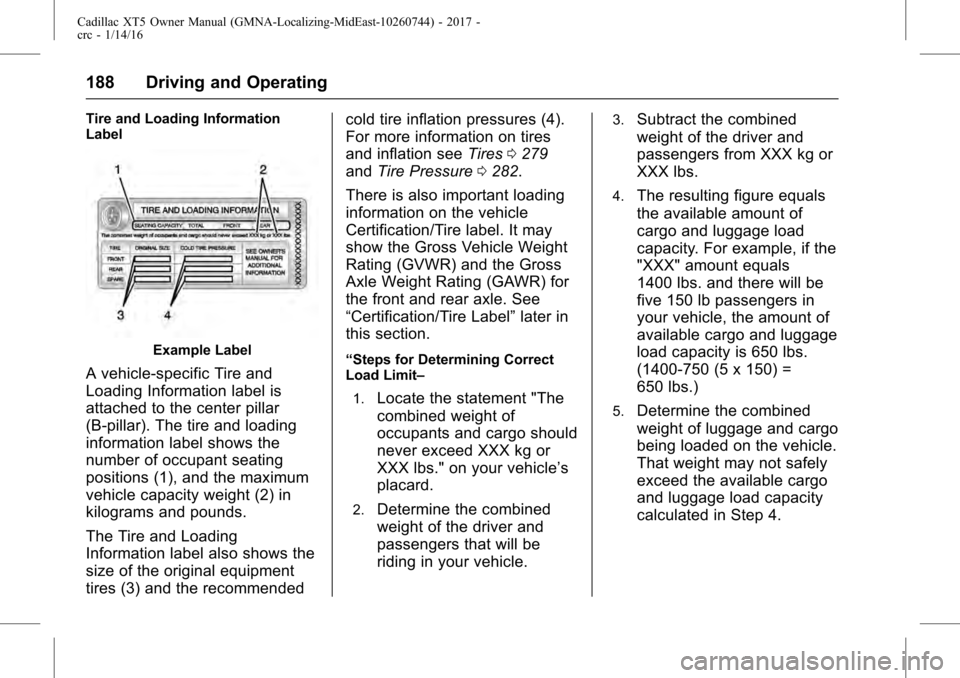
Label
Example Label
A vehicle-specific Tire and
Loading Information label is
attached to the center pillar
(B-pillar). The tire and loading
information label shows the
number of occupant seating
positions (1), and the maximum
vehicle capacity weight (2) in
kilograms and pounds.
The Tire and Loading
Information label also shows the
size of the original equipment
tires (3) and the recommendedcold tire inflation pressures (4).
For more information on tires
and inflation see
Tires0279
and Tire Pressure 0282.
There is also important loading
information on the vehicle
Certification/Tire label. It may
show the Gross Vehicle Weight
Rating (GVWR) and the Gross
Axle Weight Rating (GAWR) for
the front and rear axle. See
“Certification/Tire Label” later in
this section.“Steps for Determining Correct
Load Limit–
1.
Locate the statement "The
combined weight of
occupants and cargo should
never exceed XXX kg or
XXX lbs." on your vehicle’s
placard.
2.Determine the combined
weight of the driver and
passengers that will be
riding in your vehicle.
3.Subtract the combined
weight of the driver and
passengers from XXX kg or
XXX lbs.
4.The resulting figure equals
the available amount of
cargo and luggage load
capacity. For example, if the
"XXX" amount equals
1400 lbs. and there will be
five 150 lb passengers in
your vehicle, the amount of
available cargo and luggage
load capacity is 650 lbs.
(1400-750 (5 x 150) =
650 lbs.)
5.Determine the combined
weight of luggage and cargo
being loaded on the vehicle.
That weight may not safely
exceed the available cargo
and luggage load capacity
calculated in Step 4.