Manual start CADILLAC XT5 2019 Owner's Manual
[x] Cancel search | Manufacturer: CADILLAC, Model Year: 2019, Model line: XT5, Model: CADILLAC XT5 2019Pages: 388, PDF Size: 6.29 MB
Page 5 of 388
Cadillac XT5 Owner Manual (GMNA-Localizing-U.S./Canada/Mexico-
12146119) - 2019 - crc - 7/27/18
4 INTRODUCTION
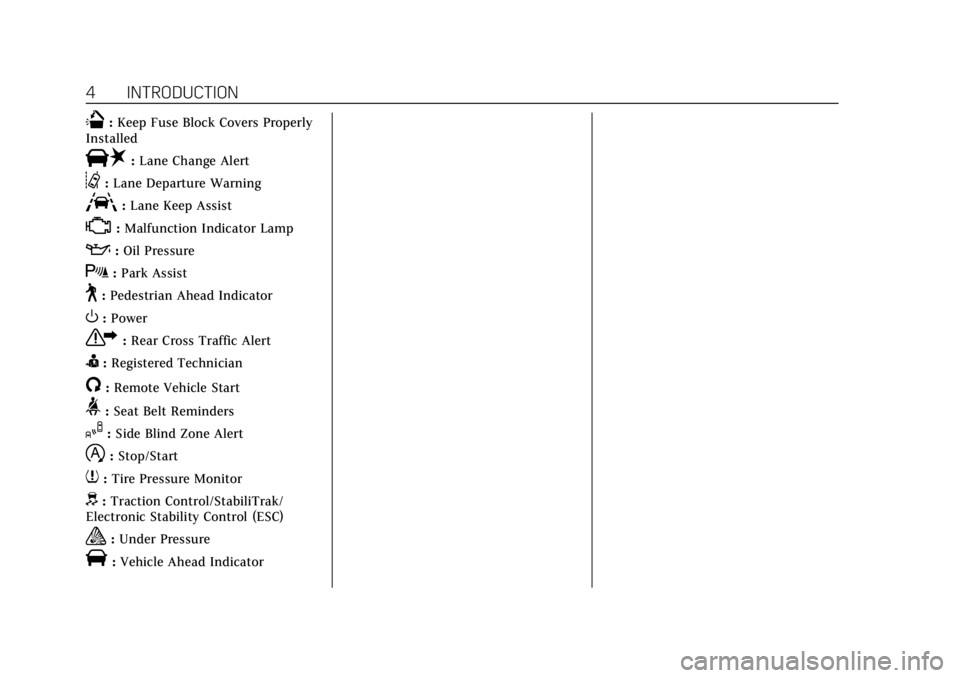
Q:Keep Fuse Block Covers Properly
Installed
|: Lane Change Alert
@:Lane Departure Warning
A:Lane Keep Assist
*:Malfunction Indicator Lamp
::Oil Pressure
X:Park Assist
~:Pedestrian Ahead Indicator
O:Power
7: Rear Cross Traffic Alert
I:Registered Technician
/:Remote Vehicle Start
>: Seat Belt Reminders
I:Side Blind Zone Alert
h:Stop/Start
7: Tire Pressure Monitor
d:Traction Control/StabiliTrak/
Electronic Stability Control (ESC)
a: Under Pressure
V:Vehicle Ahead Indicator
Page 6 of 388
Cadillac XT5 Owner Manual (GMNA-Localizing-U.S./Canada/Mexico-
12146119) - 2019 - crc - 7/27/18
IN BRIEF 5
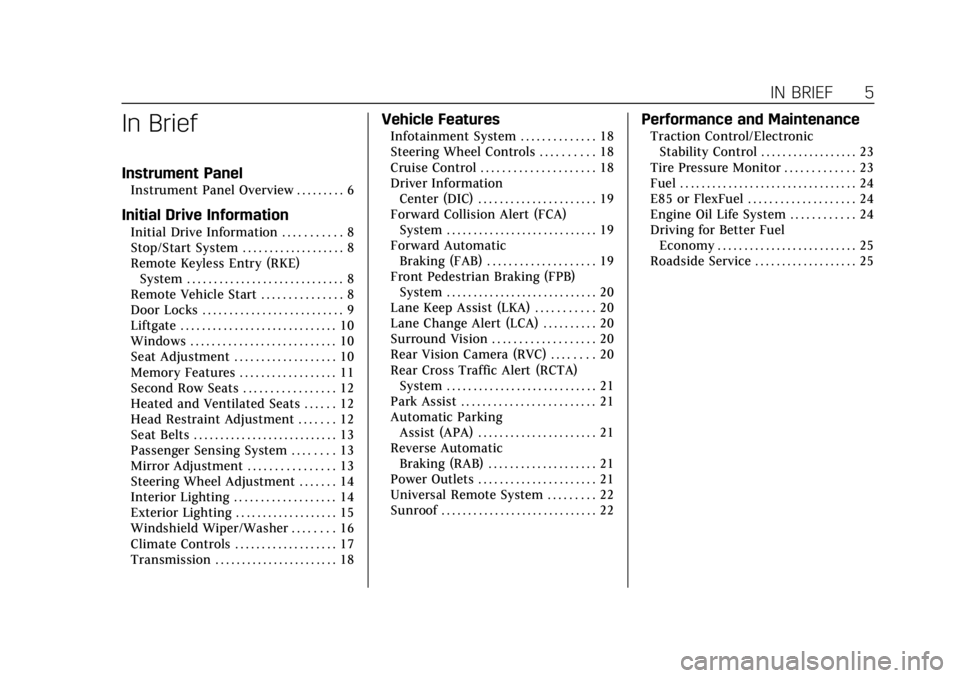
In Brief
Instrument Panel
Instrument Panel Overview . . . . . . . . . 6
Initial Drive Information
Initial Drive Information . . . . . . . . . . . 8
Stop/Start System . . . . . . . . . . . . . . . . . . . 8
Remote Keyless Entry (RKE)System . . . . . . . . . . . . . . . . . . . . . . . . . . . . . 8
Remote Vehicle Start . . . . . . . . . . . . . . . 8
Door Locks . . . . . . . . . . . . . . . . . . . . . . . . . . 9
Liftgate . . . . . . . . . . . . . . . . . . . . . . . . . . . . . 10
Windows . . . . . . . . . . . . . . . . . . . . . . . . . . . 10
Seat Adjustment . . . . . . . . . . . . . . . . . . . 10
Memory Features . . . . . . . . . . . . . . . . . . 11
Second Row Seats . . . . . . . . . . . . . . . . . 12
Heated and Ventilated Seats . . . . . . 12
Head Restraint Adjustment . . . . . . . 12
Seat Belts . . . . . . . . . . . . . . . . . . . . . . . . . . . 13
Passenger Sensing System . . . . . . . . 13
Mirror Adjustment . . . . . . . . . . . . . . . . 13
Steering Wheel Adjustment . . . . . . . 14
Interior Lighting . . . . . . . . . . . . . . . . . . . 14
Exterior Lighting . . . . . . . . . . . . . . . . . . . 15
Windshield Wiper/Washer . . . . . . . . 16
Climate Controls . . . . . . . . . . . . . . . . . . . 17
Transmission . . . . . . . . . . . . . . . . . . . . . . . 18
Vehicle Features
Infotainment System . . . . . . . . . . . . . . 18
Steering Wheel Controls . . . . . . . . . . 18
Cruise Control . . . . . . . . . . . . . . . . . . . . . 18
Driver Information Center (DIC) . . . . . . . . . . . . . . . . . . . . . . 19
Forward Collision Alert (FCA) System . . . . . . . . . . . . . . . . . . . . . . . . . . . . 19
Forward Automatic Braking (FAB) . . . . . . . . . . . . . . . . . . . . 19
Front Pedestrian Braking (FPB) System . . . . . . . . . . . . . . . . . . . . . . . . . . . . 20
Lane Keep Assist (LKA) . . . . . . . . . . . 20
Lane Change Alert (LCA) . . . . . . . . . . 20
Surround Vision . . . . . . . . . . . . . . . . . . . 20
Rear Vision Camera (RVC) . . . . . . . . 20
Rear Cross Traffic Alert (RCTA) System . . . . . . . . . . . . . . . . . . . . . . . . . . . . 21
Park Assist . . . . . . . . . . . . . . . . . . . . . . . . . 21
Automatic Parking Assist (APA) . . . . . . . . . . . . . . . . . . . . . . 21
Reverse Automatic Braking (RAB) . . . . . . . . . . . . . . . . . . . . 21
Power Outlets . . . . . . . . . . . . . . . . . . . . . . 21
Universal Remote System . . . . . . . . . 22
Sunroof . . . . . . . . . . . . . . . . . . . . . . . . . . . . . 22
Performance and Maintenance
Traction Control/Electronic Stability Control . . . . . . . . . . . . . . . . . . 23
Tire Pressure Monitor . . . . . . . . . . . . . 23
Fuel . . . . . . . . . . . . . . . . . . . . . . . . . . . . . . . . . 24
E85 or FlexFuel . . . . . . . . . . . . . . . . . . . . 24
Engine Oil Life System . . . . . . . . . . . . 24
Driving for Better Fuel Economy . . . . . . . . . . . . . . . . . . . . . . . . . . 25
Roadside Service . . . . . . . . . . . . . . . . . . . 25
Page 8 of 388

Cadillac XT5 Owner Manual (GMNA-Localizing-U.S./Canada/Mexico-
12146119) - 2019 - crc - 7/27/18
IN BRIEF 7
1.Air Vents 0174.
2. Exterior Lamp Controls 0159.
Turn Signal Lever. See Turn and
Lane-Change Signals 0162.
IntelliBeam System Button (If
Equipped). See Exterior Lamp
Controls 0159.
3. Tap Shift Controls. See Manual
Mode 0199.
4. Instrument Cluster (Uplevel
Cluster) 0124 orInstrument
Cluster (Base Level Cluster) 0122.
Driver Information Center (DIC)
Display. See Driver Information
Center (DIC) 0140.
5. Windshield Wiper/Washer 0113.
Rear Window Wiper/Washer
0 116.
6. ENGINE START/STOP Button. See Ignition Positions 0187.
7. Park Assist Button. See Assistance Systems for Parking or
Backing 0220. Automatic Parking Assist (APA)
Button. See
Assistance Systems
for Parking or Backing 0220.
8. Light Sensor. See Automatic
Headlamp System 0161.
9. Hazard Warning Flashers 0162.
10. Infotainment 0166.
11. Heated and Ventilated Front Seats
063 (If Equipped).
12. Dual Automatic Climate Control
System 0167.
13. MODE Switch. See Driver Mode
Control 0207.
Traction Control/Electronic
Stability Control 0205.
All-Wheel Drive 0201 (If
Equipped).
14. Shift Lever. See Automatic
Transmission 0195.
15. Steering Wheel Controls 0113.
Driver Information Center (DIC)
Controls. See Driver Information
Center (DIC) 0140.
16. Steering Wheel Controls 0113. 17.
Horn 0113.
18. Forward Collision Alert (FCA)
System 0226 (If Equipped).
Lane Keep Assist (LKA) 0235 (If
Equipped).
Heated Steering Wheel 0113 (If
Equipped).
19. Cruise Control 0208.
Adaptive Cruise Control 0210 (If
Equipped).
Phone Button. See Steering Wheel
Controls 0113.
20. Steering Wheel Adjustment 0113
(Out of View).
21. Head-Up Display (HUD) 0143 (If
Equipped).
22. Hood Release. See Hood0256.
Data Link Connector (DLC) (Out
of View). See Malfunction
Indicator Lamp (Check Engine
Light) 0132.
23. Instrument Panel Illumination
Control 0163.
24. Electric Parking Brake 0202.
Page 9 of 388
Cadillac XT5 Owner Manual (GMNA-Localizing-U.S./Canada/Mexico-
12146119) - 2019 - crc - 7/27/18
8 IN BRIEF
Initial Drive Information
This section provides a brief overview
about some of the important features
that may or may not be on your
specific vehicle.
For more detailed information, refer to
each of the features which can be
found later in this owner’s manual.
Stop/Start System
If equipped, the Stop/Start system will
shut off the engine to help conserve
fuel. It has components designed for
the increased number of starts.
When the brakes are applied and the
vehicle is at a complete stop, the
engine may turn off. When stopped,
the tachometer displays AUTO STOP.
SeeTachometer 0126. When the brake
pedal is released or the accelerator
pedal is pressed, the engine will
restart. See Stop/Start System 0190 in
Driving and Operating.
Remote Keyless Entry
(RKE) System
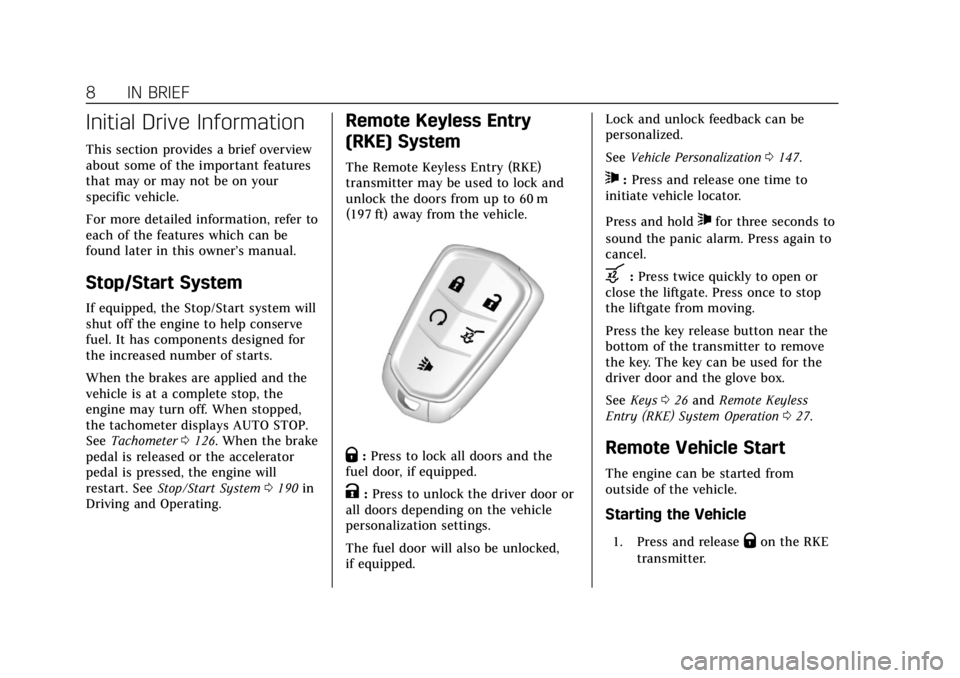
The Remote Keyless Entry (RKE)
transmitter may be used to lock and
unlock the doors from up to 60 m
(197 ft) away from the vehicle.
Q: Press to lock all doors and the
fuel door, if equipped.
K: Press to unlock the driver door or
all doors depending on the vehicle
personalization settings.
The fuel door will also be unlocked,
if equipped. Lock and unlock feedback can be
personalized.
See
Vehicle Personalization 0147.
7:Press and release one time to
initiate vehicle locator.
Press and hold
7for three seconds to
sound the panic alarm. Press again to
cancel.
b: Press twice quickly to open or
close the liftgate. Press once to stop
the liftgate from moving.
Press the key release button near the
bottom of the transmitter to remove
the key. The key can be used for the
driver door and the glove box.
See Keys 026 and Remote Keyless
Entry (RKE) System Operation 027.
Remote Vehicle Start
The engine can be started from
outside of the vehicle.
Starting the Vehicle
1. Press and releaseQon the RKE
transmitter.
Page 10 of 388
Cadillac XT5 Owner Manual (GMNA-Localizing-U.S./Canada/Mexico-
12146119) - 2019 - crc - 7/27/18
IN BRIEF 9
2. Immediately press and hold/
for at least four seconds or until
the turn signal lamps flash.
Start the vehicle normally after
entering.
When the vehicle starts, the parking
lamps will turn on.
Remote start can be extended.
Canceling a Remote Start
To cancel a remote start, do one of
the following:
. Press and hold
/until the
parking lamps turn off.
. Turn on the hazard warning
flashers.
. Turn the vehicle on and then off.
See Remote Vehicle Start 033.
Door Locks
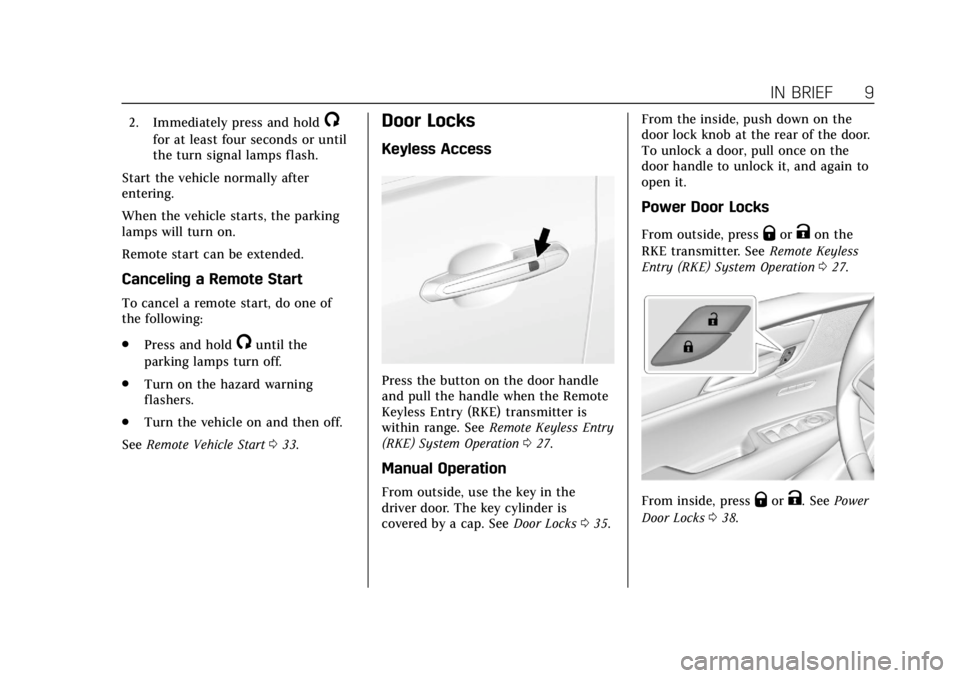
Keyless Access
Press the button on the door handle
and pull the handle when the Remote
Keyless Entry (RKE) transmitter is
within range. See Remote Keyless Entry
(RKE) System Operation 027.
Manual Operation
From outside, use the key in the
driver door. The key cylinder is
covered by a cap. See Door Locks035. From the inside, push down on the
door lock knob at the rear of the door.
To unlock a door, pull once on the
door handle to unlock it, and again to
open it.
Power Door Locks
From outside, pressQorKon the
RKE transmitter. See Remote Keyless
Entry (RKE) System Operation 027.
From inside, pressQorK. See Power
Door Locks 038.
Page 11 of 388
Cadillac XT5 Owner Manual (GMNA-Localizing-U.S./Canada/Mexico-
12146119) - 2019 - crc - 7/27/18
10 IN BRIEF
Liftgate
Power Liftgate Operation
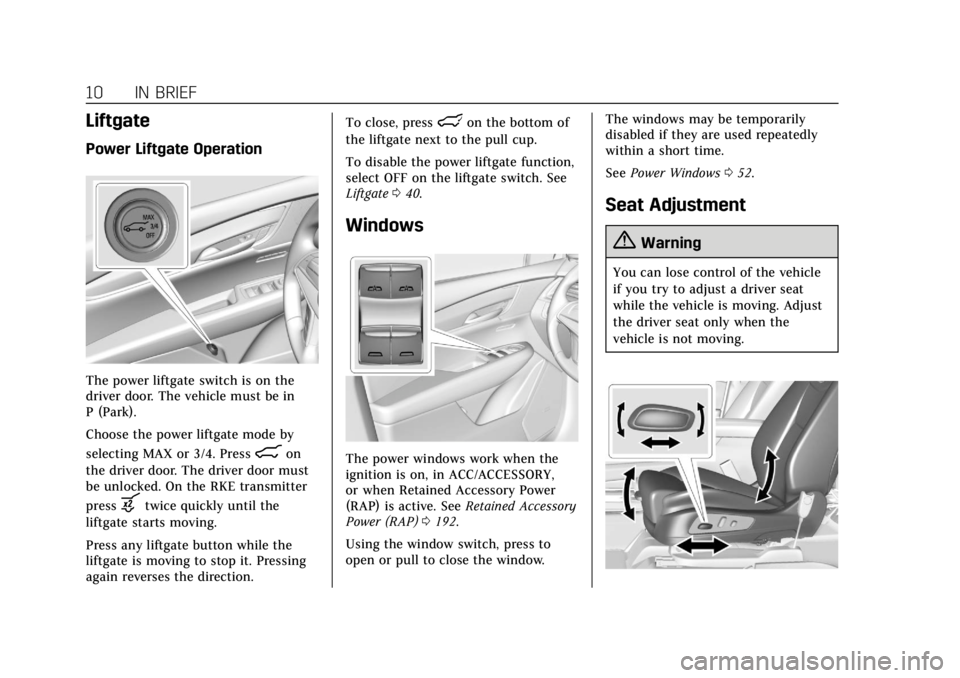
The power liftgate switch is on the
driver door. The vehicle must be in
P (Park).
Choose the power liftgate mode by
selecting MAX or 3/4. Press
8on
the driver door. The driver door must
be unlocked. On the RKE transmitter
press
btwice quickly until the
liftgate starts moving.
Press any liftgate button while the
liftgate is moving to stop it. Pressing
again reverses the direction. To close, press
lon the bottom of
the liftgate next to the pull cup.
To disable the power liftgate function,
select OFF on the liftgate switch. See
Liftgate 040.
Windows
The power windows work when the
ignition is on, in ACC/ACCESSORY,
or when Retained Accessory Power
(RAP) is active. See Retained Accessory
Power (RAP) 0192.
Using the window switch, press to
open or pull to close the window. The windows may be temporarily
disabled if they are used repeatedly
within a short time.
See
Power Windows 052.
Seat Adjustment
{Warning
You can lose control of the vehicle
if you try to adjust a driver seat
while the vehicle is moving. Adjust
the driver seat only when the
vehicle is not moving.
Page 14 of 388
Cadillac XT5 Owner Manual (GMNA-Localizing-U.S./Canada/Mexico-
12146119) - 2019 - crc - 7/27/18
IN BRIEF 13
Seat Belts
Refer to the following sections for
important information on how to use
seat belts properly:
.Seat Belts 068
. How to Wear Seat Belts Properly
069
. Lap-Shoulder Belt 071
. Lower Anchors and Tethers for
Children (LATCH System) 095
Passenger Sensing System
United States and Canada
Mexico
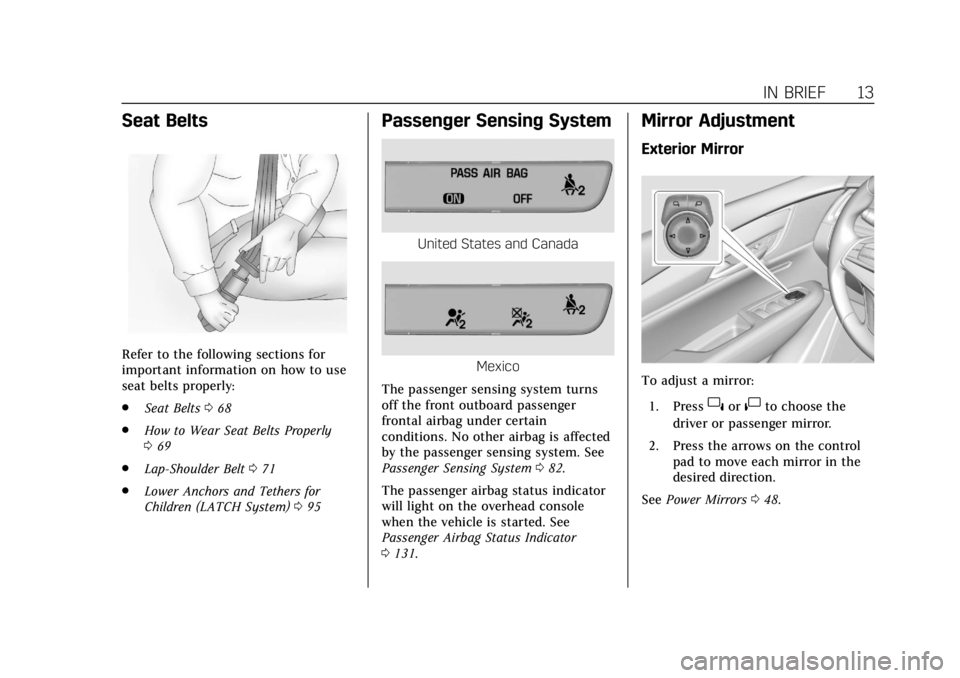
The passenger sensing system turns
off the front outboard passenger
frontal airbag under certain
conditions. No other airbag is affected
by the passenger sensing system. See
Passenger Sensing System 082.
The passenger airbag status indicator
will light on the overhead console
when the vehicle is started. See
Passenger Airbag Status Indicator
0 131.
Mirror Adjustment
Exterior Mirror
To adjust a mirror:
1. Press
}or|to choose the
driver or passenger mirror.
2. Press the arrows on the control pad to move each mirror in the
desired direction.
See Power Mirrors 048.
Page 15 of 388
Cadillac XT5 Owner Manual (GMNA-Localizing-U.S./Canada/Mexico-
12146119) - 2019 - crc - 7/27/18
14 IN BRIEF
Interior Mirror
Adjust the rearview mirror for a clear
view of the area behind your vehicle.
Manual Rearview Mirror
If equipped, push the tab forward for
daytime use and pull it rearward for
nighttime use to avoid glare of the
headlamps from behind.
Automatic Dimming Rearview Mirror
If equipped, automatic dimming
reduces the glare of headlamps from
behind. The dimming feature comes
on when the vehicle is started.
Rear Camera Mirror
If equipped, this automatic dimming
rearview mirror provides a wide angle
camera view of the area behind the
vehicle. Adjust the mirror with the tab
pushed forward so that the display is
off. SeeRear Camera Mirror 050.
Steering Wheel Adjustment
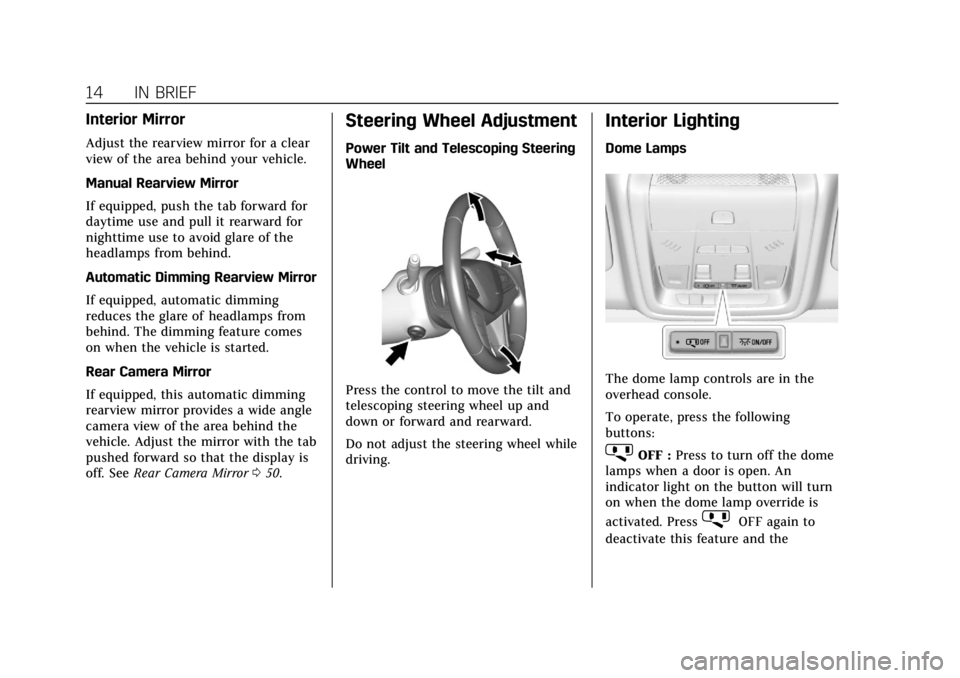
Power Tilt and Telescoping Steering
Wheel
Press the control to move the tilt and
telescoping steering wheel up and
down or forward and rearward.
Do not adjust the steering wheel while
driving.
Interior Lighting
Dome Lamps
The dome lamp controls are in the
overhead console.
To operate, press the following
buttons:
jOFF : Press to turn off the dome
lamps when a door is open. An
indicator light on the button will turn
on when the dome lamp override is
activated. Press
jOFF again to
deactivate this feature and the
Page 24 of 388
Cadillac XT5 Owner Manual (GMNA-Localizing-U.S./Canada/Mexico-
12146119) - 2019 - crc - 7/27/18
IN BRIEF 23
Power Sunshade Manual
Operation :The sunshade can change
to manual mode by holding
C(2)
while opening. The sunshade will now
open as long as
C(2) is held. Press
and release
C(2) again to change
back to express operation.
The sunroof cannot be opened or
closed if the vehicle has an electrical
failure.
The sunroof and power sunshade are
equipped with an automatic reversal
system. See Sunroof054.
Performance and
Maintenance
Traction Control/Electronic
Stability Control
The Traction Control System (TCS)
limits wheel spin. The system turns
on automatically every time the
vehicle is started.
The StabiliTrak/Electronic Stability
Control (ESC) system assists with
directional control of the vehicle in
difficult driving conditions. The
system also turns on automatically
every time the vehicle is started.
.
To turn off TCS, press and release
Yon the center console behind
the shift lever.
icomes on in the
instrument cluster and a Driver
Information Center (DIC) message
may display.
. To turn off both TCS and
StabiliTrak/ESC, press and hold
Yuntiliandgcome on in the
instrument cluster. A DIC message
may display. .
Press and release
Yagain to turn
on both systems.
See Traction Control/Electronic Stability
Control 0205.
Tire Pressure Monitor
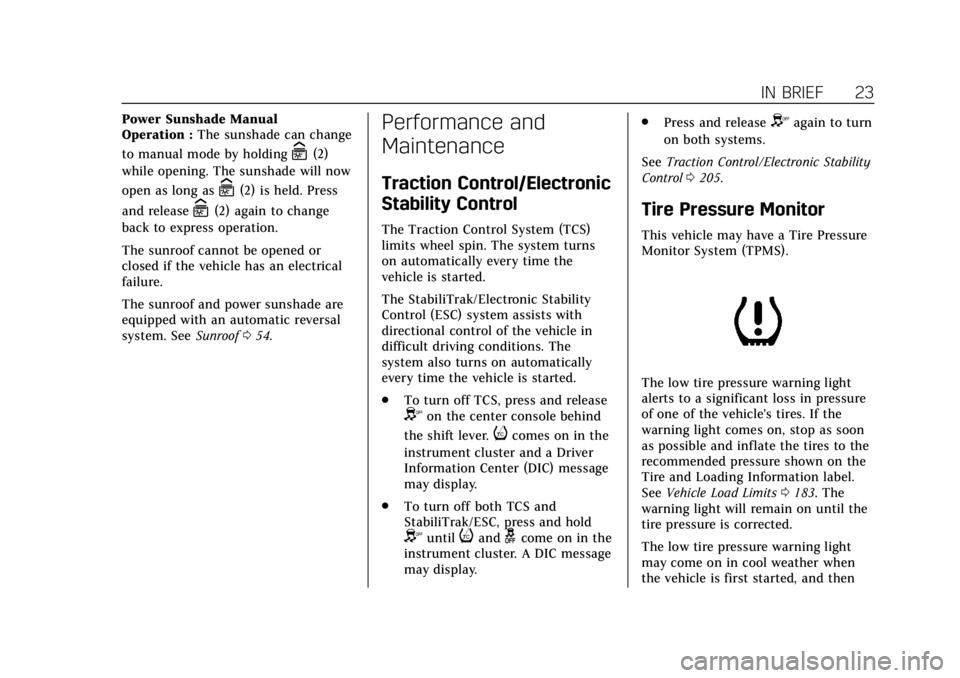
This vehicle may have a Tire Pressure
Monitor System (TPMS).
The low tire pressure warning light
alerts to a significant loss in pressure
of one of the vehicle's tires. If the
warning light comes on, stop as soon
as possible and inflate the tires to the
recommended pressure shown on the
Tire and Loading Information label.
See Vehicle Load Limits 0183. The
warning light will remain on until the
tire pressure is corrected.
The low tire pressure warning light
may come on in cool weather when
the vehicle is first started, and then
Page 26 of 388
Cadillac XT5 Owner Manual (GMNA-Localizing-U.S./Canada/Mexico-
12146119) - 2019 - crc - 7/27/18
IN BRIEF 25
The oil life system can also be reset as
follows:1. Display REMAINING OIL LIFE on the DIC. See Driver Information
Center (DIC) 0140.
2. Fully press and release the accelerator pedal three times
within five seconds.
If the CHANGE ENGINE OIL
SOON message is not on, the
system is reset.
See Engine Oil Life System 0260.
Driving for Better Fuel
Economy
Driving habits can affect fuel mileage.
Here are some driving tips to get the
best fuel economy possible.
.
Set the climate controls to the
desired temperature after the
engine is started, or turn them off
when not required.
. On AWD vehicles, use Tour Mode
when conditions permit.
. Avoid fast starts and accelerate
smoothly. .
Brake gradually and avoid abrupt
stops.
. Avoid idling the engine for long
periods of time.
. When road and weather
conditions are appropriate, use
cruise control.
. Always follow posted speed limits
or drive more slowly when
conditions require.
. Keep vehicle tires properly
inflated.
. Combine several trips into a
single trip.
. Replace the vehicle's tires with the
same TPC Spec number molded
into the tire's sidewall near
the size.
. Follow recommended scheduled
maintenance.
Roadside Service
U.S.: 1-800-224-1400
Canada: 1-800-882-1112
TTY Users (U.S. Only): 1-888-889-2438
New Cadillac owners are automatically
enrolled in the Roadside Service
Program.
See Roadside Service 0354.