tow CHEVROLET ASTRO 2004 Owners Manual
[x] Cancel search | Manufacturer: CHEVROLET, Model Year: 2004, Model line: ASTRO, Model: CHEVROLET ASTRO 2004Pages: 382, PDF Size: 2.73 MB
Page 1 of 382
Seats and Restraint Systems........................... 1-1
Front Seats
............................................... 1-2
Rear Seats
............................................... 1-7
Safety Belts
.............................................1-13
Child Restraints
.......................................1-35
Air Bag System
.......................................1-63
Restraint System Check
............................1-70
Features and Controls..................................... 2-1
Keys
........................................................ 2-2
Doors and Locks
....................................... 2-6
Windows
.................................................2-14
Theft-Deterrent Systems
............................2-16
Starting and Operating Your Vehicle
...........2-17
Mirrors
....................................................2-30
HomeLink
žTransmitter
.............................2-31
Storage Areas
.........................................2-34
Instrument Panel............................................. 3-1
Instrument Panel Overview
.......................... 3-2
Climate Controls
......................................3-18
Warning Lights, Gages and Indicators
.........3-23
Audio System(s)
.......................................3-38
Driving Your Vehicle....................................... 4-1
Your Driving, the Road, and Your Vehicle
..... 4-2
Towing
...................................................4-29Service and Appearance Care.......................... 5-1
Service
..................................................... 5-3
Fuel
......................................................... 5-4
Checking Things Under the Hood
................. 5-9
All-Wheel Drive
........................................5-47
Rear Axle
...............................................5-48
Front Axle
...............................................5-48
Bulb Replacement
....................................5-49
Windshield Wiper Blade Replacement
.........5-56
Tires
......................................................5-56
Appearance Care
.....................................5-86
Vehicle Identi®cation
.................................5-95
Electrical System
......................................5-95
Capacities and Speci®cations
...................5-102
Normal Maintenance Replacement Parts
....5-104
Maintenance Schedule..................................... 6-1
Maintenance Schedule
................................ 6-2
Customer Assistance and Information.............. 7-1
Customer Assistance and Information
........... 7-2
Reporting Safety Defects
...........................7-10
Index................................................................ 1
2004 Chevrolet Astro Owner ManualM
Page 8 of 382
Front Seats
Manual Seats
{CAUTION:
You can lose control of the vehicle if you try to
adjust a manual driver's seat while the vehicle
is moving. The sudden movement could startle
and confuse you, or make you push a pedal
when you don't want to. Adjust the driver's
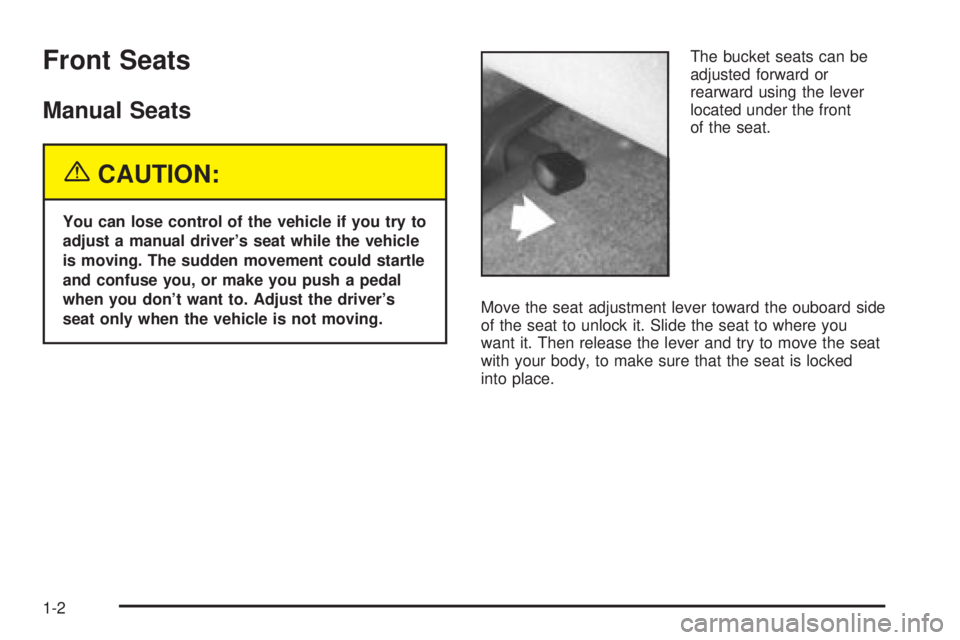
seat only when the vehicle is not moving.The bucket seats can be
adjusted forward or
rearward using the lever
located under the front
of the seat.
Move the seat adjustment lever toward the ouboard side
of the seat to unlock it. Slide the seat to where you
want it. Then release the lever and try to move the seat
with your body, to make sure that the seat is locked
into place.
1-2
Page 9 of 382
Power Seat
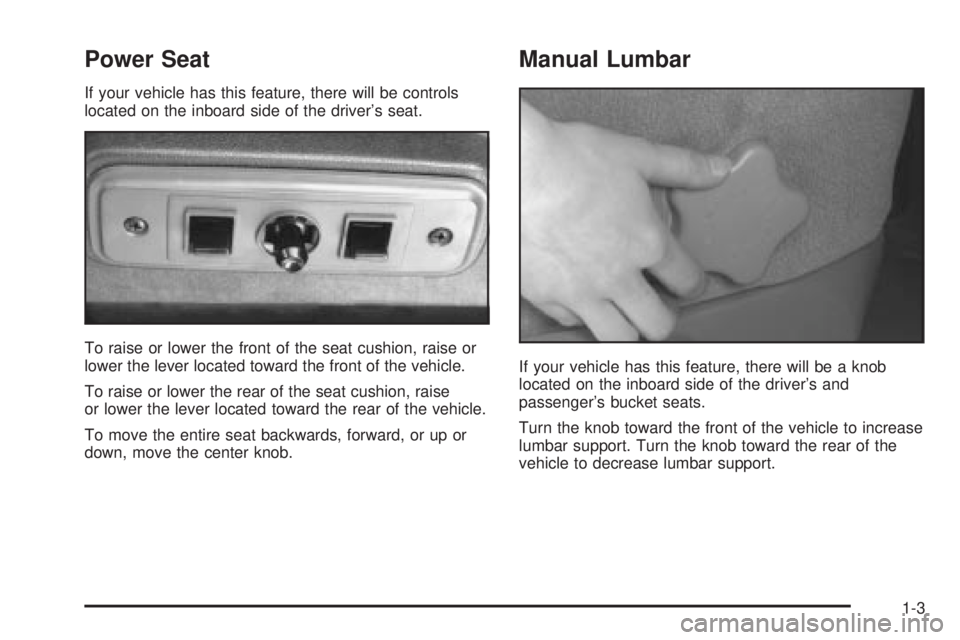
If your vehicle has this feature, there will be controls
located on the inboard side of the driver's seat.
To raise or lower the front of the seat cushion, raise or
lower the lever located toward the front of the vehicle.
To raise or lower the rear of the seat cushion, raise
or lower the lever located toward the rear of the vehicle.
To move the entire seat backwards, forward, or up or
down, move the center knob.
Manual Lumbar
If your vehicle has this feature, there will be a knob
located on the inboard side of the driver's and
passenger's bucket seats.
Turn the knob toward the front of the vehicle to increase
lumbar support. Turn the knob toward the rear of the
vehicle to decrease lumbar support.
1-3
Page 12 of 382
Seatback Latches
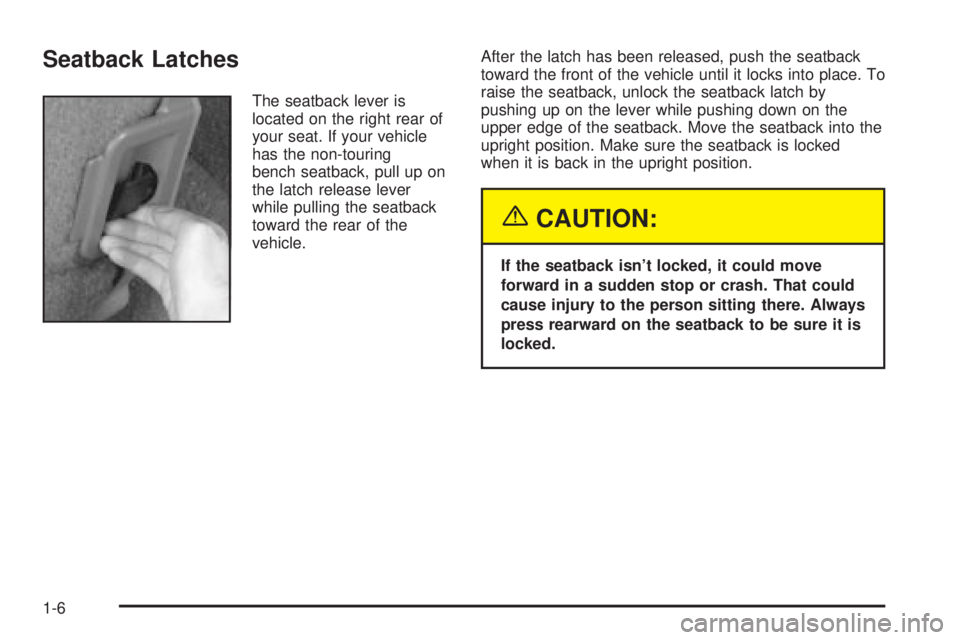
The seatback lever is
located on the right rear of
your seat. If your vehicle
has the non-touring
bench seatback, pull up on
the latch release lever
while pulling the seatback
toward the rear of the
vehicle.After the latch has been released, push the seatback
toward the front of the vehicle until it locks into place. To
raise the seatback, unlock the seatback latch by
pushing up on the lever while pushing down on the
upper edge of the seatback. Move the seatback into the
upright position. Make sure the seatback is locked
when it is back in the upright position.
{CAUTION:
If the seatback isn't locked, it could move
forward in a sudden stop or crash. That could
cause injury to the person sitting there. Always
press rearward on the seatback to be sure it is
locked.
1-6
Page 16 of 382
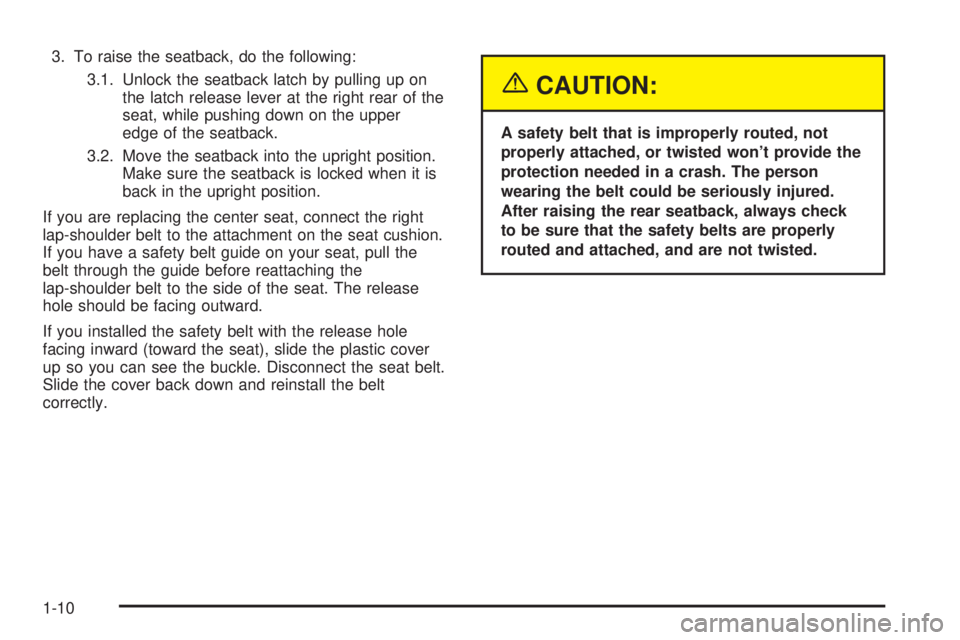
3. To raise the seatback, do the following:
3.1. Unlock the seatback latch by pulling up on
the latch release lever at the right rear of the
seat, while pushing down on the upper
edge of the seatback.
3.2. Move the seatback into the upright position.
Make sure the seatback is locked when it is
back in the upright position.
If you are replacing the center seat, connect the right
lap-shoulder belt to the attachment on the seat cushion.
If you have a safety belt guide on your seat, pull the
belt through the guide before reattaching the
lap-shoulder belt to the side of the seat. The release
hole should be facing outward.
If you installed the safety belt with the release hole
facing inward (toward the seat), slide the plastic cover
up so you can see the buckle. Disconnect the seat belt.
Slide the cover back down and reinstall the belt
correctly.
{CAUTION:
A safety belt that is improperly routed, not
properly attached, or twisted won't provide the
protection needed in a crash. The person
wearing the belt could be seriously injured.
After raising the rear seatback, always check
to be sure that the safety belts are properly
routed and attached, and are not twisted.
1-10
Page 17 of 382
Bench Seat
Each bench seat can carry up to three passengers.
They can also be removed to increase storage space.
Only the rear bench seat can be adjusted forward
or rearward using the lever at the front of the seat.
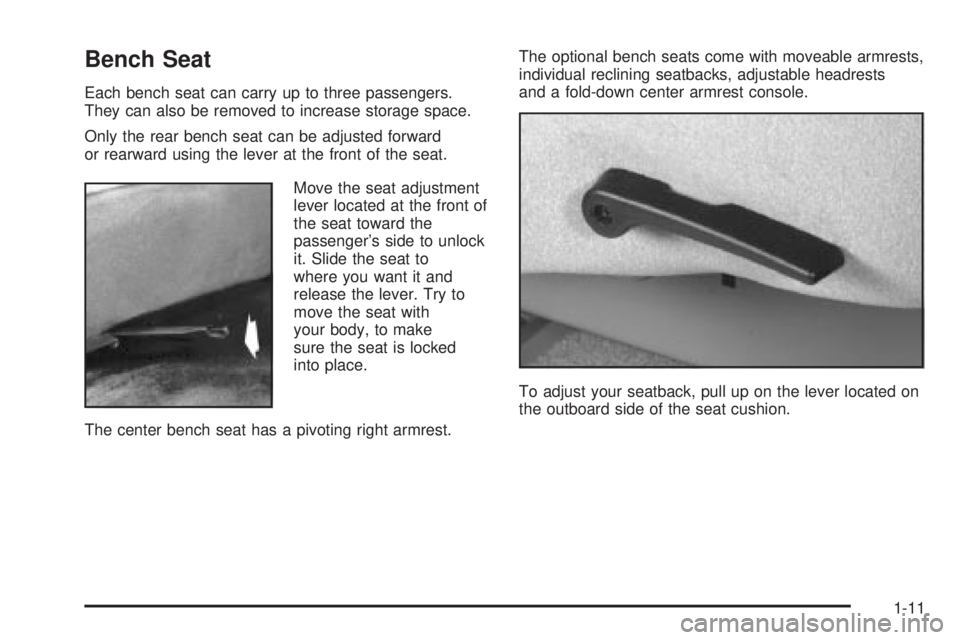
Move the seat adjustment
lever located at the front of
the seat toward the
passenger's side to unlock
it. Slide the seat to
where you want it and
release the lever. Try to
move the seat with
your body, to make
sure the seat is locked
into place.
The center bench seat has a pivoting right armrest.The optional bench seats come with moveable armrests,
individual reclining seatbacks, adjustable headrests
and a fold-down center armrest console.
To adjust your seatback, pull up on the lever located on
the outboard side of the seat cushion.
1-11
Page 42 of 382
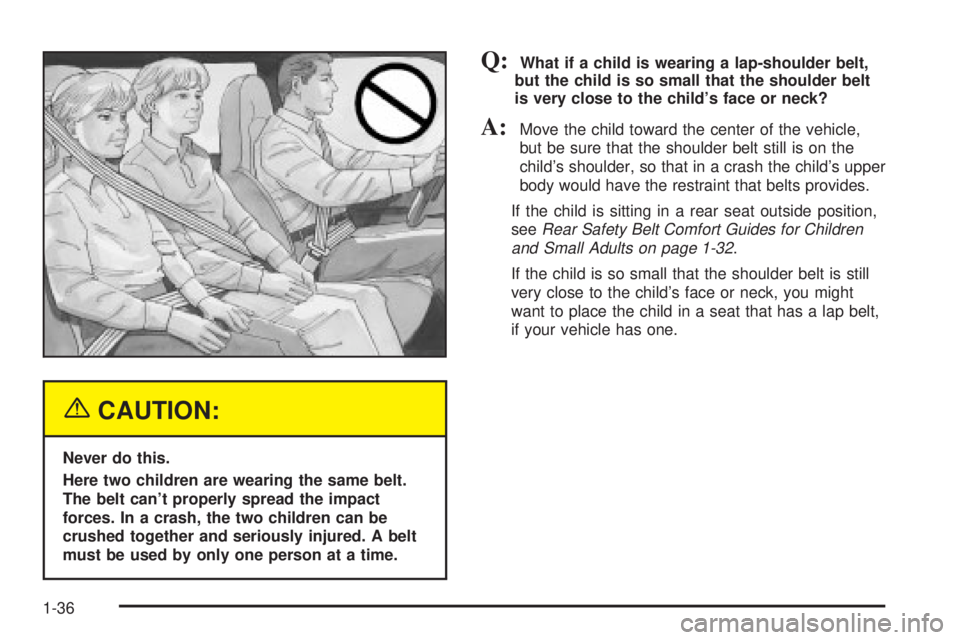
{CAUTION:
Never do this.
Here two children are wearing the same belt.
The belt can't properly spread the impact
forces. In a crash, the two children can be
crushed together and seriously injured. A belt
must be used by only one person at a time.
Q:What if a child is wearing a lap-shoulder belt,
but the child is so small that the shoulder belt
is very close to the child's face or neck?
A:Move the child toward the center of the vehicle,
but be sure that the shoulder belt still is on the
child's shoulder, so that in a crash the child's upper
body would have the restraint that belts provides.
If the child is sitting in a rear seat outside position,
see
Rear Safety Belt Comfort Guides for Children
and Small Adults on page 1-32
.
If the child is so small that the shoulder belt is still
very close to the child's face or neck, you might
want to place the child in a seat that has a lap belt,
if your vehicle has one.
1-36
Page 50 of 382
Child Restraint Systems
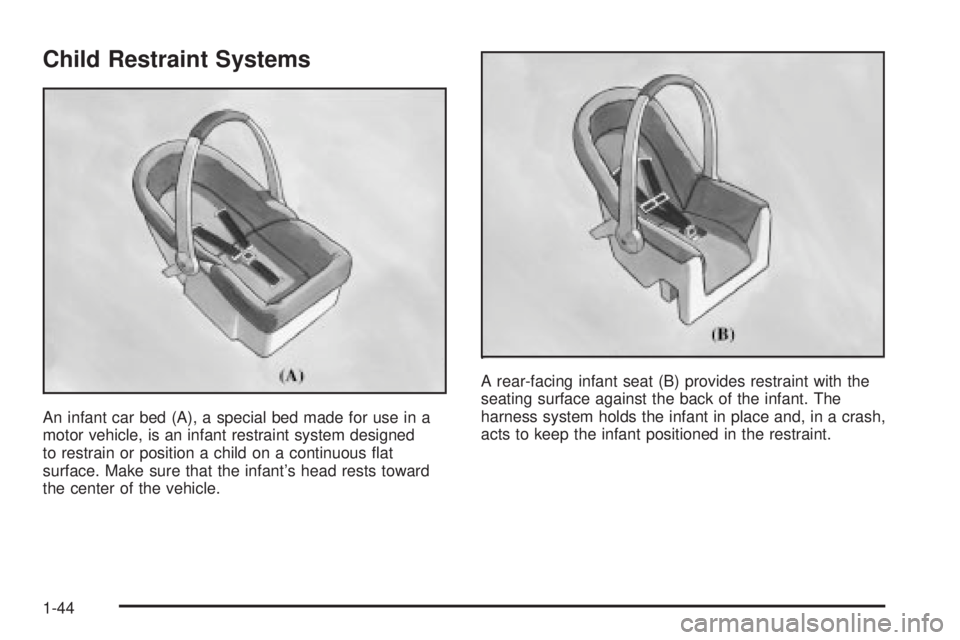
An infant car bed (A), a special bed made for use in a
motor vehicle, is an infant restraint system designed
to restrain or position a child on a continuous ¯at
surface. Make sure that the infant's head rests toward
the center of the vehicle.A rear-facing infant seat (B) provides restraint with the
seating surface against the back of the infant. The
harness system holds the infant in place and, in a crash,
acts to keep the infant positioned in the restraint.
1-44
Page 73 of 382
When Should an Air Bag In¯ate?
An air bag is designed to in¯ate in a moderate to severe
frontal, or near-frontal crash. The air bag will in¯ate
only if the impact speed is above the system's designed
ªthreshold levelº. If your vehicle goes straight into a
wall that doesn't move or deform, the threshold level is
about 9 to 16 mph (14 to 26 mph/h). The threshold
level can vary, however, with speci®c vehicle design, so
that it can be somewhat above or below this range. If
your vehicle strikes something that will move or deform,
such as a parked car, the threshold level will be
higher. The air bag is not designed to in¯ate in rollovers,
rear impacts, or in many side impacts because in¯ation
would not help the occupant.
In any particular crash, no one can say whether an air
bag should have in¯ated simply because of the damage
to a vehicle or because of what the repair costs were.
In¯ation is determined by the angle of the impact
and how quickly the vehicle slows down in frontal or
near-frontal impacts.
What Makes an Air Bag In¯ate?
In an impact of sufficient severity, the air bag sensing
system detects that the vehicle is in a crash. The
sensing system triggers a release of gas from the
in¯ator, which in¯ates the air bag. The in¯ator, air bag,
and related hardware are all part of the air bag
modules inside the steering wheel and in the instrument
panel in front of the right front passenger.
How Does an Air Bag Restrain?
In moderate to severe frontal or near-frontal collisions,
even belted occupants can contact the steering wheel or
the instrument panel. Air bags supplement the
protection provided by safety belts. Air bags distribute
the force of the impact more evenly over the occupant's
upper body, stopping the occupant more gradually.
But air bags would not help you in many types of
collisions, including rollovers, rear impacts and many
side impacts, primarily because an occupant's motion is
not toward those air bags. Air bags should never be
regarded as anything more than a supplement to safety
belts, and then only in moderate to severe frontal or
near-frontal collisions.
1-67
Page 86 of 382
To enter the program mode you need to do the
following:
1. Begin with the ignition in OFF. Then, pull back on
the turn signal/multifunction lever all the way
toward you and hold it while you perform the
next step.
2. Turn your key to RUN and OFF twice. Then, with
the key in OFF, release the turn signal/multifunction
lever. Once you do this, you will hear the lock
switch lock and unlock.
You are now ready to program the automatic door
locks. Select one of the following four programming
options and follow the instructions. You will have thirty
seconds to begin programming. If you exceed the
thirty second limit, the locks will automatically lock and
unlock to indicate that you have left the program
mode. If this occurs, repeat the procedure beginning
with Step 1. You can exit the program mode any time by
turning the ignition to RUN. The locks will automatically
lock and unlock to indicate that you are leaving the
program mode. If the lock/unlock switches are not
pressed while in the programming mode, the auto
lock/unlock setting will not be modi®ed.The following is a list of the available programming
options:
·All doors lock/Only the driver's door unlocks:
Press the lock side of the power lock switch on
the door panel once and then the unlock side once.
·All doors lock/All doors unlock:Press the
lock side of the power lock switch on the door panel
once, and then the unlock side twice.
·All doors lock/None of the doors unlock:Press
the lock side of the power lock switch on the door
panel once, and then the unlock side three times.
·No doors lock/None of the doors unlock:Press
the lock side of the power lock switch on the door
panel twice. This turns off the automatic lock
feature.
For more information, see your dealer.
Leaving Your Vehicle
If you are leaving your vehicle, take your key, open your
door and set the locks from inside. Then get out and
close the door.
2-8