ignition CHEVROLET ASTRO PASSENGER 1994 1.G Owner's Manual
[x] Cancel search | Manufacturer: CHEVROLET, Model Year: 1994, Model line: ASTRO PASSENGER, Model: CHEVROLET ASTRO PASSENGER 1994 1.GPages: 340, PDF Size: 16.86 MB
Page 121 of 340
Downloaded from www.Manualslib.com manuals search engine Turn Signal and Lane Change lndicator
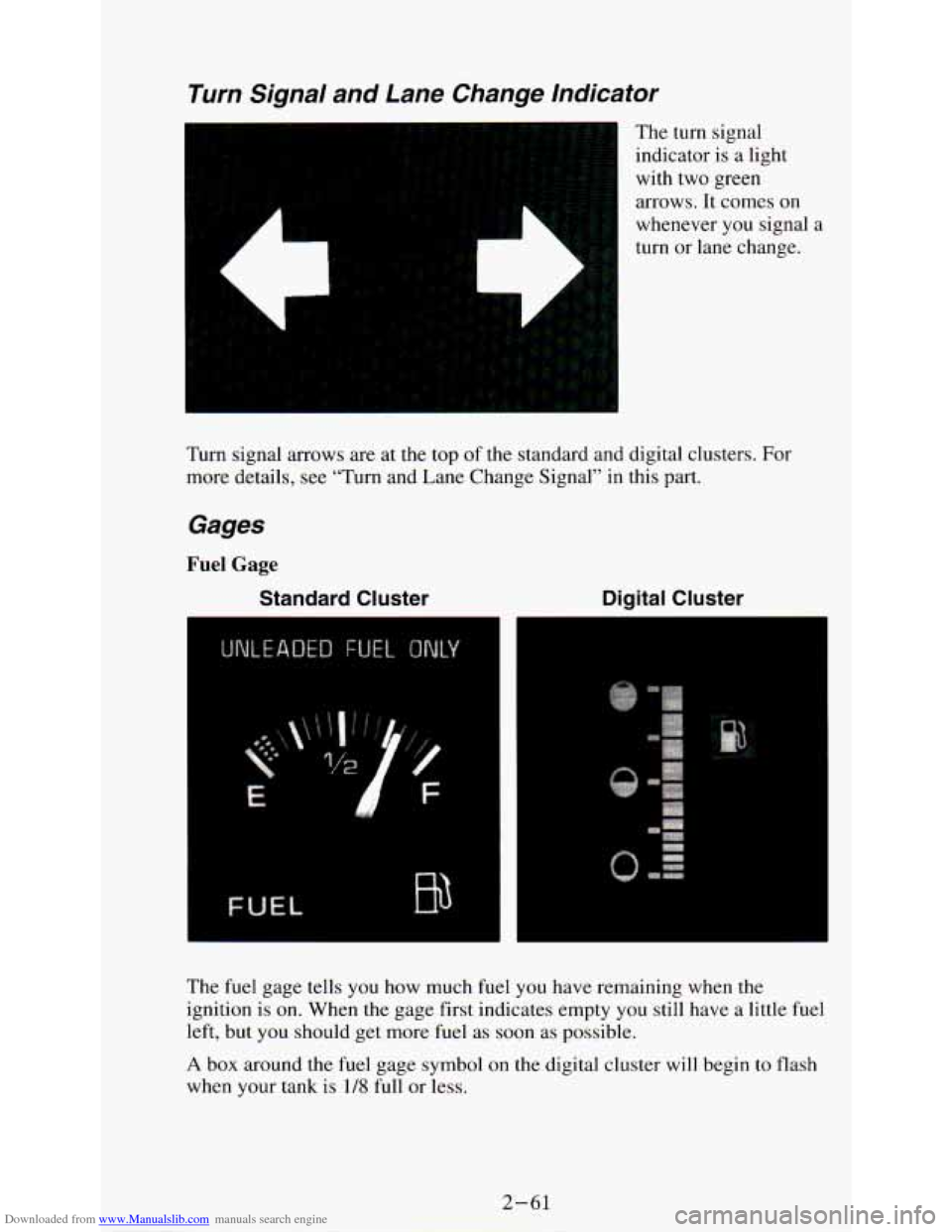
The turn signal
indicator is a light
with two green
arrows. It comes
on
L
whenever you signal a
turn or lane change.
Turn signal arrows are at the top of the standard and digital clusters. For
more details, see “Turn and Lane Change Signal’’ in this part.
Gages
Fuel Gage
Standard Cluster Digital Cluster
. ...
.
The fuel gage tells you how much fuel you have remaining when the
ignition is on. When the gage first indicates empty you still have a little fuel
left, but you should get more fuel as soon as possible.
A box around the fuel gage symbol on the digital cluster will begin to flash
when your tank is
1/8 full or less.
2-61
Page 122 of 340
Downloaded from www.Manualslib.com manuals search engine Here are things some owners ask about. None of these indicate a problem
with your fuel gage:
0 At the gas station, the gas pump shuts off before the gage r\
eads full.
The fuel tank will take either a little more or a little less fuel to fill up
than the gage shows.
The gage moves a little when you turn a corner or speed up.
The gage doesn’t go back to empty when you turn off the ignition.
For your fuel tank capacity, see the Index under “Fluid Capacities.”
Oil Pressure Gage
Standard Cluster Digital Cluster
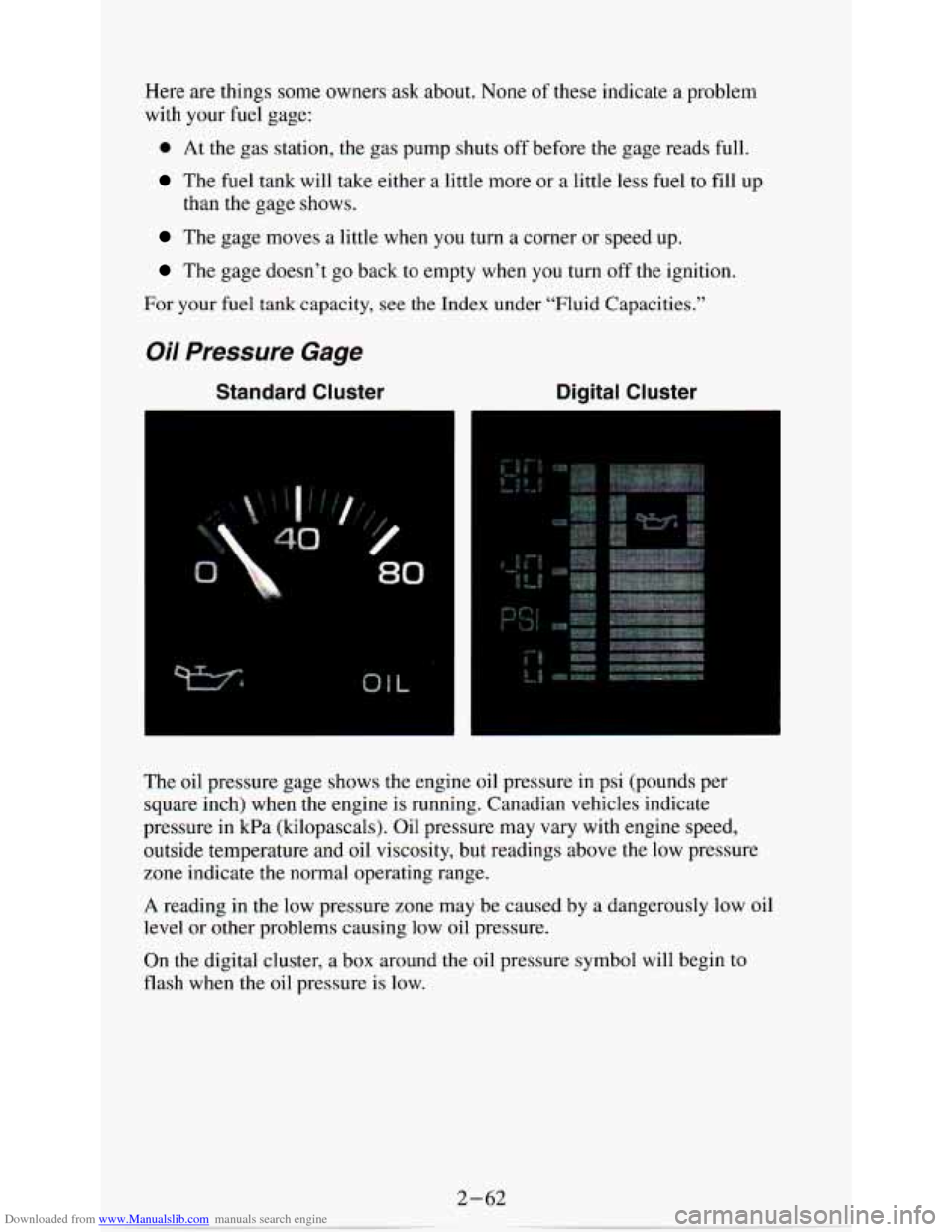
The oil pressure gage shows the engine oil pressure in psi (pounds pe\
r
square inch) when the engine is running. Canadian vehicles indicate
pressure in
kPa (kilopascals). Oil pressure may vary with engine speed,
outside temperature and oil viscosity, but readings above the low pressure
zone indicate the normal operating range.
A reading in the low pressure zone may be caused by a dangerous\
ly low oil
level or other problems causing low oil pressure.
On the digital cluster, a box around the oil pressure symbol \
will begin to
flash when the oil pressure
is low.
2-62
Page 124 of 340
Downloaded from www.Manualslib.com manuals search engine HOT COOLANT CAN BURN YOU BADLY!
In “Problems on the Road,” this manual shows what to do. See “Engine
Overheating” in the Index.
Voltmeter
Standard Cluster Digital Cluster
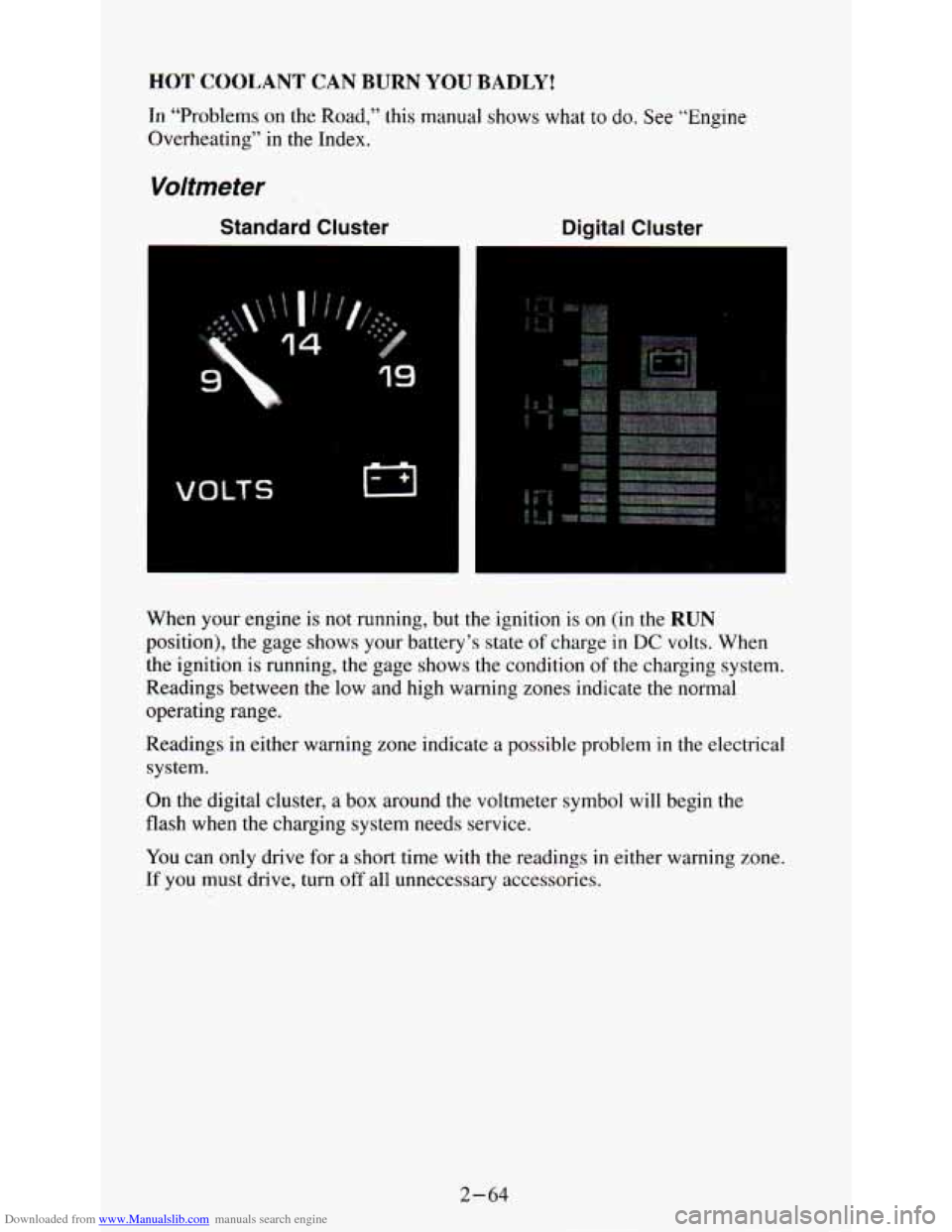
When your engine is not running, but the ignition is on (in the RUN
position), the gage shows your battery’s state of charge in DC volts. When
the ignition is running, the gage shows the condition of the charging system.
Readings between the low and high warning zones indicate the n\
ormal
operating range.
Readings
in either warning zone indicate a possible problem in the electrical
system.
On the digital cluster, a box around the voltmeter symbol will begin the
flash when the charging system needs service.
You can only drive for a short time with the readings in either warning zone.
If you must drive, turn off all unnecessary accessories.
2-64
Page 135 of 340
Downloaded from www.Manualslib.com manuals search engine If your vehicle has rear air conditioning, setting it on LOW may enhance
front A/C performance by allowing trapped refrigerant in rear lines to
circulate.
The system will only send cooled air if the front system is on. It can still be
used to recirculate air, even if the front system is off.
Before using the rear air conditioning, open the windows to clear the vehicle
of hot air. Close the windows when using the system.
Rear Window Defogger
If your vehicle has this option the rear window will have lines running
across the glass. These lines heat your window.
For best results, clear the window
of as much snow or ice as possible before
using the rear window defogger.
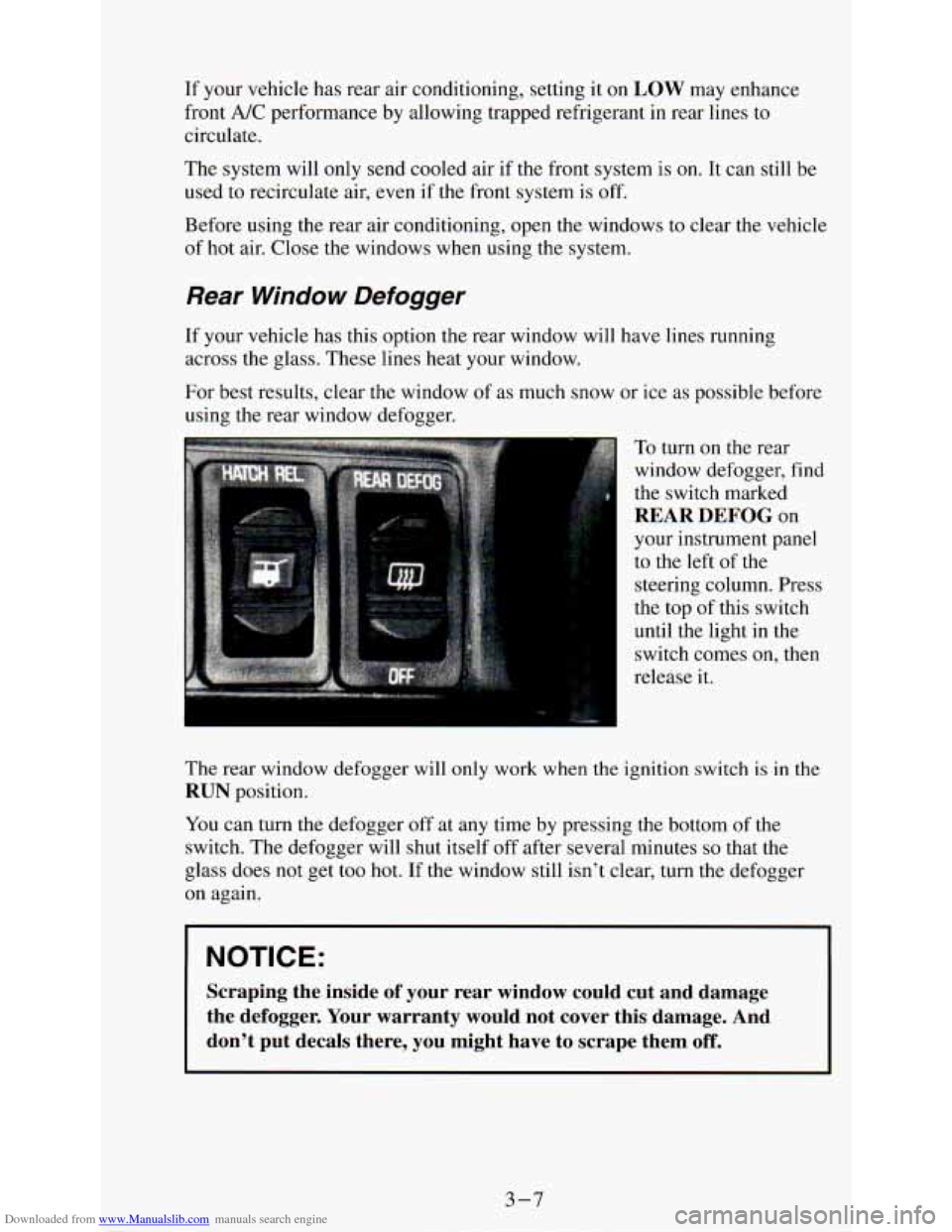
To turn on the rear
window defogger, find
the switch marked
REAR DEFOG on
your instrument panel
to the left
of the
steering column. Press
the top of this switch
until the light in the
switch comes on, then
release it.
The rear window defogger will only work when the ignition switch is in \
the
RUN position.
You can turn the defogger off at any time by pressing the bottom of the
switch. The defogger will shut itself off after several minutes
so that the
glass does not get too hot. If
the window still isn’t clear, turn the defogger
on again.
I NOTICE:
Scraping the inside of your rear window could cut and damage
the defogger. Your warranty would not cover this damage. And
don’t put decals there, you might have to scrape them
off.
I
3-7
Page 137 of 340
Downloaded from www.Manualslib.com manuals search engine NOTICE:
Before you add any sound equipment to your vehicle - like a
tape player, CB radio, mobile telephone or two-way radio - be
sure you can add what you want.
If you can, it’s very important
to do
it properly. Added sound equipment may interfere with the
operation
of your vehicle’s engine, Delco@ radio or other
systems, and even damage them. And, your vehicle’s systems
may interfere with the operation
of sound equipment that has
been added improperly.
So, before adding sound equipment, check with your dealer and
be sure to check Federal rules covering mobile radio and
telephone units.
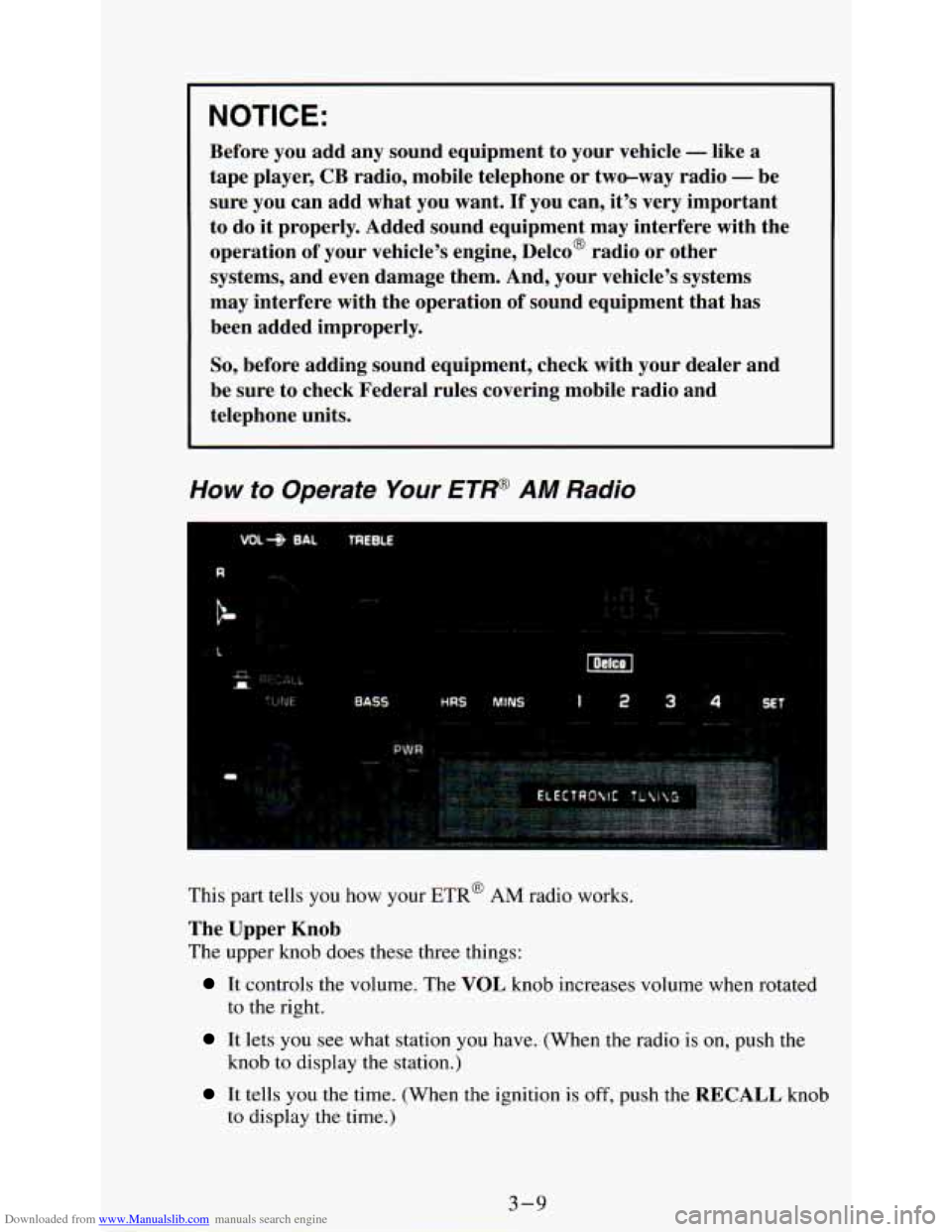
How to Operate Your ETR@ AM Radio
. .: .
i
This part tells you how your ETR@ AM radio works.
The Upper Knob
The upper knob does these three things:
It controls the volume. The VOL knob increases volume when rotated
to the right.
It lets you see what station you have. (When the radio is on, push the
knob to display the station.)
It tells you the time. (When the ignition is off, push the RECALL knob
to display
the time.)
3-9
Page 138 of 340
Downloaded from www.Manualslib.com manuals search engine BAL (Balance)
The BAL control behind the upper knob moves the sound between the left
and right speakers.
The Lower Knob
Turn the lower knob to choose radio stations.
Tone Levers
Two levers control the tone of your radio.
BASS -Slide this lever up to increase the bass response.
TREBLE -Slide this lever up to increase the treble response.
Adjust this lever to give a pleasing sound.
If a station is weak and noisy,
move
TREBLE down to reduce the noise.
PWR (Power)
The PWR button turns your system on and off.
Pushbuttons
The four pushbuttons let you return to favorite stations. To set the
pushbuttons, just:
Tune in the station.
Push SET. (SET appears in the VF display for a few seconds.)
Within 5 seconds, push one of the four pushbuttons. Whenever you
push that button, the preset station will return.
NOTE:
Up to three additional stations may be preset by pressing two adjoining
buttons at the same time.
Tune in the station.
Push SET. (SET appears in the VF display for a few seconds.)
Within 5 seconds, push any two adjoining buttons at the same time.
(The station will return when the same two buttons are pressed again.)
Clock
To set the clock, just:
Push SET.
Within 5 seconds, push and hold HRS (time will be displayed) until the
correct hour appears.
Push and hold MINS until the correct minute appears.
To display the clock with the ignition off, push the upper knob. The time
will be displayed for a few seconds.
3-10
Page 139 of 340
Downloaded from www.Manualslib.com manuals search engine How to Operate Your ETW
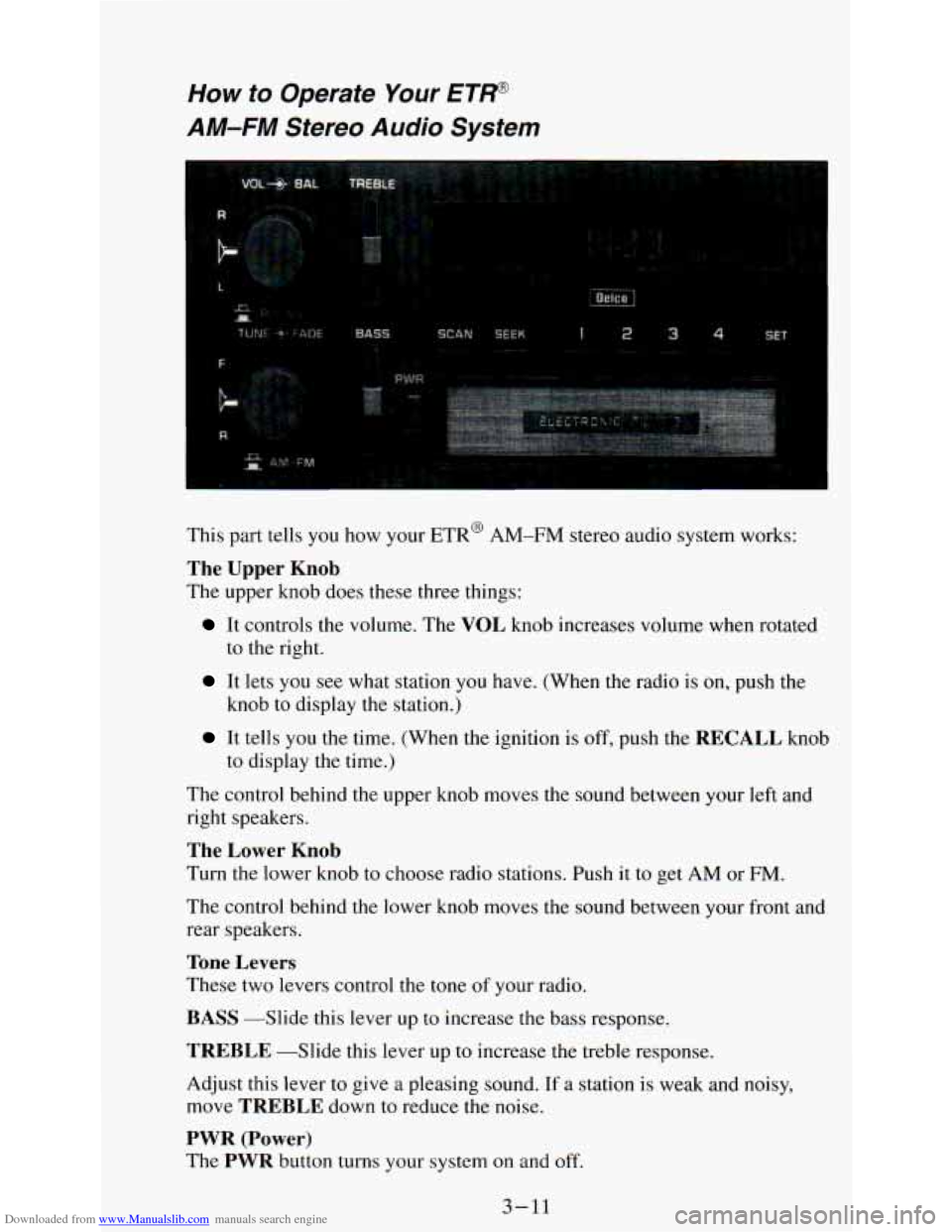
AM-FM Stel o Audio System
This part tells you how your ETR@ AM-FM stereo audio system works:
The Upper Knob
The upper knob does these three things:
It controls the volume. The VOL knob increases volume when rotated
to the right.
It lets you see what station you have. (When the radio is on, push the
knob
to display the station.)
It tells you the time. (When the ignition is off, push the RECALL knob
to display the time.)
The control behind the upper knob moves the sound between your left and
right speakers.
The Lower Knob
Turn the lower knob to choose radio stations. Push it to get AM or FM.
The control behind the lower knob moves the sound between your front and
rear speakers.
Tone Levers
These two levers control the tone of your radio.
BASS -Slide this lever up to increase the bass response.
TREBLE -Slide this lever up to increase the treble response.
Adjust this lever
to give a pleasing sound. If a station is weak and noisy,
move
TREBLE down to reduce the noise.
PWR (Power)
The PWR button turns your system on and off.
3-11
Page 140 of 340
Downloaded from www.Manualslib.com manuals search engine Pushbuttons
The four pushbuttons let you return to favorite stations.
You can set the pushbuttons for up to eight favorite stations
(4 AM and
4 FM). Just:
0 Tune in the station.
Push SET. (SET appears in the VF display for a few seconds.)
0 Within 5 seconds, push one of the four pushbuttons to store the station.
Whenever you push that button, the preset station will return.
Repeat these steps for each pushbutton.
NOTE:
You can preset 3 more stations on each band by pushing a pair of buttons
next to each other at the same time. Just:
0 Tune in the station.
Push SET. (SET appears in the VF display for a few seconds.)
Within 5 seconds, push two buttons next to each other at the same time.
Whenever you push that pair
of buttons, the preset station will return.
Repeat these steps for each pair of buttons.
SCAN Button
When you push this, the radio will go to the next station and stay there a
few seconds. Then it will go to the next station and pause, and keep doing
that. Press
SCAN again to stop scanning.
SEEK Button
This chooses station also, but it doesn’t keep moving as SCAN does. When
you push
SEEK the radio goes to the next station and stays there.
Clock
To set the clock, just:
0 Push SET.
0 Within 5 seconds, push and hold SCAN until the correct hour appears.
Press and hold SEEK until the correct minute appears.
To display the clock with the ignition off, push the upper knob. The time
will be displayed for a few seconds.
3-12
Page 141 of 340
Downloaded from www.Manualslib.com manuals search engine How to Operate Your ETP
AM-FM Stereo Audio Cassette System
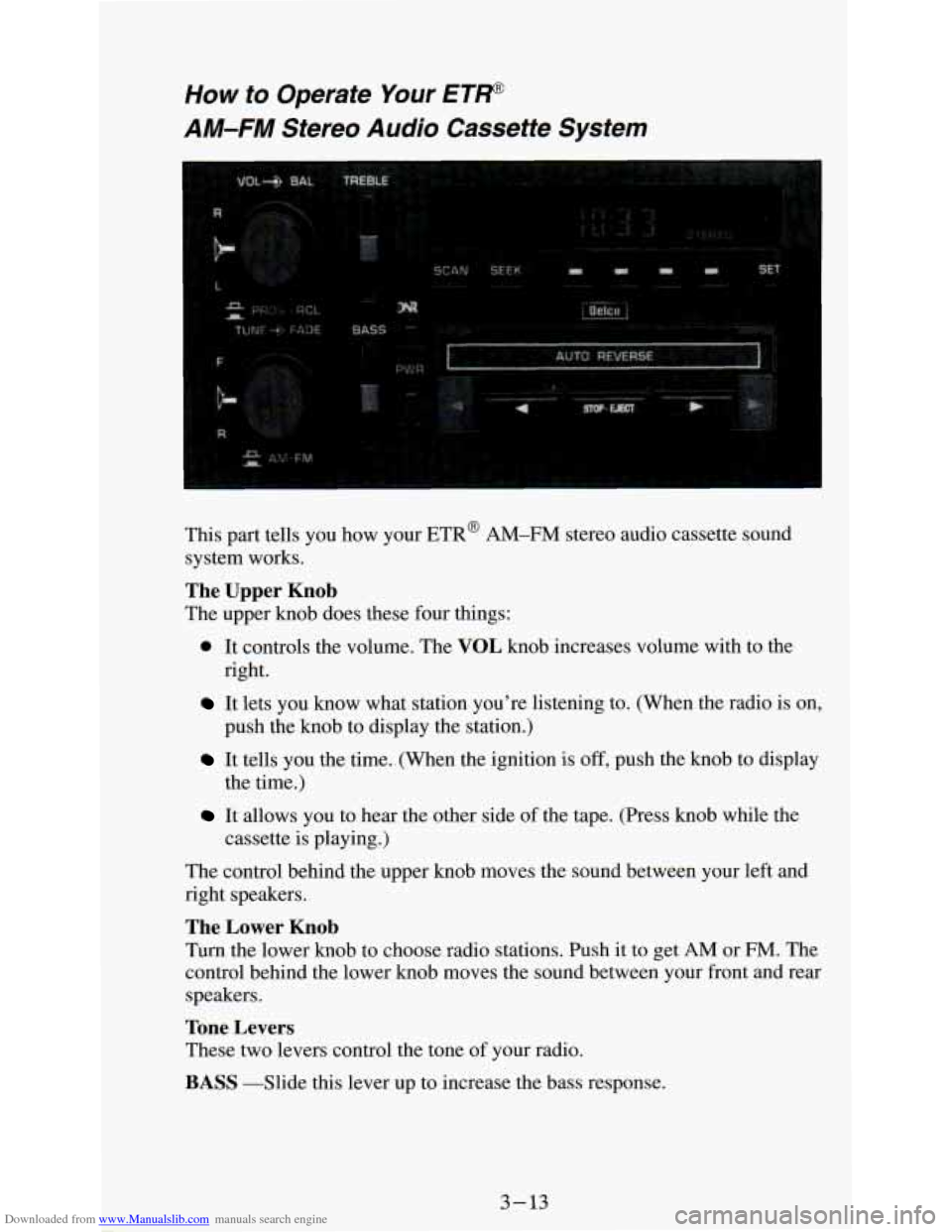
This part tells you how your ETR@ AM-FM stereo audio cassette sound
system works.
The Upper Knob
The upper knob does these four things:
0 It controls the volume. The VOL knob increases volume with to the
right.
It lets you know what station you're listening to. (When the radio is on,
push the knob to display the station.)
It tells you the time. (When the ignition is off, push the knob to display
the time.)
It allows you to hear the other side of the tape. (Press knob while the
cassette is playing.)
The control behind the upper knob moves the sound between
your left and
right speakers.
The Lower Knob
Turn the lower knob to choose radio stations. Push it to get AM or FM. The
control behind the lower knob moves the sound between your front and rear
speakers.
Tone Levers
These two levers control the tone of your radio.
BASS -Slide this lever up to increase the bass response.
3-13
Page 143 of 340
Downloaded from www.Manualslib.com manuals search engine Clock
To set the clock, just:
Push SET.
Within 5 seconds, push ant Ild SCA .N until the correct hour appears.
0 Press and hold SEEK until the correct minute appears.
To display the clock
with the ignition off, push the upper knob. The time
will be displayed for a few seconds.
Cassette Tape Player
Your tape player is built to work best with tapes that are 30 to 45 minutes
long on each side. Tapes longel [an that are
so thin they may not work well
in this player.
To play a cassette tape:
Have the radio on.
0 Insert the tape squarely rnrough the tape door.
The longer side with the tape visible goes in first. If you hear nothing or
hear just garbled sound, it may not be
in squarely. Push STOP-E JECT to
remove the tape and start over.
Once the tape is playing, use the upper and lower knobs for volume and
balance, just
as you do for radio. The arrows show which side of the tape is
playing.
To go forward to another part of the tape, push the button with an
arrow pointing toward the lighted arrow.
To stop the tape, push the
STOP-E JECT button lightly.
To go backward, push the button with an arrow pointing away from
the lighted arrow. To stop the tape, push the
STOP-EJECT button
lightly.
To go from one side of the tape to the other, push in the upper knob on
your radio.
To remove or stop the tape, push STOP-EJECT.
3-15