light CHEVROLET AVEO 2009 1.G Workshop Manual
[x] Cancel search | Manufacturer: CHEVROLET, Model Year: 2009, Model line: AVEO, Model: CHEVROLET AVEO 2009 1.GPages: 354, PDF Size: 2.07 MB
Page 158 of 354
Low Fuel Warning Light
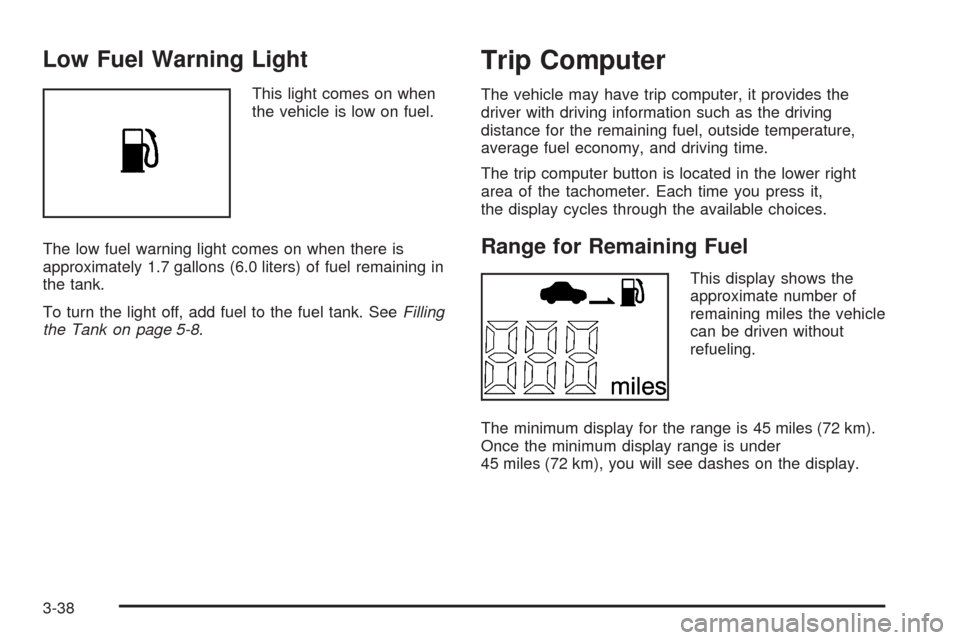
This light comes on when
the vehicle is low on fuel.
The low fuel warning light comes on when there is
approximately 1.7 gallons (6.0 liters) of fuel remaining in
the tank.
To turn the light off, add fuel to the fuel tank. SeeFilling
the Tank on page 5-8.
Trip Computer
The vehicle may have trip computer, it provides the
driver with driving information such as the driving
distance for the remaining fuel, outside temperature,
average fuel economy, and driving time.
The trip computer button is located in the lower right
area of the tachometer. Each time you press it,
the display cycles through the available choices.
Range for Remaining Fuel
This display shows the
approximate number of
remaining miles the vehicle
can be driven without
refueling.
The minimum display for the range is 45 miles (72 km).
Once the minimum display range is under
45 miles (72 km), you will see dashes on the display.
3-38
Page 172 of 354
CD Messages
CHECK CD:If this message displays and/or the CD
comes out, it could be for one of the following reasons:
It is very hot. When the temperature returns to
normal, the CD should play.
The road is very rough. When the road becomes
smoother, the CD should play.
The CD is dirty, scratched, wet, or upside down.
The air is very humid. If so, wait about an hour and
try again.
The format of the CD might not be compatible.
SeeUsing an MP3 on page 3-54later in this
section.
There could have been a problem while burning
the CD.
The label could be caught in the CD player.
If the CD is not playing correctly, for any other reason,
try a known good CD.
If any error occurs repeatedly or if an error cannot be
corrected, contact your dealer/retailer. If the radio
displays an error message, write it down and provide it
to your dealer/retailer when reporting the problem.
Care of CDs
If playing a CD-R, the sound quality can be reduced
due to CD-R quality, the method of recording, the quality
of the music that has been recorded, and the way the
CD-R or CD-RW has been handled. Handle them
carefully. Store CD-R(s) in their original cases or other
protective cases and away from direct sunlight and
dust. The CD player scans the bottom surface of the
disc. If the surface of a CD is damaged, such as
cracked, broken, or scratched, the CD does not play
properly or not at all. Do not touch the bottom side of a
CD while handling it; this could damage the surface.
Pick up CDs by grasping the outer edges or the edge of
the hole and the outer edge.
If the surface of a CD is soiled, clean it with a soft, lint
free cloth or dampen a clean, soft cloth in a mild,
neutral detergent solution mixed with water. Make sure
the wiping process starts from the center to the edge.
Care of the CD Player
Do not add labels to a CD, it could get caught in the CD
player. Use a marking pen to write on the top of the
CD if a description is needed.
Do not use CD lens cleaners, they could damage the
CD player.
3-52
Page 178 of 354
Radio Reception
Frequency interference and static can occur during
normal radio reception if items such as cell phone
chargers, vehicle convenience accessories, and external
electronic devices are plugged into the accessory
power outlet. If there is interference or static, unplug the
item from the accessory power outlet.
AM
The range for most AM stations is greater than for FM,
especially at night. The longer range can cause station
frequencies to interfere with each other. For better radio
reception, most AM radio stations boost the power
levels during the day, and then reduce these levels
during the night. Static can also occur when things like
storms and power lines interfere with radio reception.
When this happens, try reducing the treble on the radio.
FM Stereo
FM signals only reach about 10 to 40 miles (16 to 65 km).
Although the radio has a built-in electronic circuit that
automatically works to reduce interference, some static
can occur, especially around tall buildings or hills,
causing the sound to fade in and out.
XM™ Satellite Radio Service
XM Satellite Radio Service gives digital radio reception
from coast-to-coast in the 48 contiguous United States,
and in Canada. Just as with FM, tall buildings or hills can
interfere with satellite radio signals, causing the sound to
fade in and out. In addition, traveling or standing under
heavy foliage, bridges, garages, or tunnels may cause
loss of the XM signal for a period of time.
Cellular Phone Usage
Cellular phone usage may cause interference with the
vehicle’s radio. This interference may occur when
making or receiving phone calls, charging the phone’s
battery, or simply having the phone on. This interference
causes an increased level of static while listening to
the radio. If static is received while listening to the radio,
unplug the cellular phone and turn it off.
Fixed Mast Antenna (Hatchback)
Vehicles without OnStar®have a xed mast antenna
that can withstand most car washes without being
damaged. If the mast should ever become slightly bent,
straighten it out by hand. If the mast is badly bent,
replace it.
3-58
Page 184 of 354
Braking
SeeBrake System Warning Light on page 3-28.
Braking action involves perception time and reaction
time. Deciding to push the brake pedal is perception
time. Actually doing it is reaction time.
Average reaction time is about three-fourths of a second.
But that is only an average. It might be less with one
driver and as long as two or three seconds or more with
another. Age, physical condition, alertness, coordination,
and eyesight all play a part. So do alcohol, drugs,
and frustration. But even in three-fourths of a second,
a vehicle moving at 60 mph (100 km/h) travels 66 feet
(20 m). That could be a lot of distance in an emergency,
so keeping enough space between the vehicle and others
is important.
And, of course, actual stopping distances vary greatly
with the surface of the road, whether it is pavement
or gravel; the condition of the road, whether it is
wet, dry, or icy; tire tread; the condition of the brakes;
the weight of the vehicle; and the amount of brake force
applied.Avoid needless heavy braking. Some people drive
in spurts — heavy acceleration followed by heavy
braking — rather than keeping pace with traffic.
This is a mistake. The brakes might not have time to
cool between hard stops. The brakes will wear out much
faster with a lot of heavy braking. Keeping pace with
the traffic and allowing realistic following distances
eliminates a lot of unnecessary braking. That means
better braking and longer brake life.
If the engine ever stops while the vehicle is being
driven, brake normally but do not pump the brakes.
If the brakes are pumped, the pedal could get harder to
push down. If the engine stops, there will still be
some power brake assist but it will be used when the
brake is applied. Once the power assist is used up,
it can take longer to stop and the brake pedal will be
harder to push.
Adding non-dealer/non-retailer accessories can affect
vehicle performance. SeeAccessories and Modifications
on page 5-3.
4-4
Page 185 of 354
Antilock Brake System (ABS)
The vehicle might have the Antilock Brake System (ABS),
an advanced electronic braking system that helps prevent
a braking skid.
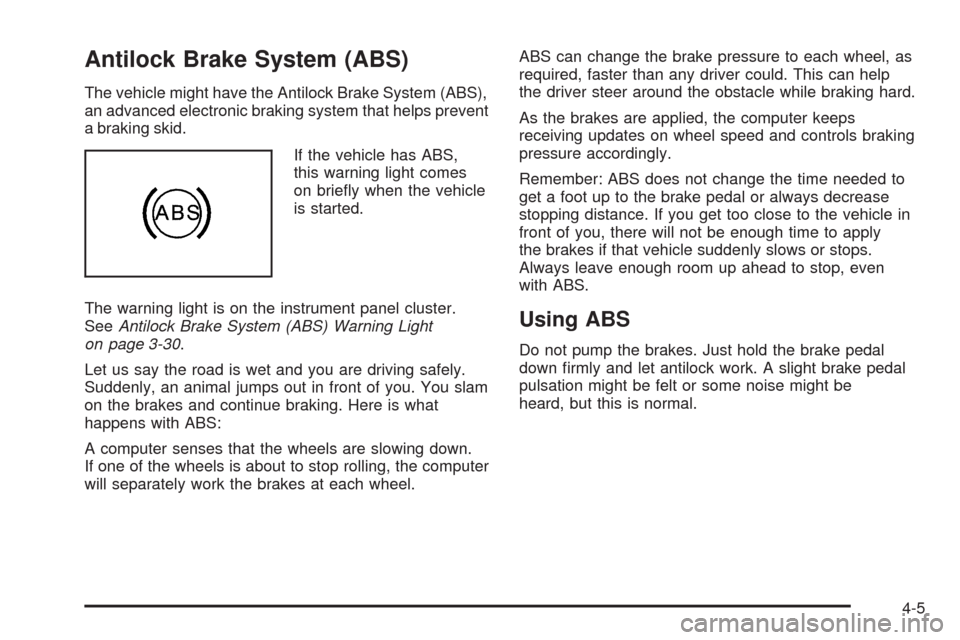
If the vehicle has ABS,
this warning light comes
on briey when the vehicle
is started.
The warning light is on the instrument panel cluster.
SeeAntilock Brake System (ABS) Warning Light
on page 3-30.
Let us say the road is wet and you are driving safely.
Suddenly, an animal jumps out in front of you. You slam
on the brakes and continue braking. Here is what
happens with ABS:
A computer senses that the wheels are slowing down.
If one of the wheels is about to stop rolling, the computer
will separately work the brakes at each wheel.ABS can change the brake pressure to each wheel, as
required, faster than any driver could. This can help
the driver steer around the obstacle while braking hard.
As the brakes are applied, the computer keeps
receiving updates on wheel speed and controls braking
pressure accordingly.
Remember: ABS does not change the time needed to
get a foot up to the brake pedal or always decrease
stopping distance. If you get too close to the vehicle in
front of you, there will not be enough time to apply
the brakes if that vehicle suddenly slows or stops.
Always leave enough room up ahead to stop, even
with ABS.
Using ABS
Do not pump the brakes. Just hold the brake pedal
down rmly and let antilock work. A slight brake pedal
pulsation might be felt or some noise might be
heard, but this is normal.
4-5
Page 188 of 354
Off-Road Recovery
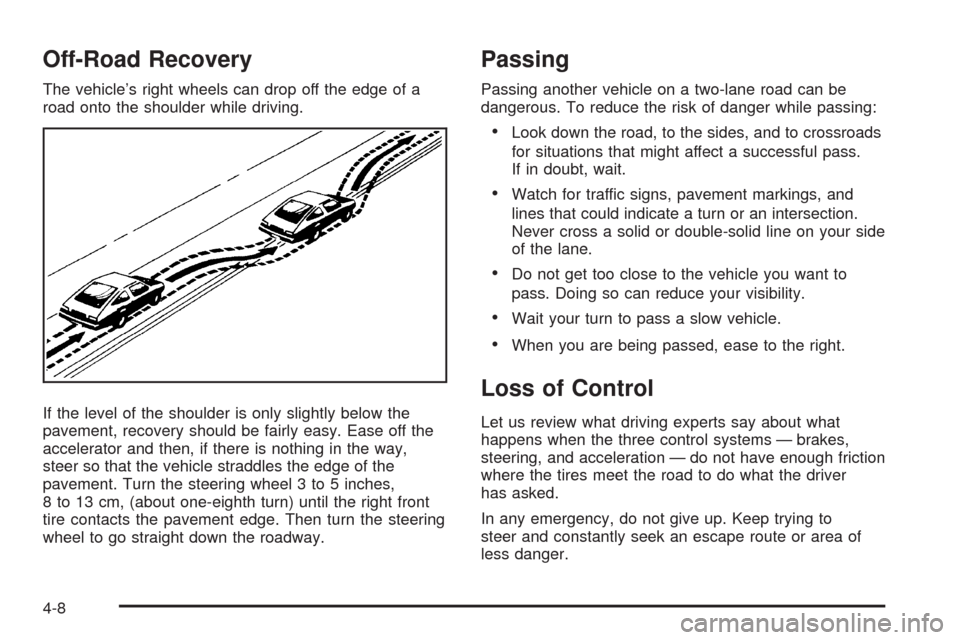
The vehicle’s right wheels can drop off the edge of a
road onto the shoulder while driving.
If the level of the shoulder is only slightly below the
pavement, recovery should be fairly easy. Ease off the
accelerator and then, if there is nothing in the way,
steer so that the vehicle straddles the edge of the
pavement. Turn the steering wheel 3 to 5 inches,
8 to 13 cm, (about one-eighth turn) until the right front
tire contacts the pavement edge. Then turn the steering
wheel to go straight down the roadway.
Passing
Passing another vehicle on a two-lane road can be
dangerous. To reduce the risk of danger while passing:
Look down the road, to the sides, and to crossroads
for situations that might affect a successful pass.
If in doubt, wait.
Watch for traffic signs, pavement markings, and
lines that could indicate a turn or an intersection.
Never cross a solid or double-solid line on your side
of the lane.
Do not get too close to the vehicle you want to
pass. Doing so can reduce your visibility.
Wait your turn to pass a slow vehicle.
When you are being passed, ease to the right.
Loss of Control
Let us review what driving experts say about what
happens when the three control systems — brakes,
steering, and acceleration — do not have enough friction
where the tires meet the road to do what the driver
has asked.
In any emergency, do not give up. Keep trying to
steer and constantly seek an escape route or area of
less danger.
4-8
Page 190 of 354
Driving at Night
Night driving is more dangerous than day driving because
some drivers are likely to be impaired — by alcohol or
drugs, with night vision problems, or by fatigue.
Night driving tips include:
Drive defensively.
Do not drink and drive.
Reduce headlamp glare by adjusting the inside
rearview mirror.
Slow down and keep more space between you and
other vehicles because headlamps can only light up
so much road ahead.
Watch for animals.
When tired, pull off the road.
Do not wear sunglasses.
Avoid staring directly into approaching headlamps.
Keep the windshield and all glass on your vehicle
clean — inside and out.
Keep your eyes moving, especially during turns or
curves.
No one can see as well at night as in the daytime.
But, as we get older, these differences increase.
A 50-year-old driver might need at least twice as much
light to see the same thing at night as a 20-year-old.
Driving in Rain and on Wet Roads
Rain and wet roads can reduce vehicle traction
and affect your ability to stop and accelerate. Always
drive slower in these types of driving conditions
and avoid driving through large puddles and
deep-standing or owing water.
{CAUTION:
Wet brakes can cause crashes. They might not
work as well in a quick stop and could cause
pulling to one side. You could lose control of the
vehicle.
After driving through a large puddle of water or a
car/vehicle wash, lightly apply the brake pedal until
the brakes work normally.
Flowing or rushing water creates strong forces.
Driving through owing water could cause your
vehicle to be carried away. If this happens, you
and other vehicle occupants could drown. Do not
ignore police warnings and be very cautious about
trying to drive through owing water.
4-10
Page 195 of 354
Run the engine for short periods only as needed to
keep warm, but be careful.
To save fuel, run the engine for only short periods as
needed to warm the vehicle and then shut the engine off
and close the window most of the way to save heat.
Repeat this until help arrives but only when you feel
really uncomfortable from the cold. Moving about
to keep warm also helps.
If it takes some time for help to arrive, now and then
when you run the engine, push the accelerator
pedal slightly so the engine runs faster than the idle
speed. This keeps the battery charged to restart
the vehicle and to signal for help with the headlamps.
Do this as little as possible to save fuel.If Your Vehicle is Stuck in Sand,
Mud, Ice, or Snow
Slowly and cautiously spin the wheels to free the
vehicle when stuck in sand, mud, ice, or snow.
SeeRocking Your Vehicle to Get It Out on page 4-16.
{CAUTION:
If you let your vehicle’s tires spin at high speed,
they can explode, and you or others could be
injured. The vehicle can overheat, causing an
engine compartment re or other damage.
Spin the wheels as little as possible and avoid
going above 35 mph (55 km/h) as shown on the
speedometer.
For information about using tire chains on the vehicle,
seeTire Chains on page 5-68.
4-15
Page 196 of 354
Rocking Your Vehicle to Get It Out
Turn the steering wheel left and right to clear the
area around the front wheels. Shift back and forth
between R (Reverse) and a forward gear, or with
a manual transmission, between 1 (First) or 2 (Second)
and R (Reverse), spinning the wheels as little as
possible. To prevent transmission wear, wait until the
wheels stop spinning before shifting gears. Release the
accelerator pedal while shifting, and press lightly on
the accelerator pedal when the transmission is in gear.
Slowly spinning the wheels in the forward and reverse
directions causes a rocking motion that could free
the vehicle. If that does not get the vehicle out after a
few tries, it might need to be towed out. If the vehicle
does need to be towed out, seeTowing Your Vehicle
on page 4-24.
Loading the Vehicle
It is very important to know how much weight
your vehicle can carry. This weight is called the
vehicle capacity weight or maximum load amount
and includes the weight of all occupants, cargo,
and all nonfactory-installed options. Two labels on
your vehicle show how much weight it may
properly carry, the Tire and Loading Information
label and the Certication label.
{CAUTION:
Do not load the vehicle any heavier than the
Gross Vehicle Weight Rating (GVWR), or
either the maximum front or rear Gross Axle
Weight Rating (GAWR). If you do, parts on
the vehicle can break, and it can change
the way your vehicle handles. These could
cause you to lose control and crash.
Also, overloading can shorten the life of
the vehicle.
4-16
Page 218 of 354
When replacing the fuel cap, turn it clockwise until it
clicks. Make sure the cap is fully installed. The
diagnostic system can determine if the fuel cap has
been left off or improperly installed. This would allow fuel
to evaporate into the atmosphere. SeeMalfunction
Indicator Lamp on page 3-32.
{CAUTION:
If a re starts while you are refueling, do not
remove the nozzle. Shut off the ow of fuel by
shutting off the pump or by notifying the station
attendant. Leave the area immediately.Notice:If a new fuel cap is needed, be sure to get
the right type. Your dealer/retailer can get one
for you. The wrong type might not t properly. This
can cause the malfunction indicator lamp to light
and can damage the fuel tank and emissions
system. SeeMalfunction Indicator Lamp on
page 3-32.
5-10