lock CHEVROLET BLAZER 1998 2.G Workshop Manual
[x] Cancel search | Manufacturer: CHEVROLET, Model Year: 1998, Model line: BLAZER, Model: CHEVROLET BLAZER 1998 2.GPages: 416, PDF Size: 22.4 MB
Page 179 of 416
Downloaded from www.Manualslib.com manuals search engine Unlocking the Theft-Deterrent Feature After a
Power
Loss
Enter your secret code as follows; pause no more than
15 seconds between steps:
1. LOC appears when the ignition is on.
2. Press MN and 000 will appear on the display.
3. Press MN again to make the last two digits agree
4. Press HR to make the first one or two digits agree
with your
code.
with your code.
code matches the secret code you have written down.
The display will show SEC, indicating the radio is
now operable and secure.
5. Press AM-FM after you have confirmed that the
If you enter the wrong code eight times, INOP will
appear on the display. You will have
to wait an hour
with the ignition on before you can
try again. When you
try again, you will only have three chances to enter the
correct code before INOP appears.
If you lose or forget your code, contact your dealer.
Disabling the Theft-Deterrent Feature
Enter your secret code as follows; pause no more than
15 seconds between steps:
1. Turn the ignition to ACCESSORY or RUN.
2.
Turn the radio off.
3. Press the 1 and 4 buttons together. Hold them down
until SEC shows on the display.
4. Press MN and
000 will appear on the display.
5. Press MN again to make the last two digits agree
with your code.
6. Press HR to make the first one or two digits agree
with your code.
code matches the secret code you have written down.
The display will show
---, indicating that the radio is
no longer secured.
7. Press AM-FM after you have confirmed that the
If the code entered is incorrect, SEC will appear on the
display. The radio will remain secured until the correct
code is entered.
When battery power is removed and later applied to a
secured radio, the radio won’t turn on and
LOC will
appear on the display.
3-27
Page 180 of 416
Downloaded from www.Manualslib.com manuals search engine To unlock a secured radio, see “Unlocking the
Theft-Deterrent Feature After
a Power Loss” earlier
in this section.
Understanding Radio Reception
AM
The range for most AM stations is greater than for FM,
especially at night. The longer range, however, can
cause stations
to interfere with each other. AM can pick
up noise from things like storms and power lines. Try
reducing the treble to reduce this noise
if you ever get it.
FM Stereo
FM stereo will give you the best sound, but FM signals
will reach only about
10 to 40 miles (16 to 65 km). Tall
buildings or hills can interfere with
FM signals, causing
the sound to come and go.
Tips About Your Audio System
Hearing damage from loud noise is almost undetectable
until it
is too late. Your hearing can adapt to higher
volumes of
sound. Sound that seems normal can be loud
and harmful
to your hearing. Take precautions by
adjusting the volume control on your radio
to a safe
sound level before your hearing adapts to it.
To help avoid hearing loss or damage:
0 Adjust the volume control to the lowest setting.
Increase volume slowly until you hear comfortably
and clearly.
I NOTICE:
I
I Before you add any sound equipment to your
vehicle
-- like a tape player, CB radio, mobile
telephone or two-way radio
-- be sure you can
add what you want.
If you can, it’s very
important to do it properly. Added sound
equipment may interfere with the operation of
your vehicle’s engine, Delco Electronics radio or
other systems, and even damage them. Your
vehicle’s systems may interfere with the
operation of sound equipment that has been
added improperly.
So, before adding sound equipment, check with
your dealer and be sure to check Federal rules
covering mobile radio and telephone units.
3-28
Page 189 of 416
Downloaded from www.Manualslib.com manuals search engine Avoid needless heavy braking. Some people drive in
spurts -- heavy acceleration followed by heavy
braking
-- rather than keeping pace with traffic. This is a
mistake. Your brakes may not have time to cool between
hard stops. Your brakes will wear out much faster if
you
do a lot of heavy braking. If you keep pace with the
traffic and allow realistic following distances, you will
eliminate a lot of unnecessary braking. That means
better braking and longer brake life.
If your engine ever stops while you’re driving, brake
normally but don’t pump your brakes. If
you do, the
pedal may get harder to push down. If your engine
stops,
you will still have some power brake assist. But
you will use it when you brake. Once the power assist is
used up, it may take longer to stop and the brake pedal
will be harder to push.
Anti-Lock Brakes (ABS)
Your vehicle has anti-lock brakes (ABS). ABS is an
advanced electronic braking system that will help
prevent a braking skid.
When you start your engine and begin
to drive away,
your anti-lock brake system will check itself. You may
hear a momentary motor
or clicking noise while this test
is going
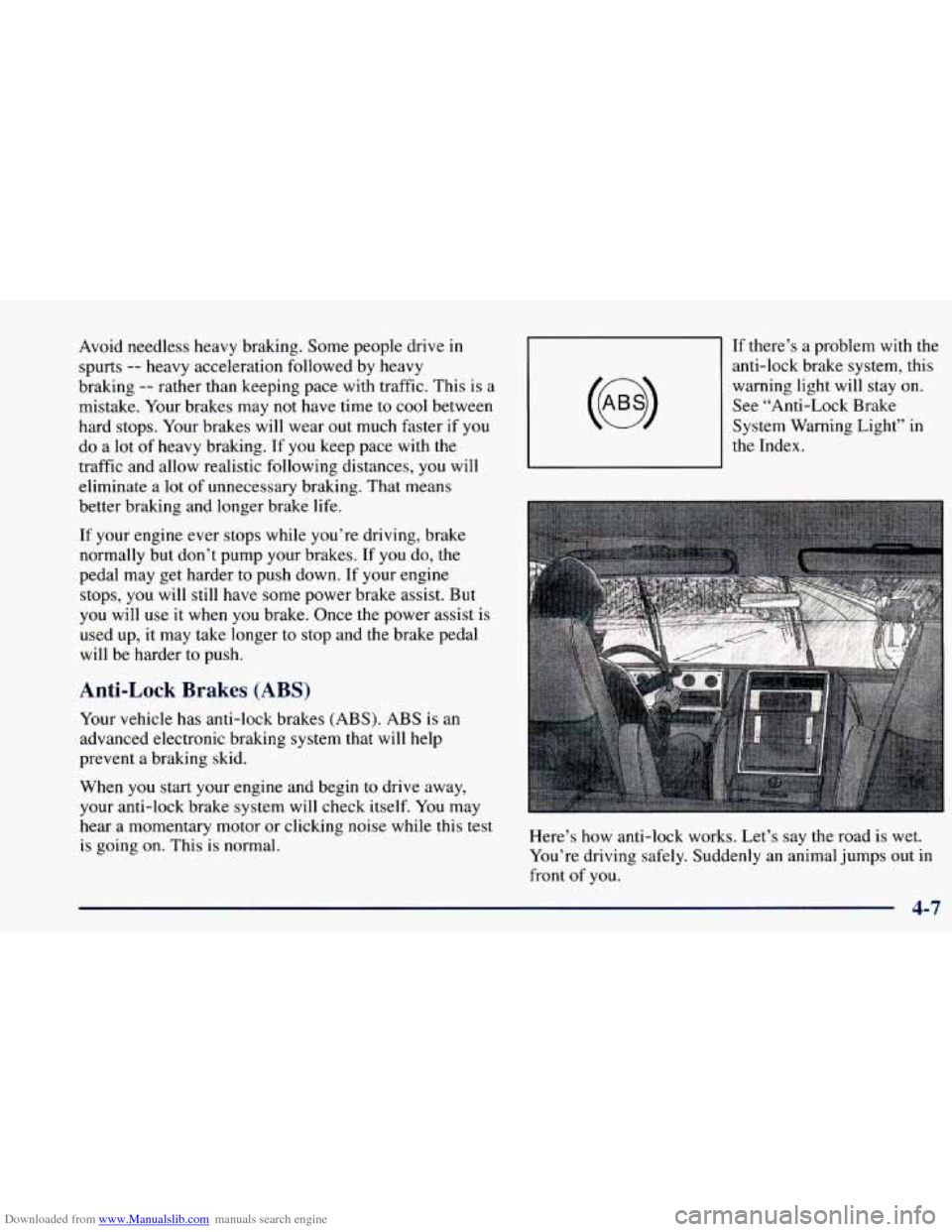
on. This is normal. If
there’s a problem with the
anti-lock brake system, this
warning light will stay on.
See “Anti-Lock Brake
System Warning Light” in
the Index.
Here’s how anti-lock works. Let’s say the road is wet.
You’re driving safely. Suddenly an animal jumps out in
front
of you.
4-7
Page 190 of 416
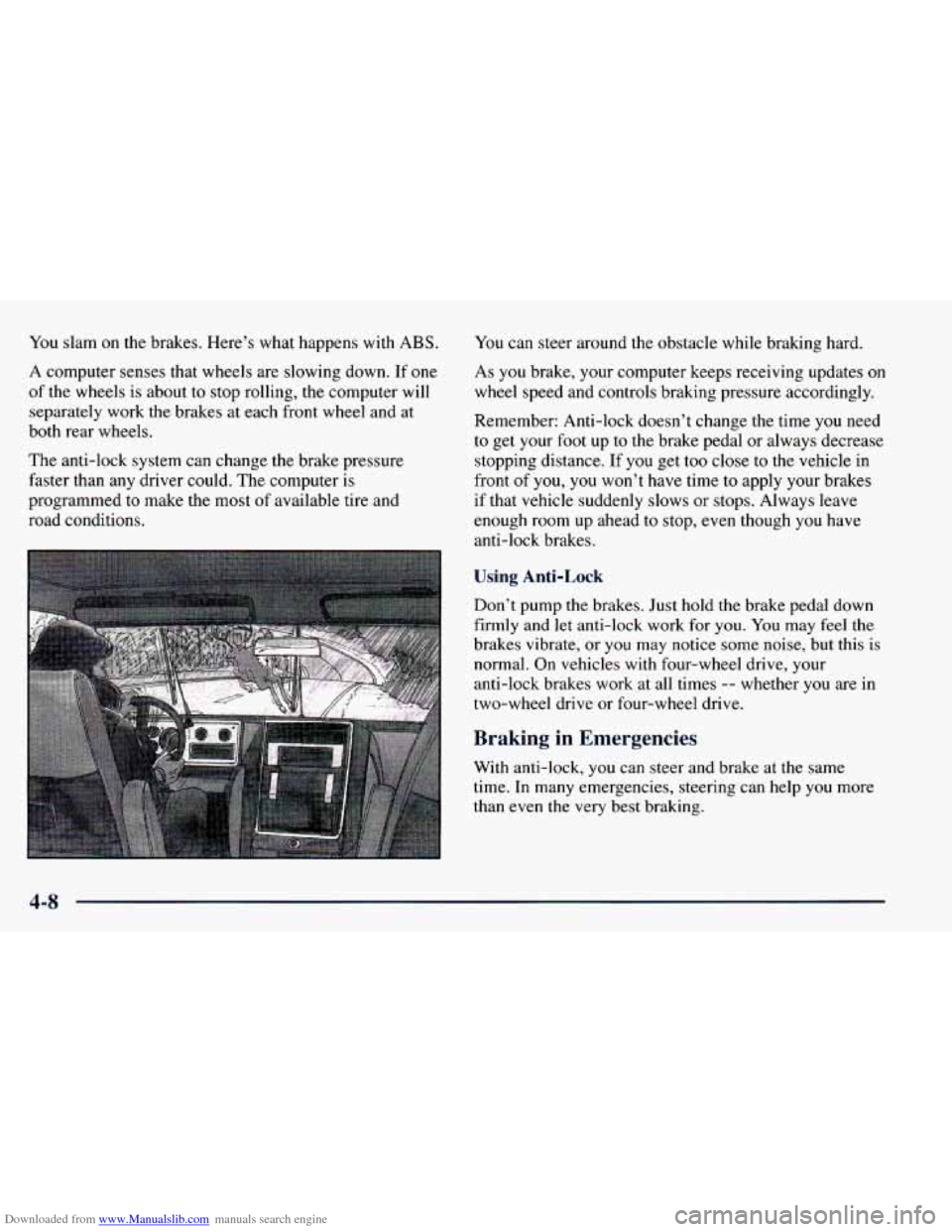
Downloaded from www.Manualslib.com manuals search engine You slam on the brakes. Here’s what happens with ABS.
A computer senses that wheels are slowing down. If one
of the wheels is about to stop rolling, the computer will
separately work the brakes at each front wheel and at
both rear wheels.
The anti-lock system can change the brake pressure
faster than any driver could. The computer
is
programmed to make the most of available tire and
road conditions. You
can steer around the obstacle while braking hard.
As you brake, your computer keeps receiving updates on
wheel speed and controls braking pressure accordingly.
Remember: Anti-lock doesn’t change the time you need
to get your foot up to the brake pedal or always decrease
stopping distance.
If you get too close to the vehicle in
front of
you, you won’t have time to apply your brakes
if that vehicle suddenly slows or stops. Always leave
enough room up ahead to stop, even though
you have
anti-lock brakes.
Using Anti-Lock
Don’t pump the brakes. Just hold the brake pedal down
firmly and let anti-lock work for
you. You may feel the
brakes vibrate, or
you may notice some noise, but this is
normal. On vehicles with four-wheel drive, your
anti-lock brakes work at all times
-- whether you are in
two-wheel drive or four-wheel drive,
Braking in Emergencies
With anti-lock, you can steer and brake at the same
time. In many emergencies, steering can help
you more
than even the very best braking.
4-8
Page 192 of 416
Downloaded from www.Manualslib.com manuals search engine Steering in Emergencies
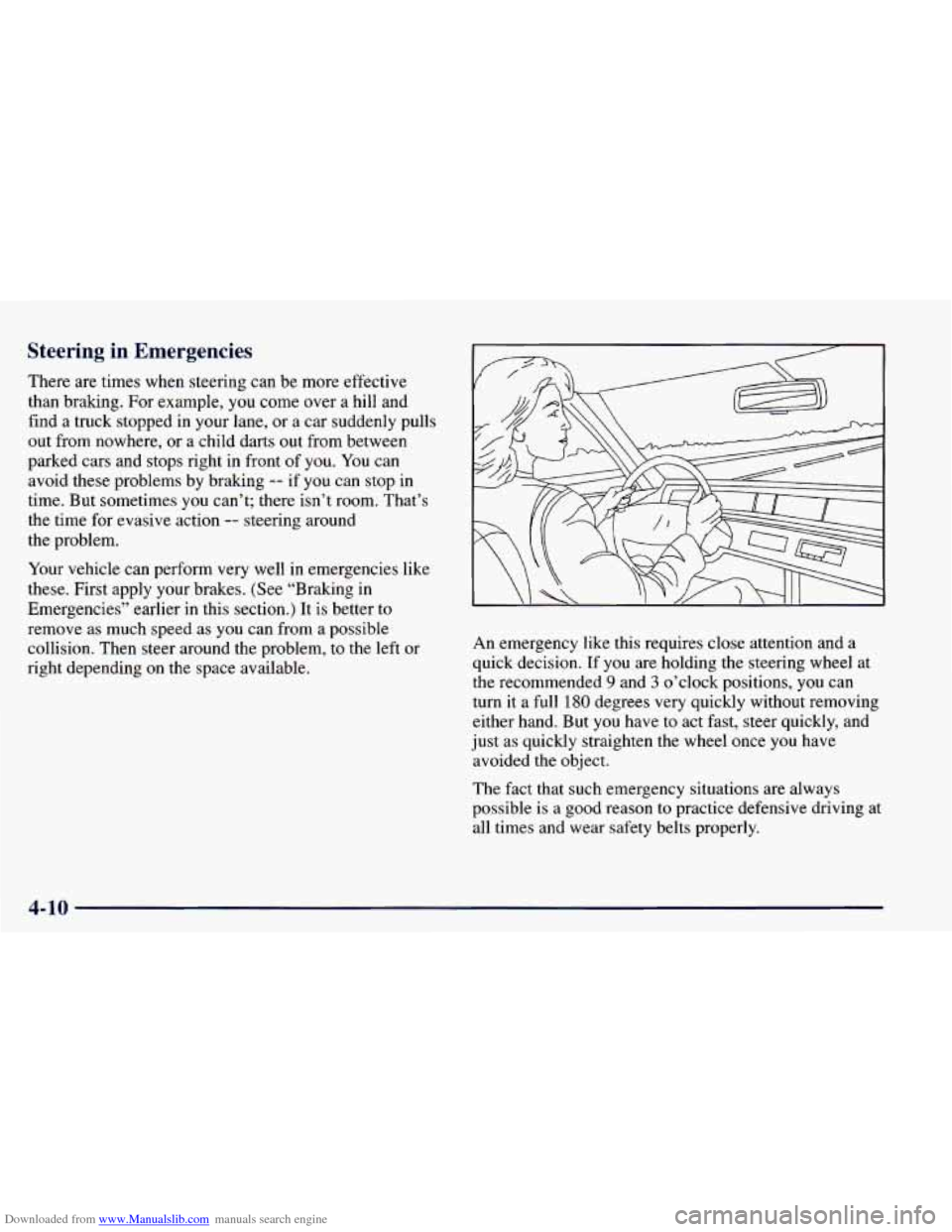
There are times when steering can be more effective
than braking. For example, you come over a hill and
find a truck stopped in your lane,
or a car suddenly pulls
out from nowhere, or a child darts
out from between
parked cars and stops right
in front of you. You can
avoid these problems by braking
-- if you can stop in
time. But sometimes
you can’t; there isn’t room. That’s
the time for evasive action
-- steering around
the problem.
Your vehicle can perform very well in emergencies like
these. First apply your brakes. (See “Braking in
Emergencies” earlier in this section.) It is better to
remove as much speed as you can from a possible
collision. Then steer around the problem, to the left or
right depending on the space available. An emergency
like this requires close attention
and a
quick decision. If
you are holding the steering wheel at
the recommended
9 and 3 o’clock positions, you can
turn it a full
180 degrees very quickly without removing
either hand. But you have to act fast, steer quickly, and
just
as quickly straighten the wheel once you have
avoided the object.
The fact that such emergency situations are always
possible is a good reason to practice defensive driving at
all times and wear safety belts properly.
4-10
Page 195 of 416
Downloaded from www.Manualslib.com manuals search engine Loss of Control
Let’s review what driving experts say about what
happens when the three control systems (brakes, steering
and acceleration) don’t have enough friction where the
tires meet the road to do what the driver has asked.
In any emergency, don’t give up. Keep trying to steer and
constantly seek
an escape route or area of less danger.
Skidding
In a slud, a driver can lose control of the vehicle.
Defensive drivers avoid most skids by taking reasonable
care suited
to existing conditions, and by not “overdriving”
those conditions. But skids are always possible.
The three types of skids correspond to your vehicle’s
three control systems. In the braking skid, your wheels
aren’t rolling. In the steering or cornering skid, too
much speed or steering in a curve causes tires to slip and
lose cornering force. And in the acceleration skid,
too
much throttle causes the driving wheels to spin.
A cornering skid and an acceleration skid are best
handled by easing your foot
off the accelerator pedal.
If your vehicle starts to slide, ease your foot off the
accelerator pedal and quickly steer the way
you want the
vehicle to go. If you start steering quickly enough, your
vehicle may straighten out. Always be ready
for a
second skid if it occurs.
Of course, traction is reduced when water, snow, ice,
gravel or other material is
on the road. For safety, you’ll
want to slow down and adjust your driving to these
conditions. It is important to slow down on slippery
surfaces because stopping distance will be longer and
vehicle control more limited.
While driving on a surface with reduced traction, try your best to avoid sudden steering, acceleration or
braking (including engine braking
by shifting to a lower
gear). Any sudden changes could cause the tires to slide.
You may not realize the surface is slippery until your
vehicle is skidding. Learn to recognize warning
clues
-- such as enough water, ice or packed snow on
the road to make a “mirrored surface”
-- and slow down
when you have any doubt.
Remember: Any anti-lock brake system (ABS) helps
avoid only
the braking skid.
4-13
Page 196 of 416
Downloaded from www.Manualslib.com manuals search engine Driving Guidelines
This multipurpose passenger vehicle is defined as a
utility vehicle in Consumer Information Regulations
issued by the National Highway Traffic Safety
Administration (NHTSA) of the United States
Department of Transportation. Utility vehicles have
higher ground clearance and a narrower track to make
them capable of performing in a wide variety of off-road
applications. Specific design characteristics give them a
higher center of gravity than ordinary cars. An
advantage of the higher ground clearance is a better
view of the road allowing you to anticipate problems.
They are not designed for cornering at the same speeds
as conventional two-wheel-drive vehicles any more than
low-slung sports cars are designed to perform
satisfactorily under off-road conditions. If at all
possible, avoid sharp turns or abrupt maneuvers. As with
other vehicles of this type, failure to operate this vehicle
correctly may result in loss of control or
vehicle rollover.
Off-Road Driving with Your GM
Four-Wheel-Drive Vehicle
This off-road guide is for vehicles that have
four-wheel drive.
Also, see “Anti-Lock Brakes’’
in the Index.
If your vehicle doesn’t have four-wheel drive, you
shouldn’t drive off-road unless you’re
on a level,
solid surface.
Off-road driving can be great
fun. But it does have some
definite hazards. The greatest of these is the terrain itself. \
“Off-roading” means you’ve left the great North
American road system behind. Traffic lanes aren’t
marked. Curves aren’t banked. There are no road signs.
Surfaces can
be slippery, rough, uphill or downhill. In
short, you’ve gone right back to nature.
Off-road driving involves some new skills. And that’s
why it’s very important that you read this guide. You’ll
find many driving tips and suggestions. These will help
make your off-road driving safer and more enjoyable.
4-14
Page 198 of 416
Downloaded from www.Manualslib.com manuals search engine Environmental Concerns
Off-road driving can provide wholesome and satisfying
recreation. However, it also raises environmental
concerns.
GM recognizes these concerns and urges
every off-roader to follow these basic rules for
protecting the environment:
0
0
0
0
0
Always use established trails, roads and areas that
have been specially set aside for public off-road
recreational driving;
obey all posted regulations.
Avoid any driving practice that could damage the
environment
-- shrubs, flowers, trees, grasses -- or
disturb wildlife (this includes wheel-spinning,
breaking down trees or unnecessary driving through
streams or over soft ground).
Always carry
a litter bag . . . make sure all refuse is
removed from any campsite before leaving.
Take extreme care with open fires (where permitted),
camp stoves and lanterns.
Never park your vehicle over dry grass or other combustible materials that could catch fire from the
heat
of the vehicle’s exhaust system.
Traveling to Remote Areas
It makes sense to plan your trip, especially when going
to a remote area. Know the terrain and plan your route.
You are much less likely to get bad surprises. Get
accurate maps of trails and terrain. Try to learn of any
blocked
or closed roads.
It’s also a good idea to travel with at least
one other
vehicle. If something happens to
one of them, the other
can help quickly.
Does your vehicle have a winch? If
so, be sure to read
the winch instructions. In a remote area, a winch can
be
handy if you get stuck. But you’ll want to know how to
use it properly.
Getting Familiar with Off-Road Driving
It’s a good idea to practice in an area that’s safe and
close to home before you
go into the wilderness.
Off-road driving does require some new and different
driving skills. Here’s what we mean.
Tune your senses to different kinds of signals. Your
eyes, for example, need
to constantly sweep the terrain
for unexpected obstacles. Your ears need to listen for
unusual tire or engine sounds. With your arms, hands,
feet and body, you’ll need to respond to vibrations and
vehicle bounce.
4-16
Page 201 of 416
Downloaded from www.Manualslib.com manuals search engine Approaching a Hill
When you approach a hill, you need to decide if it’s one
of those hills that’s just too steep to climb, descend or
cross. Steepness can be hard to judge. On a very small
hill, for example, there may be a smooth, constant
incline with only a small change
in elevation where you
can easily see all the way to the top. On a large hill, the
incline may get steeper as you near the top, but you may
not see this because the crest
of the hill is hidden by
bushes, grass or shrubs.
Here are some other things to consider as you approach
a hill.
Is there a constant incline, or does the hill get sharply
steeper
in places?
surface cause tire slipping?
0 Is there good traction on the hillside, or will the
Is there a straight path up or down the hill so you
won’t have
to make turning maneuvers?
path (boulders, trees, logs or ruts)?
Are there obstructions on the hill that can block your
0 What’s beyond the hill? Is there a cliff, an
embankment, a drop-off,
a fence? Get out and walk
the hill if you don’t know. It’s the smart way to
find out.
Is the hill simply too rough? Steep hills often have
ruts, gullies, troughs and exposed rocks because they
are more susceptible to the effects of erosion.
Driving Uphill
Once you decide you can safely drive up the hill, you
need to take some special steps.
0 Use a low gear and get a firm grip on the
steering wheel.
Get a smooth start up the hill and try to maintain
your speed. Don’t use more power than you need,
because you don’t want your wheels to start spinning
or sliding.
Try to drive straight up the hill if at all possible. If
the path twists and turns, you might want to find
another route.
4-19
Page 203 of 416
Downloaded from www.Manualslib.com manuals search engine 0 If your engine has stopped running, you’ll need to
restart it. With the brake pedal depressed and the
parking brake still applied, shift the transmission to
PARK
(P) (or, shift to NEUTRAL (N) if your
vehicle has a manual transmission) and restart the
engine. Then, shift to REVERSE (R), release the
parking brake, and slowly back down the hill as straight as possible in REVERSE
(R).
As you are backing down the hill, put your left hand
on the steering wheel at the 12 o’clock position. This
way, you’ll be able to tell if your wheels are straight
and maneuver as
you back down. It’s best that you
back down the hill with your wheels straight rather
than in the left or right direction. Turning the wheel
too far to the left or right will increase the possibility
of a rollover.
Here are some things you
must not do if you stall,
or are about to stall, when going up a hill.
Never attempt to prevent a stall by shifting into
NEUTRAL (N) (or depressing the clutch, if you
have a manual transmission) to “rev-up” the engine
and regain forward momentum. This won’t work.
Your vehicle will roll backwards very quickly and
you could go out of control. Instead,
apply the regular brake to stop the vehicle. Then
apply the parking brake. Shift to REVERSE (R), release
the parking brake, and slowly back straight down.
Never attempt to turn around if you are about to stall
when going up
a hill. If the hill is steep enough to
stall your vehicle, it’s steep enough
to cause you to
roll over if you turn around. If you can’t make it up
the hill, you must back straight down the
hill.
&= Suppose, after stalling, I try to back down the
hill and decide
I just can’t do it. What should
I do?
A: Set the parking brake, put your transmission
in PARK (P) (or the manual transmission in
FIRST
(1)) and turn off the engine. Leave the
vehicle and go get some help. Exit on the uphill
side and stay clear
of the path the vehicle would
take if
it rolled downhill.
4-21