steering CHEVROLET BOLT EV 2021 Owner's Guide
[x] Cancel search | Manufacturer: CHEVROLET, Model Year: 2021, Model line: BOLT EV, Model: CHEVROLET BOLT EV 2021Pages: 293, PDF Size: 9.21 MB
Page 117 of 293
Chevrolet Bolt EV Owner Manual (GMNA-Localizing-U.S./Canada-
14637856) - 2021 - CRC - 10/2/20
116 Infotainment System
Gallery :Touch to view a picture. See
“Gallery” under“Selecting a Function”
following.
OnStar : Touch to use the OnStar function.
See OnStar Overview 0274.
Camera : Touch to access the camera
application. See Assistance Systems for
Parking or Backing 0171.
Low Power Mode : Touch to access the Low
Power Mode. See “Low Power Mode” under
Charging Options 098.
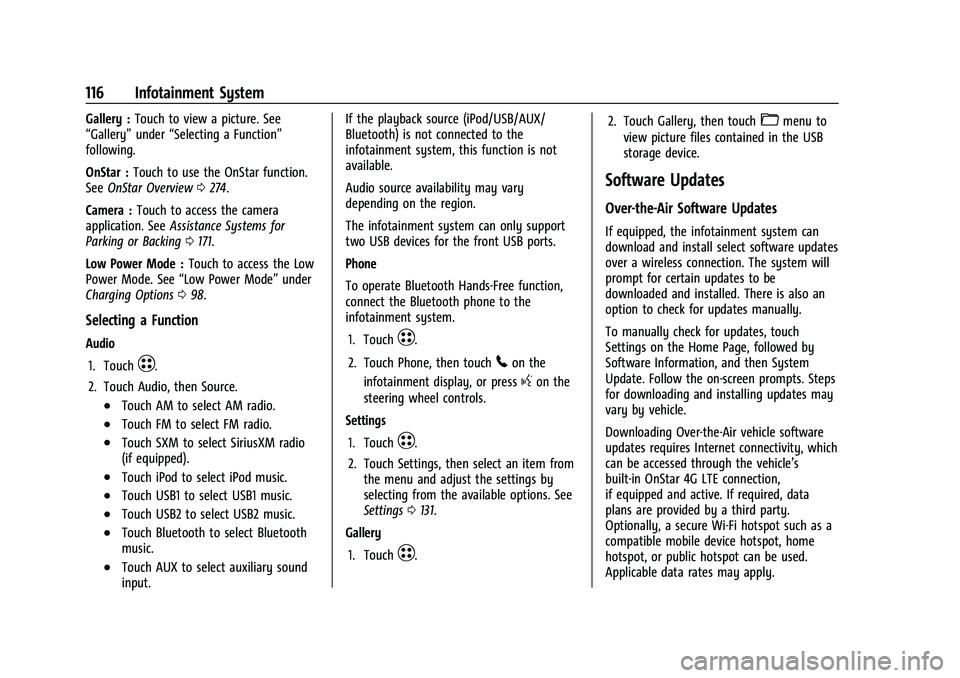
Selecting a Function
Audio
1. Touch
T.
2. Touch Audio, then Source.
.Touch AM to select AM radio.
.Touch FM to select FM radio.
.Touch SXM to select SiriusXM radio
(if equipped).
.Touch iPod to select iPod music.
.Touch USB1 to select USB1 music.
.Touch USB2 to select USB2 music.
.Touch Bluetooth to select Bluetooth
music.
.Touch AUX to select auxiliary sound
input. If the playback source (iPod/USB/AUX/
Bluetooth) is not connected to the
infotainment system, this function is not
available.
Audio source availability may vary
depending on the region.
The infotainment system can only support
two USB devices for the front USB ports.
Phone
To operate Bluetooth Hands-Free function,
connect the Bluetooth phone to the
infotainment system.
1. Touch
T.
2. Touch Phone, then touch
5on the
infotainment display, or press
gon the
steering wheel controls.
Settings
1. Touch
T.
2. Touch Settings, then select an item from the menu and adjust the settings by
selecting from the available options. See
Settings 0131.
Gallery
1. Touch
T. 2. Touch Gallery, then touch
'menu to
view picture files contained in the USB
storage device.
Software Updates
Over-the-Air Software Updates
If equipped, the infotainment system can
download and install select software updates
over a wireless connection. The system will
prompt for certain updates to be
downloaded and installed. There is also an
option to check for updates manually.
To manually check for updates, touch
Settings on the Home Page, followed by
Software Information, and then System
Update. Follow the on-screen prompts. Steps
for downloading and installing updates may
vary by vehicle.
Downloading Over-the-Air vehicle software
updates requires Internet connectivity, which
can be accessed through the vehicle’s
built-in OnStar 4G LTE connection,
if equipped and active. If required, data
plans are provided by a third party.
Optionally, a secure Wi-Fi hotspot such as a
compatible mobile device hotspot, home
hotspot, or public hotspot can be used.
Applicable data rates may apply.
Page 118 of 293
Chevrolet Bolt EV Owner Manual (GMNA-Localizing-U.S./Canada-
14637856) - 2021 - CRC - 10/2/20
Infotainment System 117
To connect the infotainment system to a
secured mobile device hotspot, home
hotspot, or public hotspot, touch Settings on
the Home Page, followed by Wi-Fi, and then
Manage Wi-Fi Networks. Select the
appropriate Wi-Fi network, and follow the
on-screen prompts. Download speeds
may vary.
On most compatible mobile devices,
activation of the Wi-Fi hotspot is in the
Settings menu under Mobile Network
Sharing, Personal Hotspot, Mobile Hotspot,
or similar.
Availability of Over-the-Air vehicle software
updates varies by vehicle and country. For
more information on this feature, see
www.my.chevrolet.com/learn.
Radio
AM-FM Radio
Listening to AM-FM Radio
1. TouchT.
2. Touch Audio, then Source.
3. Touch FM or AM. The most recently listened to AM or FM radio station is
displayed. RDS (Radio Data System) function is only
available in countries that support this
function.
Searching for Stations Automatically
Pressgordto automatically search for
an available station with good reception.
If RDS is supported, it will tune to the
station and may include additional
information such as time, station
identification, and program information.
Searching for Stations Directly
1. Touch Tune.
2. Using the keypad, enter the desired station number.
Touching the period between digits is not
necessary. The radio will add it
automatically at the correct location.
Favorite Preset Operation
Saving Favorites 1. Select the band.
2. Select the desired station.
3. Touch
qor touch and hold the favorite
in the Favorites list to overwrite. 4. To delete it from the Favorites list, touch
q, or swipe the station from the list on
the right.
Up to 15 radio stations can be saved in the
Favorites list.
Listening to Favorites Directly 1. Touch Favorites to see the list of favorites.
2. Touch the desired station.
The steering wheel controls can also be used
to select favorites. See Steering Wheel
Controls 072.
Using the AM or FM Radio Tab
Current Station Information
1. Touch Browse Audio.
2. Touch Current Station Information to display the station information.
AM or FM Stations 1. Touch Browse Audio.
2. Touch AM Stations or FM Stations. The AM List or FM List is displayed.
FM Categories 1. Touch Browse Audio.
2. Touch FM Categories.
Page 131 of 293
Chevrolet Bolt EV Owner Manual (GMNA-Localizing-U.S./Canada-
14637856) - 2021 - CRC - 10/2/20
130 Infotainment System
Google Play, and other marks are
trademarks of Google Inc.; Apple CarPlay is a
trademark of Apple Inc.
Hands-Free Phone
Making a Call by Entering the Phone
Number
1. TouchT.
2. Touch Phone.
3. Enter the phone number using the keypad on the Phone screen.
4. Touch
5on the display to call the
phone number.
If the wrong number is entered, touch
zto
delete the entered number one digit at a
time. Or touch and hold
zto delete all
entered numbers.
Switching a Call to the Mobile Phone
(Private Mode)
1. To switch the call to the mobile phone instead of the Bluetooth hands-free,
touch
0.
2. To switch the call back to the Bluetooth hands-free, touch
0again.
Switching the Microphone On/Off
Switch the microphone on/off by
touching
3.
Calling by Re-Dial
Touch5on the display.
Taking Calls
1. When a phone call comes through theBluetooth connected mobile phone, the
playing track will be cut off and the
phone will ring with the relevant
information displayed.
2. To talk on the phone, press
gon the
steering wheel control or touch
5on
the display.
To reject the call, press
con the
steering wheel control or touch
Kon
the display.
Using the Contacts Menu
1. Touch the contacts menu on the Phone screen. 2. Select the contact entry to call.
.To call another phone number in the
same contacts, touch More in the
Contacts screen and touch the desired
phone number.
.In the Contacts screen, touchqto
add the contact to favorites. Touch
qagain to remove the contact from
favorites.
Making a Call from Favorites
1. Touch the favorites menu on the Phone screen.
2. Select the contact to call.
The Favorites list is not synchronized with
the mobile phone and is stored separately.
Making a Call from Call History
1. TouchWRECENT on the Phone screen.
2. Select the contact to call.
.9: Incoming call
.2: Outgoing call
.4: Missed call
Making a Call with Speed Dial Numbers
Touch and hold a speed dial number using
the keypad on the Phone screen.
Page 147 of 293
Chevrolet Bolt EV Owner Manual (GMNA-Localizing-U.S./Canada-
14637856) - 2021 - CRC - 10/2/20
146 Driving and Operating
Driving and Operating
Driving Information
Driving for Better Energy Efficiency . . . . 147
Distracted Driving . . . . . . . . . . . . . . . . . . . . . 148
Defensive Driving . . . . . . . . . . . . . . . . . . . . . . 148
Impaired Driving . . . . . . . . . . . . . . . . . . . . . . 149
Control of a Vehicle . . . . . . . . . . . . . . . . . . . 149
Braking . . . . . . . . . . . . . . . . . . . . . . . . . . . . . . . . 149
Steering . . . . . . . . . . . . . . . . . . . . . . . . . . . . . . . 149
Off-Road Recovery . . . . . . . . . . . . . . . . . . . . . 150
Loss of Control . . . . . . . . . . . . . . . . . . . . . . . . 150
Driving on Wet Roads . . . . . . . . . . . . . . . . . . 151
Hill and Mountain Roads . . . . . . . . . . . . . . . 151
Winter Driving . . . . . . . . . . . . . . . . . . . . . . . . . 152
If the Vehicle Is Stuck . . . . . . . . . . . . . . . . . . 152
Vehicle Load Limits . . . . . . . . . . . . . . . . . . . . 153
Starting and Operating
New Vehicle Break-In . . . . . . . . . . . . . . . . . . 156
Power Button . . . . . . . . . . . . . . . . . . . . . . . . . . 156
Starting and Stopping the Vehicle . . . . . 157
Retained Accessory Power (RAP) . . . . . . . 158
Shifting Into Park . . . . . . . . . . . . . . . . . . . . . . 158
Shifting out of Park . . . . . . . . . . . . . . . . . . . 159
Extended Parking . . . . . . . . . . . . . . . . . . . . . . 159
Electric Vehicle Operating Modes
Driver Selected Operating Modes . . . . . . 159
Electric Drive Unit
Electric Drive Unit . . . . . . . . . . . . . . . . . . . . . 160
One-Pedal Driving . . . . . . . . . . . . . . . . . . . . . 163
Brakes
Antilock Brake System (ABS) . . . . . . . . . . . 163
Electric Parking Brake . . . . . . . . . . . . . . . . . . 164
Brake Assist . . . . . . . . . . . . . . . . . . . . . . . . . . . 165
Hill Start Assist (HSA) . . . . . . . . . . . . . . . . . . 165
Regenerative Braking . . . . . . . . . . . . . . . . . . 165
Ride Control Systems
Traction Control/Electronic StabilityControl . . . . . . . . . . . . . . . . . . . . . . . . . . . . . . 166
Cruise Control
Cruise Control . . . . . . . . . . . . . . . . . . . . . . . . . 167
Driver Assistance Systems
Driver Assistance Systems . . . . . . . . . . . . . 169
Assistance Systems for Parking orBacking . . . . . . . . . . . . . . . . . . . . . . . . . . . . . . . 171
Assistance Systems for Driving . . . . . . . . . 173
Forward Collision Alert (FCA) System . . . . . . . . . . . . . . . . . . . . . . . . . . . . . . 174
Automatic Emergency Braking (AEB) . . . 175
Front Pedestrian Braking (FPB) System . . . . . . . . . . . . . . . . . . . . . . . . . . . . . . 176
Side Blind Zone Alert (SBZA) . . . . . . . . . . . 178
Lane Change Alert (LCA) . . . . . . . . . . . . . . . 178
Lane Keep Assist (LKA) . . . . . . . . . . . . . . . . . 179
Charging
When to Charge . . . . . . . . . . . . . . . . . . . . . . . 181
Plug-In Charging . . . . . . . . . . . . . . . . . . . . . . . 181
Delayed Charging Override . . . . . . . . . . . . 185
Charging Status Feedback . . . . . . . . . . . . . 186
Charge Cord . . . . . . . . . . . . . . . . . . . . . . . . . . . 189
Utility Interruption of Charging . . . . . . . 194
Electrical Requirements for Battery Charging . . . . . . . . . . . . . . . . . . . . . . . . . . . . . 194
Trailer Towing
General Towing Information . . . . . . . . . . . 194
Conversions and Add-Ons
Add-On Electrical Equipment . . . . . . . . . . . 195
Page 148 of 293
Chevrolet Bolt EV Owner Manual (GMNA-Localizing-U.S./Canada-
14637856) - 2021 - CRC - 10/2/20
Driving and Operating 147
Driving Information
Driving for Better Energy
Efficiency
Use the following tips to help maximize
energy efficiency and range.
In colder temperatures, while these
efficiency tips will help, the electric vehicle
driving range will be lower due to higher
energy usage including energy spent
heating the cabin.
The Range Impacts screen estimates the
influence of the main factors impacting
vehicle range. After charging is complete,
this information is reset. See“Range
Impacts” under. See Energy Information
0 97.
Acceleration/Braking/Coasting
Avoid rapid accelerations and decelerations.
Electric range is maximized at 89 km/h
(55 mph) and less.
Use cruise control when appropriate.
Plan ahead for decelerations and coast
whenever possible. Do not rush to traffic
signals, and do not shift to N (Neutral) to
coast. The vehicle recovers more energy while
coasting and braking in L (Low) than in D
(Drive) mode.
Using the steering wheel paddle during
deceleration recovers more energy. See
Regenerative Braking
0165.
Terrain and Vehicle Speed
Higher speeds and grade changes use more
energy and can significantly reduce electric
range.
Climate Setting
Using the heat and air conditioning systems
decreases the energy available for electric
driving.
Optimal energy efficiency is achieved when
the heat, air conditioning, and fan are
turned off.
Use the heated seat feature instead of
climate control system. Heating the seat
uses less energy than heating the vehicle
interior.
Use remote start to heat or cool the interior
when the vehicle is plugged in to maximize
the electric range by utilizing electricity
from the electrical outlet. In hot weather, avoid parking in direct
sunlight or use sunshades inside the vehicle.
Keep the inside of the windows clean to
reduce fogging, and turn off the front
defroster and rear defogger when they are
not needed.
Avoid driving with the windows open at
highway speeds.
Use the Enhanced Battery Gauge on the
Instrument Cluster to view the effect of
climate control settings on your estimated
range. See
Battery Gauge (High Voltage)
0 82.
Outside Temperature
On colder days, it is best to plug in the
vehicle overnight, and then remote start the
vehicle.
Allow the vehicle to warm up for
20 minutes before driving.
If possible, use a level 2 (240 volt) high
power charge station for best results. This
allows the interior of the vehicle and high
voltage battery to warm to optimal
temperature.
Page 149 of 293
Chevrolet Bolt EV Owner Manual (GMNA-Localizing-U.S./Canada-
14637856) - 2021 - CRC - 10/2/20
148 Driving and Operating
Vehicle Charging/Maintenance
Charging
Keep the vehicle plugged in, even when fully
charged, to keep the battery temperature
ready for the next drive. This is important
when outside temperatures are extremely
hot or cold.
Maintenance
Always keep the tires properly inflated and
the vehicle properly aligned.
The weight of excess cargo in the vehicle
affects efficiency and range. Avoid carrying
more than is needed.
Avoid unnecessary use of electrical
accessories. Power used for functions other
than propelling the vehicle will reduce EV
range.
Using a rooftop carrier will reduce efficiency
due to additional weight and drag.
Distracted Driving
Distraction comes in many forms and can
take your focus from the task of driving.
Exercise good judgment and do not let other
activities divert your attention away from
the road. Many local governments haveenacted laws regarding driver distraction.
Become familiar with the local laws in
your area.
To avoid distracted driving, keep your eyes
on the road, keep your hands on the
steering wheel, and focus your attention on
driving.
.Do not use a mobile phone in demanding
driving situations. Use a hands-free
method to place or receive necessary
phone calls.
.Watch the road. Do not read, take notes,
or look up information on mobile phones
or other electronic devices.
.Designate a front seat passenger to
handle potential distractions.
.Become familiar with vehicle features
before driving, such as programming
favorite radio stations and adjusting
climate control and seat settings. Program
all trip information into any navigation
device prior to driving.
.Wait until the vehicle is parked to
retrieve items that have fallen to the
floor.
.Stop or park the vehicle to tend to
children.
.Keep pets in an appropriate carrier or
restraint.
.Avoid stressful conversations while
driving, whether with a passenger or on a
mobile phone.
{Warning
Taking your eyes off the road too long or
too often could cause a crash resulting in
injury or death. Focus your attention on
driving.
Refer to the Infotainment section for more
information on using that system, including
pairing and using a mobile phone.
Defensive Driving
Defensive driving means “always expect the
unexpected.” The first step in driving
defensively is to wear the seat belt.
.Assume that other road users
(pedestrians, bicyclists, and other drivers)
are going to be careless and make
mistakes. Anticipate what they might do
and be ready.
.Allow enough following distance between
you and the driver in front of you.
.Focus on the task of driving.
Page 150 of 293
Chevrolet Bolt EV Owner Manual (GMNA-Localizing-U.S./Canada-
14637856) - 2021 - CRC - 10/2/20
Driving and Operating 149
Impaired Driving
Death and injury associated with impaired
driving is a global tragedy.
{Warning
Drinking alcohol or taking drugs and then
driving is very dangerous. Your reflexes,
perceptions, attentiveness, and judgment
can be affected by even a small amount
of alcohol or drugs. You can have a
serious—or even fatal —collision if you
drive after drinking or taking drugs.
Do not drive while under the influence of
alcohol or drugs, or ride with a driver
who has been drinking or is impaired by
drugs. Find alternate transportation
home; or if you are with a group,
designate a driver who will remain sober.
Control of a Vehicle
Braking, steering, and accelerating are
important factors in helping to control a
vehicle while driving.
Braking
Braking action involves perception time and
reaction time. Deciding to push the brake
pedal is perception time. Actually doing it is
reaction time.
Average driver reaction time is about
three-quarters of a second. In that time, a
vehicle moving at 100 km/h (60 mph) travels
20 m (66 ft), which could be a lot of
distance in an emergency.
Helpful braking tips to keep in mind include:
.Keep enough distance between you and
the vehicle in front of you.
.Avoid needless heavy braking.
.Keep pace with traffic.
Steering
Caution
To avoid damage to the steering system,
do not drive over curbs, parking barriers,
or similar objects at speeds greater than
3 km/h (1 mph). Use care when driving
over other objects such as lane dividers
and speed bumps. Damage caused by
misuse of the vehicle is not covered by
the vehicle warranty.
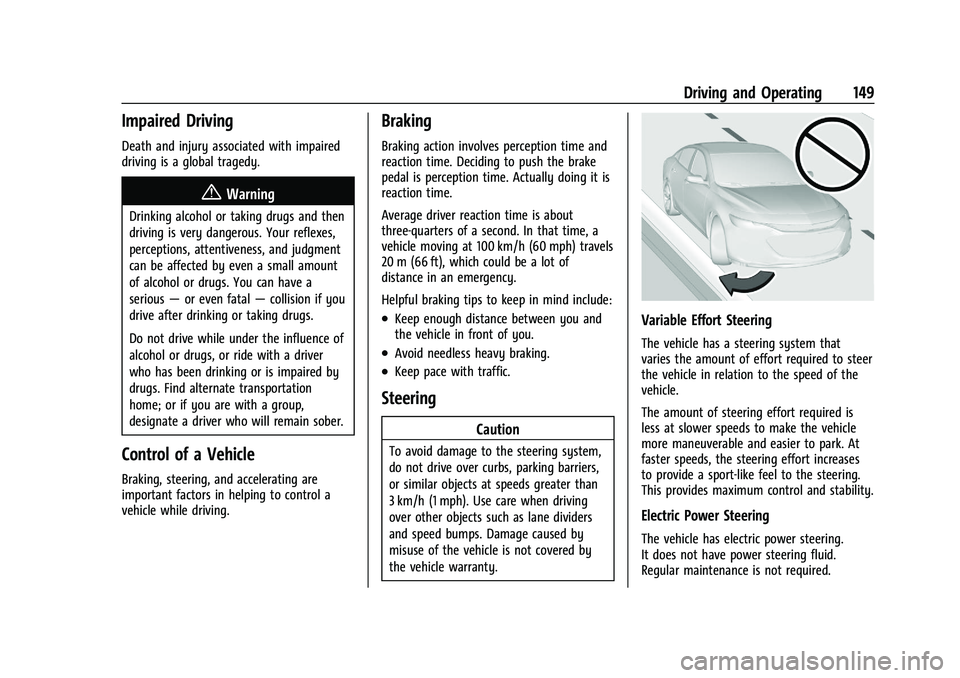
Variable Effort Steering
The vehicle has a steering system that
varies the amount of effort required to steer
the vehicle in relation to the speed of the
vehicle.
The amount of steering effort required is
less at slower speeds to make the vehicle
more maneuverable and easier to park. At
faster speeds, the steering effort increases
to provide a sport-like feel to the steering.
This provides maximum control and stability.
Electric Power Steering
The vehicle has electric power steering.
It does not have power steering fluid.
Regular maintenance is not required.
Page 151 of 293
Chevrolet Bolt EV Owner Manual (GMNA-Localizing-U.S./Canada-
14637856) - 2021 - CRC - 10/2/20
150 Driving and Operating
If power steering assist is lost due to a
system malfunction, the vehicle can be
steered, but may require increased effort.
If the steering wheel is turned until it
reaches the end of its travel and is held
against that position for an extended period
of time, power steering assist may be
reduced.
If the steering assist is used for an extended
period of time while the vehicle is not
moving, power assist may be reduced.
Normal use of the power steering assist
should return when the system cools down.
See your dealer if there is a problem.
Curve Tips
.Take curves at a reasonable speed.
.Reduce speed before entering a curve.
.Maintain a reasonable steady speed
through the curve.
.Wait until the vehicle is out of the curve
before accelerating gently into the
straightaway.
Steering in Emergencies
.There are some situations when steering
around a problem may be more effective
than braking.
.Holding both sides of the steering wheel
allows you to turn 180 degrees without
removing a hand.
.Antilock Brake System (ABS) allows
steering while braking.
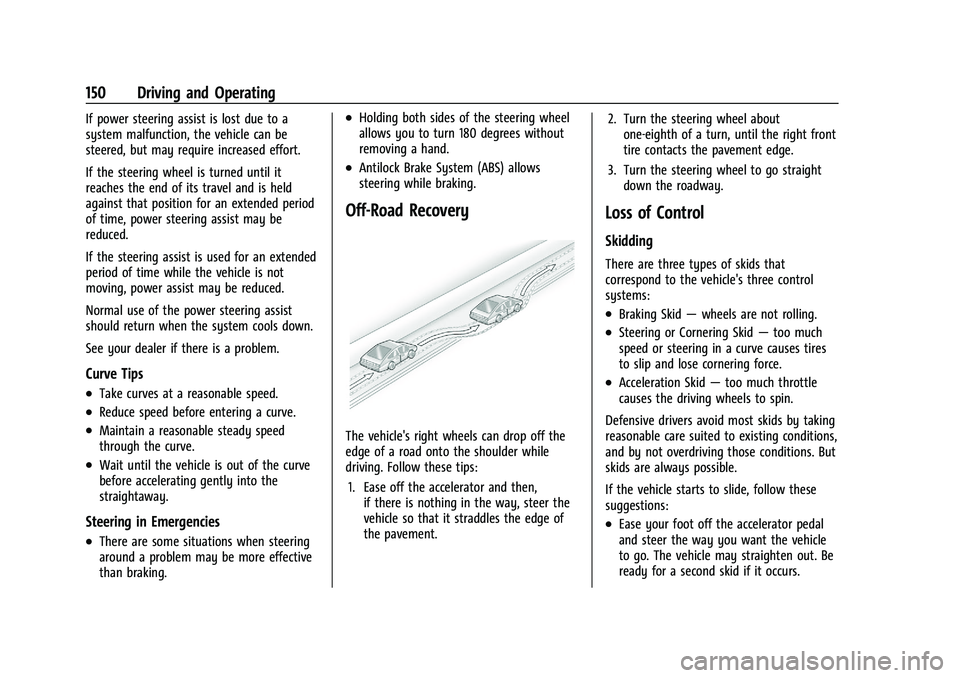
Off-Road Recovery
The vehicle's right wheels can drop off the
edge of a road onto the shoulder while
driving. Follow these tips:1. Ease off the accelerator and then, if there is nothing in the way, steer the
vehicle so that it straddles the edge of
the pavement. 2. Turn the steering wheel about
one-eighth of a turn, until the right front
tire contacts the pavement edge.
3. Turn the steering wheel to go straight down the roadway.
Loss of Control
Skidding
There are three types of skids that
correspond to the vehicle's three control
systems:
.Braking Skid —wheels are not rolling.
.Steering or Cornering Skid —too much
speed or steering in a curve causes tires
to slip and lose cornering force.
.Acceleration Skid —too much throttle
causes the driving wheels to spin.
Defensive drivers avoid most skids by taking
reasonable care suited to existing conditions,
and by not overdriving those conditions. But
skids are always possible.
If the vehicle starts to slide, follow these
suggestions:
.Ease your foot off the accelerator pedal
and steer the way you want the vehicle
to go. The vehicle may straighten out. Be
ready for a second skid if it occurs.
Page 152 of 293
Chevrolet Bolt EV Owner Manual (GMNA-Localizing-U.S./Canada-
14637856) - 2021 - CRC - 10/2/20
Driving and Operating 151
.Slow down and adjust your driving
according to weather conditions. Stopping
distance can be longer and vehicle control
can be affected when traction is reduced
by water, snow, ice, gravel, or other
material on the road. Learn to recognize
warning clues—such as enough water,
ice, or packed snow on the road to make
a mirrored surface —and slow down
when you have any doubt.
.Try to avoid sudden steering, acceleration,
or braking, including reducing vehicle
speed by shifting to a lower gear. Any
sudden changes could cause the tires to
slide.
Remember: Antilock brakes help avoid only
the braking skid.
Driving on Wet Roads
Rain and wet roads can reduce vehicle
traction and affect your ability to stop and
accelerate. Always drive slower in these
types of driving conditions and avoid driving
through large puddles and deep-standing or
flowing water.
{Warning
Wet brakes can cause crashes. They
might not work as well in a quick stop
and could cause pulling to one side. You
could lose control of the vehicle.
After driving through a large puddle of
water or a car/vehicle wash, lightly apply
the brake pedal until the brakes work
normally.
Flowing or rushing water creates strong
forces. Driving through flowing water
could cause the vehicle to be carried
away. If this happens, you and other
vehicle occupants could drown. Do not
ignore police warnings and be very
cautious about trying to drive through
flowing water.
Hydroplaning
Hydroplaning is dangerous. Water can build
up under the vehicle's tires so they actually
ride on the water. This can happen if the
road is wet enough and you are going fast
enough. When the vehicle is hydroplaning, it
has little or no contact with the road. There is no hard and fast rule about
hydroplaning. The best advice is to slow
down when the road is wet.
Other Rainy Weather Tips
Besides slowing down, other wet weather
driving tips include:
.Allow extra following distance.
.Pass with caution.
.Keep windshield wiping equipment in
good shape.
.Keep the windshield washer fluid reservoir
filled.
.Have good tires with proper tread depth.
.Turn off cruise control.
Hill and Mountain Roads
Driving on steep hills or through mountains
is different than driving on flat or rolling
terrain.
.Keep the vehicle serviced and in good
shape.
.Check all fluid levels and brakes, tires,
cooling system, and electric drive unit.
.Keep the vehicle in gear when going
down steep or long hills.
Page 153 of 293
Chevrolet Bolt EV Owner Manual (GMNA-Localizing-U.S./Canada-
14637856) - 2021 - CRC - 10/2/20
152 Driving and Operating
{Warning
Coasting downhill in N (Neutral) or with
the vehicle turned off is dangerous. The
brakes will have to do all the work of
slowing down the vehicle and could
become too hot. Hot brakes may not be
able to slow the vehicle enough to
maintain speed and control. You could
crash. Always have the vehicle running
and in gear when going downhill. This
will allow the electric drive unit to assist
in slowing and maintaining speed.
.Drive at speeds to keep the vehicle in its
own lane. Do not swing wide or cross the
center line.
.Be alert on top of hills. Something could
be in your lane (e.g., stalled car, crash).
.Pay attention to special road signs (e.g.,
falling rocks area, winding roads, long
grades, passing or no-passing zones) and
take appropriate action.
Winter Driving
Driving on Snow or Ice
Snow or ice between the tires and the road
creates less traction or grip, so drive
carefully. Wet ice can occur at about 0 °C
(32 °F) when freezing rain begins to fall.
Avoid driving on wet ice or in freezing rain
until roads can be treated.
For Slippery Road Driving:
.Recommend using D (Drive) in slippery
conditions.
.Accelerate gently. Accelerating too quickly
causes the wheels to spin and makes the
surface under the tires slick.
.Turn on the Traction Control
System (TCS).
.The Antilock Brake System (ABS) improves
vehicle stability during hard stops, but
the brakes should be applied sooner than
when on dry pavement.
.Allow greater following distance and
watch for slippery spots. Icy patches can
occur on otherwise clear roads in shaded
areas. The surface of a curve or an
overpass can remain icy when thesurrounding roads are clear. Avoid sudden
steering maneuvers and braking while
on ice.
.Turn off cruise control.
.Avoid using Regen on Demand paddle.
Blizzard Conditions
Being stuck in snow can be a serious
situation. Stay with the vehicle unless there
is help nearby. If possible, use Roadside
Assistance. See
Roadside Assistance Program
0 266. To get help and keep everyone in
the vehicle safe:
.Turn on the hazard warning flashers.
.Tie a red cloth to an outside mirror.
To save energy, run the vehicle for only
short periods as needed to warm the vehicle
and then shut the vehicle off and partially
close the window. Moving about to keep
warm also helps.
If the Vehicle Is Stuck
Slowly and cautiously spin the wheels to
free the vehicle when stuck in sand, mud,
ice, or snow.