key CHEVROLET CAMARO 1994 4.G User Guide
[x] Cancel search | Manufacturer: CHEVROLET, Model Year: 1994, Model line: CAMARO, Model: CHEVROLET CAMARO 1994 4.GPages: 292, PDF Size: 15.35 MB
Page 56 of 292
Downloaded from www.Manualslib.com manuals search engine Features and Controls
When the PASS-KeyW system senses
that someone is using the wrong key, it
shuts down the vehicle’s starter and fuel
systems. For about three minutes,
the
starter won’t work and fuel won’t go to
the engine. If someone tries to start your
vehicle again or uses another
key during
this time, the vehicle will not start. This
discourages someone from randomly
trying different keys with different
resistor pellets
in an attempt to make a
match.
SECURITY
~
The ignition key must be clean and dry
before it’s inserted
in the ignition or the
engine may not start. If the engine does
not start and the
“SECURITY” light stays
on when you
try to start the vehicle, the
key may be dirty or wet. Turn the
ignition off.
Clean and dry the key. Wait about three
minutes and try again. The security light
will remain on during this time. If the
starter still won’t work, and the key
appears to be clean and dry, wait about
three minutes and try another ignition key.
At this time, you may also want to check
the fuses (see “Fuses and Circuit
Breakers”
in the Index). If the starter
won’t work with the other key, your
vehicle needs service.
If your vehicle does start,
the first ignition key may be
faulty. See your Chevrolet dealer or a
locksmith who can service the
PASS-KeyaII.
If you accidentally use a key that has a
damaged or missing resistor pellet, the
starter won’t work and the security light
will flash. But you don’t have to wait
three minutes before trying another
ignition key.
See your Chevrolet dealer or a locksmith
who can service the PASS-Key@II to have
a new key made.
If you’re ever driving and the
“SECURITY” light comes on and stays
on, you will be able to restart your engine
if you turn it off. Your PASS-Key@II
system, however, is not working properly
and must be serviced by your Chevrolet
dealer. Your vehicle is not protected by
the PASS-KeyW system.
If you lose or damage a PASS-Key@II
ignition key, see your Chevrolet
dealer or a locksmith who can service
PASS-Key@II
to have a new key made.
In an emergency, call the Chevrolet
Roadside Assistance Program on
1 -800-CHEV-USA (1 -800-243-8872).
... 54
Page 57 of 292
Downloaded from www.Manualslib.com manuals search engine New Vehicle
“Break-In”
NOTICE:
Your modern Chevrolet doesn’t need
an elaborate “break-in.” But it will
perform better
in the long run if you
follow these guidelines:
Keep your speed at
55 mph (88
km/h) or less for the first 500
miles (804 km).
Don’t drive at any one speed
-
fast or slow - for the first 500
miles (804 km). Don’t make
full-throttle starts.
Avoid making hard stops for the
first
200 miles (322 km) or so.
During this time your new brake
linings aren’t yet broken
in. Hard
stops with new linings can mean
premature wear and earlier
replacement. Follow this
“breaking-in” guideline every
time
you get new brake linings.
D
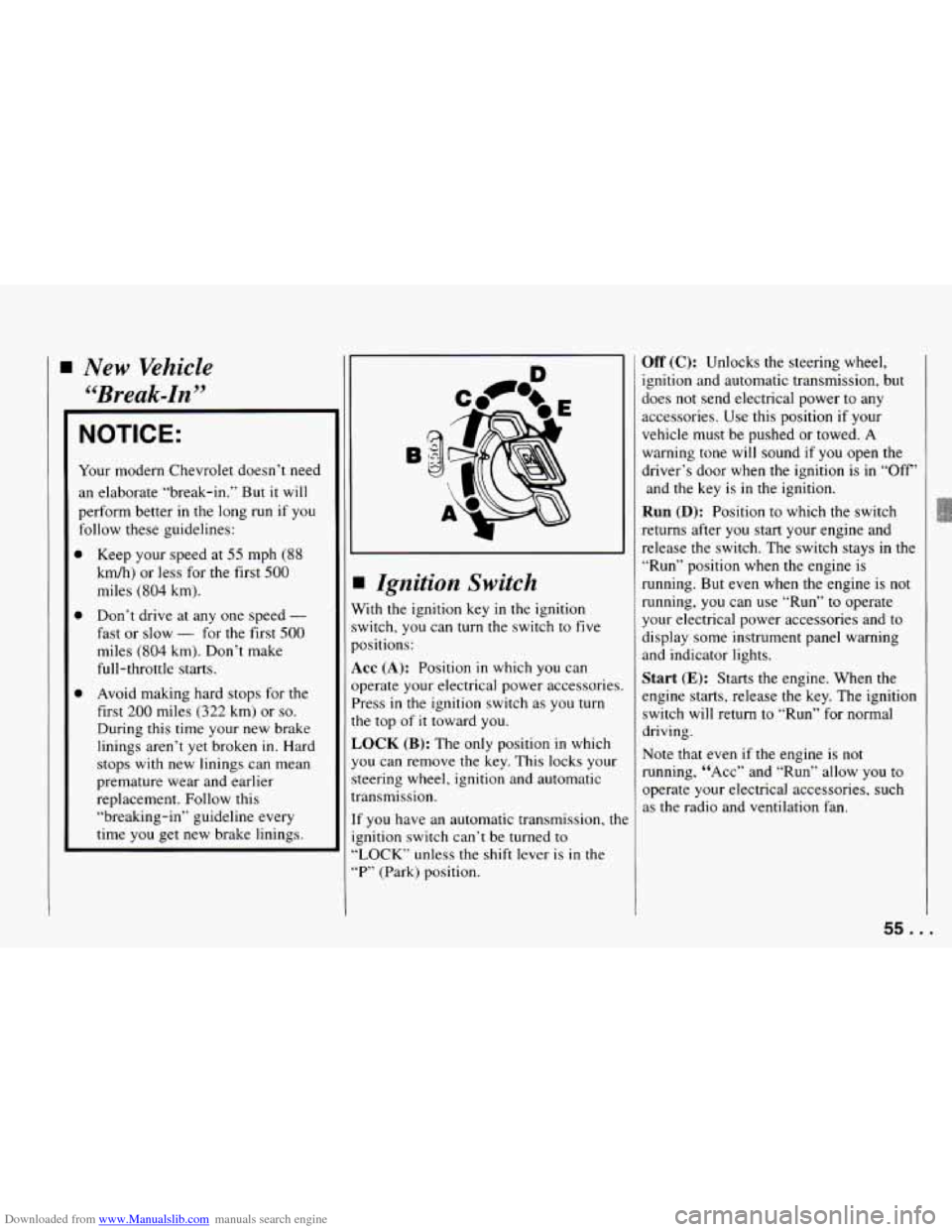
I Ignition Switch
Vith the ignition key in the ignition
witch,
you can turn the switch to five
lositions:
KC (A): Position in which you can
lperate your electrical power accessories.
’ress
in the ignition switch as you turn
?e top
of it toward you.
,OCK (B): The only position in which
ou can remove the key. This locks your
teering wheel, ignition and automatic
7ansmission.
f you have an automatic transmission, the
znition switch can’t be turned to
LOCK” unless the shift lever is
in the
“P” (Park) position.
Off (C): Unlocks the steering wheel,
ignition and automatic transmission, but
does not send electrical power to any
accessories.
Use this position if your
vehicle must be pushed or towed.
A
warning tone will sound if you open the
driver’s door when the ignition
is in “Off’
and the key is
in the ignition.
Run (D): Position to which the switch
returns after
you start your engine and
release the switch. The switch stays
in the
“Run” position when the engine is
running.
But even when the engine is not
running,
you can use “Run” to operate
your electrical power accessories and to
display some instrument panel warning
and indicator lights.
Start (E): Starts the engine. When the
engine starts, release the key. The ignition
switch will return to “Run” for normal
driving.
Note that even if the engine is not
running, “ACC” and “Run’’ allow
you to
operate your electrical accessories, such
as the radio and ventilation fan.
55. .
Page 58 of 292
Downloaded from www.Manualslib.com manuals search engine Features and Controls
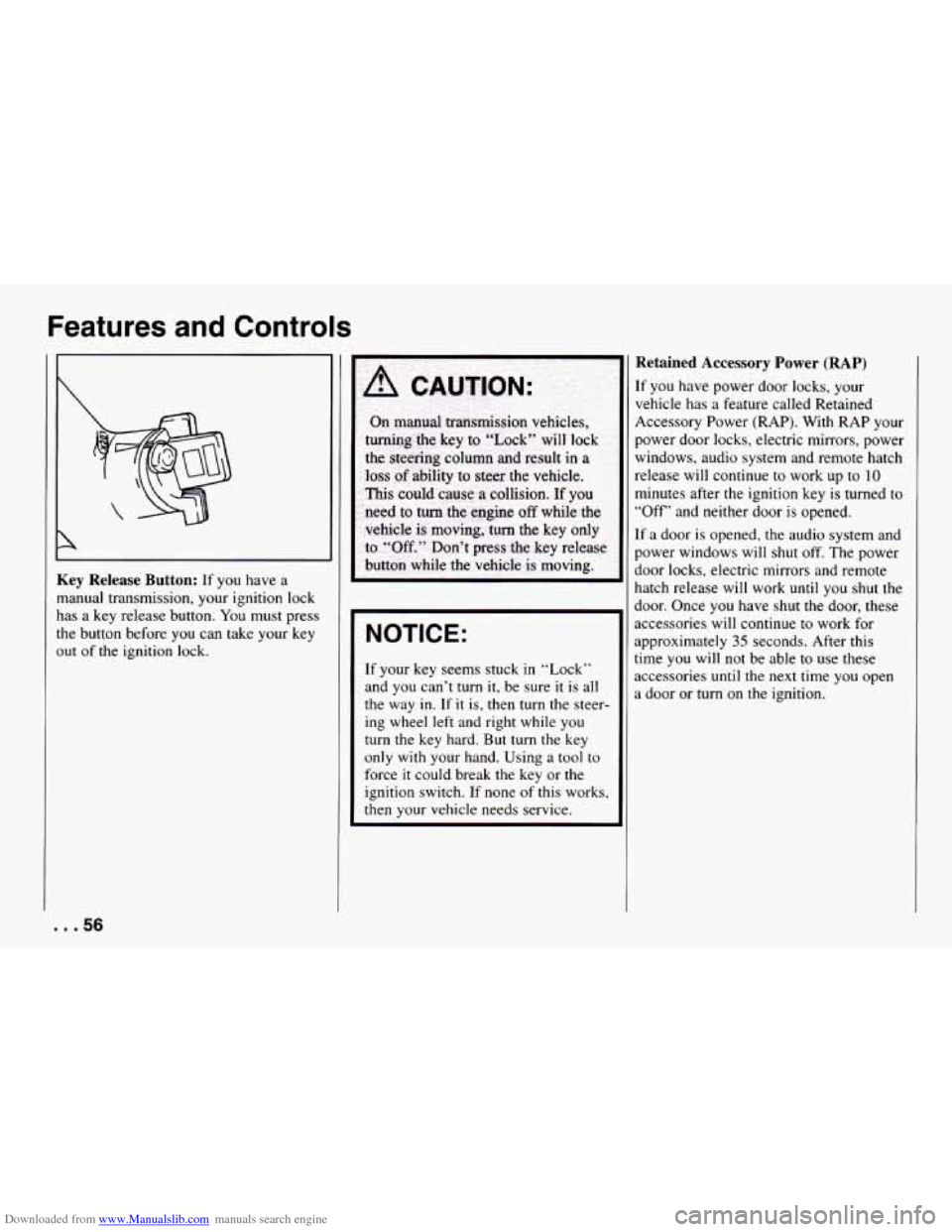
Key Release Button: If you have a
manual transmission, your ignition lock
has a key release button.
You must press
the button before
you can take your key
out
of the ignition lock.
NOTICE:
If your key seems stuck in “Lock”
and you can’t turn
it, be sure it is all
the way in. If it is, then turn the steer-
ing wheel left and right while you
turn the key hard. But turn the key
only with your hand. Using
a tool to
force it could break the key or the
ignition switch. If none
of this works,
then
your vehicle needs service.
Retained Accessory Power (RAP)
If you have power door locks, your
vehicle has a feature called Retained
Accessory Power (RAP). With RAP your
power door locks, electric mirrors, power
windows, audio system and remote hatch
release
will continue to work up to 10
minutes after the ignition key is turned to
“Off’ and neither door
is opened.
If
a door is opened, the audio system and
power windows will shut off. The power
door locks, electric mirrors and remote
hatch release
will work until you shut the
door. Once you have shut the door, these
accessories
will continue to work for
approximately
35 seconds. After this
time you will not be able to use these
accessories until the next time you open
a door or
turn on the ignition.
... 56
Page 59 of 292
Downloaded from www.Manualslib.com manuals search engine Starting Your Engine
Autamatic Transmission: Move your
shift lever to
“P” (Park) or “N’ (Neutral).
Your engine won’t start
in any other
position
- that’s a safety feature. To
restart when you’re already moving,
use
“N’ (Neutral) only.
NOTICE:
Don’t try to shift to “P’ (Park) if your
Chevrolet is moving. If you do, you
could damage
the transmission. Shift
to
“P” (Park) only when your vehicle
is stopped.
Manual Transmission: The gear selector
should be in neutral. Hold the clutch
pedal to the floor and start the engine.
Your vehicle won’t start if
the clutch
pedal is not all the way down
- that’s a
safety feature.
To start your V6 engine:
NOTICE:
Holding your key in “Start” for
longer than
15 seconds at a time will
cause your battery to be drained
much sooner. And the excessive heat
can damage your starter motor.
2. If your engine won’t start (or starts
but then stops),
it could be flooded
with too much gasoline. Try pushing
your accelerator pedal all the way to
the floor and holding
it there as you
hold the key in “Start” for about
three seconds. If the vehicle starts
briefly but then stops again, do the
same thing, but this time keep the
pedal down for five or
six seconds.
This clears the extra gasoline from
the engine.
NOTICE:
Your engine is designed to work with
the electronics
in your vehicle. If you
add electrical parts or accessories,
you could change the way the
fuel
injection system operates. Before
adding electrical equipment, check
with your dealer. If you don’t, your
engine might not perform properly.
If you ever have to have your
vehicle towed, see the part of this
manual that tells how to do
it without
damaging your vehicle. See “Towing
Your Vehicle”
in the Index.
1. Without pushing the accelerator pedal
turn your ignition
key to “Start.”
When
the engine starts, let go of the
key. The idle speed will
go down as
your engine gets warm.
57.
Page 60 of 292
Downloaded from www.Manualslib.com manuals search engine Features and Controls
To start your V8 engine:
1. Without pushing the accelerator
pedal,
turn the ignition key to “Start.”
When the engine starts, let go of the
key. The idle speed will go down as
your engine gets warm.
NOTICE:
Holding your key in “Start” for
longer than
15 seconds at a time will
cause your battery to be drained
much sooner. And
the excessive heat
can damage your starter motor.
2. If it doesn’t start within 10 seconds,
push the accelerator pedal all the
way to the floor, while you hold the
ignition key in “Start.” When the
engine starts,
let go of the key and let
up on the accelerator pedal. Wait
about
15 seconds between each try to
help avoid draining your battery. When starting
your engine
in very cold
weather (below
0°F or -18”C), do this:
1.
2.
With your foot off the accelerator
pedal,
turn the ignition key to “Start”
and hold it there. When the engine
starts, let go of the key. Use the
accelerator pedal to maintain engine
speed, if you have to,
until your
engine has
run for a while.
If your engine still won’t start (or
starts but then stops),
it could be
flooded
with too much gasoline. Try
pushing your accelerator pedal all the
way to the floor and holding
it there
as you hold the key
in “Start” for
about three seconds. If the vehicle
starts briefly but then stops again, do
the same thing, but this time keep the
pedal down for
five or six seconds.
This clears the extra gasoline from
the engine.
NOTICE:
Your engine is designed to work with
the electronics in your vehicle. If you
add electrical parts or accessories,
you could change the way
the fuel
injection system operates. Before
adding electrical equipment, check
with your dealer. If you don’t, your
engine might not perform properly.
If you ever have to have your vehicle
towed, see the
part of this manual
that tells how to do it without damag-
ing your vehicle. See “Towing Your
Vehicle” in the Index.
Driving through Deep
Standing Water
NOTICE:
If you drive too quickly through deep
puddles or standing water, water can
come in through your engine’s air
intake and badly damage your
engine. If
you can’t avoid deep
puddles or standing water, drive
through them very slowly.
... 58
Page 62 of 292
Downloaded from www.Manualslib.com manuals search engine Features and Controls
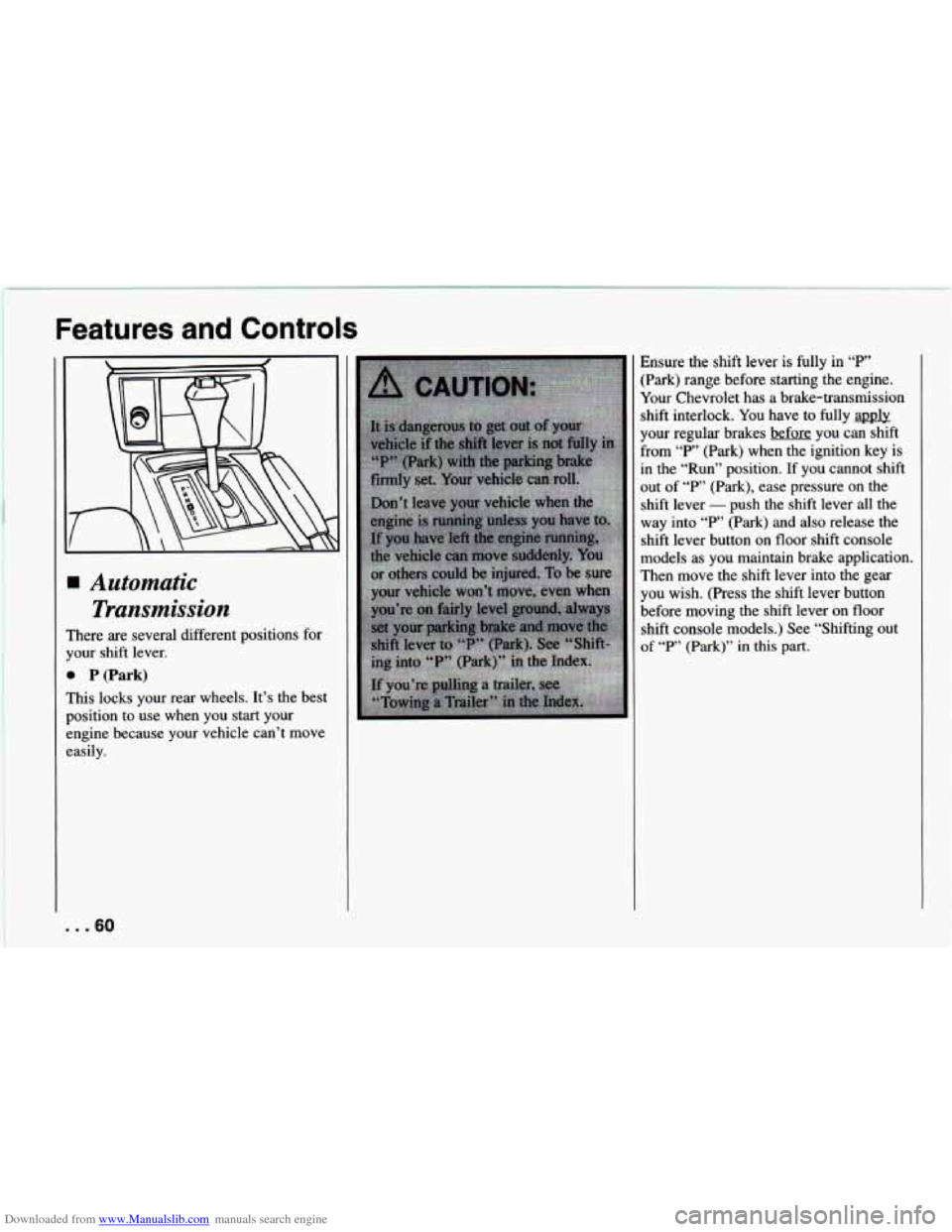
Automatic Transmission
rhere are several different positions for
Tour shift lever.
B P (Park)
rhis locks your rear wheels. It’s the best
losition to use when you start your
:ngine because your vehicle can’t move
:asily. Ensure the shift
lever
is fully in “P’
:Park) range before starting the engine.
Your Chevrolet has a brake-transmission
shift interlock.
You have to fully apuly
your regular brakes before
you can shift
From
“P’ (Park) when the ignition key is
In the “Run” position. If you cannot shift
]ut of
“P’ (Park), ease pressure on the
shift lever
- push the shift lever all the
way into
“P’ (Park) and also release the
shift lever button on floor shift console
models as you maintain brake application.
I‘hen move the shift lever into the gear
you wish. (Press the shift lever button
before moving the shift lever on floor
shift console models.) See “Shifting out
Df “P’ (Park)” in this part.
. ..60
Page 70 of 292
Downloaded from www.Manualslib.com manuals search engine Features and Controls
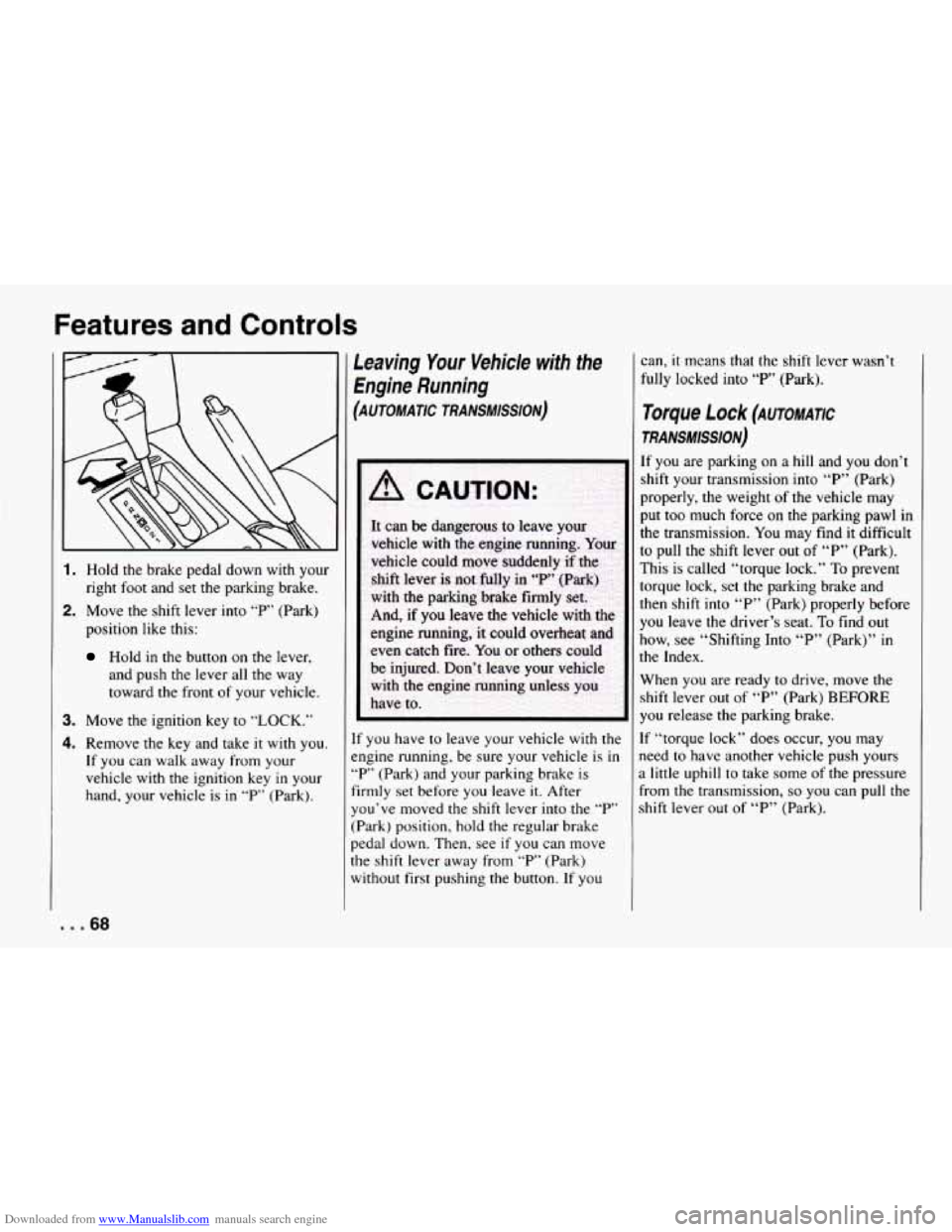
1. Hold the brake pedal down with your
right foot and set the parking brake.
2. Move the shift lever into “P’ (Park)
position like this:
Hold in the button on the lever,
and push the lever all the
way
toward the front of your vehicle.
3. Move the ignition key to “LOCK.”
4. Remove the key and take it with you.
If you can walk away from your
vehicle with
the ignition key in your
hand, your vehicle is in “P” (Park).
Leaving Your Vehicle with the
Engine Running
(AUTOMATIC TRANSMISSION)
If you have to leave your vehicle with the
engine running, be sure your vehicle is
in
“P’ (Park) and your parking brake is
firmly set before you leave it. After
you’ve moved the shift lever into the
“P’
(Park) position, hold the regular brake
pedal down. Then, see
if you can move
the shift lever away from “P” (Park)
without first pushing the button. If you can,
it means
that the shift lever wasn’t
fully locked into “P’ (Park).
Torque f Ock (AUTOMATIC
TRANS#lSSlON)
If you are parking on a hill and you don’t
shift your transmission into “P” (Park)
properly, the weight of the vehicle may
put too much force on the parking pawl in
the transmission.
You may find it difficult
to pull the shift lever out of “P” (Park).
This is called “torque lock.”
To prevent
torque lock, set
the parking brake and
then shift into “P” (Park) properly before
you leave the driver’s seat. To find out
how, see “Shifting Into “P” (Park)” in
the Index.
When you are ready to drive, move the
shift lever out of “P” (Park)
BEFORE
you release the parking brake.
If “torque lock” does occur, you may
need to have another vehicle push yours
a little uphill to take some of the pressure
From the transmission,
so you can pull the
shift lever out of “P” (Park).
... 68
Page 71 of 292
Downloaded from www.Manualslib.com manuals search engine Shifting out of P (Park)
[AUTOMATIC TRANSMISSION)
Your Chevrolet has a brake-transmission
shift interlock.
You have to fully apply
your regular brake before
you can shift
from
“P’ (Park) when the ignition is in
the
“Run” position. See “Automatic
Transmission” in the Index.
If you cannot shift out of “P’ (Park), ease
pressure on the shift lever
- push the
shift lever all the way into
“P’ (Park) and
release the shift lever button
as you
maintain brake application. Then press the
shift lever button and move the shift
lever into the gear you wish.
If you ever hold the brake pedal down but
still can’t shift out of “P” (Park), try this:
1. Turn the key to ‘bOff.”
2. Apply and hold the brake until the end
3. Shift to “N” (Neutral).
4. Start the vehicle and then shift to the
drive gear
you want.
of Step 4.
5. Have the vehicle fixed as soon as you
can.
Parking Your Vehicle
(MANUAL TRANSMISSION)
Before you get out of your vehicle, put
your
manual transmission in “R”
(Reverse) and firmly apply the parking
brake.
If your vehicle is equipped to tow a trailer,
see “Towing a Trailer”
in the Index.
69 ...
Page 85 of 292
Downloaded from www.Manualslib.com manuals search engine Twin Lift-off Roof
Panels (OPTION)
If you have this option, you can remove
one or both lift-off roof panels.
-~
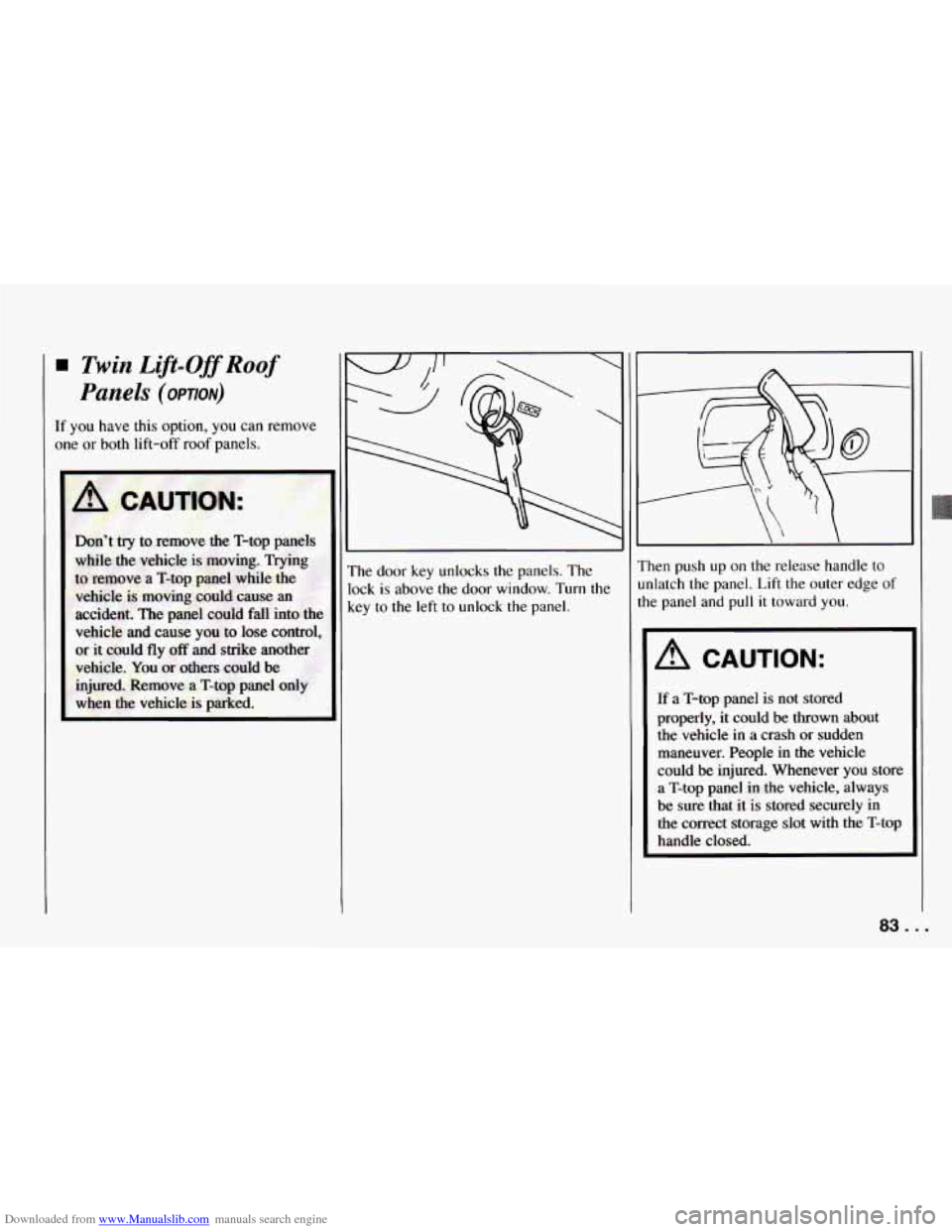
The door key unlocks the panels. The
lock
is above the door window. Turn the
key to the left to unlock the panel. Then push
up on
the release handle to
unlatch the panel. Lift the outer edge
of
the panel and pull it toward you.
A CAUTION:
If a T-top panel is not stored
properly, it could be
thrown about
the vehicle
in a crash or sudden
maneuver. People
in the vehicle
could
be injured. Whenever you store
a
T-top panel in the vehicle, always
be sure that it is stored securely in
the correct storage slot with the T-top
handle closed.
83 .I
Page 86 of 292
Downloaded from www.Manualslib.com manuals search engine Features and Controls
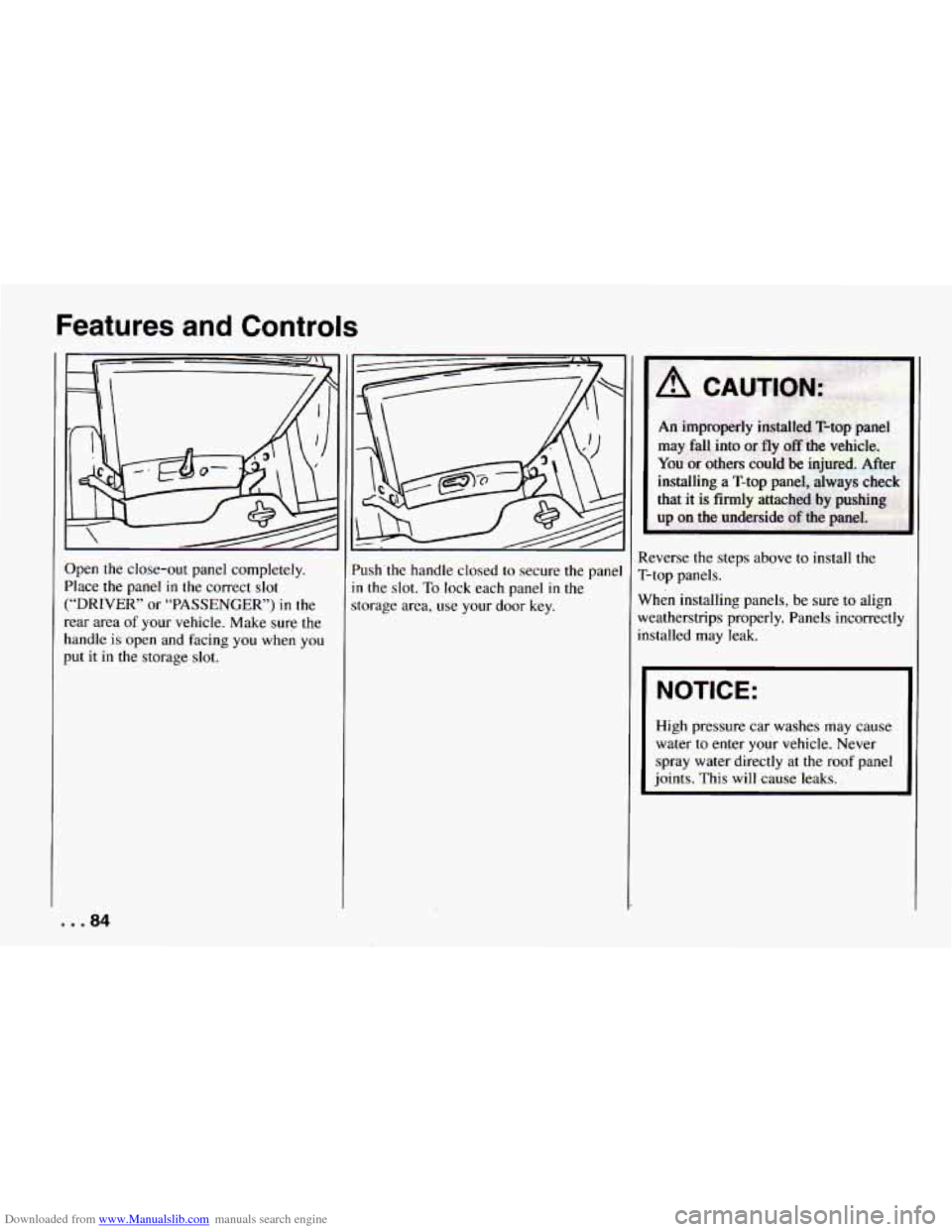
Open the close-out panel completely.
Place the panel
in the correct slot
(“DRIVER” or “PASSENGER’) in the
rear area
of your vehicle. Make sure the
handle
is open and facing you when you
put
it in the storage slot. ’ush’the
handle closed
to secure the pane
n the slot. To lock each panel in the
torage area, use your door key. Reverse the steps above
to install the
T-top panels.
When installing panels, be sure
to align
weatherstrips properly. Panels incorrectly
installed may leak.
I NOTICE:
High pressure car washes may cause
water to enter your vehicle. Never
spray water directly at the roof panel
joints.
This will cause leaks.
... 84