lock CHEVROLET CAMARO 1994 4.G User Guide
[x] Cancel search | Manufacturer: CHEVROLET, Model Year: 1994, Model line: CAMARO, Model: CHEVROLET CAMARO 1994 4.GPages: 292, PDF Size: 15.35 MB
Page 41 of 292
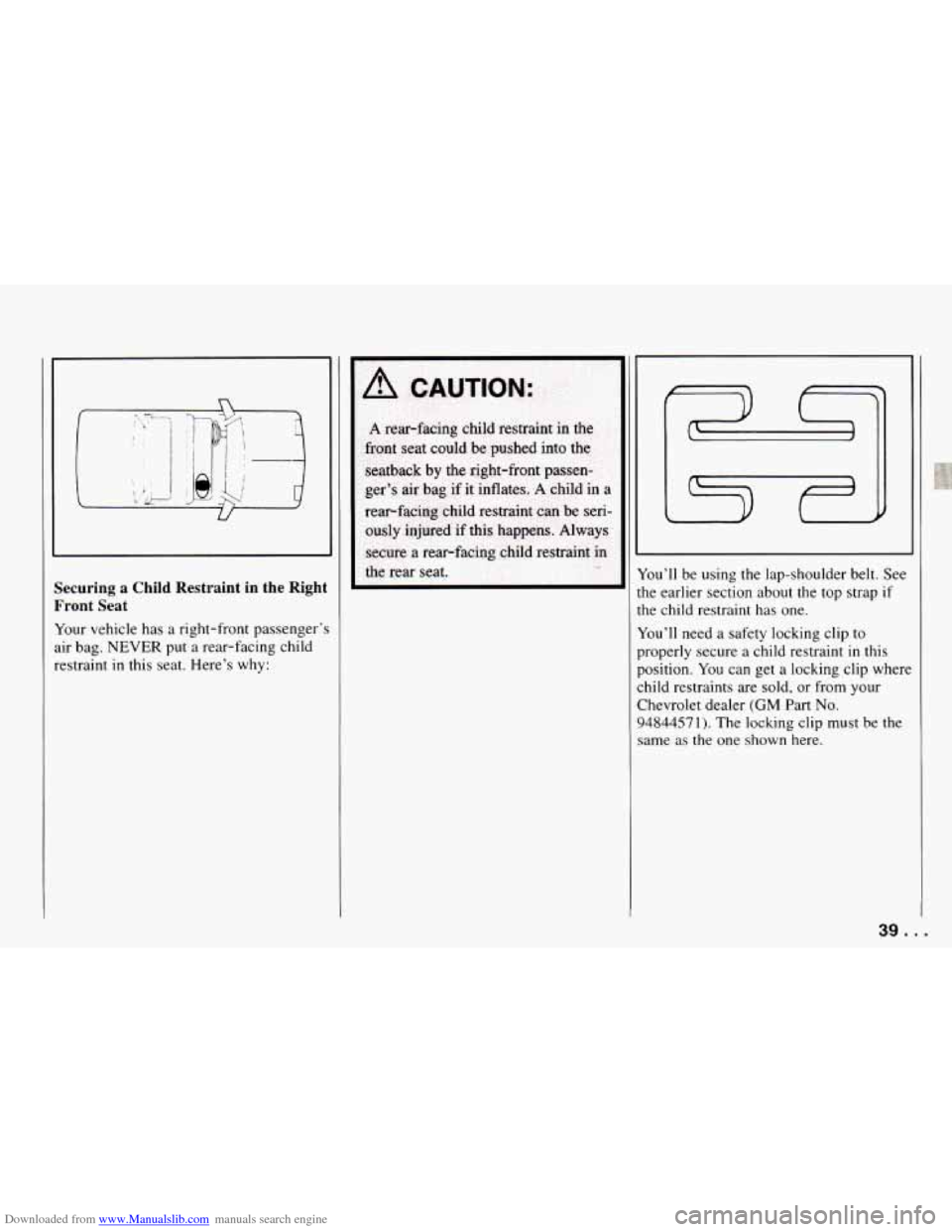
Downloaded from www.Manualslib.com manuals search engine Securing a Child Restraint in the Right
Front Seat
Your vehicle has a right-front passenger':
air bag. NEVER put a rear-facing child
restraint
in this seat. Here's why:
I
lou'il be using the lap-shoulder belt. See
the earlier section about the top strap
if
the child restraint has one.
You'll need a safety locking clip to
properly secure a child restraint
in this
position. You can get a locking clip where
child restraints are sold, or from your
Chevrolet dealer
(GM Part No.
94844571). The locking clip must be the
same
as the one shown here.
39. .
Page 42 of 292
Downloaded from www.Manualslib.com manuals search engine Seats and Restraint Systems
Until you have this clip, secure a child
restraint only
in the rear seat. See the
earlier section about securing a child
restraint in the rear seat. Once you have
the clip, follow these instructions:
1.
2.
3.
4.
Because the vehicle has a right-front
passenger's air bag, always move the
seat as far back as
it will go before
securing a front-facing child restraint.
Put the restraint on the seat. Follow
the instructions for the child restraint.
Secure the child
in the child restraint
as the instructions say.
Pick up the latch plate, and run the lap
and shoulder portions
of the vehicle's
safety belt through or around
the
restraint. The child restraint
instructions will show you how.
If the shoulder belt goes
in front of the
child's face or neck, put it behind the
child restraint.
5.
6.
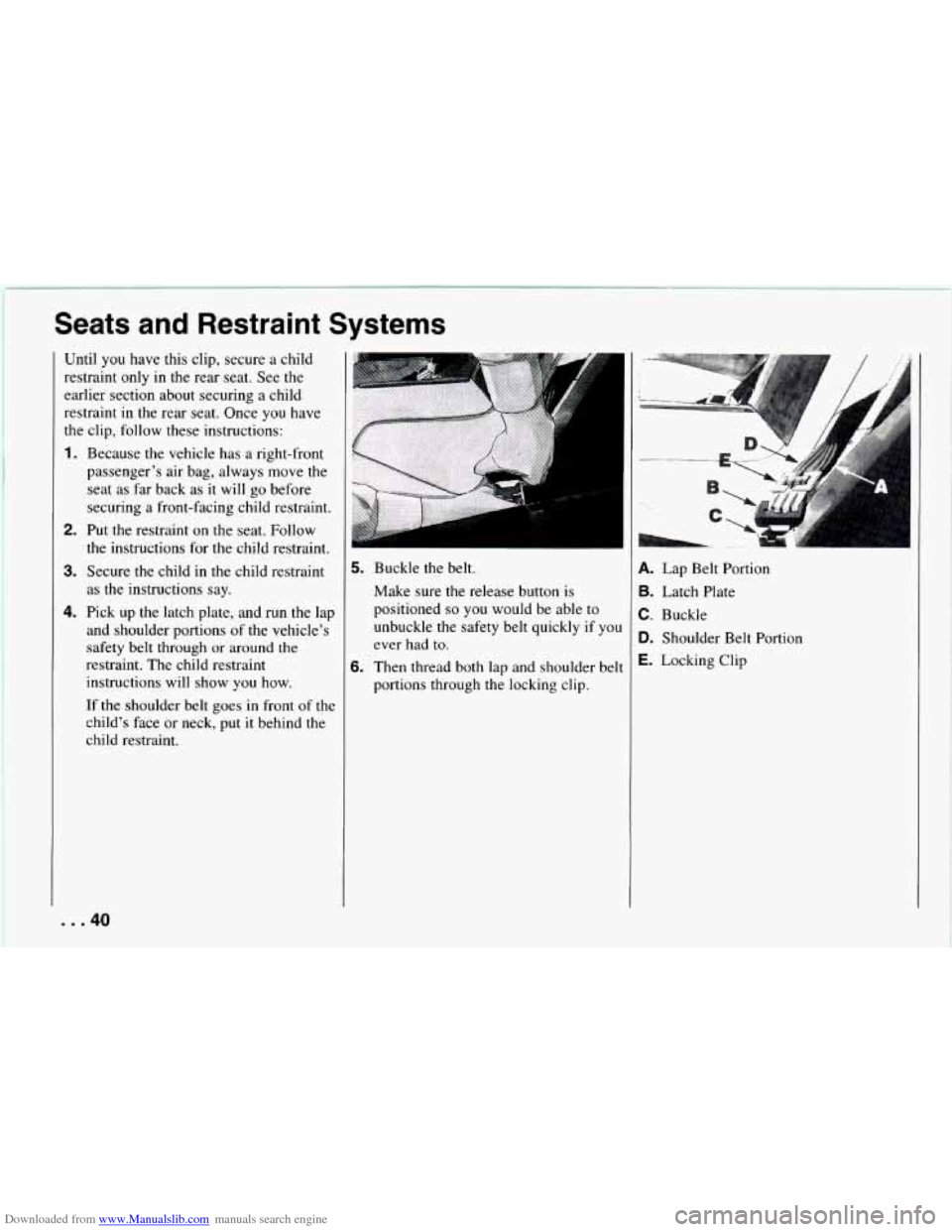
Buckle the belt.
Make sure the release button
is
positioned so you would be able to
unbuckle the safety belt quickly if you
ever had to.
Then thread both lap and shoulder belt portions through the locking clip.
.. ..., ... . , , . ._
A. Lap Belt Portion
B. Latch Plate
C. Buckle
D. Shoulder Belt Portion
E. Locking Clip
... 40
Page 43 of 292
Downloaded from www.Manualslib.com manuals search engine ~ A CAUTION:
If a
locking clip is not used or is not
installed properly, the child restraint
may move or tip over when your
vehicle turns or stops quickly.
The
child or others could be injured.
When you secure a child restraint
with
a lap-shoulder belt, always
thread both the
lap and shoulder belt
portions through a locking clip.
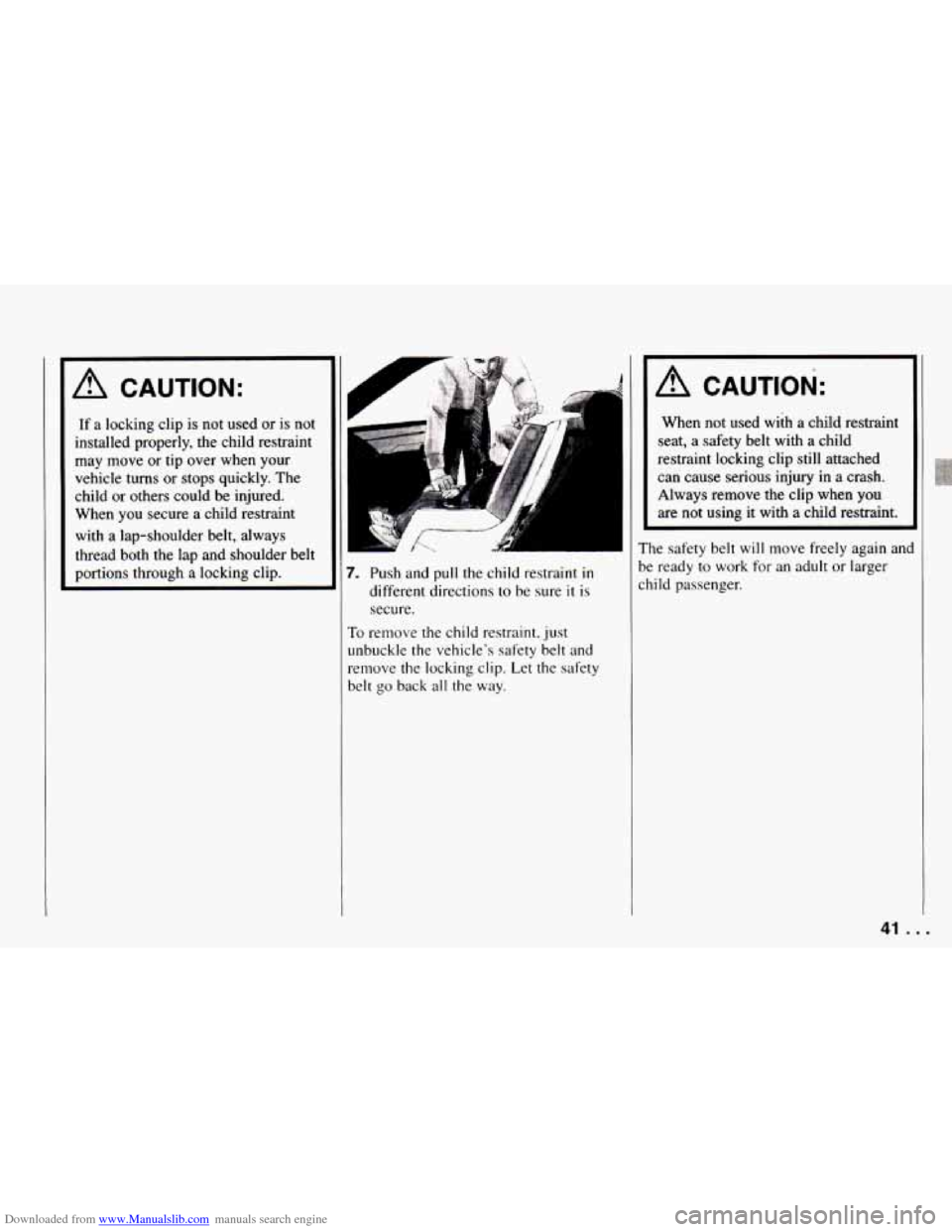
Push and pull the child restraint in
different directions to be sure it is
secure.
3 remove the child restraint. just
lbuckle the vehicle's safety belt and
:move the locking clip. Let the safety
:It go back all the way.
A CAUTION:
When not used wiih a child restraint
seat, a safety belt with
a child
restraint locking clip still attached
can cause
serious injury in a crash.
Always remove the clip when
you
are not using it with a child restraint.
The safety belt will move freely again
anc
be ready to work for an adult or larger
child passenger.
41 .
Page 47 of 292
Downloaded from www.Manualslib.com manuals search engine Here you can learn about the
nany standard and optional
eatures on your Chevrolet. and
nformation
on starting. shifting
md braking
. Also explained are
he instrument panel and the
varning systems that tell you
if
tverything is working properly
- and what to do if you have a
)roblem .
.
... ........ Part 2
Features & Contro
Keys ............................................................
DoorLocks .......................................................
Theft and Theft Deterrents ...........................................
New Vehicle “Break-In” ............................................
Ignitionswitch ....................................................
StartingYourEngine ...............................................
Automatic Transmission ............................................
ManualTransmission ...............................................
Limited-Slip Rear Axle .............................................
Parking ..........................................................
EngineExhaust ...................................................
Windows ........................................................
Horn ............................................................
TiltWheel ........................................................
OperationofLights ................................................
Mirrors ..........................................................
Twin Lift-off Roof Panels ...........................................
Storage and Compartments ..........................................
Sunvisors .......................................................
Ashtray and Lighter ................................................
Instrument Panel and Cluster .........................................
ConvertibleTop ...................................................
The Turn Signameadlight Beam Lever ................................
S
46
47
53
55
55
57 60
62
66
66
70
71
72
72
73
79
82
83
86
89
89
93
102
45 ...
Page 48 of 292
Downloaded from www.Manualslib.com manuals search engine Features and Controls
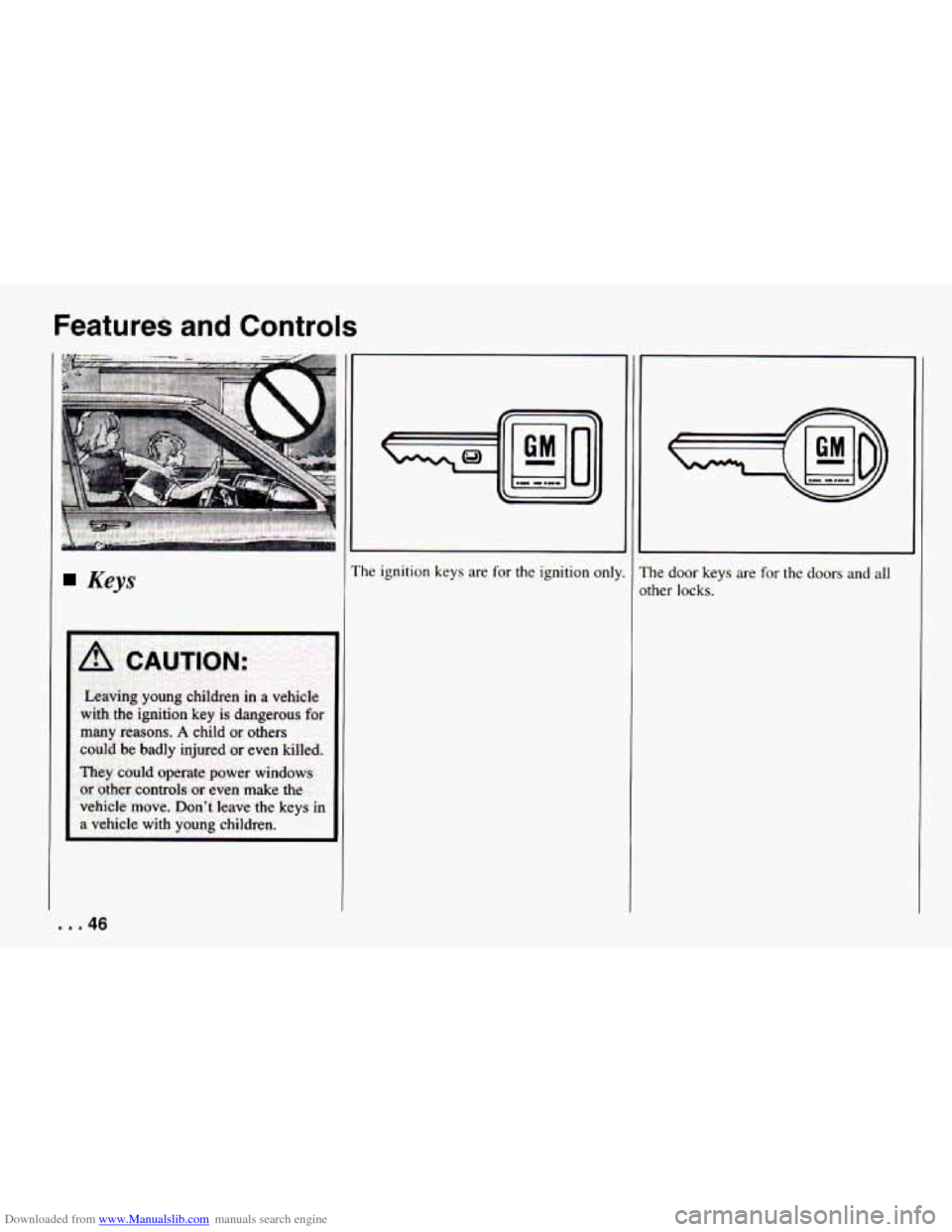
Keys
many reasons. A child or others
codd be badly injured or even killed.
They could operate power windows
or other controls or even make the
vehicle move. Don't leave the keys in
a vehicle with young children. I
II 01
I
The ignition keys are for the ignition only.
I
The door keys are for the doors and all
other locks.
... 46
Page 49 of 292
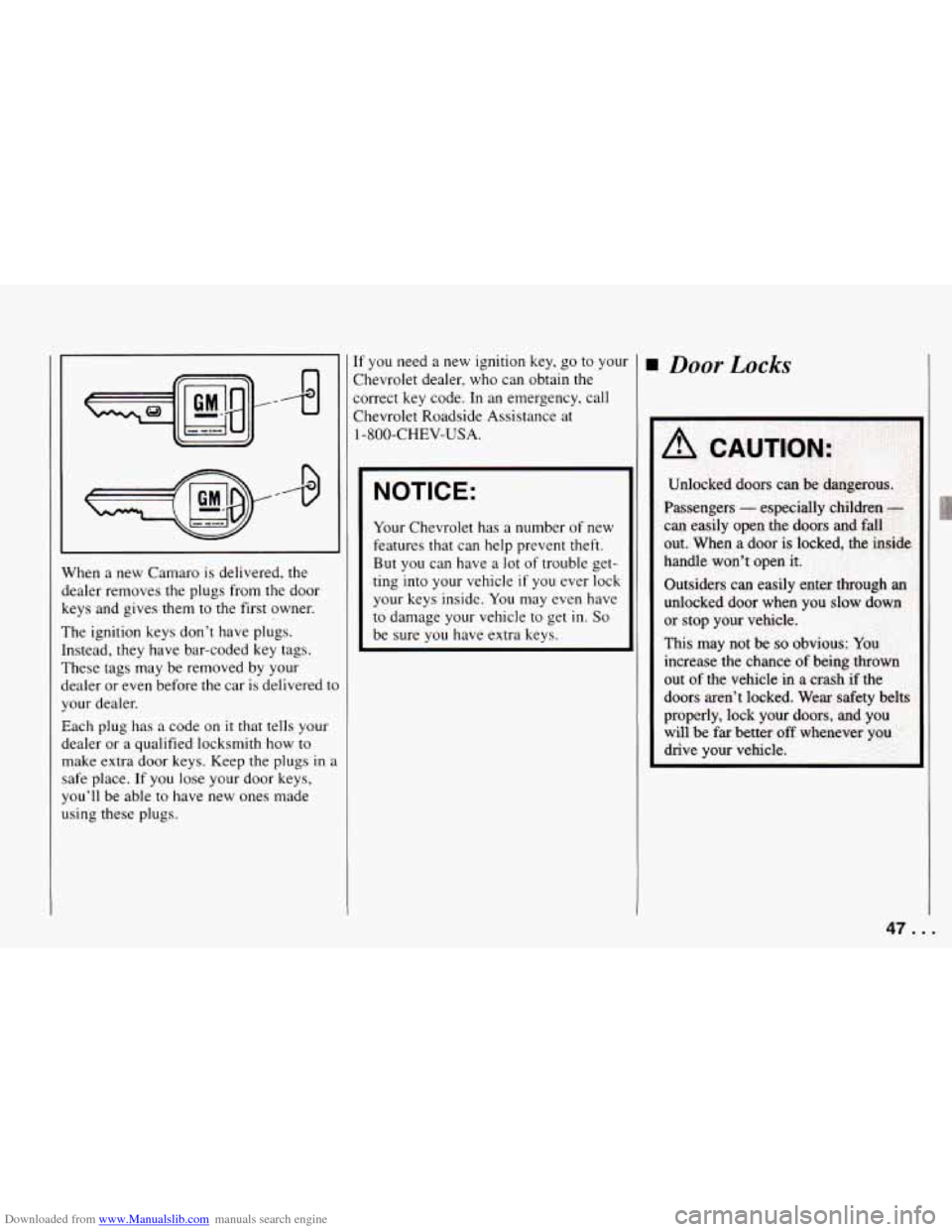
Downloaded from www.Manualslib.com manuals search engine When a new Camaro is delivered, the
dealer removes the plugs from the door
keys and gives them to the first owner.
The ignition keys don’t have plugs.
Instead, they have bar-coded key tags.
These tags may be removed by your
dealer or even before
the car is delivered to
your dealer.
Each plug has
a code on it that tells your
dealer or
a qualified locksmith how to
make extra door keys. Keep the plugs in
a
safe place. If you lose your door keys,
you’ll be able to have new ones made
using these plugs. If
you need
a new ignition key, go to you1
Chevrolet dealer, who can obtain the
correct key code. In an emergency, call
Chevrolet Roadside Assistance at
1 -800-CHEV-USA.
NOTICE:
Your Chevrolet has a number of new
features that can help prevent theft.
But you can have a lot of trouble get-
ting into your vehicle
if you ever lock
your keys inside.
You may even have
to damage your vehicle to get in. So
be sure you have extra keys.
Door Locks
47. .
Page 50 of 292
Downloaded from www.Manualslib.com manuals search engine Features and Controls
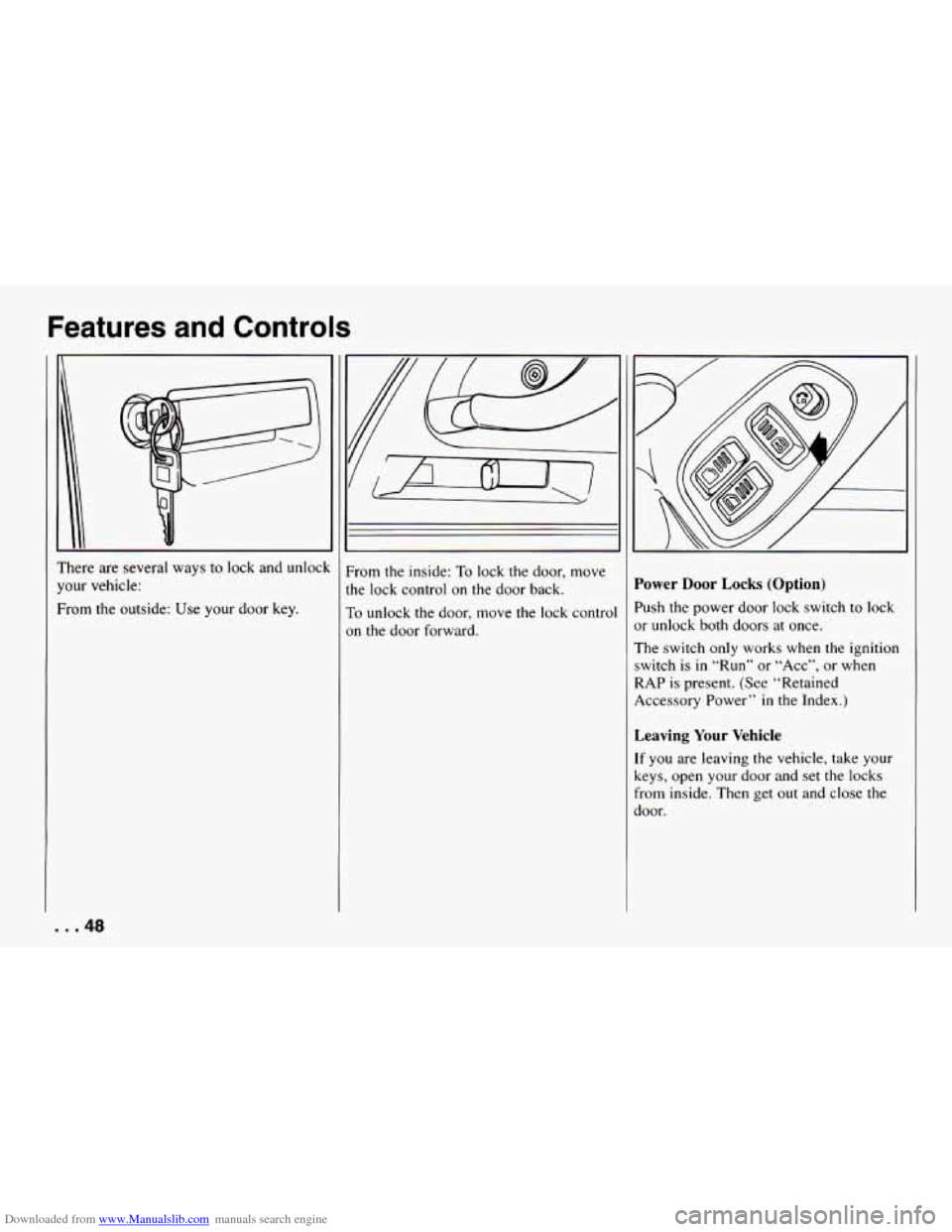
’here are several ways to lock and unlock
‘our vehicle:
?om the outside: Use your door key.
. .48
From the inside: To lock the door, move
the lock control on the door back.
To unlock the door, move the lock control
on the door forward.
Power Door Locks (Option)
’ush the power door lock switch to lock
)r unlock both doors at once.
The switch only works when the ignition
;witch is
in “Run” or “Acc”, or when
IAP is present. (See “Retained
iccessory Power”
in the Index.)
Leaving Your Vehicle
.f you are leaving the vehicle, take yutii
ceys, open your door and set the locks
rom inside. Then get out and close the
joor.
Page 51 of 292
Downloaded from www.Manualslib.com manuals search engine I9
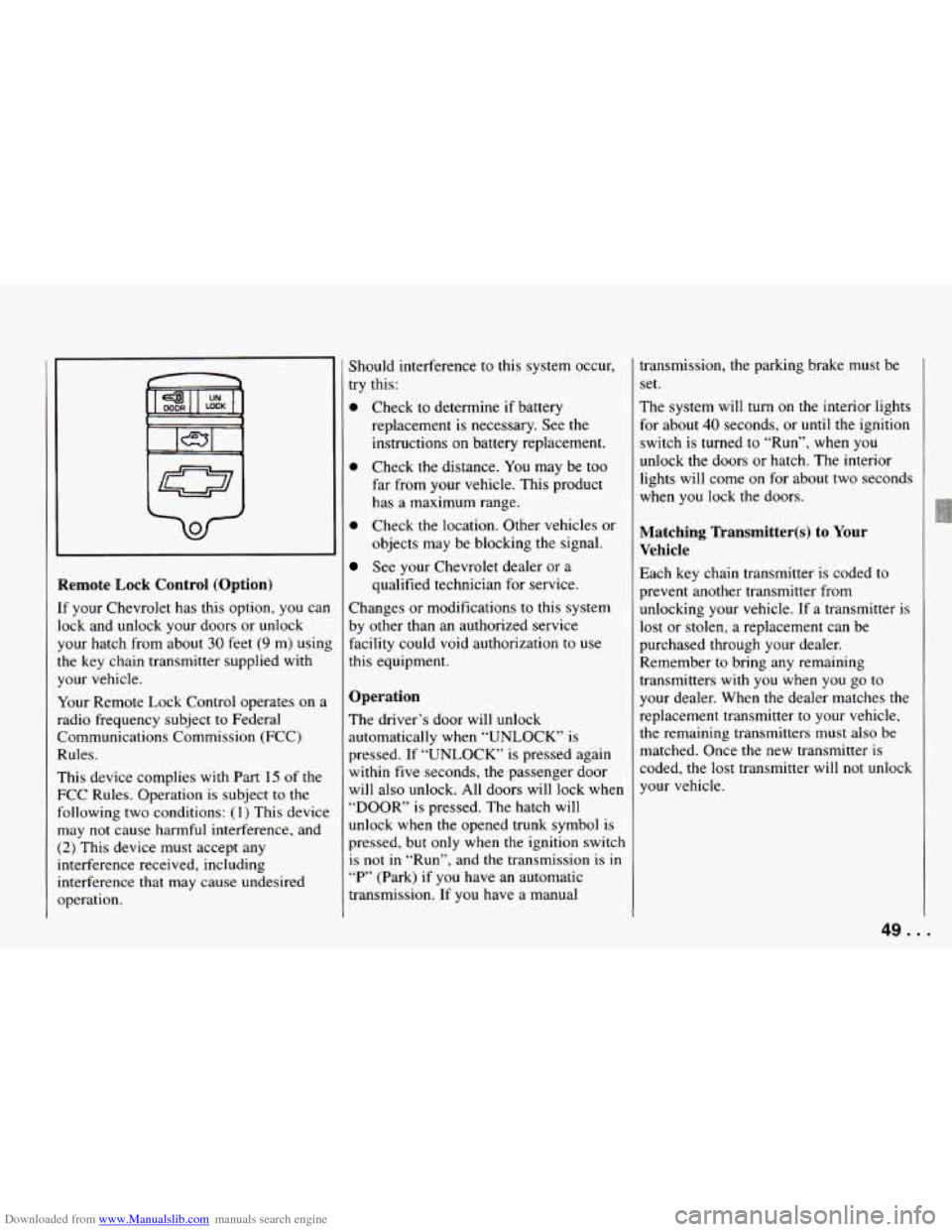
Remote Lock Control (Option)
If your Chevrolet has this option, you can
lock and unlock your doors or unlock
your hatch from about
30 feet (9 m) using
the key chain transmitter supplied with
your vehicle.
Your Remote Lock Control operates on a
radio frequency subject to Federal
Communications Commission (FCC)
Rules.
This device complies with Part
15 of the
FCC Rules. Operation is subject to the
following two conditions:
(1) This device
may not cause harmful interference, and
(2) This device must accept any
interference received, including
interference that may cause undesired
operation. Should interference
to this system occur,
try this:
0 Check to determine if battery
replacement is necessary. See the
instructions on battery replacement.
0 Check the distance. You may be too
far from your vehicle. This product
has a maximum range.
0 Check the location. Other vehicles or
objects may be blocking the signal.
See your Chevrolet dealer or a
qualified technician for service.
Changes or modifications to this system
by other than an authorized service
facility could void authorization to use
this equipment.
Operation
The driver’s door will unlock
automatically when “UNLOCK’ is
pressed. If “UNLOCK” is pressed again
within five seconds, the passenger door
will also unlock. All doors will
lock when
“DOOR” is pressed. The hatch will
unlock when the opened trunk symbol is
pressed, but only when the ignition switch
is not
in “Run”, and the transmission is in
“P’ (Park) if you have an automatic
transmission. If you have a manual transmission, the
parking brake must be
set.
The system will
turn on the interior lights
for about
40 seconds, or until the ignition
switch is turned to “Run”, when you
unlock the doors or hatch. The interior
lights will come on for about two seconds
when you lock the doors.
Matching Transmitter(s) to Your
Vehicle
Each key chain transmitter is coded to
prevent another transmitter from
unlocking your vehicle. If a transmitter is
lost or stolen, a replacement can be
purchased through your dealer.
Remember to bring any remaining
transmitters with you when you
go to
your dealer. When the dealer matches the
replacement transmitter to your vehicle,
the remaining transmitters must also be
matched. Once the new transmitter is
coded, the lost transmitter will not unlock
your vehicle.
49. .
Page 52 of 292
Downloaded from www.Manualslib.com manuals search engine Features and Controls
You can match a transmitter to as many
different vehicles
as you own, provided
they are equipped with exactly
the same
model system. (General Motors offers
several different models of these systems
on their vehicles.) Each vehicle can have
only two transmitters matched to
it.
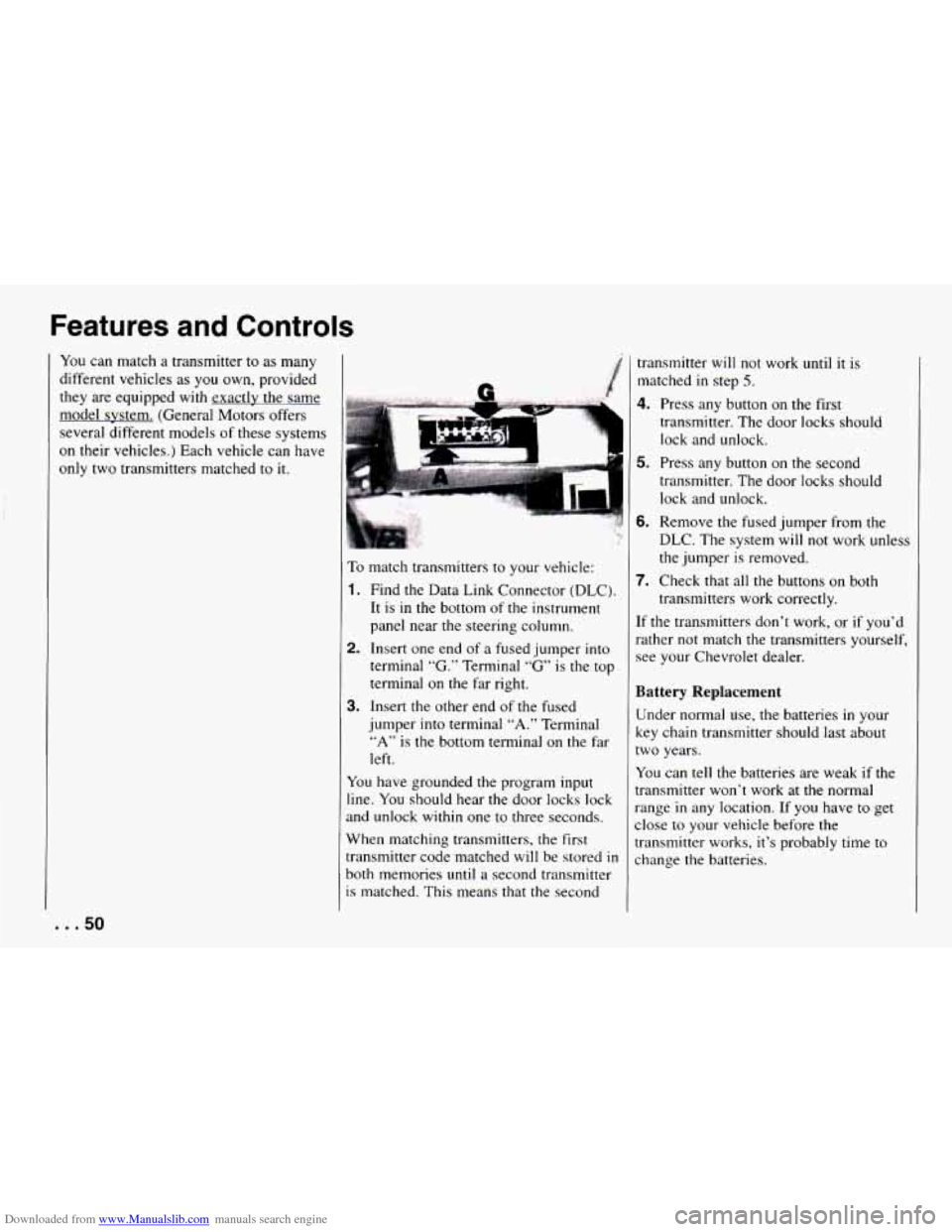
To match transmitters to your vehicle:
1. Find the Data Link Connector (DLC).
It is
in the bottom of the instrument
panel near the steering column.
2. Insert one end of a fused jumper into
terminal
“G.” Terminal “G” is the top
terminal on the far right.
jumper into terminal “A.” Terminal
“A” is the bottom terminal on the far
left.
3. Insert the other end of the fused
You have grounded the program input
line. You should hear the door locks lock
and unlock within one to three seconds.
When matching transmitters, the first
transmitter code matched
will be stored in
both memories until a second transmitter
is matched. This means
that the second transmitter
will not work until
it is
matched
in step 5.
4. Press any button on the first
transmitter. The door locks should
lock and unlock.
5. Press any button on the second
transmitter. The door locks should
lock and unlock.
6. Remove the fused jumper from the
DLC. The system
will not work unless
the jumper
is removed.
transmitters work correctly.
7. Check that all the buttons on both
[f the transmitters don’t work, or if you’d
rather not match the transmitters yourself,
see your Chevrolet dealer.
Battery Replacement
Under normal use, the batteries in your
key chain transmitter should last about
:wo years.
You can tell the batteries are weak if the
:ransmitter won’t work at the normal
-ange
in any location. If you have to get
:lose
to your vehicle before the
:ransmitter works, it’s probably time to
:hange the batteries.
Page 53 of 292
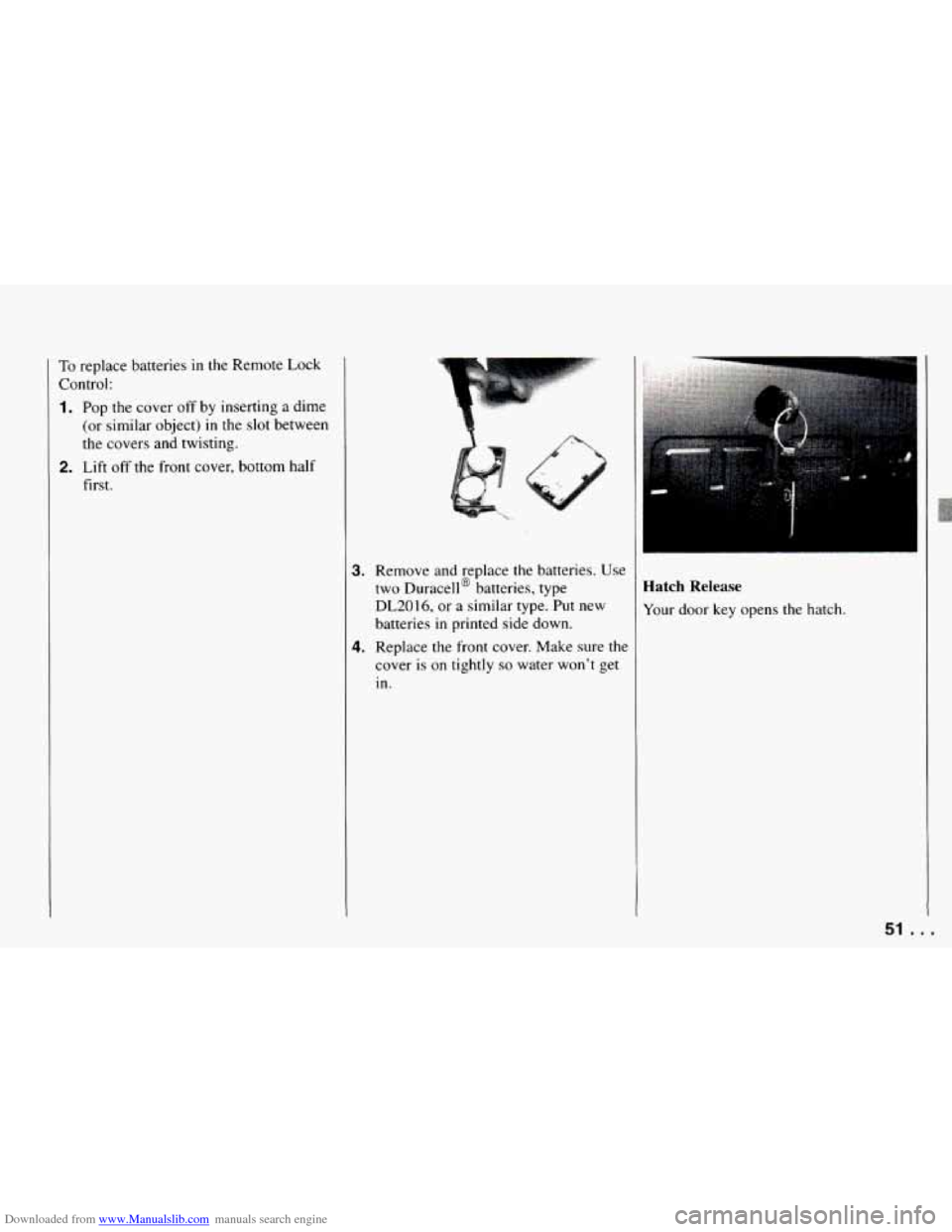
Downloaded from www.Manualslib.com manuals search engine To replace batteries in the Remote Lock
Control:
1. Pop the cover off by inserting a dime
(or similar object)
in the slot between
the covers and twisting.
first.
2. Lift off the front cover, bottom half
3. Remove and replace the batteries. Use
two Duracell@ batteries, type
DL2016,
or a similar type. Put new
batteries
in printed side down.
4. Replace the front cover. Make sure the
cover is
on tightly so water won't get
in.
Hatch Release
Your door key opens the hatch.
51 . I