warning lights CHEVROLET CAMARO SS 2010 Owners Manual
[x] Cancel search | Manufacturer: CHEVROLET, Model Year: 2010, Model line: CAMARO SS, Model: CHEVROLET CAMARO SS 2010Pages: 372, PDF Size: 1.91 MB
Page 1 of 372
Keys, Doors and
Windows............................ 1-1
Keys and Locks
.............. 1-2
Doors
............................ 1-8
Vehicle Security
............1-10
Exterior Mirrors
.............1-12
Interior Mirrors
..............1-13
Windows
......................1-14
Roof
............................1-16
Seats and Restraints......... 2-1
Head Restraints
.............. 2-2
Front Seats
.................... 2-3
Rear Seats
.................... 2-6
Safety Belts
................... 2-6
Airbag System
..............2-21
Child Restraints
.............2-35
Storage.............................. 3-1
Storage Compartments
.... 3-1
Additional Storage
Features
..................... 3-1
Instruments and
Controls............................. 4-1
Instrument Panel
Overview
.................... 4-4
Controls
......................... 4-6
Warning Lights, Gages,
and Indicators
............. 4-9
Information Displays
.......4-27
Vehicle Messages
.........4-30
Vehicle Personalization
. . . 4-38
OnStar System
.............4-42
Universal Remote
System
.....................4-45
Lighting............................. 5-1
Exterior Lighting
.............. 5-1
Interior Lighting
............... 5-5
Lighting Features
............ 5-6
Infotainment System......... 6-1
Introduction
.................... 6-1
Radio
............................ 6-8
Audio Players
...............6-14
Phone
.........................6-22
Climate Controls............... 7-1
Climate Control Systems
... 7-1
Air Vents
....................... 7-3
Driving and Operating....... 8-1
Driving Information
.......... 8-2
Starting and Operating
. . . 8-16
Engine Exhaust
.............8-25
Automatic
Transmission
.............8-26
Manual Transmission
.....8-30
Brakes
.........................8-31
Ride Control Systems
....8-34
Cruise Control
...............8-38
Object Detection
Systems
...................8-41
Fuel
............................8-43
Towing
........................8-48
Conversions and
Add-Ons
...................8-55
Vehicle Care...................... 9-1
General Information
......... 9-2
Vehicle Checks
............... 9-4
Headlamp Aiming
..........9-34
2010 Chevrolet Camaro Owner ManualM
Page 30 of 372
Heated Front Seats
On vehicles with heated front
seats, the controls are on the
center console. The engine
must be running.
L(Heated Seat):Press to turn on
the heated seat.
A light indicates that the feature is
working. The number of lights shows
the level of heat selected: one or
two for a low or high setting. Press
the button to cycle through the
temperature settings and to turn
the heated seat feature off.
Rear Seats
The rear seat has two designated
seating positions and can be folded
for more cargo space. Fold only
when the vehicle is parked.
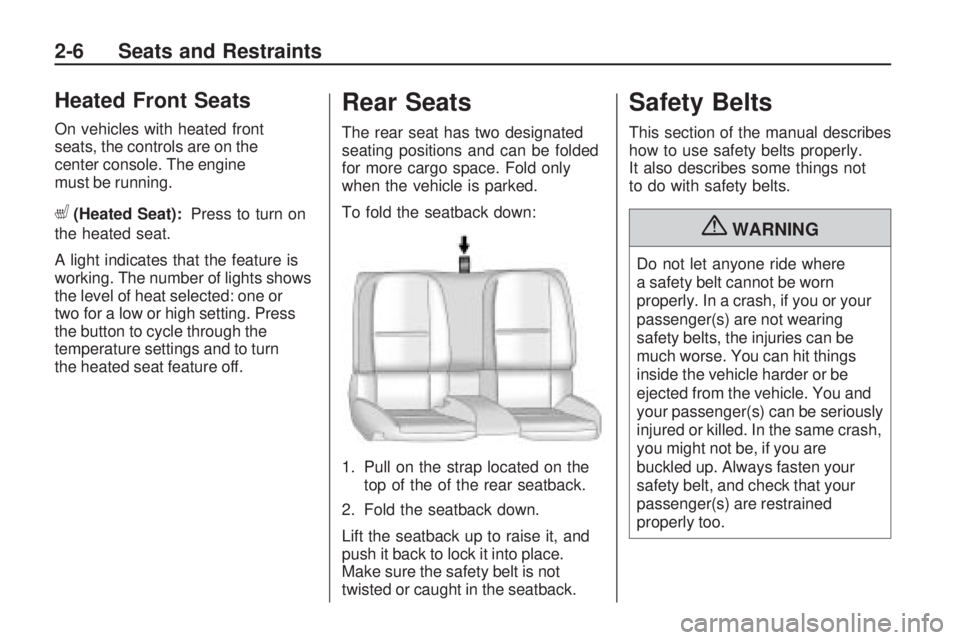
To fold the seatback down:
1. Pull on the strap located on the
top of the of the rear seatback.
2. Fold the seatback down.
Lift the seatback up to raise it, and
push it back to lock it into place.
Make sure the safety belt is not
twisted or caught in the seatback.
Safety Belts
This section of the manual describes
how to use safety belts properly.
It also describes some things not
to do with safety belts.
{WARNING
Do not let anyone ride where
a safety belt cannot be worn
properly. In a crash, if you or your
passenger(s) are not wearing
safety belts, the injuries can be
much worse. You can hit things
inside the vehicle harder or be
ejected from the vehicle. You and
your passenger(s) can be seriously
injured or killed. In the same crash,
you might not be, if you are
buckled up. Always fasten your
safety belt, and check that your
passenger(s) are restrained
properly too.
2-6 Seats and Restraints
Page 81 of 372
Instruments and
Controls
Instrument Panel OverviewInstrument Panel Overview......4-4
ControlsSteering Wheel Adjustment.....4-6
Steering Wheel Controls.........4-6
Horn....................................4-7
Windshield Wiper/Washer.......4-7
Compass.............................4-8
Clock...................................4-8
Power Outlets.......................4-9
Warning Lights, Gages,
and Indicators
Warning Lights, Gages,
and Indicators.....................4-9
Instrument Cluster...............4-10
Speedometer......................4-11
Odometer...........................4-11
Trip Odometer.....................4-11
Tachometer........................4-11
Fuel Gage..........................4-11
Engine Oil Pressure Gage......4-12Engine Oil
Temperature Gage.............4-13
Engine Coolant
Temperature Gage.............4-14
Transmission
Temperature Gage.............4-14
Voltmeter Gage...................4-15
Safety Belt Reminders..........4-16
Airbag Readiness Light.........4-17
Passenger Airbag Status
Indicator...........................4-18
Charging System Light.........4-19
Malfunction
Indicator Lamp..................4-19
Brake System Warning
Light................................4-22
Antilock Brake System
(ABS) Warning Light...........4-23
Traction Off Light.................4-23
Traction Control System
(TCS)/StabiliTrak
®Light.......4-24
Traction Control System
(TCS) OFF/StabiliTrak
®OFF
Light................................4-24
Tire Pressure Light..............4-24
Engine Oil Pressure Light.....4-25
Immobilizer Light.................4-26
Fog Lamp Light...................4-26
Taillamp Indicator Light.........4-26
Cruise Control Light.............4-26
Information DisplaysDriver Information
Center (DIC).....................4-27
Vehicle MessagesBattery Voltage and
Charging Messages............4-30
Brake System Messages......4-31
Compass Messages.............4-31
Cruise Control Messages......4-31
Door Ajar Messages............4-31
Engine Cooling System
Messages.........................4-32
Engine Oil Messages...........4-32
Engine Power Messages......4-33
Fuel System Messages........4-33
Key and Lock Messages......4-33
Lamp Messages..................4-33
Object Detection System
Messages.........................4-34
Ride Control System
Messages.........................4-34
Airbag System Messages......4-35
Safety Belt Messages...........4-35
Anti-Theft Alarm System
Messages.........................4-35
Service Vehicle Messages.....4-35
Tire Messages....................4-36
Transmission Messages........4-36
Vehicle Reminder
Messages.........................4-37
Instruments and Controls 4-1
Page 89 of 372
Power Outlets
The vehicle has two accessory
power outlets; one is located below
the climate control system and
the other is inside the center storage
console.
The accessory power outlets do not
work when the key is removed
from the ignition and the driver door
is opened, this helps to preserve
the battery life of the vehicle.
Certain power accessory plugs may
not be compatible to the accessory
power outlet and could result in
blown vehicle or adapter fuses.
If you experience a problem,
see your dealer/retailer for additional
information on the accessory
power plugs.Notice:Adding any electrical
equipment to the vehicle can
damage it or keep other
components from working as
they should. The repairs would
not be covered by the vehicle
warranty. Each outlet is rated to
a maximum output of 120W.
Usage of equipment exceeding
an amperage rating of 20A may
require fuse replacement. Check
with your dealer/retailer before
adding electrical equipment.
When adding electrical equipment,
be sure to follow the proper
installation instructions included
with the equipment.
Notice:Improper use of the
power outlet can cause damage
not covered by the warranty.
Do not hang any type of
accessory or accessory bracket
from the plug because the
power outlets are designed for
accessory power plugs only.
Warning Lights,
Gages, and Indicators
Warning lights come on when
there could be a problem with a
vehicle function. Some warning
lights come on briefly when
the engine is started to indicate
they are working.
Gages can indicate when there
could be a problem with a vehicle
function. Often gages and warning
lights work together to indicate
a problem with the vehicle.
When one of the warning lights
comes on and stays on while
driving, or when one of the gages
shows there may be a problem,
check the section that explains what
to do. Follow this manual’s advice.
Waiting to do repairs can be
costly and even dangerous.
Instruments and Controls 4-9
Page 98 of 372

Passenger Airbag Status
Indicator
The vehicle has a passenger
sensing system. SeePassenger
Sensing System on page 2-28
for important safety information.
The overhead console has a
passenger airbag status indicator.When the vehicle is started, the
passenger airbag status indicator
will light ON and OFF, or the symbol
for on and off, for several seconds
as a system check. If you are
using remote start to start your
vehicle from a distance, if equipped,
you may not see the system
check. Then, after several seconds,
the status indicator will light either
ON or OFF, or either the on or
off symbol to let you know the status
of the right front passenger frontal
airbag.
If the word ON or the on symbol is
lit on the passenger airbag status
indicator, it means that the right front
passenger frontal airbag is enabled
(may inflate).If the word OFF or the off symbol is
lit on the passenger airbag status
indicator, it means that the
passenger sensing system has
turned off the right front passenger
frontal airbag.
If, after several seconds, both status
indicator lights remain on, or if
there are no lights at all, there may
be a problem with the lights or
the passenger sensing system.
See your dealer/retailer for service.
{WARNING
If the airbag readiness light ever
comes on and stays on, it means
that something may be wrong with
the airbag system. To help avoid
injury to yourself or others, have
the vehicle serviced right away.
SeeAirbag Readiness Light on
page 4-17for more information,
including important safety
information. United States
Canada
4-18 Instruments and Controls
Page 103 of 372
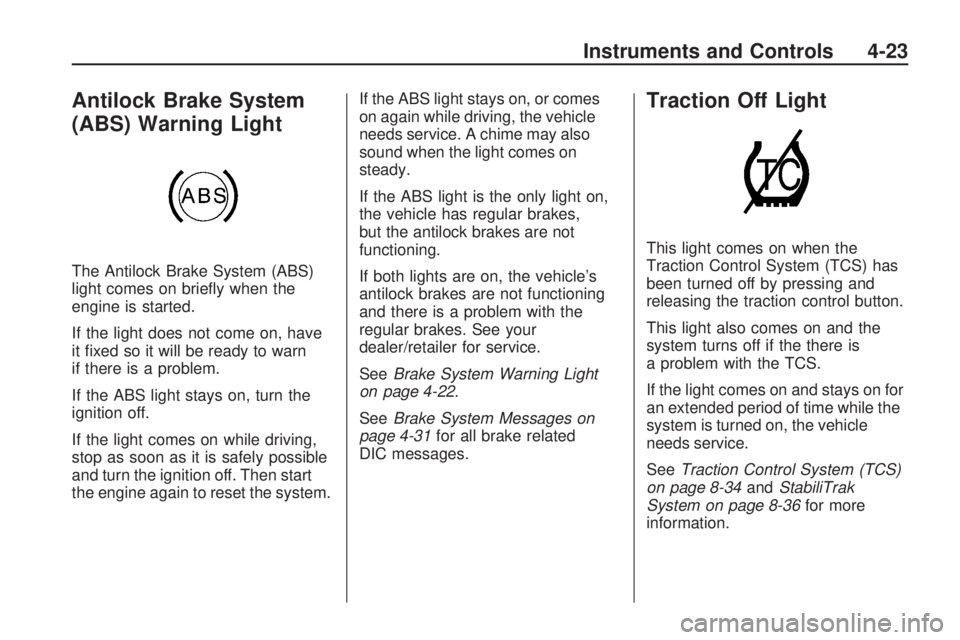
Antilock Brake System
(ABS) Warning Light
The Antilock Brake System (ABS)
light comes on briefly when the
engine is started.
If the light does not come on, have
it fixed so it will be ready to warn
if there is a problem.
If the ABS light stays on, turn the
ignition off.
If the light comes on while driving,
stop as soon as it is safely possible
and turn the ignition off. Then start
the engine again to reset the system.If the ABS light stays on, or comes
on again while driving, the vehicle
needs service. A chime may also
sound when the light comes on
steady.
If the ABS light is the only light on,
the vehicle has regular brakes,
but the antilock brakes are not
functioning.
If both lights are on, the vehicle’s
antilock brakes are not functioning
and there is a problem with the
regular brakes. See your
dealer/retailer for service.
SeeBrake System Warning Light
on page 4-22.
SeeBrake System Messages on
page 4-31for all brake related
DIC messages.
Traction Off Light
This light comes on when the
Traction Control System (TCS) has
been turned off by pressing and
releasing the traction control button.
This light also comes on and the
system turns off if the there is
a problem with the TCS.
If the light comes on and stays on for
an extended period of time while the
system is turned on, the vehicle
needs service.
SeeTraction Control System (TCS)
on page 8-34andStabiliTrak
System on page 8-36for more
information.
Instruments and Controls 4-23
Page 131 of 372
Lighting
Exterior LightingExterior Lamp Controls...........5-1
Headlamp High/Low-Beam
Changer.............................5-2
Flash-to-Pass........................5-3
Daytime Running
Lamps (DRL)......................5-3
Automatic Headlamp
System..............................5-3
Hazard Warning Flashers.......5-4
Turn and Lane-Change
Signals...............................5-4
Front Fog Lamps..................5-5
Interior LightingInstrument Panel
Illumination Control..............5-5
Dome Lamps........................5-6
Lighting FeaturesEntry Lighting.......................5-6
Theater Dimming...................5-6
Battery Load Management......5-6
Battery Power Protection........5-7
Exterior Lighting
Exterior Lamp Controls
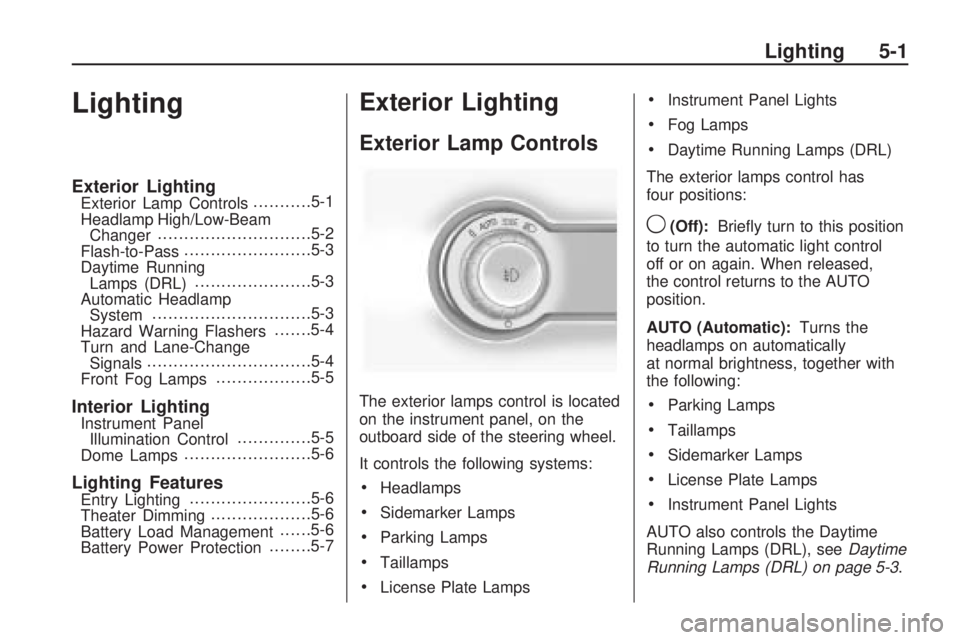
The exterior lamps control is located
on the instrument panel, on the
outboard side of the steering wheel.
It controls the following systems:
•Headlamps
•Sidemarker Lamps
•Parking Lamps
•Taillamps
•License Plate Lamps
•Instrument Panel Lights
•Fog Lamps
•Daytime Running Lamps (DRL)
The exterior lamps control has
four positions:
9(Off):Briefly turn to this position
to turn the automatic light control
off or on again. When released,
the control returns to the AUTO
position.
AUTO (Automatic):Turns the
headlamps on automatically
at normal brightness, together with
the following:
•Parking Lamps
•Taillamps
•Sidemarker Lamps
•License Plate Lamps
•Instrument Panel Lights
AUTO also controls the Daytime
Running Lamps (DRL), seeDaytime
Running Lamps (DRL) on page 5-3.
Lighting 5-1
Page 132 of 372

;(Parking Lamps):Turns the
parking lamps on together with the
following:
•Taillamps
•Sidemarker Lamps
•License Plate Lamps
•Instrument Panel Lights
A warning chime sounds if the
driver’s door is opened when the
ignition switch is off and the parking
lamps are on.
2(Headlamps):Turns the
headlamps on together with the
following lamps listed below.
•Parking Lamps
•Taillamps
•Sidemarker Lamps
•License Plate Lamps
•Instrument Panel LightsA warning chime sounds if the
driver’s door is opened when the
ignition switch is off and the
headlamps are on.
#(Front Fog Lamps):Push the
fog lamps button in to turn the
fog lamps on or off. The fog lamps
come on together with the
following:
•Parking Lamps
•Taillamps
•Sidemarker Lamps
•License Plate Lamps
•Instrument Panel Lights
SeeFront Fog Lamps on page 5-5.
Headlamp High/
Low-Beam Changer
23
Headlamp High/Low Beam
Changer:Push the turn and
lane change lever away from
you to turn the high beams on.
Pull the lever towards you to return
to low beams.
This indicator light turns on in the
instrument panel cluster when
the high beam headlamps are on.
5-2 Lighting
Page 134 of 372

The vehicle has a light sensor
located on the top of the instrument
panel. Do not cover this sensor
or the system will come on
whenever the ignition is on.
The system may also turn on the
headlamps when driving through a
parking garage, heavy overcast
weather, or a tunnel. This is normal.
There is a delay in the transition
between the daytime and nighttime
operation of the Daytime Running
Lamps (DRL) and the automatic
headlamp systems so that driving
under bridges or bright overhead
street lights does not affect the
system. The DRL and automatic
headlamp system will only be
affected when the light sensor sees
a change in lighting lasting longer
than the delay.If the vehicle is started in a dark
garage, the automatic headlamp
system comes on immediately. If it
is light outside when the vehicle
leaves the garage, there will
be a slight delay before the
automatic headlamp system
changes to the DRL. During that
delay, the instrument panel cluster
may not be as bright as usual.
Make sure the instrument panel
brightness control is in the full bright
position. SeeInstrument Panel
Illumination Control on page 5-5.
Hazard Warning Flashers
|
Hazard Warning Flasher:
Press this button located on the
instrument panel near the audio
system, to make the front and rear
turn signal lamps flash on and
off. This warns others that you are
having trouble. Press again to
turn the flashers off.
Turn and Lane-Change
Signals
An arrow on the instrument panel
cluster flashes in the direction of the
turn or lane change.
Move the lever all the way up or
down to signal a turn.
Raise or lower the lever until the
arrow starts to flash to signal a lane
change. Hold it there until the
lane change is completed. If the
lever is briefly pressed and released,
the turn signal flashes three times.
5-4 Lighting
Page 194 of 372
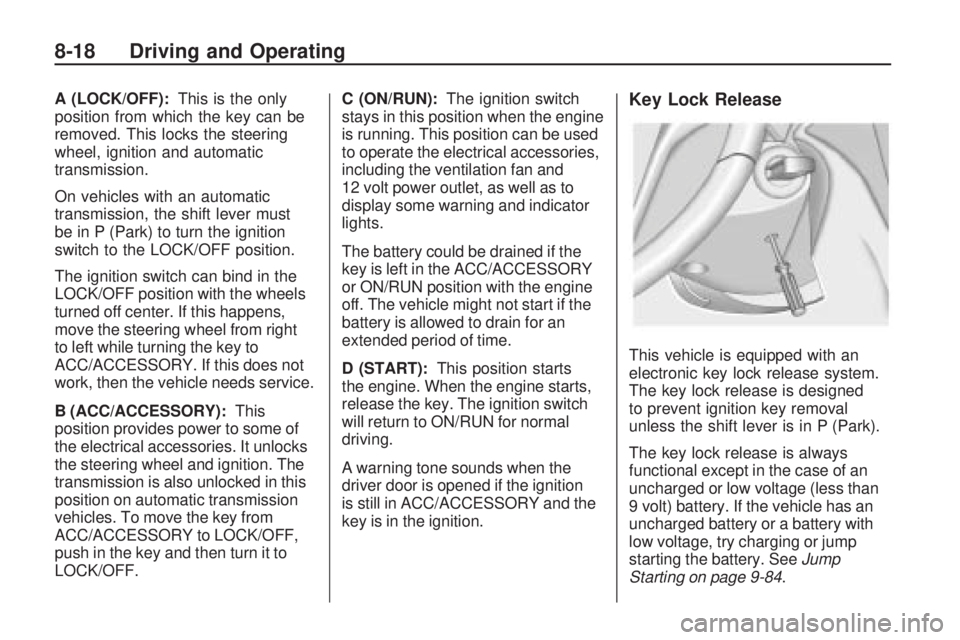
A (LOCK/OFF):This is the only
position from which the key can be
removed. This locks the steering
wheel, ignition and automatic
transmission.
On vehicles with an automatic
transmission, the shift lever must
be in P (Park) to turn the ignition
switch to the LOCK/OFF position.
The ignition switch can bind in the
LOCK/OFF position with the wheels
turned off center. If this happens,
move the steering wheel from right
to left while turning the key to
ACC/ACCESSORY. If this does not
work, then the vehicle needs service.
B (ACC/ACCESSORY):This
position provides power to some of
the electrical accessories. It unlocks
the steering wheel and ignition. The
transmission is also unlocked in this
position on automatic transmission
vehicles. To move the key from
ACC/ACCESSORY to LOCK/OFF,
push in the key and then turn it to
LOCK/OFF.C (ON/RUN):The ignition switch
stays in this position when the engine
is running. This position can be used
to operate the electrical accessories,
including the ventilation fan and
12 volt power outlet, as well as to
display some warning and indicator
lights.
The battery could be drained if the
key is left in the ACC/ACCESSORY
or ON/RUN position with the engine
off. The vehicle might not start if the
battery is allowed to drain for an
extended period of time.
D (START):This position starts
the engine. When the engine starts,
release the key. The ignition switch
will return to ON/RUN for normal
driving.
A warning tone sounds when the
driver door is opened if the ignition
is still in ACC/ACCESSORY and the
key is in the ignition.Key Lock Release
This vehicle is equipped with an
electronic key lock release system.
The key lock release is designed
to prevent ignition key removal
unless the shift lever is in P (Park).
The key lock release is always
functional except in the case of an
uncharged or low voltage (less than
9 volt) battery. If the vehicle has an
uncharged battery or a battery with
low voltage, try charging or jump
starting the battery. SeeJump
Starting on page 9-84.
8-18 Driving and Operating