display CHEVROLET CITY EXPRESS 2018 Owner's Manual
[x] Cancel search | Manufacturer: CHEVROLET, Model Year: 2018, Model line: CITY EXPRESS, Model: CHEVROLET CITY EXPRESS 2018Pages: 287, PDF Size: 4.19 MB
Page 16 of 287
Chevrolet City Express Owner Manual (GMNA-Localizing-U.S./Canada-
11683523) - 2018 - CRC - 7/10/17
In Brief 15
2. Outside Air/Recirculation AirIntake Control
3. Temperature Control
4. A/C (Air Conditioning)
5. Fan Control
6. Rear Window Defogger (If Equipped)
7. Heated Mirrors (If Equipped)
See Climate Control Systems 0129.Vehicle Features
Infotainment System
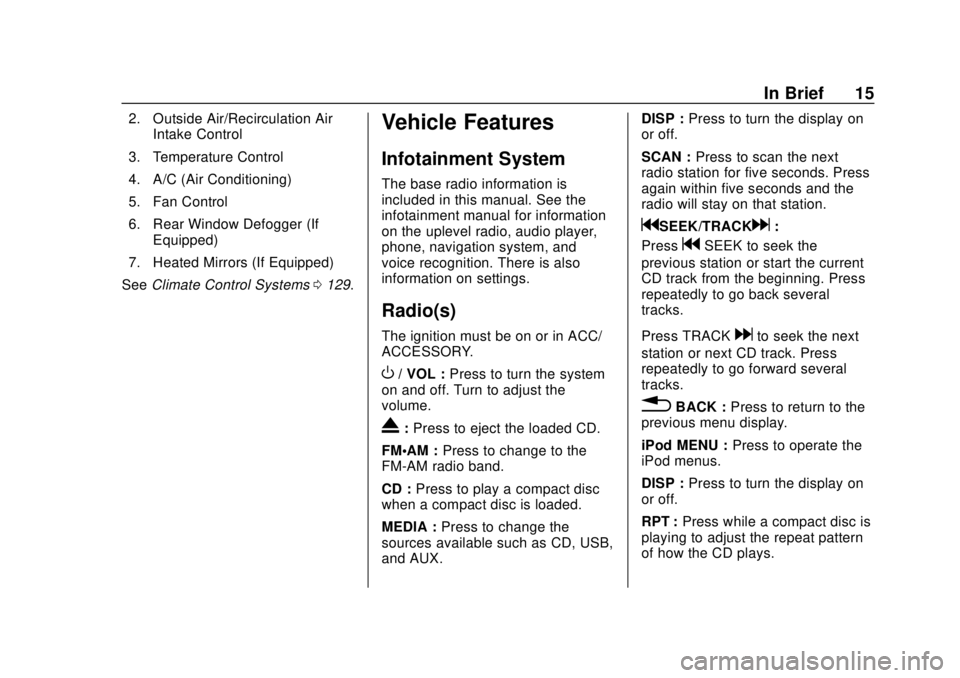
The base radio information is
included in this manual. See the
infotainment manual for information
on the uplevel radio, audio player,
phone, navigation system, and
voice recognition. There is also
information on settings.
Radio(s)
The ignition must be on or in ACC/
ACCESSORY.
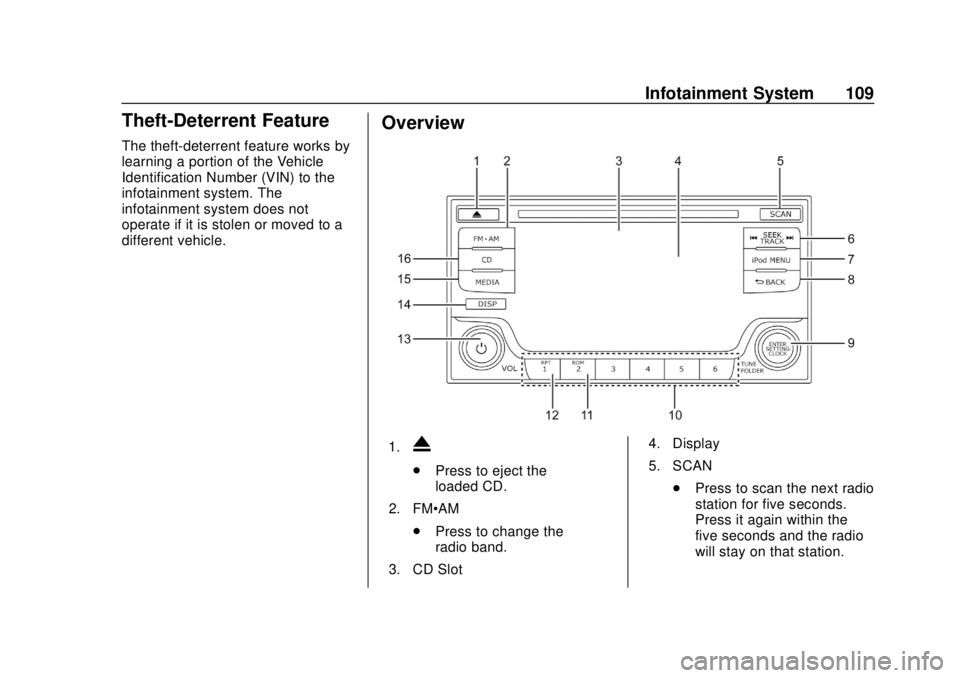
O/ VOL : Press to turn the system
on and off. Turn to adjust the
volume.
X: Press to eject the loaded CD.
FM·AM : Press to change to the
FM-AM radio band.
CD : Press to play a compact disc
when a compact disc is loaded.
MEDIA : Press to change the
sources available such as CD, USB,
and AUX. DISP :
Press to turn the display on
or off.
SCAN : Press to scan the next
radio station for five seconds. Press
again within five seconds and the
radio will stay on that station.
gSEEK/TRACKd:
Press
gSEEK to seek the
previous station or start the current
CD track from the beginning. Press
repeatedly to go back several
tracks.
Press TRACK
dto seek the next
station or next CD track. Press
repeatedly to go forward several
tracks.
0BACK : Press to return to the
previous menu display.
iPod MENU : Press to operate the
iPod menus.
DISP : Press to turn the display on
or off.
RPT : Press while a compact disc is
playing to adjust the repeat pattern
of how the CD plays.
Page 17 of 287
Chevrolet City Express Owner Manual (GMNA-Localizing-U.S./Canada-
11683523) - 2018 - CRC - 7/10/17
16 In Brief
RDM :Press while a compact disc
is playing to adjust the random
pattern of how the CD plays.
Preset Numbers 1–6 : Press to
store a favorite radio station.
ENTER/SETTING/CLOCK and
TUNE/FOLDER : Press to show the
SETTINGS display. Turn the TUNE/
FOLDER knob to navigate the
options and press ENTER/
SETTING/CLOCK to make a
selection.
Press to show the CLOCK display.
Turn the TUNE/FOLDER knob and
select Set Time to adjust the time.
Press ENTER/SETTING/CLOCK to
confirm the adjustment.
For more information about these
and other radio features, see
Infotainment 0108.
Storing a Favorite Station
Up to 18 stations (six FM1, six FM2,
and six AM), can be programmed on
the six numbered buttons.
For more information on storing a
favorite station, see Operation
0 110.
Setting the Clock
For detailed instructions on setting
the clock for your specific audio
system, see Clock083.
Portable Audio Devices
This vehicle has an AUX input jack
and USB port on the center stack.
External devices such as an iPod,
laptop computer, MP3 player,
cassette player, or CD changer can
be connected to the auxiliary port
using a 3.5 mm (1/8 in) input cable.
This input jack is not an audio
output; do not plug headphones into
the auxiliary input jack.
See Auxiliary Jack 0118.
Bluetooth®
If equipped with a Bluetooth system,
it allows users with a
Bluetooth-enabled cell phone to
make and receive hands-free calls
using the vehicle’ s audio system
and controls. The Bluetooth-enabled cell phone
must be paired with the Bluetooth
system before it can be used in the
vehicle. Not all phones will support
all functions. For more information,
see www.gm.com/bluetooth and
Bluetooth
0120.
Steering Wheel Controls
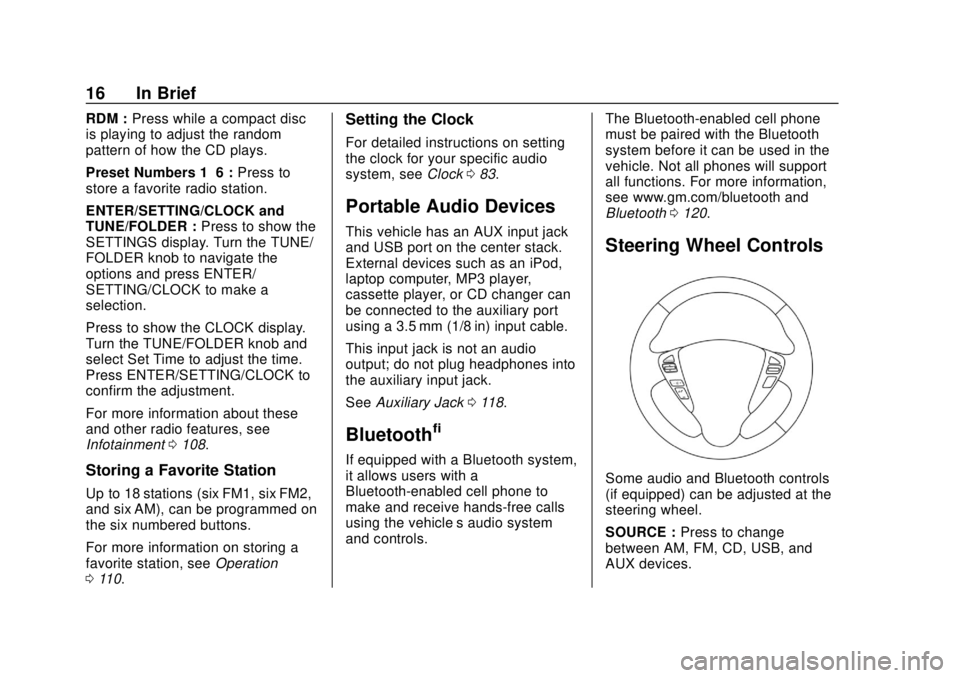
Some audio and Bluetooth controls
(if equipped) can be adjusted at the
steering wheel.
SOURCE : Press to change
between AM, FM, CD, USB, and
AUX devices.
Page 18 of 287
Chevrolet City Express Owner Manual (GMNA-Localizing-U.S./Canada-
11683523) - 2018 - CRC - 7/10/17
In Brief 17
QorR:For most audio sources,
tilting the tuning switch up or down
for more than 15 seconds provides a
different function than a tilting up or
down for less than 15 seconds.
Press and hold to tilt the tuning
switch up or down to change to the
previous or next radio station or
track on a CD. Press and hold to
increase or decrease the track
number on a USB device or to fast
forward or rewind the current track.
Press and hold to skip ahead or
back to the next song while using
Bluetooth audio.
g V:If equipped, press to interact
with Bluetooth or answer an
incoming call. See Bluetooth0120.
V:If equipped, press and hold to
end a call or reject a call.
x− orx+ : Pressx−to decrease
volume or press
x+ to increase the
volume.
See Steering Wheel Controls 082.
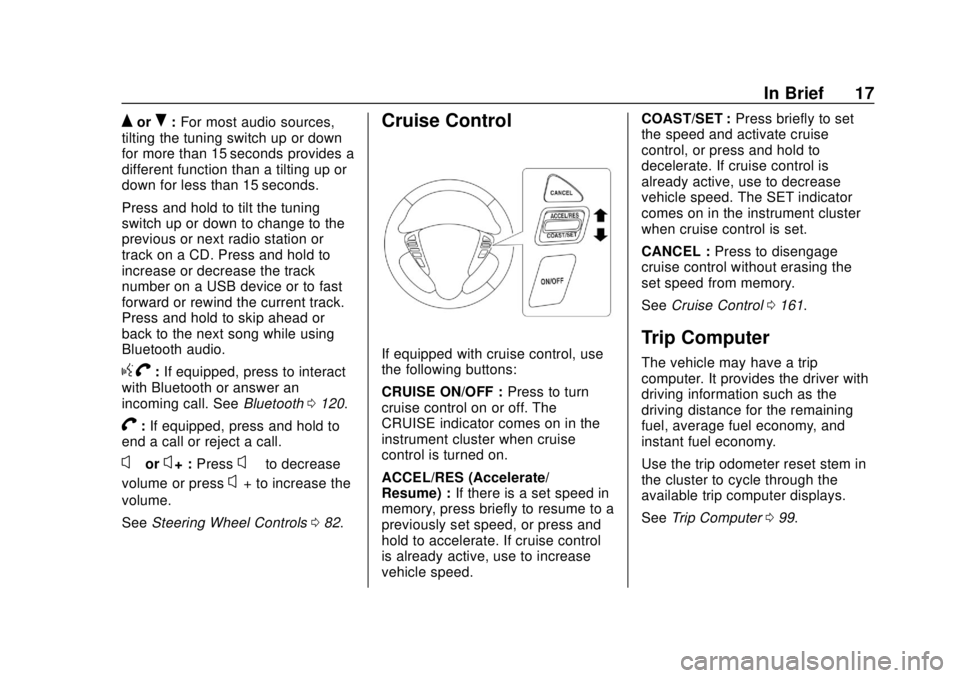
Cruise Control
If equipped with cruise control, use
the following buttons:
CRUISE ON/OFF : Press to turn
cruise control on or off. The
CRUISE indicator comes on in the
instrument cluster when cruise
control is turned on.
ACCEL/RES (Accelerate/
Resume) : If there is a set speed in
memory, press briefly to resume to a
previously set speed, or press and
hold to accelerate. If cruise control
is already active, use to increase
vehicle speed. COAST/SET :
Press briefly to set
the speed and activate cruise
control, or press and hold to
decelerate. If cruise control is
already active, use to decrease
vehicle speed. The SET indicator
comes on in the instrument cluster
when cruise control is set.
CANCEL : Press to disengage
cruise control without erasing the
set speed from memory.
See Cruise Control 0161.Trip Computer
The vehicle may have a trip
computer. It provides the driver with
driving information such as the
driving distance for the remaining
fuel, average fuel economy, and
instant fuel economy.
Use the trip odometer reset stem in
the cluster to cycle through the
available trip computer displays.
See Trip Computer 099.
Page 19 of 287
Chevrolet City Express Owner Manual (GMNA-Localizing-U.S./Canada-
11683523) - 2018 - CRC - 7/10/17
18 In Brief
Rear Vision
Camera (RVC)
If equipped, RVC displays a view of
the area behind the vehicle, on the
infotainment display, when the
vehicle is shifted into R (Reverse).
SeeRear Vision Camera (RVC)
0 163.
Parking Assist
If equipped, this system uses
sensors on the rear bumper to
assist with parking and avoiding
objects while in R (Reverse).
It operates at speeds less than
5 km/h (3 mph). Rear Parking Assist
(RPA) uses audible beeps to
provide distance and system
information.
Keep the sensors on the vehicle's
rear bumper clean to ensure proper
operation.
See Parking Assist 0169.
Power Outlets
The accessory power outlets can be
used to plug in electrical equipment,
such as a cell phone or an MP3
player.
The vehicle may have two
accessory power outlets:
.
Near the bottom of the center
stack.
. On the rear of the center floor
console.
Remove the cover to access and
replace when not in use.
See Power Outlets 084.
Performance and
Maintenance
Traction Control/
Electronic Stability
Control
The vehicle has a Traction Control
System (TCS) and an Electronic
Stability Control system that assists
with directional control of the vehicle
in difficult driving conditions. Both
systems turn on automatically every
time the vehicle is started.
.
To turn off the TCS and
Electronic Stability Control
systems, press and release
g
on the instrument panel to the
left of the steering wheel. The
g
indicator will come on in the
instrument cluster.
. Press and release
gagain to
turn the TCS and Electronic
Stability Control systems back
on. The
gindicator will turn off
in the instrument cluster.
Page 89 of 287
Chevrolet City Express Owner Manual (GMNA-Localizing-U.S./Canada-
11683523) - 2018 - CRC - 7/10/17
88 Instruments and Controls
1. Tachometer
2. Speedometer
3. Trip Odometer Reset Stem
4. Instrument BrightnessControl
5. Transmission Position Indicator
6. Odometer/Trip Computer
7. Fuel Gauge
Speedometer
The speedometer shows the vehicle
speed in kilometers per hour (km/h)
and miles per hour (mph).
Odometer
The odometer shows how far the
vehicle has been driven, in either
kilometers or miles.
Trip Odometer
The trip odometer shows how far
the vehicle has been driven since
the trip odometer was last reset. Press the trip odometer reset stem
on the cluster to switch between the
odometer, trip odometer A, and trip
odometer B.
To reset each trip odometer to zero,
press and hold the trip odometer
reset stem. Only the trip odometer
that is currently displayed will be
reset.
Tachometer
The tachometer displays the engine
speed in revolutions per
minute (rpm).
Caution
If the engine is operated with the
rpm’s in the warning area at the
high end of the tachometer, the
vehicle could be damaged, and
the damage would not be covered
by the vehicle warranty. Do not
operate the engine with the rpm’s
in the warning area.
Fuel Gauge
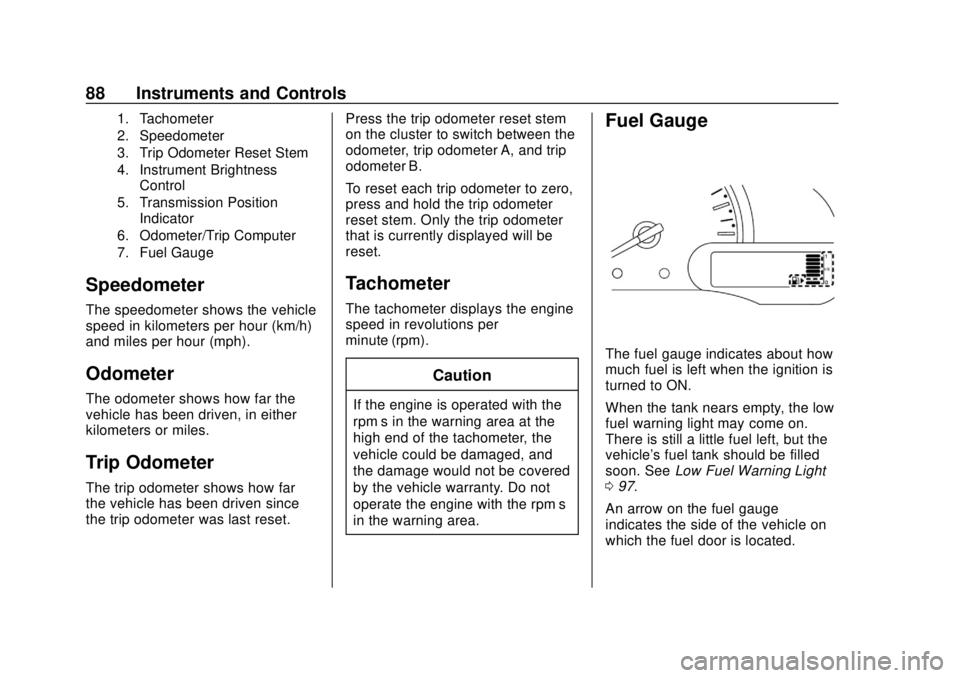
The fuel gauge indicates about how
much fuel is left when the ignition is
turned to ON.
When the tank nears empty, the low
fuel warning light may come on.
There is still a little fuel left, but the
vehicle's fuel tank should be filled
soon. See
Low Fuel Warning Light
0 97.
An arrow on the fuel gauge
indicates the side of the vehicle on
which the fuel door is located.
Page 100 of 287
Chevrolet City Express Owner Manual (GMNA-Localizing-U.S./Canada-
11683523) - 2018 - CRC - 7/10/17
Instruments and Controls 99
Vehicle Messages
Fuel System Messages
LOOSE FUEL CAP
This message displays when the
fuel cap is not on tight. Tighten the
fuel cap, then press and hold the
trip odometer reset stem to reset the
message.
Tire Messages
CHECK TIRE PRES (Pressure)
If the vehicle has the Tire Pressure
Monitor System (TPMS), this
message displays when the
pressure in one or more of the tires
is low. The low tire pressure warning
light will also come on. SeeTire
Pressure Light 096. If a tire
pressure message appears, stop as
soon as you can. Have the tire
pressures checked and set to those
shown on the Tire and Loading
Information label. See Tires0200,
Vehicle Load Limits 0140, and Tire
Pressure 0208.
Trip Computer
The vehicle may have a trip
computer. It provides the driver with
driving information such as the
driving distance for the remaining
fuel, instant fuel economy, and
average fuel economy.
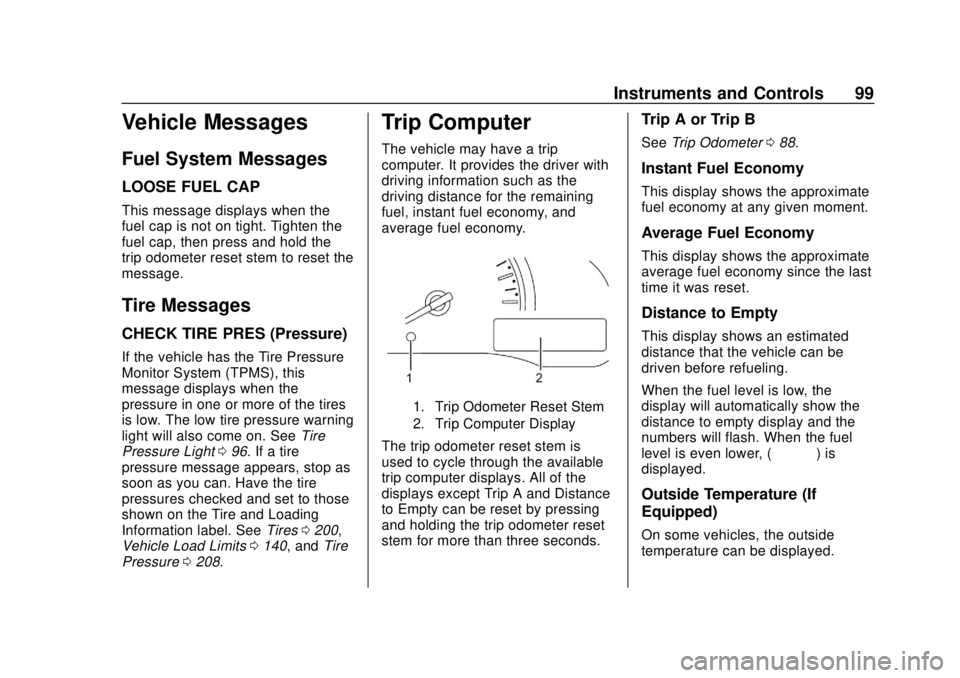
1. Trip Odometer Reset Stem
2. Trip Computer Display
The trip odometer reset stem is
used to cycle through the available
trip computer displays. All of the
displays except Trip A and Distance
to Empty can be reset by pressing
and holding the trip odometer reset
stem for more than three seconds.
Trip A or Trip B
See Trip Odometer 088.
Instant Fuel Economy
This display shows the approximate
fuel economy at any given moment.
Average Fuel Economy
This display shows the approximate
average fuel economy since the last
time it was reset.
Distance to Empty
This display shows an estimated
distance that the vehicle can be
driven before refueling.
When the fuel level is low, the
display will automatically show the
distance to empty display and the
numbers will flash. When the fuel
level is even lower, (– – – –) is
displayed.
Outside Temperature (If
Equipped)
On some vehicles, the outside
temperature can be displayed.
Page 101 of 287
Chevrolet City Express Owner Manual (GMNA-Localizing-U.S./Canada-
11683523) - 2018 - CRC - 7/10/17
100 Instruments and Controls
Vehicle
Personalization
Vehicle Personalization
(Radio with
Touchscreen Only)
Use the audio system controls to
access the personalization menus
for customizing vehicle features.
The following are all possible
personalization features. Depending
on the vehicle, some may not be
available.
Infotainment System Audio
Controls
Using the Faceplate
BACK
.Press to exit a menu.
. Press to return to a previous
display.
Using the Touch Screen
Press a feature on the infotainment
display to: .
View more feature options.
. Enable or disable the feature.
Q:Press to scroll up.
R:Press to scroll down.
To access the
personalization menu: 1. Press INFO on the center stack, then select
8Settings
on the Home page.
2. Select the desired feature to display a list of available
options.
3. Select the desired feature setting.
Personalization Menus
The following list of menu items may
be available:
.
eAudio
.
ISystem
.
nNavigation
.
HTraffic
.
GPhone & Bluetooth .
JSXM
Each menu is detailed in the
following information.
eAudio
See “Audio Settings” in“AM-FM
Radio” in the infotainment manual.
ISystem
Select and the following may
display:
. Display
. Clock Settings
. Language
. Camera Settings
. Temperature Unit
. Touchscreen Click
. System Beeps
. Return to Factory Settings/Clear
Memory
. Software Licenses
Page 102 of 287
Chevrolet City Express Owner Manual (GMNA-Localizing-U.S./Canada-
11683523) - 2018 - CRC - 7/10/17
Instruments and Controls 101
Display
Select and the following may
display:
.Brightness
. Display Mode
. Scroll Direction
Brightness
This feature adjusts the brightness
of the display.
Select Very Bright, Bright, Default,
Dark, or Very Dark.
Display Mode
This feature adjusts the display to
make it easier to see due to the
lighting in the vehicle.
Select Automatic, Day, or Night.
Scroll Direction
This feature changes what direction
the menus scroll on the display.
Select Up or Down.
Clock Settings
See Clock 083. Language
Select Language, then select from
the available language(s).
Camera Settings
Select and the following may
display:
.
Display Mode
. Brightness
. Contrast
. Color
Display Mode
This feature changes the display
mode of the rear view camera..
Select Automatic, Day, or Night.
Brightness
This feature adjusts the brightness
of the display.
Select −or + to change the setting.
Contrast
This feature adjusts the contrast of
the display.
Select −or + to change the setting. Color
This feature adjusts the color of the
display.
Select
−or + to change the setting.
Temperature Unit
Select to change the temperature
unit reading between celsius and
fahrenheit.
Touchscreen Click
When on, a click sound will be
heard when a key on the display is
touched.
Select ON or OFF.
System Beeps
When on, a beep sound will be
heard when a pop-up message
appears on the display or a center
stack control is pressed and held for
two seconds.
Select ON or OFF.
Return to Factory Settings/Clear
Memory
Select to return all settings to
default and to clear the memory.
Page 109 of 287
Chevrolet City Express Owner Manual (GMNA-Localizing-U.S./Canada-
11683523) - 2018 - CRC - 7/10/17
108 Infotainment System
Infotainment
System
Introduction
Infotainment . . . . . . . . . . . . . . . . . . 108
Theft-Deterrent Feature . . . . . . 109
Overview . . . . . . . . . . . . . . . . . . . . . 109
Operation . . . . . . . . . . . . . . . . . . . . . 110
Radio
AM-FM Radio . . . . . . . . . . . . . . . . . 112
Radio Reception . . . . . . . . . . . . . . 112
Fixed Mast Antenna . . . . . . . . . . 113
Audio Players
Avoiding Untrusted MediaDevices . . . . . . . . . . . . . . . . . . . . . 113
CD Player . . . . . . . . . . . . . . . . . . . . 113
USB Port . . . . . . . . . . . . . . . . . . . . . 116
Auxiliary Jack . . . . . . . . . . . . . . . . . 118
Bluetooth Audio . . . . . . . . . . . . . . 119
Phone
Bluetooth . . . . . . . . . . . . . . . . . . . . . 120
Trademarks and License
Agreements
Trademarks and License Agreements . . . . . . . . . . . . . . . . . 128
Introduction
Infotainment
Base radio information is included in
this manual. See the infotainment
manual for information on other
available infotainment systems.
Read the following pages to
become familiar with these features.
{Warning
Taking your eyes off the road for
too long or too often while using
any infotainment feature can
cause a crash. You or others
could be injured or killed. Do not
give extended attention to
infotainment tasks while driving.
Limit your glances at the vehicle
displays and focus your attention
on driving. Use voice commands
whenever possible. The infotainment system has built-in
features intended to help avoid
distraction by disabling some
functions when driving. These
functions may gray out when they
are unavailable. Many infotainment
features are also available through
the instrument cluster and steering
wheel controls.
Before driving:
.
Become familiar with the system
operation, controls on the center
stack, and infotainment display.
. Set up the audio by presetting
favorite stations, setting the
tone, and adjusting the
speakers.
. Set up phone numbers in
advance so they can be called
easily by pressing a single
control or by using a single voice
command if equipped with
Bluetooth phone capability.
See Defensive Driving 0134.
Page 110 of 287
Chevrolet City Express Owner Manual (GMNA-Localizing-U.S./Canada-
11683523) - 2018 - CRC - 7/10/17
Infotainment System 109
Theft-Deterrent Feature
The theft-deterrent feature works by
learning a portion of the Vehicle
Identification Number (VIN) to the
infotainment system. The
infotainment system does not
operate if it is stolen or moved to a
different vehicle.
Overview
1.X
.Press to eject the
loaded CD.
2. FM·AM .Press to change the
radio band.
3. CD Slot 4. Display
5. SCAN
.Press to scan the next radio
station for five seconds.
Press it again within the
five seconds and the radio
will stay on that station.