display CHEVROLET CORVETTE 2010 6.G Owners Manual
[x] Cancel search | Manufacturer: CHEVROLET, Model Year: 2010, Model line: CORVETTE, Model: CHEVROLET CORVETTE 2010 6.GPages: 472, PDF Size: 11.44 MB
Page 285 of 472
The SERVICE
TRACTION SYSTEM
message and the
TCS warning light will
come on if there is a
problem with TCS.
See DIC Warnings and
Messages on page 4‑52.
When this light and the SERVICE TRACTION SYSTEM
message are on, the system will not limit wheel spin.
Adjust your driving accordingly.
TCS automatically comes on whenever the vehicle is
started. To limit wheel spin, especially in slippery road
conditions, the system should always be left on.
TCS can be turned off if needed. To turn the system off,
press the button located
on the console.
The system can be turned on or off at any time by
pressing the ACTIVE HANDLING button. The DIC will
display the appropriate message when the button
is pushed.
Notice: When traction control is turned off,
or Competitive Driving Mode is active, it is possible
to lose traction. If you attempt to shift with the drive
wheels spinning with a loss of traction, it is
possible to cause damage to the transmission.
Do not attempt to shift when the drive wheels do not
have traction. Damage caused by misuse of the
vehicle is not covered. See the warranty book for
additional information.
Adding non‐dealer/non-retailer accessories can affect
the vehicle's performance. See Accessories and
Modifications
on page 6‑3for more information.
5-7
Page 286 of 472
Active Handling System
The Active Handling System is a computer controlled
system that helps the driver maintain directional control
of the vehicle in difficult driving conditions. This is
accomplished by selectively applying any one of the
vehicle's brakes.
The ACTIVE HANDLING message will come on
when the system is operating. See DIC Warnings and
Messages
on page 4‑52for more information.
The system may be heard or felt while it is working.
This is normal.
The SERVICE ACTIVE
HANDLING SYSTEM
message is displayed, the
instrument cluster light
comes on, and a sound is
heard if there is a problem
with the system.
See DIC Warnings and Messages
on page 4‑52for
more information. When this light and the SERVICE ACTIVE HANDLING
SYSTEM message are on, the system is not
operational. Adjust your driving accordingly.
The Active Handling System comes on automatically
whenever the vehicle is started. To help maintain
directional control of the vehicle, the system should
always be left on. The system can be turned off
needed. If the Active Handling System is turned off,
the Traction Control System will also be turned off.
Adjust your driving accordingly.
To turn the system off,
press the Active Handling
button on the console until
TRACTION SYSTEM
AND ACTIVE HANDLING
SYSTEM
—OFF is
displayed.
The system can be turned back on at any time by
pressing the button. The DIC will display the appropriate
message when the button is pushed.
5-8
Page 287 of 472
If the Tire Pressure Monitor (TPM) system detects a flat
tire and the Driver Information Center (DIC) displays
TIRE FLAT, or if the TPM system is malfunctioning and
the DIC displays SERVICE TIRE MONITOR, the Active
Handling System will be affected as follows:
.The Active Handling System cannot be turned off
by the driver.
.If the Active Handling System is off, it will be
turned on automatically.
.Competitive Driving Mode or Performance Traction
Management is unavailable.
.The Active Handling System will feel different in
aiding and maintaining directional control.
Competitive Driving Mode
Competitive Driving Mode, Performance Traction
Management, and Launch Control are systems
designed to allow increased performance while
accelerating and/or cornering. This is accomplished by
regulating and optimizing the engine, brakes, and
suspension performance. These modes are for use at a closed course race track and are not intended for use
on public roads. They will not compensate for a driver
’s
inexperience or lack of familiarity with the race track.
Drivers who prefer to allow the system to have more
control of the engine, brake, and suspension are
advised to turn the normal traction control and active
handling systems on. See Racing or Other Competitive
Driving
on page 5‑19for more information.
Notice: Do not attempt to shift when the drive
wheels are spinning and do not have traction. This
may cause damage to the transmission. Damage
caused by misuse of the vehicle is not covered by
the vehicle warranty. See the warranty book for
additional information.
Competitive Driving Mode (Except ZR1)
Competitive Driving Mode allows full engine power
while the Active Handling System helps maintain
directional control of the vehicle by selective brake
application. In this mode, TCS is off and Launch Control
is available. Adjust your driving style to account for the
available engine power. See Launch Control later in
this section.
5-9
Page 288 of 472
This light is on when
the vehicle is in the
Competitive Driving Mode.
This optional handling mode can be selected by
pressing the ACTIVE HANDLING button on the console
quickly two times. COMPETITIVE DRIVING MODE
displays in the Driver Information Center (DIC).
See DIC Warnings and Messages
on page 4‑52for
more information.
When the ACTIVE HANDLING button is pressed again,
the Active Handling and TCS systems are on. The
TRACTION SYSTEM AND ACTIVE HANDLING-ON
message displays briefly in the DIC and a chime
is heard.
Performance Traction
Management (ZR1)
Performance Traction Management integrates the
Traction Control, Active Handling and Selective Ride
Control systems to provide improved and consistent
performance when cornering. The amount of available
engine power is based on the mode selected, track
conditions, driver skill, and the radius of each corner.
This light is on when
the vehicle is in the
Performance Traction
Management Mode.
This optional handling mode can be selected by
pressing the ACTIVE HANDLING button on the console
quickly two times. PERF TRAC 1 - WET ACTIVE
HANDLING ON displays in the DIC.
5-10
Page 289 of 472
To experience the performance benefit of this
system, after entering a curve and at the point where
the driver would normally start to increase acceleration,
the accelerator pedal can be fully pressed. The
Performance Traction Management system will modify
the level of engine power for a smooth and consistent
corner exit.
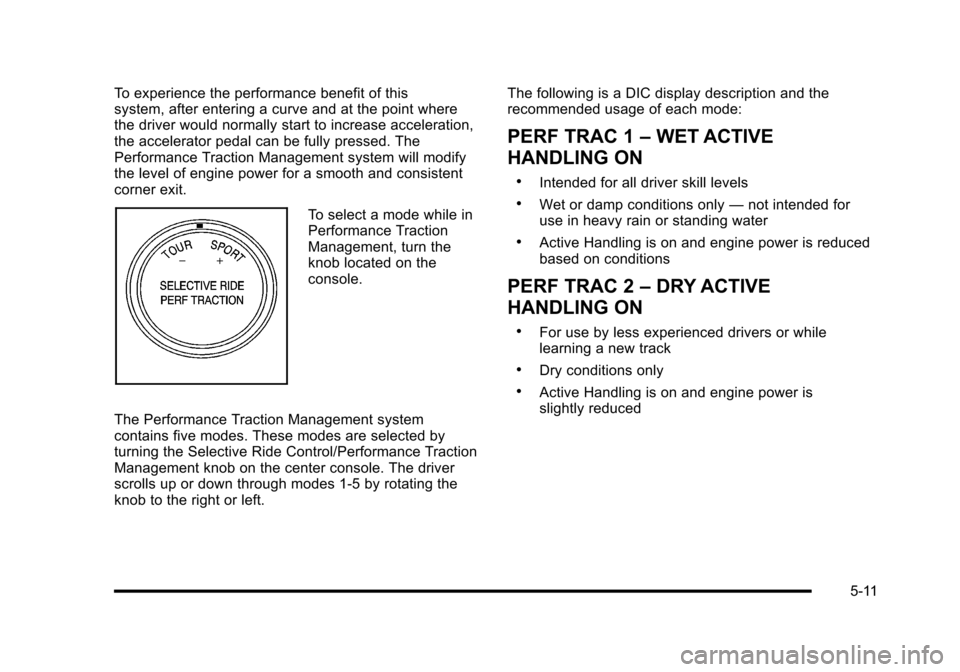
To select a mode while in
Performance Traction
Management, turn the
knob located on the
console.
The Performance Traction Management system
contains five modes. These modes are selected by
turning the Selective Ride Control/Performance Traction
Management knob on the center console. The driver
scrolls up or down through modes 1-5 by rotating the
knob to the right or left. The following is a DIC display description and the
recommended usage of each mode:
PERF TRAC 1
–WET ACTIVE
HANDLING ON
.Intended for all driver skill levels
.Wet or damp conditions only —not intended for
use in heavy rain or standing water
.Active Handling is on and engine power is reduced
based on conditions
PERF TRAC 2 –DRY ACTIVE
HANDLING ON
.For use by less experienced drivers or while
learning a new track
.Dry conditions only
.Active Handling is on and engine power is
slightly reduced
5-11
Page 290 of 472
PERF TRAC 3–SPORT ACTIVE
HANDLING ON
.For use by drivers who are familiar with the track
.Dry conditions only
.Requires more driving skill than mode 2
.Active Handling is on and more engine power is
available than in mode 2
PERF TRAC 4 –SPORT ACTIVE
HANDLING OFF
.For use by drivers who are familiar with the track
.Dry conditions only
.Requires more driving skill than modes 2 or 3
.Active Handling is off and available engine power
is the same as mode 3
PERF TRAC 5 –RACE ACTIVE
HANDLING OFF
.For use by experienced drivers who are familiar
with the track
.Dry conditions only
.Requires more driving skill than in other modes
.Active Handling is off and engine power is
available for maximum cornering speed
Press and release the ACTIVE HANDLING button
to turn off Performance Traction Management and
return to the Active Handling and Traction Control
Systems. The TRACTION SYSTEM AND ACTIVE
HANDLING-ON message displays briefly in the DIC
and a chime is heard.
5-12
Page 291 of 472
Launch Control
A Launch Control feature is available, within
Competitive Driving Mode (except ZR1) or Performance
Traction Management (ZR1), on vehicles with a manual
transmission to allow the driver to achieve high levels of
vehicle acceleration in a straight line. Launch Control is
a form of traction control that manages tire spin while
launching the vehicle. This feature is intended for use
during closed course race events where consistent
zero to sixty and quarter mile times are desirable.
Launch Control is only available when the following
criteria are met:
.Competitive Driving Mode is selected (except ZR1)
or any of the Performance Traction Management
modes are selected (ZR1). The TCS light comes
on the instrument panel and the appropriate
DIC message displays.
.The vehicle is not moving.
.The steering wheel is pointing straight.
.The clutch is pressed and the vehicle is in
first gear.
.The accelerator pedal is rapidly applied to wide
open throttle. The Launch Control feature will initially limit engine
speed as the driver rapidly applies the accelerator pedal
to wide open throttle. A smooth, quick release of the
clutch, while maintaining the fully pressed accelerator
pedal, will manage wheel slip. Complete shifts as
described in
Manual Transmission Operation
on
page 3‑32.
After the vehicle is launched, the system continues in
Competitive Mode (except ZR1) or Performance
Traction Management (ZR1).
Competitive Driving Mode, Performance Traction
Management, and Launch Control are systems
designed for a closed course race track and not
intended for use on public roads. The systems are not
intended to compensate for lack of driver experience or
familiarity with the race track.
5-13
Page 293 of 472
Three Driver Information Center (DIC) messages
(SERVICE RIDE CONTROL, SHOCKS INOPERATIVE
and MAXIMUM SPEED 80 MPH (129 KM/H) display
when a malfunction occurs with the Selective Ride
Control system . Refer to DIC Warnings and Messages
on page 4‑52for more information.
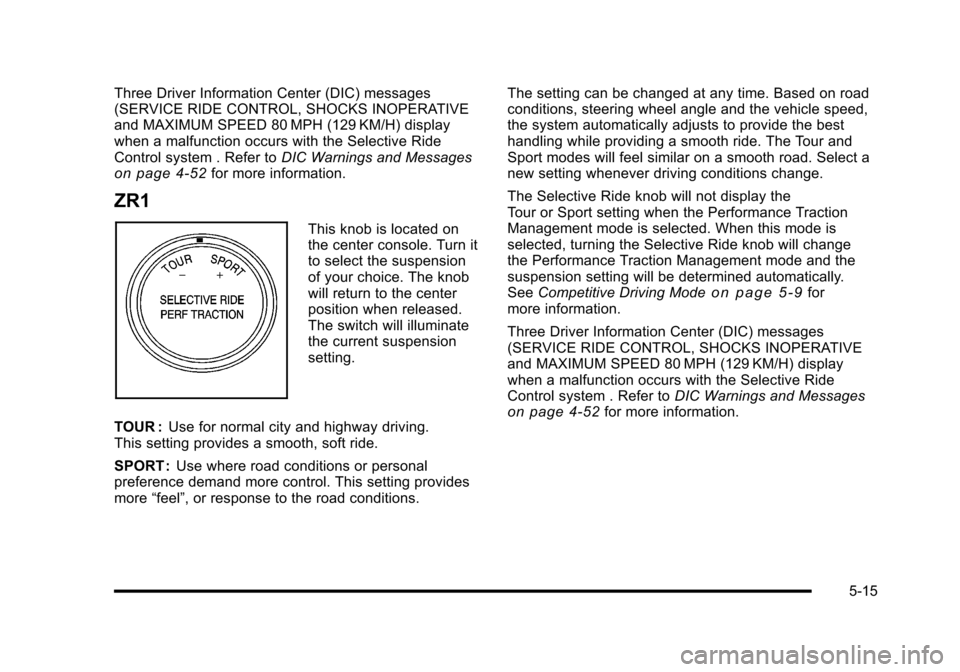
ZR1
This knob is located on
the center console. Turn it
to select the suspension
of your choice. The knob
will return to the center
position when released.
The switch will illuminate
the current suspension
setting.
TOUR : Use for normal city and highway driving.
This setting provides a smooth, soft ride.
SPORT : Use where road conditions or personal
preference demand more control. This setting provides
more “feel”, or response to the road conditions. The setting can be changed at any time. Based on road
conditions, steering wheel angle and the vehicle speed,
the system automatically adjusts to provide the best
handling while providing a smooth ride. The Tour and
Sport modes will feel similar on a smooth road. Select a
new setting whenever driving conditions change.
The Selective Ride knob will not display the
Tour or Sport setting when the Performance Traction
Management mode is selected. When this mode is
selected, turning the Selective Ride knob will change
the Performance Traction Management mode and the
suspension setting will be determined automatically.
See
Competitive Driving Mode
on page 5‑9for
more information.
Three Driver Information Center (DIC) messages
(SERVICE RIDE CONTROL, SHOCKS INOPERATIVE
and MAXIMUM SPEED 80 MPH (129 KM/H) display
when a malfunction occurs with the Selective Ride
Control system . Refer to DIC Warnings and Messages
on page 4‑52for more information.
5-15
Page 323 of 472
{WARNING:
Fuel can spray out on you if you open the fuel cap
too quickly. If you spill fuel and then something
ignites it, you could be badly burned. This spray
can happen if the tank is nearly full, and is more
likely in hot weather. Open the fuel cap slowly and
wait for any hiss noise to stop. Then unscrew the
cap all the way.
Be careful not to spill fuel. Do not top off or overfill the
tank and wait a few seconds after you have finished
pumping before removing the nozzle. Clean fuel from
painted surfaces as soon as possible. See Washing
Your Vehicle on page 6‑94.
When replacing the fuel cap, turn it clockwise
until it clicks. Make sure the cap is fully installed.
The diagnostic system can determine if the fuel cap
has been left off or improperly installed. This would
allow fuel to evaporate into the atmosphere.
See Malfunction Indicator Lamp on page 4‑41. The CHECK GAS CAP message displays on the Driver
Information Center (DIC) if the fuel cap is not properly
installed. See
DIC Warnings and Messages
on
page 4‑52for more information.
{WARNING:
If a fire starts while you are refueling, do not
remove the nozzle. Shut off the flow of fuel by
shutting off the pump or by notifying the station
attendant. Leave the area immediately.
Notice: If you need a new fuel cap, be sure to get
the right type. Your dealer/retailer can get one for
you. If you get the wrong type, it may not fit
properly. This may cause the malfunction indicator
lamp to light and may damage the fuel tank and
emissions system. See Malfunction Indicator Lamp
on page 4‑41.
6-11
Page 331 of 472
A.Engine Air Cleaner/Filter on page 6‑27.
B. Power Steering Fluid Reservoir. See Power
Steering Fluid on page 6‑41.
C. Engine Compartment Fuse Block on page 6‑104.
D. Remote Positive (+) Terminal (Out of View). See Jump Starting on page 6‑50.
E. Engine Oil Dipstick. See “Checking Engine Oil”
under Engine Oil on page 6‑19.
F. Dry Sump Engine Oil Tank. See “Changing Engine
Oil and Filter” Engine Oil on page 6‑19.
G. Engine Oil Fill Cap. See “When to Add Engine Oil”
under Engine Oil on page 6‑19.
H. Coolant Surge Tank and Pressure Cap. See Engine Coolant on page 6‑34.
I. Windshield Washer Fluid Reservoir. See “Adding
Washer Fluid” underWindshield Washer Fluid
on
page 6‑42.
J. Brake Fluid Reservoir. See “Brake Fluid”under
Brakes on page 6‑43.
K. Clutch Master Cylinder Reservoir. See Hydraulic
Clutch on page 6‑31.
Engine Oil
Checking Engine Oil
(Except ZO6, ZR1, and Grand Sport)
If the CHECK OIL LEVEL message displays on the
Driver Information Center (DIC), check the engine oil
level right away. For more information, see Driver
Information Center (DIC)
on page 4‑47. Check the
engine oil level regularly; this is an added reminder.
It is a good idea to check the engine oil level at each
fuel fill. In order to get an accurate reading, the oil must
be warm and the vehicle must be on level ground.
The engine oil dipstick handle is a yellow loop.
See Engine Compartment Overview
on page 6‑14for the location of the engine oil dipstick.
1. Turn off the engine and give the oil a few minutes to drain back into the oil pan. If this is not done,
the oil dipstick might not show the actual level.
2. Pull out the dipstick and clean it with a lint‐free paper towel or a cloth, then push it back in all
the way.
3. Remove the dipstick again, keeping the tip down and read the level on the cross‐hatched area.
Oil levels that fall in the cross‐hatched area are
normal.
4. Push the dipstick back in all the way.
6-19