lock CHEVROLET CORVETTE 2010 6.G Workshop Manual
[x] Cancel search | Manufacturer: CHEVROLET, Model Year: 2010, Model line: CORVETTE, Model: CHEVROLET CORVETTE 2010 6.GPages: 472, PDF Size: 11.44 MB
Page 175 of 472
{WARNING:
In freezing weather, do not use your washer until
the windshield is warmed. Otherwise the washer
fluid can form ice on the windshield, blocking your
vision.
If the fluid in the windshield washer fluid reservoir is low,
the message CHECK WASHER FLUID will appear on
the Driver Information Center (DIC) display. It will take
15 seconds after the bottle is refilled for this message to
turn off. For information on the correct washer fluid to
use, see Windshield Washer Fluid
on page 6‑42and
Recommended Fluids and Lubricants on page 7‑10.
Cruise Control
With cruise control, a speed of about 40 km/h (25 mph)
or more can be maintained without keeping your foot on
the accelerator. Cruise control does not work at speeds
below about 40 km/h (25 mph).
Cruise control will not work if the parking brake is set,
or if the master cylinder brake fluid level is low.
{WARNING:
Cruise control can be dangerous where you
cannot drive safely at a steady speed. So, do not
use the cruise control on winding roads or in
heavy traffic.
Cruise control can be dangerous on slippery
roads. On such roads, fast changes in tire traction
can cause excessive wheel slip, and you could
lose control. Do not use cruise control on slippery
roads.
If the vehicle is in cruise control, and has the Traction
Control System (TCS), and it begins to limit wheel
spin, the cruise control automatically disengages.
See Traction Control System (TCS)
on page 5‑6.
When road conditions allow the cruise control to be
safely used again, it can be turned back on.
4-7
Page 183 of 472
Exterior Lighting Battery Saver
If the manual parking lamps or headlamps have been
left on, the exterior lamps will turn off as soon as the
ignition is turned off or Retained Accessory Power
(RAP) is active. This protects against draining the
battery in case you have accidentally left the headlamps
or parking lamps on. The battery saver does not work if
the headlamps are turned on after the ignition switch is
turned to off.
If you need to leave the lamps on, use the exterior lamp
control to turn the lamps back on.
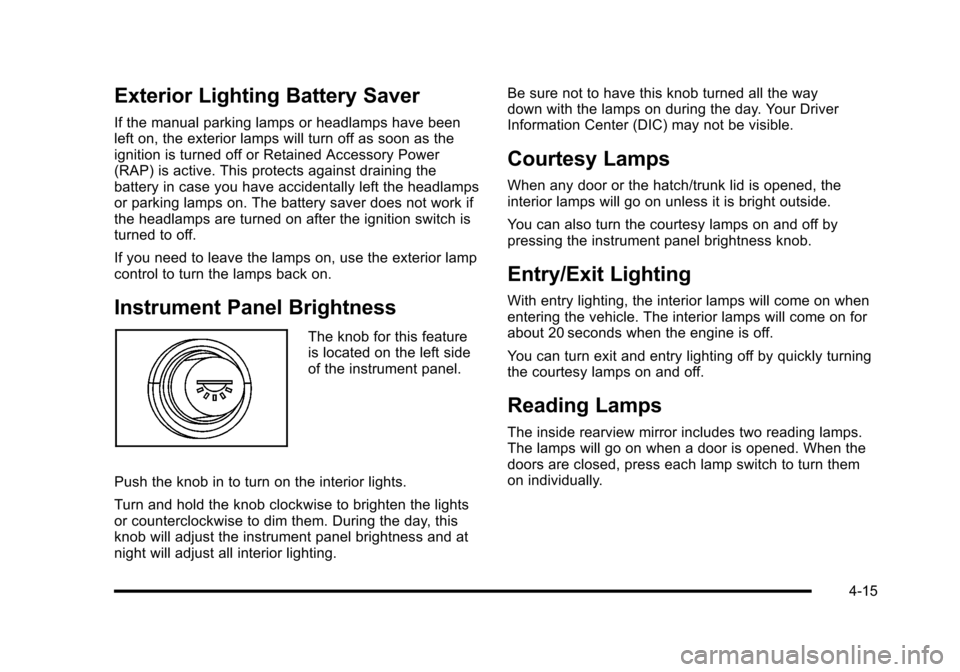
Instrument Panel Brightness
The knob for this feature
is located on the left side
of the instrument panel.
Push the knob in to turn on the interior lights.
Turn and hold the knob clockwise to brighten the lights
or counterclockwise to dim them. During the day, this
knob will adjust the instrument panel brightness and at
night will adjust all interior lighting. Be sure not to have this knob turned all the way
down with the lamps on during the day. Your Driver
Information Center (DIC) may not be visible.
Courtesy Lamps
When any door or the hatch/trunk lid is opened, the
interior lamps will go on unless it is bright outside.
You can also turn the courtesy lamps on and off by
pressing the instrument panel brightness knob.
Entry/Exit Lighting
With entry lighting, the interior lamps will come on when
entering the vehicle. The interior lamps will come on for
about 20 seconds when the engine is off.
You can turn exit and entry lighting off by quickly turning
the courtesy lamps on and off.
Reading Lamps
The inside rearview mirror includes two reading lamps.
The lamps will go on when a door is opened. When the
doors are closed, press each lamp switch to turn them
on individually.
4-15
Page 192 of 472

N(Air Delivery Mode Control) : Press this button to
manually lock in the current air delivery setting and to
stop the automatic mode control. Pressing
Ndeletes
AUTO from the digital display and the mode graphics
will be shown. To change the setting, press
Nagain.
The AUTO button must be pressed to return to the
automatic mode selection.
To change the current mode, select one of the following:
H (Vent) : Air is directed to the instrument panel outlets,
with some air directed to the floor outlets.
% (Bi-Level) : Air is divided between the instrument
panel and floor outlets.
6 (Floor) : Air is directed to the floor outlets, with some
air directed to the windshield and side window defogger
outlets.
- (Floor/Defog) : This mode clears the windows of fog
or moisture. Air is directed to the windshield and the
floor outlets, with a small amount to the side window
outlets. In this mode, the system automatically turns
off the recirculation and runs the air-conditioning
compressor unless the outside temperature is at or
below freezing. The recirculation mode cannot be
selected while in the defog mode. 1(Defrost) :
This mode clears the windows of fog or
frost more quickly. Air is directed to the windshield,
with a small amount directed to the side window outlets.
The indicator light comes on and the digital display will
show the defrost mode symbol and fan speed when the
front defrost mode is being used. In this mode, the
system automatically turns off the recirculation and
runs the air-conditioning compressor, unless the
outside temperature is at or below freezing.
Recirculation cannot be selected while in the defrost
mode. Pressing
1again will return the system to the
last operating mode.
For severe ice conditions, turn the driver's temperature
knob to 32°C (90°F) while in defrost mode.
Do not drive the vehicle until all the windows are clear.
^ (Air Conditioning Off) : Press to turn the air
conditioning compressor off. Press AUTO to return
to automatic operation. When in AUTO, the air
conditioning compressor comes on automatically,
as needed.
Air conditioning does not operate at temperatures below
about 2°C to 4°C (35°F to 40°F). In temperatures above
4°C (40°F), the air conditioning cannot be turned off in
defrost and defog, as it helps to remove moisture from
the vehicle. It also helps to keep the windows clear.
4-24
Page 194 of 472
Sensors
The solar sensor on the vehicle monitors the solar
heat and uses the information to maintain the selected
temperature when operating in AUTO mode by
automatically adjusting the temperature, fan speed
and air delivery system. The system may also supply
cooler air to the side of the vehicle facing the sun.
The recirculation mode will also be activated, as
necessary. Do not cover the solar sensor located
on the top of the instrument panel near the windshield
or the system will not work properly.
There is also a sensor located behind the front bumper.
This sensor reads the outside air temperature and helps
to maintain the temperature inside the vehicle. Any
cover on the front of the vehicle could give a false
reading in the temperature.
If the outside temperature goes up, the displayed
temperature will not change until:
.The vehicle's speed is above 19 km/h (12 mph) for
five minutes.
.The vehicle's speed is above 52 km/h (32 mph) for
two and a half minutes. These delays prevent false readings. If the temperature
goes down, the outside temperature will be shown when
you start the vehicle. If it has been turned off for less
than three hours, the temperature will be recalled from
the previous vehicle operation.
There is also an inside temperature sensor located to
the left of the ignition switch. The automatic climate
control system uses this sensor to receive information,
so if you block or cover it, the system will not function
properly.
Rear Window Defogger
The rear window defogger uses a warming grid to
remove fog or frost from the rear window.
The rear window defogger only works when the engine
is running.
=(Rear Window Defogger) :
Press to turn the
rear window defogger on or off. Be sure to clear
as much snow from the rear window as possible.
An indicator light comes on to show that the rear
window defogger is on.
4-26
Page 195 of 472
The rear window defogger turns off about 10 minutes
after the button is pressed when traveling less than
48 km/h (30 mph). If turned on again, the defogger
only runs for about five minutes before turning off.
The defogger can also be turned off by turning off
the engine.
The vehicle has heated outside rearview mirrors.
The mirrors will heat to help clear fog or frost from the
surface of the mirrors when the rear window defogger
button is pressed.
For vehicles with a power convertible top, the rear
window defogger and heated mirrors are automatically
disabled when the power convertible top is moving
or down.
Notice: Do not use anything sharp on the inside of
the rear window. If you do, you could cut or damage
the warming grid, and the repairs would not be
covered by the vehicle warranty. Do not attach a
temporary vehicle license, tape, a decal or anything
similar to the defogger grid.Outlet Adjustment
Use the tab located on the air outlets to change the
direction of the airflow.
Operation Tips
.Clear away any ice, snow or leaves from the air
inlets at the base of the windshield that may block
the flow of air into your vehicle.
.Use of non-GM approved hood deflectors may
adversely affect the performance of the system.
.Keep the area around the base of the instrument
panel console and air path under the seats clear of
objects to help circulate the air inside of your
vehicle more effectively.
4-27
Page 205 of 472
This light comes on briefly while starting the engine. If it
does not come on, have it fixed so it is ready to warn if
there is a problem.
{WARNING:
The brake system might not be working properly if
the brake system warning light is on. Driving with
the brake system warning light on can lead to a
crash. If the light is still on after the vehicle has
been pulled off the road and carefully stopped,
have the vehicle towed for service.
If this warning light stays on after the engine is started,
the parking brake may still be set or there could be a
brake problem. Refer to Parking Brake
on page 3‑34to
see if it is set. If the parking brake is not set, have the
brake system inspected right away.
If the light comes on while driving and a CHECK
BRAKE FLUID message shows on the DIC, pull off the
road and stop carefully. The pedal may be harder to
push or the pedal may go closer to the floor. It may take
longer to stop. If the light is still on, have the vehicle
towed for service. See Towing Your Vehicle
on
page 5‑33and DIC Warnings and Messageson
page 4‑52for more information.
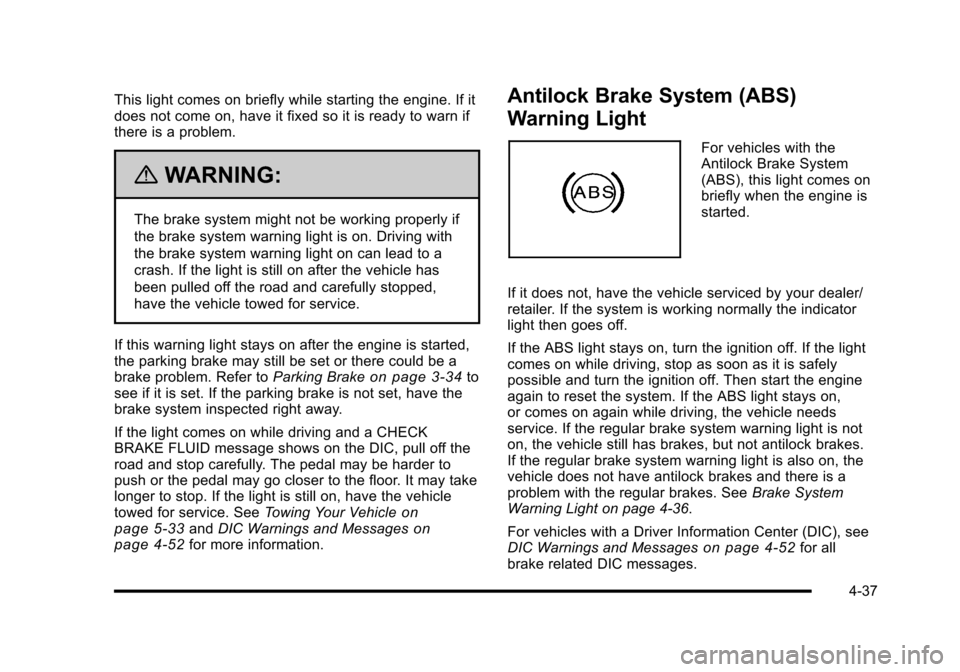
Antilock Brake System (ABS)
Warning Light
For vehicles with the
Antilock Brake System
(ABS), this light comes on
briefly when the engine is
started.
If it does not, have the vehicle serviced by your dealer/
retailer. If the system is working normally the indicator
light then goes off.
If the ABS light stays on, turn the ignition off. If the light
comes on while driving, stop as soon as it is safely
possible and turn the ignition off. Then start the engine
again to reset the system. If the ABS light stays on,
or comes on again while driving, the vehicle needs
service. If the regular brake system warning light is not
on, the vehicle still has brakes, but not antilock brakes.
If the regular brake system warning light is also on, the
vehicle does not have antilock brakes and there is a
problem with the regular brakes. See Brake System
Warning Light on page 4‑36.
For vehicles with a Driver Information Center (DIC), see
DIC Warnings and Messages
on page 4‑52for all
brake related DIC messages.
4-37
Page 216 of 472
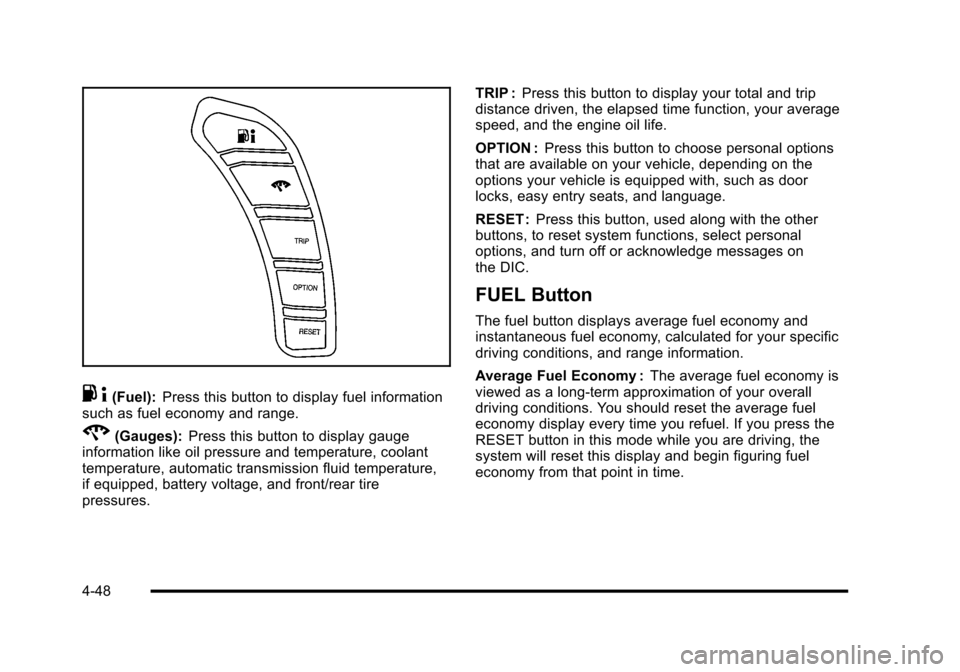
.4(Fuel): Press this button to display fuel information
such as fuel economy and range.
2(Gauges): Press this button to display gauge
information like oil pressure and temperature, coolant
temperature, automatic transmission fluid temperature,
if equipped, battery voltage, and front/rear tire
pressures. TRIP :
Press this button to display your total and trip
distance driven, the elapsed time function, your average
speed, and the engine oil life.
OPTION : Press this button to choose personal options
that are available on your vehicle, depending on the
options your vehicle is equipped with, such as door
locks, easy entry seats, and language.
RESET : Press this button, used along with the other
buttons, to reset system functions, select personal
options, and turn off or acknowledge messages on
the DIC.
FUEL Button
The fuel button displays average fuel economy and
instantaneous fuel economy, calculated for your specific
driving conditions, and range information.
Average Fuel Economy : The average fuel economy is
viewed as a long-term approximation of your overall
driving conditions. You should reset the average fuel
economy display every time you refuel. If you press the
RESET button in this mode while you are driving, the
system will reset this display and begin figuring fuel
economy from that point in time.
4-48
Page 221 of 472
ABS (Antilock Brake System) ACTIVE
This message displays when the Antilock Brake System
(ABS) is adjusting brake pressure to help avoid a
braking skid.
Slippery road conditions may exist if this message
is displayed, so adjust your driving accordingly. The
message stays on for a few seconds after the system
stops adjusting brake pressure. See Antilock Brake
System (ABS)
on page 5‑5for more information.
ACTIVE HANDLING
This message displays when the Active Handling
System is operating. The Active Handling System is a
computer controlled system that assists the driver in
controlling the vehicle in difficult driving conditions.
You may feel or hear the system working and see the
ACTIVE HANDLING message displayed in the DIC.
This message stays on for a few seconds following the
active handling event. This is normal when the system
is operating. See Active Handling System
on page 5‑8andBraking on page 5‑4.
ACTIVE HANDLING READY
This message displays when the functional check
of the Active Handling System has been completed.
See Active Handling System
on page 5‑8for more
information.
ATTACH TRUNK PARTITION
If the vehicle has a power convertible top, this message
displays and a sound will be heard if the trunk partition
is not in place. Open the hatch/trunk and make sure the
trunk partition is secure and no objects are on the trunk
partition. See Rear Storage Area
on page 3‑51for
more information.
BATTERY SAVER ACTIVE
This message displays when the vehicle has
detected that the battery voltage is dropping beyond
a reasonable point. The battery saver system starts
reducing certain features of the vehicle that you may
be able to notice. At the point that features are disabled,
this message is displayed. It means that the vehicle
is trying to save the charge in the battery. Turn off
unnecessary accessories to allow the battery to
recharge.
4-53
Page 231 of 472
SERVICE ACTIVE HANDLING SYSTEM
This message displays if there is a problem with the
Active Handling System and the vehicle needs service.
The active handling system light on the instrument
panel cluster also turns on and a sound will be heard.
See your dealer/retailer. When this message is
displayed, the system is not working. Adjust your driving
accordingly. See Active Handling System
on page 5‑8for more information.
SERVICE AIR CONDITIONING
This message displays when the electronic sensors
that control the air conditioning and heating systems
are no longer working. Have the climate control system
serviced by your dealer/retailer if you notice a drop in
heating and air conditioning efficiency.
SERVICE ANTILOCK BRAKES
If this message displays while you are driving, stop as
soon as possible and turn the ignition off. Then start the
engine again to reset the system. If the message stays
on, or comes back on again while you are driving, the
vehicle is in need of service. See your dealer/retailer. If the antilock brake system (ABS) warning light is on
and the regular brake system warning light is not on,
you still have brakes, but do not have ABS. If the
regular brake system warning light is also on, you do
not have ABS and there is a problem with the brakes.
See
Antilock Brake System (ABS) Warning Light
on
page 4‑37and Brake System Warning Lighton
page 4‑36.
If this message is displayed, the Traction Control
System (TCS) and the Active Handling System will
also be disabled. The DIC will scroll three messages:
SERVICE ANTILOCK BRAKES, SERVICE TRACTION
SYSTEM, and SERVICE ACTIVE HANDLING, and the
instrument panel cluster lights will come on along with a
sound. When the service message is displayed, the
computer controlled systems will not assist the driver.
Have the system repaired by your dealer/retailer as
soon as possible. Adjust your driving accordingly.
To acknowledge these messages, press the RESET
button.
4-63
Page 236 of 472
TRACTION SYSTEM AND ACTIVE
HANDLING –OFF
This message displays, the instrument panel cluster
light turns on, and a sound will be heard when the
Traction Control System (TCS) and Active Handling
System are turned off by pressing the Active Handling
System button on the console for five seconds. The
Antilock Brake System (ABS) remains on with the TCS
and Active Handling System off. Adjust your driving
accordingly. See Traction Control System (TCS)
on
page 5‑6and Active Handling Systemon page 5‑8for more information.
To acknowledge this message, press the RESET
button.
TRACTION SYSTEM AND ACTIVE
HANDLING –ON
If the Traction Control System (TCS) and Active
Handling System are off, this message displays briefly,
the instrument panel cluster light turns off, and a sound
will be heard when the TCS and Active Handling
System are turned on by briefly pressing the Active
Handling System button on the console. See Traction
Control System (TCS)
on page 5‑6and Active
Handling Systemon page 5‑8for more information.
TRACTION SYSTEM –OFF
This message displays and stays on, a sound will be
heard, and the traction control system (TCS) warning
light on the instrument panel cluster turns on when the
TCS is turned off by pressing the Active Handling
System button on the console. See Traction Control
System (TCS) Warning Light
on page 4‑38. See
Traction Control System (TCS)on page 5‑6for more
information.
To acknowledge the message, press the RESET button.
TRACTION SYSTEM –ON
This message displays and a sound will be heard when
the Traction Control System (TCS) is turned on by
pressing the Active Handling System button on the
console. This message automatically clears from the
DIC display on its own. See Traction Control System
(TCS)
on page 5‑6for more information.
4-68