change wheel CHEVROLET CORVETTE 2011 6.G User Guide
[x] Cancel search | Manufacturer: CHEVROLET, Model Year: 2011, Model line: CORVETTE, Model: CHEVROLET CORVETTE 2011 6.GPages: 428, PDF Size: 6.63 MB
Page 174 of 428
Black plate (54,1)Chevrolet Corvette Owner Manual - 2011
5-54 Instruments and Controls
If this message is displayed during
normal vehicle operation on flat
roads, the vehicle may need
service. See your dealer for an
inspection.
If driving in a performance or
competitive manner, the use of
(S) Sport Automatic Mode or
(S) Sport Manual Paddle Shift
gear selection is recommended.
SeeAutomatic Transmission on
page 9‑28 for more information.
To acknowledge the message, press
the RESET button. The message
reappears every 10 minutes until
this condition changes. If you do
not press the RESET button, the
message remains on the display
until the condition changes.
UPSHIFT NOW
See Manual Transmission on
page 9‑32.
Vehicle Reminder
Messages
ACCESSORY MODE ON
This message displays when the
vehicle is in accessory mode.
ICE POSSIBLE
This message displays when
the outside air temperature is
cold enough to create icy road
conditions. Adjust your driving
accordingly.
OPTIONS UNAVAILABLE
This message displays for a
few seconds if a keyless access
transmitter that is not labelled 1 or 2
is used and you try to personalize
the features on the vehicle by
pressing the OPTION button.
The personalization system will
not recognize the transmitter and
the DIC will not display the current
driver number or the menus
used to set personalizations. The personalization features will
then be set to the default states.
See
Vehicle Personalization on
page 5‑55 for more information.
SET PARK BRAKE FOR SEAT
RECALL
If the vehicle has a manual
transmission, this message
displays if you try to recall the
memory positions when the ignition
is on and the parking brake is not
set. If the vehicle is on, you must
set the parking brake in order for
the memory positions to recall.
See“Memory Seat, Mirrors and
Steering Wheel” underPower Seat
Adjustment on page 3‑3 for more
information.
Washer Fluid Messages
CHECK WASHER FLUID
See Washer Fluid on page 10‑37.
Page 191 of 428
Black plate (1,1)Chevrolet Corvette Owner Manual - 2011
Lighting 6-1
Lighting
Exterior Lighting
Exterior Lamp Controls . . . . . . . . 6-1
Exterior Lamps OffReminder . . . . . . . . . . . . . . . . . . . . 6-2
Headlamp High/Low-Beam Changer . . . . . . . . . . . . . . . . . . . . . 6-2
Flash-to-Pass . . . . . . . . . . . . . . . . . 6-2
Daytime Running Lamps (DRL) . . . . . . . . . . . . . . . . 6-2
Twilight Sentinel . . . . . . . . . . . . . . 6-3
Hazard Warning Flashers . . . . . 6-4
Turn and Lane-Change Signals (Auto Signal) . . . . . . . . . . . . . . . . 6-4
Fog Lamps . . . . . . . . . . . . . . . . . . . . 6-5
Interior Lighting
Instrument Panel Illumination Control . . . . . . . . . . . . . . . . . . . . . . 6-5
Courtesy Lamps . . . . . . . . . . . . . . 6-6
Reading Lamps . . . . . . . . . . . . . . . 6-6
Lighting Features
Entry/Exit Lighting . . . . . . . . . . . . . 6-6
Battery Power Protection . . . . . . 6-7
Exterior Lighting Battery Saver . . . . . . . . . . . . . . . . . . . . . . . . 6-7
Exterior Lighting
Exterior Lamp Controls
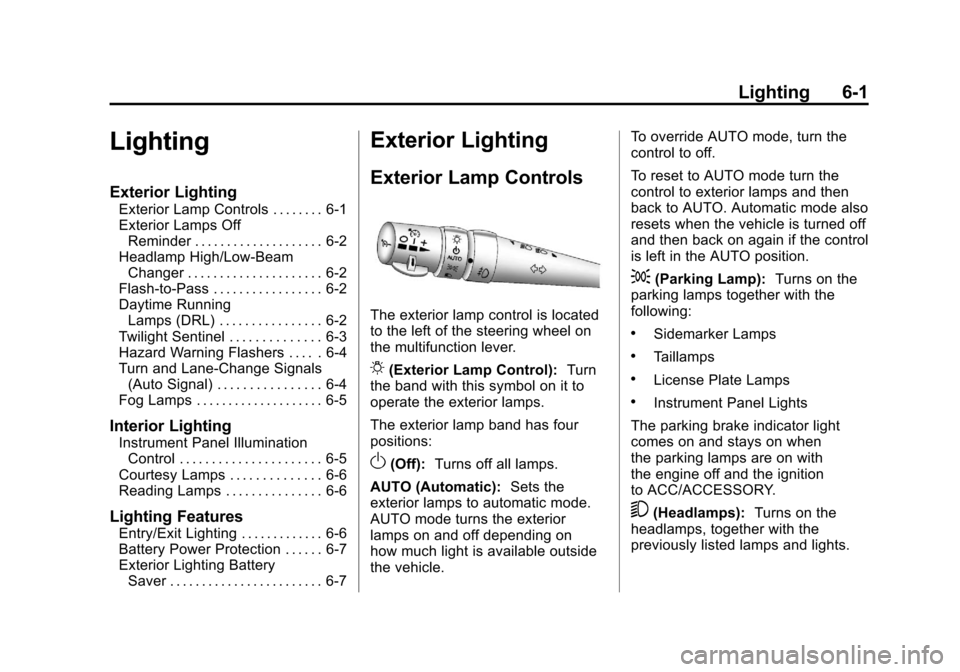
The exterior lamp control is located
to the left of the steering wheel on
the multifunction lever.
O(Exterior Lamp Control): Turn
the band with this symbol on it to
operate the exterior lamps.
The exterior lamp band has four
positions:
O(Off): Turns off all lamps.
AUTO (Automatic): Sets the
exterior lamps to automatic mode.
AUTO mode turns the exterior
lamps on and off depending on
how much light is available outside
the vehicle. To override AUTO mode, turn the
control to off.
To reset to AUTO mode turn the
control to exterior lamps and then
back to AUTO. Automatic mode also
resets when the vehicle is turned off
and then back on again if the control
is left in the AUTO position.
;(Parking Lamp):
Turns on the
parking lamps together with the
following:
.Sidemarker Lamps
.Taillamps
.License Plate Lamps
.Instrument Panel Lights
The parking brake indicator light
comes on and stays on when
the parking lamps are on with
the engine off and the ignition
to ACC/ACCESSORY.
5(Headlamps): Turns on the
headlamps, together with the
previously listed lamps and lights.
Page 216 of 428
Black plate (18,1)Chevrolet Corvette Owner Manual - 2011
7-18 Infotainment System
Phone
Bluetooth
Vehicles with a Bluetooth system
can use a Bluetooth capable cell
phone with a Hands Free Profile
to make and receive phone calls.
The system can be used while
the key is in ON/RUN or ACC/
ACCESSORY position. The range
of the Bluetooth system can be
up to 9.1 m (30 ft). Not all phones
support all functions, and not all
phones are guaranteed to work with
the in-vehicle Bluetooth system.
See www.gm.com/bluetooth for
more information on compatible
phones.
Voice Recognition
The Bluetooth system uses voice
recognition to interpret voice
commands to dial phone numbers
and name tags.
For additional information say
“Help”while you are in a voice
recognition menu. Noise:
Keep interior noise levels to
a minimum. The system may not
recognize voice commands if there
is too much background noise.
When to Speak: A short tone
sounds after the system responds
indicating when it is waiting for a
voice command. Wait until the tone
and then speak.
How to Speak: Speak clearly in a
calm and natural voice.
Audio System
When using the in‐vehicle Bluetooth
system, sound comes through
the vehicle's front audio system
speakers and overrides the
audio system. Use the audio
system volume knob, during
a call, to change the volume
level. The adjusted volume level
remains in memory for later calls.
To prevent missed calls, a minimum
volume level is used if the volume
is turned down too low.
Bluetooth Controls
Use the buttons located on the
steering wheel to operate the
in‐vehicle Bluetooth system.
See Steering Wheel Controls on
page 5‑3 for more information.
bg(Push To Talk) : Press to
answer incoming calls, to confirm
system information, and to start
speech recognition.
c(Phone On Hook): Press to
end a call, reject a call, or to cancel
an operation.
Pairing
A Bluetooth cell phone must be
paired to the Bluetooth system and
then connected to the vehicle before
it can be used. See your cell phone
manufacturers user guide for
Bluetooth functions before pairing
the cell phone. If a Bluetooth phone
is not connected, calls will be made
using OnStar
®Hands‐Free Calling,
if available. Refer to the OnStar
owner's guide for more information.
Page 236 of 428
Black plate (6,1)Chevrolet Corvette Owner Manual - 2011
9-6 Driving and Operating
Turn the steering wheel 8 to 13 cm
(3 to 5 inches), about one-eighth
turn, until the right front tire contacts
the pavement edge. Then turn the
steering wheel to go straight down
the roadway.
Loss of Control
Let us review what driving experts
say about what happens when the
three control systems—brakes,
steering, and acceleration —do not
have enough friction where the tires
meet the road to do what the driver
has asked.
In any emergency, do not give up.
Keep trying to steer and constantly
seek an escape route or area of
less danger.
Skidding
In a skid, a driver can lose control of
the vehicle. Defensive drivers avoid
most skids by taking reasonable
care suited to existing conditions,
and by not overdriving those
conditions. But skids are always
possible.
The three types of skids correspond
to the vehicle's three control
systems. In the braking skid,
the wheels are not rolling. In the
steering or cornering skid, too much
speed or steering in a curve causes
tires to slip and lose cornering force.
And in the acceleration skid, too
much throttle causes the driving
wheels to spin.
If the vehicle starts to slide, ease
your foot off the accelerator pedal
and quickly steer the way you
want the vehicle to go. If you start
steering quickly enough, the vehicle
may straighten out. Always be ready
for a second skid if it occurs. Of course, traction is reduced when
water, snow, ice, gravel, or other
material is on the road. For safety,
slow down and adjust your driving to
these conditions. It is important to
slow down on slippery surfaces
because stopping distance is longer
and vehicle control more limited.
While driving on a surface with
reduced traction, try to avoid
sudden steering, acceleration,
or braking, including reducing
vehicle speed by shifting to a lower
gear. Any sudden changes could
cause the tires to slide. You might
not realize the surface is slippery
until the vehicle is skidding. Learn
to recognize warning clues
—such
as enough water, ice, or packed
snow on the road to make a
mirrored surface —and slow
down when you have any doubt.
Remember: Antilock brakes help
avoid only the braking skid.
Page 265 of 428
Black plate (35,1)Chevrolet Corvette Owner Manual - 2011
Driving and Operating 9-35
If driving safely on a wet road
and it becomes necessary to slam
on the brakes and continue braking
to avoid a sudden obstacle, a
computer senses that the wheels
are slowing down. If one of the
wheels is about to stop rolling,
the computer will separately work
the brakes at each wheel.
ABS can change the brake pressure
to each wheel, as required, faster
than any driver could. This can help
the driver steer around the obstacle
while braking hard.
As the brakes are applied, the
computer keeps receiving updates
on wheel speed and controls
braking pressure accordingly.
Remember: ABS does not change
the time needed to get a foot up to
the brake pedal or always decreasestopping distance. If you get too
close to the vehicle in front of you,
there will not be enough time to
apply the brakes if that vehicle
suddenly slows or stops. Always
leave enough room up ahead to
stop, even with ABS.
Using ABS
Do not pump the brakes. Just hold
the brake pedal down firmly and let
ABS work. You might hear the ABS
pump or motor operating and feel
the brake pedal pulsate, but this is
normal.
Braking in Emergencies
ABS allows the driver to steer and
brake at the same time. In many
emergencies, steering can help
more than even the very best
braking.
Parking Brake
The parking brake lever is located to
the right of the center console.
To set the parking brake, hold the
brake pedal down. Pull the parking
brake lever up. If the ignition is on,
the brake system warning light will
come on.
To release the parking brake, hold
the brake pedal down. Then push
the release button in as you move
the parking brake lever all the
way down.
Notice:
Driving with the parking
brake on can overheat the brake
system and cause premature
wear or damage to brake system
parts. Make sure that the parking
brake is fully released and the
brake warning light is off before
driving.
Page 273 of 428
Black plate (43,1)Chevrolet Corvette Owner Manual - 2011
Driving and Operating 9-43
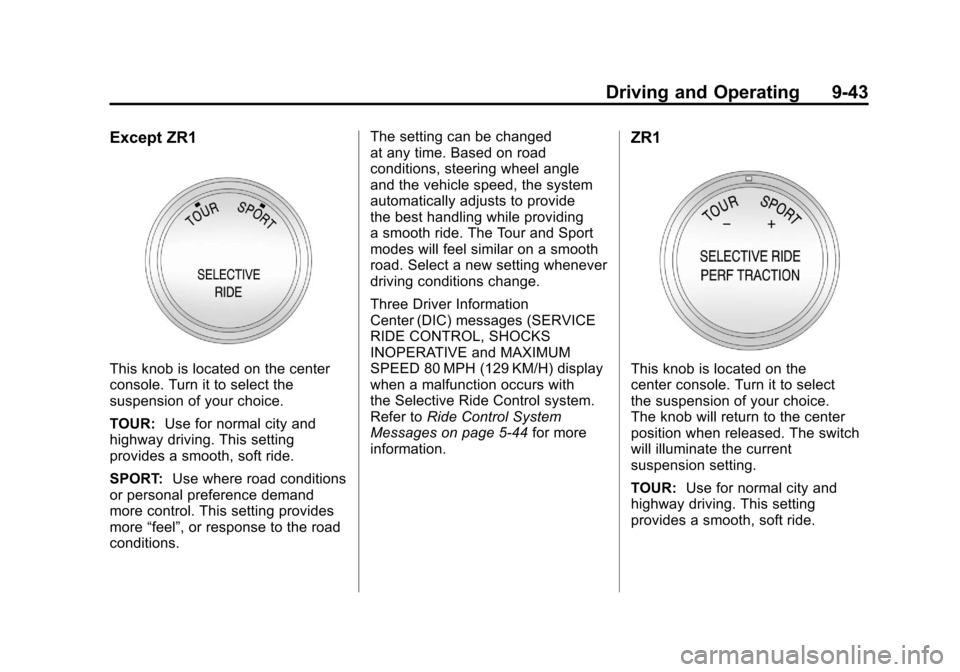
Except ZR1
This knob is located on the center
console. Turn it to select the
suspension of your choice.
TOUR:Use for normal city and
highway driving. This setting
provides a smooth, soft ride.
SPORT: Use where road conditions
or personal preference demand
more control. This setting provides
more “feel”, or response to the road
conditions. The setting can be changed
at any time. Based on road
conditions, steering wheel angle
and the vehicle speed, the system
automatically adjusts to provide
the best handling while providing
a smooth ride. The Tour and Sport
modes will feel similar on a smooth
road. Select a new setting whenever
driving conditions change.
Three Driver Information
Center (DIC) messages (SERVICE
RIDE CONTROL, SHOCKS
INOPERATIVE and MAXIMUM
SPEED 80 MPH (129 KM/H) display
when a malfunction occurs with
the Selective Ride Control system.
Refer to
Ride Control System
Messages on page 5‑44 for more
information.
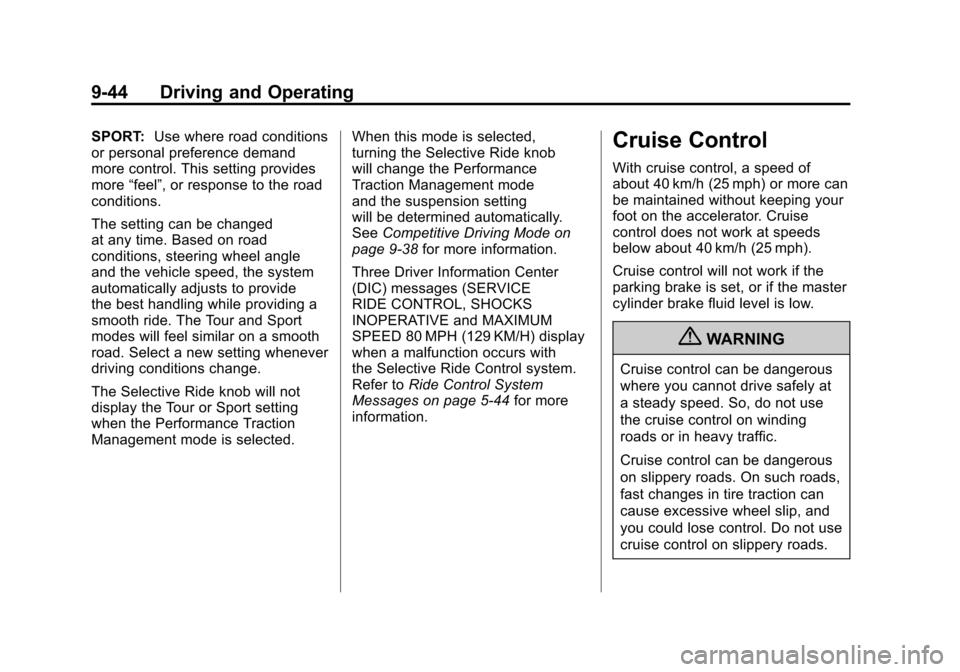
ZR1
This knob is located on the
center console. Turn it to select
the suspension of your choice.
The knob will return to the center
position when released. The switch
will illuminate the current
suspension setting.
TOUR: Use for normal city and
highway driving. This setting
provides a smooth, soft ride.
Page 274 of 428
Black plate (44,1)Chevrolet Corvette Owner Manual - 2011
9-44 Driving and Operating
SPORT:Use where road conditions
or personal preference demand
more control. This setting provides
more “feel”, or response to the road
conditions.
The setting can be changed
at any time. Based on road
conditions, steering wheel angle
and the vehicle speed, the system
automatically adjusts to provide
the best handling while providing a
smooth ride. The Tour and Sport
modes will feel similar on a smooth
road. Select a new setting whenever
driving conditions change.
The Selective Ride knob will not
display the Tour or Sport setting
when the Performance Traction
Management mode is selected. When this mode is selected,
turning the Selective Ride knob
will change the Performance
Traction Management mode
and the suspension setting
will be determined automatically.
See
Competitive Driving Mode on
page 9‑38 for more information.
Three Driver Information Center
(DIC) messages (SERVICE
RIDE CONTROL, SHOCKS
INOPERATIVE and MAXIMUM
SPEED 80 MPH (129 KM/H) display
when a malfunction occurs with
the Selective Ride Control system.
Refer to Ride Control System
Messages on page 5‑44 for more
information.Cruise Control
With cruise control, a speed of
about 40 km/h (25 mph) or more can
be maintained without keeping your
foot on the accelerator. Cruise
control does not work at speeds
below about 40 km/h (25 mph).
Cruise control will not work if the
parking brake is set, or if the master
cylinder brake fluid level is low.
{WARNING
Cruise control can be dangerous
where you cannot drive safely at
a steady speed. So, do not use
the cruise control on winding
roads or in heavy traffic.
Cruise control can be dangerous
on slippery roads. On such roads,
fast changes in tire traction can
cause excessive wheel slip, and
you could lose control. Do not use
cruise control on slippery roads.
Page 323 of 428
Black plate (39,1)Chevrolet Corvette Owner Manual - 2011
Vehicle Care 10-39
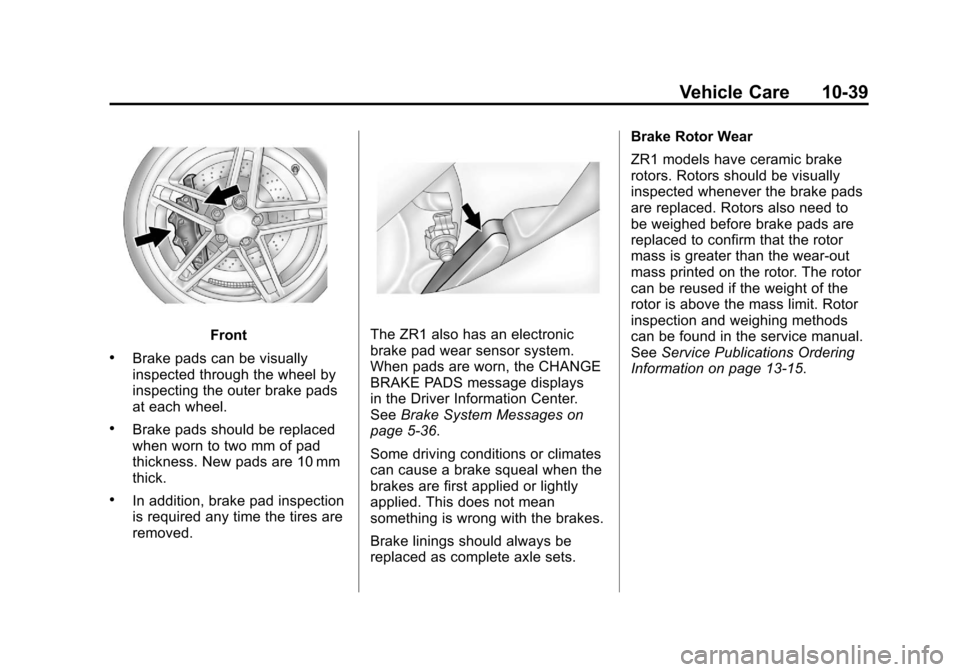
Front
.Brake pads can be visually
inspected through the wheel by
inspecting the outer brake pads
at each wheel.
.Brake pads should be replaced
when worn to two mm of pad
thickness. New pads are 10 mm
thick.
.In addition, brake pad inspection
is required any time the tires are
removed.
The ZR1 also has an electronic
brake pad wear sensor system.
When pads are worn, the CHANGE
BRAKE PADS message displays
in the Driver Information Center.
SeeBrake System Messages on
page 5‑36.
Some driving conditions or climates
can cause a brake squeal when the
brakes are first applied or lightly
applied. This does not mean
something is wrong with the brakes.
Brake linings should always be
replaced as complete axle sets. Brake Rotor Wear
ZR1 models have ceramic brake
rotors. Rotors should be visually
inspected whenever the brake pads
are replaced. Rotors also need to
be weighed before brake pads are
replaced to confirm that the rotor
mass is greater than the wear‐out
mass printed on the rotor. The rotor
can be reused if the weight of the
rotor is above the mass limit. Rotor
inspection and weighing methods
can be found in the service manual.
See
Service Publications Ordering
Information on page 13‑15.
Page 343 of 428
Black plate (59,1)Chevrolet Corvette Owner Manual - 2011
Vehicle Care 10-59
Winter Tires
If you expect to drive on snow or ice
covered roads often, you may want
to get winter tires for your vehicle.
All season tires provide good overall
performance on most surfaces but
they may not offer the traction you
would like or the same level of
performance as winter tires on
snow or ice covered roads.
Winter tires, in general, are
designed for increased traction
on snow and ice covered roads.
With winter tires, there may be
decreased dry road traction,
increased road noise, and shorter
tread life. After switching to winter
tires, be alert for changes in
vehicle handling and braking.
See your dealer for details
regarding winter tire availability
and proper tire selection. Also, see
Buying New Tires on page 10‑73.If you choose to use winter tires:.Use tires of the same brand and
tread type on all four wheel
positions.
.Use only radial ply tires of the
same size, load range, and
speed rating as the original
equipment tires.
Winter tires with the same speed
rating as your original equipment
tires may not be available for H, V,
W, Y, and ZR speed rated tires.
If you choose winter tires with a
lower speed rating, never exceed
the tire's maximum speed capability.
Run-Flat Tires
This vehicle, when new, had run-flat
tires. There is no spare tire, no tire
changing equipment, and no place
to store a tire in the vehicle. Run-flat
tires perform so well without any air
that a Tire Pressure Monitor System
(TPMS) is used to alert you if a tire
has lost pressure.
{WARNING
When the low tire warning light is
displayed on the instrument panel
cluster, your vehicle's handling
capabilities will be reduced during
severe maneuvers. If you drive
too fast, you could lose control
of your vehicle. You or others
could be injured. Do not drive
over 55 mph (90 km/h) when the
low tire warning light is displayed.
Drive cautiously and check your
tire pressures as soon as
you can.
If a tire goes flat, you will not
need to stop on the side of the
road to change the tire. You can
keep driving, however, if driven
too far or too fast, the tire may
be permanently damaged and
you might not be able to continue
driving on the tire. The tire can
be driven with no air pressure for
up to 105 km (65 miles) at speeds
slower than 90 km/h (55 mph).
Page 363 of 428
Black plate (79,1)Chevrolet Corvette Owner Manual - 2011
Vehicle Care 10-79
{WARNING
Rust or dirt on a wheel, or on the parts to which it is
fastened, can make wheel
nuts become loose after a
time. The wheel could come
off and cause a crash. When
you change a wheel, remove
any rust or dirt from places
where the wheel attaches to
the vehicle. In an emergency,
you can use a cloth or a paper
towel to do this; but be sure to
use a scraper or wire brush
later, if you need to, to get all
the rust or dirt off.Tightening Wheel Lug Nuts
{WARNING
Never use oil or grease on studs
or the threads of the wheel nuts.
If you do, the wheel nuts might
come loose and the wheel could
fall off, causing a crash.
{WARNING
Incorrect wheel nuts or improperly
tightened wheel nuts can cause
the wheel to become loose and
even come off. This could lead
to a crash. Be sure to use the
correct wheel nuts. If you have
to replace them, be sure to get
new GM original equipment
wheel nuts. Notice:
Improperly tightened
wheel nuts can lead to brake
pulsation and rotor damage.
To avoid expensive brake repairs,
evenly tighten the wheel nuts in
the proper sequence and to the
proper torque specification.
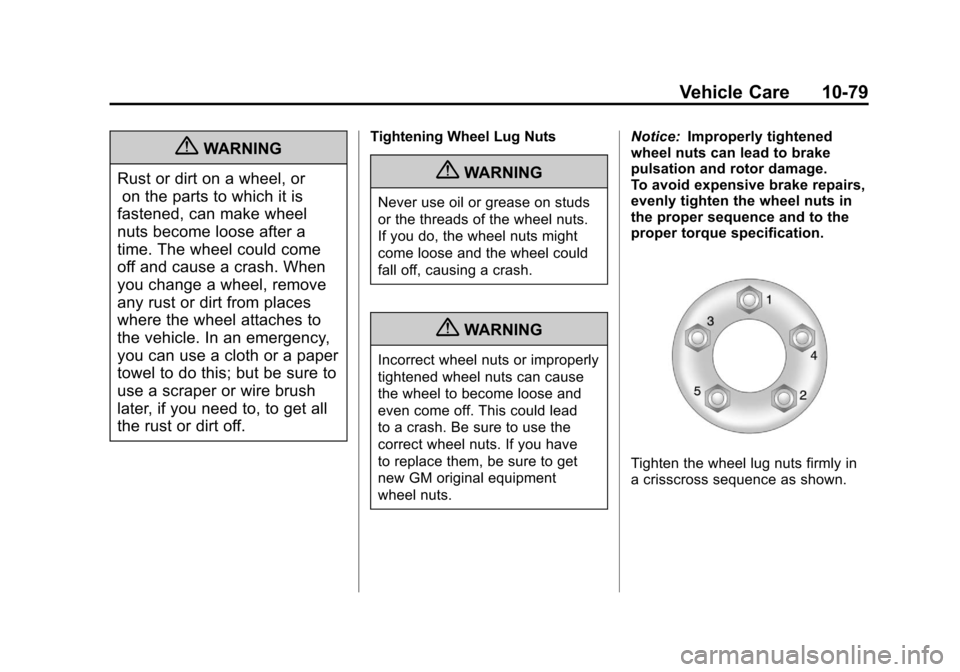
Tighten the wheel lug nuts firmly in
a crisscross sequence as shown.