set CHEVROLET IMPALA 2020 Infotainment System Manual
[x] Cancel search | Manufacturer: CHEVROLET, Model Year: 2020, Model line: IMPALA, Model: CHEVROLET IMPALA 2020Pages: 97, PDF Size: 1.26 MB
Page 79 of 97

Chevrolet Impala Infotainment Manual (2.6) (GMNA-Localizing-U.S./Canada-
14402255) - 2020 - CRC - 6/5/19
78 Settings
3. From the Settings menu, touchTeen Driver.
4. Enter the PIN.
5. Place the Remote Keyless Entry (RKE) transmitter key in
the transmitter pocket. See
“Remote Keyless Entry (RKE)
System Operation” in the
owner's manual for transmitter
pocket location.
6. From the Teen Driver Menu, touch Key Registration.
.If the transmitter key is in
the transmitter pocket, it will
identify whether the
transmitter key is registered
or unregistered.
. If the transmitter key is not
registered, the option to
register displays. Touch
Register and a confirmation
message displays.
. If the transmitter key is
already registered, the
option to unregister
displays. If Unregister is
touched, the transmitter key is no longer registered and
a confirmation message
displays.
In vehicles with a pushbutton start
system, if a Teen Driver transmitter
key and a non-Teen Driver
transmitter key are both present at
start up, the vehicle will recognize
the non-Teen Driver transmitter key
to start the vehicle. The Teen Driver
settings will not be active.
For a keyed ignition system: 1. Start the engine.
2. For automatic transmissions, the vehicle must be in P (Park).
For manual transmissions, the
vehicle must be stopped with
the parking brake set.
3. From the Settings menu, touch Teen Driver.
4. Enter the PIN.
5. Touch Key Registration. The system displays instructions for
registering or unregistering a
key. A confirmation message
displays. Manage Settings
Audio Volume Limit :
Allows a
maximum radio volume to be set.
Turn the audio volume limit On or
Off and choose the maximum level
for the audio volume.
Teen Driver Speed Warning :
Allows for setting a visual and
audible warning when a certain
speed is exceeded. The speed
warning is selectable. The speed
warning does not limit the speed of
the vehicle.
Teen Driver Speed Limiter : Allows
the maximum speed of the vehicle
to be limited. When the speed
limiter is turned On and the vehicle
is started with a Teen Driver key, the
DIC displays a message that the top
speed is limited.
On certain vehicles, when the
Speed Limiter is turned ON, the
vehicle’s maximum acceleration will
be limited. The DIC will display a
message that the acceleration is
limited.
Page 80 of 97
Chevrolet Impala Infotainment Manual (2.6) (GMNA-Localizing-U.S./Canada-
14402255) - 2020 - CRC - 6/5/19
Settings 79
When Teen Driver is Active:
.If equipped with Buckle to Drive,
shifting out of P (Park) will be
prevented if the driver seat belt,
and in some vehicles the front
passenger seat belt, is not
buckled. See “Buckle to Drive” in
the owner ’s manual.
. The radio will mute when the
driver seat belt, and in some
vehicles the front passenger
seat belt, is not buckled. The
audio from any device paired to
the vehicle will also be muted.
. An object placed on the front
passenger seat, such as a
briefcase, handbag, grocery bag,
laptop, or other electronic
device, could cause the
passenger sensing system to
falsely sense an unbuckled front
passenger and mute the radio.
If this happens, remove the
object from the seat. See
“Passenger Sensing System” in
the owner's manual. .
Some safety systems, such as
Lane Departure Warning,
if equipped, cannot be turned
off. They may include: Park
Assist, Side Blind Zone Alert,
Lane Change Alert, Rear Cross
Traffic Alert, Forward Collision
Alert, Automatic Emergency
Braking, Pedestrian Braking,
Lane Departure Warning, Lane
Keep Assist, Daytime Running
Lamps/Automatic Light Control,
Traction Control, Stability
Control, and Antilock Brakes.
. The gap setting for the Forward
Collision Alert and Adaptive
Cruise Control, if equipped,
cannot be changed.
. When trying to change a safety
feature that is not configurable in
Teen Driver, the DIC displays a
message indicating that Teen
Driver is active and the action is
not available.
. Enhanced Low Fuel Warning (if
equipped) –When the vehicle is
low on fuel, the low fuel light on the instrument cluster flashes
and the DIC low fuel warning
cannot be dismissed.
Report Card
The vehicle owner must secure the
driver ’s consent to record certain
vehicle data when the vehicle is
driven with a registered Teen Driver
key. There is one Report Card per
vehicle. Data is not recorded when
Teen Driver is not active.
The Report Card data is collected
from the time Teen Driver is
activated or the last time the Report
Card was reset. The following items
may be recorded:
. Distance Driven –the total
distance driven.
. Maximum Speed –the maximum
vehicle speed recorded.
. Overspeed Warnings –the
number of times the speed
warning setting was exceeded.
. Wide Open Throttle –the
number of times the accelerator
pedal is pressed nearly all the
way down.
Page 81 of 97
Chevrolet Impala Infotainment Manual (2.6) (GMNA-Localizing-U.S./Canada-
14402255) - 2020 - CRC - 6/5/19
80 Settings
.Forward Collision Alerts –the
number of times the driver was
notified when approaching a
vehicle ahead too quickly and at
potential risk for a crash.
. Forward Collision Avoidance
Braking (if equipped) –Also
referred to as Automatic
Emergency Braking, this is the
number of times the vehicle
detected that a forward collision
was imminent and applied the
brakes.
. Traction Control –the number of
times the traction control system
activated to reduce wheel spin
or loss of traction.
. Stability Control –the number of
events which required the use of
electronic stability control.
. ABS Active –Also referred to as
Antilock Brake System Active,
the number of Antilock Brake
System activations.
. Tailgating Alerts –the number of
times the driver was alerted for
following the vehicle ahead too
closely. Delete Report Card Data
Data is saved for all trips until the
data is deleted using the PIN or until
the maximum count is exceeded.
Each item will report a maximum of
1,000 counts. The distance driven
will report a maximum of 64,374 km
(40,000 mi).
To delete Report Card data, do one
of the following:
.
From the Report Card display,
touch Reset.
. Touch Clear All Teen Keys/PIN
from the Teen Driver menu. This
will also unregister any Teen
Driver keys and delete the PIN.
Forgotten PIN
See your dealer to reset the PIN.
Page 85 of 97

Chevrolet Impala Infotainment Manual (2.6) (GMNA-Localizing-U.S./Canada-
14402255) - 2020 - CRC - 6/5/19
84 Trademarks and License Agreements
Gracenote patents. Gracenote,
CDDB, MusicID, MediaVOCS, the
Gracenote logo and logotype, and
the "Powered by Gracenote" logo
are either registered trademarks or
trademarks of Gracenote in the
United States and/or other
countries.
Gracenote Terms of Use
This application or device contains
software from Gracenote, Inc. of
Emeryville, California ("Gracenote").
The software from Gracenote (the
"Gracenote Software") enables this
application to do disc or file
identification and obtain
music-related information, including
name, artist, track, and title
information ("Gracenote Data") from
online servers or embedded
databases (collectively, "Gracenote
Servers") and to perform other
functions. You may use Gracenote
Data only by means of the intended
End-User functions of this
application or device.
This application or device may
contain content belonging to
Gracenote’s providers. If so, all ofthe restrictions set forth herein with
respect to Gracenote Data shall
also apply to such content and such
content providers shall be entitled to
all of the benefits and protections
set forth herein that are available to
Gracenote.
You agree that you will use
Gracenote Data, the Gracenote
Software, and Gracenote Servers
for your own personal
non-commercial use only. You agree
not to assign, copy, transfer or
transmit the Gracenote Software or
any Gracenote Data to any third
party. YOU AGREE NOT TO USE
OR EXPLOIT GRACENOTE DATA,
THE GRACENOTE SOFTWARE,
OR GRACENOTE SERVERS,
EXCEPT AS EXPRESSLY
PERMITTED HEREIN.
You agree that your non-exclusive
license to use the Gracenote Data,
the Gracenote Software, and
Gracenote Servers will terminate if
you violate these restrictions. If your
license terminates, you agree to
cease any and all use of the
Gracenote Data, the Gracenote
Software, and Gracenote Servers.
Gracenote reserves all rights in
Gracenote Data, the Gracenote
Software, and the Gracenote
Servers, including all ownership
rights. Under no circumstances will
Gracenote become liable for any
payment to you for any information
that you provide. You agree that
Gracenote may enforce its rights
under this Agreement against you
directly in its own name.
The Gracenote service uses a
unique identifier to track queries for
statistical purposes. The purpose of
a randomly assigned numeric
identifier is to allow the Gracenote
service to count queries without
knowing anything about who you
are. For more information, see the
web page for the Gracenote Privacy
Policy for the Gracenote service.
The Gracenote Software and each
item of Gracenote Data are licensed
to you "AS IS." Gracenote makes no
representations or warranties,
express or implied, regarding the
accuracy of any Gracenote Data.
Gracenote reserves the right to
Page 87 of 97
Chevrolet Impala Infotainment Manual (2.6) (GMNA-Localizing-U.S./Canada-
14402255) - 2020 - CRC - 6/5/19
86 Trademarks and License Agreements
MPEG4–Visual
USE OF THIS PRODUCT IN ANY
MANNER THAT COMPLIES WITH
THE MPEG-4 VISUAL STANDARD
IS PROHIBITED, EXCEPT FOR
USE BY A CONSUMER
ENGAGING IN PERSONAL AND
NON-COMMERCIAL ACTIVITIES.
MP3
MPEG Layer-3 audio coding
technology licensed from
Fraunhofer IIS and Thomson.
WMA
This product is protected by certain
intellectual property rights of
Microsoft. Use or distribution of
such technology outside of this
product is prohibited without a
license from Microsoft.
For more information on the
Software, including any open source
software license terms (and
available source code) as well as
copyright attributions applicable to
the Runtime Configuration indicated
above, please contact theManufacturer or contact QSSC at
175 Terence Matthews Crescent,
Kanata, Ontario, Canada K2M 1W8
([email protected]).
Map End User License
Agreement
END USER TERMS
The Map Data Disc (“Data”) is
provided for your personal, internal
use only and not for resale. It is
protected by copyright, and is
subject to the following terms (this
“End User License Agreement”) and
conditions which are agreed to by
you, on the one hand, and HERE
North America, LLC (“HERE”) and
its licensors (including their
licensors and suppliers) on the
other hand.
The Data for areas of Canada
includes information taken with
permission from Canadian
authorities, including: © Her Majesty
the Queen in Right of Canada,
© Queen's Printer for Ontario,
© Canada Post Corporation,
GeoBase.HERE holds a nonexclusive license
from the United States Postal
Service to publish and sell
ZIP+4 information.
© United States Postal Service
2015. Prices are not established,
controlled, or approved by the
United States Postal Service. The
following trademarks and
registrations are owned by the
USPS: United States Postal
Service, USPS, and ZIP+4.
TERMS AND CONDITIONS
Personal Use Only: You agree to
use this Data for the solely
personal, noncommercial purposes
for which you were licensed, and
not for service bureau, timesharing
or other similar purposes. Except as
otherwise set forth herein, you
agree not to otherwise reproduce,
copy, modify, decompile,
disassemble or reverse engineer
any portion of this Data, and may
not transfer or distribute it in any
form, for any purpose, except to the
extent permitted by mandatory laws.
You may transfer the Data and all
accompanying materials on a
Page 88 of 97

Chevrolet Impala Infotainment Manual (2.6) (GMNA-Localizing-U.S./Canada-
14402255) - 2020 - CRC - 6/5/19
Trademarks and License Agreements 87
permanent basis if you retain no
copies and the recipient agrees to
the terms of this End User License
Agreement. Multi-disc sets may only
be transferred or sold as a complete
set as provided to you and not as a
subset thereof.
Restrictions
Except where you have been
specifically licensed to do so by
HERE and without limiting the
preceding paragraph, you may not
(a) use this Data with any products,
systems, or applications installed or
otherwise connected to or in
communication with vehicles
capable of vehicle navigation,
positioning, dispatch, real time route
guidance, fleet management or
similar applications; or (b) with, or in
communication with, including
without limitation, cellular phones,
palmtop and handheld computers,
pagers, and personal digital
assistants or PDAs.Warning
This Data may contain inaccurate or
incomplete information due to the
passage of time, changing
circumstances, sources used, and
the nature of collecting
comprehensive geographic data,
any of which may lead to incorrect
results.
No Warranty
This Data is provided to you
“as is,”
and you agree to use it at your own
risk. HERE and its licensors (and
their licensors and suppliers) make
no guarantees, representations,
or warranties of any kind, express or
implied, arising by law or otherwise,
including but not limited to, content,
quality, accuracy, completeness,
effectiveness, reliability, fitness for a
particular purpose, usefulness, use
or results to be obtained from this
Data, or that the Data or server will
be uninterrupted or error free. Disclaimer of Warranty
THE DATABASE IS PROVIDED ON
AN
“AS IS” AND“WITH ALL
FAULTS BASIS” AND BOSCH
(AND THEIR LICENSORS AND
SUPPLIERS) EXPRESSLY
DISCLAIM ALL OTHER
WARRANTIES, EXPRESS OR
IMPLIED, INCLUDING BUT NOT
LIMITED TO, THE IMPLIED
WARRANTIES OF
NON-INFRINGEMENT,
MERCHANTABILITY,
SATISFACTORY QUALITY,
ACCURACY, TITLE AND FITNESS
FOR A PARTICULAR PURPOSE.
NO ORAL OR WRITTEN ADVICE
OR INFORMATION PROVIDED BY
BOSCH (OR ANY OF THEIR
LICENSORS, AGENTS,
EMPLOYEES, OR THIRD PARTY
PROVIDERS) SHALL CREATE A
WARRANTY, AND YOU ARE NOT
ENTITLED TO RELY ON ANY
SUCH ADVICE OR INFORMATION.
THIS DISCLAIMER OF
WARRANTIES IS AN ESSENTIAL
CONDITION OF THIS
AGREEMENT.
Page 94 of 97
Chevrolet Impala Infotainment Manual (2.6) (GMNA-Localizing-U.S./Canada-
14402255) - 2020 - CRC - 6/5/19
Index 93
Dual Tone Multi-Frequency(DTMF) Tones . . . . . . . . . . . . . . . . . . 69
E
Ending a Call . . . . . . . . . . . . . . . . . . . . 69
English and Metric UnitConversion . . . . . . . . . . . . . . . . . . . . . 77
Error Messages . . . . . . . . . . . . . . . . . 18
F
Finding a Station . . . . . . . . . . . . . . . . 11
FM . . . . . . . . . . . . . . . . . . . . . . . . . . . . . . 15
G
Global Positioning System (GPS) . . . . . . . . . . . . . . . . . . 54
Guidance Problems with the Route . . . . . . . . 55
H
HD Radio Technology . . . . . . . . . . . 13
Helpful Hints for Speaking
Commands . . . . . . . . . . . . . . . . . . . . . 58
Home Page Features . . . . . . . . . . . . . 7
I
If the System Needs Service . . . . . 55
Infotainment Display Features . . . . 8
Infotainment Gestures . . . . . . . . . . . . 8
Infotainment System . . . . . . . . . . . . . . 4 Infotainment System Settings . . . . 10
Introduction . . . . . . . . . . . . . . . . . . . . . . . 2
J
Jack
Auxiliary. . . . . . . . . . . . . . . . . . . . . . . . . 22
L
Language . . . . . . . . . . . . . . . . . . . . . . . . 74
Loading and Ejecting Discs . . . . . . 16
M
Making a Call . . . . . . . . . . . . . . . . . . . . 70
Making a Call Using Contactsand Recent Calls . . . . . . . . . . . . . . . 67
Making a Call Using the Keypad . . . . . . . . . . . . . . . . . . . . . . . . . 68
Map Adjustments . . . . . . . . . . . . . . . . 32
Map Data Updates . . . . . . . . . . . . . . . 56
Map End User License
Agreement . . . . . . . . . . . . . . . . . . . . . 86
Maps . . . . . . . . . . . . . . . . . . . . . . . . . . . . 34
Media Avoiding Untrusted Devices . . . . . 16
Messaging Text . . . . . . . . . . . . . . . . . . . . . . . . . . . . . 71
Mixed-Audio Favorites . . . . . . . . . . . 12
Mobile Device Usage . . . . . . . . . . . . 15
Multi-band Antenna . . . . . . . . . . . . . . 15
N
NAV . . . . . . . . . . . . . . . . . . . . . . . . . . . . . . 7
Navigation Destination. . . . . . . . . . . . . . . . . . . . . . 35
Using the System . . . . . . . . . . . . . . . 26
Navigation Symbols . . . . . . . . . . . . . 34
O
OnStar . . . . . . . . . . . . . . . . . . . . . . . . . . . 8
OnStar System . . . . . . . . . . . . . . 25, 53
Over-the-Air Software Updates . . . . . . . . . . . . . . . . . . . . . 9, 76
Overview . . . . . . . . . . . . . . . . . . . . . . . . . 2
P
Pairing . . . . . . . . . . . . . . . . . . . . . . . . . . . 66
Phone . . . . . . . . . . . . . . . . . . . . . . . . . . . . 7 Apple CarPlay andAndroid Auto. . . . . . . . . . . . . . . . . . . 72
Bluetooth . . . . . . . . 65, 66, 70
Playing an Audio CD . . . . . . . . . . . . 16
Playing an MP3 CD . . . . . . . . . . . . . . 18
Playing from a USB . . . . . . . . . . . . . . 19
Playing the Radio . . . . . . . . . . . . . . . . 10
Port
USB. . . . . . . . . . . . . . . . . . . . . . . . . . . . . 19
Positioning Vehicle . . . . . . . . . . . . . . . . . . . . . . . . . . 54
Page 95 of 97
Chevrolet Impala Infotainment Manual (2.6) (GMNA-Localizing-U.S./Canada-
14402255) - 2020 - CRC - 6/5/19
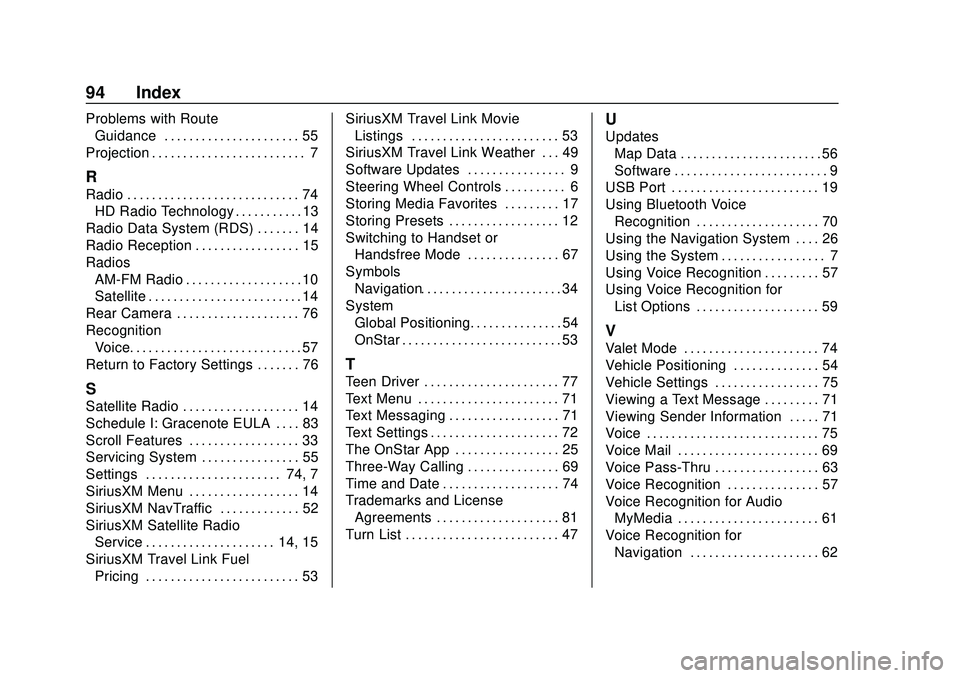
94 Index
Problems with RouteGuidance . . . . . . . . . . . . . . . . . . . . . . 55
Projection . . . . . . . . . . . . . . . . . . . . . . . . . 7
R
Radio . . . . . . . . . . . . . . . . . . . . . . . . . . . . 74 HD Radio Technology . . . . . . . . . . . 13
Radio Data System (RDS) . . . . . . . 14
Radio Reception . . . . . . . . . . . . . . . . . 15
Radios AM-FM Radio . . . . . . . . . . . . . . . . . . . 10
Satellite . . . . . . . . . . . . . . . . . . . . . . . . . 14
Rear Camera . . . . . . . . . . . . . . . . . . . . 76
Recognition Voice. . . . . . . . . . . . . . . . . . . . . . . . . . . . 57
Return to Factory Settings . . . . . . . 76
S
Satellite Radio . . . . . . . . . . . . . . . . . . . 14
Schedule I: Gracenote EULA . . . . 83
Scroll Features . . . . . . . . . . . . . . . . . . 33
Servicing System . . . . . . . . . . . . . . . . 55
Settings . . . . . . . . . . . . . . . . . . . . . . 74, 7
SiriusXM Menu . . . . . . . . . . . . . . . . . . 14
SiriusXM NavTraffic . . . . . . . . . . . . . 52
SiriusXM Satellite Radio Service . . . . . . . . . . . . . . . . . . . . . 14, 15
SiriusXM Travel Link Fuel Pricing . . . . . . . . . . . . . . . . . . . . . . . . . 53 SiriusXM Travel Link Movie
Listings . . . . . . . . . . . . . . . . . . . . . . . . 53
SiriusXM Travel Link Weather . . . 49
Software Updates . . . . . . . . . . . . . . . . 9
Steering Wheel Controls . . . . . . . . . . 6
Storing Media Favorites . . . . . . . . . 17
Storing Presets . . . . . . . . . . . . . . . . . . 12
Switching to Handset or Handsfree Mode . . . . . . . . . . . . . . . 67
Symbols Navigation. . . . . . . . . . . . . . . . . . . . . . . 34
System Global Positioning. . . . . . . . . . . . . . . 54
OnStar . . . . . . . . . . . . . . . . . . . . . . . . . . 53
T
Teen Driver . . . . . . . . . . . . . . . . . . . . . . 77
Text Menu . . . . . . . . . . . . . . . . . . . . . . . 71
Text Messaging . . . . . . . . . . . . . . . . . . 71
Text Settings . . . . . . . . . . . . . . . . . . . . . 72
The OnStar App . . . . . . . . . . . . . . . . . 25
Three-Way Calling . . . . . . . . . . . . . . . 69
Time and Date . . . . . . . . . . . . . . . . . . . 74
Trademarks and LicenseAgreements . . . . . . . . . . . . . . . . . . . . 81
Turn List . . . . . . . . . . . . . . . . . . . . . . . . . 47
U
Updates
Map Data . . . . . . . . . . . . . . . . . . . . . . . 56
Software . . . . . . . . . . . . . . . . . . . . . . . . . 9
USB Port . . . . . . . . . . . . . . . . . . . . . . . . 19
Using Bluetooth Voice
Recognition . . . . . . . . . . . . . . . . . . . . 70
Using the Navigation System . . . . 26
Using the System . . . . . . . . . . . . . . . . . 7
Using Voice Recognition . . . . . . . . . 57
Using Voice Recognition for List Options . . . . . . . . . . . . . . . . . . . . 59
V
Valet Mode . . . . . . . . . . . . . . . . . . . . . . 74
Vehicle Positioning . . . . . . . . . . . . . . 54
Vehicle Settings . . . . . . . . . . . . . . . . . 75
Viewing a Text Message . . . . . . . . . 71
Viewing Sender Information . . . . . 71
Voice . . . . . . . . . . . . . . . . . . . . . . . . . . . . 75
Voice Mail . . . . . . . . . . . . . . . . . . . . . . . 69
Voice Pass-Thru . . . . . . . . . . . . . . . . . 63
Voice Recognition . . . . . . . . . . . . . . . 57
Voice Recognition for AudioMyMedia . . . . . . . . . . . . . . . . . . . . . . . 61
Voice Recognition for Navigation . . . . . . . . . . . . . . . . . . . . . 62