tow CHEVROLET KODIAK 2005 Owner's Manual
[x] Cancel search | Manufacturer: CHEVROLET, Model Year: 2005, Model line: KODIAK, Model: CHEVROLET KODIAK 2005Pages: 374, PDF Size: 5.46 MB
Page 145 of 374
Service Transmission Warning Light
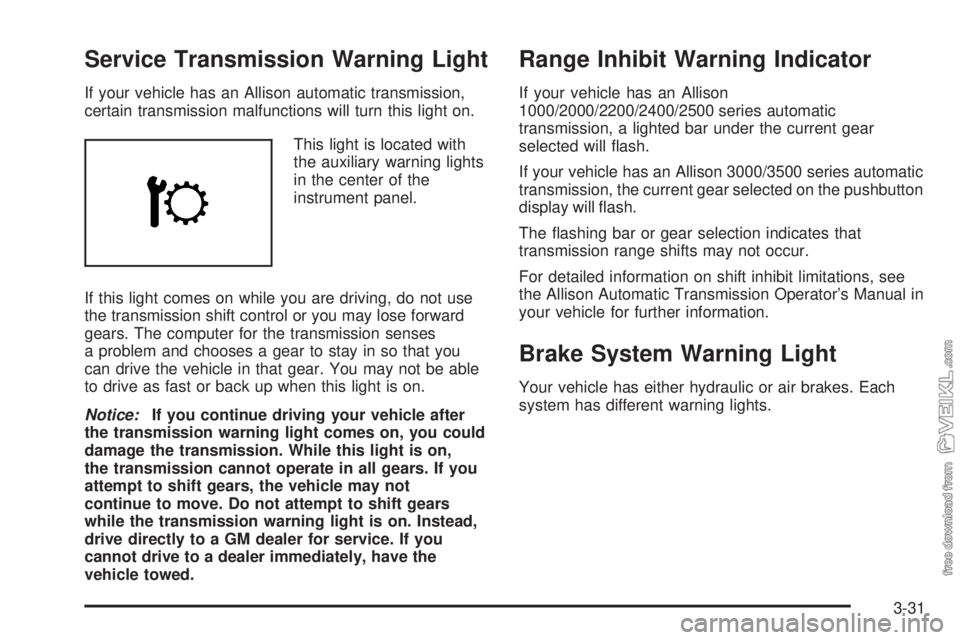
If your vehicle has an Allison automatic transmission,
certain transmission malfunctions will turn this light on.
This light is located with
the auxiliary warning lights
in the center of the
instrument panel.
If this light comes on while you are driving, do not use
the transmission shift control or you may lose forward
gears. The computer for the transmission senses
a problem and chooses a gear to stay in so that you
can drive the vehicle in that gear. You may not be able
to drive as fast or back up when this light is on.
Notice:If you continue driving your vehicle after
the transmission warning light comes on, you could
damage the transmission. While this light is on,
the transmission cannot operate in all gears. If you
attempt to shift gears, the vehicle may not
continue to move. Do not attempt to shift gears
while the transmission warning light is on. Instead,
drive directly to a GM dealer for service. If you
cannot drive to a dealer immediately, have the
vehicle towed.
Range Inhibit Warning Indicator
If your vehicle has an Allison
1000/2000/2200/2400/2500 series automatic
transmission, a lighted bar under the current gear
selected will flash.
If your vehicle has an Allison 3000/3500 series automatic
transmission, the current gear selected on the pushbutton
display will flash.
The flashing bar or gear selection indicates that
transmission range shifts may not occur.
For detailed information on shift inhibit limitations, see
the Allison Automatic Transmission Operator’s Manual in
your vehicle for further information.
Brake System Warning Light
Your vehicle has either hydraulic or air brakes. Each
system has different warning lights.
3-31
Page 146 of 374
Hydraulic Brake System
Warning Lights
Vehicles with hydraulic brake systems have two brake
system warning lights on the instrument panel.
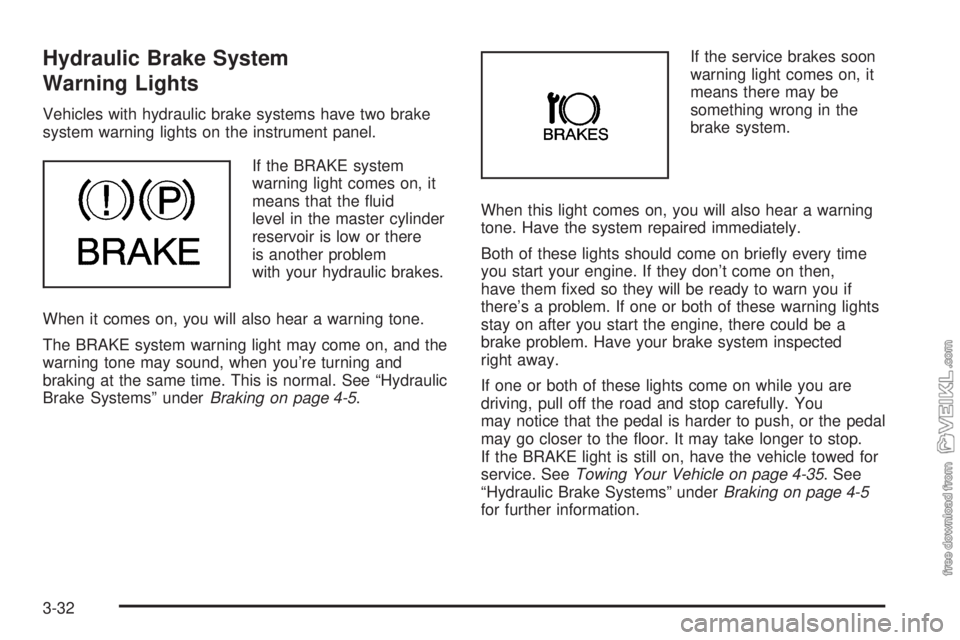
If the BRAKE system
warning light comes on, it
means that the fluid
level in the master cylinder
reservoir is low or there
is another problem
with your hydraulic brakes.
When it comes on, you will also hear a warning tone.
The BRAKE system warning light may come on, and the
warning tone may sound, when you’re turning and
braking at the same time. This is normal. See “Hydraulic
Brake Systems” underBraking on page 4-5.If the service brakes soon
warning light comes on, it
means there may be
something wrong in the
brake system.
When this light comes on, you will also hear a warning
tone. Have the system repaired immediately.
Both of these lights should come on briefly every time
you start your engine. If they don’t come on then,
have them fixed so they will be ready to warn you if
there’s a problem. If one or both of these warning lights
stay on after you start the engine, there could be a
brake problem. Have your brake system inspected
right away.
If one or both of these lights come on while you are
driving, pull off the road and stop carefully. You
may notice that the pedal is harder to push, or the pedal
may go closer to the floor. It may take longer to stop.
If the BRAKE light is still on, have the vehicle towed for
service. SeeTowing Your Vehicle on page 4-35. See
“Hydraulic Brake Systems” underBraking on page 4-5
for further information.
3-32
Page 150 of 374
Wait to Start Indicator
(Diesel Engine)
If your vehicle has the DURAMAX®6600, you will have
glow plugs. If your vehicle has the DURAMAX®7800,
you will have glow plugs and an inlet heater. If your
vehicle has a Caterpillar
®engine, you will have an
inlet heater.
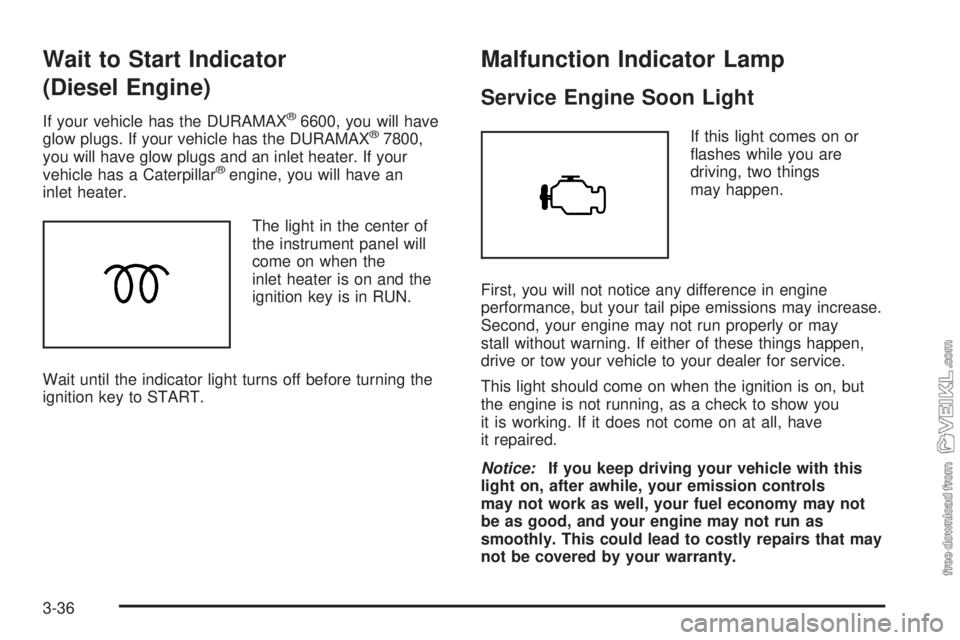
The light in the center of
the instrument panel will
come on when the
inlet heater is on and the
ignition key is in RUN.
Wait until the indicator light turns off before turning the
ignition key to START.
Malfunction Indicator Lamp
Service Engine Soon Light
If this light comes on or
flashes while you are
driving, two things
may happen.
First, you will not notice any difference in engine
performance, but your tail pipe emissions may increase.
Second, your engine may not run properly or may
stall without warning. If either of these things happen,
drive or tow your vehicle to your dealer for service.
This light should come on when the ignition is on, but
the engine is not running, as a check to show you
it is working. If it does not come on at all, have
it repaired.
Notice:If you keep driving your vehicle with this
light on, after awhile, your emission controls
may not work as well, your fuel economy may not
be as good, and your engine may not run as
smoothly. This could lead to costly repairs that may
not be covered by your warranty.
3-36
Page 161 of 374
To adjust both tone controls and both speaker controls
to the middle position, first end out of audio mode
by pressing another button, causing the radio to perform
that function or by waiting five seconds for the display
to return to time of day. Then press and hold AUDIO for
more than two seconds until you hear a beep. CEN
will appear on the display.
Adjusting the Speakers (Balance/Fade)
AUDIO:To adjust the balance between the right
and the left speakers, press and release AUDIO until
BAL appears on the display. Then press and hold the up
or the down arrow to move the sound toward the right
or the left speakers.
To adjust the fade between the front and the rear
speakers, press and release AUDIO until FAD appears
on the display. Then press and hold the up or the
down arrow to move the sound toward the front or the
rear speakers.
To adjust balance or fade to the middle position, select
BAL or FAD. Then press and hold AUDIO for more
than two seconds until you hear a beep. L (balance) and
a zero or F and a zero will appear on the display.To adjust both tone controls and both speaker controls
to the middle position, first end out of audio mode
by pressing another button, causing the radio to perform
that function or by waiting five seconds for the display
to return to time of day. Then press and hold AUDIO for
more than two seconds until you hear a beep. CEN
will appear on the display.
Fade may not be available if the vehicle is a regular
cab model.Radio Messages
CAL (Calibrated):The audio system has been
calibrated for your vehicle from the factory. If CAL
appears on the display it means that the radio has not
been configured properly for your vehicle and must
be returned to your GM dealer for service.
LOC (Locked):This message is displayed when the
THEFTLOCK
®system has locked up. Take the vehicle
to your GM dealer for service.
If any error occurs repeatedly or if an error cannot be
corrected, contact your GM dealer.
3-47
Page 163 of 374
Setting Preset Stations
Up to 18 stations (six FM1, six FM2, and six AM) can be
programmed on the six numbered pushbuttons, by
performing the following steps:
1. Turn the radio on.
2. Press AM FM to select FM1, FM2, or AM.
3. Tune in the desired station.
4. Press and hold one of the six numbered
pushbuttons until you hear a beep. Whenever that
numbered pushbutton is pressed, the station
that was set will return.
5. Repeat the steps for each pushbutton.
Setting the Tone (Bass/Treble)
AUDIO:To adjust bass and treble, press and release
AUDIO until BAS or TRE appears on the display.
Then press and hold the up or the down arrow to
increase or to decrease. If a station is weak or noisy,
decrease the treble.
To adjust bass or treble to the middle position, select
BAS or TRE. Then press and hold AUDIO for more than
two seconds until you hear a beep. B and a zero or
T and a zero will appear on the display.
To adjust both tone controls and both speaker controls
to the middle position, end out of audio by waiting
for the display to change to the clock display. Then
press and hold AUDIO for more than two seconds until
you hear a beep. CEN will appear on the display.
Adjusting the Speakers (Balance/Fade)
AUDIO:To adjust the balance between the right
and the left speakers, press and release AUDIO until
BAL appears on the display. Then press and hold the up
or the down arrow to move the sound toward the right
or the left speakers.
To adjust the fade between the front and the rear
speakers, press and release AUDIO until FAD appears
on the display. Then press and hold the up or the
down arrow to move the sound toward the front or the
rear speakers.
To adjust balance or fade to the middle position, select
BAL or FAD. Then press and hold AUDIO for more
than two seconds until you hear a beep. L (balance) and
a zero or F and a zero will appear on the display.
To adjust both tone controls and both speaker controls
to the middle position, end out of audio by waiting
for the display to change to the time display. Then press
and hold AUDIO for more than two seconds until you
hear a beep. CEN will appear on the display.
Fade may not be available if the vehicle is a regular
cab model.
3-49
Page 168 of 374
Setting Preset Stations
Up to 18 stations (six FM1, six FM2, and six AM), can
be programmed on the six numbered pushbuttons,
by performing the following steps:
1. Turn the radio on.
2. Press AM FM to select FM1, FM2, or AM.
3. Tune in the desired station.
4. Press and hold one of the six numbered
pushbuttons until you hear a beep. Whenever that
numbered pushbutton is pressed, the station
that was set will return.
5. Repeat the steps for each pushbutton.
Setting the Tone (Bass/Treble)
AUDIO:To adjust the bass or the treble, press and
release the AUDIO button until BAS or TRE appears on
the display. Then press and hold the up or the down
arrow to increase or to decrease. If a station is weak or
noisy, decrease the treble.
To adjust bass or treble to the middle position, select
BAS or TRE. Then press and hold the AUDIO button for
more than two seconds until you hear a beep. B and
a zero or T and a zero will appear on the display.To adjust both tone controls and both speaker controls
to the middle position, first end out of audio mode
by pressing another button, causing the radio to perform
that function, or by waiting five seconds for the display
to return to the time of day. Then press and hold
the AUDIO button for more than two seconds until you
hear a beep. CEN will appear on the display.
Adjusting the Speakers (Balance/Fade)
AUDIO:To adjust the balance between the right
and the left speakers, press and release the AUDIO
button until BAL appears on the display. Then press and
hold the up or the down arrow to move the sound
toward the right or the left speakers.
To adjust the fade between the front and the rear
speakers, press and release the AUDIO button until
FAD appears on the display. Then press and hold the up
or the down arrow to move the sound toward the front
or the rear speakers.
To adjust balance or fade to the middle position, select
BAL or FAD. Then press and hold AUDIO for more
than two seconds until you hear a beep. L (balance) and
a zero or F and a zero will appear on the display.
3-54
Page 175 of 374
Your Driving, the Road, and Your Vehicle..........4-2
Defensive Driving...........................................4-2
Drunken Driving.............................................4-2
Control of a Vehicle........................................4-5
Braking.........................................................4-5
Hydraulic Brake Systems.................................4-6
Anti-Lock Brake System (ABS).........................4-6
Braking in Emergencies...................................4-8
Trailer Brake Hand Control Valve......................4-8
Rear Axle Differential Lock Control....................4-9
Traction Control System (TCS).......................4-10
Steering......................................................4-11
Off-Road Recovery.......................................4-13
Passing.......................................................4-13
Loss of Control.............................................4-15
Driving at Night............................................4-16Driving in Rain and on Wet Roads..................4-18
City Driving..................................................4-21
Freeway Driving...........................................4-22
Highway Hypnosis........................................4-23
Hill and Mountain Roads................................4-24
Winter Driving..............................................4-26
If Your Vehicle is Stuck in Sand, Mud,
Ice or Snow..............................................4-30
Rocking Your Vehicle to Get It Out.................4-30
Tow Hooks..................................................4-31
Loading Your Vehicle....................................4-32
Adding a Snow Plow or Similar Equipment.......4-34
Towing..........................................................4-35
Towing Your Vehicle.....................................4-35
Trailer Connections.......................................4-37
Power Take-Off (PTO)...................................4-38
Section 4 Driving Your Vehicle
4-1
Page 204 of 374
If Your Vehicle is Stuck in Sand,
Mud, Ice or Snow
In order to free your vehicle when it is stuck, you will
need to spin the wheels, but you do not want to
spin your wheels too fast. The method known as rocking
can help you get out when you are stuck, but you
must use caution.
{CAUTION:
If you let your tires spin at high speed, they can
explode, and you or others could be injured.
And, the transmission or other parts of the
vehicle can overheat. That could cause an
engine compartment re or other damage.
When you are stuck, spin the wheels as little as
possible. Do not spin the wheels above 35 mph
(55 km/h) as shown on the speedometer.
Notice:Spinning your wheels can destroy parts of
your vehicle as well as the tires. If you spin the
wheels too fast while shifting your transmission
back and forth, you can destroy your transmission.
Rocking Your Vehicle to Get It Out
First, turn the steering wheel left and right. That will clear
the area around the front wheels. If you have a
four-wheel-drive vehicle, shift into 4HI. SeeFour-Wheel
Drive on page 2-33. If your vehicle has traction
control, you should turn the traction control system off.
SeeTraction Control System (TCS) on page 4-10.
Then shift back and forth between REVERSE (R) and a
forward gear, or with a manual transmission, between
FIRST (1) or SECOND (2) and REVERSE (R), spinning
the wheels as little as possible. Release the accelerator
pedal while you shift, and press lightly on the
accelerator pedal when the transmission is in gear. By
slowly spinning your wheels in the forward and
reverse directions, you will cause a rocking motion that
may free your vehicle. If that does not get you out
after a few tries, you may need to be towed out. If you
do need to be towed out, seeTowing Your Vehicle
on page 4-35.
4-30
Page 205 of 374
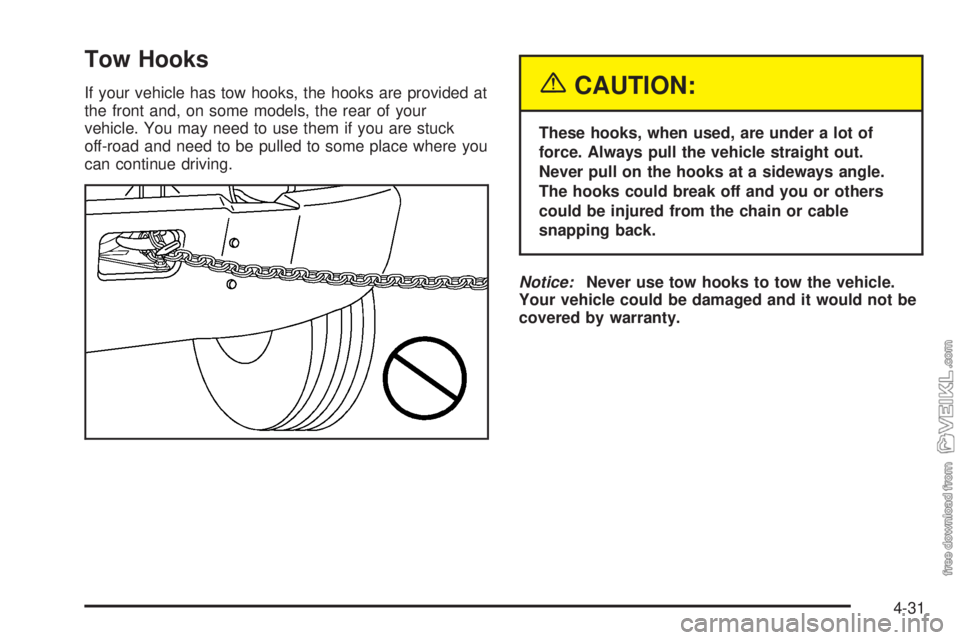
Tow Hooks
If your vehicle has tow hooks, the hooks are provided at
the front and, on some models, the rear of your
vehicle. You may need to use them if you are stuck
off-road and need to be pulled to some place where you
can continue driving.{CAUTION:
These hooks, when used, are under a lot of
force. Always pull the vehicle straight out.
Never pull on the hooks at a sideways angle.
The hooks could break off and you or others
could be injured from the chain or cable
snapping back.
Notice:Never use tow hooks to tow the vehicle.
Your vehicle could be damaged and it would not be
covered by warranty.
4-31
Page 209 of 374
Towing
Towing Your Vehicle
Consult your dealer or a professional towing service if
you need to have your disabled vehicle towed. See
Roadside Assistance Program on page 7-5.
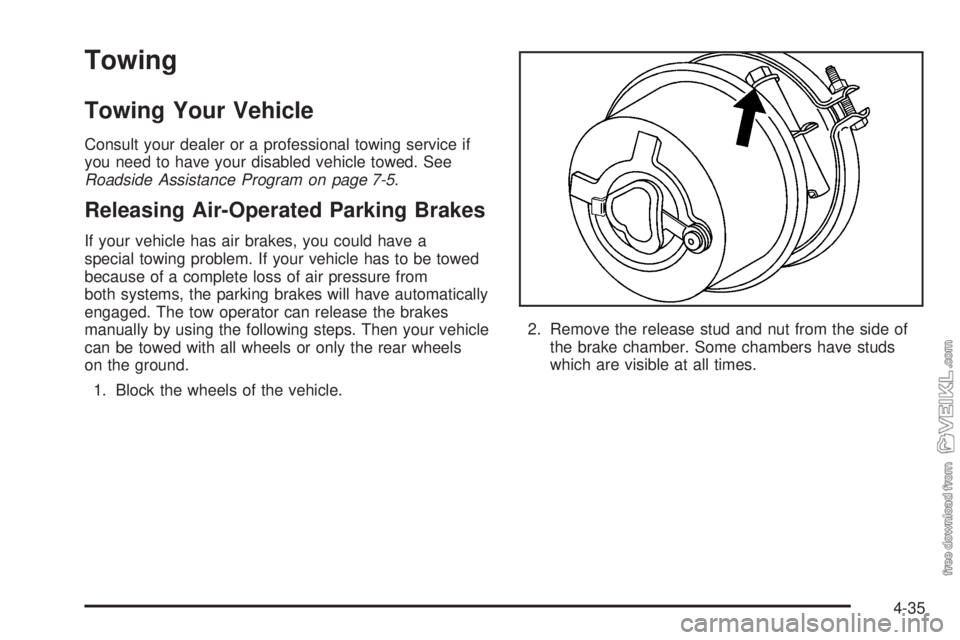
Releasing Air-Operated Parking Brakes
If your vehicle has air brakes, you could have a
special towing problem. If your vehicle has to be towed
because of a complete loss of air pressure from
both systems, the parking brakes will have automatically
engaged. The tow operator can release the brakes
manually by using the following steps. Then your vehicle
can be towed with all wheels or only the rear wheels
on the ground.
1. Block the wheels of the vehicle.2. Remove the release stud and nut from the side of
the brake chamber. Some chambers have studs
which are visible at all times.
4-35