instrument panel CHEVROLET KODIAK 2005 Workshop Manual
[x] Cancel search | Manufacturer: CHEVROLET, Model Year: 2005, Model line: KODIAK, Model: CHEVROLET KODIAK 2005Pages: 374, PDF Size: 5.46 MB
Page 184 of 374
Traction Control System (TCS)
Your vehicle may have a traction control system that
limits wheel spin. This is especially useful in slippery
road conditions. The system operates only if it senses
that one or both of the rear wheels are spinning or
beginning to lose traction. When this happens,
the system applies the brake(s) at the affected wheel(s).
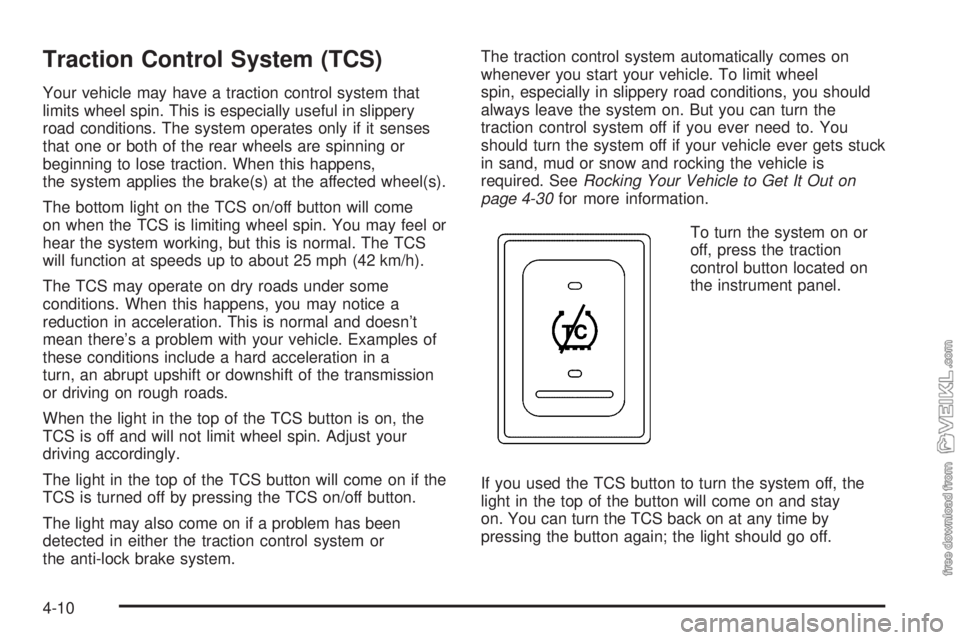
The bottom light on the TCS on/off button will come
on when the TCS is limiting wheel spin. You may feel or
hear the system working, but this is normal. The TCS
will function at speeds up to about 25 mph (42 km/h).
The TCS may operate on dry roads under some
conditions. When this happens, you may notice a
reduction in acceleration. This is normal and doesn’t
mean there’s a problem with your vehicle. Examples of
these conditions include a hard acceleration in a
turn, an abrupt upshift or downshift of the transmission
or driving on rough roads.
When the light in the top of the TCS button is on, the
TCS is off and will not limit wheel spin. Adjust your
driving accordingly.
The light in the top of the TCS button will come on if the
TCS is turned off by pressing the TCS on/off button.
The light may also come on if a problem has been
detected in either the traction control system or
the anti-lock brake system.The traction control system automatically comes on
whenever you start your vehicle. To limit wheel
spin, especially in slippery road conditions, you should
always leave the system on. But you can turn the
traction control system off if you ever need to. You
should turn the system off if your vehicle ever gets stuck
in sand, mud or snow and rocking the vehicle is
required. SeeRocking Your Vehicle to Get It Out on
page 4-30for more information.
To turn the system on or
off, press the traction
control button located on
the instrument panel.
If you used the TCS button to turn the system off, the
light in the top of the button will come on and stay
on. You can turn the TCS back on at any time by
pressing the button again; the light should go off.
4-10
Page 212 of 374
Trailer Connections
(C7/C8 Models Only)
If your vehicle has these trailer connections, they are
located at the rear of the cab for a tractor and at the rear
of the chassis when towing a trailer. There will be an
air connection and an electrical connection.
Be sure that the couplings to the trailer are
made correctly.
Air Connections
If you are not connecting the trailer air line connections
to another piece of equipment, be sure to replace
their protective caps.
Electrical Connections
This system is a seven-wire cable that will connect to
the trailer, supplying power to the trailer’s lighting
system. When not in use, it is stored in the trailer
air-hose storage bracket.
Power Take-Off (PTO)
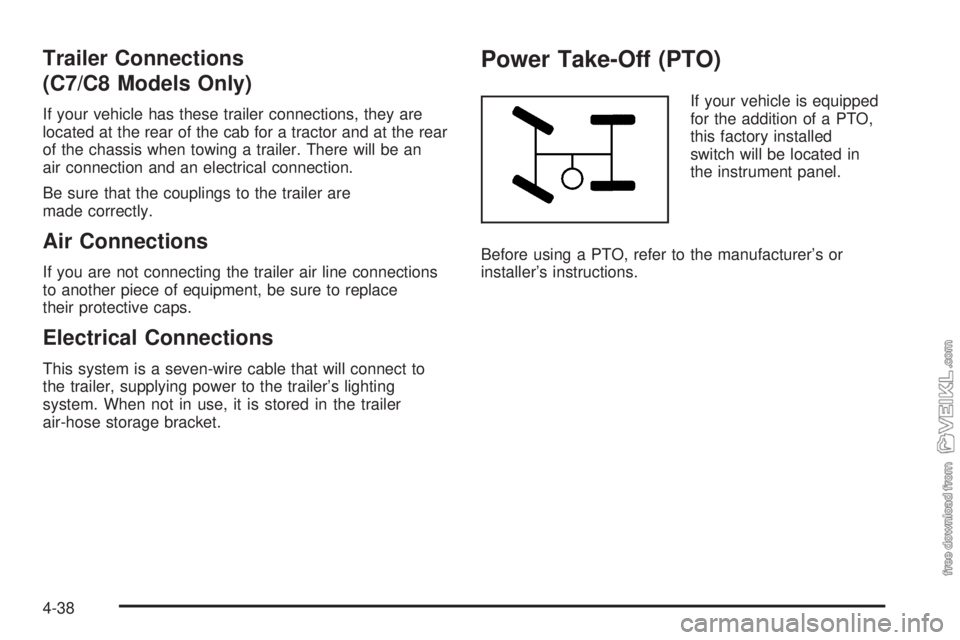
If your vehicle is equipped
for the addition of a PTO,
this factory installed
switch will be located in
the instrument panel.
Before using a PTO, refer to the manufacturer’s or
installer’s instructions.
4-38
Page 214 of 374
Other Service Items........................................5-66
Fuel Filter....................................................5-66
Primary Fuel Filter and Water Separator..........5-67
Secondary Fuel Filter and Water Separator/
Heater (Caterpillar
®Diesel)..........................5-68
Automatic Ether Injection System
(Caterpillar
®Diesel)....................................5-68
Front Wheel Bearings with Oil-Filled Hubs........5-69
Air Conditioning System.................................5-70
Tires..............................................................5-70
Inflation - Tire Pressure.................................5-71
Wheel Loading.............................................5-71
Dual Tire Operation.......................................5-72
When It Is Time for New Tires.......................5-72
Wheel Alignment and Tire Balance..................5-73
Tightening the Wheel Nuts.............................5-73
Wheel Replacement......................................5-77
If a Tire Goes Flat........................................5-78
Appearance Care............................................5-79
Cleaning the Inside of Your Vehicle.................5-80
Fabric/Carpet...............................................5-81
Instrument Panel, Vinyl, and Other
Plastic Surfaces........................................5-82
Care of Safety Belts......................................5-82
Weatherstrips...............................................5-82Washing Your Vehicle...................................5-83
Cleaning Exterior Lamps/Lenses.....................5-83
Finish Care..................................................5-83
Windshield and Wiper Blades.........................5-84
Aluminum or Chrome-Plated Wheels................5-84
Tires...........................................................5-85
Sheet Metal Damage.....................................5-85
Finish Damage.............................................5-85
Underbody Maintenance................................5-85
Chemical Paint Spotting.................................5-85
Vehicle Identication......................................5-87
Vehicle Identification Number (VIN).................5-87
Service Statement.........................................5-87
Service Parts Identification Label.....................5-88
Electrical System............................................5-88
Add-On Electrical Equipment..........................5-88
Headlamp Wiring..........................................5-88
Windshield Wiper Fuses................................5-88
Fusible Links................................................5-89
Power Windows and Other Power Options.......5-89
Fuses and Circuit Breakers............................5-89
Instrument Panel Fuse Block..........................5-89
Underhood Fuse Block..................................5-92
Capacities and Specications..........................5-95
Normal Maintenance Replacement Parts.........5-100
Section 5 Service and Appearance Care
5-2
Page 222 of 374
Very Cold Weather Operation
Follow the instructions listed previously under the
heading “What Fuel to Use.”
Notice:Never use home heating oil or gasoline in
your diesel engine. They can cause engine
damage.
In cold weather, your fuel filter may become clogged
(waxed). To unclog it, move the vehicle to a warm
garage area and warm the filter to between 32°F and
50°F (0°C to 10°C). You will not need to replace it.
Additional information on the fuel filter follows.
Water in Fuel
{CAUTION:
Diesel fuel containing water is still ammable.
You could be burned. If you ever try to drain
water from your fuel, keep sparks, ames and
smoking materials away from the mixture.Notice:If there is water in your diesel fuel and the
weather is warm or humid, fungus and bacteria
can grow in the fuel. They can damage your
fuel system. A diesel fuel biocide can be used to
sterilize your fuel system. However, your fuel system
may still need to be cleaned. Your dealer can
advise you of the appropriate solution.
If your fuel tank needs to be purged to remove
water, see your dealer or a qualied technician.
Improper purging can damage your fuel system.
Sometimes, water can be pumped into your fuel
tank along with your diesel fuel. This can happen if a
service station does not regularly inspect and clean
its fuel tanks, or if it gets contaminated fuel from
its suppliers.
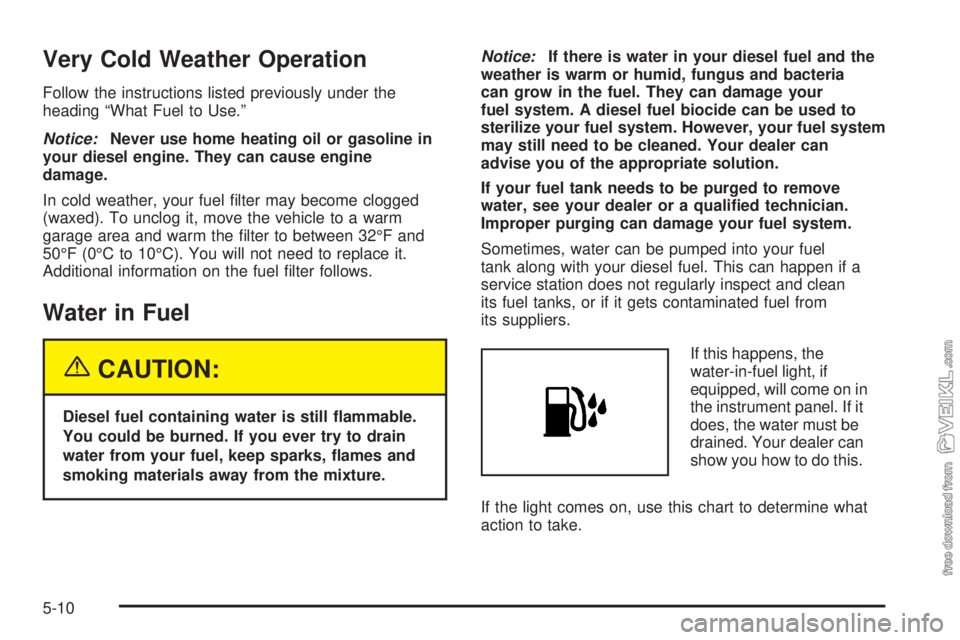
If this happens, the
water-in-fuel light, if
equipped, will come on in
the instrument panel. If it
does, the water must be
drained. Your dealer can
show you how to do this.
If the light comes on, use this chart to determine what
action to take.
5-10
Page 249 of 374
If you have to add coolant more than four times a year,
have your dealer check your cooling system.
Notice:If you use the proper coolant, you do not
have to add extra inhibitors or additives which claim
to improve the system. These can be harmful.
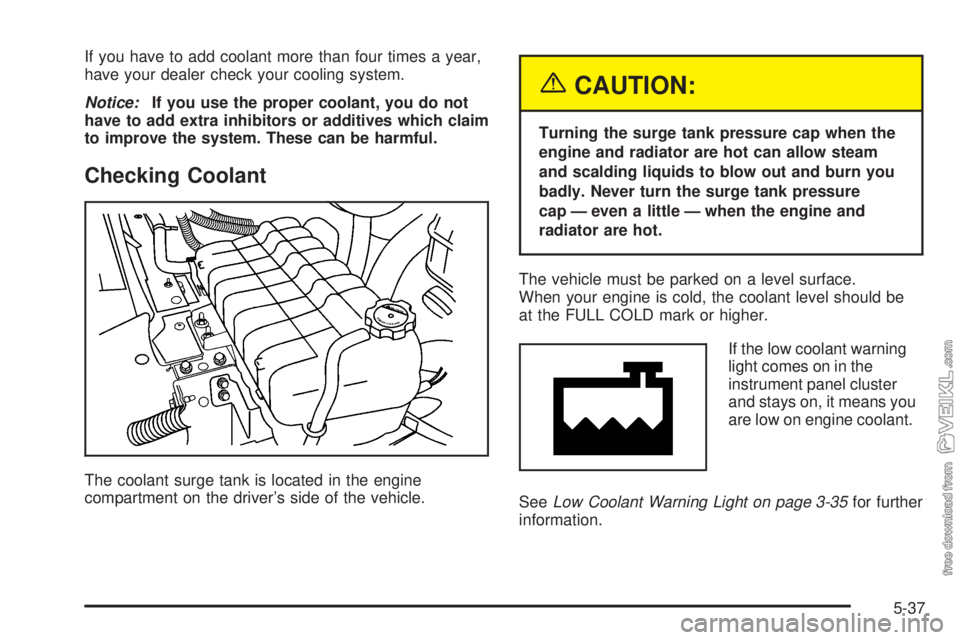
Checking Coolant
The coolant surge tank is located in the engine
compartment on the driver’s side of the vehicle.
{CAUTION:
Turning the surge tank pressure cap when the
engine and radiator are hot can allow steam
and scalding liquids to blow out and burn you
badly. Never turn the surge tank pressure
cap — even a little — when the engine and
radiator are hot.
The vehicle must be parked on a level surface.
When your engine is cold, the coolant level should be
at the FULL COLD mark or higher.
If the low coolant warning
light comes on in the
instrument panel cluster
and stays on, it means you
are low on engine coolant.
SeeLow Coolant Warning Light on page 3-35for further
information.
5-37
Page 250 of 374
Adding Coolant
If you need more coolant, add the proper DEX-COOL®
coolant mixtureat the surge tank, but only when the
engine is cool.
{CAUTION:
You can be burned if you spill coolant on hot
engine parts. Coolant contains ethylene glycol,
and it will burn if the engine parts are hot
enough. Do not spill coolant on a hot engine.
When replacing the pressure cap, make sure it is
hand-tight.
Engine Coolant
(Caterpillar
®Diesel Engines)
If your vehicle has a Caterpillar®diesel engine, see the
Caterpillar®Diesel Engine Operation & Maintenance
Manual provided with your vehicle to find out what
to add, as well as when and how to service your
cooling system.
Coolant Surge Tank Pressure Cap
The coolant surge tank pressure cap is located in
the engine compartment, on the driver’s side of
the vehicle.
Notice:Your vehicle’s surge tank pressure cap is
designed for use with medium-duty cooling systems
only. If the surge tank pressure cap is not tightly
installed, coolant loss and possible engine damage
may occur. Be sure the cap is properly and tightly
secured.
Engine Overheating
You will find an engine coolant temperature gage, as
well as a low coolant warning light, on your vehicle’s
instrument panel. SeeEngine Coolant Temperature
Gage on page 3-35andLow Coolant Warning Light on
page 3-35for more information.
Your vehicle also has a check gages warning light on
the instrument panel. SeeCheck Gages Warning
Light on page 3-42for more information.
5-38
Page 294 of 374
If any of the soil remains, a commercial fabric cleaner or
spot lifter may be necessary. When a commercial
upholstery cleaner or spot lifter is to be used, test a
small hidden area for colorfastness first. If the locally
cleaned area gives any impression that a ring formation
may result, clean the entire surface.
After the cleaning process has been completed, a paper
towel can be used to blot excess moisture from the
fabric or carpet.
Instrument Panel, Vinyl, and Other
Plastic Surfaces
A soft cloth dampened with water may be used to
remove dust. If a more thorough cleaning is necessary,
a clean soft cloth dampened with a mild soap solution
can be used to gently remove dust and dirt. Never use
spot lifters or removers on plastic surfaces. Many
commercial cleaners and coatings that are sold to
preserve and protect soft plastic surfaces may
permanently change the appearance and feel of your
interior and are not recommended. Do not use silicone
or wax-based products, or those containing organic
solvents to clean your vehicle’s interior because
they can alter the appearance by increasing the gloss in
a non-uniform manner.Some commercial products may increase gloss on
your instrument panel. The increase in gloss may
cause annoying reflections in the windshield and even
make it difficult to see through the windshield under
certain conditions.
Care of Safety Belts
Keep belts clean and dry.
{CAUTION:
Do not bleach or dye safety belts. If you do, it
may severely weaken them. In a crash, they
might not be able to provide adequate
protection. Clean safety belts only with mild
soap and lukewarm water.
Weatherstrips
Silicone grease on weatherstrips will make them last
longer, seal better, and not stick or squeak. Apply silicone
grease with a clean cloth. During very cold, damp
weather frequent application may be required. See
Part C: Recommended Fluids and Lubricants on
page 6-32.
5-82
Page 299 of 374
Vehicle Identication
Vehicle Identication Number (VIN)
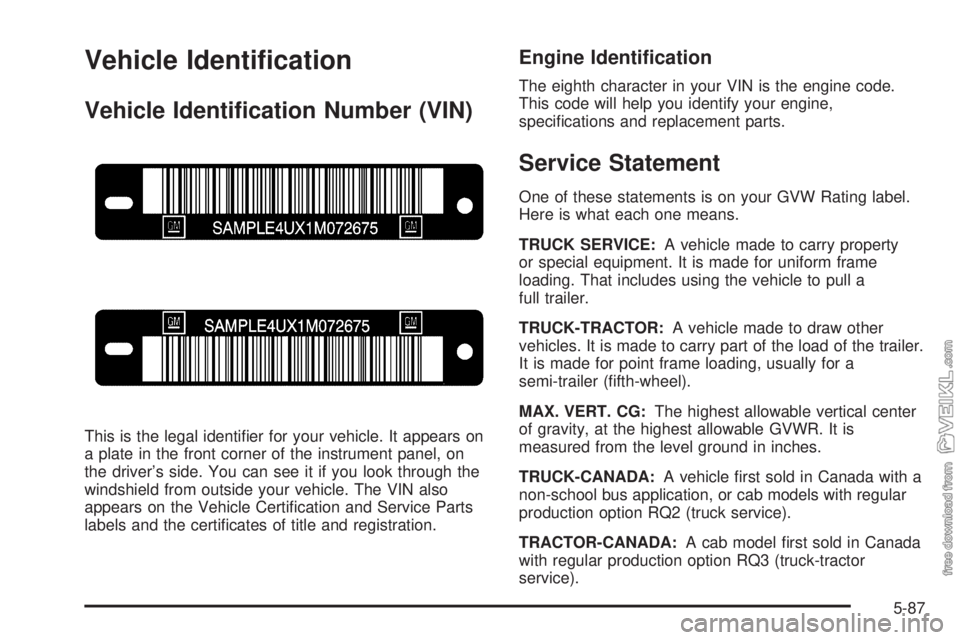
This is the legal identifier for your vehicle. It appears on
a plate in the front corner of the instrument panel, on
the driver’s side. You can see it if you look through the
windshield from outside your vehicle. The VIN also
appears on the Vehicle Certification and Service Parts
labels and the certificates of title and registration.
Engine Identication
The eighth character in your VIN is the engine code.
This code will help you identify your engine,
specifications and replacement parts.
Service Statement
One of these statements is on your GVW Rating label.
Here is what each one means.
TRUCK SERVICE:A vehicle made to carry property
or special equipment. It is made for uniform frame
loading. That includes using the vehicle to pull a
full trailer.
TRUCK-TRACTOR:A vehicle made to draw other
vehicles. It is made to carry part of the load of the trailer.
It is made for point frame loading, usually for a
semi-trailer (fifth-wheel).
MAX. VERT. CG:The highest allowable vertical center
of gravity, at the highest allowable GVWR. It is
measured from the level ground in inches.
TRUCK-CANADA:A vehicle first sold in Canada with a
non-school bus application, or cab models with regular
production option RQ2 (truck service).
TRACTOR-CANADA:A cab model first sold in Canada
with regular production option RQ3 (truck-tractor
service).
5-87
Page 301 of 374
Fusible Links
A fusible link is a short piece of wire several gauge
sizes smaller than the circuit it protects. It will melt in an
overload situation, opening the circuit.
Your starter and other circuits have these fusible links.
The size is printed on the insulation. If the insulation
is burned beyond recognition, consult your GM dealer
for the proper size. Replace a fusible link with one of the
same size and insulation type. Fusible link insulation
is a special purpose high-temperature material.
The hydraulic brake booster motor feed circuit and
starter circuit are protected by a fusible link. Vehicles
with a diesel engine have a fusible link for the intake
heater feed circuit.
Power Windows and Other
Power Options
Circuit breakers in the fuse panel protect the power
windows and other power accessories. When the current
load is too heavy, the circuit breaker opens. This
protects the circuit until the current load returns to
normal or the problem is fixed.
Fuses and Circuit Breakers
The wiring circuits in your vehicle are protected from
short circuits by a combination of fuses, circuit breakers,
maxi-fuses and fusible links. This greatly reduces the
chance of a fire caused by an electrical problem. There
may be a fuse taped to the wiring harness near the
hydraulic brake booster.
Instrument Panel Fuse Block
There are two instrument panel fuse blocks located
behind the instrument panel on the passenger’s side of
the vehicle.
5-89
Page 352 of 374
Customer Assistance and
Information
Customer Satisfaction Procedure
Your satisfaction and goodwill are important to
your dealer and to Chevrolet. Normally, any concerns
with the sales transaction or the operation of your
vehicle will be resolved by your dealer’s sales or service
departments. Sometimes, however, despite the best
intentions of all concerned, misunderstandings can
occur. If your concern has not been resolved to your
satisfaction, the following steps should be taken:
STEP ONE:Discuss your concern with a member of
dealership management. Normally, concerns can
be quickly resolved at that level. If the matter has
already been reviewed with the sales, service or parts
manager, contact the owner of the dealership or
the general manager.
STEP TWO:If after contacting a member of dealership
management, it appears your concern cannot be
resolved by the dealership without further help, contact
the GM Medium Duty Truck Customer Assistance Center
at 1-800-862-4389. In Canada, contact GM of Canada
Customer Communication Centre in Oshawa by calling
1-800-263-3777 (English) or 1-800-263-7854 (French).We encourage you to call the toll-free number in order to
give your inquiry prompt attention. Please have the
following information available to give the Customer
Assistance Representative:
•Vehicle Identification Number (VIN). This is available
from the vehicle registration or title, or the plate at the
top left of the instrument panel and visible through
the windshield.
•Dealership name and location.
•Vehicle delivery date and present
mileage (kilometers).
When contacting Chevrolet, please remember that your
concern will likely be resolved at a dealer’s facility.
That is why we suggest you follow Step One first if you
have a concern.
STEP THREE:Both General Motors and your dealer
are committed to making sure you are completely
satisfied with your new vehicle. However, if you continue
to remain unsatisfied after following the procedure
outlined in Steps One and Two, you should file with the
BBB Auto Line Program to enforce any additional
rights you may have. Canadian owners refer to your
Warranty and Owner Assistance Information booklet for
information on the Canadian Motor Vehicle Arbitration
Plan (CAMVAP).
7-2