lock CHEVROLET KODIAK 2006 Owner's Guide
[x] Cancel search | Manufacturer: CHEVROLET, Model Year: 2006, Model line: KODIAK, Model: CHEVROLET KODIAK 2006Pages: 398, PDF Size: 5.72 MB
Page 119 of 398
Storage Areas
Your vehicle includes a number of storage
compartments.
Some vehicles have storage areas in the instrument
panel. Another small storage area may be located
overhead. Other models may have more storage area
underneath the front passenger’s bench seat. Lift
the seat cushion to use the storage area.
Your vehicle may have a storage tray located behind
the driver and passenger seats.
All models have storage pockets and cupholders on
each of the doors. Some models may have additional
cupholders in the center floor console.
All models also have storage compartments located
beneath the floorboard on both sides of the vehicle.
Center Console Storage Area
Your vehicle may have a center console compartment if
you have the bucket or suspension seats.
The back of your center bench seat may also fold
forward to reveal a console compartment.
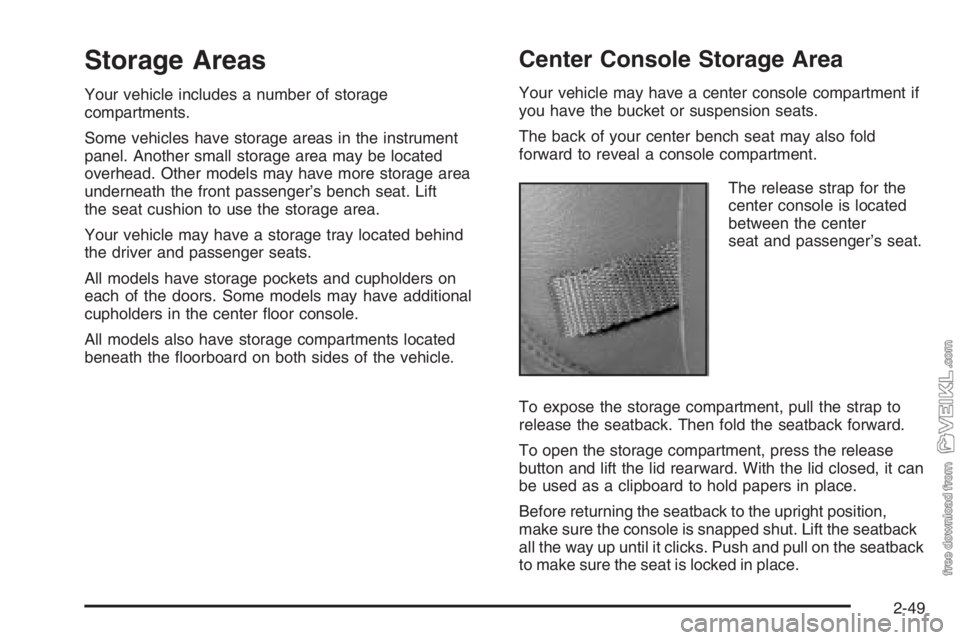
The release strap for the
center console is located
between the center
seat and passenger’s seat.
To expose the storage compartment, pull the strap to
release the seatback. Then fold the seatback forward.
To open the storage compartment, press the release
button and lift the lid rearward. With the lid closed, it can
be used as a clipboard to hold papers in place.
Before returning the seatback to the upright position,
make sure the console is snapped shut. Lift the seatback
all the way up until it clicks. Push and pull on the seatback
to make sure the seat is locked in place.
2-49
Page 121 of 398
Instrument Panel Overview...............................3-4
Hazard Warning Flashers................................3-6
Other Warning Devices...................................3-6
Horn .............................................................3-6
Tilt Wheel.....................................................3-7
Turn Signal/Multifunction Lever.........................3-7
Turn and Lane-Change Signals........................3-8
Headlamp High/Low-Beam Changer..................3-8
Windshield Wipers..........................................3-9
Windshield Washer.......................................3-10
Cruise Control..............................................3-10
Exterior Lamps.............................................3-14
Headlamps on Reminder................................3-15
Daytime Running Lamps (DRL).......................3-15
Marker Lamps..............................................3-16
Instrument Panel Brightness...........................3-16
Dome Lamps ...............................................3-16
Entry Lighting...............................................3-17
Reading Lamps............................................3-17
Instrument Panel Switchbank..........................3-18
Accessory Power Outlet(s).............................3-19
Ashtray(s) and Cigarette Lighter......................3-20Climate Controls............................................3-20
Climate Control System.................................3-20
Outlet Adjustment.........................................3-24
Rear Heating System....................................3-24
Warning Lights, Gages, and Indicators............3-25
Instrument Panel Cluster................................3-26
Speedometer and Odometer...........................3-27
Trip Odometer..............................................3-27
Tachometer.................................................3-27
Engine Speed Limiter....................................3-28
Safety Belt Reminder Light.............................3-28
Safety Belt Reminder Tone............................3-28
Airbag Readiness Light..................................3-29
Airbag Off Light............................................3-30
Charging System Light..................................3-31
Voltmeter Gage............................................3-32
Service Transmission Warning Light................3-32
Range Inhibit Warning Indicator......................3-33
Brake System Warning Light..........................3-33
Anti-Lock Brake System Warning Light.............3-35
Trailer Anti-Lock Brake System Warning Light . . .3-36
Engine Coolant Temperature Gage..................3-36
Section 3 Instrument Panel
3-1
Page 122 of 398
Low Coolant Warning Light............................3-37
Wait to Start Indicator (Diesel Engine).............3-37
Malfunction Indicator Lamp.............................3-38
Oil Pressure Gage........................................3-38
Low Oil Level Light.......................................3-39
Change Engine Oil Light................................3-40
Engine Overspeed Warning Light....................3-40
Engine Shutdown Warning Light.....................3-40
Transmission Temperature Gage.....................3-41
Exhaust Brake Indicator Light.........................3-41
Differential Lock Indicator Light.......................3-42
Reduced Engine Power Light.........................3-42
Highbeam On Light.......................................3-43
Daytime Running Lamps (DRL)
Indicator Light...........................................3-43
Low Washer Fluid Warning Light.....................3-44
Check Gages Warning Light...........................3-44Fuel Gage...................................................3-45
Water in Fuel Warning Light...........................3-46
Air Filter Restriction Indicator..........................3-46
Air Pressure Gage........................................3-47
Hourmeter Gage...........................................3-47
Audio System(s).............................................3-48
Setting the Time...........................................3-49
AM-FM Radio...............................................3-50
Radio with Cassette......................................3-53
Radio with CD..............................................3-59
Theft-Deterrent Feature (Non-RDS Radios).......3-64
Radio Reception...........................................3-64
Care of the Cassette Tape Player...................3-65
Care of Your CDs.........................................3-66
Care of the CD Player...................................3-67
Fixed Mast Antenna......................................3-67
Chime Level Adjustment................................3-67
Section 3 Instrument Panel
3-2
Page 127 of 398
Tilt Wheel
A tilt wheel allows you to adjust the steering wheel
before you drive. You can raise it to the highest level to
give your legs more room when you exit and enter
the vehicle.
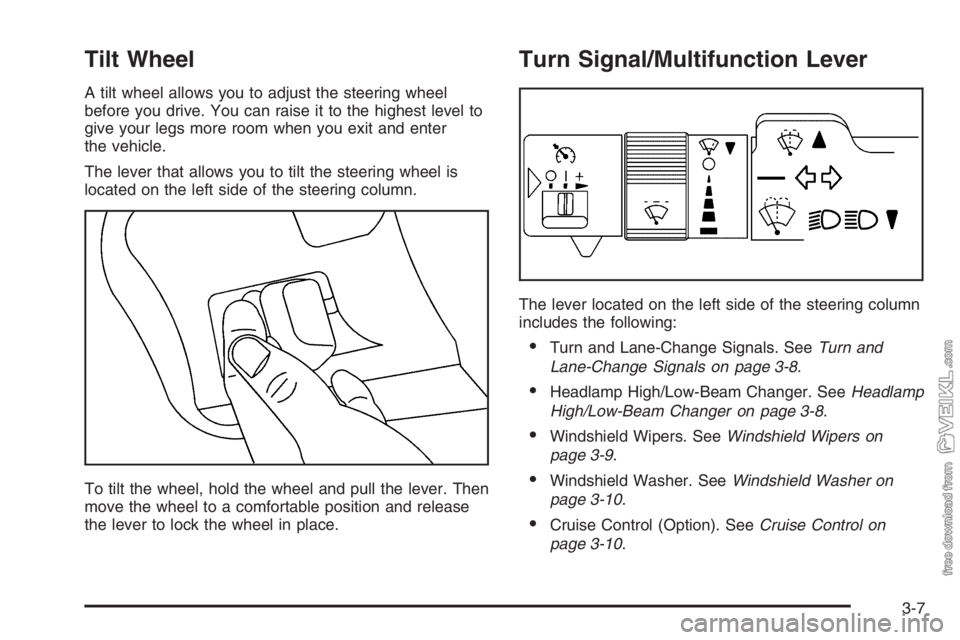
The lever that allows you to tilt the steering wheel is
located on the left side of the steering column.
To tilt the wheel, hold the wheel and pull the lever. Then
move the wheel to a comfortable position and release
the lever to lock the wheel in place.
Turn Signal/Multifunction Lever
The lever located on the left side of the steering column
includes the following:
•Turn and Lane-Change Signals. SeeTurn and
Lane-Change Signals on page 3-8.
•Headlamp High/Low-Beam Changer. SeeHeadlamp
High/Low-Beam Changer on page 3-8.
•Windshield Wipers. SeeWindshield Wipers on
page 3-9.
•Windshield Washer. SeeWindshield Washer on
page 3-10.
•Cruise Control (Option). SeeCruise Control on
page 3-10.
3-7
Page 130 of 398
Windshield Washer
L(Washer Fluid):There is a paddle marked with the
windshield washer symbol at the top of the multifunction
lever. To spray washer fluid on the windshield, press
the paddle. The wipers will clear the window and
then either stop or return to your preset speed.
{CAUTION:
In freezing weather, do not use your washer
until the windshield is warmed. Otherwise the
washer uid can form ice on the windshield,
blocking your vision.
Cruise Control
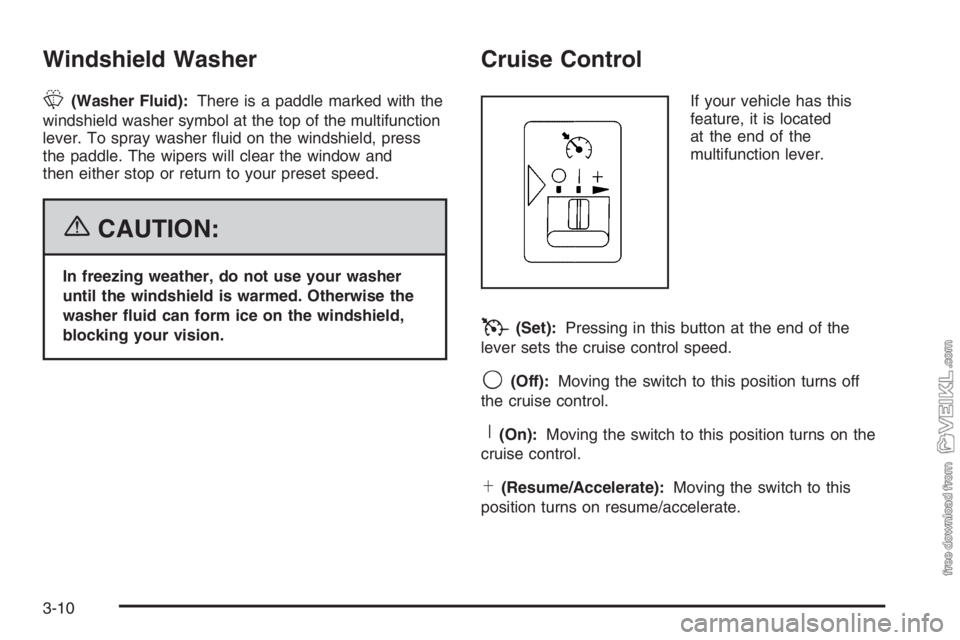
If your vehicle has this
feature, it is located
at the end of the
multifunction lever.
T(Set):Pressing in this button at the end of the
lever sets the cruise control speed.
9(Off):Moving the switch to this position turns off
the cruise control.
R(On):Moving the switch to this position turns on the
cruise control.
S(Resume/Accelerate):Moving the switch to this
position turns on resume/accelerate.
3-10
Page 135 of 398
Headlamps on Reminder
If you have this system, a tone will sound when your
headlamps and/or parking lamps are turned on and your
ignition is in LOCK or ACCESSORY.
Daytime Running Lamps (DRL)
Daytime Running Lamps (DRL) can make it easier for
others to see the front of your vehicle during the
day. DRL can be helpful in many different driving
conditions, but they can be especially helpful in the short
periods after dawn and before sunset. Fully functional
daytime running lamps are required on all vehicles
first sold in Canada.
The DRL system will make your headlamps come
on at reduced brightness when the following conditions
are met:
•The ignition is on,
•the exterior lamp control is off, and
•the parking brake is released.When the DRL are on, only your headlamps will be on.
The taillamps, sidemarker and other lamps won’t be
on. Your instrument panel won’t be lit up either.
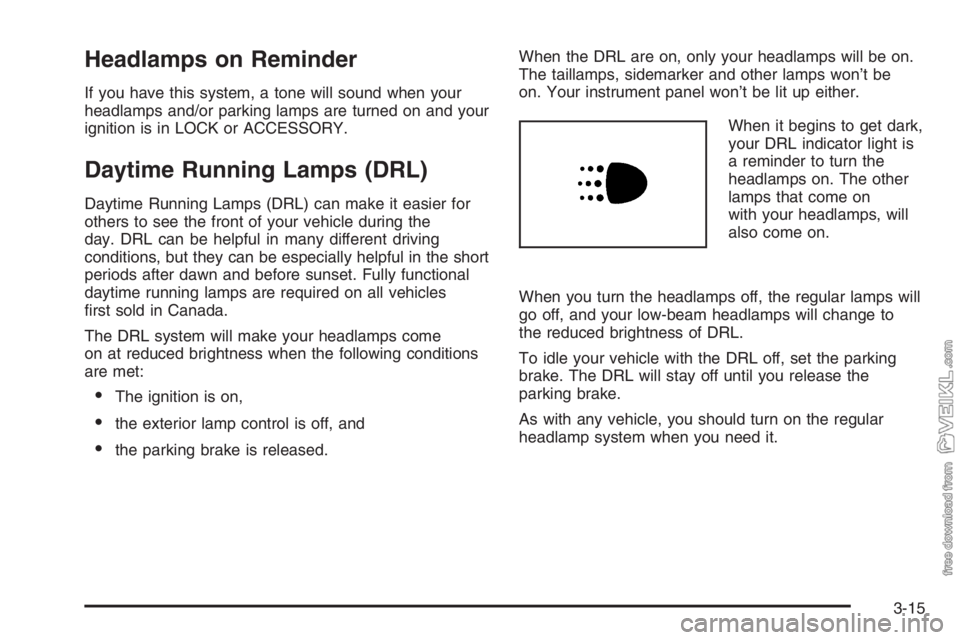
When it begins to get dark,
your DRL indicator light is
a reminder to turn the
headlamps on. The other
lamps that come on
with your headlamps, will
also come on.
When you turn the headlamps off, the regular lamps will
go off, and your low-beam headlamps will change to
the reduced brightness of DRL.
To idle your vehicle with the DRL off, set the parking
brake. The DRL will stay off until you release the
parking brake.
As with any vehicle, you should turn on the regular
headlamp system when you need it.
3-15
Page 139 of 398
q(Exhaust Brake Switch):SeeDiesel Engine
Exhaust Brake on page 2-27.
l(Differential Lock Control Switch):SeeRear
Axle Differential Lock Control on page 4-11.
c(Airbag On/Off Switch):SeeAirbag Off Switch on
page 1-58.
If your vehicle does not have some of the features
controlled by these switches, there will be a blank switch
marker in its place.
Accessory Power Outlet(s)
With accessory power outlets, you can plug in auxiliary
electrical equipment such as a cellular telephone or
CB radio.
The accessory power outlet is located on the
passenger’s side of the instrument panel.
To use an outlet, pull the cover down. When not using
it, always cover the outlet with the protective cap.
This circuit is protected by a fuse and has a maximum
current level.Notice:Leaving electrical equipment on for
extended periods will drain the battery. Always turn
off electrical equipment when not in use and do
not plug in equipment that exceeds the maximum
amperage rating.
Certain electrical accessories may not be compatible
with the accessory power outlet and could result
in blown vehicle or adapter fuses. If you experience a
problem, see your dealer for additional information
on accessory power outlets.
Notice:Adding any electrical equipment to your
vehicle may damage it or keep other components
from working as they should. The repairs would
not be covered by your warranty. Do not use
equipment exceeding maximum amperage rating of
20 amperes. Check with your dealer before adding
electrical equipment.
When adding electrical equipment, be sure to follow the
proper installation instructions included with the
equipment.
Notice:Improper use of the power outlet can cause
damage not covered by your warranty. Do not
hang any type of accessory or accessory bracket
from the plug because the power outlets are
designed for accessory power plugs only.
3-19
Page 140 of 398
Ashtray(s) and Cigarette Lighter
Your vehicle may have an ashtray and a cigarette lighter
located in the center floor console. To open the
removable ashtray, flip open the top.
Notice:If you put papers, pins, or other ammable
items in the ashtray, hot cigarettes or other
smoking materials could ignite them and possibly
damage your vehicle. Never put ammable items in
the ashtray.
To use the cigarette lighter, push it in all the way and let
it go. When it’s ready, it will pop back out by itself.
Notice:Holding a cigarette lighter in while it
is heating will not allow the lighter to back away
from the heating element when it is hot. Damage
from overheating may occur to the lighter or heating
element, or a fuse could be blown. Do not hold a
cigarette lighter in while it is heating.
Climate Controls
Climate Control System
With these systems, you can control the heating,
cooling and ventilation for your vehicle.
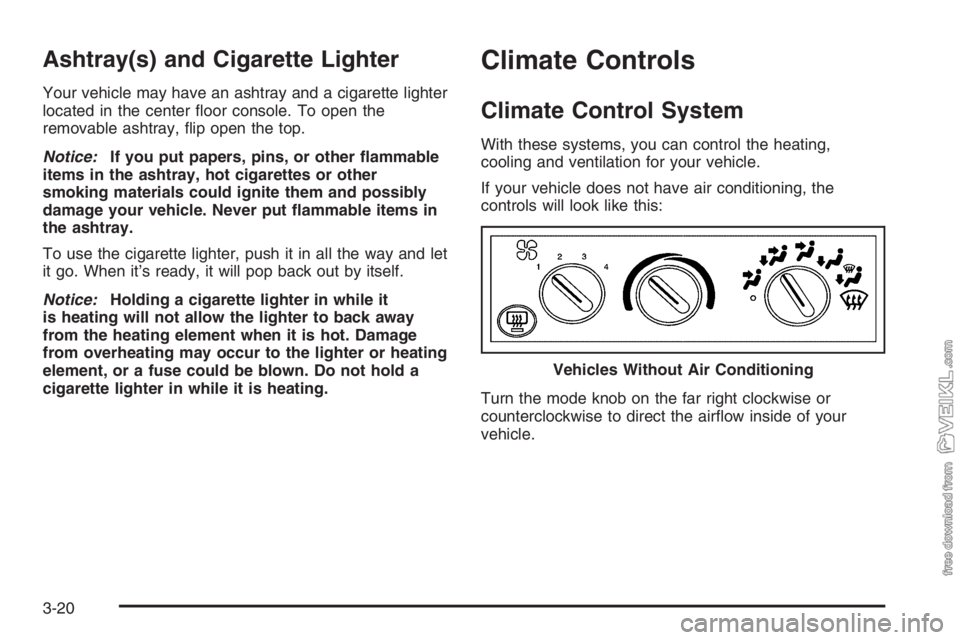
If your vehicle does not have air conditioning, the
controls will look like this:
Turn the mode knob on the far right clockwise or
counterclockwise to direct the airflow inside of your
vehicle.Vehicles Without Air Conditioning
3-20
Page 141 of 398
To change the current mode, select one of the following:
9(Off):This setting turns the system off.
H(Vent):This mode directs air to the instrument
panel vents.
)(Bi-Level):This mode directs half of the air to the
instrument panel vents, then directs the remaining
air to the floor vents. Cooler air is directed to the upper
vents and warmer air to the floor vents.
6(Floor):This mode directs most of the air to the
floor vents. Use this mode to send air to the rear of the
vehicle. Keep the area under the front seats free of
objects that could obstruct airflow to the rear of
the vehicle.The mode knob can also be used to select the defrost
mode. For more information, see “Defogging and
Defrosting” later in this section.
9(Fan):Turn the left knob clockwise or
counterclockwise to increase or decrease the fan speed.
To increase airflow, turn the knob clockwise. To
decrease airflow, turn it counterclockwise. To turn the
fan off, turn the mode knob on the far right
counterclockwise to the off position.
Temperature Knob:Turn the middle knob located
clockwise or counterclockwise to increase or decrease
the temperature inside of your vehicle. Turn the
knob toward the red area for warmer air. Turn the knob
toward the blue area for cooler air.
3-21
Page 155 of 398
When the warning light comes on while you are driving,
you should drive only as far as the nearest point of
safety and then stop the vehicle. Here’s a very important
thing for you to know:
{CAUTION:
If the air brake system warning light comes on
and the warning tone sounds, the vehicle can
stop suddenly and without further warning.
This is because the parking brake will come on
if the pressure falls below 35 to 45 psi (240 to
310 kPa). You or others could be injured. If the
air brake system warning light comes on and
the warning tone sounds, stop as soon as you
can. You will not know how quickly the system
is losing pressure, so be aware that the
parking brake may come on suddenly.
Anti-Lock Brake System
Warning Light
This light will come on
briefly when you start your
engine, then it will turn
off. This is normal.
If the light stays on, or comes on when you are driving,
your vehicle needs service. If the BRAKE or LOW
AIR warning light is not on, you still have brakes, but
you do not have the anti-lock brake feature. If the
BRAKE and/or LOW AIR warning light is on, you do not
have anti-lock brakes and there is a problem with
your regular brakes. SeeBrake System Warning Light
on page 3-33andAnti-Lock Brake System (ABS)
on page 4-8for more information.
The anti-lock brake system warning light should come
on briefly when you turn the ignition key to ON. If
the light does not come on then, have it fixed so it will
be ready to warn you if there is a problem.
3-35