ECO CHEVROLET KODIAK 2007 Owner's Manual
[x] Cancel search | Manufacturer: CHEVROLET, Model Year: 2007, Model line: KODIAK, Model: CHEVROLET KODIAK 2007Pages: 430, PDF Size: 6.06 MB
Page 120 of 430
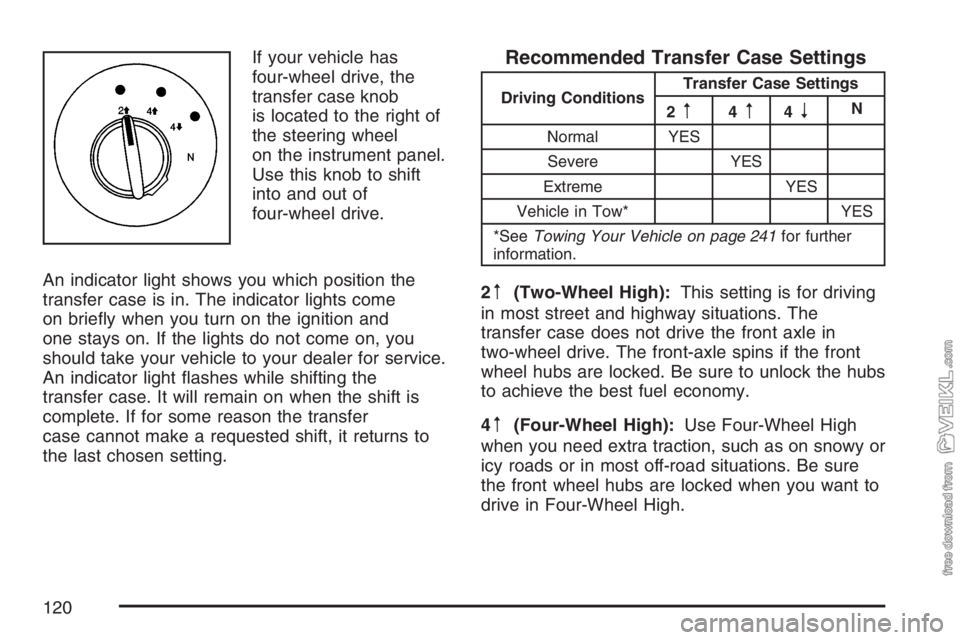
If your vehicle has
four-wheel drive, the
transfer case knob
is located to the right of
the steering wheel
on the instrument panel.
Use this knob to shift
into and out of
four-wheel drive.
An indicator light shows you which position the
transfer case is in. The indicator lights come
on briefly when you turn on the ignition and
one stays on. If the lights do not come on, you
should take your vehicle to your dealer for service.
An indicator light flashes while shifting the
transfer case. It will remain on when the shift is
complete. If for some reason the transfer
case cannot make a requested shift, it returns to
the last chosen setting.Recommended Transfer Case Settings
Driving ConditionsTransfer Case Settings
2m4m4nN
Normal YES
Severe YES
Extreme YES
Vehicle in Tow* YES
*SeeTowing Your Vehicle on page 241for further
information.
2m(Two-Wheel High):This setting is for driving
in most street and highway situations. The
transfer case does not drive the front axle in
two-wheel drive. The front-axle spins if the front
wheel hubs are locked. Be sure to unlock the hubs
to achieve the best fuel economy.
4
m(Four-Wheel High):Use Four-Wheel High
when you need extra traction, such as on snowy or
icy roads or in most off-road situations. Be sure
the front wheel hubs are locked when you want to
drive in Four-Wheel High.
120
Page 122 of 430
Shifting Into Two-Wheel High
Turn the knob to Two-Wheel High. This can be
done at 3 mph or less, while you are shifting out of
Four-Wheel Low.
Shifting Into Four-Wheel Low
To shift to Four-Wheel Low, the vehicle’s engine
must be running and the vehicle must be stopped
or moving less than 3 mph (5 km/h) with the
transmission in NEUTRAL (N). The preferred
method for shifting into Four-Wheel Low is to have
your vehicle moving 1 or 2 mph (1.6 to 3.2 km/h).
Turn the knob to Four-Wheel Low. You must
wait for the Four-Wheel Low indicator light to stop
flashing and remain on before shifting the
transmission into gear. Be sure to lock the
front hubs.Notice:Shifting the transmission into gear
before the Four-Wheel Drive Low indicator light
has stopped ashing could damage the
transfer case. To help avoid damaging your
vehicle, always wait for the Four-Wheel
Drive Low indicator light to stop ashing
before shifting the transmission into gear.
If you turn the knob to Four-Wheel Low while your
vehicle is in gear and/or moving, the Four-Wheel
Low indicator light flashes for 30 seconds and
does not complete the shift unless your vehicle is
moving less than 3 mph (4.8 km/h) and the
transmission is in NEUTRAL (N). After 30 seconds,
the transfer case returns to the setting last
chosen. If your vehicle is in gear and moving less
than 3 mph (4.8 km/h), the transfer case shifts
to Four-Wheel High.
122
Page 123 of 430
Shifting Out of Four-Wheel Low
To shift from Four-Wheel Low to Four-Wheel High
or Two-Wheel High, your vehicle must be
stopped or moving less than 3 mph (5 km/h) with
the transmission in NEUTRAL (N) and the
engine running. The preferred method for shifting
out of Four-Wheel Low is to have your vehicle
moving 1 or 2 mph (1.6 to 3.2 km/h). Turn the knob
to Four-Wheel High or Two-Wheel High. You
must wait for the Four-Wheel High or Two-Wheel
High indicator light to stop flashing and remain
on before shifting the transmission into gear.
Notice:Shifting the transmission into gear
before the Four-Wheel High or Two-Wheel High
indicator light has stopped ashing could
damage the transfer case. To help avoid
damaging your vehicle, always wait for the
Four-Wheel High or Two-Wheel High indicator
light to stop ashing before shifting the
transmission into gear.
If the knob is turned to Four-Wheel High or
Two-Wheel High while your vehicle is in gear and/or
moving, the Four-Wheel High or Two-Wheel high
indicator light flashes for 30 seconds. It will not
complete the shift unless your vehicle is moving
less than 3 mph (5 km/h) with the transmission in
NEUTRAL (N).
Shifting Into NEUTRAL
Before shifting the transfer case to NEUTRAL, first
make sure the vehicle is parked so that it will
not roll.
1. Set the parking brake.
2. Start the vehicle.
3. Put the transmission in NEUTRAL (N).
4. Shift the transfer case to Two-Wheel High.
5. Turn the transfer case knob all of the way past
Four-Wheel Low and hold it there for a
minimum of 10 seconds. The NEUTRAL
indicator light comes on.
6. Shift the transmission to REVERSE (R) for
one second, then shift the transmission to
DRIVE (D) for one second.
7. Turn the ignition to OFF.
8. Place the transmission shift lever in
PARK. (P).
9. Turn the ignition to LOCK.
123
Page 124 of 430
Shifting Out of NEUTRAL
To shift the transfer case out of NEUTRAL, do the
following:
1. Set the parking brake and apply the regular
brake pedal.
2. Turn the ignition to RUN with the engine off.
3. Put the transmission in NEUTRAL (N).
4. Turn the transfer case knob to the desired
shift position (Two-Wheel High, Four-Wheel
High, Four-Wheel Low).
5. After the transfer case has shifted out of
NEUTRAL, the indicator light goes out.Notice:Driving with the parking brake on can
overheat the brake system and cause
premature wear or damage to brake system
parts. Verify that the parking brake is fully
released and the brake warning light is
off before driving.
6. Release the parking brake.
7. Start the engine and shift the transmission
lever to the desired position.
Excessively shifting the transfer case into or out of
the different modes can cause the transfer case
to enter the shift protection mode. This protects the
transfer case from possible damage and only
allows the transfer case to respond to one shift per
10 seconds. The transfer case can stay in this
mode for up to three minutes.
124
Page 128 of 430
For driving with a trailer, the yellow and red, if
equipped, knobs must be pushed in. When you are
not pulling a trailer, the red trailer air supply
knob must be pulled out.
{CAUTION:
If you apply any one of the air brake
parking controls while the vehicle is
moving, your rig will stop suddenly. If you
are not ready for this, you or others could
be injured. Do not apply any one of these
controls while you are driving, unless you
have to make an emergency stop.
If the air pressure drops below 60 to 70 psi
(413 to 482 kPa), the primary brake light and
warning buzzer will come on. If the air pressure
drops to 35 to 45 psi (241 to 310 kPa), the
red trailer air supply knob will automatically pop
out and apply the spring brakes on the trailer.If the air pressure drops to 35 to 45 psi
(241 to 310 kPa), the yellow park brake knob will
automatically pop out and apply the spring
brakes on the truck or tractor.
If you ever have a complete loss of air so that
your air brakes automatically apply, there is a way
that the tow operator can release the parking
brakes to tow the vehicle. SeeTowing Your
Vehicle on page 241.
Parking Brake Burnish Procedure
All vehicles which have hydraulic brakes will have
a parking brake. It is recommended that the
parking brake be burnished as part of the new
vehicle break-in. The parking brake will work best
after it has been burnished following these
instructions:
1. Making sure that there is no other traffic
around, get the vehicle speed up to
20 mph (32 km/h) and pull up to apply the
parking brake. Let the vehicle come to
a complete stop. Apply the base brakes and
disengage the parking brake.
128
Page 145 of 430
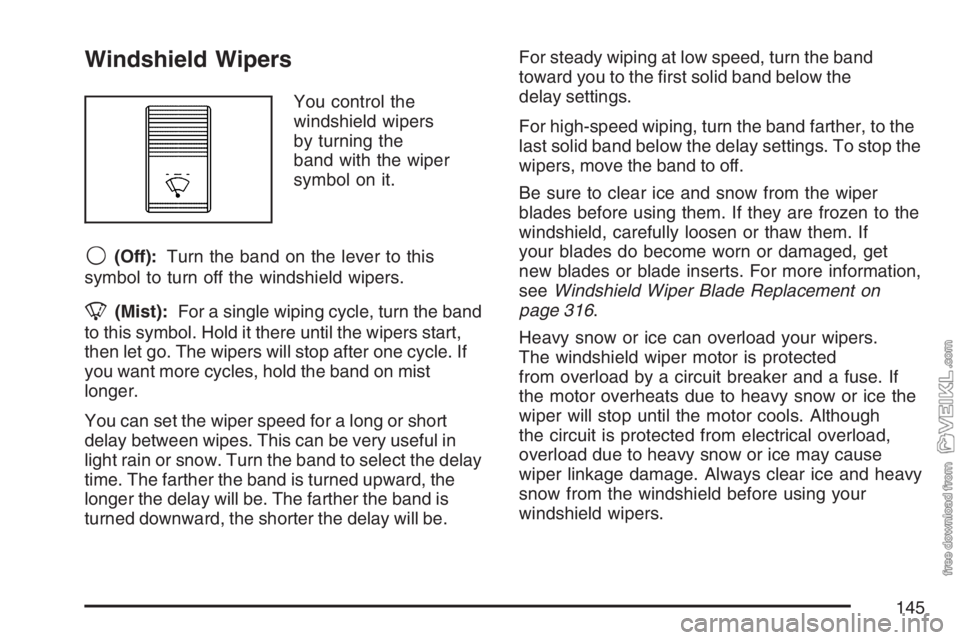
Windshield Wipers
You control the
windshield wipers
by turning the
band with the wiper
symbol on it.
9(Off):Turn the band on the lever to this
symbol to turn off the windshield wipers.
8(Mist):For a single wiping cycle, turn the band
to this symbol. Hold it there until the wipers start,
then let go. The wipers will stop after one cycle. If
you want more cycles, hold the band on mist
longer.
You can set the wiper speed for a long or short
delay between wipes. This can be very useful in
light rain or snow. Turn the band to select the delay
time. The farther the band is turned upward, the
longer the delay will be. The farther the band is
turned downward, the shorter the delay will be.For steady wiping at low speed, turn the band
toward you to the first solid band below the
delay settings.
For high-speed wiping, turn the band farther, to the
last solid band below the delay settings. To stop the
wipers, move the band to off.
Be sure to clear ice and snow from the wiper
blades before using them. If they are frozen to the
windshield, carefully loosen or thaw them. If
your blades do become worn or damaged, get
new blades or blade inserts. For more information,
seeWindshield Wiper Blade Replacement on
page 316.
Heavy snow or ice can overload your wipers.
The windshield wiper motor is protected
from overload by a circuit breaker and a fuse. If
the motor overheats due to heavy snow or ice the
wiper will stop until the motor cools. Although
the circuit is protected from electrical overload,
overload due to heavy snow or ice may cause
wiper linkage damage. Always clear ice and heavy
snow from the windshield before using your
windshield wipers.
145
Page 153 of 430
Dome Lamps
The dome lamps will come on when you open
a door.
You can also turn the dome lamps on by moving
the thumbwheel, located to the right of the
exterior lamp control, all the way up to the second
position. In this position, the dome lamps will
remain on whether a door is open or closed.
You can use the dome override button to set the
dome lamps to automatically come on when a
door is open, or to remain off.
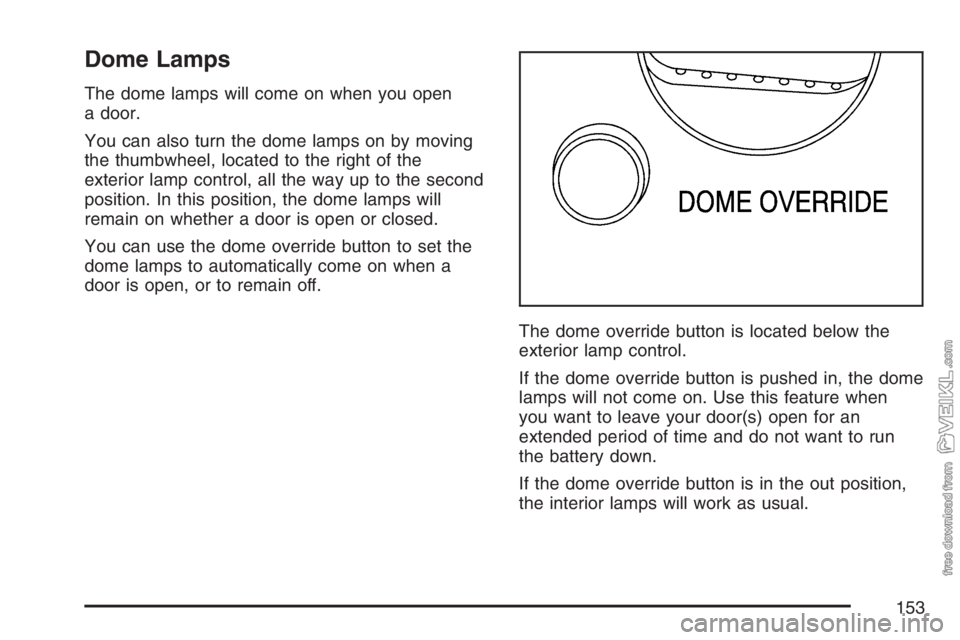
The dome override button is located below the
exterior lamp control.
If the dome override button is pushed in, the dome
lamps will not come on. Use this feature when
you want to leave your door(s) open for an
extended period of time and do not want to run
the battery down.
If the dome override button is in the out position,
the interior lamps will work as usual.
153
Page 154 of 430
Entry Lighting
The delayed illumination feature will allow you to
enter or exit your vehicle with the lights on for
about 20 seconds, after the door is closed or the
ignition is cycled.
Reading Lamps
If your vehicle has reading lamps, press the button
next to the lamp to turn the lamp on or off.
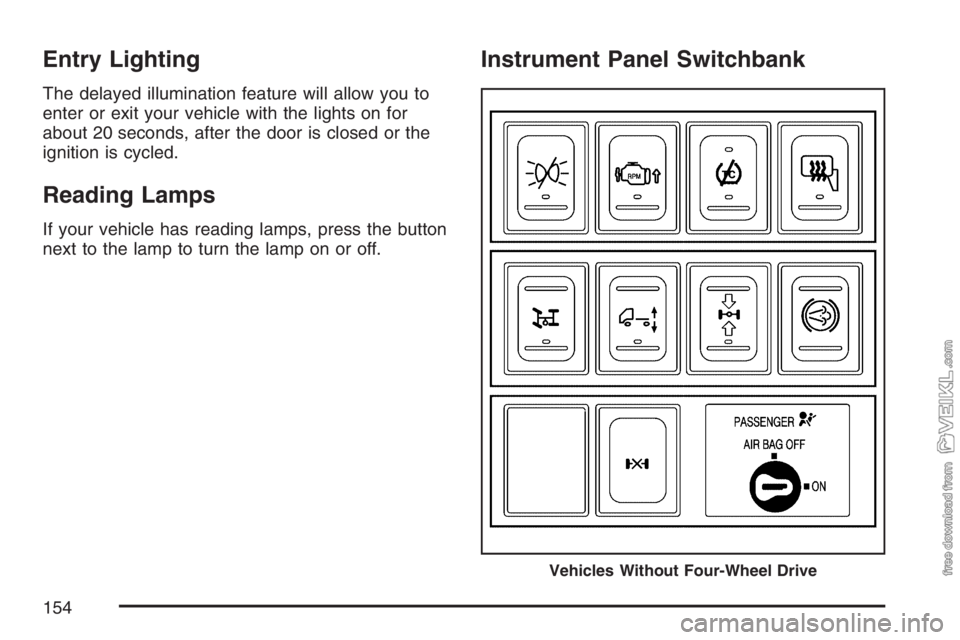
Instrument Panel Switchbank
Vehicles Without Four-Wheel Drive
154
Page 159 of 430
<(Maximum Air Conditioning):Turn the right
knob to this setting for maximum cooling. This
setting puts the system in recirculation mode and
helps to maximize your air conditioner’s
performance and your vehicle’s fuel economy.
This setting also cools the air the fastest.
Y(Air Conditioning):This setting is used for
normal cooling on hot days. It cools outside air and
directs it through the instrument panel vents.
)(Bi-Level Air Conditioning):This setting
divides airflow between the floor vents and
instrument panel vents. The air conditioning
compressor will cycle continuously in this setting
as long as the outside temperature is warm
enough to activate the compressor.
Defogging and Defrosting
Fog on the inside of windows is a result of high
humidity (moisture) condensing on the cool window
glass. This can be minimized if the climate
control is used properly. There are two modes to
clear fog or frost from your windshield and
side windows.Use the defog mode to clear the windows of fog or
moisture and warm the passengers. Use the defrost
mode to remove fog or frost from the windshield
more quickly. For best results, clear all snow and
ice from the windshield before defrosting.
Turn the mode knob on the right of the climate
control panel to select the defog or defrost mode.
-(Defog):With this setting, the outside air
comes out of both the floor and defroster outlets.
Adjust the temperature knob for warmer or
cooler air. The air conditioning compressor may
operate in this setting to dehumidify the air.
0(Defrost):This setting operates the defroster.
Most of the air comes out near the windshield,
with some going to the floor outlets and front side
windows. The air conditioning compressor may
operate in this setting to dehumidify the air.
The defog setting is useful for cold weather with a
large number of passengers or very humid
conditions to help keep the windshield clear. Use
defrost to remove fog or ice from the windshield
quickly in extremely cold conditions. The
temperature knob should be in the red area and
the fan control toward high. Do not drive the
vehicle until all the windows are clear.
159
Page 161 of 430
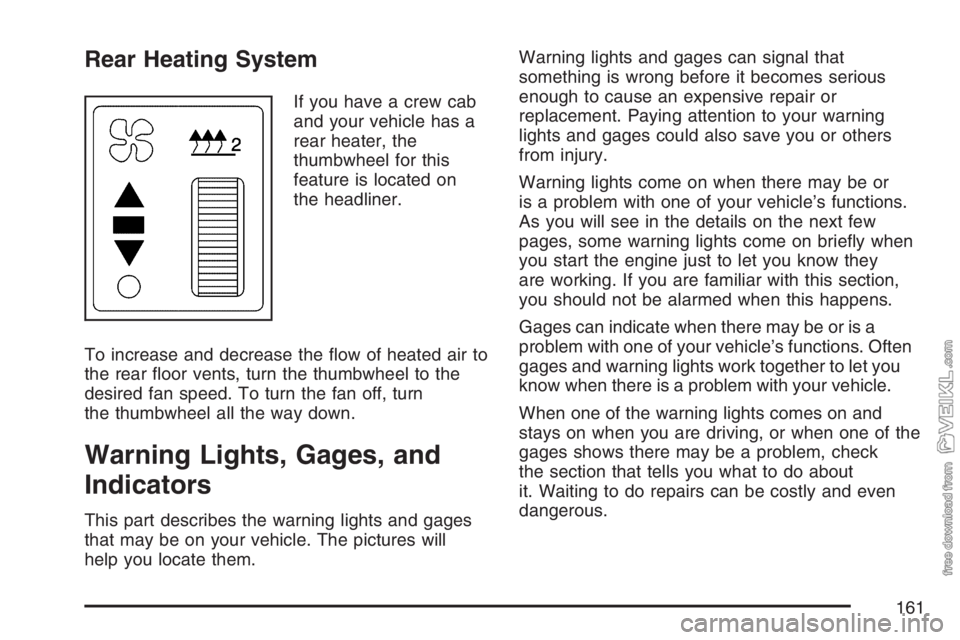
Rear Heating System
If you have a crew cab
and your vehicle has a
rear heater, the
thumbwheel for this
feature is located on
the headliner.
To increase and decrease the flow of heated air to
the rear floor vents, turn the thumbwheel to the
desired fan speed. To turn the fan off, turn
the thumbwheel all the way down.
Warning Lights, Gages, and
Indicators
This part describes the warning lights and gages
that may be on your vehicle. The pictures will
help you locate them.Warning lights and gages can signal that
something is wrong before it becomes serious
enough to cause an expensive repair or
replacement. Paying attention to your warning
lights and gages could also save you or others
from injury.
Warning lights come on when there may be or
is a problem with one of your vehicle’s functions.
As you will see in the details on the next few
pages, some warning lights come on briefly when
you start the engine just to let you know they
are working. If you are familiar with this section,
you should not be alarmed when this happens.
Gages can indicate when there may be or is a
problem with one of your vehicle’s functions. Often
gages and warning lights work together to let you
know when there is a problem with your vehicle.
When one of the warning lights comes on and
stays on when you are driving, or when one of the
gages shows there may be a problem, check
the section that tells you what to do about
it. Waiting to do repairs can be costly and even
dangerous.
161