service CHEVROLET LOW CAB FORWARD 2018 Owner's Manual
[x] Cancel search | Manufacturer: CHEVROLET, Model Year: 2018, Model line: LOW CAB FORWARD, Model: CHEVROLET LOW CAB FORWARD 2018Pages: 358, PDF Size: 6.32 MB
Page 2 of 358
Chevrolet Low Cab Forward Owner Manual (GMNA-Localizing-U.S.-
11254764) - 2018 - crc - 12/5/16
ContentsIntroduction . . . . . . . . . . . . . . . . . . . . . . 2
In Brief . . . . . . . . . . . . . . . . . . . . . . . . . . . 9
Keys, Doors, and Windows . . . . . 25
Seats and Restraints . . . . . . . . . . . 38
Storage . . . . . . . . . . . . . . . . . . . . . . . . . 54
Instruments and Controls . . . . . . . 64
Lighting . . . . . . . . . . . . . . . . . . . . . . . . . 92
Infotainment System . . . . . . . . . . . . 97
Climate Controls . . . . . . . . . . . . . . 115
Driving and Operating . . . . . . . . . 121
Vehicle Care . . . . . . . . . . . . . . . . . . 217
Service and Maintenance . . . . . 303
Technical Data . . . . . . . . . . . . . . . . 330
Customer Information . . . . . . . . . 342
Reporting Safety Defects . . . . . . 349
Index . . . . . . . . . . . . . . . . . . . . 351
Page 3 of 358
Chevrolet Low Cab Forward Owner Manual (GMNA-Localizing-U.S.-
11254764) - 2018 - crc - 12/5/16
2 Introduction
Introduction
The names, logos, emblems,
slogans, vehicle model names, and
vehicle body designs appearing in
this manual including, but not limited
to, GM, the GM logo, CHEVROLET,
and the CHEVROLET Emblem are
trademarks and/or service marks of
General Motors LLC, its
subsidiaries, affiliates, or licensors.
This manual has been prepared to
acquaint you with the operation and
maintenance of your vehicle, and to
provide important safety information.
It includes a Maintenance Schedule
and is supplemented with a
Warranty and Owner Assistance
Information booklet. We urge you to
read these publications carefully.The following recommendations will
help ensure the most enjoyable,
safe, and trouble-free operation of
your vehicle. When it comes to
service, keep in mind that your
commercial truck dealer knows your
vehicle best and is interested in
your complete satisfaction. Your
dealer invites you to return for all of
your service needs both during and
after the warranty period.
Remember, if you have a concern
that has not been handled to your
satisfaction, follow the steps in the
separate Warranty and Owner
Assistance Information booklet. We
thank you for choosing our product,
and want to assure you of our
continuing interest in your motoring
pleasure and satisfaction.
Model Reference
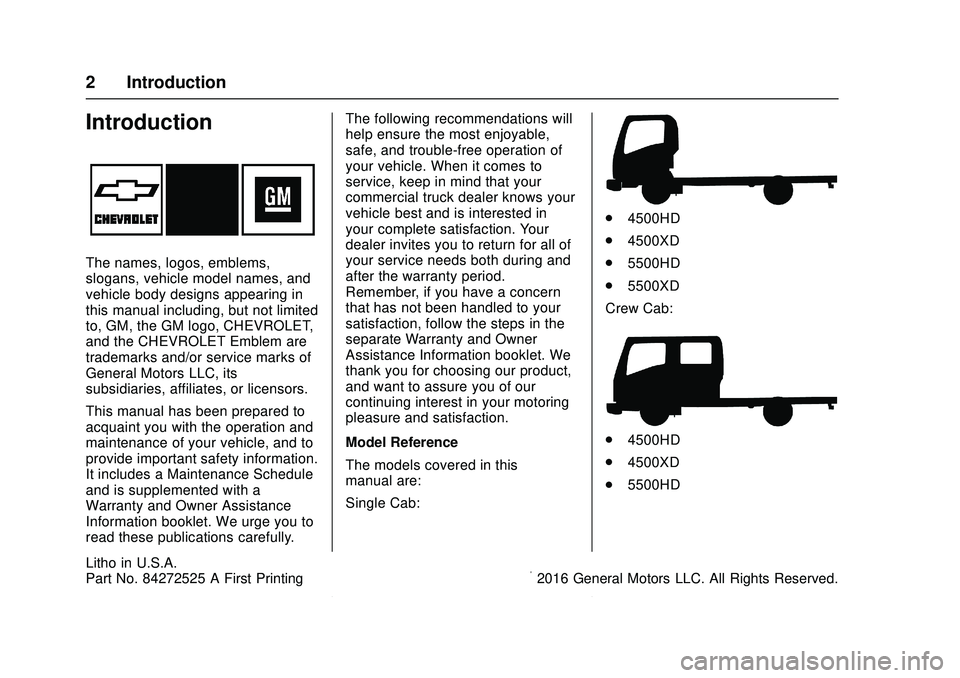
The models covered in this
manual are:
Single Cab:
.
4500HD
. 4500XD
. 5500HD
. 5500XD
Crew Cab:
. 4500HD
. 4500XD
. 5500HD
Litho in U.S.A.
Part No. 84272525 A First Printing©2016 General Motors LLC. All Rights Reserved.
Page 27 of 358
Chevrolet Low Cab Forward Owner Manual (GMNA-Localizing-U.S.-
11254764) - 2018 - crc - 12/5/16
26 Keys, Doors, and Windows
If you resell the vehicle, be sure to
hand over the plate with key code to
the new owner together with the
vehicle.
Remote Keyless Entry
(RKE) System
SeeRadio Frequency Statement
0 348.
If there is a decrease in the Remote
Keyless Entry (RKE) operating
range:
. Check the distance. The
transmitter may be too far from
the vehicle.
. Check the location. Other
vehicles or objects may be
blocking the signal.
. Check the transmitter's battery.
See “Replacing the Battery in
the Remote Control Unit” later in
this section.
. If the transmitter is still not
working correctly, see your
dealer or a qualified technician
for service.
Remote Keyless Entry
(RKE) System Operation
The keyless entry system allows
you to lock/unlock the doors by
simply pressing the remote control
button rather than inserting the key
into the lock.
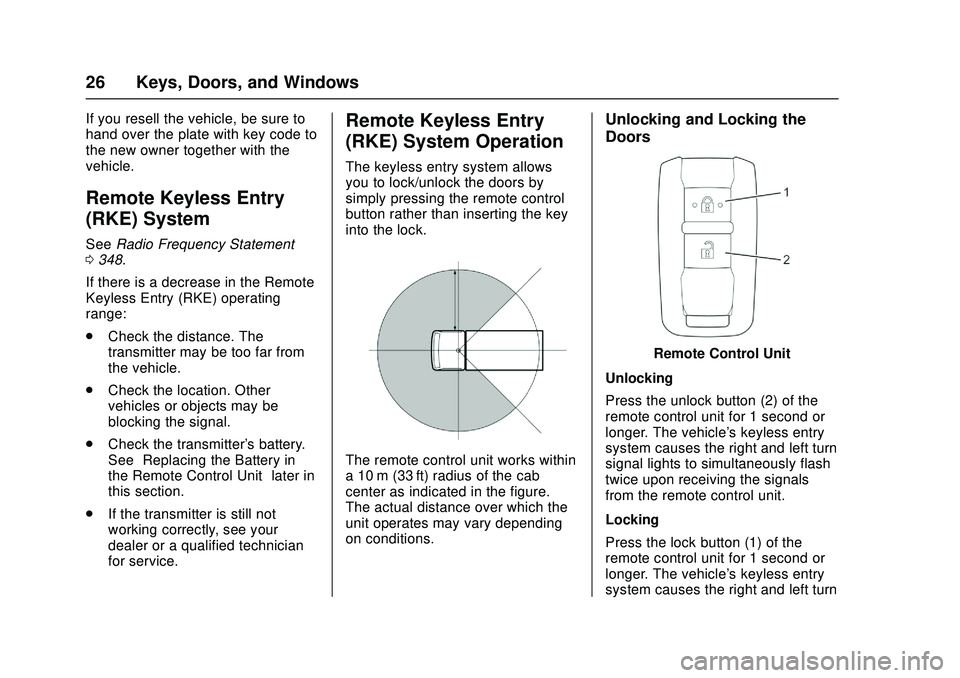
The remote control unit works within
a 10 m (33 ft) radius of the cab
center as indicated in the figure.
The actual distance over which the
unit operates may vary depending
on conditions.
Unlocking and Locking the
Doors
Remote Control Unit
Unlocking
Press the unlock button (2) of the
remote control unit for 1 second or
longer. The vehicle's keyless entry
system causes the right and left turn
signal lights to simultaneously flash
twice upon receiving the signals
from the remote control unit.
Locking
Press the lock button (1) of the
remote control unit for 1 second or
longer. The vehicle's keyless entry
system causes the right and left turn
Page 40 of 358
Chevrolet Low Cab Forward Owner Manual (GMNA-Localizing-U.S.-
11254764) - 2018 - crc - 12/5/16
Seats and Restraints 39
Warning (Continued)
service if you find that your seat
adjusters do not latch. In addition,
the seat belt will not operate
properly if the seatback is not
completely locked. You and
others could be seriously injured.
{Warning
Driving with the seat excessively
reclined could be very dangerous
in the event of a collision or
sudden stop. Raise the seatback,
and apply the seat belt correctly
while sitting straight in the seat.
You and others could be seriously
injured.
{Warning
Do not place a cushion or similar
object between your back and the
seatback. Doing so not only
affects the stability of your driving
position but also prevents the
seat belt from working effectively
in the event of a collision. You
and others could be seriously
injured.
{Warning
Do not place any objects under
the seat. If there are any objects
under the seat, the seat could be
locked in an improper position.
You and others could be seriously
injured.
{Warning
Before making adjustments,
check that the seat rails are free
of anything that could obstruct the
locking of the seat. Be careful that
your hand or foot does not
become trapped in the seat or
rails when adjusting the seat. You
and others could be seriously
injured.
{Warning
When adjusting the seat, be
careful that the seat does not hit
passengers or objects. Doing so
could cause injury to passengers,
or damage objects. You and
others could be seriously injured.
Page 46 of 358

Chevrolet Low Cab Forward Owner Manual (GMNA-Localizing-U.S.-
11254764) - 2018 - crc - 12/5/16
Seats and Restraints 45
Warning (Continued)
Do not let the belt twist while it is
rewinding: it may cause the
retractor to jam so it will not
rewind further. If it is not fully
rewound, the belt cannot be
pulled out. Should the belt jam,
you may be able to release it by
working the belt in and out until
the belt rewinds far enough to
unlock. However, if the belt
remains jammed or other parts of
the restraint system do not work
properly, have your dealer
service it.
Wearing seat belts is a legal
requirement. All other passengers
must wear seat belts. The driver
is responsible not only for
wearing a seat belt himself/herself
but also for prompting all
passengers to wear their seat
belts. It is necessary, however, to
check with a doctor about the
appropriateness of a seat belt for(Continued)
Warning (Continued)
an expectant mother or a
passenger with a chest/abdominal
condition.
Three-Point Seat Belt
{Warning
The shoulder belt should be
adequately positioned on your
shoulder but should not touch
your neck and/or face. The
shoulder belt could harm you in a
collision or sudden stop if it is in
contact with your neck and/
or face.Every seat except the center seat
on your vehicle is equipped with a
three-point seat belt. The seat belt
extends or retracts freely if the
wearer moves slowly, but it locks
and restrains the occupant during
forward force caused by the
occupant's body following a strong
shock.
Page 59 of 358

Chevrolet Low Cab Forward Owner Manual (GMNA-Localizing-U.S.-
11254764) - 2018 - crc - 12/5/16
58 Storage
Additional Storage
Features
Shopping Bag Hooks
This can be used to hold plastic
shopping bags. Do not hang
anything weighing over 3 kg
(6.6 lbs) or the hook will break.
Information on
Loading the Vehicle
Overloading
{Warning
Overloading can result in loss of
vehicle control and personal
injury or death, either by causing
component failures or by affecting
vehicle handling. It can also
shorten the service life of your
vehicle.
The components of your truck are
designed to provide satisfactory
service if the vehicle is not loaded in
excess of either the gross vehicle
weight rating (GVWR) or the
maximum front and rear gross axle
weight ratings (GAWRs). These
ratings are listed on the vehicle
identification number (VIN) plate,
which is located on the left side rear
pillar panel below the striker (single
cab) or on the left center pillar panel
beside the shoulder seat belt anchor
(crew cab). Gross vehicle weight (GVW) is the
weight of the originally equipped
vehicle and all items added to it
after it has left the factory. This
would include bodies, liftgates,
refrigeration systems, etc., winches,
booms, etc., the driver and all
occupants, and the load the vehicle
is carrying. The GVW must not
exceed the GVWR. Also, gross
weight on each of the front and rear
axles must not exceed the front and
rear GAWRs respectively.
Your dealer can advise you of the
proper loading conditions for your
vehicle. Using selected heavier
suspension components for added
durability may not increase any of
the weight ratings shown on the VIN
and weight rating plate.
Page 61 of 358

Chevrolet Low Cab Forward Owner Manual (GMNA-Localizing-U.S.-
11254764) - 2018 - crc - 12/5/16
60 Storage
Load Cargo Correctly
{Warning
Overloading can result in an
accident because it places too
much strain on the wheel studs
with the result that they break and
the wheels come off.
The weight of the payload must
be limited within the gross vehicle
weight (GVW) rating and
distributed over the front and rear
axles so as not to exceed the
axle capacities.(Continued)
Warning (Continued)
It is extremely dangerous to
overload the vehicle or to load the
vehicle with the cargo positioned
on one side. Load the vehicle
correctly, observing the maximum
loading capacity.
Incorrect loading can make the
cargo unstable. It can also cause
an overload condition confined to
a small area, resulting in damage
to the cargo bed and frame.
Overloading places undue strain
on vehicle parts. It can shorten
the vehicle's service life and
cause an accident. You and
others could be seriously injured.
Page 65 of 358
Chevrolet Low Cab Forward Owner Manual (GMNA-Localizing-U.S.-
11254764) - 2018 - crc - 12/5/16
64 Instruments and Controls
Instruments and
Controls
Controls
Steering Wheel Adjustment . . . . 65
Horn . . . . . . . . . . . . . . . . . . . . . . . . . . . 65
Windshield Wiper/Washer . . . . . . 66
Power Outlets . . . . . . . . . . . . . . . . . 67
Cigarette Lighter . . . . . . . . . . . . . . . 67
Ashtrays . . . . . . . . . . . . . . . . . . . . . . . 68
Warning Lights, Gauges, and
Indicators
Warning Lights, Gauges, andIndicators . . . . . . . . . . . . . . . . . . . . 69
Instrument Cluster . . . . . . . . . . . . . 70
Speedometer . . . . . . . . . . . . . . . . . . 71
Odometer . . . . . . . . . . . . . . . . . . . . . . 71
Trip Odometer . . . . . . . . . . . . . . . . . 71
Tachometer . . . . . . . . . . . . . . . . . . . . 72
Fuel Gauge . . . . . . . . . . . . . . . . . . . . 72
Engine Coolant Temperature Gauge . . . . . . . . . . . . . . . . . . . . . . . . 72
Diesel Exhaust Fluid (DEF) Gauge . . . . . . . . . . . . . . . . . . . . . . . . 73
Seat Belt Reminders . . . . . . . . . . . 73
Battery Warning Light . . . . . . . . . . 73
Malfunction Indicator Lamp (Check Engine Light) . . . . . . . . . 74 Service Vehicle Soon Light . . . . 74
Brake System Warning Light
(Parking Brake Light) . . . . . . . . . 75
Antilock Brake System (ABS) Warning Light . . . . . . . . . . . . . . . . 77
Exhaust Brake Light . . . . . . . . . . . 78
Service Transmission Warning Light . . . . . . . . . . . . . . . . . . . . . . . . . 78
Automatic Transmission Fluid Temperature Warning Light . . . 78
Overdrive Off Light . . . . . . . . . . . . . 79
Wait-to-Start Light . . . . . . . . . . . . . 79
Engine Oil Pressure Light . . . . . . 79
Engine Oil Level Indicator Light . . . . . . . . . . . . . . . . . . . . . . . . . 80
Diesel Exhaust Fluid (DEF) Warning Light . . . . . . . . . . . . . . . . 80
Engine Shutdown Warning Light . . . . . . . . . . . . . . . . . . . . . . . . . 80
Idle Shutdown Light . . . . . . . . . . . . 81
Reduced Engine Power Light . . . . . . . . . . . . . . . . . . . . . . . . . 81
High-Beam On Light . . . . . . . . . . . 81
Daytime Running Lamps (DRL) Indicator Light . . . . . . . . . . . . . . . . 82
Cruise Control Light . . . . . . . . . . . 82
Information Displays
Driver Information Center (DIC) . . . . . . . . . . . . . . . . . 82
Vehicle Messages
Vehicle Messages . . . . . . . . . . . . . 86
Warning Buzzers . . . . . . . . . . . . . . 91
Page 75 of 358

Chevrolet Low Cab Forward Owner Manual (GMNA-Localizing-U.S.-
11254764) - 2018 - crc - 12/5/16
74 Instruments and Controls
This light comes on briefly when the
ignition is turned on, but the engine
is not running, as a check to show
the light is working. It should go out
when the engine is started.
If the light stays on, or comes on
while driving, there may be a
problem with the electrical charging
system (such as a loose or broken
fan belt). Pull off to a safe place well
clear of traffic and contact your
dealer. Driving while this light is on
could drain the battery.
Check and Corrective Action1. Check to see if the fan belt is broken or loose.
2. If the fan belt is loose, adjust the tension.
3. If the fan belt is broken or there is no abnormality in the fan
belt, see your dealer for
service.
See Battery 0247, Jump Starting -
North America 0287, and Engine
Drive Belt Routing 0341.Malfunction Indicator
Lamp (Check Engine
Light)
This light should come on to show
that it is working when the engine
control switch is turned to the ON
position, and then should go out
after the engine is started.
If this light stays on or comes on
while the engine is running, it
indicates a malfunction with the
engine electronic emission control
system. Avoid driving at high
speeds and have the vehicle
inspected by your dealer.
If this light comes on when the fuel
tank is empty, you do not need to
have your vehicle serviced. See
Running Out of Fuel 0212. If this light comes on intermittently
or continuously while driving,
service is required. Even if the
vehicle is drivable and does not
require towing, see your dealer as
soon as possible. Continued driving
without having the system serviced
could cause damage to the
emission control system. It could
also affect fuel economy and
drivability.Service Vehicle Soon
Light
This light comes on briefly when the
engine control switch is in the ON
position, but the engine is not
running, as a check to show the
light is working. It should go out
when the engine is started.
Page 76 of 358
Chevrolet Low Cab Forward Owner Manual (GMNA-Localizing-U.S.-
11254764) - 2018 - crc - 12/5/16
Instruments and Controls 75
If the light stays on, or comes on
while driving, the vehicle control
system may be malfunctioning. Take
the vehicle to your dealer for service
as soon as possible.
Brake System Warning
Light (Parking Brake
Light)
This light should come on briefly
when the engine control switch is
turned to the ON position, and then
should go out after the engine is
started.
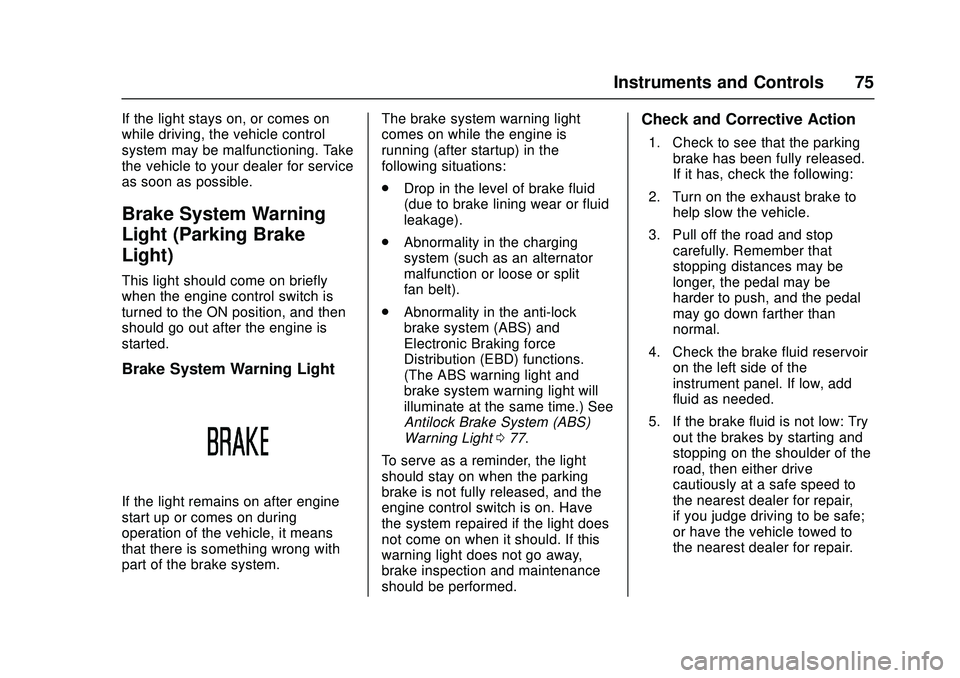
Brake System Warning Light
If the light remains on after engine
start up or comes on during
operation of the vehicle, it means
that there is something wrong with
part of the brake system.The brake system warning light
comes on while the engine is
running (after startup) in the
following situations:
.
Drop in the level of brake fluid
(due to brake lining wear or fluid
leakage).
. Abnormality in the charging
system (such as an alternator
malfunction or loose or split
fan belt).
. Abnormality in the anti-lock
brake system (ABS) and
Electronic Braking force
Distribution (EBD) functions.
(The ABS warning light and
brake system warning light will
illuminate at the same time.) See
Antilock Brake System (ABS)
Warning Light 077.
To serve as a reminder, the light
should stay on when the parking
brake is not fully released, and the
engine control switch is on. Have
the system repaired if the light does
not come on when it should. If this
warning light does not go away,
brake inspection and maintenance
should be performed.
Check and Corrective Action
1. Check to see that the parking brake has been fully released.
If it has, check the following:
2. Turn on the exhaust brake to help slow the vehicle.
3. Pull off the road and stop carefully. Remember that
stopping distances may be
longer, the pedal may be
harder to push, and the pedal
may go down farther than
normal.
4. Check the brake fluid reservoir on the left side of the
instrument panel. If low, add
fluid as needed.
5. If the brake fluid is not low: Try out the brakes by starting and
stopping on the shoulder of the
road, then either drive
cautiously at a safe speed to
the nearest dealer for repair,
if you judge driving to be safe;
or have the vehicle towed to
the nearest dealer for repair.