change wheel CHEVROLET S10 1995 2.G Owners Manual
[x] Cancel search | Manufacturer: CHEVROLET, Model Year: 1995, Model line: S10, Model: CHEVROLET S10 1995 2.GPages: 354, PDF Size: 18.92 MB
Page 67 of 354
Downloaded from www.Manualslib.com manuals search engine While you accelerate, it is normal for the light to go on and off if you
quickly change the position of the accelerator. Ignore the SHIFT light when
you downshift.
Four- Wheel Drive Vehicles Only:
If your vehicle has four-wheel drive and is equipped with a manual
transmission, disregard the shift light when the transfer case is in
4LO.
Locking Rear Axle
If you have this feature, your rear axle can give you additional traction on
snow, mud, ice, sand or gravel. It
works like a standard axle most of the
time, but when one
of the rear wheels has no traction and the other does, the
locking feature will allow the wheel with traction
to move the vehicle.
Parking Brake
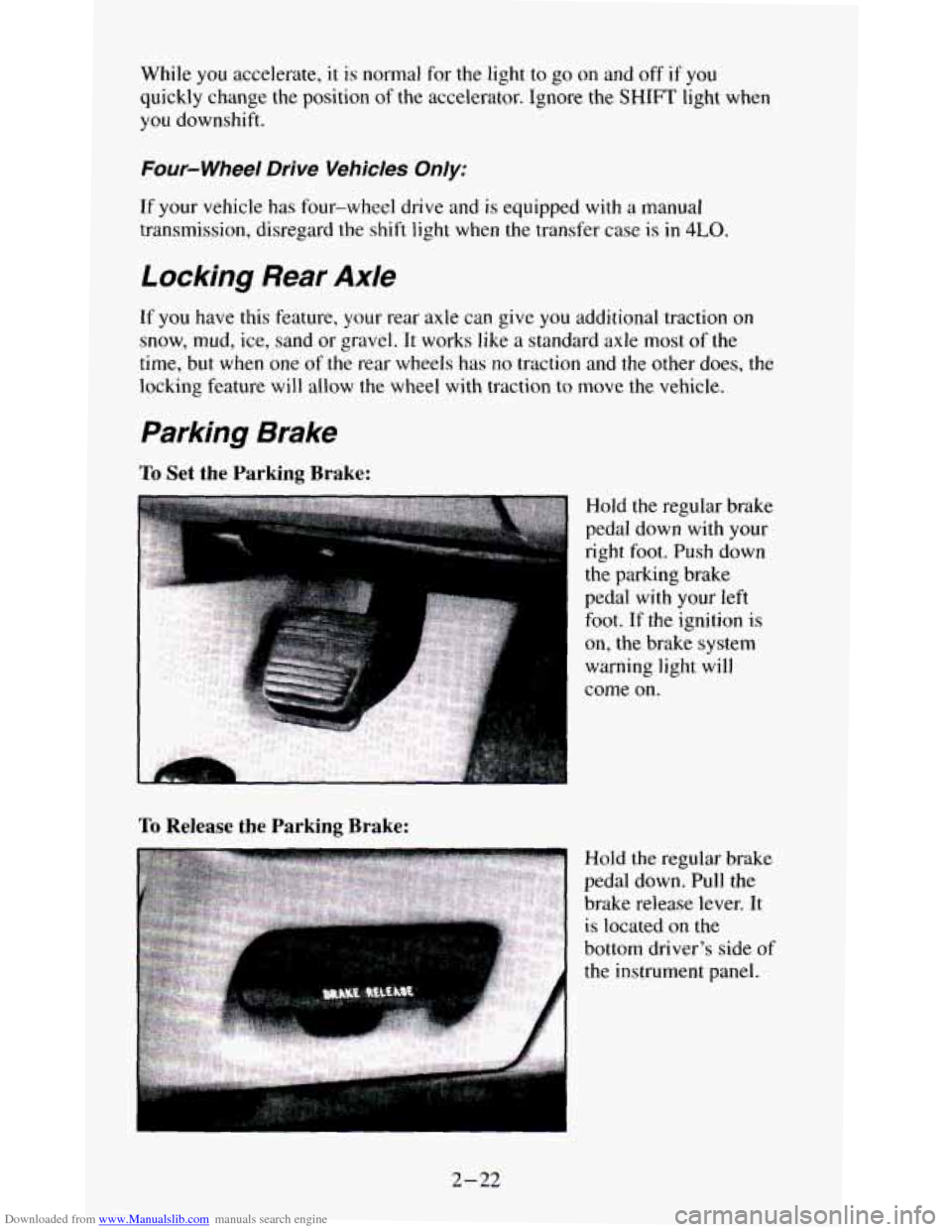
To Set the Parking Brake:
To Release the Parking Brake:
Hold the regular brake
pedal down with your
right
foot. Push down
the parking brake
pedal
with your left
foot. If the ignition is
on, the brake system
warning light will
come on.
Hold the regular brake
pedal down. Pull the
brake release lever.
It
is located on the
bottom driver's side
of
the instrument panel.
2-22
Page 79 of 354
Downloaded from www.Manualslib.com manuals search engine Tilt Wheel (Option)
I
I
If you have the tilt
steering wheel,
you
should adjust the
steering wheel before
you drive.
You can raise it
to the highest level to give your legs more room when you
enter and exit the vehicle.
To tilt the wheel, hold the steering wheel and pull the lever. Move the
steering wheel to a comfortable level, then release the lever to lock the
wheel in place.
Do not adjust the steering wheel while driving.
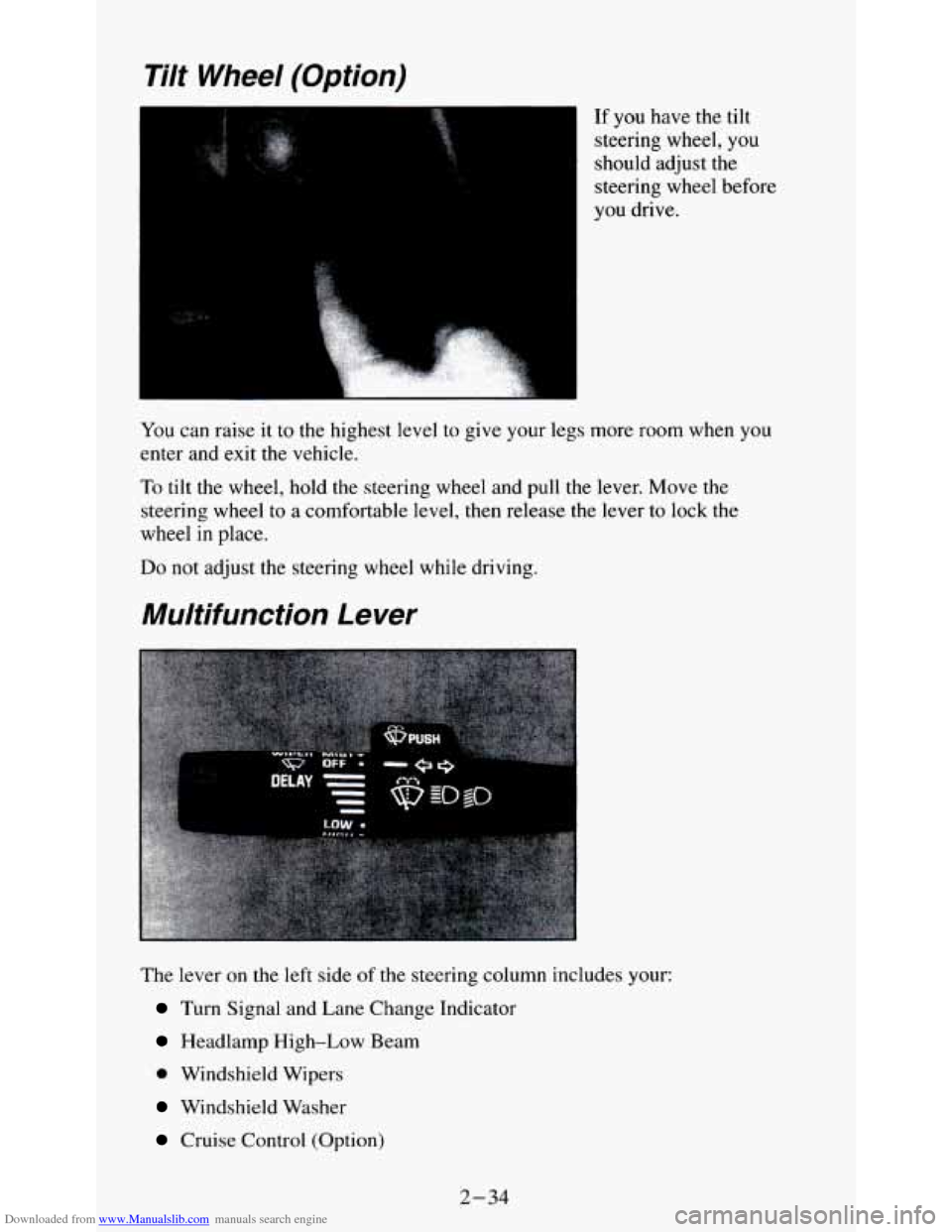
Multifunction Lever
The lever on the left side of the steering column includes your:
Turn Signal and Lane Change Indicator
Headlamp High-Low Beam
0 Windshield Wipers
Windshield Washer
Cruise Control (Option)
2-34
Page 139 of 354
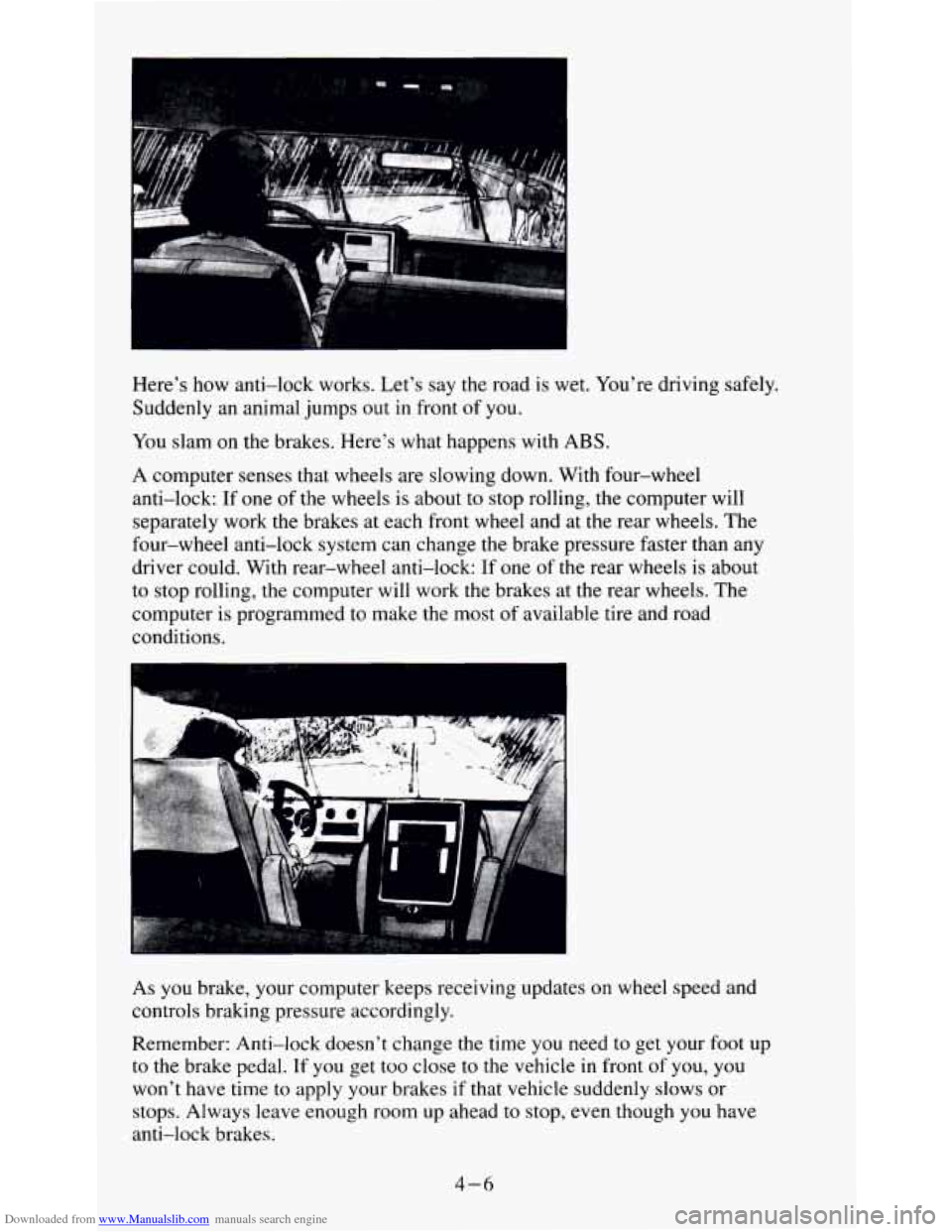
Downloaded from www.Manualslib.com manuals search engine Here's how anti-lock works. Let's say the road is wet. You're driving safely.
Suddenly an animal jumps out
in front of you.
You slam on the brakes. Here's what happens with ABS.
A computer senses that wheels are slowing down. With four-wheel
anti-lock: If one of the wheels
is about to stop rolling, the computer will
separately work the brakes at each front wheel and at the rear wheels. The
four-wheel anti-lock system can change the brake pressure faster than any
driver could. With rear-wheel anti-lock: If one
of the rear wheels is about
to stop rolling, the computer will work the brakes at the rear wheels. The
computer
is programmed to make the most of available tire and road
conditions.
As
you brake, your computer keeps receiving updates on wheel speed and
controls braking pressure accordingly.
Remember: Anti-lock doesn't change the time you need to get your foot up
to the brake pedal. If you get too close
to the vehicle in front of you, you
won't have time to apply your brakes if that vehicle suddenly slows or
stops. Always leave enough room up ahead
to stop, even though you have
anti-lock brakes.
4-6
Page 141 of 354
Downloaded from www.Manualslib.com manuals search engine surface makes it possible for the vehicle to change its path when you ,turn
the front wheels. If there’s no traction, inertia will keep the vehicle going in
the same direction. If you’ve ever tried to steer a vehicle
on wet ice, you’ll
understand this.
The traction you can get in a curve depends
on the condition of your tires
and the road surface, the angle at which the curve is banked, and your
speed. While you’re in a curve, speed is the one factor you can control.
Suppose you’re steering through
a sharp curve. Then you suddenly apply
the brakes. Both control systems
- steering and braking - have to do their
work where the tires meet the road. Unless
you have four-wheel anti-lock
brakes, adding the hard braking can demand
too much of those places. You
can lose control.
The same thing
can happen if you’re steering through a sharp curve and you
suddenly accelerate. Those two control systems - steering and acceleration
- can overwhelm those places where the tires meet the road and make you
lose control.
What should you do if this ever happens? Ease up on the brake or
accelerator pedal, steer the vehicle the way you want it to go, and slow
down.
Speed limit signs near curves warn that you should adjust your speed. Of
course, the posted speeds are based
on good weather and road conditions.
Under less favorable conditions you’ll want to go slower.
If
you need to reduce your speed as you approach a curve, do it before you
enter the curve, while your front wheels are straight ahead.
Try to adjust your speed so you can “drive” through the curve. Maintain a
reasonable, steady speed. Wait to accelerate until
you are out of the curve,
and then accelerate gently into the straightaway.
Steering in Emergencies
There are times when steering can be more effective than braking. For
example, you come over a hill and find a truck stopped in your lane, or a car
suddenly pulls out from nowhere, or a child darts
out from between parked
cars and stops right in front of
you. You can avoid these problems by
braking
- if you can stop in time. But sometimes you can’t; there isn’t
room. That’s the time for evasive action
- steering around the problem.
Your vehicle can perform very well in emergencies like these. First apply
your brakes
- but, unless you have four-wheel anti-lock, not enough to
lock your front wheels.
It is better to remove as much speed as you can from
a possible collision. Then steer around the problem,
to the left or right
depending on the space available.
4-8
Page 144 of 354
Downloaded from www.Manualslib.com manuals search engine 0 Try not to pass more than one vehicle at a time on two-lane roads.
Reconsider before passing
the next vehicle.
0 Don’t overtake a slowly moving vehicle too rapidly. Even though the
brake lamps are
not flashing, it may be slowing down or starting to
turn.
0 If you’re being passed, make it easy for the following driver to get
ahead of
you. Perhaps you can ease a little to the right.
Loss of Control
Let’s review what driving experts say about what happens when the three
control systems (brakes, steering and acceleration) don’t have enough
friction where the tires meet the road to do what
the driver has asked.
In any emergency, don’t give up. Keep trying
to steer and constantly seek an
escape route or area of less danger.
Skidding
In a skid, a driver can lose control of the vehicle. Defensive drivers avoid
most skids by taking reasonable care suited to existing conditions, and by
not “overdriving” those conditions. But skids are always possible.
The three types
of skids correspond to your vehicle’s three control systems.
In the braking skid your wheels aren’t rolling. In the steering or cornering
skid, too much speed or steering
in a curve causes tires to slip and lose
cornering force. And in the acceleration skid too much throttle causes the
driving wheels to spin.
A cornering skid and an acceleration skid are best handled by easing your
foot off the accelerator pedal.
If your vehicle starts
to slide, ease your foot off the accelerator pedal and
quickly steer the way you want the vehicle to
go. If you start steering
quickly enough, your vehicle may straighten
out. Always be ready for a
second skid if it occurs.
Of course, traction
is reduced when water, snow, ice, gravel, or other
material is on the road. For safety, you’ll want
to slow down and adjust your
driving
to these conditions. It is important to slow down on slippery
surfaces because stopping distance will be longer and vehicle control more
limited.
While driving on
a surface with reduced traction, try your best to avoid
sudden steering, acceleration, or braking (including engine braking by
shifting to a lower gear). Any sudden changes could cause
the tires to slide.
You may not realize the surface is slippery until your vehicle is skidding.
Learn to recognize warning clues
- such as enough water, ice or packed
snow on the road
to make a “mirrored surface” - and slow down when you
have any doubt.
4- 11
Page 148 of 354
Downloaded from www.Manualslib.com manuals search engine Sur$ace Obstacles. Unseen or hidden obstacles can be hazardous. A rock,
log, hole, rut, or bump can startle you if you’re not prepared for them. Often
these obstacles are hidden by grass, bushes, snow or even the rise and fall of
the terrain itself. Here are some things to consider:
Is the path ahead clear?
0 Will the surface texture change abruptly up ahead?
0 Does the travel take you uphill or downhill? (There’s more discussion
of these subjects later.)
0 Will you have to stop suddenly or change direction quickly?
When you drive over obstacles or rough terrain, keep a
firm grip on the
steering wheel. Ruts, troughs, or other surface features can jerk the wheel
out of your hands if you’re not prepared.
When
you drive over bumps, rocks, or other obstacles, your wheels can
leave the ground. If this happens, even with one or two wheels, you can’t
control the vehicle
as well or at all.
Because you will be on an unpaved surface, it’s especially important
to
avoid sudden acceleration, sudden turns, or sudden braking.
In a way, off-road driving requires a different kind
of alertness from driving
on paved roads and highways. There are no road signs, posted speed limits
or signal lights. You have to use your own
good judgment about what is safe
and what isn’t.
Drinking and driving can be very dangerous on any road. And this
is
certainly true for off-road driving. At the very time you need special
alertness and driving skills, your reflexes, perceptions and judgment can be
affected by even a small amount of alcohol. You could have
a serious - or
even fatal - accident if you drink and drive or ride with a driver who has
been drinking. (See “Drunken Driving” in the Index.)
Driving On Off-Road Hills
Off-road driving often takes you up, down, or across a hill. Driving safely
on hills requires good judgment and an understanding of what your vehicle
can and can’t do. There are some hills that simply can’t be driven, no matter
how well built the vehicle.
4- 15
Page 149 of 354
Downloaded from www.Manualslib.com manuals search engine Approaching a Hill
When you approach a hill, you need to decide if it’s one of those hills that’s
just too steep to climb, descend, or cross. Steepness can be hard to judge.
On a very small hill, for example, there may be a smooth, constant incline
with only a small change in elevation where you can easily see all the way
to the top. On a large hill, the incline may get steeper as you near the top,
but you may not see this because the crest of the hill is hidden by bushes,
grass, or shrubs.
Here are some other things to consider as you approach a hill.
Is there a constant incline, or does the hill get sharply steeper in places?
Is there good traction on the hillside, or will the surface cause tire
slipping?
Is there a straight path up or down the hill so you won’t have to make
turning maneuvers?
Are there obstructions on the hill that can block your path (boulders,
trees, logs or ruts)?
What’s beyond the hill? Is there a cliff, an embankment, a drop-off, a
fence? Get out and walk the hill if you don’t know. It’s the smart way
to
find out.
Is the hill simply too rough? Steep hills often have ruts, gullies, troughs
and exposed rocks because they are more susceptible to the effects
of
erosion.
Driving Uphill
Once you decide you can safely drive up the hill, you need to take some
special steps.
Use a low gear and get a firm grip on the steering wheel.
Get a smooth start up the hill and try to maintain your speed. Don’t use
more power than you need, because you don’t want your wheels to start
spinning or sliding.
turns, you might want to find another route.
0 Try to drive straight up the hill if at all possible. If the path twists and
4- 16
Page 155 of 354
Downloaded from www.Manualslib.com manuals search engine Driving In Mud, Sand, Snow, Or Ice
When you drive in mud, snow or sand, your wheels won’t get good traction.
You can’t accelerate as quickly, turning is more difficult, and you’ll need
longer braking distances.
It’s best
to use a low gear when you’re in mud - the deeper the mud, the
lower the gear.
In really deep mud, the idea is to keep your vehicle moving
so you don’t get stuck.
When
you drive 6fi Sad, you’ll sense a change in wheel traction. But it will
depend upon how loosely packed the sand is. On loosely packed sand (as
on
beaches or sand dunes) your tires will tend to sink into the sand. This has an
effect on steering, accelerating, and braking. You may want to reduce the air
pressure in your tires slightly when driving on sand. This will improve
traction.
Hard packed snow and ice offer the worst tire traction. On these surfaces.
it’s very easy to lose control. On wet ice, for example, the traction is
so poor
that you will have difficulty accelerating. And if
you do get moving, poor
steering and difficult braking can cause
you to slide out of control.
Driving In Water
Light rain causes no special off-road driving problems. But heavy rain can
mean flash flooding, and flood waters demand extreme caution.
Find out how deep the water is before
you drive through it. If it’s deep
enough to cover your wheel hubs, axles, or exhaust pipe, don’t try it
- you
probably won’t get through. Also, water that deep can damage your axle and
other vehicle parts.
If the water isn’t too deep, then drive through it slowly. At fwt speeds, water
splashes
on your ignition system and your vehicle can stall. Stalling can also
occur if you get your tailpipe under water. And, as long as your tailpipe is
under water, you’ll never be able
to start your engine. When you go through
water, remember that when your brakes get wet, it may take you longer to
stop.
4-22
Page 180 of 354
Downloaded from www.Manualslib.com manuals search engine Following Distance
Stay at least twice as far behind the vehicle ahead as you would when
driving your vehicle without a trailer. This can help
you avoid situations that
require heavy braking and sudden turns.
Passing
You’ll need more passing distance up ahead when you’re towing a trailer.
And, because you’re
a good deal longer, you’ll need to go much farther
beyond the passed vehicle before
you can return to your lane.
Backing Up
Hold the bottom of the steering wheel with one hand. Then, to move the
trailer to the left, just move that hand
to the left. To move the trailer to the
right, move your hand to the right. Always back up slowly and, if possible,
have someone guide you.
Making Turns
I NOTICE:
Making very sharp turns while trailering could cause the traile\
r
to come in contact with the vehicle. Your vehicle could be
damaged. Avoid making very sharp turns while trailering.
When you’re turning with a trailer, make wider turns than normal. Do this
so your trailer won’t strike soft shoulders, curbs, road signs, trees, or other
objects. Avoid jerky or sudden maneuvers. Signal well in advance.
Turn Signals When Towing a Trailer
When you tow a trailer, your vehicle has to have extra wiring and a
heavy-duty turn signal flasher (included in the optional trailering package).
The green arrows on your instrument panel will flash whenever you signal a
turn or lane change. Properly hooked up, the trailer lamps will also flash,
telling other drivers you’re about
to turn, change lanes or stop.
When towing a trailer, the green arrows on your instrument panel will flash
for turns even if the bulbs on the trailer are burned out. Thus, you may think
drivers behind you are seeing your signal when they are
not. It’s important
to check occasionally to be sure the trailer bulbs are still working.
4-47
Page 189 of 354
Downloaded from www.Manualslib.com manuals search engine 10. Now start the vehicle with the good battery and run the engine for a
while.
11. Try to start the vehicle with the dead battery. If it won’t start after a few
tries make sure all connections are good.
If it still won’t start, it
probably needs service.
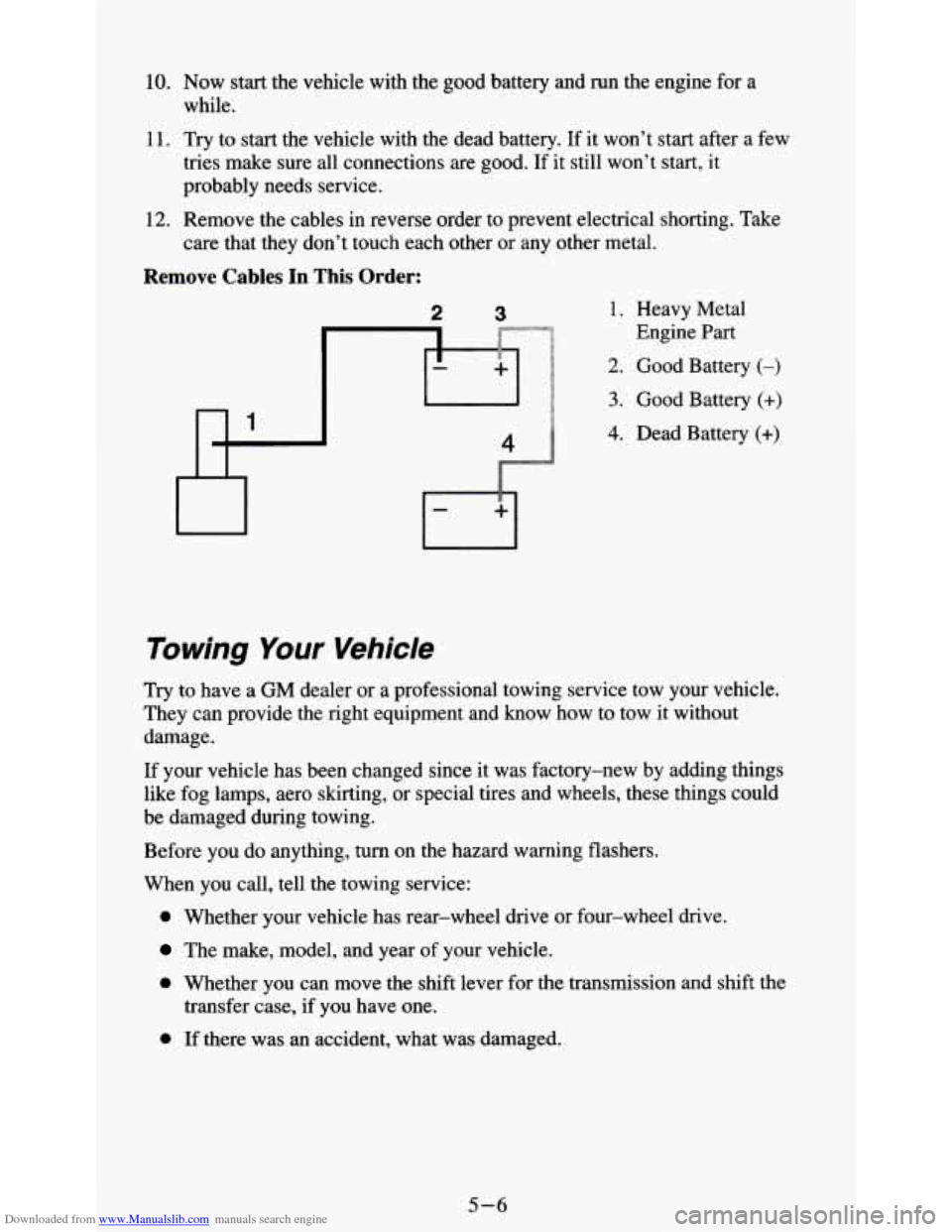
12. Remove the cables in reverse order to prevent electrical shorting. Take
care that they don’t touch each other or
any other metal.
Remove Cables In This Order:
2 3 1. Heavy Metal
Engine Part
2. Good Battery (-)
3. Good Battery (+)
4. Dead Batten (+)
Towing Your Vehicle
Try to have a GM dealer or a professional towing service tow your vehicle.
They can provide the right equipment and know how to tow it without
damage.
If your vehicle has been changed since it was factory-new
by adding things
like fog lamps, aero skirting,
or special tires and wheels, these things could
be damaged during towing.
Before you do anything, turn on the hazard warning flashers.
When you call, tell the towing service:
0 Whether your vehicle has rear-wheel drive or four-wheel drive.
The make, model, and year of your vehicle.
0 Whether you can move the shift lever for the transmission and shift the
transfer case, if you have one.
0 If there was an accident, what was damaged.
5-6