key battery CHEVROLET SILVERADO 2017 3.G User Guide
[x] Cancel search | Manufacturer: CHEVROLET, Model Year: 2017, Model line: SILVERADO, Model: CHEVROLET SILVERADO 2017 3.GPages: 509, PDF Size: 8.87 MB
Page 271 of 509
Chevrolet Silverado Owner Manual (GMNA-Localizing-U.S./Canada/Mexico-9956065) - 2017 - CRC - 4/29/16
270 Driving and Operating
Caution
If you add electrical parts or
accessories, you could change
the way the engine operates. Any
resulting damage would not be
covered by the vehicle warranty.
SeeAdd-On Electrical
Equipment0345.
Caution
If the steering wheel is turned
until it reaches the end of its
travel, and is held in that position
while starting the vehicle, damage
may occur to the power steering
system and there may be loss of
power steering assist.
Place the transmission in theproper gear.
Automatic Transmission
Move the shift lever to P (Park) orN(Neutral). To restart the enginewhen the vehicle is already moving,use N (Neutral) only.
Caution
Do not try to shift to P (Park) if the
vehicle is moving. If you do, you
could damage the transmission.
Shift to P (Park) only when the
vehicle is stopped.
Manual Transmission
The shift lever should be in Neutraland the parking brake engaged.Hold the clutch pedal down to thefloor and start the engine.
Starting Procedure
1. With your foot off theaccelerator pedal, turn theignition key to START. Whenthe engine starts, let go of thekey. The idle speed will godown as the engine gets warm.Do not race the engineimmediately after starting it.
Operate the engine andtransmission gently to allow theoil to warm up and lubricate allmoving parts.
When the low fuel warning lightis on and the FUEL LEVELLOW message is displayed inthe Driver Information Center(DIC), hold the ignition switchin the START position tocontinue engine cranking.
Caution
Cranking the engine for long
periods of time, by returning the
ignition to the START position
immediately after cranking has
ended, can overheat and damage
the cranking motor, and drain the
battery. Wait at least 15 seconds
between each try, to let the
cranking motor cool down.
2. If the engine does not startafter five to 10 seconds,especially in very cold weather(below✓18 °C or 0 °F), it couldbe flooded with too much
Page 273 of 509
Chevrolet Silverado Owner Manual (GMNA-Localizing-U.S./Canada/Mexico-9956065) - 2017 - CRC - 4/29/16
272 Driving and Operating
turned from ON/RUN to LOCK/OFF,the windows and sunroof continueto work up to 10 minutes or until anydoor is opened. The radio continuesto work for up to 10 minutes or untilthe driver door is opened.
Accessory Power Outlets (APOs)
The vehicle may have AccessoryPower Outlets (APOs) in severallocations. SeePower Outlets0124.
The APOs in the console or centerseat position are powered byRetained Accessory Power (RAP).They will continue to work for up to10 minutes after the key is turnedfrom ON/RUN to LOCK/OFF, or untilthe driver door is opened.
The APOs on the center stack comefrom the factory powered directlyfrom the vehicle battery, and supplyaccessory power at all times,regardless of ignition key position.
If electronic items are left pluggedinto these APOs for long periods oftime with the vehicle off, the vehiclebattery could be drained. Thevehicle may not start if the battery isallowed to drain for an extendedperiod of time.
Engine Coolant Heater
The engine heater can provideeasier starting and better fueleconomy during engine warm-up incold weather conditions at or below✓18 °C (0 °F). Vehicles with anengine heater should be plugged inat least four hours before starting.An internal thermostat in theplug-end of the cord may exist,which will prevent engine coolantheater operation at temperaturesabove✓18 °C (0 °F).
If the vehicle has a diesel engine,see the Duramax dieselsupplement.
To Use the Engine Coolant
Heater
1. Turn off the engine.
2. Open the hood and unwrap theelectrical cord. The cord issecured to the driver sidefender with a clip, next to theengine compartment fuseblock. Carefully remove thewire tie that bundles theelectrical plug. Do not cut theelectrical cord.
Check the heater cord fordamage. If it is damaged, donot use it. See your dealer forareplacement.Inspectthecord for damage yearly.
3. Plug the cord into a normal,grounded 110-volt AC outlet.
Page 276 of 509
Chevrolet Silverado Owner Manual (GMNA-Localizing-U.S./Canada/Mexico-9956065) - 2017 - CRC - 4/29/16
Driving and Operating 275
Shifting out of Park
This vehicle is equipped with anelectronic shift lock release system.The shift lock release isdesigned to:
.Prevent ignition key removalunless the shift lever is inP(Park).
.Prevent movement of the shiftlever out of P (Park), unless theignition is in ON/RUN and theregular brake pedal is applied.
The shift lock release is alwaysfunctional except in the case of anuncharged or low voltage (less than9volt) battery.
If the vehicle has an unchargedbattery or a battery with low voltage,try charging or jump starting thebattery. SeeJump Starting - NorthAmerica0432.
To s h i f t o u t o f P ( P a r k ) :
1. Apply the brake pedal.
2. Move the shift lever to thedesired position.
If you still are unable to shift out ofP(Park):
1. Ease the pressure on the shiftlever.
2. While holding down the brakepedal, press the shift lever allthe way into P (Park).
3. Move the shift lever to thedesired position.
If you are still having a problemshifting, then have the vehicleserviced soon.
This vehicle may have the SafetyBelt Assurance System, which mayprevent the vehicle from shifting outof P (Park). SeeSafety BeltMessages0155.
Parking (Manual
Transmission)
If the vehicle has a manualtransmission, before you get out ofthe vehicle, move the shift lever intoR(Reverse), and firmly apply theparking brake. Once the shift leverhas been placed into R (Reverse)with the clutch pedal pressed in,
turn the ignition key to LOCK/OFF,remove the key and release theclutch.
If you are parking on a hill, or if thevehicle is pulling a trailer, seeDriving Characteristics and TowingTips0315.
Parking over Things
That Burn
{Warning
Things that can burn could touch
hot exhaust parts under the
vehicle and ignite. Do not park
over papers, leaves, dry grass,
or other things that can burn.
Active Fuel Management®
Vehicles with a V8 or V6 gasolineengine may have Active FuelManagement. This system allowsthe engine to operate on either all ofits cylinders, or in V4 mode,depending on the driving conditions.
Page 353 of 509
Chevrolet Silverado Owner Manual (GMNA-Localizing-U.S./Canada/Mexico-9956065) - 2017 - CRC - 4/29/16
352 Vehicle Care
cause cancer and birth defects orother reproductive harm. Engineexhaust, many parts and systems,many fluids, and some componentwear by-products contain and/oremit these chemicals.
SeeBattery - North America0378andJump Starting - NorthAmerica0432.
California Perchlorate
Materials Requirements
Certain types of automotiveapplications, such as airbaginitiators, safety belt pretensioners,and lithium batteries contained inRemote Keyless Entry transmitters,may contain perchlorate materials.Special handling may be necessary.For additional information, seewww.dtsc.ca.gov/hazardouswaste/perchlorate.
Accessories and
Modifications
Adding non-dealer accessories ormaking modifications to the vehiclecan affect vehicle performance andsafety, including such things asairbags, braking, stability, ride andhandling, emissions systems,aerodynamics, durability, andelectronic systems like antilockbrakes, traction control, and stabilitycontrol. These accessories ormodifications could even causemalfunction or damage not coveredby the vehicle warranty.
Damage to suspension componentscaused by modifying vehicle heightoutside of factory settings will not becovered by the vehicle warranty.
Damage to vehicle componentsresulting from modifications or theinstallation or use of non-GMcertified parts, including controlmodule or software modifications, isnot covered under the terms of thevehicle warranty and may affectremaining warranty coverage foraffected parts.
GM Accessories are designed tocomplement and function with othersystems on the vehicle. See yourdealer to accessorize the vehicleusing genuine GM Accessoriesinstalled by a dealer technician.
Also, seeAdding Equipment to theAirbag-Equipped Vehicle087.
Page 439 of 509
Chevrolet Silverado Owner Manual (GMNA-Localizing-U.S./Canada/Mexico-9956065) - 2017 - CRC - 4/29/16
438 Vehicle Care
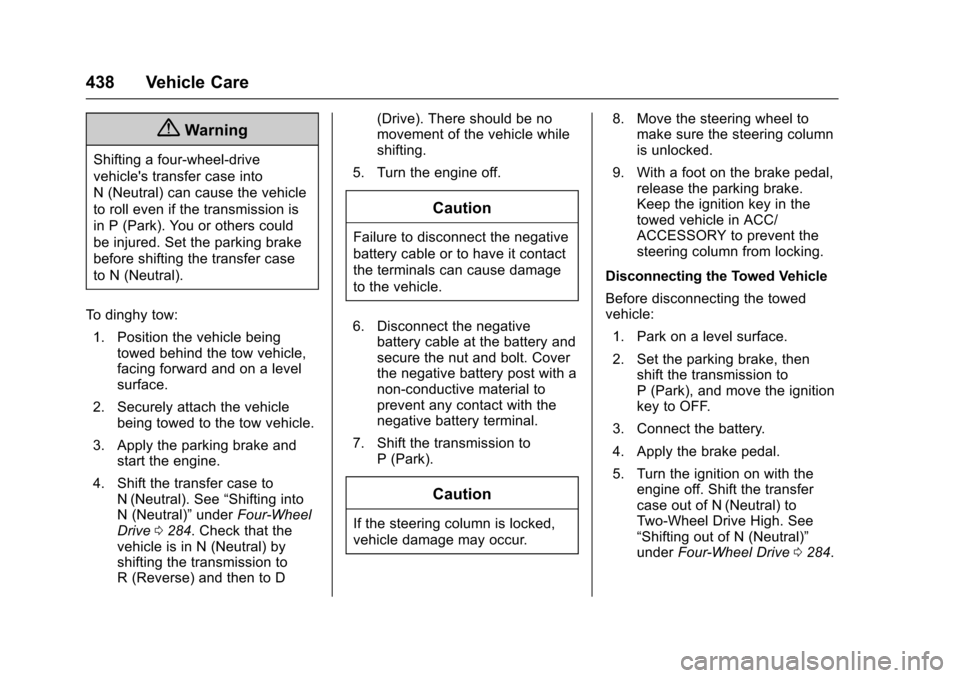
{Warning
Shifting a four-wheel-drive
vehicle's transfer case into
N(Neutral)cancausethevehicle
to roll even if the transmission is
in P (Park). You or others could
be injured. Set the parking brake
before shifting the transfer case
to N (Neutral).
To d i n g h y t o w :
1. Position the vehicle beingtowed behind the tow vehicle,facing forward and on a levelsurface.
2. Securely attach the vehiclebeing towed to the tow vehicle.
3. Apply the parking brake andstart the engine.
4. Shift the transfer case toN(Neutral). See“Shifting intoN(Neutral)”underFour-WheelDrive0284.Checkthatthevehicle is in N (Neutral) byshifting the transmission toR(Reverse)andthentoD
(Drive). There should be nomovement of the vehicle whileshifting.
5. Turn the engine off.
Caution
Failure to disconnect the negative
battery cable or to have it contact
the terminals can cause damage
to the vehicle.
6. Disconnect the negativebattery cable at the battery andsecure the nut and bolt. Coverthe negative battery post with anon-conductive material toprevent any contact with thenegative battery terminal.
7. Shift the transmission toP(Park).
Caution
If the steering column is locked,
vehicle damage may occur.
8. Move the steering wheel tomake sure the steering columnis unlocked.
9. With a foot on the brake pedal,release the parking brake.Keep the ignition key in thetowed vehicle in ACC/ACCESSORY to prevent thesteering column from locking.
Disconnecting the Towed Vehicle
Before disconnecting the towedvehicle:
1. Park on a level surface.
2. Set the parking brake, thenshift the transmission toP(Park),andmovetheignitionkey to OFF.
3. Connect the battery.
4. Apply the brake pedal.
5. Turn the ignition on with theengine off. Shift the transfercase out of N (Neutral) toTw o - W h e e l D r i v e H i g h . S e e“Shifting out of N (Neutral)”underFour-Wheel Drive0284.
Page 488 of 509
Chevrolet Silverado Owner Manual (GMNA-Localizing-U.S./Canada/Mexico-9956065) - 2017 - CRC - 4/29/16
OnStar 487
.Obtain and customize the Wi-Fi®
hotspot name or SSID andpassword, if equipped.
PressQto connect to an
Advisor to:
.Verify account information orupdate contact information.
.Get driving directions.
.Receive a Diagnostic check ofthe vehicle's key operatingsystems.
.Receive Roadside Assistance.
.Manage Wi-Fi Settings,if equipped.
Press>to get a priority connection
to an OnStar Advisor available24/7 to:
.Get help for an emergency.
.Be a Good Samaritan orrespond to an AMBER Alert.
.Get assistance in severeweather or other crisis situationsand find evacuation routes.
OnStar Services
Emergency
Emergency Services require anactive, OnStar service plan(excludes Basic Plan). WithAutomatic Crash Response, built-insensors can automatically alert aspecially trained OnStar Advisorwho is immediately connected in tothe vehicle to help.
Press>for a priority connection to
an OnStar Advisor who can contactemergency service providers, directthem to your exact location, andrelay important information.
With OnStar Crisis Assist, speciallytrained Advisors are available24 hours a day, 7 days a week, toprovide a central point of contact,assistance, and information during acrisis.
With Roadside Assistance, Advisorscan locate a nearby service providerto help with a flat tire, a batteryjump, or an empty gas tank.
Security
If equipped, OnStar provides theseservices:
.With Stolen Vehicle Assistance,OnStar Advisors can use GPS topinpoint the vehicle and helpauthorities quickly recover it.
.With Remote Ignition Block™,if equipped, OnStar can blockthe engine from being restarted.
.With Stolen Vehicle Slowdown®,if equipped, OnStar can workwith law enforcement togradually slow the vehicle down.
Theft Alarm Notification
If equipped, if the doors are lockedand the vehicle alarm sounds, anotification by text, e-mail, or phonecall will be sent. If the vehicle isstolen, an OnStar Advisor can workwith authorities to recover thevehicle.
Page 504 of 509

Chevrolet Silverado Owner Manual (GMNA-Localizing-U.S./Canada/Mexico-9956065) - 2017 - CRC - 4/29/16
Index 503
Manual Transmission . . . . . . . . . . . 283
Fluid . . . . . . . . . . . . . . . . . . . . . . . . . . 366
Manual Windows . . . . . . . . . . . . . . . . 51
Media
Avoiding Untrusted Devices . . 196
Memory Features . . . . . . . . . . . . . . . . 13
Memory Seats . . . . . . . . . . . . . . . . . . . 61
Messages
Airbag System . . . . . . . . . . . . . . . . 155
Battery Voltage and
Charging . . . . . . . . . . . . . . . . . . . . 150
Brake System . . . . . . . . . . . . . . . . 151
Compass . . . . . . . . . . . . . . . . . . . . . 151
Door Ajar . . . . . . . . . . . . . . . . . . . . . 151
Engine Cooling System . . . . . . . 152
Engine Oil . . . . . . . . . . . . . . . . . . . . 152
Engine Power . . . . . . . . . . . . . . . . 153
Fuel System . . . . . . . . . . . . . . . . . . 153
Key and Lock . . . . . . . . . . . . . . . . . 153
Lamp . . . . . . . . . . . . . . . . . . . . . . . . . 153
Object Detection System . . . . . 153
Ride Control System . . . . . . . . . . 154
Safety Belt . . . . . . . . . . . . . . . . . . . . 155
Security . . . . . . . . . . . . . . . . . . . . . . 156
Steering System . . . . . . . . . . . . . . 156
Tire . . . . . . . . . . . . . . . . . . . . . . . . . . . 157
Transmission . . . . . . . . . . . . . . . . . 157
Vehicle . . . . . . . . . . . . . . . . . . . . . . . 150
Messages (cont'd)
Vehicle Reminder . . . . . . . . . . . . . 159
Vehicle Speed . . . . . . . . . . . . . . . . 160
Washer Fluid . . . . . . . . . . . . . . . . . 160
Mirrors
Automatic Dimming . . . . . . . . . . . . . 49
Automatic Dimming
Rearview . . . . . . . . . . . . . . . . . . . . . . 51
Blind Spot . . . . . . . . . . . . . . . . . . . . . . 49
Convex . . . . . . . . . . . . . . . . . . . . . . . . . 46
Folding . . . . . . . . . . . . . . . . . . . . . . . . . 48
Heated . . . . . . . . . . . . . . . . . . . . . . . . . 49
Manual . . . . . . . . . . . . . . . . . . . . . . . . . 46
Manual Rearview . . . . . . . . . . . . . . . 51
Power . . . . . . . . . . . . . . . . . . . . . . . . . . 47
Tilt in Reverse . . . . . . . . . . . . . . . . . . 50
Trailer Tow . . . . . . . . . . . . . . . . . . . . . . 47
Mirrors, Interior Rearview . . . . . . . . 50
Monitor System, Tire
Pressure . . . . . . . . . . . . . . . . . . . . . . 407
Multi-band Antenna . . . . . . . . . . . . . 196
N
Navigation
OnStar®...................... 488
New Vehicle Break-In . . . . . . . . . . . 267
Noise Control System . . . . . . . . . . 382
O
Object Detection System
Messages . . . . . . . . . . . . . . . . . . . . . 153
Odometer . . . . . . . . . . . . . . . . . . . . . . . 131
Trip . . . . . . . . . . . . . . . . . . . . . . . . . . . 131
Off-Road . . . . . . . . . . . . . . . . . . . . . . . 251
Driving . . . . . . . . . . . . . . . . . . . . . . . . 251
Recovery . . . . . . . . . . . . . . . . . . . . . 250
Oil
Engine . . . . . . . . . . . . . . . . . . . . . . . . 359
Engine Oil Life System . . . . . . . 362
Engine Oil Pressure Gauge . . . 132
Messages . . . . . . . . . . . . . . . . . . . . 152
Older Children, Restraints . . . . . . . 88
Online Owner Center . . . . . . . . . . . 475
OnStar . . . . . . . . . . . . . . . . . . . . . . . . . 485
OnStar®Additional
Information . . . . . . . . . . . . . . . . . . . . 491
OnStar®Connections . . . . . . . . . . . 488
OnStar®Diagnostics . . . . . . . . . . . . 490
OnStar®Emergency . . . . . . . . . . . . 487
OnStar®Navigation . . . . . . . . . . . . . 488
OnStar®Overview . . . . . . . . . . . . . . 486
OnStar®Security . . . . . . . . . . . . . . . 487
Operating Mode
Overheated Engine
Protection . . . . . . . . . . . . . . . . . . . 374