change time CHEVROLET SILVERADO 2017 3.G Owner's Manual
[x] Cancel search | Manufacturer: CHEVROLET, Model Year: 2017, Model line: SILVERADO, Model: CHEVROLET SILVERADO 2017 3.GPages: 509, PDF Size: 8.87 MB
Page 227 of 509
Chevrolet Silverado Owner Manual (GMNA-Localizing-U.S./Canada/Mexico-9956065) - 2017 - CRC - 4/29/16
226 Infotainment System
The cell phone's normal promptmessages will go through their cycleaccording to the phone's operatinginstructions.
Dual Tone Multi-Frequency
(DTMF) Tones
The Bluetooth system can sendnumbers and the numbers stored asname tags during a call. You canuse this feature when calling amenu-driven phone system.Account numbers can also bestored for use.
Sending a Number or Name TagDuring a Call
1. Pressg.Thesystemresponds
“Ready,”followed by a tone.
2. Say“Dial.”
3. Say the number or name tagto send.
Clearing the System
Unless information is deleted out ofthe in-vehicle Bluetooth system, itwill be retained indefinitely. Thisincludes all phone pairing
information. For information on howto delete this information, see“Deleting a Paired Phone.”
Bluetooth (Infotainment
Controls - Base Radio
with Touchscreen)
To u s e i n f o t a i n m e n t c o n t r o l s t oaccess the menu system, seeOverview (Base Radio withTo u c h s c r e e n )0183orOverview(Base Radio)0184.
Pairing
ABluetooth-enabledcellphonemust be paired to the Bluetoothsystem and then connected to thevehicle before it can be used. Seeyour cell phone manufacturer's userguide for Bluetooth functions beforepairing the cell phone. If a Bluetoothphone is not connected, calls will bemade using OnStar Hands-FreeCalling, if available. SeeOnStarOverview0486.
Pairing Information
.ABluetoothphonewithMP3capability cannot be paired tothe vehicle as a phone and anMP3 player at the same time.
.Up to 10 cell phones can bepaired to the Bluetooth system.
.The pairing process is disabledwhen the vehicle is moving.
.Pairing only needs to becompleted once, unless thepairing information on the cellphone changes or the cell phoneis deleted from the system.
.Only one paired cell phone canbe connected to the Bluetoothsystem at a time.
.If multiple paired cell phones arewithin range of the system, thesystem connects to the firstavailable paired cell phone in theorder that they were first pairedto the system.
When the Bluetooth device andinfotainment system aresuccessfully paired, the phone bookis downloaded automatically. This isdependent on the type of the phone
Page 231 of 509
Chevrolet Silverado Owner Manual (GMNA-Localizing-U.S./Canada/Mexico-9956065) - 2017 - CRC - 4/29/16
230 Infotainment System
Playing Music Randomly
To u c hZduring playback. Touch
again to return to normal play.
This function may not be supporteddepending on the bluetooth device.
Do not change the track too quicklywhen playing Bluetooth music.
Conditions that may occur whenplaying Bluetooth music:
.It takes time to transmit datafrom the bluetooth device to theinfotainment system.
.If the cell phone or Bluetoothdevice is not in the waitingscreen mode, it may notautomatically play.
.The infotainment systemtransmits the order to play fromthe bluetooth device in theBluetooth music play mode.If this is done in a differentmode, then the device transmitsthe order to stop. Depending onthe bluetooth device options, thisorder to play/stop may take timeto activate.
.If the Bluetooth music playbackis not functioning, then check tosee if the bluetooth device is inthe waiting screen mode.
.Sounds may be cut off duringthe Bluetooth music playback.
.The infotainment system outputsthe audio from the cell phone orBluetooth device as it istransmitted.
Apple CarPlay and
Android Auto
If equipped, Android Auto™and/orApple CarPlay™capability may beavailable through a compatiblesmartphone. If available, aPROJECTION icon will appear asAndroid Auto or Car Play on theHome Page of the infotainmentdisplay.
To u s e A n d r o i d A u t o a n d / o r A p p l eCarPlay:
1. Download the Android Autoapp to your phone from theGoogle™Play store. There is
no app required for AppleCarPlay. Use the latestavailable operation system.
2. Connect your Android phone orApple iPhone by using thecompatible phone USB cableand plugging into a USB dataport. For best performance, usethe device’sfactory-providedUSB cable. Aftermarket orthird-party cables maynot work.
The PROJECTION icon on theHome Page will change to AndroidAuto or Apple CarPlay dependingon the phone. Android Auto and/orApple CarPlay may automaticallylaunch upon USB connection. If not,touch the ANDROID AUTO and/orAPPLE CARPLAY icon on theHome Page to launch.
For further information on howto set up Android Auto and AppleCarPlay in the vehicle, seewww.my.chevrolet.com for the U.S.and www.chevroletowner.ca forCanada only orCustomerAssistance Offices0474.
Page 232 of 509
Chevrolet Silverado Owner Manual (GMNA-Localizing-U.S./Canada/Mexico-9956065) - 2017 - CRC - 4/29/16
Infotainment System 231
Android Auto is provided by Googleand is subject to Google’stermsand privacy policy. CarPlay isprovided by Apple and is subject toApple’stermsandprivacypolicy.For Android Auto support seehttps://support.google.com/androidauto or Apple CarPlaysupport at https://www.apple.com/ios/carplay/. Apple or Google maychange or suspend availability atany time. Android Auto is atrademark of Google Inc.; AppleCarPlay is a trademark of Apple Inc.
Trademarks and
License Agreements
FCC Information
SeeRadio FrequencyStatement0482.
"Made for iPod" and "Made foriPhone" mean that an electronicaccessory has been designed toconnect specifically to iPod oriPhone and has been certified bythe developer to meet Appleperformance standards. Apple is notresponsible for the operation of thisdevice or its compliance with safetyand regulatory standards. Pleasenote that the use of this accessorywith iPod or iPhone may affectwireless performance. iPhone®,iPod®,iPodclassic®,iPodnano®,
iPod shuffle®,andiPodtouch®aretrademarks of Apple Inc., registeredin the U.S. and other countries.
Fees and Taxes: Subscription fee,taxes, one time activation fee, andother fees may apply. Subscriptionfee is consumer only. All fees andprogramming subject to change.Subscriptions subject to CustomerAgreement available atwww.siriusxm.com. SiriusXM®
service only available in the48 contiguous United States andCanada.
In Canada: Some deterioration ofservice may occur in extremenorthern latitudes. This is beyondthe control of SiriusXM®SatelliteRadio.
Explicit Language Notice: Channelswith frequent explicit language areindicated with an“XL”preceding the
Page 268 of 509
Chevrolet Silverado Owner Manual (GMNA-Localizing-U.S./Canada/Mexico-9956065) - 2017 - CRC - 4/29/16
Driving and Operating 267
should not exceed the vehicle's
gross vehicle weight rating
(GVWR). These ratings are
given on the Certification/Tire
label attached to the B-pillar.
See“Certification/Tire Label”
underVehicle Load Limits
0259.Ifweightratingsare
exceeded, move or remove
items to bring all weights below
the ratings.
See your dealer for more
information on curb weights,
cargo weights, Cargo Weight
Rating, and the correct center of
gravity zone.
Starting and
Operating
New Vehicle Break-In
Caution
The vehicle does not need an
elaborate break-in. But it will
perform better in the long run if
you follow these guidelines:
.Keep the vehicle speed at88 km/h (55 mph) or less forthe first 805 km (500 mi).
.Do not drive at any oneconstant speed, fast or slow,for the first 805 km (500 mi).Do not make full-throttlestarts. Avoid downshifting tobrake or slow the vehicle.
.Avoid making hard stops forthe first 322 km (200 mi) orso. During this time the newbrake linings are not yetbroken in. Hard stops withnew linings can mean
(Continued)
Caution (Continued)
premature wear and earlierreplacement. Follow thisbreaking-in guideline everytime you get new brakelinings.
.Do not tow a trailer duringbreak-in. SeeTr a i l e r To w i n g0318for the trailer towingcapabilities of the vehicleand more information.
Following break-in, engine speed
and load can be gradually
increased.
Adjustable Throttle and
Brake Pedal
If equipped, the position of thethrottle and brake pedals can bechanged.
The pedals can only be adjustedwhen the vehicle is in P (Park).
Page 271 of 509
Chevrolet Silverado Owner Manual (GMNA-Localizing-U.S./Canada/Mexico-9956065) - 2017 - CRC - 4/29/16
270 Driving and Operating
Caution
If you add electrical parts or
accessories, you could change
the way the engine operates. Any
resulting damage would not be
covered by the vehicle warranty.
SeeAdd-On Electrical
Equipment0345.
Caution
If the steering wheel is turned
until it reaches the end of its
travel, and is held in that position
while starting the vehicle, damage
may occur to the power steering
system and there may be loss of
power steering assist.
Place the transmission in theproper gear.
Automatic Transmission
Move the shift lever to P (Park) orN(Neutral). To restart the enginewhen the vehicle is already moving,use N (Neutral) only.
Caution
Do not try to shift to P (Park) if the
vehicle is moving. If you do, you
could damage the transmission.
Shift to P (Park) only when the
vehicle is stopped.
Manual Transmission
The shift lever should be in Neutraland the parking brake engaged.Hold the clutch pedal down to thefloor and start the engine.
Starting Procedure
1. With your foot off theaccelerator pedal, turn theignition key to START. Whenthe engine starts, let go of thekey. The idle speed will godown as the engine gets warm.Do not race the engineimmediately after starting it.
Operate the engine andtransmission gently to allow theoil to warm up and lubricate allmoving parts.
When the low fuel warning lightis on and the FUEL LEVELLOW message is displayed inthe Driver Information Center(DIC), hold the ignition switchin the START position tocontinue engine cranking.
Caution
Cranking the engine for long
periods of time, by returning the
ignition to the START position
immediately after cranking has
ended, can overheat and damage
the cranking motor, and drain the
battery. Wait at least 15 seconds
between each try, to let the
cranking motor cool down.
2. If the engine does not startafter five to 10 seconds,especially in very cold weather(below✓18 °C or 0 °F), it couldbe flooded with too much
Page 280 of 509
Chevrolet Silverado Owner Manual (GMNA-Localizing-U.S./Canada/Mexico-9956065) - 2017 - CRC - 4/29/16
Driving and Operating 279
or driving off-road. Shift thetransmission to a lower gearselection if the transmission shiftstoo often.
Downshifting the transmission inslippery road conditions could resultin skidding. See“Skidding”underLoss of Control0250.
The vehicle has a shift stabilizationfeature that adjusts the transmissionshifting to the current drivingconditions in order to reduce rapidupshifts and downshifts. This shiftstabilization feature is designed todetermine, before making anupshift, if the engine is able tomaintain vehicle speed by analyzingthings such as vehicle speed,throttle position, and vehicle load.If the shift stabilization featuredetermines that a current vehiclespeed cannot be maintained, thetransmission does not upshift andinstead holds the current gear.In some cases, this could appear tobe a delayed shift, however thetransmission is operating normally.
The transmission uses adaptiveshift controls. The adaptive shiftcontrol process continuallycompares key shift parameters topre-programmed ideal shifts storedin the transmission’scomputer.Thetransmission constantly makesadjustments to improve vehicleperformance according to how thevehicle is being used, such as withaheavyloadorwhenthetemperature changes. During thisadaptive shift control process,shifting might feel different as thetransmission determines the bestsettings.
When temperatures are very cold,the transmission's gear shiftingcould be delayed providing morestable shifts until the engine warmsup. Shifts could be more noticeablewith a cold transmission. Thisdifference in shifting is normal.
M:This position allows selection ofarangeofgearsappropriateforcurrent driving conditions.If equipped, see“Range SelectionMode”underManual Mode0280.
Caution
Spinning the tires or holding the
vehicle in one place on a hill
using only the accelerator pedal
may damage the transmission.
The repair will not be covered by
the vehicle warranty. If you are
stuck, do not spin the tires. When
stopping on a hill, use the brakes
to hold the vehicle in place.
Normal Mode Grade Braking
If equipped with a gasoline engineand an automatic transmission,Normal Mode Grade Braking isenabled when the vehicle is started,but is not enabled in RangeSelection Mode. It assists inmaintaining desired vehicle speedswhen driving on downhill grades byusing the engine and transmissionto slow the vehicle. The first timethe system engages for eachignition key cycle, a DIC messagewill be displayed. SeeTr a n s m i s s i o nMessages0157.
Page 293 of 509
Chevrolet Silverado Owner Manual (GMNA-Localizing-U.S./Canada/Mexico-9956065) - 2017 - CRC - 4/29/16
292 Driving and Operating
10. Turn the ignition to LOCK/OFF.
Shifting Out of N (Neutral)
To s h i f t o u t o f N ( N e u t r a l ) :
1. Set the parking brake andapply the brake pedal.
2. Turn the ignition to ON/RUNwith the engine off.
3. Shift the transmission toN(Neutral).
4. Turn the transfer case knob tothe desired setting.
After the transfer case hasshifted out of N (Neutral), theN(Neutral) light will goout.
5. Release the parking brake.
6. Start the engine and shift thetransmission to thedesired gear.
Brakes
Antilock Brake
System (ABS)
This vehicle has an Antilock BrakeSystem (ABS), an advancedelectronic braking system that helpsprevent a braking skid.
When the vehicle begins to driveaway, ABS checks itself.Amomentarymotororclickingnoisemay be heard while this test is goingon, and it may even be noticed thatthe brake pedal moves a little. Thisis normal.
If there is a problem with ABS, thiswarning light stays on. SeeAntilockBrake System (ABS) WarningLight0141.
If driving safely on a wet road and itbecomes necessary to slam on thebrakes and continue braking toavoid a sudden obstacle, acomputer senses the wheels areslowing down. If one of the wheelsis about to stop rolling, the computerwill separately work the brakes ateach wheel.
ABS can change the brake pressureto each wheel, as required, fasterthan any driver could. This can helpyou steer around the obstacle whilebraking hard.
As the brakes are applied, thecomputer keeps receiving updateson wheel speed and controlsbraking pressure accordingly.
Remember: ABS does not changethe time needed to get a foot up tothe brake pedal or always decreasestopping distance. If you get tooclose to the vehicle in front of you,there will not be enough time toapply the brakes if that vehiclesuddenly slows or stops. Alwaysleave enough room up ahead tostop, even with ABS.
Page 299 of 509
Chevrolet Silverado Owner Manual (GMNA-Localizing-U.S./Canada/Mexico-9956065) - 2017 - CRC - 4/29/16
298 Driving and Operating
When enabled, if the vehicle is at aspeed above 22 km/h (14 mph) andless than 60 km/h (37 mph), a DICmessage will display. SeeVehicleSpeed Messages0160.
Locking Rear Axle
Vehicles with a locking rear axle cangive more traction on snow, mud,ice, sand, or gravel. It works like astandard axle most of the time, butwhen traction is low, this feature willallow the rear wheel with the mosttraction to move the vehicle.
Cruise Control
{Warning
Cruise control can be dangerous
where you cannot drive safely at
asteadyspeed.Donotuse
cruise control on winding roads or
in heavy traffic.
Cruise control can be dangerous
on slippery roads. On such roads,
fast changes in tire traction can
cause excessive wheel slip, and
you could lose control. Do not use
cruise control on slippery roads.
With cruise control a speed of about40 km/h (25 mph) or more can bemaintained without keeping yourfoot on the accelerator. Cruisecontrol does not work at speedsbelow about 40 km/h (25 mph).
If equipped with an Allison orHydra-Matic 6-speed automatictransmission, see“To w / H a u l M o d eGrade Braking”underTo w / H a u lMode0282for an explanation of
how cruise control interacts with theRange Selection Mode, Tow/HaulMode, and Grade Braking systems.
If the cruise control is being usedand the Traction Control system(TCS) or StabiliTrak begins to limitwheel spin, the cruise control willautomatically disengage. SeeTr a c t i o n C o n t r o l / E l e c t r o n i c S t a b i l i t yControl0295.Whenroadconditions allow you to safely use itagain, cruise control can be turnedback on.
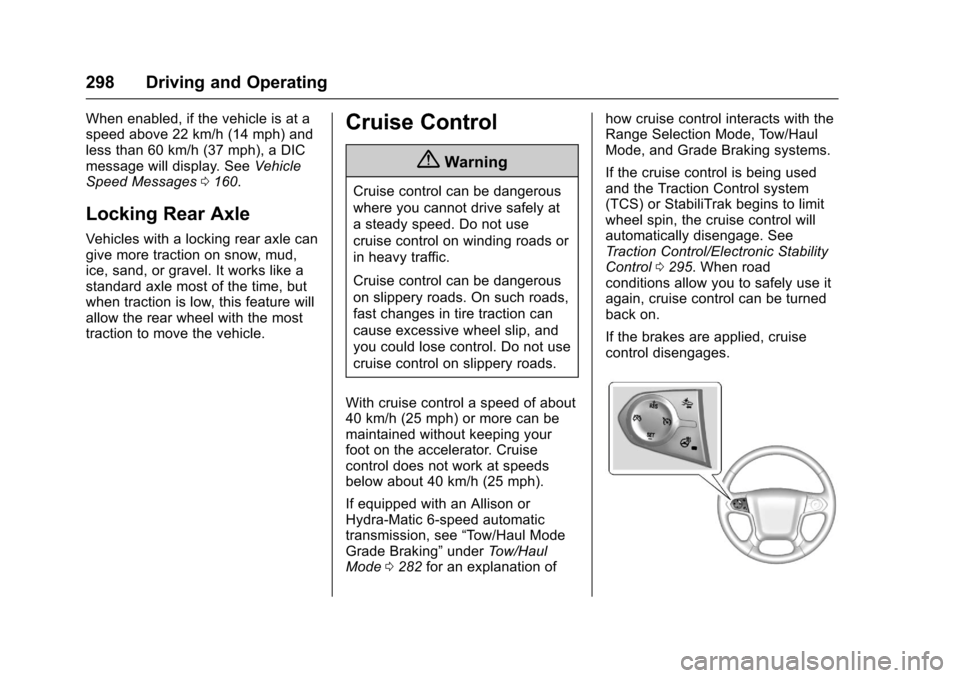
If the brakes are applied, cruisecontrol disengages.
Page 302 of 509
Chevrolet Silverado Owner Manual (GMNA-Localizing-U.S./Canada/Mexico-9956065) - 2017 - CRC - 4/29/16
Driving and Operating 301
Driver Assistance
Systems
This vehicle may have features thatwork together to help avoid crashesor reduce crash damage whiledriving, backing, and parking. Readthis entire section before usingthese systems.
{Warning
Do not rely on the Driver
Assistance Systems. These
systems do not replace the need
for paying attention and driving
safely. You may not hear or feel
alerts or warnings provided by
these systems. Failure to use
proper care when driving may
result in injury, death, or vehicle
damage. SeeDefensive
Driving0248.
(Continued)
Warning (Continued)
Under many conditions, these
systems will not:
.Detect children,pedestrians, bicyclists,or animals.
.Detect vehicles or objectsoutside the area monitoredby the system.
.Work at all driving speeds.
.Warn you or provide youwith enough time to avoid acrash.
.Work under poor visibility orbad weather conditions.
.Work if the detection sensoris not cleaned or is coveredby ice, snow, mud, or dirt.
.Work if the detection sensoris covered up, such as withasticker,magnet,ormetalplate.
(Continued)
Warning (Continued)
.Work if the area surrounding
the detection sensor is
damaged or not properly
repaired.
Complete attention is always
required while driving, and you
should be ready to take action
and apply the brakes and/or steer
the vehicle to avoid crashes.
Audible or Safety Alert Seat
Some driver assistance featuresalert the driver of obstacles bybeeping. To change the volume ofthe warning chime, see“Comfortand Convenience”underVehiclePersonalization0160.
If equipped with the Safety AlertSeat, the driver seat cushion mayprovide a vibrating pulse alertinstead of beeping. To change this,see“Collision/Detection Systems”underVehiclePersonalization0160.
Page 304 of 509
Chevrolet Silverado Owner Manual (GMNA-Localizing-U.S./Canada/Mexico-9956065) - 2017 - CRC - 4/29/16
Driving and Operating 303
Parking Assist
With RPA, and if equipped with FPA,as the vehicle moves at speeds ofless than 8 km/h (5 mph) thesensors on the bumpers may detectobjects up to 2.5 m (8 ft) behind and1.2 m (4 ft) in front of the vehiclewithin a zone 25 cm (10 in) high offthe ground and below bumper level.These detection distances may beshorter during warmer or humidweather. Blocked sensors will notdetect objects and can also causefalse detections. Keep the sensorsclean of mud, dirt, snow, ice, andslush; and clean sensors after a carwash in freezing temperatures.
{Warning
The Parking Assist system does
not detect children, pedestrians,
bicyclists, animals, or objects
located below the bumper or that
are too close or too far from the
vehicle. It is not available at
speeds greater than 8 km/h
(5 mph). To prevent injury, death,
(Continued)
Warning (Continued)
or vehicle damage, even with
Parking Assist, always check the
area around the vehicle and
check all mirrors before moving
forward or backing.
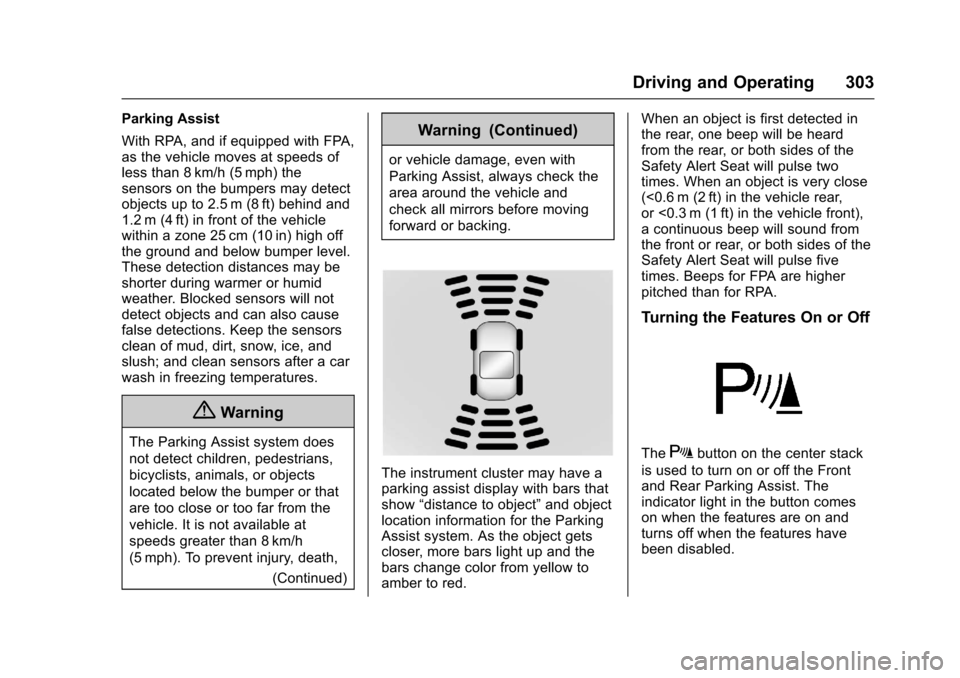
The instrument cluster may have aparking assist display with bars thatshow“distance to object”and objectlocation information for the ParkingAssist system. As the object getscloser, more bars light up and thebars change color from yellow toamber to red.
When an object is first detected inthe rear, one beep will be heardfrom the rear, or both sides of theSafety Alert Seat will pulse twotimes. When an object is very close(<0.6 m (2 ft) in the vehicle rear,or <0.3 m (1 ft) in the vehicle front),acontinuousbeepwillsoundfromthe front or rear, or both sides of theSafety Alert Seat will pulse fivetimes. Beeps for FPA are higherpitched than for RPA.
Turning the Features On or Off
TheXbutton on the center stack
is used to turn on or off the Frontand Rear Parking Assist. Theindicator light in the button comeson when the features are on andturns off when the features havebeen disabled.