tow CHEVROLET SILVERADO 2017 3.G Owner's Guide
[x] Cancel search | Manufacturer: CHEVROLET, Model Year: 2017, Model line: SILVERADO, Model: CHEVROLET SILVERADO 2017 3.GPages: 509, PDF Size: 8.87 MB
Page 164 of 509
Chevrolet Silverado Owner Manual (GMNA-Localizing-U.S./Canada/Mexico-9956065) - 2017 - CRC - 4/29/16
Instruments and Controls 163
Climate and Air Quality
Select and the following maydisplay:
.Auto Fan Max Speed
.Auto Rear Defog
Auto Fan Max Speed
This feature will set the maximumauto fan speed.
Select Low, Medium, or High.
Auto Rear Defog
This feature will automatically turnon the rear defogger when it is coldoutside.
Select Off or On.
Collision/Detection Systems
Select and the following maydisplay:
.Alert Type
.Park Assist
Alert Type
This feature will set crash alerts tobeeps or seat vibrations. Thissetting affects all crash alerts
including Forward Collision, LaneDeparture Warning, and Park Assistalerts.
Select Beeps or Safety Alert Seat.
Park Assist
If equipped, this feature can assistin backing up and parking thevehicle. SeeAssistance Systems forParking or Backing0302.
Select Off, On, or On with Towbar.
Comfort and Convenience
Select and the following maydisplay:
.Auto Memory Recall
.Easy Exit Options
.Chime Volume
.Reverse Tilt Mirror
.Auto Mirror Folding
Auto Memory Recall
This feature automatically recallsthe current driver’spreviouslystored1or2buttonpositionswhenentering the vehicle. SeeMemorySeats061.
Select On or Off.
Easy Exit Options
This feature moves the seatrearward automatically allowing thedriver more room to exit the vehicle.SeeMemory Seats061.
Select On or Off.
Chime Volume
This allows the selection of thechime volume level.
Turn the MENU knob, touch + or✓to adjust the volume, or selectNormal or High.
Reverse Tilt Mirror
When on, the driver and/orpassenger mirrors will tilt downwardwhen the vehicle is shifted toR(Reverse)toimprovevisibilityofthe ground near the rear wheels.
Select Off, On - Driver andPassenger, On - Driver, or On -Passenger.
Page 174 of 509
Chevrolet Silverado Owner Manual (GMNA-Localizing-U.S./Canada/Mexico-9956065) - 2017 - CRC - 4/29/16
Lighting 173
.The system detects a precedingvehicle's taillamps.
.The outside light is brightenough that high-beamheadlamps are not required.
.The vehicle's speed drops below20 km/h (12 mph).
.The IntelliBeam system isdisabled by the high/low-beamchanger or the flash-to-passfeature. If this happens, the high/low-beam changer must beactivated two times withintwo seconds to reactivate theIntelliBeam system. Theinstrument cluster light will comeon to indicate the IntelliBeam isreactivated. SeeHeadlampHigh/Low-Beam Changer0173andFlash-to-Pass0174.
The high beams may not turn offautomatically if the system cannotdetect another vehicle's lampsbecause of any of the following:
.The other vehicle's lamps aremissing, damaged, obstructedfrom view, or otherwiseundetected.
.The other vehicle's lamps arecovered with dirt, snow, and/orroad spray.
.The other vehicle's lamps cannotbe detected due to denseexhaust, smoke, fog, snow, roadspray, mist, or other airborneobstructions.
.The vehicle's windshield is dirty,cracked, or obstructed bysomething that blocks the viewof the light sensor.
.The vehicle is loaded such thatthe front end points upward,causing the light sensor to aimhigh and not detect headlampsand taillamps.
.Driving on winding or hilly roads.
The automatic high-beamheadlamps may need to be disabledif any of the above conditions exist.
Exterior Lamps Off
Reminder
Areminderchimesoundswhentheheadlamps or parking lamps aremanually turned on, the ignition isoff, and a door is open. To disablethe chime, turn the lamps off.
Headlamp High/
Low-Beam Changer
$:Push the turn signal levertoward the instrument panel tochange the headlamps from low tohigh beam.
Pull the turn signal lever toward youand release it to return to low-beamheadlamps.
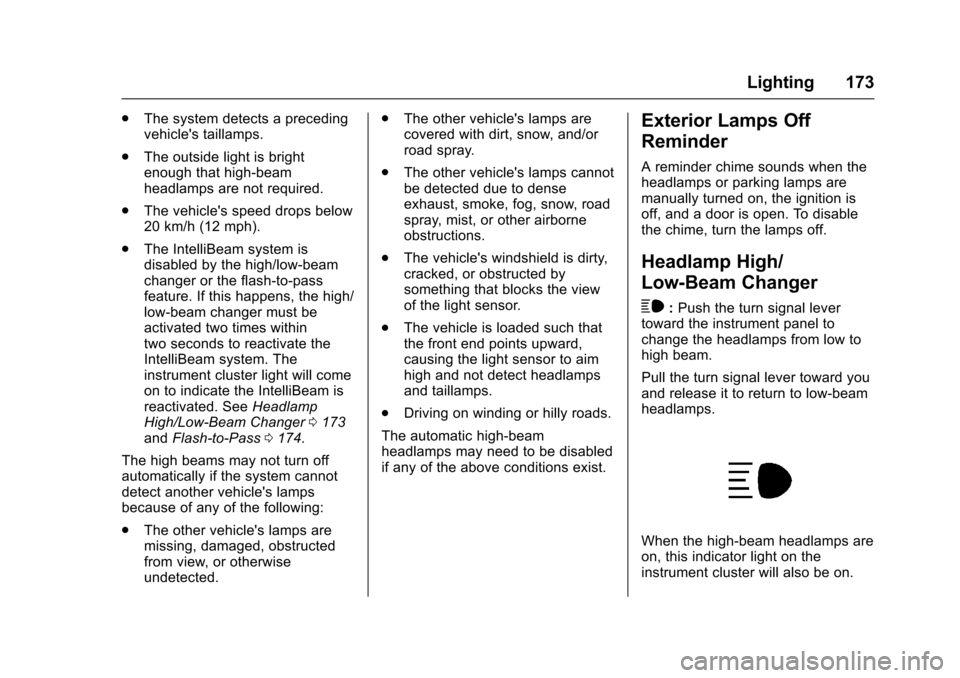
When the high-beam headlamps areon, this indicator light on theinstrument cluster will also be on.
Page 175 of 509
Chevrolet Silverado Owner Manual (GMNA-Localizing-U.S./Canada/Mexico-9956065) - 2017 - CRC - 4/29/16
174 Lighting
Flash-to-Pass
This feature lets you use thehigh-beam headlamps to signal adriver in front of you that you wantto pass. It works even if theheadlamps are in the automaticposition.
To u s e i t , p u l l t h e t u r n s i g n a l l e v e rtoward you, then release it.
If the headlamps are in theautomatic position or on low beam,the high-beam headlamps will turnon. Depending on the type ofheadlamp, they will either turn offafter a short duration or stay on aslong as you hold the lever towardyou. The high-beam indicator on theinstrument cluster will come on.Release the lever to return tonormal operation.
Daytime Running
Lamps (DRL)
DRL can make it easier for others tosee the front of the vehicle duringthe day. Fully functional DRL arerequired on all vehicles first sold inCanada.
The DRL system comes on whenthe following conditions are met:
.The ignition is on.
.The exterior lamp control isin AUTO.
.The transmission is not inP(Park).
.The light sensor determines it isdaytime.
When the DRL system is on, onlythe DRL are on. The taillamps,sidemarker lamps, instrument panellights, and other lamps will notbe on.
When it begins to get dark, theautomatic headlamp systemswitches from DRL to theheadlamps.
To t u r n o f f t h e D R L , t u r n t h e e x t e r i o rlamp control to the off position andthen release. For vehicles first soldin Canada, off will only work whenthe vehicle is in P (Park).
Automatic Headlamp
System
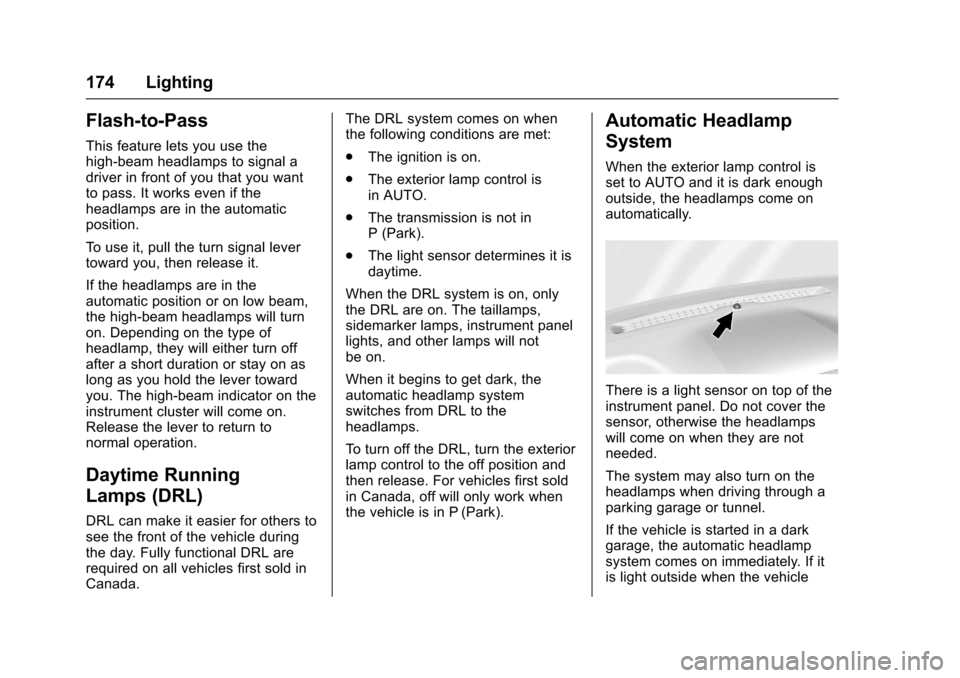
When the exterior lamp control isset to AUTO and it is dark enoughoutside, the headlamps come onautomatically.
There is a light sensor on top of theinstrument panel. Do not cover thesensor, otherwise the headlampswill come on when they are notneeded.
The system may also turn on theheadlamps when driving through aparking garage or tunnel.
If the vehicle is started in a darkgarage, the automatic headlampsystem comes on immediately. If itis light outside when the vehicle
Page 176 of 509
Chevrolet Silverado Owner Manual (GMNA-Localizing-U.S./Canada/Mexico-9956065) - 2017 - CRC - 4/29/16
Lighting 175
leaves the garage, there is a slightdelay before the automaticheadlamp system changes to theDRL. During that delay, theinstrument cluster may not be asbright as usual. Make sure theinstrument panel brightness controlis in the full bright position. SeeInstrument Panel IlluminationControl0177.
When it is bright enough outside,the headlamps will turn off or maychange to Daytime RunningLamps (DRL).
The automatic headlamp systemturns off when the exterior lamp
control is turned toOor the ignition
is off.
Lights On with Wipers
If the windshield wipers areactivated in daylight with the engineon, and the exterior lamp control isin AUTO, the headlamps, parkinglamps, and other exterior lampscome on. The transition time for thelamps coming on varies based onwiper speed. When the wipers are
not operating, these lamps turn off.
Move the exterior lamp control toO
or;to disable this feature.
Hazard Warning Flashers
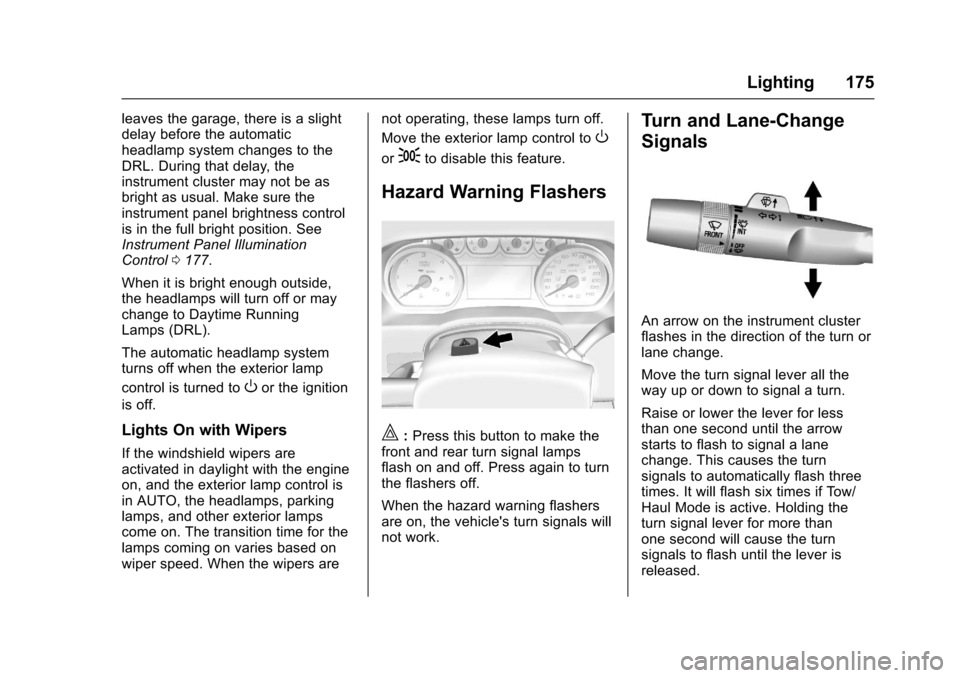
|:Press this button to make thefront and rear turn signal lampsflash on and off. Press again to turnthe flashers off.
When the hazard warning flashersare on, the vehicle's turn signals willnot work.
Turn and Lane-Change
Signals
An arrow on the instrument clusterflashes in the direction of the turn orlane change.
Move the turn signal lever all theway up or down to signal a turn.
Raise or lower the lever for lessthan one second until the arrowstarts to flash to signal a lanechange. This causes the turnsignals to automatically flash threetimes. It will flash six times if Tow/Haul Mode is active. Holding theturn signal lever for more thanone second will cause the turnsignals to flash until the lever isreleased.
Page 203 of 509
Chevrolet Silverado Owner Manual (GMNA-Localizing-U.S./Canada/Mexico-9956065) - 2017 - CRC - 4/29/16
202 Infotainment System
The USB port can play both lowerand upper case .mp3, .wma, .ogg,and .wav files stored on a USBstorage device.
Supported Apple®Devices
To v i e w s u p p o r t e d d e v i c e s i n U . S . ,see www.my.chevrolet.com\learn.
To v i e w s u p p o r t e d d e v i c e s i nCanada, seewww.chevroletowner.ca.
To v i e w s u p p o r t e d d e v i c e s i nMexico, see your dealer for details.
USB Supported File and FolderStructure
The infotainment system supports:
.FAT 1 6 .
.FAT 3 2 .
.exFAT.
Connecting a USB Storage
Device or iPod/iPhone
To c o n n e c t a U S B s t o r a g e d e v i c e ,connect the device to the USB port.
To c o n n e c t a n i P o d / i P h o n e , c o n n e c tone end of the device’scabletotheiPod/iPhone and the other end tothe USB port.
The iPod/iPhone charges while it isconnected to the vehicle if thevehicle is in ACC/ACCESSORY orON/RUN. SeeIgnition Positions0268.Whenthevehicleisturnedoff, the iPod/iPhone automaticallypowers off and will not charge ordraw power from the vehicle'sbattery.
For more information on USBusage, see“Audio SystemInformation”following.
Audio System Information
The infotainment system can playthe music files contained in the USBstorage device or iPod/iPhoneproducts.
Using MP3/WMA/OGG/WAV Files
.Music files with .mp3, .wma,.ogg, and .wav file nameextensions can be played.
.MP3 files that can be played: Bitrate: 8 kbps to 320 kbps.Sampling frequency: 48 kHz,44.1 kHz, 32 kHz, 24 kHz,22.05 kHz, and 16 kHz.
.Files with a bit rate above128 kbps will result in higherquality sound.
.ID3 Tag information for MP3files, such as the album nameand the artist, can be played.
.To d i s p l a y a l b u m t i t l e , t r a c k t i t l e ,and artist information, the fileshould be compatible with theID3 Tag V1 and V2 formats.
Using USB Storage Devices andiPod/iPhone
.Use a USB or flash memory typestorage device. Do not connectusing a USB adaptor.
.Do not connect and reconnectthe USB device repeatedly in ashort time, as this may causestatic electricity and problemsusing the device.
.Use a USB device with a metalconnecting terminal.
Page 231 of 509
Chevrolet Silverado Owner Manual (GMNA-Localizing-U.S./Canada/Mexico-9956065) - 2017 - CRC - 4/29/16
230 Infotainment System
Playing Music Randomly
To u c hZduring playback. Touch
again to return to normal play.
This function may not be supporteddepending on the bluetooth device.
Do not change the track too quicklywhen playing Bluetooth music.
Conditions that may occur whenplaying Bluetooth music:
.It takes time to transmit datafrom the bluetooth device to theinfotainment system.
.If the cell phone or Bluetoothdevice is not in the waitingscreen mode, it may notautomatically play.
.The infotainment systemtransmits the order to play fromthe bluetooth device in theBluetooth music play mode.If this is done in a differentmode, then the device transmitsthe order to stop. Depending onthe bluetooth device options, thisorder to play/stop may take timeto activate.
.If the Bluetooth music playbackis not functioning, then check tosee if the bluetooth device is inthe waiting screen mode.
.Sounds may be cut off duringthe Bluetooth music playback.
.The infotainment system outputsthe audio from the cell phone orBluetooth device as it istransmitted.
Apple CarPlay and
Android Auto
If equipped, Android Auto™and/orApple CarPlay™capability may beavailable through a compatiblesmartphone. If available, aPROJECTION icon will appear asAndroid Auto or Car Play on theHome Page of the infotainmentdisplay.
To u s e A n d r o i d A u t o a n d / o r A p p l eCarPlay:
1. Download the Android Autoapp to your phone from theGoogle™Play store. There is
no app required for AppleCarPlay. Use the latestavailable operation system.
2. Connect your Android phone orApple iPhone by using thecompatible phone USB cableand plugging into a USB dataport. For best performance, usethe device’sfactory-providedUSB cable. Aftermarket orthird-party cables maynot work.
The PROJECTION icon on theHome Page will change to AndroidAuto or Apple CarPlay dependingon the phone. Android Auto and/orApple CarPlay may automaticallylaunch upon USB connection. If not,touch the ANDROID AUTO and/orAPPLE CARPLAY icon on theHome Page to launch.
For further information on howto set up Android Auto and AppleCarPlay in the vehicle, seewww.my.chevrolet.com for the U.S.and www.chevroletowner.ca forCanada only orCustomerAssistance Offices0474.
Page 242 of 509
Chevrolet Silverado Owner Manual (GMNA-Localizing-U.S./Canada/Mexico-9956065) - 2017 - CRC - 4/29/16
Climate Controls 241
The recirculation light will not comeon when automatically controlled.
Press@to manually select
recirculation; press it again to selectoutside air.
Do not cover the solar sensor on thetop of the instrument panel near thewindshield. This sensor regulatesair temperature based on sun load.See“Sensors”later in this section.
Manual Operation
O:Press to turn the climate controlsystem on or off. Outside air stillenters the vehicle, and is directed tothe floor. This direction can bechanged by pressing the airdelivery mode.
9:Turn clockwise orcounterclockwise to increase ordecrease the fan speed. Press theknob to turn the fan off.
Press AUTO to return to automaticoperation.
Driver and PassengerTe m p e r a t u r e C o n t r o l :Thetemperature can be adjustedseparately for the driver andpassenger.
Turn the knob clockwise orcounterclockwise to increase ordecrease the driver or passengertemperature setting.
SYNC :Press to link the passengertemperature setting to the driversetting. The SYNC indicator light willturn on. When the passenger settingis adjusted, the SYNC indicator lightis off.
The driver side or passenger sidetemperature display shows thetemperature setting increasing ordecreasing.
Air Delivery Mode Control :
PressY,\,[,or-to change
the direction of the airflow. Anindicator light comes on in theselected mode button.
Changing the mode cancels theautomatic operation and the systemgoes into manual mode. PressAUTO to return to automaticoperation.
Y:Air is directed to the instrumentpanel outlets.
\:Air is divided between theinstrument panel and floor outlets.Some air is directed toward thewindshield and side window outlets.
[:Air is directed to the flooroutlets, with some to the windshield,side window outlets, and secondrow floor outlets.
-:This mode clears the windowsof fog or moisture. Air is directed tothe windshield, floor outlets, andside window vents. The systemautomatically forces outside air intothe vehicle and the air conditioningcompressor will run, unless theoutside temperature is close tofreezing.
0:Press to clear the windshieldof fog or frost more quickly. Air isdirected to the windshield and theside window vents. The air
Page 248 of 509
Chevrolet Silverado Owner Manual (GMNA-Localizing-U.S./Canada/Mexico-9956065) - 2017 - CRC - 4/29/16
Driving and Operating 247
Fuel Additives . . . . . . . . . . . . . . . . 312E85 or FlexFuel . . . . . . . . . . . . . . 312Filling the Tank . . . . . . . . . . . . . . . 313Filling a Portable FuelContainer . . . . . . . . . . . . . . . . . . . 315
Trailer Towing
General TowingInformation . . . . . . . . . . . . . . . . . . 315Driving Characteristics andTo w i n g T i p s . . . . . . . . . . . . . . . . . 3 1 5Trailer Towing . . . . . . . . . . . . . . . . 318To w i n g E q u i p m e n t . . . . . . . . . . . . 3 3 5Trailer Sway Control (TSC) . . . 344
Conversions and Add-Ons
Add-On ElectricalEquipment . . . . . . . . . . . . . . . . . . 345Adding a Snow Plow or SimilarEquipment . . . . . . . . . . . . . . . . . . 345Pickup Conversion toChassis Cab . . . . . . . . . . . . . . . . 349
Driving Information
Distracted Driving
Distraction comes in many formsand can take your focus from thetask of driving. Exercise goodjudgment and do not let otheractivities divert your attention awayfrom the road. Many localgovernments have enacted lawsregarding driver distraction. Becomefamiliar with the local laws inyour area.
To a v o i d d i s t r a c t e d d r i v i n g , k e e pyour eyes on the road, keep yourhands on the steering wheel, andfocus your attention on driving.
.Do not use a phone indemanding driving situations.Use a hands-free method toplace or receive necessaryphone calls.
.Watch the road. Do not read,take notes, or look upinformation on phones or otherelectronic devices.
.Designate a front seatpassenger to handle potentialdistractions.
.Become familiar with vehiclefeatures before driving, such asprogramming favorite radiostations and adjusting climatecontrol and seat settings.Program all trip information intoany navigation device prior todriving.
.Wait until the vehicle is parkedto retrieve items that have fallento the floor.
.Stop or park the vehicle to tendto children.
.Keep pets in an appropriatecarrier or restraint.
.Avoid stressful conversationswhile driving, whether with apassenger or on a cell phone.
{Warning
Ta k i n g y o u r e y e s o f f t h e r o a d t o o
long or too often could cause a
crash resulting in injury or death.
Focus your attention on driving.
Page 250 of 509
Chevrolet Silverado Owner Manual (GMNA-Localizing-U.S./Canada/Mexico-9956065) - 2017 - CRC - 4/29/16
Driving and Operating 249
Steering
Electric Power Steering (1500
Series)
If the vehicle has electric powersteering, it does not have powersteering fluid. Regular maintenanceis not required.
If power steering assist is lost dueto a system malfunction, the vehiclecan be steered, but may requireincreased effort. See your dealer ifthere is a problem.
If the steering wheel is turned until itreaches the end of its travel, and isheld in that position for an extendedperiod of time, power steering assistmay be reduced.
If the steering assist is used for anextended period of time, powerassist may be reduced.
Normal use of the power steeringassist should return when thesystem cools down.
See specific vehicle steeringmessages underSteering SystemMessages0156.
Hydraulic Power Steering
(2500/3500 Series)
(2500/3500 Series–All RegularCab, Double Cab/Crew Cabwithout Digital Steer Assist)
The power steering system mayrequire maintenance. SeePowerSteering Fluid (1500 Series)0375orPower Steering Fluid (2500/3500Series)0375.
If power steering assist is lostbecause the engine stops or thesystem malfunctions, the vehiclecan be steered but may requireincreased effort. See your dealer.
(2500/3500 Series–Double Cab/Crew Cab with Digital SteerAssist)
The vehicle has a Digital SteerAssist power steering system thatvaries the amount of effort requiredto steer the vehicle. Less steeringeffort is required at slower speeds.At faster speeds, the steering effortincreases. The system helps thesteering wheel return to center atlow speeds. Pressing the Tow/Haul
button adjusts steering effort fordriving conditions described inTo w /Haul Mode0282.
The power steering system mayrequire maintenance. SeePowerSteering Fluid (1500 Series)0375orPower Steering Fluid (2500/3500Series)0375.
If power steering assist is lostbecause the engine stops or thesystem malfunctions, the vehiclecan be steered but may requireincreased effort. See your dealer.
Caution
If the steering wheel is turned
until it reaches the end of its
travel, and is held in that position
for more than 15 seconds,
damage may occur to the power
steering system and there may be
loss of power steering assist.
Page 260 of 509
Chevrolet Silverado Owner Manual (GMNA-Localizing-U.S./Canada/Mexico-9956065) - 2017 - CRC - 4/29/16
Driving and Operating 259
Rocking the Vehicle to Get
It Out
Turn the steering wheel left andright to clear the area around thefront wheels. For four-wheel-drivevehicles, shift into Four-Wheel DriveHigh. Turn the TCS off. Shift backand forth between R (Reverse) andaforwardgear,spinningthewheelsas little as possible. To preventtransmission wear, wait until thewheels stop spinning before shiftinggears. Slowly spinning the wheels inthe forward and reverse directionscauses a rocking motion that couldfree the vehicle. If that does not getthe vehicle out after a few tries, itmight need to be towed out. SeeTo w i n g t h e V e h i c l e0436.Recoveryhooks can be used, if the vehiclehas them.
Recovery Hooks
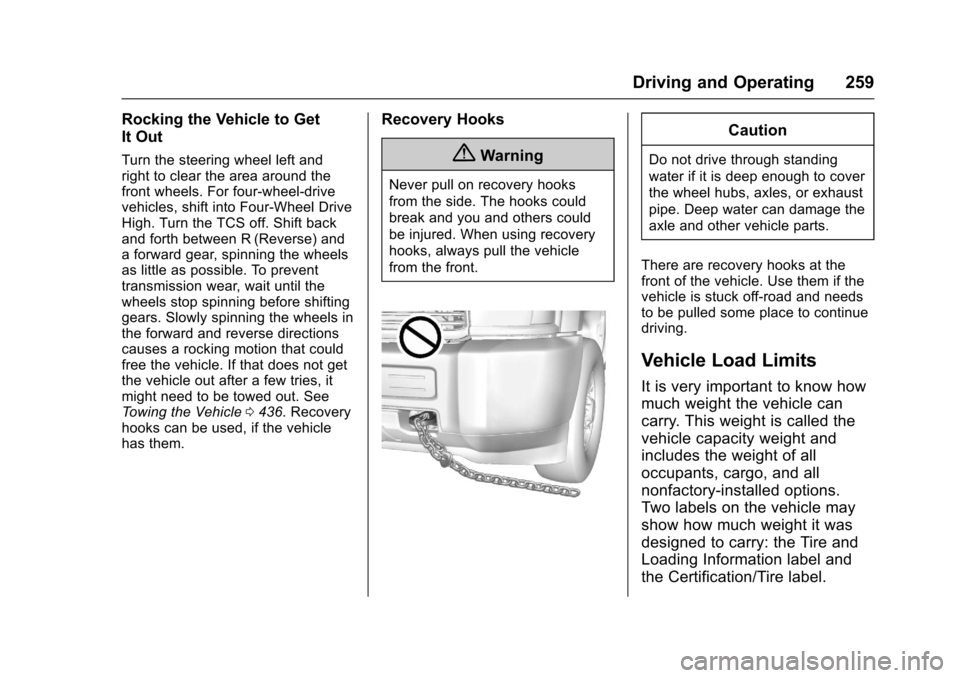
{Warning
Never pull on recovery hooks
from the side. The hooks could
break and you and others could
be injured. When using recovery
hooks, always pull the vehicle
from the front.
Caution
Do not drive through standing
water if it is deep enough to cover
the wheel hubs, axles, or exhaust
pipe. Deep water can damage the
axle and other vehicle parts.
There are recovery hooks at thefront of the vehicle. Use them if thevehicle is stuck off-road and needsto be pulled some place to continuedriving.
Vehicle Load Limits
It is very important to know how
much weight the vehicle can
carry. This weight is called the
vehicle capacity weight and
includes the weight of all
occupants, cargo, and all
nonfactory-installed options.
Two labels on the vehicle may
show how much weight it was
designed to carry: the Tire and
Loading Information label and
the Certification/Tire label.