ESP CHEVROLET SONIC 2017 2.G User Guide
[x] Cancel search | Manufacturer: CHEVROLET, Model Year: 2017, Model line: SONIC, Model: CHEVROLET SONIC 2017 2.GPages: 342, PDF Size: 7.2 MB
Page 125 of 342
Chevrolet Sonic Owner Manual (GMNA-Localizing-U.S./Canada-10122660) -2017 - crc - 5/13/16
124 Instruments and Controls
Digital Speedometer
The digital speedometer, availableon some vehicles, shows how fastthe vehicle is moving in eitherkilometers per hour (km/h) or milesper hour (mph). The speedometercannot be reset.
Trip 1 and Trip 2
This display shows the currentdistance traveled, in eitherkilometers (km) or miles (mi), sincethe last reset for the trip odometer.The trip odometer can be reset tozero by pressing SET/CLR while thetrip odometer display is showing.
Fuel Range
This display shows the approximatedistance the vehicle can be drivenwithout refueling. The fuel rangeestimate is based on an average ofthe vehicle's fuel economy overrecent driving history and theamount of fuel remaining in the fueltank. Fuel range cannot be reset.
Instantaneous Fuel Economy
The instantaneous fuel economydisplay shows the current fueleconomy in liters per 100 kilometers(L/100 km) or miles pergallon (mpg). This number reflectsonly the approximate fuel economythat the vehicle has right now andchanges frequently as drivingconditions change. Unlike averageeconomy, this display cannot bereset.
Average Fuel Economy
This display shows the approximateaverage liters per 100 kilometers (L/100 km) or miles per gallon (mpg).This number is calculated based onthe number of L/100 km (mpg)recorded since the last time thismenu item was reset. This numberreflects only the approximateaverage fuel economy that thevehicle has right now, and willchange as driving conditionschange. The fuel economy can bereset by pressing SET/CLR whilethe Average Fuel Economy displayis showing.
Average Vehicle Speed
This display shows the averagespeed of the vehicle in kilometersper hour (km/h) or miles perhour (mph). This average iscalculated based on the variousvehicle speeds recorded since thelast reset of this value. The averagespeed can be reset by pressingSET/CLR while the Average VehicleSpeed display is showing.
Timer
Available on some vehicles, thisdisplay can be used as a timer. Tostart the timer, press SET/CLR whileTimer is displayed. The display willshow the amount of time that haspassed since the timer was lastreset, not including time the ignitionis off. Time will continue to becounted as long as the ignition ison, even if another display is beingshown on the DIC. The timer willrecord up to 99 hours, 59 minutes,and 59 seconds (99:59:59) afterwhich the display will return to zero.To s t o p t h e t i m e r, p r e s s S E T / C L R
Page 143 of 342
Chevrolet Sonic Owner Manual (GMNA-Localizing-U.S./Canada-10122660) -2017 - crc - 5/13/16
142 Infotainment System
features are also available throughthe instrument cluster and steeringwheel controls.
Before driving:
.Become familiar with theoperation, faceplate buttons, andscreen buttons.
.Set up the audio by presettingfavorite stations, setting thetone, and adjusting thespeakers.
.Set up phone numbers inadvance so they can be calledeasily by pressing a singlebutton or by using a single voicecommand if equipped withBluetooth phone capability.
SeeDefensive Driving0172.
To p l a y t h e i n f o t a i n m e n t s y s t e m w i t hthe ignition off, seeRetainedAccessory Power (RAP)0187.
Theft-Deterrent Feature
The infotainment system has anelectronic security system installedto prevent theft.
The infotainment system only worksin the vehicle in which it was firstinstalled, and cannot be used inanother vehicle.
Page 147 of 342
Chevrolet Sonic Owner Manual (GMNA-Localizing-U.S./Canada-10122660) -2017 - crc - 5/13/16
146 Infotainment System
Direct Tune
From the AM or FM menu:
1. Touch Tune.
2. Enter the station number.
3. Touch Go.
Favorites
1. TouchSorTto scroll through
the favorite pages.
2. Touch the station to select it.
Update Station List
.From the AM or FM menu, touchMenu, then touch Update StationList. The broadcasting listupdating will begin.
.During the AM or FMbroadcasting list update, touchCancel to stop the updates.
Station List
1. From the AM or FM menu,touch Menu.
2. Select Station List.
3. TouchQorRto scroll through
the list. Touch the station toselect it.
Menu
To u c h t o c h o o s e b e t w e e n a v a i l a b l emenus for the current source.
Storing a Station as a Favorite
Stations from all bands can bestored in any order in the favoritepages.
Up to 25 stations can be stored.
Storing Stations
To s t o r e t h e s t a t i o n t o a p o s i t i o n i nthe list, touch the correspondingbutton 1✓5untilabeepisheard.
1. Select the desired station.
2. TouchSorTto select the
desired page of savedfavorites.
3. Touch and hold any of thepreset buttons to save thecurrent radio station to thatbutton of the selectedfavorites page.
To c h a n g e a p r e s e t b u t t o n , t u n e t othe new desired radio station andtouch and hold the preset button.
Satellite Radio
If equipped, vehicles with anSiriusXM®Satellite Radio tuner andavalidSiriusXMSatelliteRadiosubscription can receive SiriusXMprogramming.
SiriusXM Satellite Radio
Service
SiriusXM is a satellite radio servicebased in the 48 contiguous UnitedStates and 10 Canadian provinces.SiriusXM Satellite Radio has a widevariety of programming andcommercial-free music, coast tocoast, and in digital-quality sound.During your trial or when yousubscribe, you will get unlimitedaccess to SiriusXM Radio Online forwhen you are not in the vehicle.Aservicefeeisrequiredtoreceivethe SiriusXM service. If SiriusXMservice needs to be reactivated, theradio will display "No SubscriptionPlease Renew" on channel SXM1.For more information, contactSiriusXM at www.siriusxm.com or1-888-601-6296 (U.S.), andwww.siriusxm.ca or 1-877-438-9677(Canada).
Page 149 of 342
Chevrolet Sonic Owner Manual (GMNA-Localizing-U.S./Canada-10122660) -2017 - crc - 5/13/16
148 Infotainment System
Radio Reception
Frequency interference and staticcan occur during normal radioreception if items such as mobilephone chargers, vehicleconvenience accessories, andexternal electronic devices areplugged into the accessory poweroutlet. If there is interference orstatic, unplug the item from theaccessory power outlet.
FM
FM signals only reach about 16 to65 km (10 to 40 mi). Although theradio has a built-in electronic circuitthat automatically works to reduceinterference, some static can occur,especially around tall buildings orhills, causing the sound to fade inand out.
AM
The range for most AM stations isgreater than for FM, especially atnight. The longer range can causestation frequencies to interfere witheach other. Static can occur whenthings like storms and power lines
interfere with radio reception. Whenthis happens, try reducing the trebleon the radio.
SiriusXM®Satellite Radio
Service
SiriusXM Satellite Radio Servicegives digital radio reception fromcoast to coast in the 48 contiguousUnited States, and in Canada. Justas with FM, tall buildings or hills caninterfere with satellite radio signals,causing the sound to fade in andout. In addition, traveling or standingunder heavy foliage, bridges,garages, or tunnels may cause lossof the SiriusXM signal for a periodof time.
Cell Phone Usage
Cell phone usage, such as makingor receiving phone calls, charging,or just having the phone on maycause static interference in theradio. Unplug the phone or turn it offif this happens.
Multi-Band Antenna
The multi-band antenna is on theroof of the vehicle. The antenna isused for OnStar, the SiriusXMSatellite Radio Service System, andGPS (Global Positioning System),if the vehicle has these features.Keep the antenna clear ofobstructions for clear reception.
If the vehicle has a sunroof, and it isopen, reception can also beaffected.
Page 165 of 342
Chevrolet Sonic Owner Manual (GMNA-Localizing-U.S./Canada-10122660) -2017 - crc - 5/13/16
164 Infotainment System
Trademarks and
License Agreements
FCC Information
SeeRadio FrequencyStatement0317.
Bluetooth®
The Bluetooth word mark and logosare owned by the Bluetooth®SIG,Inc. and any use of such marks byGeneral Motors is under license.Other trademarks and trade namesare those of their respective owners.
DivX Certified®to play DivX®video,including premium content.
Covered by one or more of thefollowing U.S. patents: 7,295,673;7,460,668; 7,515,710; 7,519,274.
DivX®,DivXCertified®andassociated logos are trademarks ofRovi Corporation or its subsidiariesand are used under license.
“Made for iPod”and“Made foriPhone”mean that an electronicaccessory has been designed toconnect specifically to iPod oriPhone and has been certified bythe developer to meet Appleperformance standards.
iPod and iPhone are trademarks ofApple Computer, Inc., registered inthe U.S. and other countries.
Fees and Taxes: Subscription fee,taxes, one time activation fee, andother fees may apply. Subscriptionfee is consumer only. All fees andprogramming subject to change.Subscriptions subject to CustomerAgreement available atwww.siriusxm.com orwww.siriusxm.ca. SiriusXM®serviceonly available in the 48 contiguousUnited States and Canada.
In Canada: Some deterioration ofservice may occur in extremenorthern latitudes. This is beyondthe control of SiriusXM®SatelliteRadio.
It is prohibited to copy, decompile,disassemble, reverse engineer,hack, manipulate, or otherwisemake available any technology orsoftware incorporated in receiverscompatible with the SiriusXMSatellite Radio System or thatsupport the SiriusXM website, theOnline Service or any of its content.Furthermore, the AMBER voicecompression software included inthis product is protected byintellectual property rights including
Page 175 of 342
Chevrolet Sonic Owner Manual (GMNA-Localizing-U.S./Canada-10122660) -2017 - crc - 5/13/16
174 Driving and Operating
Curve Tips
.Ta k e c u r v e s a t a r e a s o n a b l espeed.
.Reduce speed before entering acurve.
.Maintain a reasonable steadyspeed through the curve.
.Wait until the vehicle is out ofthe curve before acceleratinggently into the straightaway.
Steering in Emergencies
.There are some situations whensteering around a problem maybe more effective than braking.
.Holding both sides of thesteering wheel allows you to turn180 degrees without removingahand.
.The Antilock Brake System(ABS) allows steering whilebraking.
Off-Road Recovery
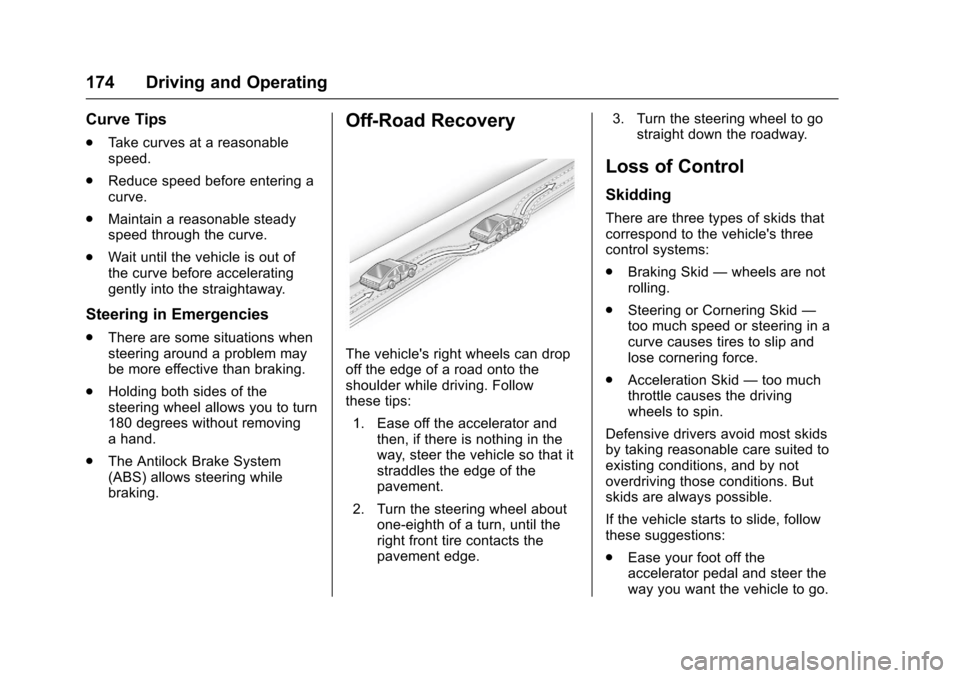
The vehicle's right wheels can dropoff the edge of a road onto theshoulder while driving. Followthese tips:
1. Ease off the accelerator andthen, if there is nothing in theway, steer the vehicle so that itstraddles the edge of thepavement.
2. Turn the steering wheel aboutone-eighth of a turn, until theright front tire contacts thepavement edge.
3. Turn the steering wheel to gostraight down the roadway.
Loss of Control
Skidding
There are three types of skids thatcorrespond to the vehicle's threecontrol systems:
.Braking Skid—wheels are notrolling.
.Steering or Cornering Skid—too much speed or steering in acurve causes tires to slip andlose cornering force.
.Acceleration Skid—too muchthrottle causes the drivingwheels to spin.
Defensive drivers avoid most skidsby taking reasonable care suited toexisting conditions, and by notoverdriving those conditions. Butskids are always possible.
If the vehicle starts to slide, followthese suggestions:
.Ease your foot off theaccelerator pedal and steer theway you want the vehicle to go.
Page 178 of 342
Chevrolet Sonic Owner Manual (GMNA-Localizing-U.S./Canada-10122660) -2017 - crc - 5/13/16
Driving and Operating 177
clear roads in shaded areas.The surface of a curve or anoverpass can remain icy whenthe surrounding roads are clear.Avoid sudden steeringmaneuvers and braking whileon ice.
.Turn off cruise control.
Blizzard Conditions
Stop the vehicle in a safe place andsignal for help. Stay with the vehicleunless there is help nearby.If possible, use RoadsideAssistance. SeeRoadsideAssistance Program0311.Togethelp and keep everyone in thevehicle safe:
.Turn on the hazard warningflashers.
.Tie a red cloth to an outsidemirror.
{Warning
Snow can trap engine exhaust
under the vehicle. This may
cause exhaust gases to get
inside. Engine exhaust contains
carbon monoxide (CO), which
cannot be seen or smelled. It can
cause unconsciousness and even
death.
If the vehicle is stuck in snow:
.Clear snow from the base ofthe vehicle, especially anyblocking the exhaust pipe.
.Open a window about 5 cm(2 in) on the vehicle sidethat is away from the wind,to bring in fresh air.
.Fully open the air outlets onor under the instrumentpanel.
.Adjust the climate controlsystem to circulate the airinside the vehicle and set
(Continued)
Warning (Continued)
the fan speed to the highestsetting. See“ClimateControl Systems.”
For more information about CO,
seeEngine Exhaust0190.
To s a v e f u e l , r u n t h e e n g i n e f o rshort periods to warm the vehicleand then shut the engine off andpartially close the window. Movingabout to keep warm also helps.
If it takes time for help to arrive,when running the engine, push theaccelerator pedal slightly so theengine runs faster than the idlespeed. This keeps the batterycharged to restart the vehicle and tosignal for help with the headlamps.Do this as little as possible, tosave fuel.
Page 193 of 342
Chevrolet Sonic Owner Manual (GMNA-Localizing-U.S./Canada-10122660) -2017 - crc - 5/13/16
192 Driving and Operating
{Warning
Shifting into a drive gear while the
engine is running at high speed is
dangerous. Unless your foot is
firmly on the brake pedal, the
vehicle could move very rapidly.
Yo u c o u l d l o s e c o n t r o l a n d h i t
people or objects. Do not shift
into a drive gear while the engine
is running at high speed.
Caution
Shifting out of P (Park) or
N(Neutral) with the engine
running at high speed may
damage the transmission. The
repairs would not be covered by
the vehicle warranty. Be sure the
engine is not running at high
speed when shifting the vehicle.
D:This position is for normaldriving. It provides the best fueleconomy. If you need more powerfor passing, and you are:
.Going less than 56 km/h(35 mph), push the acceleratorpedal about halfway down.
.Going about 56 km/h (35 mph) ormore, push the accelerator allthe way down.
M:This position allows you tochange gears similar to a manualtransmission. If equipped, see“Manual Mode”following.
Operating Modes
The transmission may operate in alower gear than normal to improvevehicle performance. The enginespeed may be higher and there maybe an increase in noise during thefollowing conditions:
.When climbing a grade.
.When driving downhill.
.When driving in hottemperatures or at high altitude.
Manual Mode
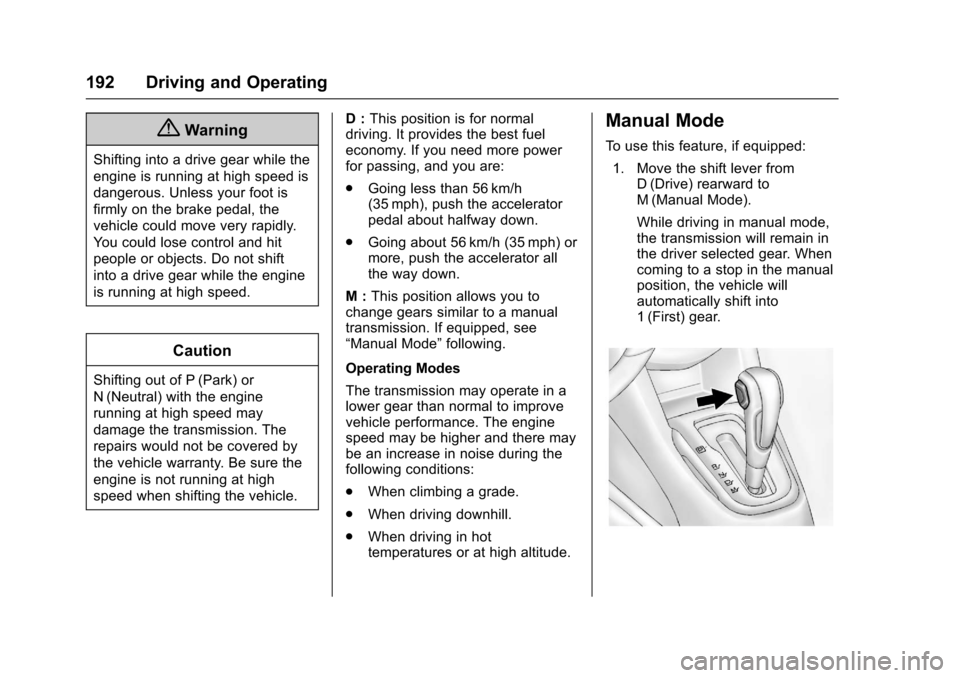
To u s e t h i s f e a t u r e , i f e q u i p p e d :
1. Move the shift lever fromD(Drive) rearward toM(Manual Mode).
While driving in manual mode,the transmission will remain inthe driver selected gear. Whencoming to a stop in the manualposition, the vehicle willautomatically shift into1(First) gear.
Page 197 of 342
Chevrolet Sonic Owner Manual (GMNA-Localizing-U.S./Canada-10122660) -2017 - crc - 5/13/16
196 Driving and Operating
Using ABS
Do not pump the brakes. Just holdthe brake pedal down firmly and letABS work. You may hear the ABSpump or motor operating and feelthe brake pedal pulsate. This isnormal.
Braking in Emergencies
ABS allows you to steer and brakeat the same time. In manyemergencies, steering can helpmore than even the very bestbraking.
Parking Brake
To s e t t h e p a r k i n g b r a k e , h o l d t h ebrake pedal down and pull up on theparking brake lever. If the ignition ison, the brake system warning lightwill come on. SeeBrake SystemWarning Light011 4.
To r e l e a s e t h e p a r k i n g b r a k e , h o l dthe brake pedal down. Pull theparking brake lever up until you canpress the release button. Hold therelease button in as you move thebrake lever all the way down.
Caution
Driving with the parking brake on
can overheat the brake system
and cause premature wear or
damage to brake system parts.
Make sure that the parking brake
is fully released and the brake
warning light is off before driving.
Brake Assist
The Brake Assist feature isdesigned to assist the driver instopping or decreasing vehiclespeed in emergency drivingconditions. This feature uses thestability system hydraulic brakecontrol module to supplement thepower brake system underconditions where the driver hasquickly and forcefully applied thebrake pedal in an attempt to quicklystop or slow down the vehicle. Thestability system hydraulic brakecontrol module increases brakepressure at each corner of thevehicle until the ABS activates.Minor brake pedal pulsation orpedal movement during this time isnormal and the driver shouldcontinue to apply the brake pedal asthe driving situation dictates. TheBrake Assist feature willautomatically disengage when thebrake pedal is released or brakepedal pressure is quicklydecreased.
Page 198 of 342
Chevrolet Sonic Owner Manual (GMNA-Localizing-U.S./Canada-10122660) -2017 - crc - 5/13/16
Driving and Operating 197
Hill Start Assist (HSA)
This vehicle has a Hill Start Assist(HSA) feature, which may be usefulwhen the vehicle is stopped on agrade sufficient enough to activateHSA. This feature is designed toprevent the vehicle from rolling,either forward or rearward, duringvehicle drive off. After the drivercompletely stops and holds thevehicle in a complete standstill on agrade, HSA will be automaticallyactivated. During the transitionperiod between when the driverreleases the brake pedal and startsto accelerate to drive off on a grade,HSA holds the braking pressure foramaximumoftwosecondstoensure that there is no rolling. Thebrakes will automatically releasewhen the accelerator pedal isapplied within the two-secondwindow. It will not activate if thevehicle is in a drive gear and facingdownhill, or if the vehicle is facinguphill and in R (Reverse).
Ride Control Systems
Traction Control/
Electronic Stability
Control
System Operation
The vehicle has a Traction ControlSystem (TCS) and StabiliTrak®,anelectronic stability control system.These systems help limit wheel slipand assist the driver in maintainingcontrol, especially on slippery roadconditions.
TCS activates if it senses that anyof the drive wheels are spinning orbeginning to lose traction. When thishappens, TCS applies the brakes tothe spinning wheels and reducesengine power to limit wheel spin.
StabiliTrak activates when thevehicle senses a difference betweenthe intended path and the directionthe vehicle is actually traveling.StabiliTrak selectively appliesbraking pressure to any one of the
vehicle wheel brakes to assist thedriver in keeping the vehicle on theintended path.
If cruise control is being used andtraction control or StabiliTrak beginsto limit wheel spin, cruise control willdisengage. Cruise control may beturned back on when roadconditions allow.
Both systems come onautomatically when the vehicle isstarted and begins to move. Thesystems may be heard or felt whilethey are operating or whileperforming diagnostic checks. Thisis normal and does not mean thereis a problem with the vehicle.
It is recommended to leave bothsystems on for normal drivingconditions, but it may be necessaryto turn TCS off if the vehicle getsstuck in sand, mud, ice, or snow.SeeIf the Vehicle Is Stuck0178and“Turning the Systems Off andOn”later in this section.