steering wheel CHEVROLET SS 2016 Workshop Manual
[x] Cancel search | Manufacturer: CHEVROLET, Model Year: 2016, Model line: SS, Model: CHEVROLET SS 2016Pages: 397, PDF Size: 7.17 MB
Page 256 of 397
Chevrolet SS Sedan Owner Manual (GMNA-Localizing-U.S.-9234782) - 2016 -
CRC - 8/28/15
Driving and Operating 255
wheel will vibrate briefly as a
reminder to remove hands from the
steering wheel. Check surroundings
and continue braking or accelerating
as needed, and be prepared to stop
to avoid vehicles, pedestrians,
or objects. If the vehicle is in
R (Reverse), but does not steer into
the expected space, this may be
because the system is maneuvering
the vehicle into a previously
detected space. The APA system
does not need service.
A DIC progress arrow displays the
status of the parking maneuver.
Depending on the space size,
additional maneuvers may be
required, and there will be additional
instructions. When changing gears,
allow the automatic steering to
complete before continuing the
parking maneuver. Upon completion
of a successful maneuver, APA will
beep and display a PARKING
COMPLETE message. Place the
vehicle in P (Park) for an automatic
transmission or in N (Neutral) with
the parking brake set for a manual
transmission.APA may automatically disengage if:
.
The steering wheel is used by
the driver.
. If the vehicle exceeds
10 km/h (6 mph).
. There is a failure with the APA
system.
. Electronic stability control or
antilock brakes are activated.
. An important vehicle message is
displayed in the DIC.
APA search is only available when
the vehicle speed is below 30 km/h
(18 mph).
The APA system is constantly
scanning for parking spaces when
the vehicle is moving forward.
A suitable space will be offered
even when the APA button is
pressed after the initial drive-by. The APA system is capable of
parking in subsequent spots after
the first parking space is found.
To cancel APA, press the APA
button again.
When the System Does Not Seem
to Work Properly
The APA system may require a
short period of driving along curves
to calibrate.
Assistance Systems for
Driving
If equipped, when driving the
vehicle in a forward gear, Forward
Collision Alert (FCA), Lane
Departure Warning (LDW), and Side
Blind Zone Alert (SBZA) can help to
avoid a crash or reduce crash
damage.
Forward Collision Alert
(FCA) System
If equipped, the FCA system may
help to avoid or reduce the harm
caused by front-end crashes. When
approaching a vehicle ahead too
ProCarManuals.com
Page 257 of 397
Chevrolet SS Sedan Owner Manual (GMNA-Localizing-U.S.-9234782) - 2016 -
CRC - 8/24/15
256 Driving and Operating
quickly, FCA provides a red flashing
alert on the windshield and rapidly
beeps. FCA also lights an amber
visual alert if following another
vehicle much too closely.
FCA detects vehicles within a
distance of approximately 60 m
(197 ft) and operates at speeds
above 40 km/h (25 mph).
{Warning
FCA is a warning system and
does not apply the brakes. When
approaching a slower-moving or
stopped vehicle ahead too rapidly,
or when following a vehicle too
closely, FCA may not provide a
warning with enough time to help
avoid a crash. FCA does not warn
of pedestrians, animals, signs,
guardrails, bridges, construction
barrels, or other objects. Be ready
to take action and apply the
brakes. For more information, see
Defensive Driving0215
ii.
FCA can be disabled with the FCA
steering wheel control.
Detecting the Vehicle Ahead
FCA warnings will not occur unless
the FCA system detects a vehicle
ahead. When a vehicle is detected,
the vehicle ahead indicator will
display green. Vehicles may not be
detected on curves, highway exit
ramps, or hills, due to poor visibility;
or if a vehicle ahead is partially
blocked by pedestrians or other
objects. FCA will not detect another
vehicle ahead until it is completely
in the driving lane.
{Warning
FCA does not provide a warning
to help avoid a crash, unless it
detects a vehicle. FCA may not
detect a vehicle ahead if the FCA
sensor is blocked by dirt, snow, (Continued)
Warning (Continued)
or ice, or if the windshield is
damaged. It may also not detect a
vehicle on winding or hilly roads,
or in conditions that can limit
visibility such as fog, rain,
or snow, or if the headlamps or
windshield are not cleaned or in
proper condition. Keep the
windshield, headlamps, and FCA
sensors clean and in good repair.
Collision Alert
When your vehicle approaches
another detected vehicle too rapidly,
the red FCA display will flash on the
windshield. Also, eight rapid
high-pitched beeps will sound from
the front. When this Collision Alert
occurs, the brake system may
prepare for driver braking to occur
ProCarManuals.com
Page 258 of 397
Chevrolet SS Sedan Owner Manual (GMNA-Localizing-U.S.-9234782) - 2016 -
CRC - 8/24/15
Driving and Operating 257
more rapidly which can cause a
brief, mild deceleration. Continue to
apply the brake pedal as needed.
Cruise control may be disengaged
when the Collision Alert occurs.
Tailgating Alert
The vehicle ahead indicator will
display amber when you are
following a detected vehicle ahead
much too closely.
Selecting the Alert Timing
The Collision Alert control is on the
steering wheel. Press
[to set the
FCA timing to Far, Medium, Near,
or Off. The first button press shows
the current setting on the Head-Up
Display (HUD). Additional button
presses will change this setting. The
chosen setting will remain until it is
changed and will affect the timing of
both the Collision Alert and the
Tailgating Alert features. The timing
of both alerts will vary based on
vehicle speed. The faster the
vehicle speed, the farther away the
alert will occur. Consider traffic and
weather conditions when selecting the alert timing. The range of
selectable alert timing may not be
appropriate for all drivers and
driving conditions.
Unnecessary Alerts
FCA may provide unnecessary
alerts for turning vehicles, vehicles
in other lanes, objects that are not
vehicles, or shadows. These alerts
are normal operation and the
vehicle does not need service.
Cleaning the System
If the FCA system does not seem to
operate properly, cleaning the
outside of the windshield in front of
the camera sensor and the front of
the vehicle may correct the issue.
Side Blind Zone
Alert (SBZA)
If equipped, the SBZA system is a
lane-changing aid that assists
drivers with avoiding crashes that
occur with moving vehicles in the
side blind zone (or spot) areas. The
SBZA warning display will light up in
ProCarManuals.com
Page 261 of 397
Chevrolet SS Sedan Owner Manual (GMNA-Localizing-U.S.-9234782) - 2016 -
CRC - 8/24/15
260 Driving and Operating
Warning (Continued)
If LDW only detects lane
markings on one side of the road,
it will only warn you when
departing the lane on the side
where it has detected a lane
marking. Always keep your
attention on the road and
maintain proper vehicle position
within the lane, or vehicle
damage, injury, or death could
occur. Always keep the
windshield, headlamps, and
camera sensors clean and in
good repair. Do not use LDW in
bad weather conditions.
How the System Works
The LDW camera sensor is on the
windshield ahead of the rearview
mirror.
To turn LDW on and off, press@on
the steering wheel. The control
indicator will light when LDW is on.
When LDW is on,@is green if
LDW is available to warn of a lane
departure. If the vehicle crosses a
detected lane marking without using
the turn signal in that direction,
@
changes to amber and flashes. Additionally, there will be three
beeps on the right or left, depending
on the lane departure direction.
When the System Does Not
Seem to Work Properly
The system may not detect lanes as
well when there are:
.
Close vehicles ahead.
. Sudden lighting changes, such
as when driving through tunnels.
. Banked roads.
If the LDW system is not functioning
properly when lane markings are
clearly visible, cleaning the
windshield may help.
LDW alerts may occur due to tar
marks, shadows, cracks in the road,
temporary or construction lane
markings, or other road
imperfections. This is normal system
operation; the vehicle does not need
service. Turn LDW off if these
conditions continue.
ProCarManuals.com
Page 319 of 397
Chevrolet SS Sedan Owner Manual (GMNA-Localizing-U.S.-9234782) - 2016 -
CRC - 8/24/15
318 Vehicle Care
If a Tire Goes Flat
It is unusual for a tire to blow out
while driving, especially if the tires
are maintained properly. SeeTires
0 299
ii. If air goes out of a tire, it is
much more likely to leak out slowly.
But if there is ever a blowout, here
are a few tips about what to expect
and what to do:
If a front tire fails, the flat tire
creates a drag that pulls the vehicle
toward that side. Take your foot off
the accelerator pedal and grip the
steering wheel firmly. Steer to
maintain lane position, and then
gently brake to a stop, well off the
road, if possible.
A rear blowout, particularly on a
curve, acts much like a skid and
may require the same correction as
used in a skid. Stop pressing the
accelerator pedal and steer to
straighten the vehicle. It may be
very bumpy and noisy. Gently brake
to a stop, well off the road,
if possible.
{Warning
Driving on a flat tire will cause
permanent damage to the tire.
Re-inflating a tire after it has been
driven on while severely
underinflated or flat may cause a
blowout and a serious crash.
Never attempt to re-inflate a tire
that has been driven on while
severely underinflated or flat.
Have your dealer or an authorized
tire service center repair or
replace the flat tire as soon as
possible.
{Warning
Lifting a vehicle and getting under
it to do maintenance or repairs is
dangerous without the
appropriate safety equipment and
training. If a jack is provided with
the vehicle, it is designed only for
changing a flat tire. If it is used for
anything else, you or others could
(Continued)
Warning (Continued)
be badly injured or killed if the
vehicle slips off the jack. If a jack
is provided with the vehicle, only
use it for changing a flat tire.
If a tire goes flat, avoid further tire
and wheel damage by driving slowly
to a level place, well off the road,
if possible. Turn on the hazard
warning flashers. See Hazard
Warning Flashers 0124
ii.
{Warning
Changing a tire can be
dangerous. The vehicle can slip
off the jack and roll over or fall
causing injury or death. Find a
level place to change the tire. To
help prevent the vehicle from
moving:
1. Set the parking brake firmly. (Continued)
ProCarManuals.com
Page 339 of 397
Chevrolet SS Sedan Owner Manual (GMNA-Localizing-U.S.-9234782) - 2016 -
CRC - 8/24/15
338 Vehicle Care
Caution
Chrome wheels and other chrome
trim may be damaged if the
vehicle is not washed after driving
on roads that have been sprayed
with magnesium, calcium,
or sodium chloride. These
chlorides are used on roads for
conditions such as ice and dust.
Always wash the chrome with
soap and water after exposure.
Caution
To avoid surface damage, do not
use strong soaps, chemicals,
abrasive polishes, cleaners,
brushes, or cleaners that contain
acid on aluminum or
chrome-plated wheels. Use only
approved cleaners. Also, never
drive a vehicle with aluminum or
chrome-plated wheels through an
automatic car wash that uses
silicone carbide tire cleaning(Continued)
Caution (Continued)
brushes. Damage could occur
and the repairs would not be
covered by the vehicle warranty.
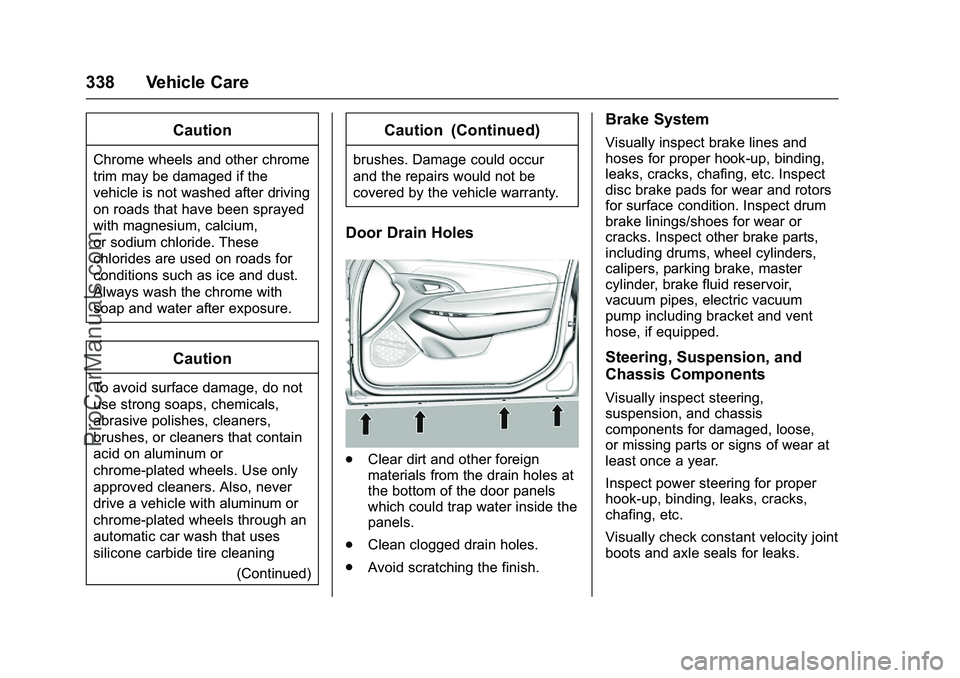
Door Drain Holes
.Clear dirt and other foreign
materials from the drain holes at
the bottom of the door panels
which could trap water inside the
panels.
. Clean clogged drain holes.
. Avoid scratching the finish.
Brake System
Visually inspect brake lines and
hoses for proper hook-up, binding,
leaks, cracks, chafing, etc. Inspect
disc brake pads for wear and rotors
for surface condition. Inspect drum
brake linings/shoes for wear or
cracks. Inspect other brake parts,
including drums, wheel cylinders,
calipers, parking brake, master
cylinder, brake fluid reservoir,
vacuum pipes, electric vacuum
pump including bracket and vent
hose, if equipped.
Steering, Suspension, and
Chassis Components
Visually inspect steering,
suspension, and chassis
components for damaged, loose,
or missing parts or signs of wear at
least once a year.
Inspect power steering for proper
hook-up, binding, leaks, cracks,
chafing, etc.
Visually check constant velocity joint
boots and axle seals for leaks.
ProCarManuals.com
Page 354 of 397
Chevrolet SS Sedan Owner Manual (GMNA-Localizing-U.S.-9234782) - 2016 -
CRC - 8/24/15
Service and Maintenance 353
Shocks and Struts
Shocks and struts help aid in control
for a smoother ride.
.Signs of wear may include
steering wheel vibration, bounce/
sway while braking, longer
stopping distance, or uneven
tire wear.
. As part of the multi-point
inspection, trained dealer
technicians can visually inspect
the shocks and struts for signs
of leaking, blown seals,
or damage, and can advise
when service is needed.
Tires
Tires need to be properly inflated,
rotated, and balanced. Maintaining
the tires can save money and fuel,
and can reduce the risk of tire
failure.
. Signs that the tires need to be
replaced include three or more
visible treadwear indicators; cord
or fabric showing through the
rubber; cracks or cuts in the
tread or sidewall; or a bulge or
split in the tire. .
Trained dealer technicians can
inspect and recommend the right
tires. Your dealer can also
provide tire/wheel balancing
services to ensure smooth
vehicle operation at all speeds.
Your dealer sells and services
name brand tires.
Vehicle Care
To help keep the vehicle looking like
new, vehicle care products are
available from your dealer. For
information on how to clean and
protect the vehicle’s interior and
exterior, see Interior Care 0339
iiand
Exterior Care 0335ii.
Wheel Alignment
Wheel alignment is critical for
ensuring that the tires deliver
optimal wear and performance.
. Signs that the alignment may
need to be adjusted include
pulling, improper vehicle
handling, or unusual tire wear.
. Your dealer has the required
equipment to ensure proper
wheel alignment. Windshield
For safety, appearance, and the
best viewing, keep the windshield
clean and clear.
.
Signs of damage include
scratches, cracks, and chips.
. Trained dealer technicians can
inspect the windshield and
recommend proper replacement
if needed.
Wiper Blades
Wiper blades need to be cleaned
and kept in good condition to
provide a clear view.
. Signs of wear include streaking,
skipping across the windshield,
and worn or split rubber.
. Trained dealer technicians can
check the wiper blades and
replace them when needed.
ProCarManuals.com
Page 388 of 397
Chevrolet SS Sedan Owner Manual (GMNA-Localizing-U.S.-9234782) - 2016 -
CRC - 8/24/15
Index 387
ConnectionsOnStar®. . . . . . . . . . . . . . . . . . . . . . 377
Control Traction and ElectronicStability . . . . . . . . . . . . . . . . . . . . . 242
Control of a Vehicle . . . . . . . . . . . . . 216
Controls Steering Wheel . . . . . . . . . . . . . . . 131
Convenience Net . . . . . . . . . . . . . . . . 86
Convex Mirrors . . . . . . . . . . . . . . . . . . 37
Coolant Engine . . . . . . . . . . . . . . . . . . . . . . . . 277
Engine Temperature Gauge . . . . 95
Cooling System . . . . . . . . . . . . . . . . . 276 Engine Messages . . . . . . . . . . . . . 111
Courtesy Transportation
Program . . . . . . . . . . . . . . . . . . . . . . . 367
Coverage Explanations . . . . . . . . . 187
Cruise Control . . . . . . . . . . . . . . . . . . 248 Light . . . . . . . . . . . . . . . . . . . . . . . . . . 104
Messages . . . . . . . . . . . . . . . . . . . . . 111
Cupholders . . . . . . . . . . . . . . . . . . . . . . 85
Customer Assistance . . . . . . . . . . . 364 Offices . . . . . . . . . . . . . . . . . . . . . . . . 363
Text Telephone (TTY)Users . . . . . . . . . . . . . . . . . . . . . . . 364 Customer Information
Service Publications
Ordering Information . . . . . . . . 370
Customer Satisfaction Procedure . . . . . . . . . . . . . . . . . . . . . 361
D
Damage Repair, Collision . . . . . . . 368
Danger, Warning, and Caution . . . . 2
Data Recorders, Event . . . . . . . . . 373
Database CoverageExplanations . . . . . . . . . . . . . . . . . . 187
Daytime Running Lamps (DRL) . . . . . . . . . . . . . . . . . . 124
Defensive Driving . . . . . . . . . . . . . . . 215
Delayed Locking . . . . . . . . . . . . . . . . . 32
Destination . . . . . . . . . . . . . . . . . . . . . 169
Destination Download OnStar
®. . . . . . . . . . . . . . . . . . . . . . 179
Devices USB . . . . . . . . . . . . . . . . . . . . . . . . . . 155
Diagnostics OnStar
®. . . . . . . . . . . . . . . . . . . . . . 379
Distracted Driving . . . . . . . . . . . . . . . 215
Dome Lamps . . . . . . . . . . . . . . . . . . . 126
Door Ajar Light . . . . . . . . . . . . . . . . . . . . . 105
Ajar Messages . . . . . . . . . . . . . . . . 111
Delayed Locking . . . . . . . . . . . . . . . . 32 Door (cont'd)
Locks . . . . . . . . . . . . . . . . . . . . . . . . . . . 31
Power Locks . . . . . . . . . . . . . . . . . . . . 32
Rear Seat Pass-Through . . . . . . . 49
Drive Belt Routing, Engine . . . . . . 360
Driver Assistance Systems . . . . . 250
Driver Information Center (DIC) . . . . . . . . . . . . . . . . . . 105
Driver Mode Control . . . . . . . . . . . . 244
Driving
Assistance Systems . . . . . . . . . . 255
Defensive . . . . . . . . . . . . . . . . . . . . . 215
Drunk . . . . . . . . . . . . . . . . . . . . . . . . . 215
For Better Fuel Economy . . . . . . . 22
Hill and Mountain Roads . . . . . . 221
If the Vehicle is Stuck . . . . . . . . . 223
Loss of Control . . . . . . . . . . . . . . . 217
Off-Road Recovery . . . . . . . . . . . 217
Track Events andCompetitive . . . . . . . . . . . . . . . . . 218
Vehicle Load Limits . . . . . . . . . . . 223
Wet Roads . . . . . . . . . . . . . . . . . . . 220
Winter . . . . . . . . . . . . . . . . . . . . . . . . 222
Dual Automatic Climate Control System . . . . . . . . . . . . . . . . 208
ProCarManuals.com
Page 395 of 397
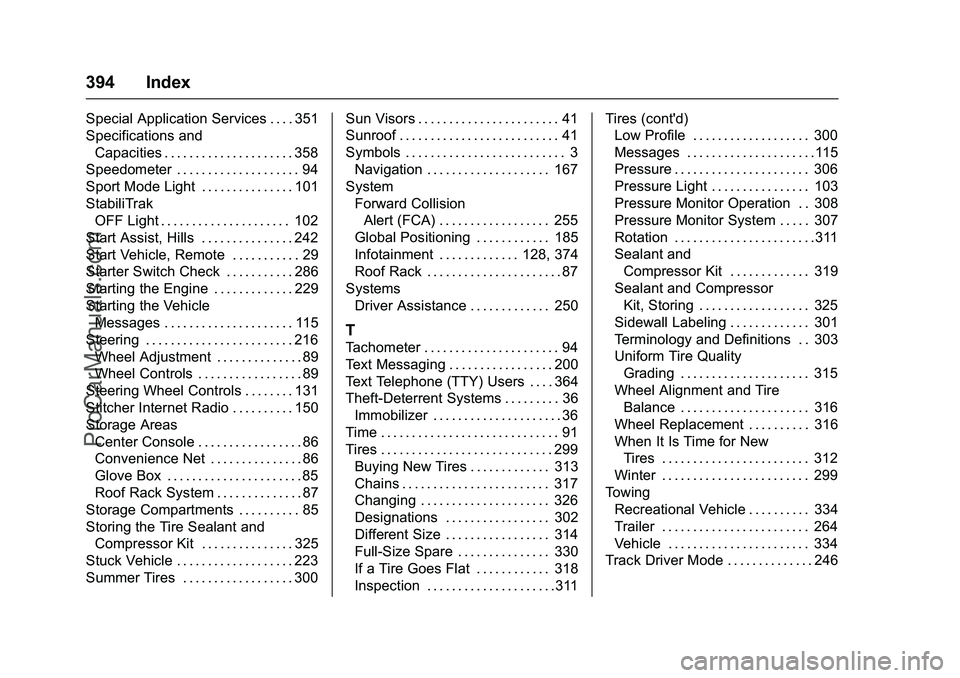
Chevrolet SS Sedan Owner Manual (GMNA-Localizing-U.S.-9234782) - 2016 -
CRC - 8/24/15
394 Index
Special Application Services . . . . 351
Specifications andCapacities . . . . . . . . . . . . . . . . . . . . . 358
Speedometer . . . . . . . . . . . . . . . . . . . . 94
Sport Mode Light . . . . . . . . . . . . . . . 101
StabiliTrak OFF Light . . . . . . . . . . . . . . . . . . . . . 102
Start Assist, Hills . . . . . . . . . . . . . . . 242
Start Vehicle, Remote . . . . . . . . . . . 29
Starter Switch Check . . . . . . . . . . . 286
Starting the Engine . . . . . . . . . . . . . 229
Starting the Vehicle Messages . . . . . . . . . . . . . . . . . . . . . 115
Steering . . . . . . . . . . . . . . . . . . . . . . . . 216 Wheel Adjustment . . . . . . . . . . . . . . 89
Wheel Controls . . . . . . . . . . . . . . . . . 89
Steering Wheel Controls . . . . . . . . 131
Stitcher Internet Radio . . . . . . . . . . 150
Storage Areas Center Console . . . . . . . . . . . . . . . . . 86
Convenience Net . . . . . . . . . . . . . . . 86
Glove Box . . . . . . . . . . . . . . . . . . . . . . 85
Roof Rack System . . . . . . . . . . . . . . 87
Storage Compartments . . . . . . . . . . 85
Storing the Tire Sealant and Compressor Kit . . . . . . . . . . . . . . . 325
Stuck Vehicle . . . . . . . . . . . . . . . . . . . 223
Summer Tires . . . . . . . . . . . . . . . . . . 300 Sun Visors . . . . . . . . . . . . . . . . . . . . . . . 41
Sunroof . . . . . . . . . . . . . . . . . . . . . . . . . . 41
Symbols . . . . . . . . . . . . . . . . . . . . . . . . . . 3
Navigation . . . . . . . . . . . . . . . . . . . . 167
System Forward CollisionAlert (FCA) . . . . . . . . . . . . . . . . . . 255
Global Positioning . . . . . . . . . . . . 185
Infotainment . . . . . . . . . . . . . 128, 374
Roof Rack . . . . . . . . . . . . . . . . . . . . . . 87
Systems
Driver Assistance . . . . . . . . . . . . . 250
T
Tachometer . . . . . . . . . . . . . . . . . . . . . . 94
Text Messaging . . . . . . . . . . . . . . . . . 200
Text Telephone (TTY) Users . . . . 364
Theft-Deterrent Systems . . . . . . . . . 36Immobilizer . . . . . . . . . . . . . . . . . . . . . 36
Time . . . . . . . . . . . . . . . . . . . . . . . . . . . . . 91
Tires . . . . . . . . . . . . . . . . . . . . . . . . . . . . 299 Buying New Tires . . . . . . . . . . . . . 313
Chains . . . . . . . . . . . . . . . . . . . . . . . . 317
Changing . . . . . . . . . . . . . . . . . . . . . 326
Designations . . . . . . . . . . . . . . . . . 302
Different Size . . . . . . . . . . . . . . . . . 314
Full-Size Spare . . . . . . . . . . . . . . . 330
If a Tire Goes Flat . . . . . . . . . . . . 318
Inspection . . . . . . . . . . . . . . . . . . . . .311 Tires (cont'd)
Low Profile . . . . . . . . . . . . . . . . . . . 300
Messages . . . . . . . . . . . . . . . . . . . . .115
Pressure . . . . . . . . . . . . . . . . . . . . . . 306
Pressure Light . . . . . . . . . . . . . . . . 103
Pressure Monitor Operation . . 308
Pressure Monitor System . . . . . 307
Rotation . . . . . . . . . . . . . . . . . . . . . . .311
Sealant and
Compressor Kit . . . . . . . . . . . . . 319
Sealant and Compressor Kit, Storing . . . . . . . . . . . . . . . . . . 325
Sidewall Labeling . . . . . . . . . . . . . 301
Terminology and Definitions . . 303
Uniform Tire Quality Grading . . . . . . . . . . . . . . . . . . . . . 315
Wheel Alignment and Tire Balance . . . . . . . . . . . . . . . . . . . . . 316
Wheel Replacement . . . . . . . . . . 316
When It Is Time for New Tires . . . . . . . . . . . . . . . . . . . . . . . . 312
Winter . . . . . . . . . . . . . . . . . . . . . . . . 299
Towing
Recreational Vehicle . . . . . . . . . . 334
Trailer . . . . . . . . . . . . . . . . . . . . . . . . 264
Vehicle . . . . . . . . . . . . . . . . . . . . . . . 334
Track Driver Mode . . . . . . . . . . . . . . 246
ProCarManuals.com