display CHEVROLET SS 2017 1.G Owners Manual
[x] Cancel search | Manufacturer: CHEVROLET, Model Year: 2017, Model line: SS, Model: CHEVROLET SS 2017 1.GPages: 400, PDF Size: 7.31 MB
Page 255 of 400
Chevrolet SS Sedan Owner Manual (GMNA-Localizing-U.S.-10122752) -2017 - crc - 8/31/16
254 Driving and Operating
Warning (Continued)
Under many conditions, these
systems will not:
.Detect children,pedestrians, bicyclists,or animals.
.Detect vehicles or objectsoutside the area monitoredby the system.
.Work at all driving speeds.
.Warn you or provide youwith enough time to avoid acrash.
.Work under poor visibility orbad weather conditions.
.Work if the detection sensoris not cleaned or is coveredby ice, snow, mud, or dirt.
(Continued)
Warning (Continued)
.Work if the detection sensor
is covered up, such as with
asticker,magnet,ormetal
plate.
.Work if the area surroundingthe detection sensor isdamaged or not properlyrepaired.
Complete attention is always
required while driving, and you
should be ready to take action
and apply the brakes and/or steer
the vehicle to avoid crashes.
Audible Alert
Some driver assistance featuresalert the driver of obstacles bybeeping. To change the volume ofthe warning chime, see“Comfortand Convenience”underVehiclePersonalization0120.
Assistance Systems for
Parking or Backing
If equipped, the Rear Vision Camera(RVC), Rear Parking Assist (RPA),Front Parking Assist (FPA), RearCross Traffic Alert (RCTA), andAutomatic Parking Assist (APA) mayhelp the driver park or avoid objects.Always check around the vehiclewhen parking or backing.
Rear Vision Camera (RVC)
When the vehicle is shifted intoR(Reverse), the RVC displays animage of the area behind the vehiclein the infotainment display. Whenthe vehicle is shifted out ofR(Reverse), the display returns tothe previous content, after a shortdelay. To see the previous contentsooner, press one of the radiobuttons. If the message ServiceRear Camera System is displayed,the vehicle may need service.
Page 256 of 400
Chevrolet SS Sedan Owner Manual (GMNA-Localizing-U.S.-10122752) -2017 - crc - 8/31/16
Driving and Operating 255
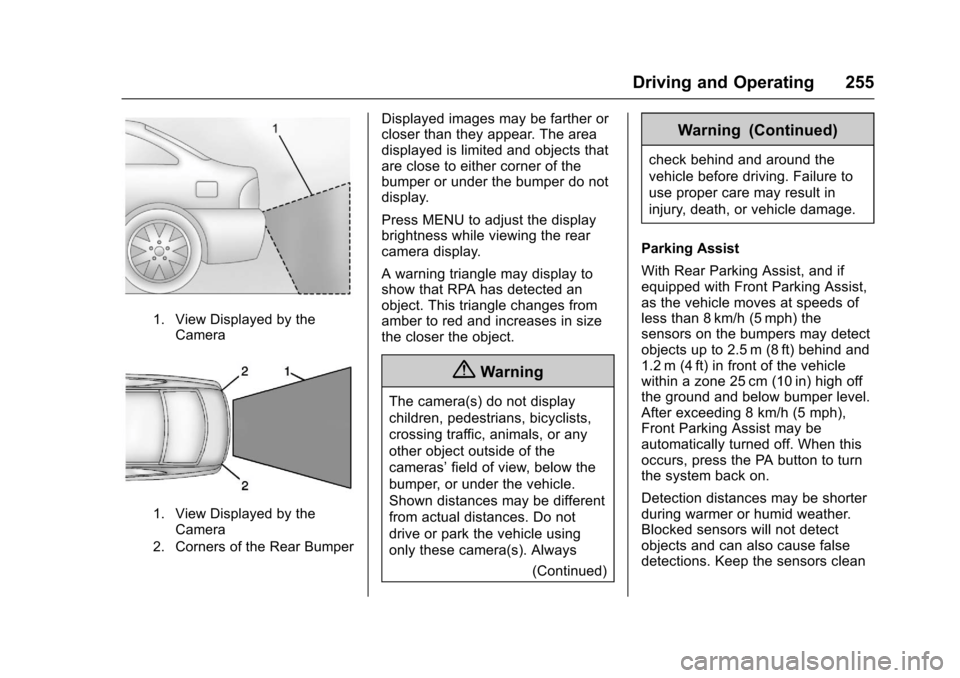
1. View Displayed by theCamera
1. View Displayed by theCamera
2. Corners of the Rear Bumper
Displayed images may be farther orcloser than they appear. The areadisplayed is limited and objects thatare close to either corner of thebumper or under the bumper do notdisplay.
Press MENU to adjust the displaybrightness while viewing the rearcamera display.
Awarningtrianglemaydisplaytoshow that RPA has detected anobject. This triangle changes fromamber to red and increases in sizethe closer the object.
{Warning
The camera(s) do not display
children, pedestrians, bicyclists,
crossing traffic, animals, or any
other object outside of the
cameras’field of view, below the
bumper, or under the vehicle.
Shown distances may be different
from actual distances. Do not
drive or park the vehicle using
only these camera(s). Always
(Continued)
Warning (Continued)
check behind and around the
vehicle before driving. Failure to
use proper care may result in
injury, death, or vehicle damage.
Parking Assist
With Rear Parking Assist, and ifequipped with Front Parking Assist,as the vehicle moves at speeds ofless than 8 km/h (5 mph) thesensors on the bumpers may detectobjects up to 2.5 m (8 ft) behind and1.2 m (4 ft) in front of the vehiclewithin a zone 25 cm (10 in) high offthe ground and below bumper level.After exceeding 8 km/h (5 mph),Front Parking Assist may beautomatically turned off. When thisoccurs, press the PA button to turnthe system back on.
Detection distances may be shorterduring warmer or humid weather.Blocked sensors will not detectobjects and can also cause falsedetections. Keep the sensors clean
Page 257 of 400
Chevrolet SS Sedan Owner Manual (GMNA-Localizing-U.S.-10122752) -2017 - crc - 8/31/16
256 Driving and Operating
of mud, dirt, snow, ice, and slush;and clean sensors after a car washin freezing temperatures.
{Warning
The Parking Assist system does
not detect children, pedestrians,
bicyclists, animals, or objects
located below the bumper or that
are too close or too far from the
vehicle. It is not available at
speeds greater than 8 km/h
(5 mph). To prevent injury, death,
or vehicle damage, even with
Parking Assist, always check the
area around the vehicle and
check all mirrors before moving
forward or backing.
An obstacle is indicated by audiblebeeps. The interval between thebeeps becomes shorter as thevehicle gets closer to the obstacle.When the distance is less than 30cm (12 in) the beeping is acontinuous tone for three seconds.
Beeps for Front Parking Assist arehigher pitched than for Rear ParkingAssist.
Rear Cross Traffic Alert (RCTA)
If equipped, RCTA shows a redwarning triangle with a left or rightpointing arrow on the infotainmentdisplay to warn of traffic comingfrom the left or right. This systemdetects objects coming from up to20 m (65 ft) from the left or right sidebehind the vehicle. When an objectis detected beeps sound from theleft or right side, depending on thedirection of the detected vehicle.
Turning the Features On or Off
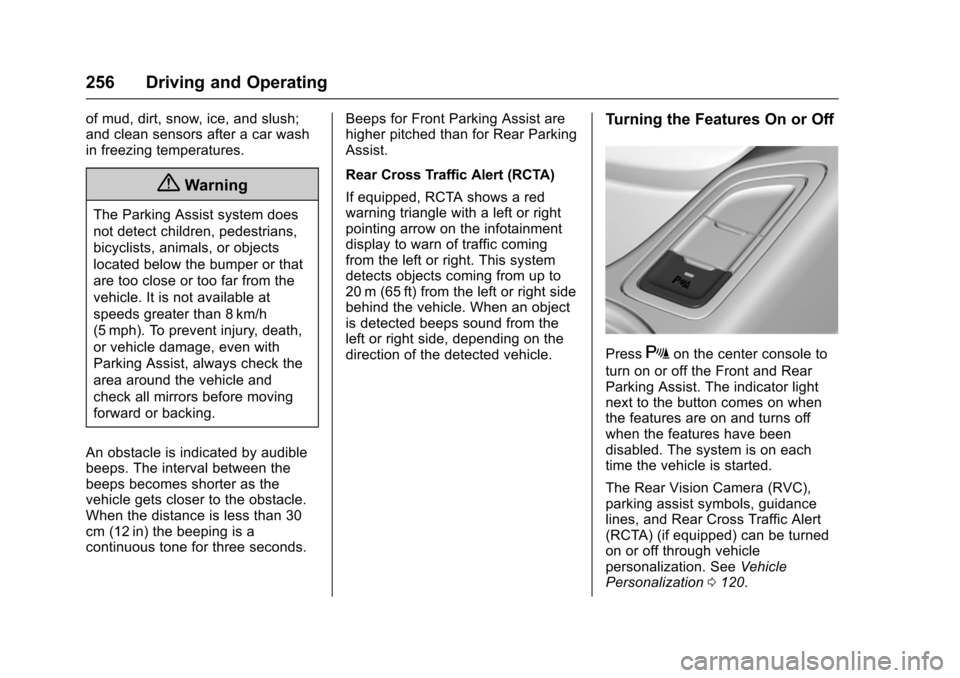
PressXon the center console to
turn on or off the Front and RearParking Assist. The indicator lightnext to the button comes on whenthe features are on and turns offwhen the features have beendisabled. The system is on eachtime the vehicle is started.
The Rear Vision Camera (RVC),parking assist symbols, guidancelines, and Rear Cross Traffic Alert(RCTA) (if equipped) can be turnedon or off through vehiclepersonalization. SeeVehiclePersonalization0120.
Page 259 of 400
Chevrolet SS Sedan Owner Manual (GMNA-Localizing-U.S.-10122752) -2017 - crc - 8/31/16
258 Driving and Operating
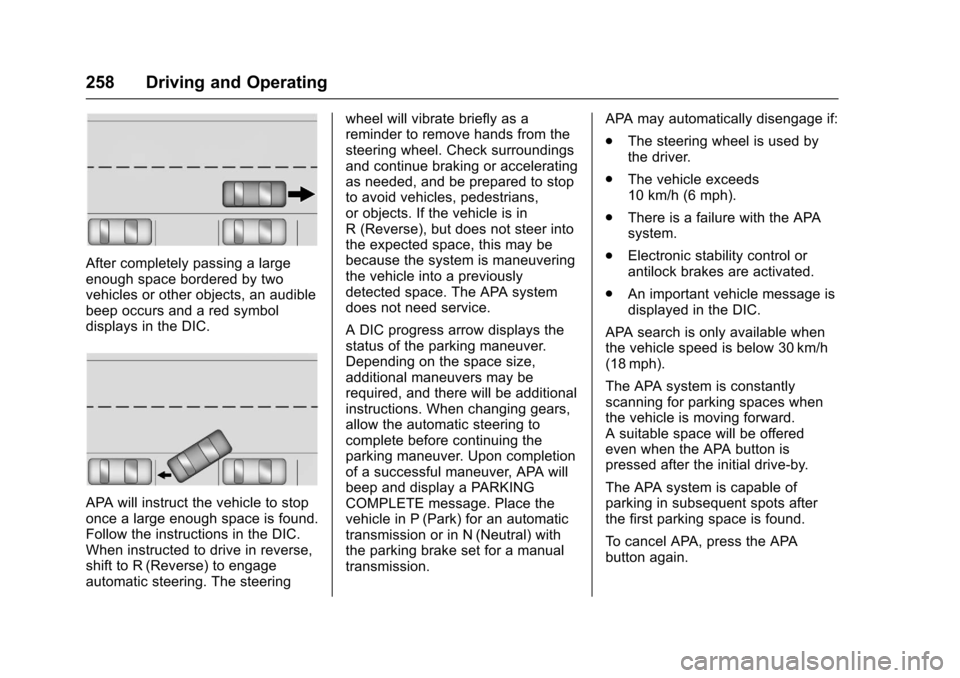
After completely passing a largeenough space bordered by twovehicles or other objects, an audiblebeep occurs and a red symboldisplays in the DIC.
APA will instruct the vehicle to stoponce a large enough space is found.Follow the instructions in the DIC.When instructed to drive in reverse,shift to R (Reverse) to engageautomatic steering. The steering
wheel will vibrate briefly as areminder to remove hands from thesteering wheel. Check surroundingsand continue braking or acceleratingas needed, and be prepared to stopto avoid vehicles, pedestrians,or objects. If the vehicle is inR(Reverse),butdoesnotsteerintothe expected space, this may bebecause the system is maneuveringthe vehicle into a previouslydetected space. The APA systemdoes not need service.
ADICprogressarrowdisplaysthestatus of the parking maneuver.Depending on the space size,additional maneuvers may berequired, and there will be additionalinstructions. When changing gears,allow the automatic steering tocomplete before continuing theparking maneuver. Upon completionof a successful maneuver, APA willbeep and display a PARKINGCOMPLETE message. Place thevehicle in P (Park) for an automatictransmission or in N (Neutral) withthe parking brake set for a manualtransmission.
APA may automatically disengage if:
.The steering wheel is used bythe driver.
.The vehicle exceeds10 km/h (6 mph).
.There is a failure with the APAsystem.
.Electronic stability control orantilock brakes are activated.
.An important vehicle message isdisplayed in the DIC.
APA search is only available whenthe vehicle speed is below 30 km/h(18 mph).
The APA system is constantlyscanning for parking spaces whenthe vehicle is moving forward.Asuitablespacewillbeofferedeven when the APA button ispressed after the initial drive-by.
The APA system is capable ofparking in subsequent spots afterthe first parking space is found.
To c a n c e l A PA , p r e s s t h e A PAbutton again.
Page 260 of 400
Chevrolet SS Sedan Owner Manual (GMNA-Localizing-U.S.-10122752) -2017 - crc - 8/31/16
Driving and Operating 259
When the System Does Not Seemto Work Properly
The APA system may require ashort period of driving along curvesto calibrate.
Assistance Systems for
Driving
If equipped, when driving thevehicle in a forward gear, ForwardCollision Alert (FCA), LaneDeparture Warning (LDW), and SideBlind Zone Alert (SBZA) can help toavoid a crash or reduce crashdamage.
Forward Collision Alert
(FCA) System
If equipped, the FCA system mayhelp to avoid or reduce the harmcaused by front-end crashes. Whenapproaching a vehicle ahead tooquickly, FCA provides a red flashingalert on the windshield and rapidlybeeps. FCA also lights an ambervisual alert if following anothervehicle much too closely.
FCA detects vehicles within adistance of approximately 60 m(197 ft) and operates at speedsabove 40 km/h (25 mph).
{Warning
FCA is a warning system and
does not apply the brakes. When
approaching a slower-moving or
stopped vehicle ahead too rapidly,
or when following a vehicle too
closely, FCA may not provide a
warning with enough time to help
avoid a crash. It also may not
provide any warning at all. FCA
does not warn of pedestrians,
animals, signs, guardrails,
bridges, construction barrels,
or other objects. Be ready to take
action and apply the brakes. See
Defensive Driving0217.
FCA can be disabled with the FCAsteering wheel control.
Detecting the Vehicle Ahead
FCA warnings will not occur unlessthe FCA system detects a vehicleahead. When a vehicle is detected,the vehicle ahead indicator willdisplay green. Vehicles may not bedetected on curves, highway exitramps, or hills, due to poor visibility;or if a vehicle ahead is partiallyblocked by pedestrians or otherobjects. FCA will not detect anothervehicle ahead until it is completelyin the driving lane.
{Warning
FCA does not provide a warning
to help avoid a crash, unless it
detects a vehicle. FCA may not
detect a vehicle ahead if the FCA
sensor is blocked by dirt, snow,
(Continued)
Page 261 of 400
Chevrolet SS Sedan Owner Manual (GMNA-Localizing-U.S.-10122752) -2017 - crc - 8/31/16
260 Driving and Operating
Warning (Continued)
or ice, or if the windshield is
damaged. It may also not detect a
vehicle on winding or hilly roads,
or in conditions that can limit
visibility such as fog, rain,
or snow, or if the headlamps or
windshield are not cleaned or in
proper condition. Keep the
windshield, headlamps, and FCA
sensors clean and in good repair.
Collision Alert
When your vehicle approachesanother detected vehicle too rapidly,the red FCA display will flash on thewindshield. Also, eight rapidhigh-pitched beeps will sound fromthe front. When this Collision Alertoccurs, the brake system mayprepare for driver braking to occur
more rapidly which can cause abrief, mild deceleration. Continue toapply the brake pedal as needed.Cruise control may be disengagedwhen the Collision Alert occurs.
Tailgating Alert
The vehicle ahead indicator willdisplay amber when you arefollowing a detected vehicle aheadmuch too closely.
Selecting the Alert Timing
The Collision Alert control is on the
steering wheel. Press[to set the
FCA timing to Far, Medium, Near,or Off. The first button press showsthe current setting on the Head-UpDisplay (HUD). Additional buttonpresses will change this setting. Thechosen setting will remain until it ischanged and will affect the timing ofboth the Collision Alert and theTa i l g a t i n g A l e r t f e a t u r e s . T h e t i m i n gof both alerts will vary based onvehicle speed. The faster thevehicle speed, the farther away thealert will occur. Consider traffic andweather conditions when selecting
Page 262 of 400
Chevrolet SS Sedan Owner Manual (GMNA-Localizing-U.S.-10122752) -2017 - crc - 8/31/16
Driving and Operating 261
the alert timing. The range ofselectable alert timing may not beappropriate for all drivers anddriving conditions.
Unnecessary Alerts
FCA may provide unnecessaryalerts for turning vehicles, vehiclesin other lanes, objects that are notvehicles, or shadows. These alertsare normal operation and thevehicle does not need service.
Cleaning the System
If the FCA system does not seem tooperate properly, cleaning theoutside of the windshield in front ofthe camera sensor and the front ofthe vehicle may correct the issue.
Side Blind Zone
Alert (SBZA)
If equipped, the SBZA system is alane-changing aid that assistsdrivers with avoiding crashes thatoccur with moving vehicles in theside blind zone (or spot) areas. TheSBZA warning display will light up in
the corresponding outside sidemirror and will flash if the turn signalis on.
{Warning
SBZA does not alert the driver to
vehicles rapidly approaching
outside of the side blind zones,
pedestrians, bicyclists,
or animals. It may not provide
alerts when changing lanes under
all driving conditions. Failure to
use proper care when changing
lanes may result in injury, death,
or vehicle damage. Before
making a lane change, always
check mirrors, glance over your
shoulder, and use the turn
signals.
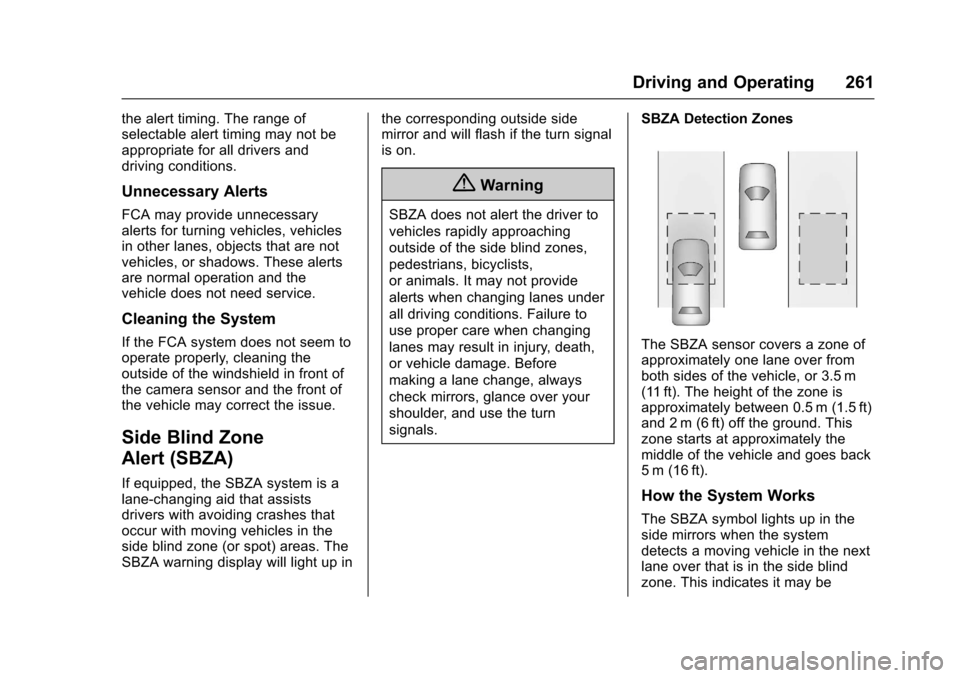
SBZA Detection Zones
The SBZA sensor covers a zone ofapproximately one lane over fromboth sides of the vehicle, or 3.5 m(11 ft). The height of the zone isapproximately between 0.5 m (1.5 ft)and 2 m (6 ft) off the ground. Thiszone starts at approximately themiddle of the vehicle and goes back5m (16ft).
How the System Works
The SBZA symbol lights up in theside mirrors when the systemdetects a moving vehicle in the nextlane over that is in the side blindzone. This indicates it may be
Page 263 of 400
Chevrolet SS Sedan Owner Manual (GMNA-Localizing-U.S.-10122752) -2017 - crc - 8/31/16
262 Driving and Operating
unsafe to change lanes. Beforemaking a lane change, check theSBZA display, check mirrors, glanceover your shoulder, and use the turnsignals.
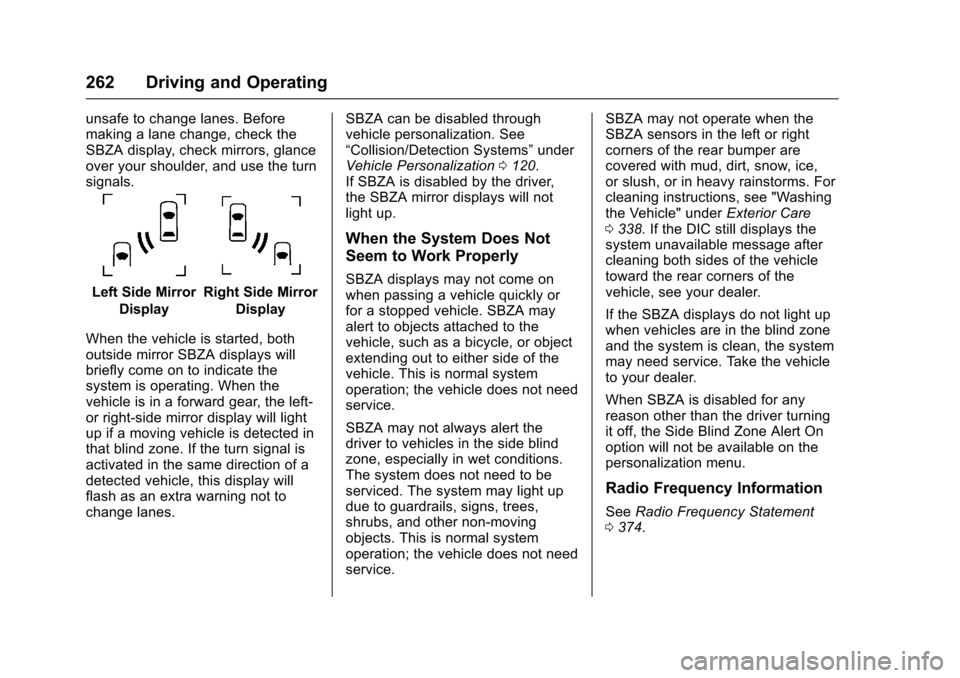
Left Side Mirror
Display
Right Side Mirror
Display
When the vehicle is started, bothoutside mirror SBZA displays willbriefly come on to indicate thesystem is operating. When thevehicle is in a forward gear, the left-or right-side mirror display will lightup if a moving vehicle is detected inthat blind zone. If the turn signal isactivated in the same direction of adetected vehicle, this display willflash as an extra warning not tochange lanes.
SBZA can be disabled throughvehicle personalization. See“Collision/Detection Systems”underVehicle Personalization0120.If SBZA is disabled by the driver,the SBZA mirror displays will notlight up.
When the System Does Not
Seem to Work Properly
SBZA displays may not come onwhen passing a vehicle quickly orfor a stopped vehicle. SBZA mayalert to objects attached to thevehicle, such as a bicycle, or objectextending out to either side of thevehicle. This is normal systemoperation; the vehicle does not needservice.
SBZA may not always alert thedriver to vehicles in the side blindzone, especially in wet conditions.The system does not need to beserviced. The system may light updue to guardrails, signs, trees,shrubs, and other non-movingobjects. This is normal systemoperation; the vehicle does not needservice.
SBZA may not operate when theSBZA sensors in the left or rightcorners of the rear bumper arecovered with mud, dirt, snow, ice,or slush, or in heavy rainstorms. Forcleaning instructions, see "Washingthe Vehicle" underExterior Care0338.IftheDICstilldisplaysthesystem unavailable message aftercleaning both sides of the vehicletoward the rear corners of thevehicle, see your dealer.
If the SBZA displays do not light upwhen vehicles are in the blind zoneand the system is clean, the systemmay need service. Take the vehicleto your dealer.
When SBZA is disabled for anyreason other than the driver turningit off, the Side Blind Zone Alert Onoption will not be available on thepersonalization menu.
Radio Frequency Information
SeeRadio Frequency Statement0374.
Page 276 of 400
Chevrolet SS Sedan Owner Manual (GMNA-Localizing-U.S.-10122752) -2017 - crc - 8/31/16
Vehicle Care 275
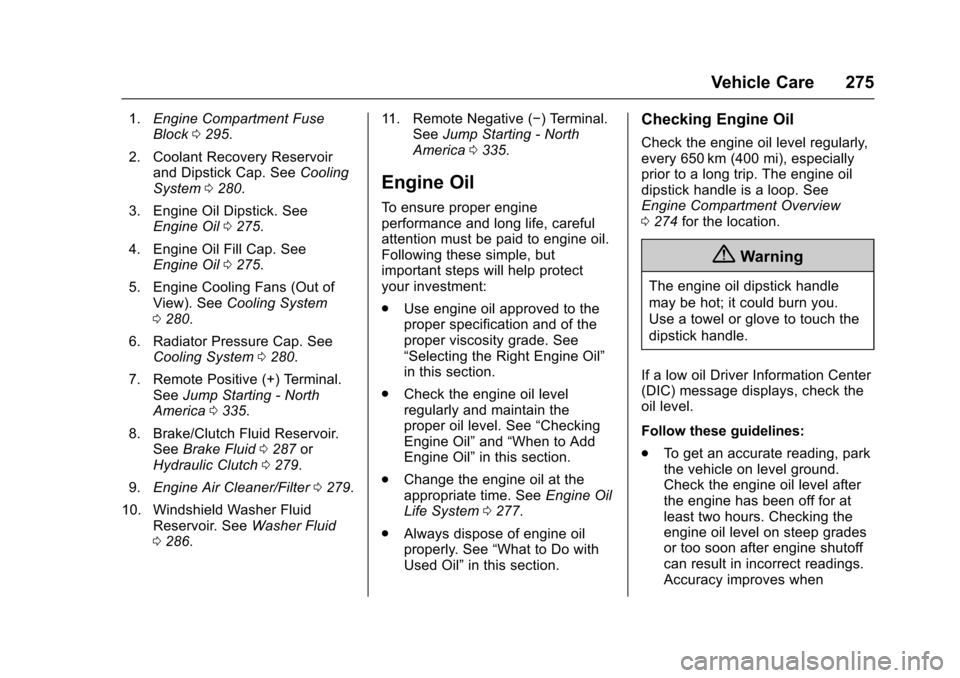
1.Engine Compartment FuseBlock0295.
2. Coolant Recovery Reservoirand Dipstick Cap. SeeCoolingSystem0280.
3. Engine Oil Dipstick. SeeEngine Oil0275.
4. Engine Oil Fill Cap. SeeEngine Oil0275.
5. Engine Cooling Fans (Out ofView). SeeCooling System0280.
6. Radiator Pressure Cap. SeeCooling System0280.
7. Remote Positive (+) Terminal.SeeJump Starting - NorthAmerica0335.
8. Brake/Clutch Fluid Reservoir.SeeBrake Fluid0287orHydraulic Clutch0279.
9.Engine Air Cleaner/Filter0279.
10. Windshield Washer FluidReservoir. SeeWasher Fluid0286.
11 . R e m o t e N e g a t i v e (✓)Terminal.SeeJump Starting - NorthAmerica0335.
Engine Oil
To e n s u r e p r o p e r e n g i n eperformance and long life, carefulattention must be paid to engine oil.Following these simple, butimportant steps will help protectyour investment:
.Use engine oil approved to theproper specification and of theproper viscosity grade. See“Selecting the Right Engine Oil”in this section.
.Check the engine oil levelregularly and maintain theproper oil level. See“CheckingEngine Oil”and“When to AddEngine Oil”in this section.
.Change the engine oil at theappropriate time. SeeEngine OilLife System0277.
.Always dispose of engine oilproperly. See“What to Do withUsed Oil”in this section.
Checking Engine Oil
Check the engine oil level regularly,every 650 km (400 mi), especiallyprior to a long trip. The engine oildipstick handle is a loop. SeeEngine Compartment Overview0274for the location.
{Warning
The engine oil dipstick handle
may be hot; it could burn you.
Use a towel or glove to touch the
dipstick handle.
If a low oil Driver Information Center(DIC) message displays, check theoil level.
Follow these guidelines:
.To g e t a n a c c u r a t e r e a d i n g , p a r kthe vehicle on level ground.Check the engine oil level afterthe engine has been off for atleast two hours. Checking theengine oil level on steep gradesor too soon after engine shutoffcan result in incorrect readings.Accuracy improves when
Page 279 of 400
Chevrolet SS Sedan Owner Manual (GMNA-Localizing-U.S.-10122752) -2017 - crc - 8/31/16
278 Vehicle Care
If the system is ever resetaccidentally, the oil must bechanged at 5 000 km (3,000 mi)since the last oil change.Remember to reset the oil lifesystem whenever the oil is changed.
How to Reset the Engine Oil
Life System
Reset the system whenever theengine oil is changed so that thesystem can calculate the nextengine oil change. To reset thesystem:
1. Display the REMAINING OILLIFE on the DIC. SeeDriverInformation Center (DIC)0108.
2. Press and hold SET/CLR onthe DIC while the Oil Lifedisplay is active. The oil life willchange to 100%.
The oil life system can also be resetas follows:
1. Display the REMAINING OILLIFE on the DIC. SeeDriverInformation Center (DIC)0108.
2. Fully press and release theaccelerator pedal three timeswithin five seconds.
The system is reset when theCHANGE ENGINE OIL SOONmessage goes off.
If the CHANGE ENGINE OIL SOONmessage comes back on when thevehicle is started, the engine oil lifesystem has not been reset. Repeatthe procedure.
Automatic Transmission
Fluid
How to Check Automatic
Transmission Fluid
It is not necessary to check thetransmission fluid level.Atransmissionfluidleakistheonlyreason for fluid loss. If a leakoccurs, take the vehicle to yourdealer service department and haveit repaired as soon as possible.
There is a special procedure forchecking and changing thetransmission fluid. Because thisprocedure is difficult, you shouldhave this done at your dealer
service department. Contact yourdealer for additional information orthe procedure can be found in theservice manual. To purchase aservice manual, seeServicePublications Ordering Information0373.
Change the fluid and filter at theintervals listed inMaintenanceSchedule0349,andbesuretousethe fluid listed inRecommendedFluids and Lubricants0358.
Manual Transmission
Fluid
It is not necessary to check themanual transmission fluid level.Atransmissionfluidleakistheonlyreason for fluid loss. If a leakoccurs, take the vehicle to thedealer and have it repaired as soonas possible. SeeRecommendedFluids and Lubricants0358for theproper fluid to use.