display CHEVROLET SS 2017 1.G Owners Manual
[x] Cancel search | Manufacturer: CHEVROLET, Model Year: 2017, Model line: SS, Model: CHEVROLET SS 2017 1.GPages: 400, PDF Size: 7.31 MB
Page 286 of 400
Chevrolet SS Sedan Owner Manual (GMNA-Localizing-U.S.-10122752) -2017 - crc - 8/31/16
Vehicle Care 285
Yo u m a y d e c i d e n o t t o l i f t t h e h o o dwhen this warning appears, butinstead get service help right away.SeeRoadside Assistance Program0368.
If you do decide to lift the hood,make sure the vehicle is parked onalevelsurface.
Then check to see if the enginecooling fans are running. If theengine is overheating, both fansshould be running. If they are not,do not continue to run the engineand have the vehicle serviced.
Caution
Running the engine without
coolant may cause damage or a
fire. Vehicle damage would not be
covered by the vehicle warranty.
If Steam is Coming from the
Engine Compartment
{Warning
Steam from an overheated engine
can burn you badly, even if you
just open the hood. Stay away
from the engine if you see or hear
steam coming from it. Just turn it
off and get everyone away from
the vehicle until it cools down.
Wait until there is no sign of
steam or coolant before you open
the hood.
If you keep driving when the
engine is overheated, the liquids
in it can catch fire. You or others
could be badly burned. Stop the
engine if it overheats, and get out
of the vehicle until the engine
is cool.
If No Steam is Coming from
the Engine Compartment
If an engine overheat warning isdisplayed but no steam can be seenor heard, the problem may not be
too serious. Sometimes the enginecan get a little too hot when thevehicle:
.Climbs a long hill on a hot day.
.Stops after high-speed driving.
.Idles for long periods in traffic.
If the overheat warning is displayedwith no sign of steam:
1. Turn the air conditioning off.
2. Turn the heater on to thehighest temperature and to thehighest fan speed. Open thewindows as necessary.
3. When it is safe to do so, pull offthe road, shift to P (Park) orN(Neutral), and let theengine idle.
If the temperature overheat gauge isno longer in the overheat zone or anoverheat warning no longerdisplays, the vehicle can be driven.Continue to drive the vehicle slowlyfor about 10 minutes. Keep a safevehicle distance from the vehicle infront. If the warning does not come
Page 287 of 400
Chevrolet SS Sedan Owner Manual (GMNA-Localizing-U.S.-10122752) -2017 - crc - 8/31/16
286 Vehicle Care
back on, continue to drive normallyand have the cooling systemchecked for proper fill and function.
If the warning continues, pull over,stop, and park the vehicleright away.
If there is no sign of steam, idle theengine for three minutes whileparked. If the warning is stilldisplayed, turn off the engine until itcools down.
Washer Fluid
What to Use
When windshield washer fluid isneeded, be sure to read themanufacturer's instructions beforeuse. If operating the vehicle in anarea where the temperature may fallbelow freezing, use a fluid that hassufficient protection againstfreezing.
Adding Washer Fluid
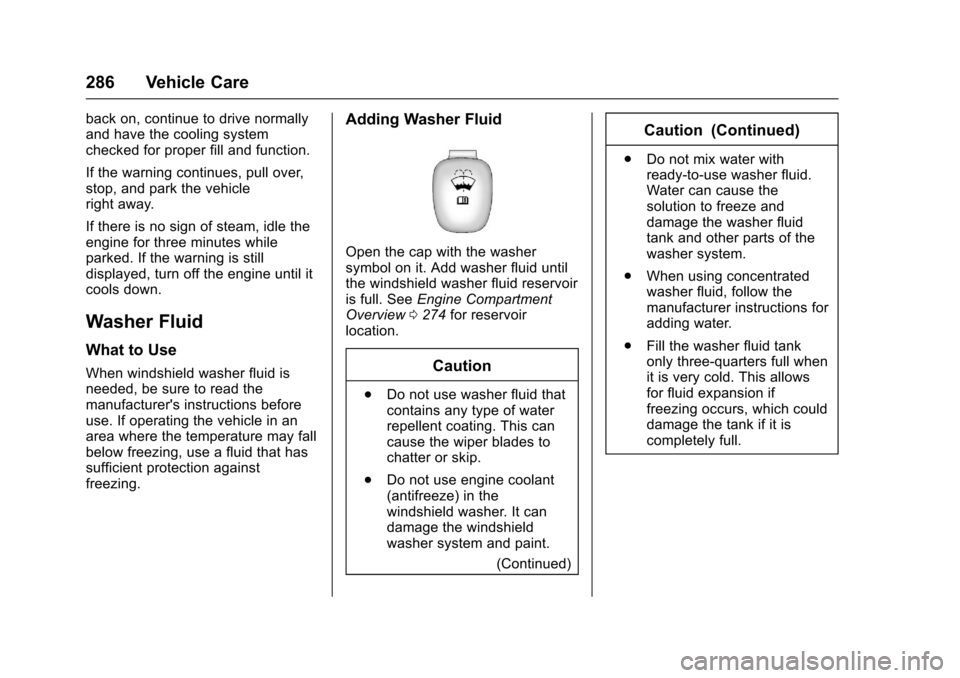
Open the cap with the washersymbol on it. Add washer fluid untilthe windshield washer fluid reservoiris full. SeeEngine CompartmentOverview0274for reservoirlocation.
Caution
.Do not use washer fluid thatcontains any type of waterrepellent coating. This cancause the wiper blades tochatter or skip.
.Do not use engine coolant(antifreeze) in thewindshield washer. It candamage the windshieldwasher system and paint.
(Continued)
Caution (Continued)
.Do not mix water withready-to-use washer fluid.Water can cause thesolution to freeze anddamage the washer fluidtank and other parts of thewasher system.
.When using concentratedwasher fluid, follow themanufacturer instructions foradding water.
.Fill the washer fluid tankonly three-quarters full whenit is very cold. This allowsfor fluid expansion iffreezing occurs, which coulddamage the tank if it iscompletely full.
Page 313 of 400
Chevrolet SS Sedan Owner Manual (GMNA-Localizing-U.S.-10122752) -2017 - crc - 8/31/16
312 Vehicle Care
of reasons, including the installationof replacement or alternate tires orwheels on the vehicle that preventthe TPMS from functioning properly.Always check the TPMS malfunctiontelltale after replacing one or moretires or wheels on your vehicle toensure that the replacement oralternate tires and wheels allow theTPMS to continue to functionproperly.
SeeTire Pressure MonitorOperation0312.
SeeRadio Frequency Statement0374.
Tire Pressure Monitor
Operation
This vehicle may have a TirePressure Monitor System (TPMS).The TPMS is designed to warn thedriver when a low tire pressurecondition exists. TPMS sensors aremounted onto each tire and wheelassembly, including the spare tireand wheel assembly. The TPMSsensors monitor the air pressure in
the tires and transmit the tirepressure readings to a receiverlocated in the vehicle.
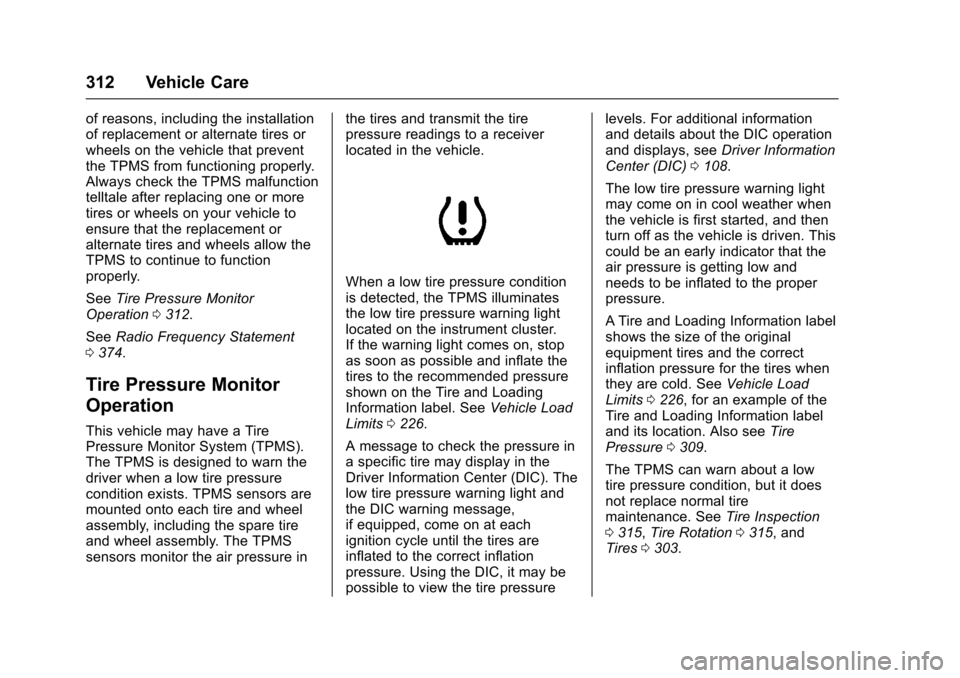
When a low tire pressure conditionis detected, the TPMS illuminatesthe low tire pressure warning lightlocated on the instrument cluster.If the warning light comes on, stopas soon as possible and inflate thetires to the recommended pressureshown on the Tire and LoadingInformation label. SeeVehicle LoadLimits0226.
AmessagetocheckthepressureinaspecifictiremaydisplayintheDriver Information Center (DIC). Thelow tire pressure warning light andthe DIC warning message,if equipped, come on at eachignition cycle until the tires areinflated to the correct inflationpressure. Using the DIC, it may bepossible to view the tire pressure
levels. For additional informationand details about the DIC operationand displays, seeDriver InformationCenter (DIC)0108.
The low tire pressure warning lightmay come on in cool weather whenthe vehicle is first started, and thenturn off as the vehicle is driven. Thiscould be an early indicator that theair pressure is getting low andneeds to be inflated to the properpressure.
ATire and Loading Information labelshows the size of the originalequipment tires and the correctinflation pressure for the tires whenthey are cold. SeeVehicle LoadLimits0226,foranexampleoftheTire and Loading Information labeland its location. Also seeTirePressure0309.
The TPMS can warn about a lowtire pressure condition, but it doesnot replace normal tiremaintenance. SeeTire Inspection0315,Tire Rotation0315,andTires0303.
Page 314 of 400
Chevrolet SS Sedan Owner Manual (GMNA-Localizing-U.S.-10122752) -2017 - crc - 8/31/16
Vehicle Care 313
Caution
Tire sealant materials are not all
the same. A non-approved tire
sealant could damage the TPMS
sensors. TPMS sensor damage
caused by using an incorrect tire
sealant is not covered by the
vehicle warranty. Always use only
the GM approved tire sealant
available through your dealer or
included in the vehicle.
Factory-installed Tire Inflator Kitsuse a GM approved liquid tiresealant. Using non-approved tiresealants could damage the TPMSsensors. SeeTire Sealant andCompressor Kit0323forinformation regarding the inflator kitmaterials and instructions.
TPMS Malfunction Light and
Message
The TPMS will not function properlyif one or more of the TPMS sensorsare missing or inoperable. When thesystem detects a malfunction, thelow tire pressure warning light,
defined above, flashes for aboutone minute and then stays on forthe remainder of the ignition cycle.ADICwarningmessagemayalsodisplay. The malfunction light andDIC warning message, if equipped,come on at each ignition cycle untilthe problem is corrected. Some ofthe conditions that can cause theseto come on are:
.One of the road tires has beenreplaced with the spare tire. Thespare tire does not have aTPMS sensor. The malfunctionlight and the DIC message,if equipped, should go off afterthe road tire is replaced and thesensor matching process isperformed successfully. See"TPMS Sensor MatchingProcess" later in this section.
.The TPMS sensor matchingprocess was not done or notcompleted successfully afterrotating the tires or exchanging aroad tire with the spare tire. Themalfunction light and the DICmessage, if equipped, should gooff after successfully completing
the sensor matching process.See "TPMS Sensor MatchingProcess" later in this section.
.One or more TPMS sensors aremissing or damaged. Themalfunction light and the DICmessage, if equipped, should gooff when the TPMS sensors areinstalled and the sensormatching process is performedsuccessfully. See your dealer forservice.
.Replacement tires or wheels donot match the original equipmenttires or wheels. Tires and wheelsother than those recommendedcould prevent the TPMS fromfunctioning properly. SeeBuyingNew Tires0317.
.Operating electronic devices orbeing near facilities using radiowave frequencies similar to theTPMS could cause the TPMSsensors to malfunction.
If the TPMS is not functioningproperly, it cannot detect or signal alow tire condition. See your dealer
Page 315 of 400
Chevrolet SS Sedan Owner Manual (GMNA-Localizing-U.S.-10122752) -2017 - crc - 8/31/16
314 Vehicle Care
for service if the TPMS malfunctionlight and DIC message, if equipped,come on and stay on.
TPMS Sensor Matching
Process
Each TPMS sensor has a uniqueidentification code. The identificationcode needs to be matched to a newtire/wheel position after rotating thevehicle’stiresorreplacingoneormore of the TPMS sensors. Also,the TPMS sensor matching processshould be performed after replacingasparetirewitharoadtirecontaining the TPMS sensor. Themalfunction light and the DICmessage, if equipped, should go offat the next ignition cycle. Thesensors are matched to the tire/wheel positions, using a TPMSrelearn tool, in the following order:left front tire, right front tire, rightrear tire, and left rear tire. See yourdealer for service or to purchase arelearn tool. A TPMS relearn toolcan also be purchased. See TirePressure Monitor Sensor ActivationTo o l a t
www.gmtoolsandequipment.com orcall 1-800-GM TOOLS(1-800-468-6657).
There are two minutes to match thefirst tire/wheel position, andfive minutes overall to match all fourtire/wheel positions. If it takeslonger, the matching process stopsand must be restarted.
The TPMS sensor matchingprocess is:
1. Set the parking brake.
2. Place the vehicle power modein ON/RUN/START. SeeIgnition Positions0229.
3. Press MENU to select theVehicle Information Menu inthe Driver InformationCenter (DIC).
4. Use the thumbwheel to scroll tothe Tire Pressure Menu Itemscreen.
5. Press and hold SET/CLR tobegin the sensor matchingprocess.
Amessagerequestingacceptance of the process maydisplay.
6. If requested, press SET/CLRagain to confirm the selection.
The horn sounds twice tosignal the receiver is in relearnmode and the TIRE LEARN orTIRE LEARNING ACTIVEmessage displays on the DICscreen.
7. Start with the left front tire.
8. Place the relearn tool againstthe tire sidewall, near the valvestem. Then press the button toactivate the TPMS sensor.Ahornchirpconfirmsthatthesensor identification code hasbeen matched to this tire andwheel position.
9. Proceed to the right front tire,and repeat the procedure inStep 8.
10. Proceed to the right rear tire,and repeat the procedure inStep 8.
Page 316 of 400
Chevrolet SS Sedan Owner Manual (GMNA-Localizing-U.S.-10122752) -2017 - crc - 8/31/16
Vehicle Care 315
11 . P r o c e e d t o t h e l e f t r e a r t i r e ,and repeat the procedure inStep 8. The horn sounds twotimes to indicate the sensoridentification code has beenmatched to the left rear tire,and the TPMS sensor matchingprocess is no longer active.The TIRE LEARN or TIRELEARNING ACTIVE messageon the infotainment displaygoes off.
12. Turn the vehicle off.
13. Set all four tires to therecommended air pressurelevel as indicated on the Tireand Loading Information label.
Tire Inspection
We recommend that the tires,
including the spare tire, if the
vehicle has one, be inspected
for signs of wear or damage at
least once a month.
Replace the tire if:
.The indicators at three or
more places around the tire
can be seen.
.There is cord or fabric
showing through the tire's
rubber.
.The tread or sidewall is
cracked, cut, or snagged
deep enough to show cord or
fabric.
.The tire has a bump, bulge,
or split.
.The tire has a puncture, cut,
or other damage that cannot
be repaired well because of
the size or location of the
damage.
Tire Rotation
The tires should be rotated
every 12 000 km/7,500 mi. See
Maintenance Schedule0349.
Tires are rotated to achieve
uniform wear for all tires. The
first rotation is the most
important.
Anytime unusual wear is
noticed, rotate the tires as soon
as possible, check for proper tire
inflation pressure, and check for
damaged tires or wheels. If the
unusual wear continues after the
rotation, check the wheel
alignment. SeeWhen It Is Time
for New Tires0316andWheel
Replacement0320.
Different tire sizes should not be
rotated front to rear.
Page 335 of 400
Chevrolet SS Sedan Owner Manual (GMNA-Localizing-U.S.-10122752) -2017 - crc - 8/31/16
334 Vehicle Care
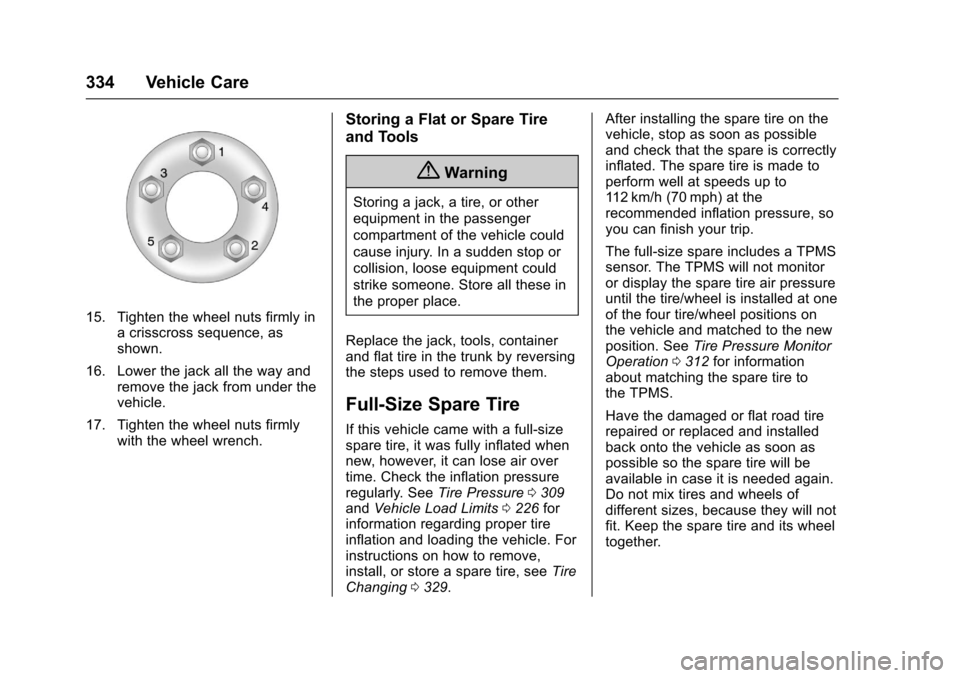
15. Tighten the wheel nuts firmly inacrisscrosssequence,asshown.
16. Lower the jack all the way andremove the jack from under thevehicle.
17. Tighten the wheel nuts firmlywith the wheel wrench.
Storing a Flat or Spare Tire
and Tools
{Warning
Storing a jack, a tire, or other
equipment in the passenger
compartment of the vehicle could
cause injury. In a sudden stop or
collision, loose equipment could
strike someone. Store all these in
the proper place.
Replace the jack, tools, containerand flat tire in the trunk by reversingthe steps used to remove them.
Full-Size Spare Tire
If this vehicle came with a full-sizespare tire, it was fully inflated whennew, however, it can lose air overtime. Check the inflation pressureregularly. SeeTire Pressure0309andVehicle Load Limits0226forinformation regarding proper tireinflation and loading the vehicle. Forinstructions on how to remove,install, or store a spare tire, seeTireChanging0329.
After installing the spare tire on thevehicle, stop as soon as possibleand check that the spare is correctlyinflated. The spare tire is made toperform well at speeds up to11 2 k m / h ( 7 0 m p h ) a t t h erecommended inflation pressure, soyou can finish your trip.
The full-size spare includes a TPMSsensor. The TPMS will not monitoror display the spare tire air pressureuntil the tire/wheel is installed at oneof the four tire/wheel positions onthe vehicle and matched to the newposition. SeeTire Pressure MonitorOperation0312for informationabout matching the spare tire tothe TPMS.
Have the damaged or flat road tirerepaired or replaced and installedback onto the vehicle as soon aspossible so the spare tire will beavailable in case it is needed again.Do not mix tires and wheels ofdifferent sizes, because they will notfit. Keep the spare tire and its wheeltogether.
Page 346 of 400
Chevrolet SS Sedan Owner Manual (GMNA-Localizing-U.S.-10122752) -2017 - crc - 8/31/16
Vehicle Care 345
Cleaning High Gloss Surfaces
and Vehicle Information and
Radio Displays
Use a microfiber cloth on high glosssurfaces or vehicle displays. First,use a soft bristle brush to removedirt that can scratch the surface.Then gently clean by rubbing with amicrofiber cloth. Never use windowcleaners or solvents. Periodicallyhand wash the microfiber clothseparately, using mild soap. Do notuse bleach or fabric softener. Rinsethoroughly and air dry beforenext use.
Caution
Do not attach a device with a
suction cup to the display. This
may cause damage and would
not be covered by the vehicle
warranty.
Instrument Panel, Leather,
Vinyl, Other Plastic Surfaces,
Low Gloss Paint Surfaces and
Natural Open Pore Wood
Surfaces
Use a soft microfiber clothdampened with water to removedust and loose dirt. For a morethorough cleaning, use a softmicrofiber cloth dampened with amild soap solution.
Caution
Soaking or saturating leather,
especially perforated leather, as
well as other interior surfaces,
may cause permanent damage.
Wipe excess moisture from these
surfaces after cleaning and allow
them to dry naturally. Never use
heat, steam, or spot removers. Do
not use cleaners that contain
silicone or wax-based products.
Cleaners containing these
solvents can permanently change
(Continued)
Caution (Continued)
the appearance and feel of
leather or soft trim, and are not
recommended.
Do not use cleaners that increasegloss, especially on the instrumentpanel. Reflected glare can decreasevisibility through the windshieldunder certain conditions.
Caution
Use of air fresheners may cause
permanent damage to plastics
and painted surfaces. If an air
freshener comes in contact with
any plastic or painted surface in
the vehicle, blot immediately and
clean with a soft cloth dampened
with a mild soap solution.
Damage caused by air fresheners
would not be covered by the
vehicle warranty.
Page 350 of 400
Chevrolet SS Sedan Owner Manual (GMNA-Localizing-U.S.-10122752) -2017 - crc - 8/31/16
Service and Maintenance 349
frequent checks and services. TheAdditional Required Services -Normal are for vehicles that:
.Carry passengers and cargowithin recommended limits onthe Tire and Loading Informationlabel. SeeVehicle Load Limits0226.
.Are driven on reasonable roadsurfaces within legal drivinglimits.
.Use the recommended fuel. SeeFuel0264.
Refer to the information in theMaintenance Schedule AdditionalRequired Services - Normal chart.
The Additional Required Services -Severe are for vehicles that are:
.Mainly driven in heavy city trafficin hot weather.
.Mainly driven in hilly ormountainous terrain.
.Frequently towing a trailer.
.Used for high speed orcompetitive driving.
.Used for taxi, police, or deliveryservice.
Refer to the information in theMaintenance Schedule AdditionalRequired Services - Severe chart.
{Warning
Performing maintenance work can
be dangerous and can cause
serious injury. Perform
maintenance work only if the
required information, proper tools,
and equipment are available.
If they are not, see your dealer to
have a trained technician do the
work. SeeDoing Your Own
Service Work0272.
Maintenance
Schedule
Owner Checks and Services
At Each Fuel Stop
.Check the engine oil level. SeeEngine Oil0275.
Once a Month
.Check the tire inflationpressures. SeeTire Pressure0309.
.Inspect the tires for wear. SeeTire Inspection0315.
.Check the windshield washerfluid level. SeeWasher Fluid0286.
Engine Oil Change
When the CHANGE ENGINE OILSOON message displays, have theengine oil and filter changed withinthe next 1 000 km/600 mi. If drivenunder the best conditions, theengine oil life system may notindicate the need for vehicle servicefor up to a year. The engine oil andfilter must be changed at least once
Page 382 of 400
Chevrolet SS Sedan Owner Manual (GMNA-Localizing-U.S.-10122752) -2017 - crc - 8/31/16
OnStar 381
from each other and use acombination of letters, numbers,and symbols to increase thesecurity.
.Change the default name of theSSID (Service Set Identifier).This is your network’snamethatis visible to other wirelessdevices. Choose a unique nameand avoid family names orvehicle descriptions.
OnStar Wi-Fi®Hotspot (IfEquipped)
The vehicle may have a built-inWi-Fi hotspot that provides accessto the Internet and web content at4G LTE speed. Up to seven mobiledevices can be connected. A dataplan is required. Use the in-vehiclecontrols only when it is safe todo so.
1. To retrieve Wi-Fi hotspot
information, press=,waitfor
the prompt, then say“Wi-Fisettings.”On some vehicles,touch Wi-Fi Settings on thescreen.
2. The Wi-Fi settings will displaythe Wi-Fi hotspot name (SSID),password, and on somevehicles, the connection type(no Internet connection, 3G,4G, 4G LTE), and signal quality(poor, good, excellent).
3. To change the SSID or
password, pressQor call
1-888-4ONSTAR to connectwith an Advisor.
After initial set-up, your vehicle’sWi-Fi hotspot will connectautomatically to your mobiledevices. Manage data usage byturning Wi-Fi on or off on yourmobile device, using theRemoteLink mobile app, or bycontacting an OnStar Advisor.
OnStar RemoteLink®Mobile App(If Equipped)
Download the OnStar RemoteLinkmobile app to select Apple®iOS,Android™,BlackBerry®,or Windows®mobile devices.OnStar Subscribers can access thefollowing services from a mobiledevice:
.Remotely start/stop the vehicle,if factory-equipped.
.Lock/unlock doors, if equippedwith automatic locks.
.Activate the horn and lamps.
.Check the vehicle’sfuellevel,oillife, or tire pressure,if factory-equipped with the TirePressure Monitor System.
.Send directions to the vehicle.
.Locate the vehicle on a map(U.S. market only).
.Turn the vehicle's Wi-Fi hotspoton/off, manage settings, andmonitor data consumption,if equipped.
For OnStar RemoteLink informationand compatibility, seewww.onstar.com (U.S.) orwww.onstar.ca (Canada).
Remote Services
Contact an OnStar Advisor tounlock the doors or sound the hornand flash the lamps.