display CHEVROLET SS 2017 1.G Owners Manual
[x] Cancel search | Manufacturer: CHEVROLET, Model Year: 2017, Model line: SS, Model: CHEVROLET SS 2017 1.GPages: 400, PDF Size: 7.31 MB
Page 201 of 400
Chevrolet SS Sedan Owner Manual (GMNA-Localizing-U.S.-10122752) -2017 - crc - 8/31/16
200 Infotainment System
Using Steering Wheel Controls
Pressb/gto answer or$/ito
decline the call.
Call Waiting Using the
Infotainment Controls
Call waiting must be supported onthe Bluetooth phone and enabled bythe wireless service carrier to work.
Switching Between Calls (CallWaiting Calls Only)
To s w i t c h b e t w e e n c a l l s t u r n a n dpress the TUNE/MENU knob andselect Switch Call or select SwitchCall on the display.
Call Waiting Using Steering
Wheel Controls
Call waiting must be supported onthe cell phone and enabled by thewireless service carrier.
.Pressb/gto answer an
incoming call when another callis active. The original call isplaced on hold.
.Pressb/gagain to return to
the original call.
.To d e c l i n e a n s w e r i n g t h eincoming call, touch Decline onthe infotainment display or takeno action.
.Press$/ito disconnect the
current call and switch to the callon hold.
Conference Calling Using the
Infotainment Controls
Conference calling and three-waycalling must be supported on theBluetooth phone and enabled by thewireless service carrier to work. Thisfeature is only supported when thevehicle is not moving.
To s t a r t a c o n f e r e n c e w h i l e i n acurrent call:
1. Turn and press the TUNE/MENU knob and select EnterNumber.
2. Enter the phone number andselect OK.
3. After the call has been placed,turn the TUNE/MENU knob andchoose Merge Calls.
4. To add more callers to theconference call, repeat Steps 1✓3. The number of callers thatcan be added is limited by yourwireless service carrier.
Ending a Call
Using the Infotainment Controls
Turn and press the TUNE/MENUknob and select Hang Up or touchHang Up on the display.
Using Steering Wheel Controls
Press$/i.
Muting a Call
During a call, all sounds from insidethe vehicle can be muted so that theperson on the other end of the callcannot hear them.
Using the Infotainment Controls
Turn and press the TUNE/MENUknob and select Mute Call. Pressagain to cancel mute.
Page 202 of 400
Chevrolet SS Sedan Owner Manual (GMNA-Localizing-U.S.-10122752) -2017 - crc - 8/31/16
Infotainment System 201
Transferring a Call
Audio can be transferred betweenthe Bluetooth system and the cellphone.
The cell phone must be paired andconnected with the Bluetoothsystem before a call can betransferred.
To Transfer Audio from theBluetooth System to a Cell Phone
During a call with the audio in thevehicle, touch Transfer Call on theinfotainment display or press and
holdb/gon the steering wheel
controls.
To Transfer Audio to the BluetoothSystem from a Cell Phone
Use the audio transfer feature onthe cell phone. See your cell phonemanufacturer's user guide for moreinformation. Touch Transfer call onthe infotainment display or press
and holdb/gon the steering
wheel controls.
Dual Tone Multi-Frequency
(DTMF) Tones
The in-vehicle Bluetooth system cansend numbers during a call. This isused when calling a menu-drivenphone system.
Using the Infotainment Controls
1. Turn and press the TUNE/MENU knob and select EnterNumber.
2. Enter the phone number,or select Enter Number on theinfotainment display and selectdigits, then touch OK.
Hands-Free Phone
Using Bluetooth VoiceRecognition
To u s e v o i c e r e c o g n i t i o n , p r e s s t h eb/gicon on the steering wheelcontrols. Use the commands belowfor the various voice features. Foradditional information, say“Help”while in a voice recognition menu.
Making a Call
Calls can be made using thefollowing commands.
Dial or Call :These commands canbe used interchangeably to dial aphone number.
Digit Dial :This command allows aphone number to be dialed byentering the digits one at a time.
Re-dial :This command dials thelast number used on the cell phone.
Using the“Dial”or“Call”Command
To c a l l a n u m b e r :
1. Pressb/g.Thesystem
responds“Please say acommand,”followed by a tone.
2. Say“Dial”or“Call.”
3. Say the entire number withoutpausing, followed by“Dial.”
Once connected, the person calledwill be heard through the audiospeakers.
To c a l l u s i n g a n a m e t a g :
1. Pressb/g.Thesystem
responds“Please say acommand,”followed by a tone.
Page 203 of 400
Chevrolet SS Sedan Owner Manual (GMNA-Localizing-U.S.-10122752) -2017 - crc - 8/31/16
202 Infotainment System
2. Say“Dial”or“Call”and thensay the name tag. For example“Call John at Work.”
Once connected, the person calledwill be heard through the audiospeakers.
Using the“Digit Dial”Command
This allows a phone number to bedialed by entering the digits one atatime.
1. Pressb/g.Thesystem
responds“Please say acommand,”followed by a tone.
2. Say“Digit Dial.”
3. Say each digit, one at a time,to dial. After each digit isentered, the system repeatsback the digit it heard followedby a tone. After the last digithas been entered, say“Dial.”
If an unwanted number is repeatedback, say“Clear”to clear the lastnumber.
Once connected, the person calledwill be heard through the audiospeakers.
Using the“Re-dial”Command
1. Pressb/g.Thesystem
responds“Please say acommand,”followed by a tone.
2. After the tone, say“Re-dial.”The system dials the lastnumber called from theconnected cell phone.
Once connected, the person calledwill be heard through the audiospeakers.
Clearing the System
Unless information is deleted out ofthe vehicle Bluetooth system, it willbe retained. This includes phonepairing information. For directionson how to delete this information,see“Deleting a Paired Phone/Device.”
Text Messaging
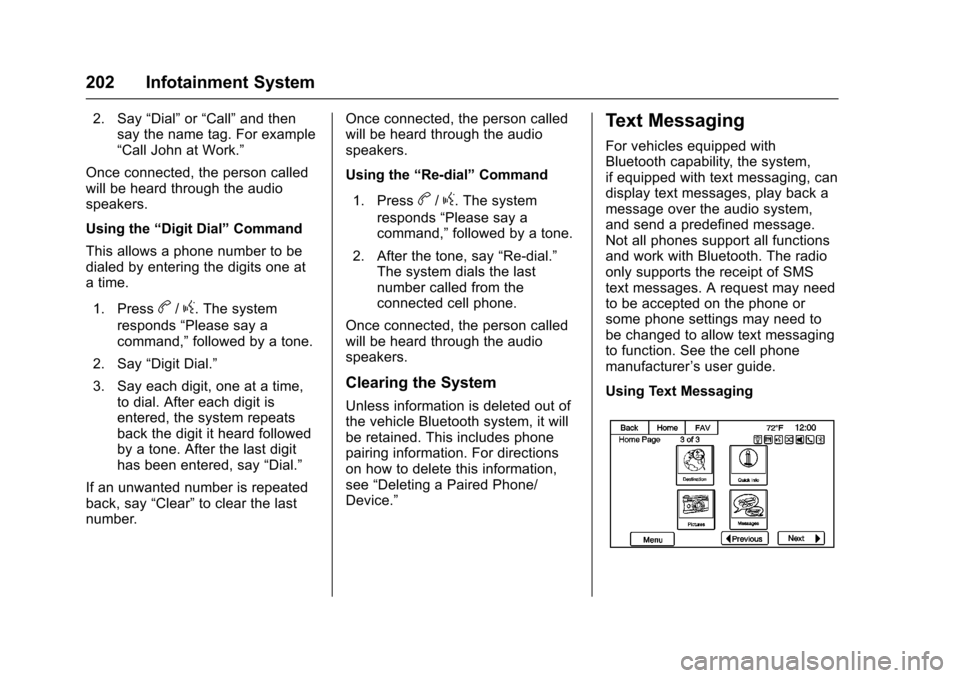
For vehicles equipped withBluetooth capability, the system,if equipped with text messaging, candisplay text messages, play back amessage over the audio system,and send a predefined message.Not all phones support all functionsand work with Bluetooth. The radioonly supports the receipt of SMStext messages. A request may needto be accepted on the phone orsome phone settings may need tobe changed to allow text messagingto function. See the cell phonemanufacturer’suserguide.
Using Text Messaging
Page 204 of 400
Chevrolet SS Sedan Owner Manual (GMNA-Localizing-U.S.-10122752) -2017 - crc - 8/31/16
Infotainment System 203
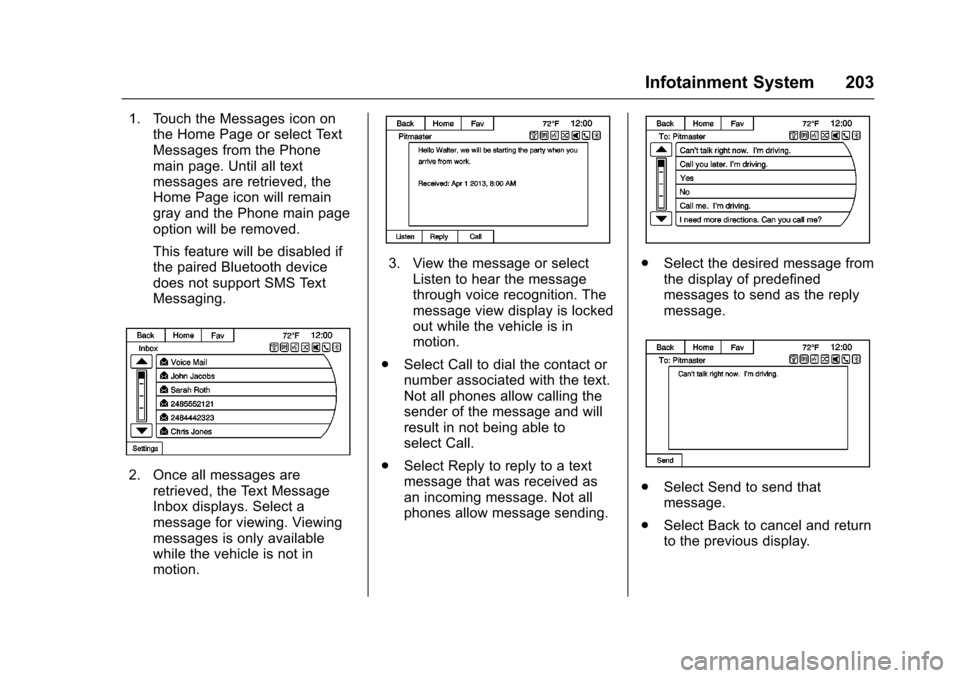
1. Touch the Messages icon onthe Home Page or select TextMessages from the Phonemain page. Until all textmessages are retrieved, theHome Page icon will remaingray and the Phone main pageoption will be removed.
This feature will be disabled ifthe paired Bluetooth devicedoes not support SMS TextMessaging.
2. Once all messages areretrieved, the Text MessageInbox displays. Select amessage for viewing. Viewingmessages is only availablewhile the vehicle is not inmotion.
3. View the message or selectListen to hear the messagethrough voice recognition. Themessage view display is lockedout while the vehicle is inmotion.
.Select Call to dial the contact ornumber associated with the text.Not all phones allow calling thesender of the message and willresult in not being able toselect Call.
.Select Reply to reply to a textmessage that was received asan incoming message. Not allphones allow message sending.
.Select the desired message fromthe display of predefinedmessages to send as the replymessage.
.Select Send to send thatmessage.
.Select Back to cancel and returnto the previous display.
Page 205 of 400
Chevrolet SS Sedan Owner Manual (GMNA-Localizing-U.S.-10122752) -2017 - crc - 8/31/16
204 Infotainment System
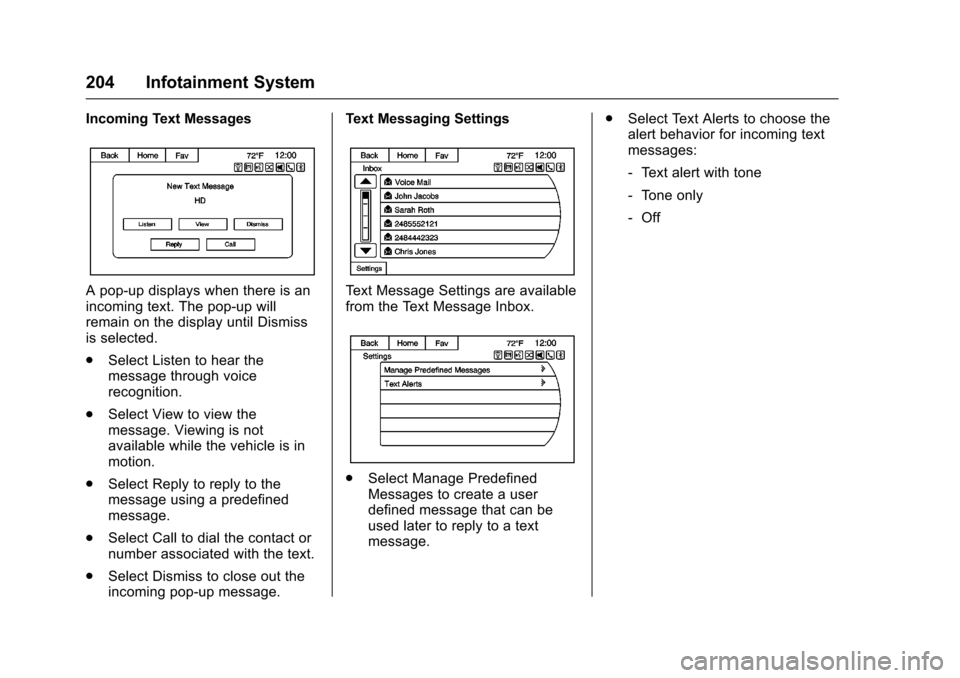
Incoming Text Messages
Apop-updisplayswhenthereisanincoming text. The pop-up willremain on the display until Dismissis selected.
.Select Listen to hear themessage through voicerecognition.
.Select View to view themessage. Viewing is notavailable while the vehicle is inmotion.
.Select Reply to reply to themessage using a predefinedmessage.
.Select Call to dial the contact ornumber associated with the text.
.Select Dismiss to close out theincoming pop-up message.
Text Messaging Settings
Te x t M e s s a g e S e t t i n g s a r e a v a i l a b l efrom the Text Message Inbox.
.Select Manage PredefinedMessages to create a userdefined message that can beused later to reply to a textmessage.
.Select Text Alerts to choose thealert behavior for incoming textmessages:
⇣Te x t a l e r t w i t h t o n e
⇣To n e o n l y
⇣Off
Page 212 of 400
Chevrolet SS Sedan Owner Manual (GMNA-Localizing-U.S.-10122752) -2017 - crc - 8/31/16
Climate Controls 211
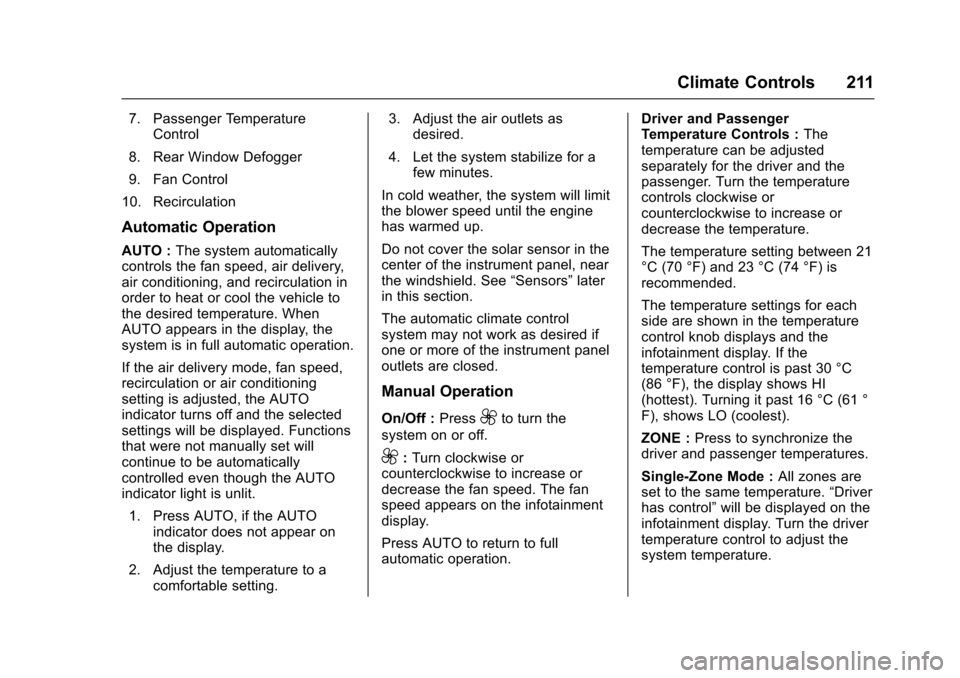
7. Passenger TemperatureControl
8. Rear Window Defogger
9. Fan Control
10. Recirculation
Automatic Operation
AUTO :The system automaticallycontrols the fan speed, air delivery,air conditioning, and recirculation inorder to heat or cool the vehicle tothe desired temperature. WhenAUTO appears in the display, thesystem is in full automatic operation.
If the air delivery mode, fan speed,recirculation or air conditioningsetting is adjusted, the AUTOindicator turns off and the selectedsettings will be displayed. Functionsthat were not manually set willcontinue to be automaticallycontrolled even though the AUTOindicator light is unlit.
1. Press AUTO, if the AUTOindicator does not appear onthe display.
2. Adjust the temperature to acomfortable setting.
3. Adjust the air outlets asdesired.
4. Let the system stabilize for afew minutes.
In cold weather, the system will limitthe blower speed until the enginehas warmed up.
Do not cover the solar sensor in thecenter of the instrument panel, nearthe windshield. See“Sensors”laterin this section.
The automatic climate controlsystem may not work as desired ifone or more of the instrument paneloutlets are closed.
Manual Operation
On/Off :Press9to turn the
system on or off.
9:Turn clockwise orcounterclockwise to increase ordecrease the fan speed. The fanspeed appears on the infotainmentdisplay.
Press AUTO to return to fullautomatic operation.
Driver and PassengerTe m p e r a t u r e C o n t r o l s :Thetemperature can be adjustedseparately for the driver and thepassenger. Turn the temperaturecontrols clockwise orcounterclockwise to increase ordecrease the temperature.
The temperature setting between 21°C (70 °F) and 23 °C (74 °F) isrecommended.
The temperature settings for eachside are shown in the temperaturecontrol knob displays and theinfotainment display. If thetemperature control is past 30 °C(86 °F), the display shows HI(hottest). Turning it past 16 °C (61 °F), shows LO (coolest).
ZONE :Press to synchronize thedriver and passenger temperatures.
Single-Zone Mode :All zones areset to the same temperature.“Driverhas control”will be displayed on theinfotainment display. Turn the drivertemperature control to adjust thesystem temperature.
Page 213 of 400
Chevrolet SS Sedan Owner Manual (GMNA-Localizing-U.S.-10122752) -2017 - crc - 8/31/16
212 Climate Controls
Dual-Zone Mode :Allows differenttemperatures to be set for the driverand passenger sides.
Enter Dual-Zone mode by adjustingthe passenger side temperaturewhen in Single-Zone mode.
Air Delivery Mode Controls :
PressY,),-,or[to change
the current airflow mode. Thecurrent mode selection appears inthe infotainment display. Changingthe mode cancels the automaticoperation and the system goes intosemi-automatic operation. PressAUTO to return to full automaticoperation.
Select from the following:
Y:Air is directed to the instrumentpanel outlets and console outlet.
):Air is divided between theinstrument panel outlets, consoleoutlet and the floor outlets. Coolerair is directed to the upper outletsand warmer air to the floor outlets.
[:Air is directed to the flooroutlets with some air directed to theouter instrument panel, windshield,and side window outlets.
-:Air is directed to the windshield,floor and side window outlets. Usethis mode to clear the windows offog or moisture and warm thepassengers.
5FRONT :Press to turn the
defrost on or off. The5FRONT
indicator appears in the display.Aportionoftheairisdirectedtothewindshield and side window outlets,with some air directed to the outerinstrument panel outlets.
For best results, clear all snow andice from the windshield beforedefrosting.
Air Conditioning
#:Press to turn the airconditioning system on or off. The#appears on the infotainmentdisplay when the air conditioning ison. When the air conditioning is
turned off,#OFF appears on the
infotainment display.
The air conditioning systemremoves moisture and heat fromthe air.
The air conditioning mightautomatically turn off during heavyacceleration, abnormal systempressure or very cold outsidetemperatures.
When-,h,or5FRONTis
selected, the air conditioning isautomatically switched on toimprove defogging performance andremove moisture from the air.
Recirculation
h:Press to change the air intakebetween recirculated air and outside
air.happears on the
infotainment display whenrecirculation is activated.
The recirculation mode recyclesinterior air and is not recommendedfor extended use. If it is used for along period of time, the systemautomatically lets some outside airinto the vehicle for ventilation.
Do not use the recirculation mode ifoccupants are smoking.
The recirculation mode cannot beturned on in defrost mode.
Page 214 of 400
Chevrolet SS Sedan Owner Manual (GMNA-Localizing-U.S.-10122752) -2017 - crc - 8/31/16
Climate Controls 213
AUTOhis displayed when the
system is automatically controllingthe combination of outside andrecirculated air for bestperformance.
Rear Window Defogger
The rear window defogger uses awarming grid to remove fog or frostfrom the rear window. It only workswhen the ignition is on.
K:Press to turn the rear windowdefogger on or off. The indicator onthe button turns on. The rearwindow defogger turns offautomatically if it is left on.
Caution
Using a razor blade or sharp
object on the inside rear window
can damage the antenna or
defogger. Repairs would not be
covered by the vehicle warranty.
Do not stick anything to the rear
window.
Heated Mirrors :If equipped withheated outside mirrors, the mirrorsheat to help clear fog or frost fromthe surface of the mirror when therear window defog button ispressed. SeeHeated Mirrors039.
Sensors
The automatic climate controlsystem uses sensors to maintaintemperatures. The solar sensor ison the instrument panel near thewindshield, and the outsidetemperature sensor is in front of theradiator.
The solar sensor monitors the solarradiation when operating in AUTOmode, adjusting the temperature,fan speed and air delivery.
The system may also supply coolerair to the side of the vehicle facingthe sun. The recirculation mode willalso be activated, as necessary.
The outside temperature sensor canbe affected by radiant heat whenthe vehicle is not moving.
To p r e v e n t f a l s e t e m p e r a t u r ereadings, the displayed temperaturewill not update at low vehiclespeeds.
If the vehicle has been turned off forless than four hours, thetemperature at start up will berecalled from previous operation.
Do not cover the sensors; otherwisethe automatic climate control systemwill not work properly.
Remote Start Climate Control
Operation
If equipped with the remote startfeature, when it is activated, theclimate control system will use theprevious settings. SeeRemoteVehicle Start030.
Regular Operation
Adjusting the Temperature
When the climate control systemhas stabilized, adjust thetemperature to a comfortablesetting.
Page 231 of 400
Chevrolet SS Sedan Owner Manual (GMNA-Localizing-U.S.-10122752) -2017 - crc - 8/31/16
230 Driving and Operating
working, the vehicle may be near astrong radio antenna signal causinginterference to the Keyless Accesssystem. SeeRemote Keyless Entry(RKE) System Operation025.
To s h i f t o u t o f P ( P a r k ) , t h e v e h i c l emust be in ACC/ACCESSORY orON/RUN and the brake pedal mustbe applied.
Stopping the Engine/OFF (NoIndicator Lights) :When thevehicle is stopped, press ENGINESTART/STOP once to turn theengine off.
If the vehicle is in P (Park), theignition will turn off, and RetainedAccessory Power (RAP) will remainactive. SeeRetained AccessoryPower (RAP)0232.
Automatic Transmission
If the vehicle is not in P (Park), theignition will return to ACC/ACCESSORY and display amessage in the Driver InformationCenter (DIC). SeeTr a n s m i s s i o nMessages011 9.Whenthevehicleis shifted into P (Park), the ignitionsystem will switch to OFF.
Manual Transmission
If the vehicle is stationary, theignition will turn OFF, and RetainedAccessory Power (RAP) will remainactive. SeeRetained AccessoryPower (RAP)0232.
Do not turn the engine off when thevehicle is moving. This will cause aloss of power assist in the brakeand steering systems and disablethe airbags.
If the vehicle must be shut off in anemergency:
1. Brake using a firm and steadypressure. Do not pump thebrakes repeatedly. This maydeplete power assist, requiringincreased brake pedal force.
2. Shift the vehicle to N (Neutral).This can be done while thevehicle is moving. After shiftingto N (Neutral), firmly apply thebrakes and steer the vehicle toasafelocation.
3. Come to a complete stop. Shiftto P (Park) with an automatictransmission, or Neutral with amanual transmission. Turn theignition to OFF.
4. Set the parking brake. SeeElectric Parking Brake0242.
{Warning
Turning off the vehicle while
moving may cause loss of power
assist in the brake and steering
systems and disable the airbags.
While driving, only shut the
vehicle off in an emergency.
If the vehicle cannot be pulled over,and must be shut off while driving,press and hold ENGINE START/STOP for longer than two seconds,or press twice in five seconds.
ACC/ACCESSORY (AmberIndicator Light) :This mode allowsyou to use some electricalaccessories when the engine is off.
Page 233 of 400
Chevrolet SS Sedan Owner Manual (GMNA-Localizing-U.S.-10122752) -2017 - crc - 8/31/16
232 Driving and Operating
amanualtransmission.Whenthe engine begins cranking, letgo of the button.
The idle speed will go down asthe engine gets warm. Do notrace the engine immediatelyafter starting it.
If the RKE transmitter is not inthe vehicle, if there isinterference, or the RKEbattery is low, a DriverInformation Center (DIC)message will display. SeeDriver Information Center (DIC)0108andRemote KeylessEntry (RKE) System Operation025.
Caution
Cranking the engine for long
periods of time, by returning the
ignition to the START position
immediately after cranking has
ended, can overheat and damage
the cranking motor, and drain the
battery. Wait at least 15 seconds
between each try, to let the
cranking motor cool down.
2. If the engine does not startafter five to 10 seconds,especially in very cold weather(below✓18 °C or 0 °F), it couldbe flooded with too muchgasoline. Try pushing theaccelerator pedal all the way tothe floor and holding it there asyou press ENGINE START/STOP, for up to a maximum of15 seconds. Wait at least15 seconds between each try,to allow the cranking motor tocool down. When the enginestarts, let go of the button, andthe accelerator. If the vehiclestarts briefly but then stopsagain, do the same thing. Thisclears the extra gasoline fromthe engine. Do not race theengine immediately afterstarting it. Operate the engineand transmission gently untilthe oil warms up and lubricatesall moving parts.
Retained Accessory
Power (RAP)
The power windows will operatewhen the ignition is in the ON/RUNor ACC/ACCESSORY positions.
Once the ignition is turned off,Retained Accessory Power (RAP)allows the power windows tocontinue to operate for up to10 minutes. If a door is openedduring this time, they will bedeactivated.
The audio system will bedeactivated only if the driver door isopened.
Shifting Into Park
(Automatic Transmission)
1. Hold the brake pedal down andset the parking brake.
SeeElectric Parking Brake0242.
2. Hold the button on the shiftlever and push the lever towardthe front of the vehicle intoP(Park).