instrument panel CHEVROLET SUBURBAN 1994 User Guide
[x] Cancel search | Manufacturer: CHEVROLET, Model Year: 1994, Model line: SUBURBAN, Model: CHEVROLET SUBURBAN 1994Pages: 385, PDF Size: 19.88 MB
Page 113 of 385
Instrument Panel Cup Holder
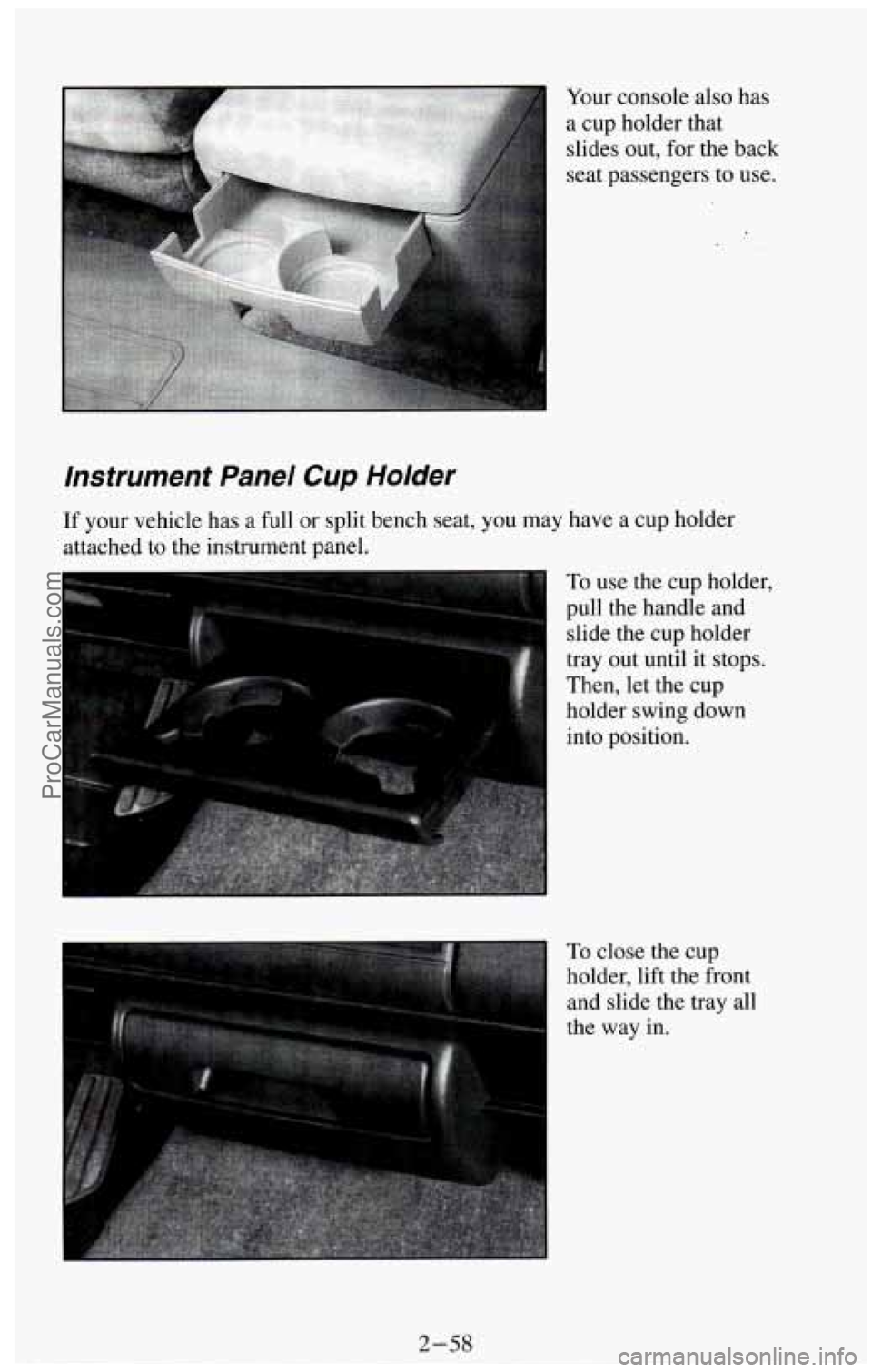
Your console also has
a cup holder that
slides out, for the back
seat passengers to use.
If your vehicle has a full or split bench seat, you may have a cup holder
attached to the instrument panel.
To use the cup holder,
pull the handle
and
slide the cup holder
tray out until it stops.
Then, let the cup
holder swing down
into position.
To close the cup
holder, lift the front
and slide the tray all
the way
in.
2-58
ProCarManuals.com
Page 118 of 385
Other Storage Compartments
Your vehicle features a number of storage compartments for convenient
storage
of often used items
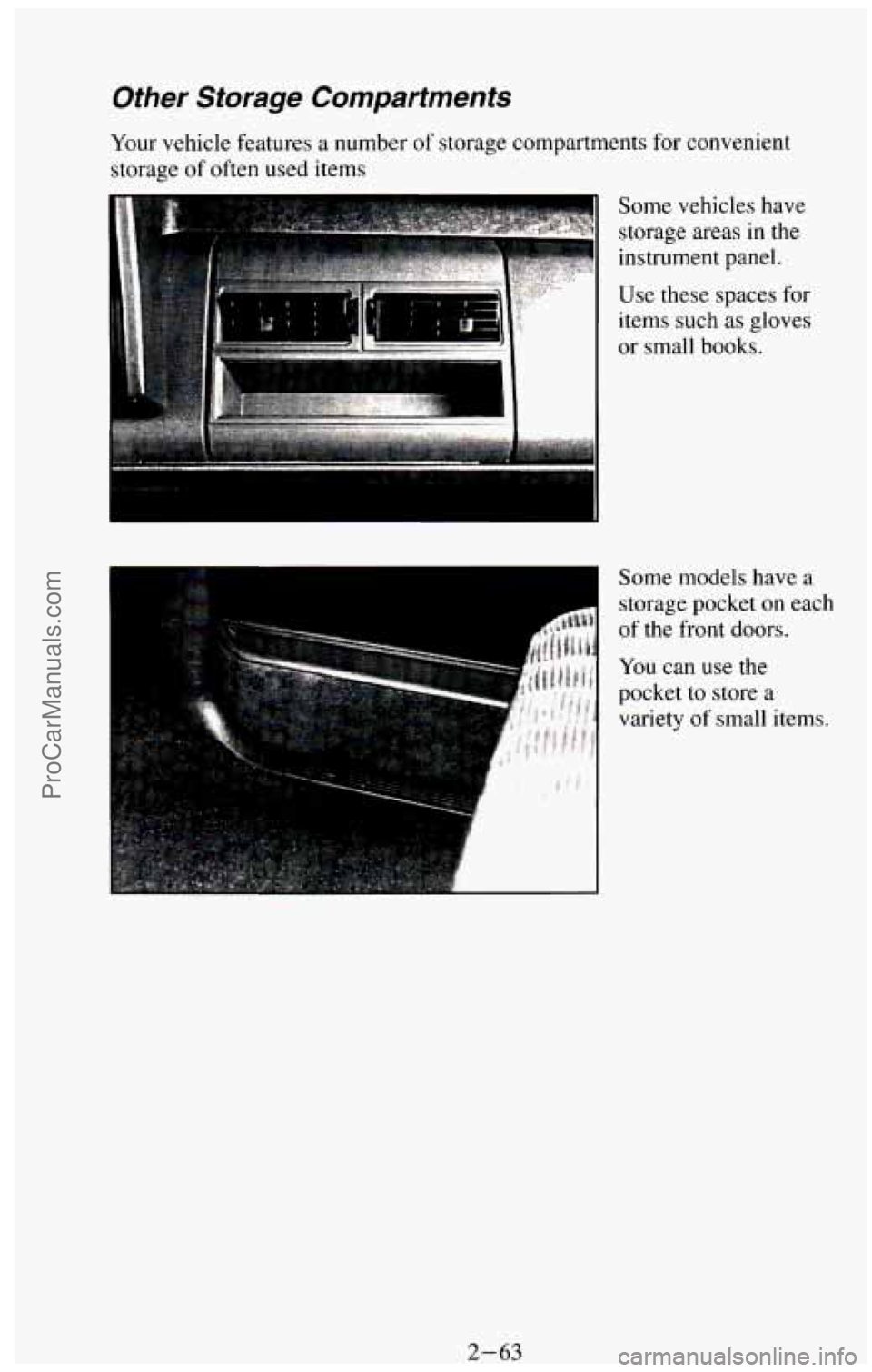
Some vehicles have
storage areas
in the
instrument panel.
Use these spaces for
items
such as gloves
or small books.
Some models have
a
storage pocket on each
of the front doors.
You can use the
pocket
to store a
variety of small items.
2-63 ProCarManuals.com
Page 119 of 385
Instrument Panel
13 1’2
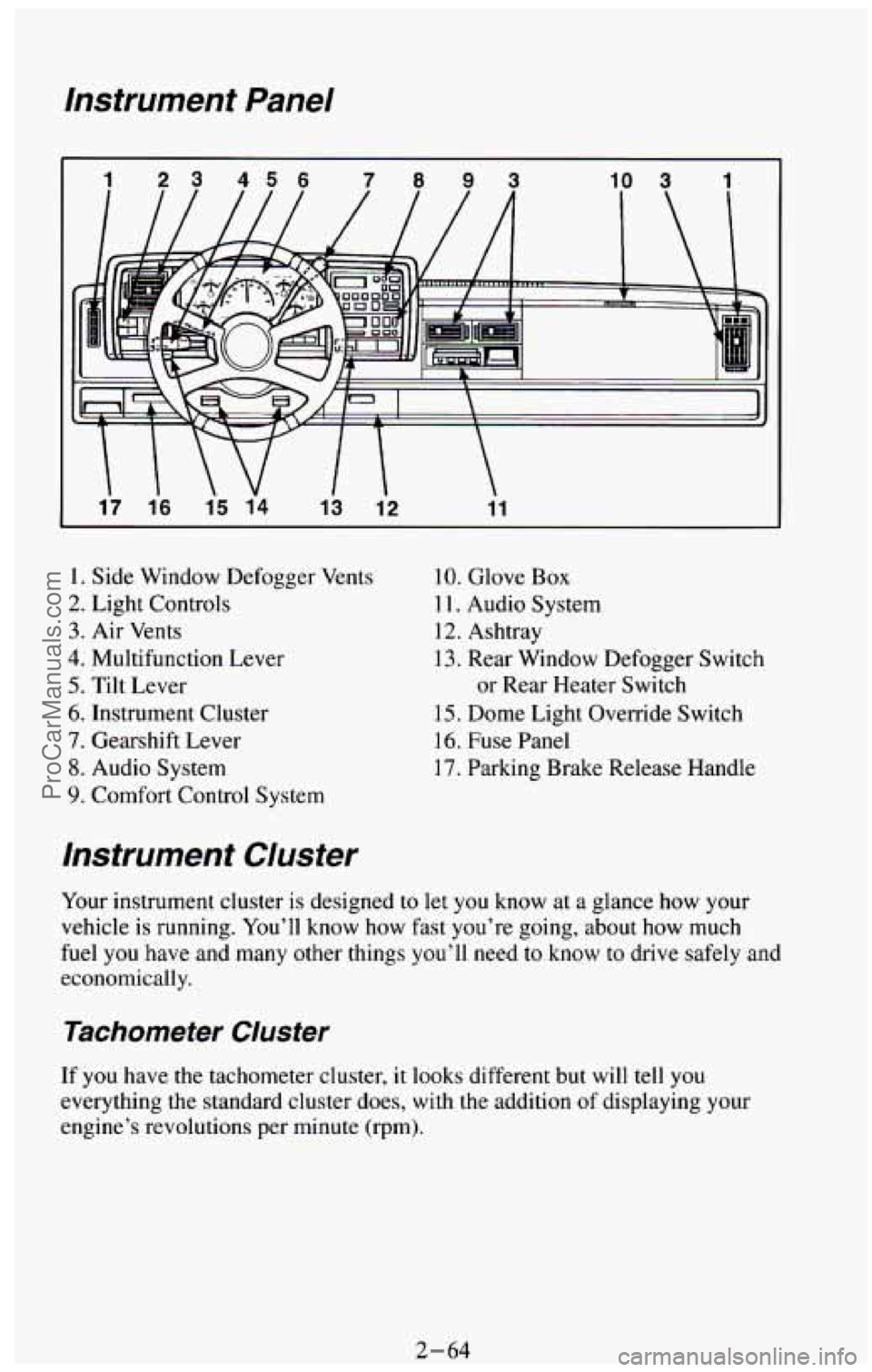
1. Side Window Defogger Vents
2. Light Controls
3. Air Vents
4. Multifunction Lever
5. Tilt Lever
6. Instrument Cluster
7. Gearshift Lever
8. Audio System
9. Comfort Control System
10. Glove Box
1 1. Audio System
12. Ashtray
13. Rear Window Defogger Switch
or Rear Heater Switch
15. Dome Light Override Switch
16. Fuse Panel
17. Parking Brake Release Handle
Instrument Cluster
Your instrument cluster is designed to let you know at a glance how your
vehicle is running.
You’ll know how fast you’re going, about how much
fuel you have
and many other things you’ll need to know to drive safely and
economically.
Tachometer Cluster
If you have the tachometer cluster, it looks different but will tell you
everything the standard cluster does, with the addition of displaying your
engine’s revolutions per minute (rpm).
2-64 ProCarManuals.com
Page 124 of 385
Service Throttle Soon Light
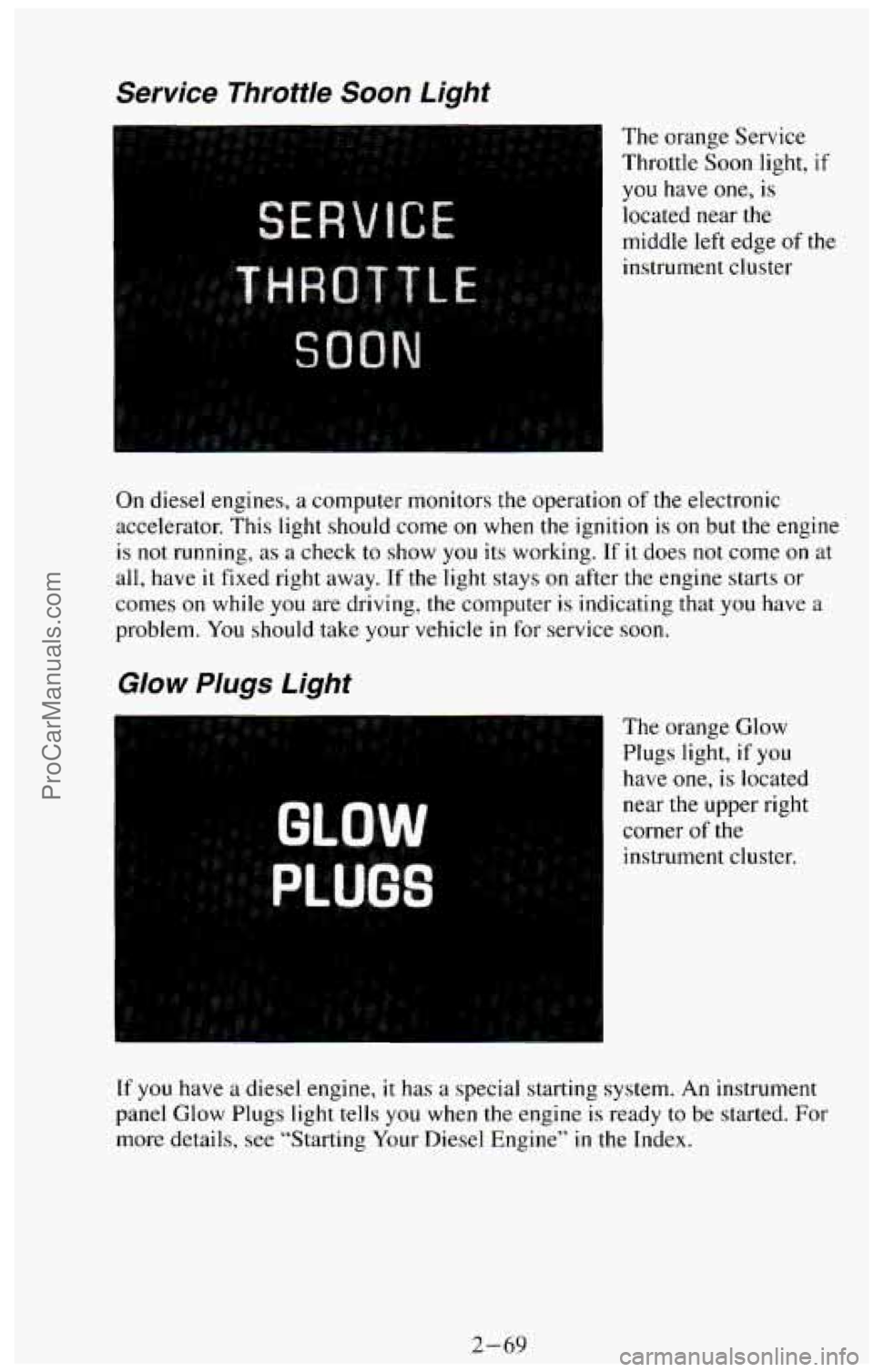
The orange Service
Throttle Soon light,
if
you have one, is
located near the
middle left edge
of the
instrument cluster
On diesel engines, a computer monitors the operation of the electronic
accelerator. This light should come
on when the ignition is on but the engine
is not running, as a check to show you its working. If it does not come on at
all, have it fixed right away.
If the light stays on after the engine starts or
comes on while you are driving, the computer is indicating that you have a
problem. You should take your vehicle in for service soon.
Glow Plugs Light
The orange Glow
Plugs light, if you
have
one, is located
near the upper right
corner
of the
instrument cluster.
If you have a diesel engine, it has a special starting system. An instrument
panel Glow Plugs light tells you when
the engine is ready to be started. For
more details, see “Starting Your Diesel Engine” in the Index.
2-69
ProCarManuals.com
Page 127 of 385
This light will come on briefly when you are starting the engine. If the light
comes
on and stays on while you are driving, it could indicate a problem
with your vehicle. It could be a problem with your oil pressure, coolant
temperature, or some other problem. Check your various gages to see
if they
are
in the warning zones. If they are, have your vehicle serviced right away.
Daytime Running Lights (DRL) Indicator Light
(Canada Only)
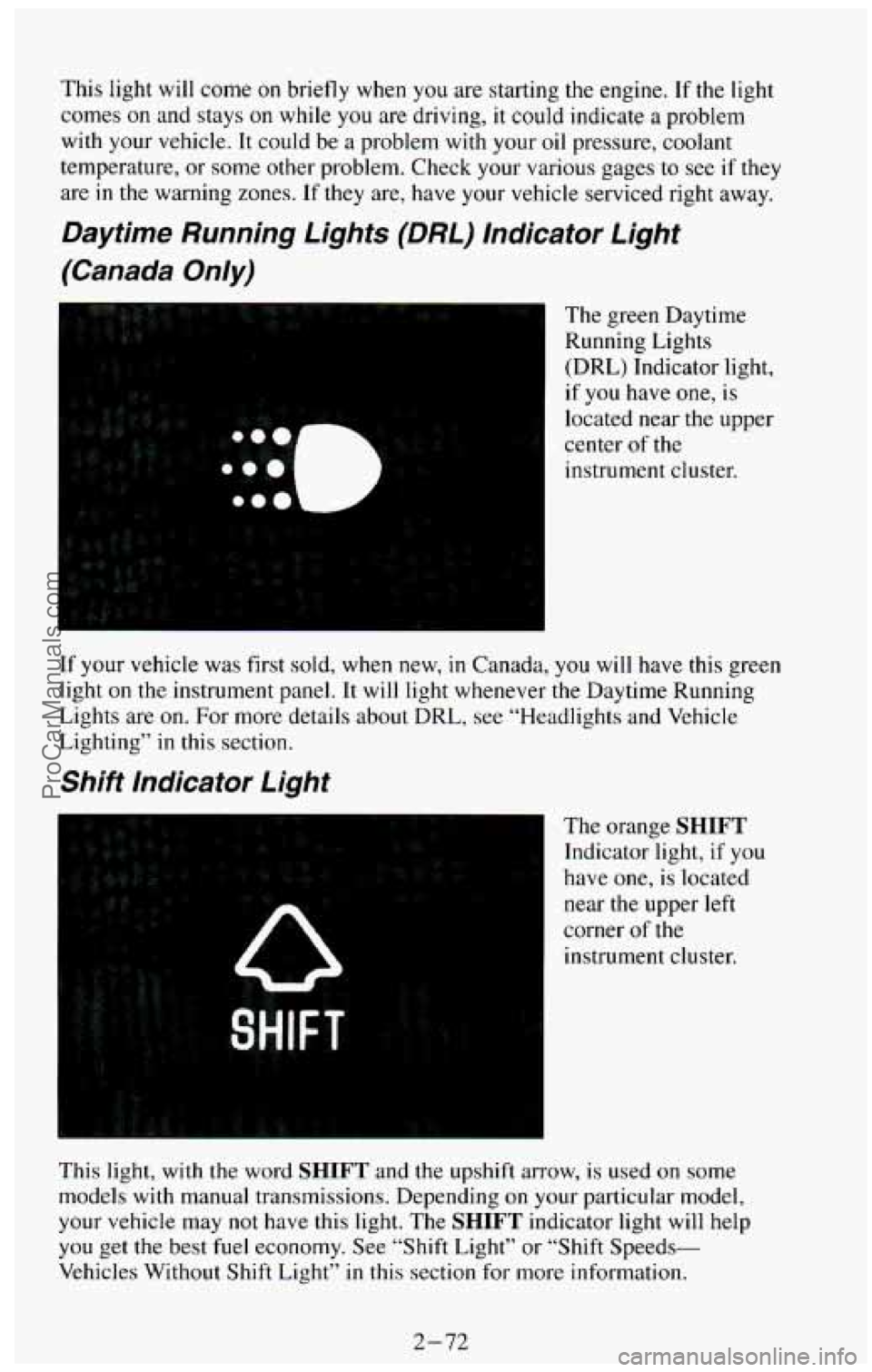
The green Daytime
Running Lights
(DRL) Indicator light,
if you have one,
is
located near the upper
center of the
instrument cluster.
If your vehicle was first sold, when new,
in Canada, you will have this green
light on the instrument panel. It will light whenever the Daytime Running
Lights are on.
For more details about DRL, see “Headlights and Vehicle
Lighting” in this section.
Shift Indicator Light
The orange SHIFT
Indicator light, if you
have one, is located
near the upper left
corner
of the
instrument cluster.
This light, with the word
SHIFT and the upshift arrow, is used on some
models with manual transmissions. Depending
on your particular model,
your vehicle may not have this light. The SHIFT indicator light will help
you get the best fuel economy. See “Shift Light” or “Shift Speeds-
Vehicles Without Shift Light”
in this section for more information.
2-72
ProCarManuals.com
Page 140 of 385
Air Vents
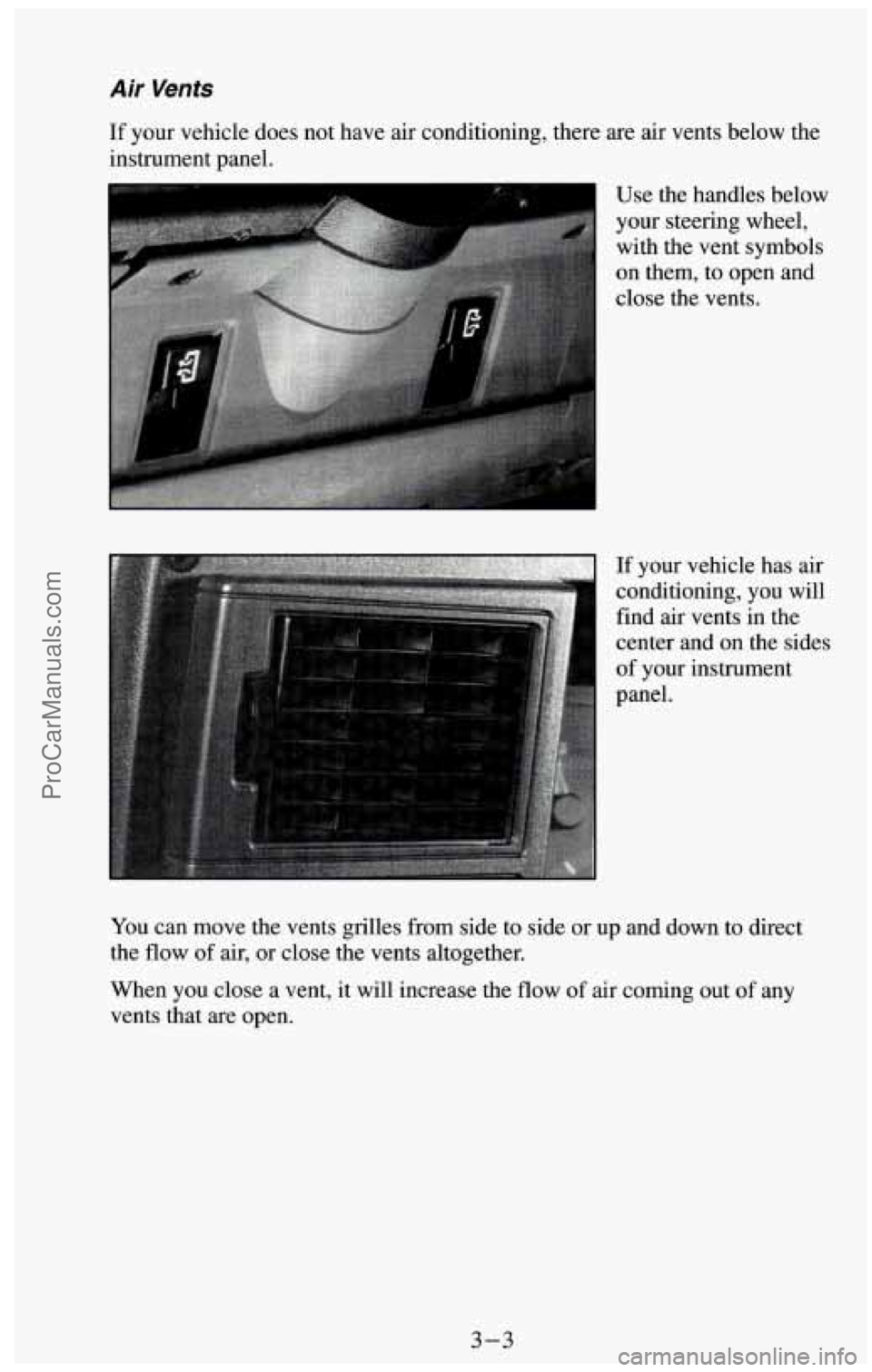
If your vehicle does not have air conditioning, there are air vents below the
instrument panel.
Use the handles below
your steering wheel, with the vent symbols
on them, to open and
close the vents.
%$$$ * 2, ,.' !';."." ,i ':* 2 p*~$;mP$ .',.;"X,, ,., I If your vehicle has air
conditioning, you will
find air vents in the
center and on the sides
of your instrument
panel.
You can move the vents grilles from side to side or up and down to direct
the flow
of air, or close the vents altogether.
When you close a vent, it will increase the flow of air coming out
of any
vents that are open.
3-3
ProCarManuals.com
Page 142 of 385
Function Lever
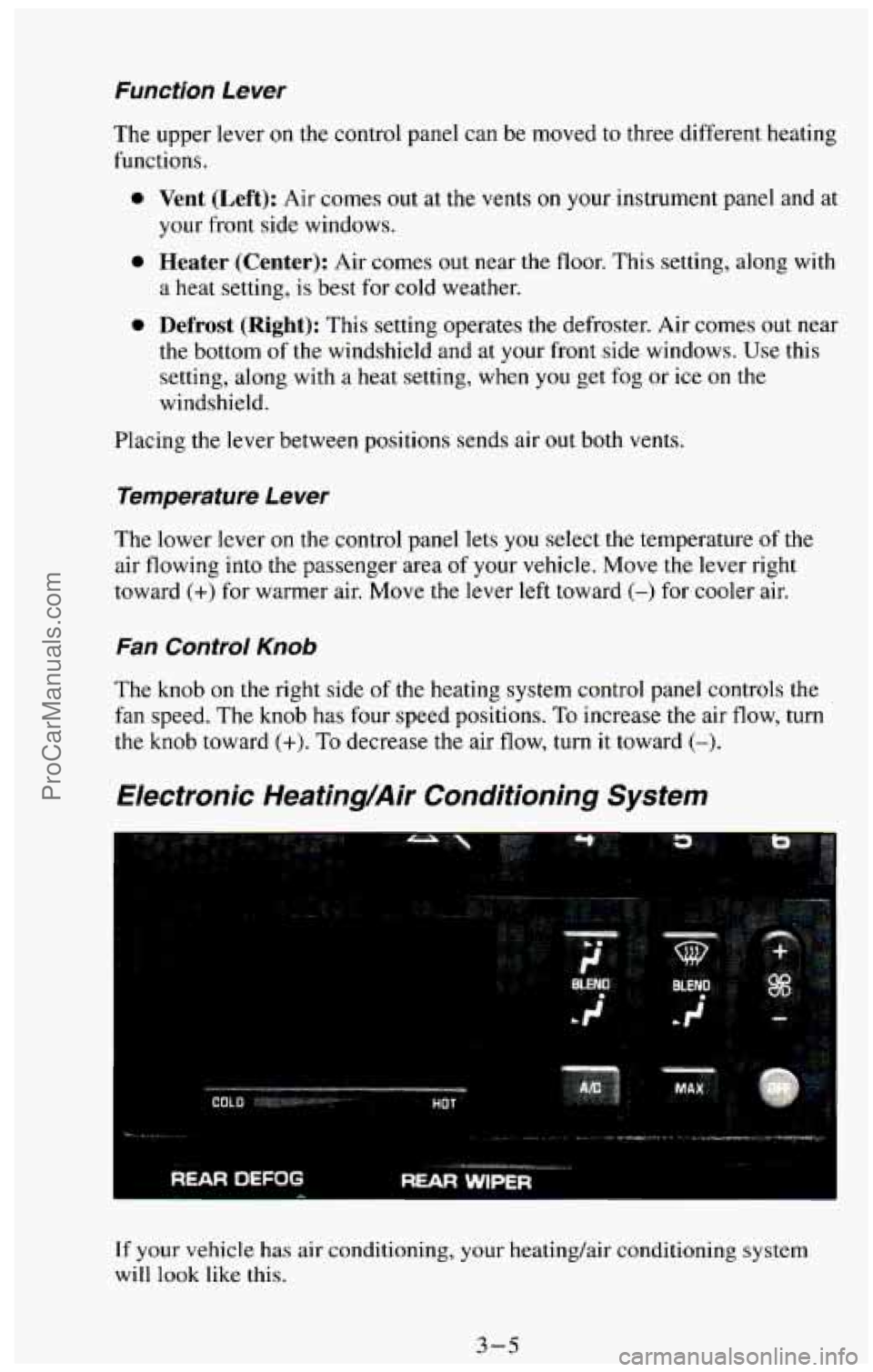
The upper lever on the control panel can be moved to three different heating
functions.
0 Vent (Left): Air comes out at the vents on your instrument panel and at
your front side windows.
a heat setting, is best for cold weather.
0 Defrost (Right): This setting operates the defroster. Air comes out near
the bottom of the windshield and at your front side windows. Use this
setting, along with
a heat setting, when you get fog or ice on the
windshield.
0 Heater (Center): Air comes out near the floor. This setting, along with
Placing the lever between positions sends air out both vents.
Temperature Lever
The lower lever on the control panel lets you select the temperature of the
air flowing into the passenger area
of your vehicle. Move the lever right
toward
(+) for warmer air. Move the lever left toward (-) for cooler air.
Fan Control Knob
The knob on the right side of the heating system control panel controls the
fan speed. The knob has four speed positions. To increase the air flow, turn
the knob toward (+). To decrease the air flow, turn it toward (-).
Electronic Heating/Air Conditioning System
If your vehicle has air conditioning, your heating/air conditioning system
will
look like this.
3-5
ProCarManuals.com
Page 143 of 385
When you first turn on your vehicle’s air conditioning, open the windows to
clear the vehicle
of hot air. Using the MAX button can also help. See
“MAX Button” in this section for more information.
.‘
s
...... Lj”. . ..-. .....
‘I ,OFF
..... .. ... : .
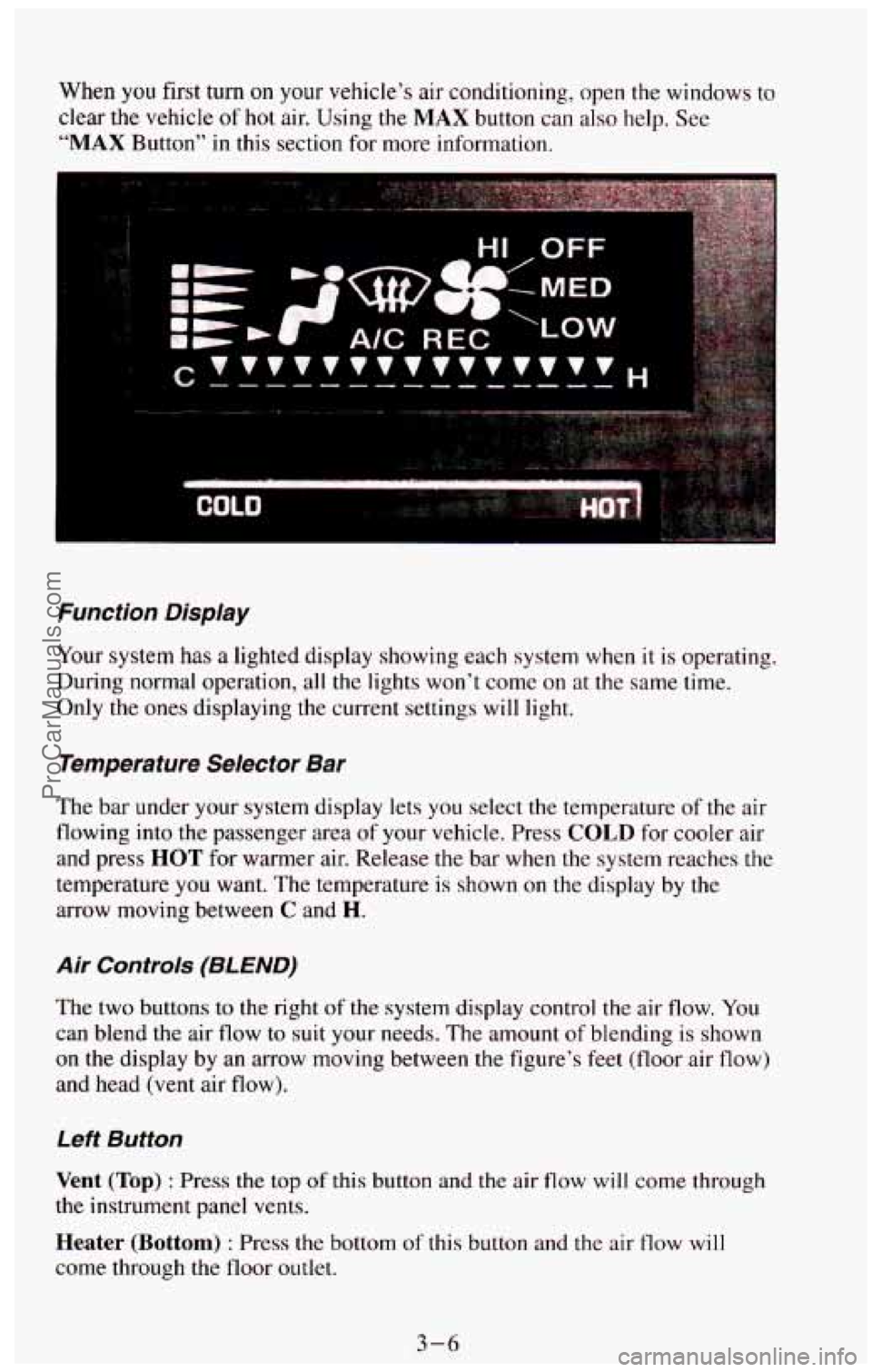
Function Display
Your system has a lighted display showing each system when it is operating.
During normal operation, all the lights won’t come on
at the same time.
Only the ones displaying the current settings will light.
Temperature Selector Bar
The bar under your system display lets you select the temperature of the air
flowing into the passenger area
of your vehicle. Press COLD for cooler air
and press HOT for warmer air. Release the bar when the system reaches the
temperature you want. The temperature is shown on the display by the
arrow moving between
C and H.
Air Controls (8L END)
The two buttons to the right of the system display control the air flow. You
can blend
the air flow to suit your needs. The amount of blending is shown
on the display by an arrow moving between the figure’s feet (floor air flow)
and head (vent air flow).
Left Button
Vent (Top) : Press the top of this button and the air flow will come through
the instrument panel vents.
Heater (Bottom) : Press the bottom of this button and the air flow will
come through the floor outlet.
3-6
ProCarManuals.com
Page 144 of 385
The air flow can be blended between the two positions. To blend between
positions press the side
of the button showing the area where you would like
more air flow. The system will automatically begin to blend toward the
position chosen.
To stop the system between positions, just press the SAME
side of the button again.
Right Button
Defrost (Top) : This setting operates the defroster. Air comes out near the
bottom of the windshield and at your front side windows. Use this setting,
along with a heat setting, when you get fog or ice on the windshield.
Heater (Bottom) : Press the bottom of this button and air comes out near
the floor. This setting, along
with a heat setting, is best for passenger
comfort in cold weather.
The air flow can be blended between the two positions.
To blend between
positions press the side of the button showing the area where
you would like
more air
flow. The system will automatically begin to blend toward the
position chosen. To stop the system between positions, just press
the SAME
side of the button again.
A/C Button
Press the button marked A/C to turn your air conditioner on and off. The
A/C symbol will light on your display and air will come out of your
instrument panel vents. The fan will automatically be set on
LOW .
When you press the A/C button to turn the air conditioner off, the system
will operate in the vent mode. When you turn the air conditioner back
on,
the system will operate in the mode that you last selected unless the OFF
button was pressed.
MAX Button
If you press the MAX button, the air in your vehicle will be recirculated.
With the air conditioner on,
MAX will give you maximum cooling. It can
also be used
in all modes to help keep dust out of your vehicle. When MAX
is selected, REC will light on your display.
If your air conditioner develops high system pressure, it will automatically
go into the
MAX mode and REC will light on your display. The A/C
system will remain in the MAX mode, even if you press the MAX button,
until system pressure returns to a normal level.
3-7 ProCarManuals.com
Page 146 of 385
To operate the rear air conditioning system, the front air conditioning
system must be
on. With the front air conditioning system off, the rear
system controls can be used to circulate air in the rear of the vehicle.
To operate the rear system using the front control, just turn the knob to the
blower position you want.
To use the rear control, first turn the front control knob to REAR CNTL.
Then, the rear control can be used to increase and decrease the air flow.
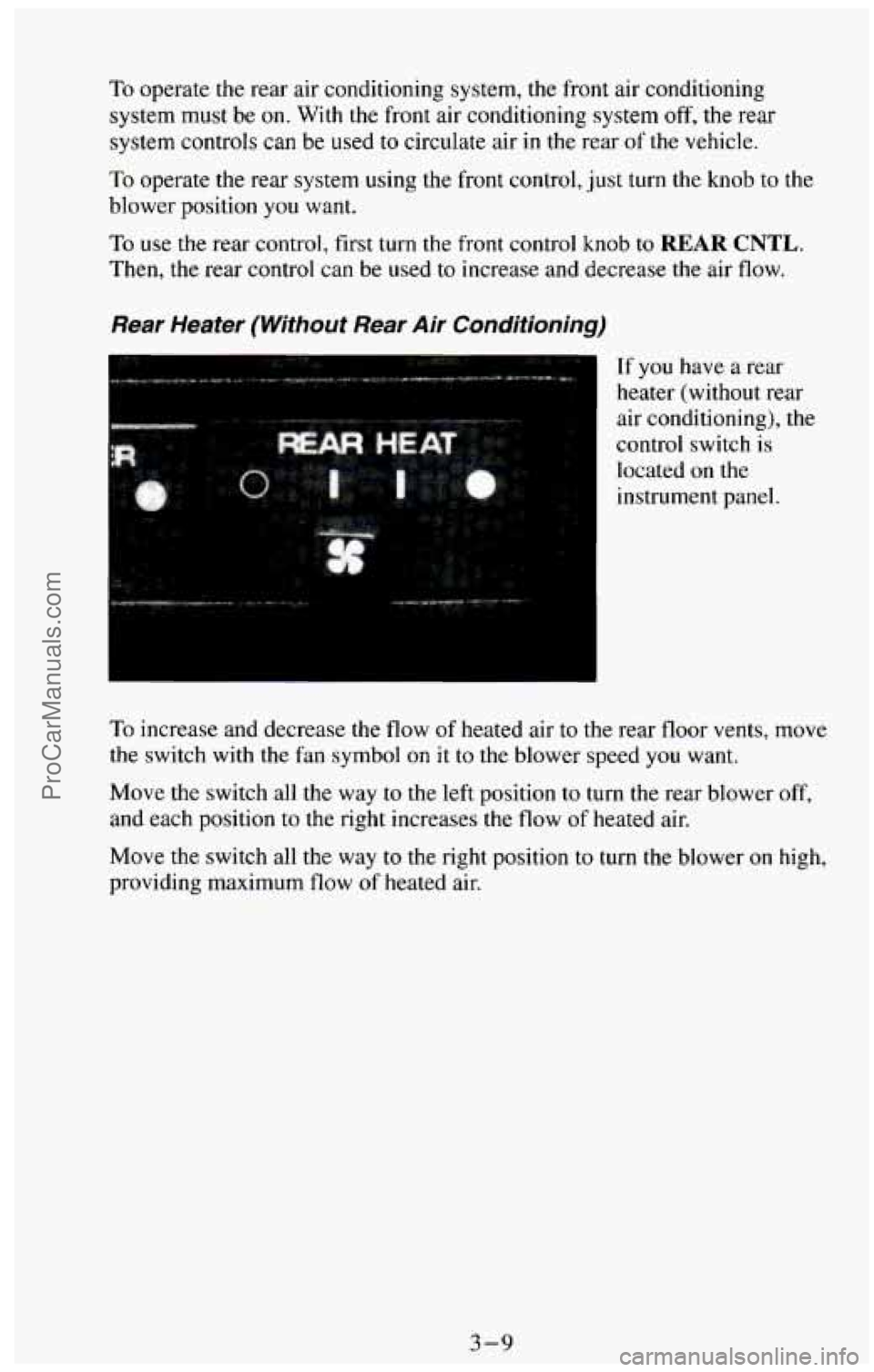
Rear Heater (Without Rear Air Conditioning)
If you have a rear
heater (without rear
air conditioning), the
control switch
is
located on the
instrument panel.
To increase and decrease the flow of heated air to the rear floor vents, move
the switch with the fan symbol
on it to the blower speed you want.
Move the switch all the way to the left position to turn the rear blower off,
and
each position to the right increases the flow of heated air.
Move
the switch all the way to the right position to turn the blower on high,
providing maximum flow of heated air.
3-9
ProCarManuals.com