lock CHEVROLET TRACKER 1997 Workshop Manual
[x] Cancel search | Manufacturer: CHEVROLET, Model Year: 1997, Model line: TRACKER, Model: CHEVROLET TRACKER 1997Pages: 388, PDF Size: 20.12 MB
Page 137 of 388
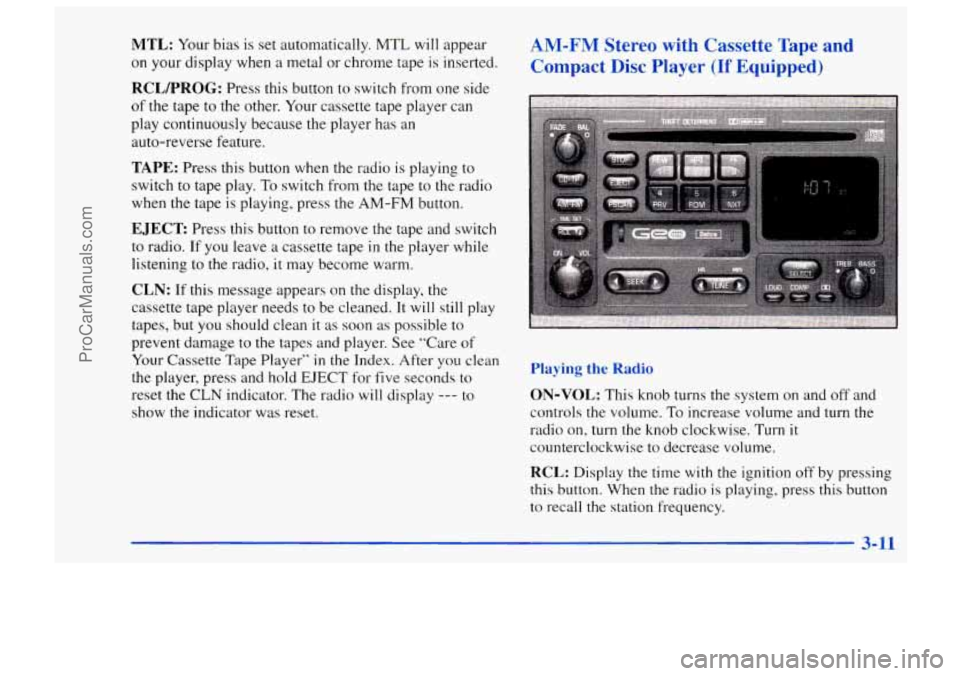
MTL: Your bias is set automatically. MTL will appear
on your display when a metal or chrome tape is inserted.
RCLPROG: Press this button to switch from one side
of the tape to the other. Your cassette tape player can
play continuously because the player has an
auto-reverse feature.
TAPE: Press this button when the radio is playing to
switch to tape play. To switch from the tape to the radio
when the tape
is playing, press the AM-FM button.
EJECT Press this button to remove the tape and switch
to radio. If you leave a cassette tape
in the player while
listening to the radio, it may become warm.
CLN: If this message appears on the display, the
cassette tape player needs to be cleaned. It will still play
tapes, but you should clean it
as soon as possible to
prevent damage to the tapes and player. See “Care of
Your Cassette Tape Player”
in the Index. After you clean
the player, press and hold
EJECT for five seconds to
reset the CLN indicator. The radio will display --- to
show the indicator was reset.
AM-FM Stereo with Cassette Tape and
Compact
Disc Player (If Equipped)
Playing the Radio
ON-VOL: This knob turns the system on and off and
controls
the volume. To increase volume and turn the
radio on, turn the knob clockwise. Turn
it
counterclockwise to decrease volume.
RCL: Display the time with the ignition off by pressing
this button. When the radio is playing. press
this button
to recall the station frequency.
3-11
ProCarManuals.com
Page 138 of 388
Finding a Station
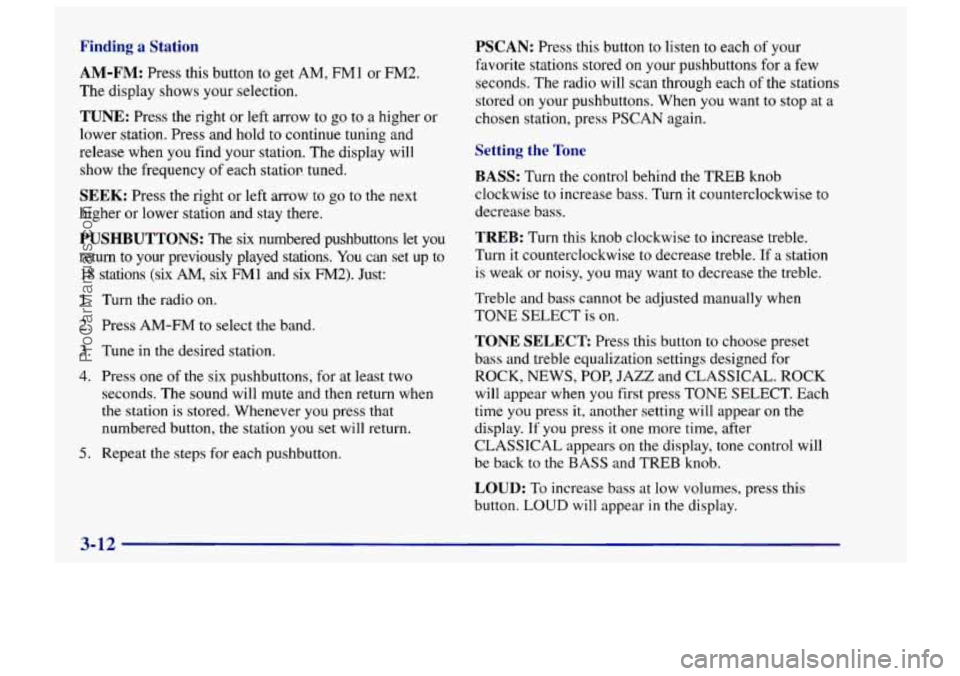
AM-FM:
Press this button to get AM, FMl or FM2.
The display shows your selection.
TUNE: Press the right or left arrow to go to a higher or
lower station. Press and hold to continue tuning and
release when you find your station. The display will
show the frequency of each statior! tuned.
SEEK: Press the right or left arrow to go to the next
higher or lower station and stay there.
PUSHBUTTONS: The six numbered pushbuttons let you
return
to your previously played stations. You can set up to
18 stations (six AM, six FM1 and six FM2). Just:
1.
2.
3.
4.
5.
Turn the radio on.
Press AM-FM to select the band.
Tune
in the desired station.
Press one of
the six pushbuttons, for at least two
seconds. The sound will mute and then return when
the station is stored. Whenever
you press that
numbered button, the station you
set will return.
Repeat the steps for each pushbutton.
PSCAN: Press this button to listen to each of your
favorite stations stored on your pushbuttons for a few
seconds. The radio will scan through each
of the stations
stored
on your pushbuttons. When you want to stop at a
chosen station, press PSCAN aeain.
Setting the Tone
BASS:
Turn the control behind the TREB knob
clockwise to increase bass. Turn it counterclockwise to
decrease bass.
TREB: Turn this knob clockwise to increase treble.
Turn it counterclockwise to decrease treble.
If a station
is weak or noisy, you may want to decrease the treble.
Treble and bass cannot be adjusted manually when
TONE SELECT is on.
TONE SELECT Press this button to choose preset
bass and treble equalization settings designed for
ROCK, NEWS,
POP, JAZZ and CLASSICAL. ROCK
will appear when you first press TONE SELECT. Each
time you press it, another setting will appear on the
display. If you press it one more time, after
CLASSICAL appears on the display, tone control will
be back to the BASS and TREB knob.
LOUD: To increase bass at low volumes, press this
button. LOUD
will appear in the display.
3-12
ProCarManuals.com
Page 143 of 388
Unlocking the Theft-Deterrent Feature After a
Power
Loss
If power is disrupted to the radio while in the SEC
mode, the unit will not work and LOC will show on the
display whenever the ignition is on. To unlock the unit,
press the left or right SEEK arrows, or the left or right
TUNE arrows and
0000 will appear on the display.
1.
2.
3.
4.
5.
Press the SEEK left arrow and hold it until the first
digit
of your code appears.
Press the SEEK right arrow and hold it until the
second digit of your code appears.
Press the
TUNE left arrow and hold it until the third
digit of your code appears.
Press the
TUNE right arrow and hold it until the
fourth digit of your code appears.
Press
AM-FM after you have checked that the code
matches the one you wrote down. Now the time
of
day will appear on the display. (Please note that if an
incorrect code is entered,
ERR will appear on the
display and the above steps need to be repeated.)
Understanding Radio Reception
FM Stereo
FM stereo will give you the best sound. But FM signals
will reach only about
10 to 40 miles (1 6 to 65 km). Tall
buildings or hills can interfere with
FM signals, causing
the sound to come and go.
AM
.The range for most AM stations is greater than for FM,
especially at night. The longer range, however, can
cause stations to interfere with each other. AM can pick
up noise from things like storms and power lines. Try
reducing the treble to reduce this noise if you ever get
it.
Tips About Your Audio System
Hearing damage from loud noise is almost undetectable
until it is too late. Your hearing
can adapt to higher
volumes of sound. Sound that seems normal can be loud
and harmful to your hearing. Take precautions by
adjusting the volume control on your radio to a safe
sound level before your hearing adapts to it.
3-17
ProCarManuals.com
Page 153 of 388
Avoid needless heavy braking. Some people drive in
spurts
-- heavy acceleration followed by heavy
braking
-- rather than keeping pace with traffic. This is a
mistake. Your brakes may not have time to cool between
hard stops. Your brakes will wear
out much faster if you
do
a lot of heavy braking. If you keep pace with the
traffic and allow realistic following distances,
you will
eliminate a lot
of unnecessary braking. That means
better braking and longer brake life,
If your engine ever stops while you’re driving, brake
normally but don’t pump your brakes. If you do, the
pedal may get harder
to push down. If your engine
stops, you will still have some power brake assist. But
you will use it when
you brake. Once the power assist is
used up,
it may take longer to stop and the brake pedal
will be harder to push.
Anti-Lock Brakes (Option)
Your vehicle may have anti-lock brakes (ABS). ABS is
an advanced electronic braking system that will help
prevent a braking skid.
ABS
If your vehicle has anti-lock
brakes, this warning light on
the instrument panel will
come on briefly when you
start your vehicle.
When you start your engine,
or when you begin to drive
away, your anti-lock brake system will check itself.
You
may hear a momentary motor or clicking noise while
this test is going on, and you may even notice that your
brake pedal moves a little. This is normal.
If there’s a problem with the anti-lock brake system,
the anti-lock brake system warning light will stay on or
flash. See “Anti-Lock Brake System Warning Light” in
the Index.
4-7
I
ProCarManuals.com
Page 154 of 388
t
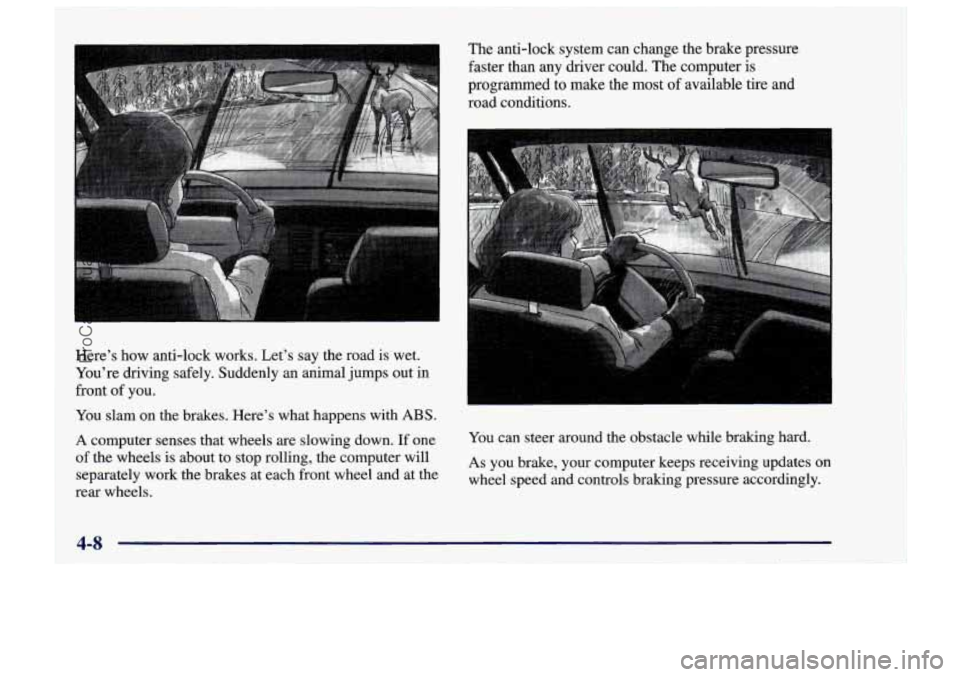
Here’s how anti-lock works. Let’s say the road is wet.
You’re driving safely. Suddenly an animal jumps out in
front of you.
You slam on the brakes. Here’s what happens with ABS.
A computer senses that wheels are slowing down. If one
of the wheels is about to stop rolling, the computer will
separately work the brakes at each front wheel and at the
rear wheels. The anti-lock system can change the brake pressure
faster than any
dnver could. The computer is
programmed to make the most of available tire and
road conditions.
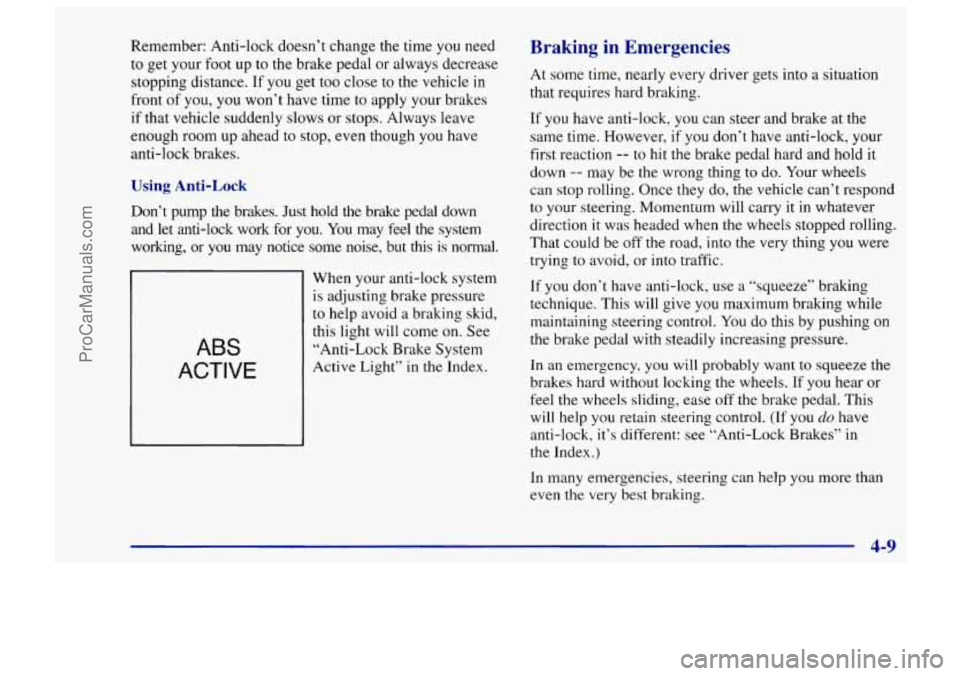
You can steer around the obstacle while braking hard.
As you brake, your computer keeps receiving updates or
wheel speed and controls braking pressure accordingly.
4-8
ProCarManuals.com
Page 155 of 388
Remember: Anti-lock doesn’t change the time you need
to get your foot up to the brake pedal or always decrease
stopping distance. If you get too close to the vehicle in
front
of you, you won’t have time to apply your brakes
if that vehicle suddenly slows or
stops. Always leave
enough room up ahead to stop, even though you have
anti-lock brakes.
Using Anti-Lock
Don’t pump the brakes. Just hold the brake pedal down
and let anti-lock work for
you. You may feel the system
working, or
you may notice some noise, but this is normal.
ABS
ACTIVE
When your anti-lock system
is adjusting brake pressure
to help avoid a braking skid,
this light will come on. See
“Anti-Lock Brake System
Active Light” in
the Index.
Braking in Emergencies
At some time, nearly every driver gets into a situation
that requires hard braking.
If you have anti-lock, you can steer and brake at the
same time. However,
if you don’t have anti-lock, your
first reaction
-- to hit the brake pedal hard and hold it
down
-- may be the wrong thing to do. Your wheels
can stop rolling. Once they do, the vehicle can’t respond
to your steering. Momentum will carry it in whatever
direction it was headed when the wheels stopped rolling.
That could be off the road, into the very thing you were
trying to avoid, or into traffic.
If you don’t have anti-lock, use a “squeeze” braking
technique. This will give you maximum braking while
maintaining steering control.
You do this by pushing on
the brake pedal with steadily increasing pressure.
In
an emergency, you will probably want to squeeze the
brakes hard without locking the wheels. If
you hear or
feel the wheels sliding, ease
off the brake pedal. This
will help you retain steering control. (If you
do have
anti-lock, it’s different: see “Anti-Lock Brakes” in
the Index.)
In many emergencies, steering can help you more than
even the very best braking.
~ 4-9
I
ProCarManuals.com
Page 156 of 388
Steering
Power Steering
If you lose power steering assist because the engine
stops or the system is not functioning, you can steer but
it will take much more effort.
Steering Tips
Driving on Curves
It’s important to take curves at a reasonable speed.
A lot of the “driver lost control” accidents mentioned on
the news happen on curves. Here’s why:
Experienced driver or beginner, each of us is subject to
the same laws
of physics when driving on curves. The
traction
of the tires against the road surface makes it
possible for the vehicle to change its path when you turn
the front wheels. If there’s no traction, inertia will keep
the vehicle going
in the same direction. If you’ve ever
tried to steer a vehicle on wet ice, you’ll understand this.
The traction you can get in a curve depends on the
condition of your tires and the road surface, the angle at
which the curve
is banked, and your speed. While you‘re
in a curve, speed is the one factor you can control. Suppose you’re steering through
a sharp curve. Then you
suddenly apply the brakes. Both control systems
-- steering
and braking
-- have to do their work where the tires meet
the road. Unless you have four-wheel anti-lock brakes,
adding the hard braking can demand too much of those
places. You can lose control.
The same thing can happen
if you’re steering through a
sharp curve and you suddenly accelerate. Those two
control systems
-- steering and acceleration -- can
overwhelm those places where the tires meet the road
and make you lose control.
What should
you do if this ever happens? Ease up on the
brake or accelerator pedal, steer the vehicle the way
you
want it to go, and slow down.
Speed limit signs near curves warn that you should
adjust your speed. Of course, the posted speeds are
based
on good weather and road conditions. Under less
favorable conditions you’ll want to go slower.
If you need to reduce your speed as you approach a
curve, do
it before you enter the curve, while your front
wheels are straight ahead.
Try to adjust your speed
so you can “drive” through the
curve. Maintain
a reasonable, steady speed. Wait to
accelerate
until you are out of the curve, and then
accelerate gently into the straightaway.
4-10
ProCarManuals.com
Page 157 of 388
Steering in Emergencies
There are times when steering can be more effective
than braking. For example,
you come over a hill and
find a truck stopped in your lane, or a car suddenly pulls
out from nowhere, or
a child darts out from between
parked cars and stops right in front of you. You can
avoid these problems by braking
-- if you can stop in
time. But sometimes you can’t; there isn’t room.
That’s the time for evasive action
-- steering around
the problem.
Your Geo can perform very well in emergencies like
these. First apply your brakes
-- but, unless you
have anti-lock, not enough to lock your wheels. (See
“Braking in Emergencies’’ earlier in this section.) It
is
better to remove as much speed as you can from a
possible collision. Then steer around the problem, to the
left or right depending on the space available. An
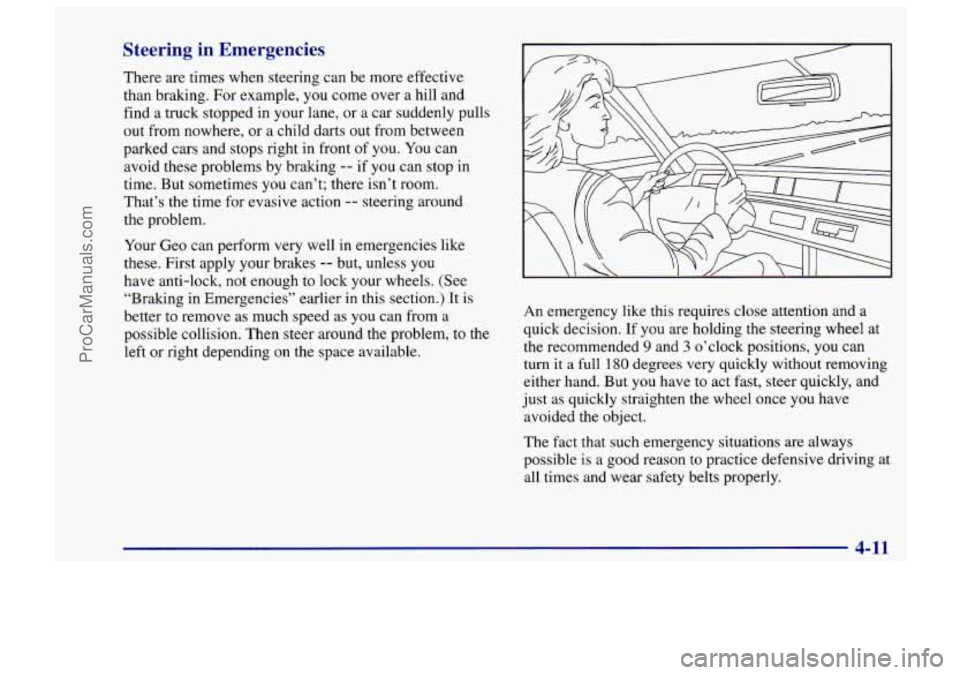
emergency like this requires close attention and a
quick decision. If you are holding the steering wheel at
the recommended 9 and 3 o’clock positions, you can
turn
it a full 180 degrees very quickly without removing
either hand. But you have
to act fast, steer quickly, and
just as quickly straighten
the wheel once you have
avoided the object.
The fact that such emergency situations are always
possible
is a good reason to practice defensive driving at
all times and wear safety belts properly.
4-11
I
ProCarManuals.com
Page 160 of 388
Loss of Control
Let’s review what driving experts say about what
happens when the three control systems (brakes, steering
and acceleration) don’t have enough friction where the
tires meet the road to do what the driver has asked.
In any emergency, don’t give up. Keep trying to steer and
constantly seek an escape route or area
of less danger.
Skidding
In a skid, a driver can lose control of the vehicle.
Defensive drivers avoid most skids by taking reasonable
care suited to existing conditions, and by not
“overdriving” those conditions. But skids are
always possible.
The three types of skids correspond to your Geo’s three
control systems.
In the braking skid, your wheels aren’t
rolling.
In the steering or cornering skid, too much speed
or steering
in a curve causes tires to slip and lose
cornering force. And in the acceleration skid, too much
throttle causes the driving wheels to spin.
A cornering skid and an acceleration skid are best
handled by easing your foot off the accelerator pedal.
If your vehicle starts to slide, ease your foot off
the
accelerator pedal and quickly steer the way you want the vehicle
to go. 11 you
start steering quickly enough, your
vehicle may straighten out. Always be ready for a
second skid if it occurs.
Of course, traction
is reduced when water, snow, ice,
gravel or other material is on
the road. For safety, you’ll
want to slow down and adjust your driving to these
conditions. It is important to slow down on slippery
surfaces because stopping distance will be longer and
vehicle control more limited.
While driving on
a surface with reduced traction, try
your best to avoid sudden steering, acceleration or
braking (including engine braking by shifting to a lower
gear). Any sudden changes could cause the tires to slide.
You may not realize the surface is slippery until your
vehicle is skidding. Learn to recognize warning clues
--
such as enough water, ice or packed snow on the road to
make a “mirrored surface’’
-- and slow down when you
have any doubt.
If you have the anti-lock braking system, remember:
It helps avoid only the braking skid. If you do not have
anti-lock, then
in a braking skid (where the wheels are
no longer rolling), release enough pressure on the brakes
to get
the wheels rolling again. This restores steering
control. Push the brake pedal down steadily when you
have to stop suddenly.
As long as the wheels are rolling,
you will have steering control.
4-14
ProCarManuals.com
Page 161 of 388
Driving Guidelines
This multipurpose passenger vehicle is defined as a
utility vehicle in Consumer Information Regulations
issued by the National Highway Traffic Safety
Administration (NHTSA) of the United States
Department of Transportation. Utility vehicles have
higher ground clearance and a narrower track to make
them capable of performing in a wide variety
of off-road
applications. Specific design characteristics give them a
higher center
of gravity than ordinary cars. An
advantage of the higher ground clearance is a better
view of the road allowing you
to anticipate problems.
They are not designed for cornering at the same speeds
as conventional two-wheel-drive vehicles any more than
low-slung sports cars are designed to perform
satisfactorily under off-road conditions. If at all
possible, avoid sharp turns or abrupt maneuvers.
As with other vehicles of this type, failure to operate
this vehicle correctly may result in loss of control or
vehicle rollover.
Off-Road Driving with Your Geo
Four- Wheel-Drive Vehicle
This off-road guide is for vehicles that have
four-wheel drive.
Also, see “Anti-Lock Brakes’’
in the Index.
If your vehicle doesn’t have four-wheel drive, you
shouldn’t drive off-road unless you’re
on a level,
solid surface.
Off-road driving can be great fun. But it does have
some definite hazards. The greatest of these
is the
terrain itself.
“Off-roading” means you’ve left the great North
American road system behind. Traffic lanes aren’t
marked. Curves aren’t banked. There
are no road signs.
Surfaces can be slippery, rough, uphill or downhill. In
short, you’ve gone right back to nature.
Off-road driving involves some new skills. And that’s
why it’s very important that you read this guide. You’ll
find many driving tips and suggestions. These will help
make your off-road driving safer and more enjoyable.
ProCarManuals.com