lights CHEVROLET UPLANDER 2007 1.G User Guide
[x] Cancel search | Manufacturer: CHEVROLET, Model Year: 2007, Model line: UPLANDER, Model: CHEVROLET UPLANDER 2007 1.GPages: 592, PDF Size: 3.04 MB
Page 206 of 592
When the DRL are on, only your front turn signal
lamps will be on. Your instrument panel will
not be lit up.
When it is dark enough outside, the exterior lamps
will come on automatically. When it is bright
enough outside, the exterior lamps will turn off and
the DRL will turn on. Of course, you may still
turn on the headlamps any time you need to.
If you start your vehicle in a dark garage,
the automatic headlamp system will come on
immediately. Once you leave the garage, it will
take approximately 30 seconds for the automatic
headlamp system to change to DRL if it is
light outside. During that delay, your instrument
panel cluster may not be as bright as usual. Make
sure your instrument panel brightness control is
in the full bright position. SeeInstrument
Panel Brightness on page 206.
To idle your vehicle with the DRL and automatic
headlamps off, toggle the exterior lamp control
to off after starting the vehicle.
As with any vehicle, you should turn on the
regular headlamp system when you need it.Instrument Panel Brightness
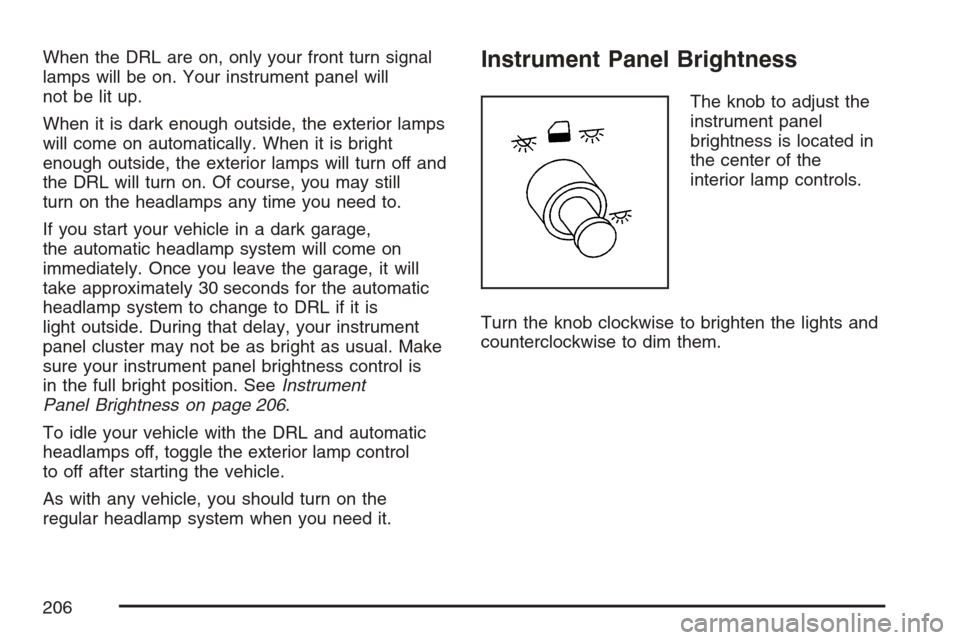
The knob to adjust the
instrument panel
brightness is located in
the center of the
interior lamp controls.
Turn the knob clockwise to brighten the lights and
counterclockwise to dim them.
206
Page 212 of 592

Ultrasonic Rear Parking
Assist (URPA)
If your vehicle is equipped with the Ultrasonic Rear
Parking Assist (URPA) system, it is designed to
help you park, while the vehicle is in REVERSE (R).
It operates only at very low speeds, less than 3 mph
(5 km/h). URPA can help make parking easier and
to help you avoid colliding with objects such as
parked vehicles. The URPA system can detect
objects up to 5 feet (1.5 m) behind the vehicle, and
tell you how close these objects are from your rear
bumper.
Your vehicle’s URPA operates when the shift lever
is moved into REVERSE (R) and the vehicle
speed is less than 3 mph (5 km/h). Four ultrasonic
sensors located at the rear bumper are used to
detect the distance to the object. The URPA
display is located inside the vehicle, near the rear
window. It has three color-coded lights used to
provide distance and system information to
the driver.
{CAUTION:
The Ultrasonic Rear Park Assist (URPA)
system does not replace driver vision.
URPA does not:
Operate above speeds of 3 mph
(5 km/h).
Detect objects more than 5 feet
(1.5 meters) behind the vehicle. This
distance may be less during warmer
or humid weather.
Detect objects that are below the
bumper, underneath the vehicle, or
that are very close to the vehicle.
Detect children, pedestrians,
bicyclists, or pets.
So if you do not use proper care before
backing up, you could hit a vehicle, child,
pedestrian, bicyclist, or pet, resulting in
vehicle damage, injury, or death. Even
though the vehicle has the URPA system,
always check carefully before backing up
by checking behind your vehicle.
212
Page 213 of 592

URPA can be turned off
by pressing the rear
park aid disable switch
located in the
overhead console
switchbank.
While the system is disabled, an indicator light will
be lit on the switch. You will not see any lights
on the rear display if the switch is in the off
position.
How the System Works
Unless disabled, the URPA will turn on
automatically when the shift lever is moved into
REVERSE (R). When the system turns on,
the three lights on the display will illuminate for
one and a half seconds to let you know that
the system is working. If your vehicle is moving in
REVERSE (R) at a speed greater than 3 mph(5 km/h), the red light will ash to remind you that
the system does not work at speed greater
than 3 mph (5 km/h).
If an object is detected at a REVERSE (R) speed
of less than 3 mph (5 km/h), one of the following
will occur:
Description English Metric
amber light 5 ft 1.5 m
amber/amber lights 40 in 1.0 m
amber/amber/red lights &
continuous chime20 in 0.5 m
amber/amber/red lights
ashing & continuous
chime1 ft 0.3 m
A chime will sound the rst time an object is
detected between 20 inches (0.5 m) and 5 feet
(1.5 m) away.
URPA cannot detect objects that are above liftgate
level. In order for the rear sensors to recognize
an object, it must be within detection range behind
the vehicle.
213
Page 230 of 592
Warning Lights, Gages, and
Indicators
This part describes the warning lights and gages
that may be on your vehicle. The pictures will
help you locate them.
Warning lights and gages can signal that
something is wrong before it becomes serious
enough to cause an expensive repair or
replacement. Paying attention to your warning
lights and gages could also save you or others
from injury.
Warning lights come on when there may be or is a
problem with one of your vehicle’s functions. As
you will see in the details on the next few
pages, some warning lights come on briey when
you start the engine just to let you know they’re
working. If you are familiar with this section,
you should not be alarmed when this happens.Gages can indicate when there may be or is a
problem with one of your vehicle’s functions. Often
gages and warning lights work together to let
you know when there’s a problem with your
vehicle.
When one of the warning lights comes on and
stays on when you are driving, or when one of the
gages shows there may be a problem, check
the section that tells you what to do about
it. Please follow this manual’s advice. Waiting to
do repairs can be costly — and even dangerous.
So please get to know your warning lights and
gages. They’re a big help.
230
Page 231 of 592
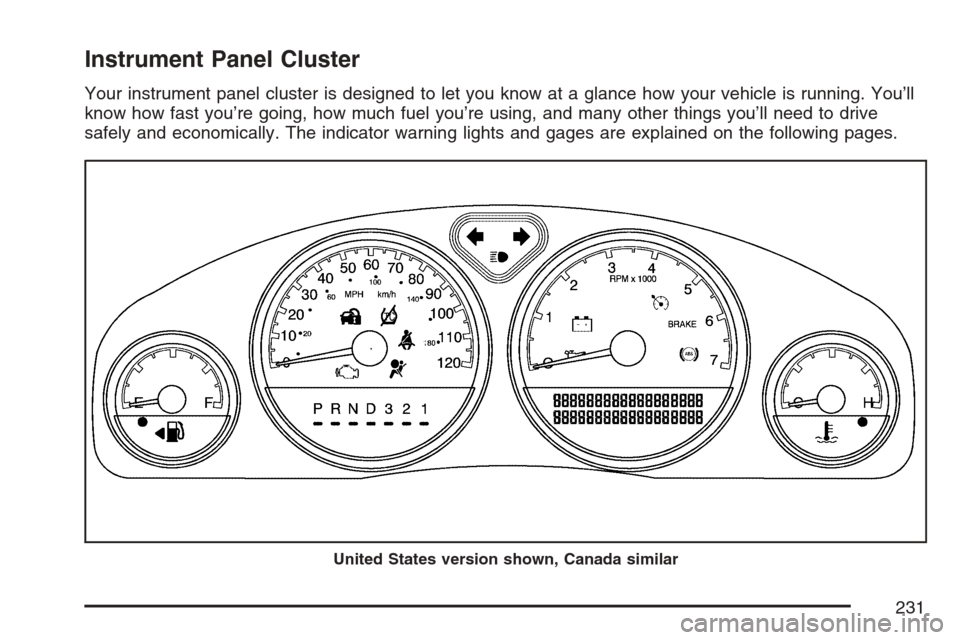
Instrument Panel Cluster
Your instrument panel cluster is designed to let you know at a glance how your vehicle is running. You’ll
know how fast you’re going, how much fuel you’re using, and many other things you’ll need to drive
safely and economically. The indicator warning lights and gages are explained on the following pages.
United States version shown, Canada similar
231
Page 237 of 592
If the word OFF or the off symbol is lit on the
airbag status indicator, it means that the
passenger sensing system has turned off the right
front passenger’s airbag or airbags. See
Passenger Sensing System on page 106for more
on this, including important safety information.
If, after several seconds, all status indicator lights
remain on, or if there are no lights at all, there
may be a problem with the lights or the passenger
sensing system. See your dealer for service.
{CAUTION:
If the off indicator and the airbag
readiness light ever come on together, it
means that something may be wrong with
the airbag system. If this ever happens,
have the vehicle serviced promptly,
because an adult-size person sitting in the
right front passenger seat may not have
the protection of an airbag. SeeAirbag
Readiness Light on page 234.
Charging System Light
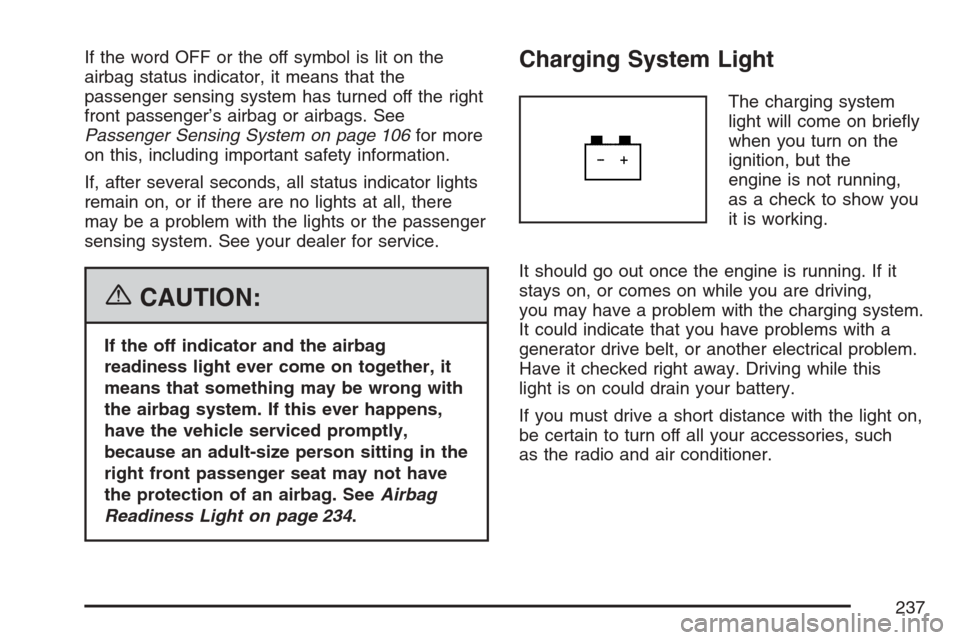
The charging system
light will come on briey
when you turn on the
ignition, but the
engine is not running,
as a check to show you
it is working.
It should go out once the engine is running. If it
stays on, or comes on while you are driving,
you may have a problem with the charging system.
It could indicate that you have problems with a
generator drive belt, or another electrical problem.
Have it checked right away. Driving while this
light is on could drain your battery.
If you must drive a short distance with the light on,
be certain to turn off all your accessories, such
as the radio and air conditioner.
237
Page 278 of 592
INT (Interior) LIGHTS KEYS REMOVED
This feature enables the interior lamps in
the vehicle to turn on for about 25 seconds after
the key is removed from the ignition.
Press the menu button until INT LIGHTS KEYS
REMOVED appears on the DIC display. Press the
set/reset button to scroll through the following
choices:
OFF:Removing the key from the ignition will not
cause the interior lamps to turn on.
ON (default):Removing the key from the ignition
will cause the interior lamps to be turned on for
about 25 seconds.
Choose one of the available settings and press
the menu button while it is displayed on the DIC to
select it and move on to the next feature.
DELAYED LOCKING
This feature allows the locking of the vehicle to be
delayed until all of the doors have been closed
for approximately ve seconds.When the delayed locking feature is enabled, it
may be activated when the key is out of the
ignition by doing one of the following:
Pressing the driver’s door power lock switch
one time while the driver’s door is open.
Pressing the passenger’s door power lock
switch one time while the passenger’s
door is open.
Pressing the lock button on the remote
keyless entry transmitter one time while any
door is open.
Two chimes will sound to signal that delayed
locking is active.
The doors may be locked immediately by repeating
one of the above actions more than one time.
If a door remains open, without any other
door being opened or closed, the vehicle will lock
after approximately 45 seconds.
If a key is in the ignition, this feature will not lock
the doors. SeeDelayed Locking on page 130
for more information.
278
Page 280 of 592
FOB LOCK FEEDBACK
This feature allows you to select the type of
feedback you will receive when locking the vehicle
with the remote keyless entry transmitter.
Press the menu button until FOB LOCK
FEEDBACK appears on the DIC display. Press
the set/reset button to scroll through the following
choices:
OFF:There will be no feedback when locking the
vehicle.
LIGHTS:The exterior lamps will ash when you
press the lock button on the remote keyless
entry transmitter.
LIGHTS and HORN (default):The exterior lamps
will ash when you press the lock button on the
remote keyless entry transmitter, and the horn will
sound when the lock button is pressed again
within ve seconds of the previous command.
Choose one of the available settings and press the
menu button while it is displayed on the DIC to
select it and move on to the next feature.
REMOTE START
If your vehicle has remote start, this feature allows
the remote start to be turned OFF or ON. The
remote start feature allows you to start the engine
from outside of the vehicle using the remote
keyless entry transmitter. See “Remote Vehicle
Start” underRemote Keyless Entry System
Operation on page 121for more information.
Press the menu button until REMOTE START
appears on the DIC display. Press the set/reset
button to scroll through the following choices:
OFF:The remote start feature will be disabled.
ON (default):The remote start feature will
be enabled.
Choose one of the available settings and press
the menu button while it is displayed on the DIC to
select it and move on to the next feature.
REAR PARK CHIME
If your vehicle has the Ultrasonic Rear Parking
Assist (URPA) system, this feature allows
the URPA system’s chime to be turned OFF or
ON. SeeUltrasonic Rear Parking Assist (URPA)
on page 212for more information.
280
Page 309 of 592
Navigation/Radio System
Your vehicle may have a navigation radio system.
The navigation system has built-in features
intended to minimize driver distraction. Technology
alone, no matter how advanced, can never
replace your own judgment. See the Navigation
System manual for some tips to help you
reduce distractions while driving.
Rear Seat Entertainment System
(Option A, Uplevel)
Your vehicle may have this type of DVD Rear
Seat Entertainment (RSE) system. If it has
this feature, it will include a DVD player, a video
display screen, auxiliary inputs, two sets of
wireless headphones (if included), and a remote
control.
Parental Control
rj
(Parental Control):This button is located
behind the video screen, below the auxiliary jacks.
Press this button while using RSA, or when a
DVD or CD is playing to blank the video screen
and to mute the audio. The power indicator
lights on the DVD player will ash. Turning on the
parental control will also disable all other button
operations from the remote control and the
DVD player, except for the eject button. Press this
button again to restore operation of the RSA,
DVD player, and remote control.
This button may also be used to turn the DVD
player power on and automatically resume play if
the vehicle is on and a disc is in the player. If
no disc is in the player, the system will power up
in auxiliary mode.
309
Page 320 of 592
To use the RSE OSD menu when using a CD or
an MP3, do the following:
Make sure that a CD or an MP3 is loaded in the
RSE system and that the system is not in auxiliary,
then press the display button on the remote control.
Once the menu is on the screen, use the directional
arrows and the enter button to navigate the screen.
This menu will let you select default preferences for
language and playback settings. To exit this menu,
press the display or the return button on the remote
control or wait for the menu to time out.
Battery Replacement
To change the remote control batteries, do the
following:
1. Slide the battery door, located on the back of
the remote control, down.
2. Replace the two AA batteries in the
compartment. Make sure that they are
installed correctly, using the diagram on the
inside of the battery compartment.
3. Close the battery door.
If the remote control is to be stored for a long
period of time, remove the batteries and keep them
in a cool, dry place.
Tips and Troubleshooting Chart
Problem Recommended Action
No power. The ignition may not be
in ACCESSORY, RUN,
or RAP.
Disc will not play. The system might be off.
The parental control
button might have been
pressed. The power
indicator lights will ash.
The system might be in
auxiliary source mode.
Press the AUX button to
switch between the DVD
player and the auxiliary
source. The disc is upside
down or is not compatible.
No sound — Wireless
HeadphonesTurn the headphones on.
Make sure the correct
channel is selected on the
wireless headphones.
Check the batteries. The
volume on the
headphones could be too
low, adjust the volume.
No sound — Wired
HeadphonesMake sure the wired
headphones are plugged
in. Adjust the volume. If
RSA is on, DVD audio will
not be heard.
320