run engine CHEVROLET VOLT 2018 Owner's Manual
[x] Cancel search | Manufacturer: CHEVROLET, Model Year: 2018, Model line: VOLT, Model: CHEVROLET VOLT 2018Pages: 379, PDF Size: 5.65 MB
Page 10 of 379
Chevrolet VOLT Owner Manual (GMNA-Localizing-U.S./Canada/Mexico-
11349113) - 2018 - crc - 10/12/17
In Brief 9
/:Press and releaseQand then
immediately press and hold
/for at
least four seconds to start the
vehicle's heating or air conditioning
systems and rear window defogger
from outside the vehicle using the
RKE transmitter. See Remote Start
0 38.
See Keys 030 and Remote Keyless
Entry (RKE) System Operation 032.
Remote Start
Use remote start to heat or cool the
interior when the vehicle is plugged
in to maximize electric range by
utilizing electricity from the electrical
outlet. The engine may start to
support the climate control
operation. Normal operation of the
system will return after the vehicle
has been turned on.
Starting the Vehicle
1. Press and releaseQon the
RKE transmitter. 2. Immediately press and hold
/
for at least four seconds or until
the turn signal lamps flash.
3. After entering the vehicle during a remote start, press
POWER
Owith the brake
pedal applied to operate as
normal.
When the vehicle starts, the parking
lamps will turn on.
Remote start run time can be
extended.
Canceling Remote Start
To cancel a remote start, do any of
the following:
. Press and hold
/until the
parking lamps turn off.
. Turn on the hazard warning
flashers.
. Press POWER
Owith the brake
pedal applied, then press
POWER
Oagain to turn the
vehicle off.
See Remote Start 038.
Door Locks
To lock or unlock the doors from
outside the vehicle:
.
Use the key. The driver door key
cylinder is covered with a cap.
See Door Locks 040.
. Press
QorKon the RKE
transmitter. See Remote Keyless
Entry (RKE) System Operation
0 32.
To lock or unlock the doors from
inside the vehicle:
. Press
QorKon the power door
lock switch.
. Push down the manual lock
knob on the driver door to lock
all doors. Push down the manual
lock knob on a passenger door
to lock only that door.
. Pull once on the door handle to
unlock the door and again to
open the door. Press the power
door lock switch to lock or
unlock all doors.
Page 39 of 379
Chevrolet VOLT Owner Manual (GMNA-Localizing-U.S./Canada/Mexico-
11349113) - 2018 - crc - 10/12/17
38 Keys, Doors, and Windows
Remote Start
This feature starts the heating or air
conditioning systems and rear
window defogger from outside the
vehicle. Use remote start to heat or
cool the interior when the vehicle is
plugged in to maximize the electric
range by utilizing electricity from the
electrical outlet. Normal operation of
the system will return after the
vehicle has been turned on.
/:This button is on the RKE
transmitter.
During remote start:
. The climate control system will
typically default to the last
climate setting. If the fan is off or
if eco and MAX are not selected,
the air conditioning or heat will
turn on as needed. See
Automatic Climate Control
System 0153.
. If equipped with heated seats,
and the vehicle personalization
setting is enabled, the remote
start auto heated seats may also come on. See
Heated Front
Seats 056, and Vehicle
Personalization 0137.
. If equipped the heated steering
wheel may also come on. See
Heated Steering Wheel 0100.
. The rear window defogger will
turn on during colder outside
temperatures.
. Selecting
1during colder
outside temperatures before
shutting the vehicle off will help
windshield clearing.
. Shutting the vehicle off in eco
mode without
1selected will
minimize the impact to electric
range. Shutting the vehicle off in
other modes will maximize
heating or air conditioning.
. The engine may start to provide
energy for heating and cooling,
independent of the vehicle being
plugged in or completely
charged. Engine Assisted
Heating operation, if available,
can be personalized. See “Engine Assist Heat Plugged In”
under
Vehicle Personalization
0 137.
. Vehicle range may decrease if
the vehicle is not plugged into
an electrical outlet. If the vehicle
is plugged in, much of the
energy needed to support this
feature will be provided from the
electrical outlet, not from the
high voltage battery.
Laws in some communities may
restrict the use of features that
remotely start the engine. For
example, some laws may require a
person using the remote start
feature to have the vehicle in view
when doing so. Check local
regulations for any requirements on
remote starting of vehicles.
The RKE transmitter range may be
less while the vehicle is running.
Other conditions can affect the
performance of the transmitter. See
Remote Keyless Entry (RKE)
System 031.
Page 115 of 379
Chevrolet VOLT Owner Manual (GMNA-Localizing-U.S./Canada/Mexico-
11349113) - 2018 - crc - 10/12/17
114 Instruments and Controls
turned off the front outboard
passenger frontal airbag and knee
airbag.
If, after several seconds, both status
indicator lights remain on, or if there
are no lights at all, there may be a
problem with the lights or the
passenger sensing system. See
your dealer for service.
{Warning
If the airbag readiness light ever
comes on and stays on, it means
that something may be wrong
with the airbag system. To help
avoid injury to yourself or others,
have the vehicle serviced right
away. SeeAirbag Readiness
Light 0113 for more information,
including important safety
information.
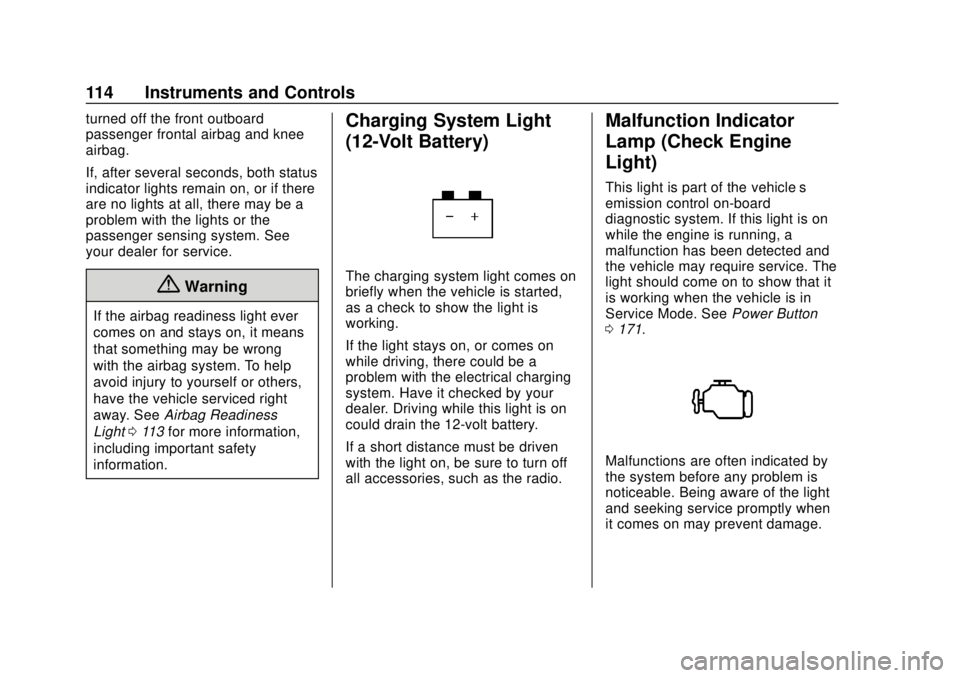
Charging System Light
(12-Volt Battery)
The charging system light comes on
briefly when the vehicle is started,
as a check to show the light is
working.
If the light stays on, or comes on
while driving, there could be a
problem with the electrical charging
system. Have it checked by your
dealer. Driving while this light is on
could drain the 12-volt battery.
If a short distance must be driven
with the light on, be sure to turn off
all accessories, such as the radio.
Malfunction Indicator
Lamp (Check Engine
Light)
This light is part of the vehicle’s
emission control on-board
diagnostic system. If this light is on
while the engine is running, a
malfunction has been detected and
the vehicle may require service. The
light should come on to show that it
is working when the vehicle is in
Service Mode. See Power Button
0 171.
Malfunctions are often indicated by
the system before any problem is
noticeable. Being aware of the light
and seeking service promptly when
it comes on may prevent damage.
Page 116 of 379
Chevrolet VOLT Owner Manual (GMNA-Localizing-U.S./Canada/Mexico-
11349113) - 2018 - crc - 10/12/17
Instruments and Controls 115
Caution
If the vehicle is driven continually
with this light on, the emission
control system may not work as
well, the fuel economy may be
lower, and the vehicle may not
run smoothly. This could lead to
costly repairs that might not be
covered by the vehicle warranty.
Caution
Modifications to the engine,
electric drive unit, exhaust, intake,
or fuel system, or the use of
replacement tires that do not
meet the original tire
specifications, can cause this light
to come on. This could lead to
costly repairs not covered by the
vehicle warranty. This could also
affect the vehicle’s ability to pass
an Emissions Inspection/(Continued)
Caution (Continued)
Maintenance test. See
Accessories and Modifications
0236.
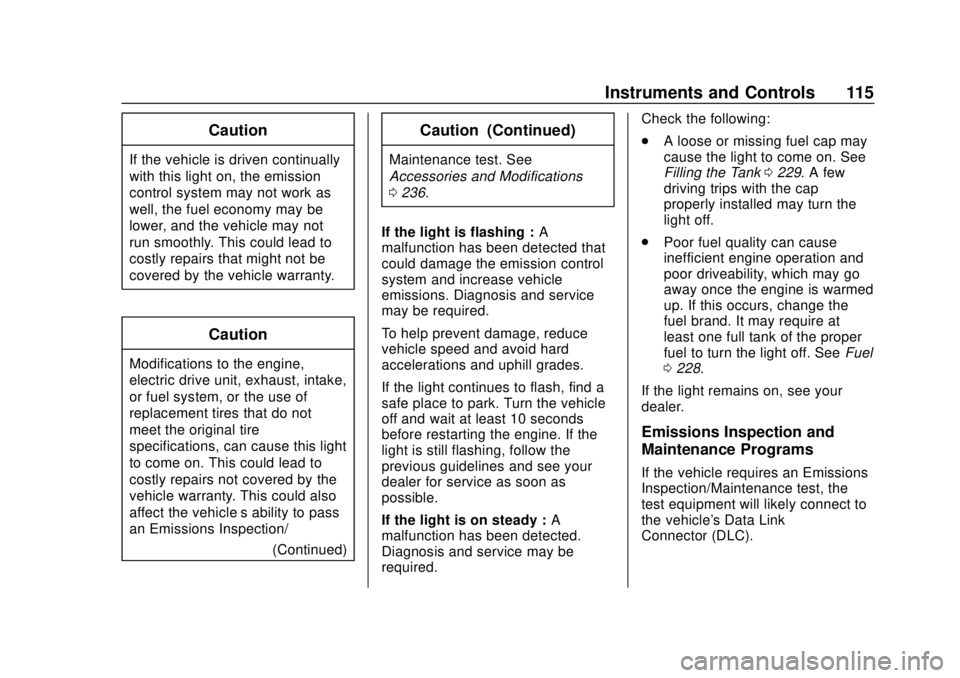
If the light is flashing : A
malfunction has been detected that
could damage the emission control
system and increase vehicle
emissions. Diagnosis and service
may be required.
To help prevent damage, reduce
vehicle speed and avoid hard
accelerations and uphill grades.
If the light continues to flash, find a
safe place to park. Turn the vehicle
off and wait at least 10 seconds
before restarting the engine. If the
light is still flashing, follow the
previous guidelines and see your
dealer for service as soon as
possible.
If the light is on steady : A
malfunction has been detected.
Diagnosis and service may be
required. Check the following:
.
A loose or missing fuel cap may
cause the light to come on. See
Filling the Tank 0229. A few
driving trips with the cap
properly installed may turn the
light off.
. Poor fuel quality can cause
inefficient engine operation and
poor driveability, which may go
away once the engine is warmed
up. If this occurs, change the
fuel brand. It may require at
least one full tank of the proper
fuel to turn the light off. See Fuel
0 228.
If the light remains on, see your
dealer.
Emissions Inspection and
Maintenance Programs
If the vehicle requires an Emissions
Inspection/Maintenance test, the
test equipment will likely connect to
the vehicle's Data Link
Connector (DLC).
Page 117 of 379
Chevrolet VOLT Owner Manual (GMNA-Localizing-U.S./Canada/Mexico-
11349113) - 2018 - crc - 10/12/17
116 Instruments and Controls
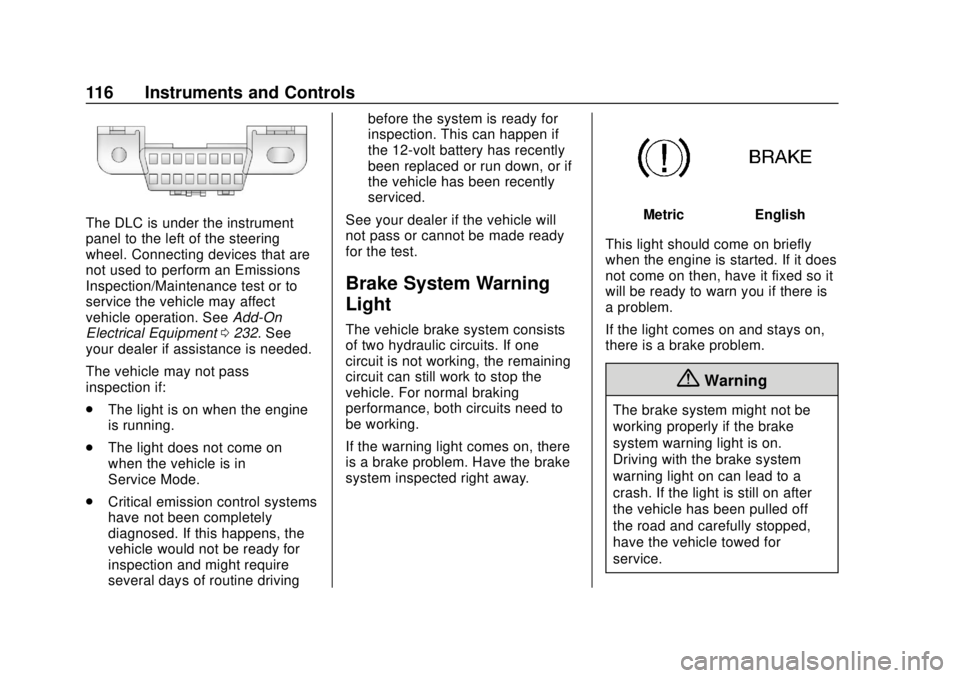
The DLC is under the instrument
panel to the left of the steering
wheel. Connecting devices that are
not used to perform an Emissions
Inspection/Maintenance test or to
service the vehicle may affect
vehicle operation. SeeAdd-On
Electrical Equipment 0232. See
your dealer if assistance is needed.
The vehicle may not pass
inspection if:
. The light is on when the engine
is running.
. The light does not come on
when the vehicle is in
Service Mode.
. Critical emission control systems
have not been completely
diagnosed. If this happens, the
vehicle would not be ready for
inspection and might require
several days of routine driving before the system is ready for
inspection. This can happen if
the 12-volt battery has recently
been replaced or run down, or if
the vehicle has been recently
serviced.
See your dealer if the vehicle will
not pass or cannot be made ready
for the test.
Brake System Warning
Light
The vehicle brake system consists
of two hydraulic circuits. If one
circuit is not working, the remaining
circuit can still work to stop the
vehicle. For normal braking
performance, both circuits need to
be working.
If the warning light comes on, there
is a brake problem. Have the brake
system inspected right away.
MetricEnglish
This light should come on briefly
when the engine is started. If it does
not come on then, have it fixed so it
will be ready to warn you if there is
a problem.
If the light comes on and stays on,
there is a brake problem.
{Warning
The brake system might not be
working properly if the brake
system warning light is on.
Driving with the brake system
warning light on can lead to a
crash. If the light is still on after
the vehicle has been pulled off
the road and carefully stopped,
have the vehicle towed for
service.
Page 136 of 379
Chevrolet VOLT Owner Manual (GMNA-Localizing-U.S./Canada/Mexico-
11349113) - 2018 - crc - 10/12/17
Instruments and Controls 135
system monitoring the oil life,
additional maintenance is
recommended. SeeMaintenance
Schedule 0327.
Remember, the Oil Life display must
be reset after each oil change. It will
not reset itself. Also, be careful not
to reset the Oil Life display
accidentally at any time other than
when the oil has just been changed.
It cannot be reset accurately until
the next oil change. To reset the
engine oil life system, press and
hold
Vfor several seconds while
the Oil Life display is active. See
Engine Oil Life System 0242.
Tire Pressure : Shows the
approximate pressures of all four
tires. Tire pressure is displayed in
either kilopascal (kPa) or in pounds
per square inch (psi). If the pressure
is low, the value for that tire is
shown in amber.
See Tire Pressure Monitor System
0 280 andTire Pressure Monitor
Operation 0281. Average Speed :
Shows the
average speed of the vehicle in
kilometers per hour (km/h) or miles
per hour (mph). This average is
calculated based on the various
vehicle speeds recorded since the
last reset of this value. The average
speed can be reset by pressing and
holding
Vwhile this display is
active.
Timer : This display can be used as
a timer. To start the timer, press
V
while this display is active. The
display will show the amount of time
that has passed since the timer was
last reset. To stop the timer, press
V
briefly while this display is active
and the timer is running. To reset
the timer to zero, press and hold
V
while this display is active.
Speed Limit : Shows the current
speed limit. The information for this
page comes from a roadway
database.
Follow Distance Indicator : The
current follow time to the vehicle
ahead is displayed as a time value
on this page. Coolant Temperature :
Shows the
engine coolant temperature in either
degrees Celsius (°C) or degrees
Fahrenheit (°F).
Blank Page : The Blank Page
display allows for no information to
be displayed in the cluster info
display areas.
Page 140 of 379
Chevrolet VOLT Owner Manual (GMNA-Localizing-U.S./Canada/Mexico-
11349113) - 2018 - crc - 10/12/17
Instruments and Controls 139
.Collision/Detection Systems
. Comfort and Convenience
. Energy
. Lighting
. Power Door Locks
. Remote Lock, Unlock, Start
Climate and Air Quality
Select and the following may
display:
.Auto Fan Speed
. Auto Heated Seats
. Auto Defog
. Engine Assist Heat
. Engine Assist Heat Plugged In
Auto Fan Speed
This feature will set the maximum
auto fan speed.
Select Low, Medium, or High.
Auto Heated Seats
When the vehicle is on, this feature
will automatically activate the
heated seats at the level required by the vehicle's interior temperature.
The auto heated seats can be
turned off by using
LorMon the
center stack.
If equipped with Auto Heated
Steering Wheel, this feature will turn
on when the Auto Heated Seats
turn on.
Select Off or On.
Auto Defog
When set to On, the front defog will
automatically come on when the
vehicle is started.
Select Off or On.
Engine Assist Heat
If equipped, this feature selects the
outside temperature level at which
the engine may run to assist heating
in Electric Mode. A change in
selection will not take effect until
after the vehicle is first
powered down.
Select On for temperatures below
approximately 0 °C (32 °F), or select
Deferred for temperatures below
approximately −10 °C (15 °F). Engine Assist Heat Plugged In
During remote start, this feature
turns on or off the ability for the
engine to run to help heat the
vehicle when it is plugged in.
A change in setting will not take
effect until after the vehicle is first
powered down.
Select Off or On.
Collision/Detection Systems
Select and the following may
display:
.
Forward Collision System
. Rear Cross Traffic Alert
. Adaptive Cruise Go Notifier
. Lane Change Alert
Forward Collision System
This feature will turn on or off the
Forward Collision Alert (FCA) and
Forward Automatic Braking (FAB).
The Off setting disables all FCA and
FAB functions. With the Alert and
Brake setting, both FCA and FAB
Page 154 of 379
Chevrolet VOLT Owner Manual (GMNA-Localizing-U.S./Canada/Mexico-
11349113) - 2018 - crc - 10/12/17
Climate Controls 153
Climate Controls
Climate Control Systems
Automatic Climate ControlSystem . . . . . . . . . . . . . . . . . . . . . . 153
Air Vents
Air Vents . . . . . . . . . . . . . . . . . . . . . 158
Maintenance
Passenger Compartment AirFilter . . . . . . . . . . . . . . . . . . . . . . . . 159
Climate Control
Systems
Automatic Climate
Control System
The heating, cooling, and ventilation
for the vehicle can be controlled
with this system.
The vehicle may require the use of
an auxiliary heat source under
certain cold conditions. This
provides additional heating and
defrost capability obtained by
running the engine, even if the high
voltage battery is adequately
charged. Under these conditions,
the engine will start and use fuel.
Make sure there is fuel in the tank. Do not allow the vehicle to remain in
extreme temperatures for long
periods without being driven or
plugged in.
Page 158 of 379
Chevrolet VOLT Owner Manual (GMNA-Localizing-U.S./Canada/Mexico-
11349113) - 2018 - crc - 10/12/17
Climate Controls 157
The defogger only works when the
vehicle is on. The defogger will turn
off if the vehicle is turned off.
If equipped with heated outside
rearview mirrors, they turn on when
the rear window defogger button is
on and help to clear fog or frost from
the surface of the mirror. See
Heated Mirrors048.
Caution
Do not try to clear frost or other
material from the inside of the
front windshield and rear window
with a razor blade or anything
else that is sharp. This may
damage the rear window
defogger grid and affect the
radio's ability to pick up stations
clearly. The repairs would not be
covered by the vehicle warranty.
Remote Start : The climate control
system may be started by using the
Remote Keyless Entry (RKE)
transmitter. The climate control system will default to an appropriate
heating or cooling mode. See
Remote Start
038.
If equipped, the heated seats will
turn on if it is cold outside. The
heated seat indicator light may not
come on during a remote start.
If equipped, the heated steering
wheel will come on if it is cold
outside. The heated steering wheel
indicator light may not come on
during a remote start.
The rear window defogger turns on
if it is cold outside.
Compressor
The vehicle has an electric powered
air conditioning compressor. This
allows for continuous air
conditioning and/or high voltage
battery cooling operation, without
running the engine.
The compressor operating speed is
not tied to the engine speed, so
some noise may be heard from the
compressor, especially when air
conditioning use is high and the
engine has turned off. This is
normal.
Sensors
Solar Sensor
The solar sensor is on top of the
instrument panel, near the
windshield, where it monitors solar
intensity.
The climate control system uses the
sensor information to adjust the
temperature, fan speed,
recirculation, and air delivery mode
for best comfort.
Do not cover the sensor; otherwise
the automatic climate control system
may not work properly.
Humidity Sensor
The humidity sensor is near the
base of the inside rearview mirror.
The climate control system uses the
sensor information to adjust the
temperature and recirculation for
best comfort.
Page 161 of 379
Chevrolet VOLT Owner Manual (GMNA-Localizing-U.S./Canada/Mexico-
11349113) - 2018 - crc - 10/12/17
160 Driving and Operating
Driving and
Operating
Driving Information
Distracted Driving . . . . . . . . . . . . 161
Defensive Driving . . . . . . . . . . . . . 162
Drunk Driving . . . . . . . . . . . . . . . . . 162
Control of a Vehicle . . . . . . . . . . . 162
Braking . . . . . . . . . . . . . . . . . . . . . . . 162
Steering . . . . . . . . . . . . . . . . . . . . . . 163
Off-Road Recovery . . . . . . . . . . . 163
Loss of Control . . . . . . . . . . . . . . . 164
Driving on Wet Roads . . . . . . . . 164
Hill and Mountain Roads . . . . . 165
Winter Driving . . . . . . . . . . . . . . . . 166
If the Vehicle Is Stuck . . . . . . . . 167
Vehicle Load Limits . . . . . . . . . . . 167
Starting and Operating
New Vehicle Break-In . . . . . . . . . 171
Power Button . . . . . . . . . . . . . . . . . 171
Starting and Stopping theVehicle . . . . . . . . . . . . . . . . . . . . . . 172
Retained Accessory Power (RAP) . . . . . . . . . . . . . . . . 174
Shifting Into Park . . . . . . . . . . . . . 174
Shifting out of Park . . . . . . . . . . . 175 Parking over Things
That Burn . . . . . . . . . . . . . . . . . . . 175
Extended Parking . . . . . . . . . . . . 176
Electric Vehicle Operating
Modes
System Operation . . . . . . . . . . . . 176
Electric Mode . . . . . . . . . . . . . . . . . 176
Extended Range Mode . . . . . . . 177
Driver Selected Operating Modes . . . . . . . . . . . . . . . . . . . . . . 177
Out of Fuel/Engine Unavailable . . . . . . . . . . . . . . . . . 180
Maintenance Modes . . . . . . . . . . 180
Engine Exhaust
Engine Exhaust . . . . . . . . . . . . . . 182
Running the Vehicle While Parked . . . . . . . . . . . . . . . . . . . . . . 183
Electric Drive Unit
Electric Drive Unit . . . . . . . . . . . . 183
Brakes
Antilock BrakeSystem (ABS) . . . . . . . . . . . . . . . 185
Electric Parking Brake . . . . . . . . 185
Hill Start Assist (HSA) . . . . . . . . 187
Regenerative Braking . . . . . . . . 187
Ride Control Systems
Traction Control/Electronic Stability Control . . . . . . . . . . . . . 189
Driver Mode Control . . . . . . . . . . 190
Cruise Control
Cruise Control . . . . . . . . . . . . . . . . 191
Adaptive Cruise Control . . . . . . 193
Driver Assistance Systems
Driver Assistance Systems . . . 200
Assistance Systems for Parking or Backing . . . . . . . . . . 201
Assistance Systems for Driving . . . . . . . . . . . . . . . . . . . . . . 205
Forward Collision Alert (FCA) System . . . . . . . . . . . . . . . . . . . . . . 205
Forward Automatic Braking (FAB) . . . . . . . . . . . . . . . 207
Side Blind Zone Alert (SBZA) . . . . . . . . . . . . . . . . 209
Lane Change Alert (LCA) . . . . . 209
Lane Departure Warning (LDW) . . . . . . . . . . . . . . 211
Lane Keep Assist (LKA) . . . . . . 211
Charging
Plug-In Charging . . . . . . . . . . . . . 213
Delayed Charging Override . . . 215
Charging Status Feedback . . . 215
Charge Cord . . . . . . . . . . . . . . . . . 220