amp CHRYSLER PACIFICA 2020 Manual PDF
[x] Cancel search | Manufacturer: CHRYSLER, Model Year: 2020, Model line: PACIFICA, Model: CHRYSLER PACIFICA 2020Pages: 516, PDF Size: 28.69 MB
Page 488 of 516
486MULTIMEDIA
format and is playable on other players. To help
avoid playback problems, use the following
guidelines when recording discs.
Open sessions are ignored. Only sessions
that are closed are playable.
For multi-session CDs that contain only
multiple CD-Audio sessions, the player will
renumber the tracks so each track number is
unique.
For CD Data (or CD-ROM) discs, always use
the ISO-9660 (Level 1 or Level 2), Joliet, or
Romeo format. Other formats (such as HFS,
or others) are not supported.
The player recognizes a maximum of 2000
files and 255 folders (includes the ROOT
folder) per CD-R and CD-RW disc.
Mixed media recordable DVD formats will
only play the Video_TS portion of the disc.
If you are still having trouble writing a disc that
is playable in the Blu-ray™ Disc player, check
with the disc recording software publisher for
more information about burning playable discs. The recommended method for labeling
recordable discs (CD-R, CD-RW, and DVD-R) is
with a permanent marker. Do not use adhesive
labels as they may separate from the disc,
become stuck, and cause permanent damage
to the DVD player.
Compressed Audio Files (MP3, WMA and AAC)
The Blu-ray™ Disc player is capable of playing
MP3 (MPEG-1 Audio Layer 3), WMA (Windows
Media Audio) files and AAC (Advanced Audio
Coding) from a CD Data disc (usually a CD-R or
CD-RW) or DVD Data disc (usually a DVD-R or
DVD-RW).
The Blu-ray™ Disc player always uses the file
extension to determine the audio format, so
MP3 files must always end with the extension
“.mp3” or “.MP3” and WMA files must always
end with the extension “.wma” or “.WMA”
and AAC files must always end with the exten
-
sion and “.aac” or “.AAC” or “m4a”. To
prevent incorrect playback, do not use these
extensions for any other types of files.
For MP3 files, ID3v1, ID3v2 tag data (such as
artist name, track title, album, etc.) are
supported.
Any file that is copy protected (such as those
downloaded from many online music stores)
will not play. The Blu-ray™ player will auto -
matically skip the file and begin playing the
next available file.
Other compression formats such as MP3 Pro,
Ogg Vorbis, and ATRAC3 will not play. The
Blu-ray™ player will automatically skip the file
and begin playing the next available file.
If you are creating your own files, the recom -
mended fixed bit rate for MP3 files is
between 32 and 320Kbps and the recom -
mended fixed bit rate for WMA files is
between 16 and 192Kbps. Variable bit rates
are also supported. For both formats, the
recommended sample rate is either 44.1kHz
or 48kHz.
To change the current file, use the remote
control “Seek Forward” or “Seek Back”
buttons to return to the start of the current or
previous file.
20_RU_OM_EN_US_t.book Page 486
Page 489 of 516
MULTIMEDIA487
AAC (MPEG-4 AAC, Low Complexity Profile)
support.
AAC HE v1 (AAC High Efficiency v1 aka. AAC/
MPEG4v2 AAC+) support.
HE-AAC v1, v2 support.
Disc Errors
If the Blu-ray™ Disc player is unable to read the
disc, a "Disc Error" message is displayed on the
rear screen and Radio displays. A dirty,
damaged, or incompatible disc format are all
potential causes for a "Disc Error" message.
If a disc has a damaged track which results in
audible or visible errors that persists for two
seconds, the Blu-ray™ Disc player will attempt
to continue playing the disc by skipping forward
one to three seconds at a time. If the end of the
disc is reached, the Blu-ray™ Disc player will
return to the beginning of the disc and attempt
to play the start of the first track. The Blu-ray™ Disc player may shut down during
extremely hot conditions, such as when the
vehicle’s interior temperature is above 140°F
(60.0°C). When this occurs, the player will
display "High Temp" and will shut off the Rear
Seat displays until a safe temperature is
reached. This shutdown is necessary to protect
the optics of the Blu-ray™ Disc player.
Product Agreement
Open Source Software
The software built into this product, are
composed of multiple software components,
and there are the copyrights of our company or
third parties in each software component. Also,
in this product, the following open source
software has been installed.
The licensed software for our company is based
on GNU GENERAL PUBLIC LICENSE V2.0 ("GPL").
The licensed software for our company is
based on GNU LESSER GENERAL PUBLIC
LICENSE V2.1 ("LGPL").
The software which has the copyrights of a
third party and is distributed as free software.Please refer the contract details which are
disclosed in the following websites, for
example, concerning these above software.
http://www.gnu.org/licenses/old-licenses/
gpl-2.0-standalone.html, http://www.gnu.org/
licenses/lgpl-2.1-standalone.html.
You have the right of acquisition, modification,
and distribution of the source code of the GPL/
LGPL software. These are distributed in the
hope that it will be useful by itself. However,
including the absence of an implied warranty on
the "suitability for a particular purpose" or
"merchantability", the warranty of any kind will
not be made. You may download Source Code
from the indicating URL by the pressed button
of “Open Source Software” on the Setup Menu.
Also, please refrain from contact about the
contents of the source code of open source. The
source code of the software in which there are
the copyrights of our company or third parties, is
not subject to distribution.
9
20_RU_OM_EN_US_t.book Page 487
Page 495 of 516
MULTIMEDIA493
UCONNECT VOICE RECOGNITION QUICK TIPS
Introducing Uconnect
Start using Uconnect Voice Recognition with
these helpful quick tips. It provides the key
Voice Commands and tips you need to know to
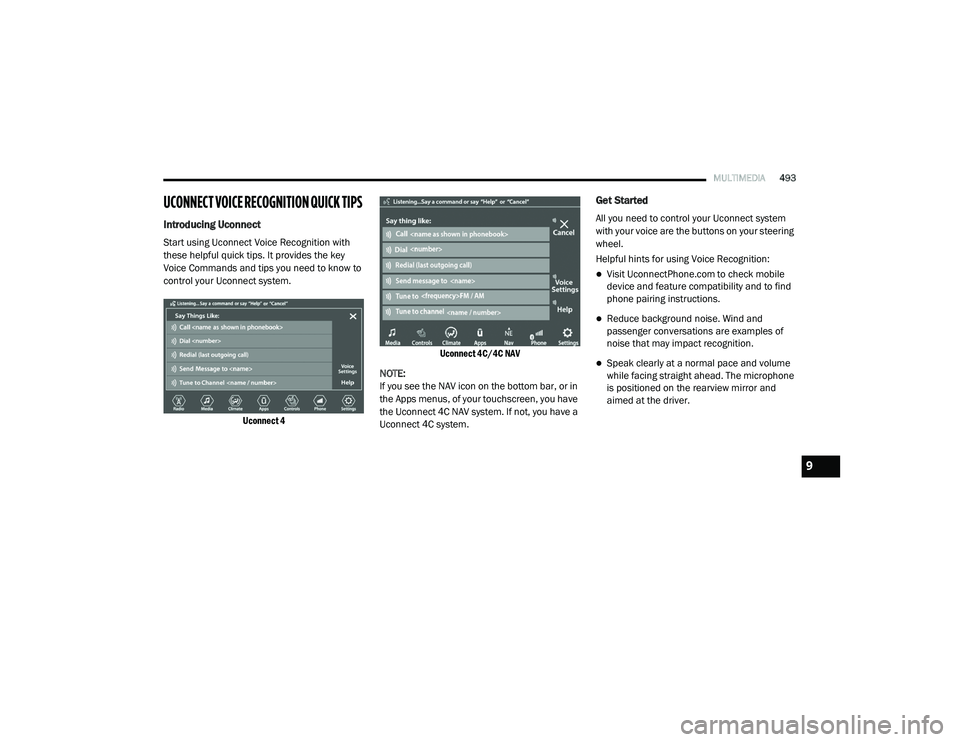
control your Uconnect system.
Uconnect 4 Uconnect 4C/4C NAV
NOTE:
If you see the NAV icon on the bottom bar, or in
the Apps menus, of your touchscreen, you have
the Uconnect 4C NAV system. If not, you have a
Uconnect 4C system.
Get Started
All you need to control your Uconnect system
with your voice are the buttons on your steering
wheel.
Helpful hints for using Voice Recognition:
Visit UconnectPhone.com to check mobile
device and feature compatibility and to find
phone pairing instructions.
Reduce background noise. Wind and
passenger conversations are examples of
noise that may impact recognition.
Speak clearly at a normal pace and volume
while facing straight ahead. The microphone
is positioned on the rearview mirror and
aimed at the driver.
9
20_RU_OM_EN_US_t.book Page 493
Page 503 of 516
CUSTOMER ASSISTANCE501
FCA US LLC is not responsible for any service
contract you may have purchased from another
manufacturer. If you require service after the
FCA US LLC New Vehicle Limited Warranty
expires, please refer to the contract documents,
and contact the person listed in those
documents.
We appreciate that you have made a major
investment when you purchased the vehicle. An
authorized dealer has also made a major
investment in facilities, tools, and training to
assure that you are absolutely delighted with
the ownership experience.WARRANTY INFORMATION
See the Warranty Information for the terms and
provisions of FCA US LLC warranties applicable
to this vehicle and market.
MOPAR PARTS
Mopar original equipment parts & accessories
and factory filled fluids are available from an
authorized dealer. They are recommended for
your vehicle to keep it operating at its best and
maintain its original condition.
REPORTING SAFETY DEFECTS
In The 50 United States And Washington,
D.C.
If you believe that your vehicle has a
defect that could cause a crash or cause
injury or death, you should immediately
inform the National Highway Traffic
Safety Administration (NHTSA) in
addition to notifying FCA US LLC.
If NHTSA receives similar complaints, it may
open an investigation, and if it finds that a
safety defect exists in a group of vehicles, it
may order a recall and remedy campaign. However, NHTSA cannot become involved in
individual problems between you, an
authorized dealer or FCA US LLC.
To contact NHTSA, you may call the
Vehicle Safety Hotline toll free at
1-888-327-4236 (TTY: 1-800-424-9153);
or go to
http://www.safercar.gov
; or write
to: Administrator, NHTSA, 1200 New
Jersey Avenue, SE., West Building,
Washington, D.C. 20590. You can also
obtain other information about motor
vehicle safety from
http://
www.safercar.gov
.
In Canada
If you believe that your vehicle has a safety
defect, you should contact the Customer
Service Department immediately. Canadian
customers who wish to report a safety
defect to the Canadian government should
contact Transport Canada, Motor Vehicle
Defect Investigations and Recalls at
1-800-333-0510 or go to
wwwapps.tc.gc.ca/Saf-Sec-Sur/7/
PCDB-BDPP
.
WARNING!
Engine exhaust (internal combustion engines
only), some of its constituents, and certain
vehicle components contain, or emit,
chemicals known to the State of California to
cause cancer and birth defects, or other
reproductive harm. In addition, certain fluids
contained in vehicles and certain products of
component wear contain, or emit, chemicals
known to the State of California to cause
cancer and birth defects, or other
reproductive harm.
10
20_RU_OM_EN_US_t.book Page 501