mph CHRYSLER PACIFICA 2020 Owners Manual
[x] Cancel search | Manufacturer: CHRYSLER, Model Year: 2020, Model line: PACIFICA, Model: CHRYSLER PACIFICA 2020Pages: 516, PDF Size: 28.69 MB
Page 37 of 516
GETTING TO KNOW YOUR VEHICLE35
(Continued)
3. Once the profile has been recalled, push and release the set (S) button on the
memory switch.
4. Push and release button (1) or (2) accordingly. “Memory Profile Set” (1 or 2)
will display in the instrument cluster.
5. Push and release the lock button on the key fob within 10 seconds.
NOTE:
Your key fob can be unlinked to your memory
settings by pushing the set (S) button, and then,
within 10 seconds, pushing the unlock button
on the key fob.
Memory Position Recall
NOTE:
The vehicle speed must be less than or equal to
5 mph (8 km/h) to recall memory positions. If a
recall is attempted when the vehicle speed is
greater than 5 mph (8 km/h), a message will be
displayed in the instrument cluster display. To recall the memory settings for driver one or
two, push the desired memory button (1 or 2) on
the driver's door or the unlock button on the key
fob linked to the desired memory position.
A recall can be cancelled by pushing any of the
memory buttons on the driver's door during a
recall (S, 1, or 2). When a recall is cancelled, the
driver's seat stops moving. A delay of one
second will occur before another recall can be
selected.
NOTE:
Pushing the mirror adjust switch will cancel the
memory mirror recall.
SEATS
Seats are a part of the Occupant Restraint
System of the vehicle.
Manual Adjustment (Front Seats) — If
Equipped
WARNING!
It is dangerous to ride in a cargo area,
inside or outside of a vehicle. In a collision,
people riding in these areas are more likely
to be seriously injured or killed.
Do not allow people to ride in any area of
your vehicle that is not equipped with seats
and seat belts. In a collision, people riding
in these areas are more likely to be seri
-
ously injured or killed.
Be sure everyone in your vehicle is in a seat
and using a seat belt properly.
WARNING!
Adjusting a seat while the vehicle is moving
is dangerous. The sudden movement of the
seat could cause you to lose control. The
seat belt might not be adjusted properly
and you could be injured. Adjust the seat
only while the vehicle is parked.
Do not ride with the seatback reclined so
that the shoulder belt is no longer resting
against your chest. In a collision you could
slide under the seat belt and be seriously or
even fatally injured. Use the recliner only
when the vehicle is parked.
WARNING! (Continued)
2
20_RU_OM_EN_US_t.book Page 35
Page 64 of 516
62GETTING TO KNOW YOUR VEHICLE
Power Folding Mirrors — If Equipped
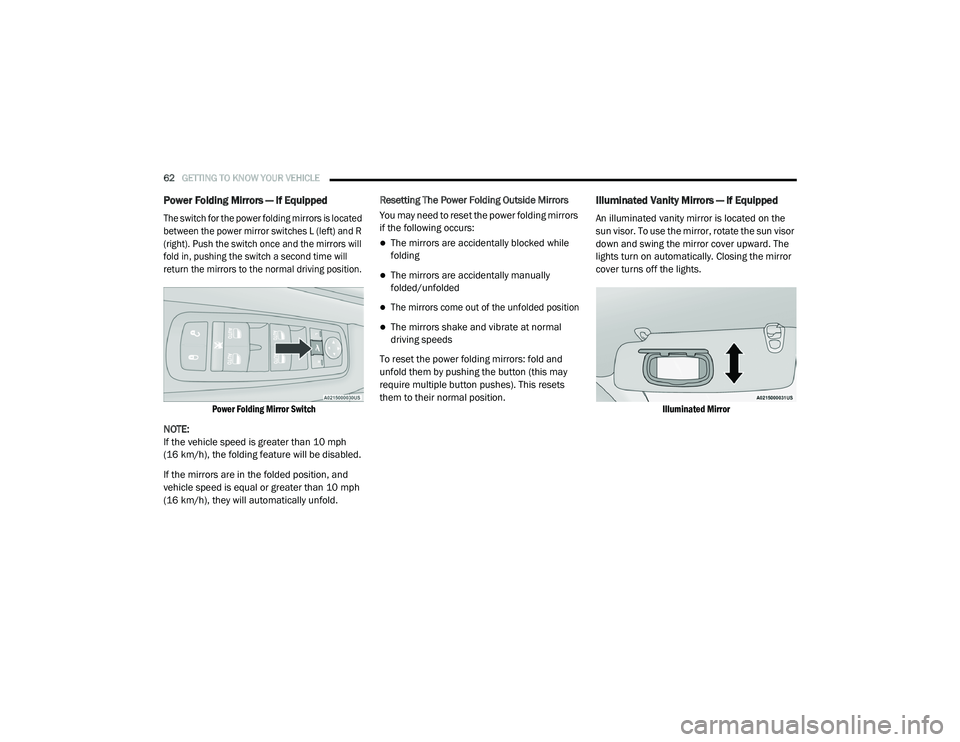
The switch for the power folding mirrors is located
between the power mirror switches L (left) and R
(right). Push the switch once and the mirrors will
fold in, pushing the switch a second time will
return the mirrors to the normal driving position.
Power Folding Mirror Switch
NOTE:
If the vehicle speed is greater than 10 mph
(16 km/h), the folding feature will be disabled.
If the mirrors are in the folded position, and
vehicle speed is equal or greater than 10 mph
(16 km/h), they will automatically unfold. Resetting The Power Folding Outside Mirrors
You may need to reset the power folding mirrors
if the following occurs:
The mirrors are accidentally blocked while
folding
The mirrors are accidentally manually
folded/unfolded
The mirrors come out of the unfolded position
The mirrors shake and vibrate at normal
driving speeds
To reset the power folding mirrors: fold and
unfold them by pushing the button (this may
require multiple button pushes). This resets
them to their normal position.
Illuminated Vanity Mirrors — If Equipped
An illuminated vanity mirror is located on the
sun visor. To use the mirror, rotate the sun visor
down and swing the mirror cover upward. The
lights turn on automatically. Closing the mirror
cover turns off the lights.
Illuminated Mirror
20_RU_OM_EN_US_t.book Page 62
Page 66 of 516
64GETTING TO KNOW YOUR VEHICLE
High/Low Beam Switch
When the headlights are turned on, pushing the
multifunction lever toward the instrument panel
will switch from low beams to high beams.
Pulling back to the neutral position returns the
headlights to the low beam operation.
Automatic High Beam — If Equipped
The Automatic High Beam system provides
increased forward lighting at night by
automating high beam control through the use
of a digital camera mounted on the windshield.
This camera detects vehicle specific light and
automatically switches from high beams to low
beams until the approaching vehicle is out of
view.
NOTE:
Broken, muddy, or obstructed headlights and
taillights of vehicles in the field of view will
cause headlights to remain on longer (closer to
the vehicle). Also, dirt, film and other obstruc -
tions on the windshield or camera lens will
cause the system to function improperly.
To Activate
1. Select “Automatic High Beams — ON” through the Uconnect system. Refer to
"Uconnect Settings” in “Multimedia” for
further information.
2. Rotate the headlight switch clockwise to the AUTO position.
3. Push the multifunction lever away from you to switch the headlights to the high beam
position. Refer to “Multifunction Lever” in
this section for further information.
NOTE:
This system will not activate until the vehicle is
at, or above 16 mph (25 km/h).
To Deactivate
Perform either of the following steps to
deactivate the Automatic High Beam system.
1. Select “Automatic High Beams — OFF” through the Uconnect System. Refer to
“Uconnect Settings” in “Multimedia” for
further information.
2. Pull the multifunction lever toward you to switch the headlights from the high beam to
the low beam position. 3. Rotate the headlight switch counter
-
clockwise from the AUTO to the on position.
NOTE:
Once active, the Automatic High Beam system
will stop functioning below 12 mph (20 km/h).
Flash-To-Pass
You can signal another vehicle with your
headlights by lightly pulling the multifunction
lever toward you. This will cause the high beam
headlights to turn on, and remain on, until the
lever is released.
Automatic Headlights — If Equipped
This system automatically turns your headlights
on or off based on ambient light levels. To turn
the system on, turn the headlight switch to the
extreme clockwise position aligning the
indicator with the AUTO on the headlight switch.
When the system is on, the Headlight Time
Delay feature is also on. This means your
headlights will stay on for up to 90 seconds
after the ignition is placed in the OFF position.
To turn the Automatic System off, turn the
headlight switch counterclockwise to the O (off)
position.
20_RU_OM_EN_US_t.book Page 64
Page 70 of 516
68GETTING TO KNOW YOUR VEHICLE
Parade Mode (Daytime Brightness Feature)
Rotate the instrument panel dimmer control
upward to the first detent. This feature
brightens all text displays such as the
odometer, instrument cluster display, and radio
when the position lights or headlights are on.
WINDSHIELD WIPER AND WASHERS
Windshield Wiper Operation
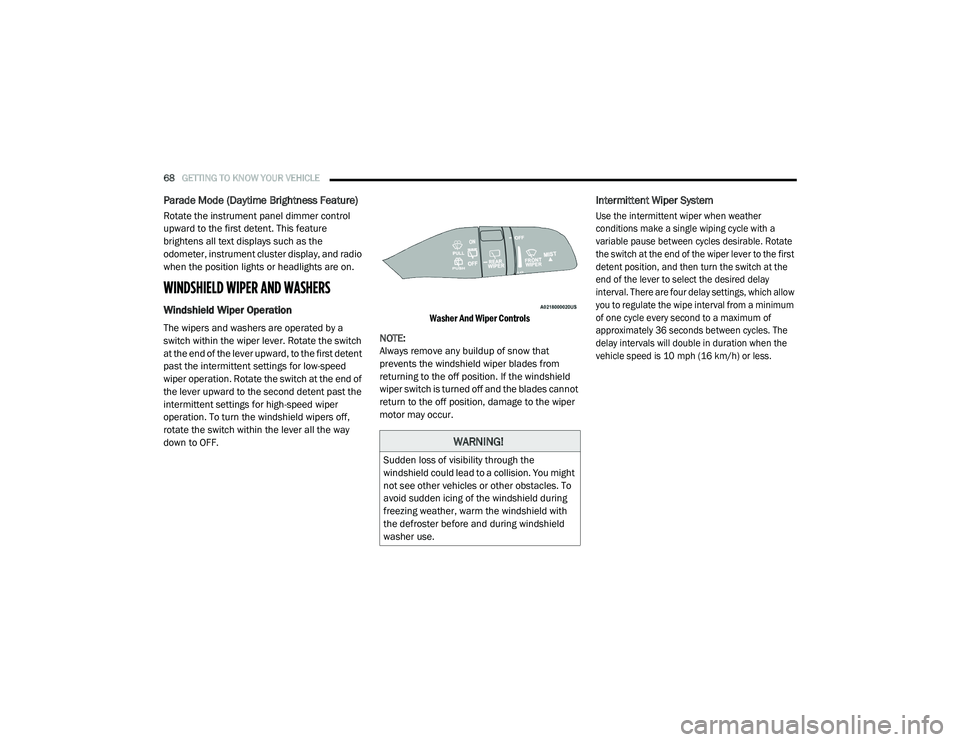
The wipers and washers are operated by a
switch within the wiper lever. Rotate the switch
at the end of the lever upward, to the first detent
past the intermittent settings for low-speed
wiper operation. Rotate the switch at the end of
the lever upward to the second detent past the
intermittent settings for high-speed wiper
operation. To turn the windshield wipers off,
rotate the switch within the lever all the way
down to OFF.
Washer And Wiper Controls
NOTE:
Always remove any buildup of snow that
prevents the windshield wiper blades from
returning to the off position. If the windshield
wiper switch is turned off and the blades cannot
return to the off position, damage to the wiper
motor may occur.
Intermittent Wiper System
Use the intermittent wiper when weather
conditions make a single wiping cycle with a
variable pause between cycles desirable. Rotate
the switch at the end of the wiper lever to the first
detent position, and then turn the switch at the
end of the lever to select the desired delay
interval. There are four delay settings, which allow
you to regulate the wipe interval from a minimum
of one cycle every second to a maximum of
approximately 36 seconds between cycles. The
delay intervals will double in duration when the
vehicle speed is 10 mph (16 km/h) or less.
WARNING!
Sudden loss of visibility through the
windshield could lead to a collision. You might
not see other vehicles or other obstacles. To
avoid sudden icing of the windshield during
freezing weather, warm the windshield with
the defroster before and during windshield
washer use.
20_RU_OM_EN_US_t.book Page 68
Page 71 of 516
GETTING TO KNOW YOUR VEHICLE69
Windshield Washers
To use the washer, pull the lever rearward
toward you and hold while spray is desired. If
the lever is pulled while on the intermittent
setting, the wipers will turn on and operate for
several wipe cycles after the lever is released,
and then resume the intermittent interval
previously selected. If the lever is pulled while
the wipers are in the off position, the wipers will
operate several wipe cycles, then turn off.
Mist Feature
Use the Mist feature when weather conditions
make occasional usage of the wipers
necessary. Push the lever upward to the MIST
position and release for a single wiping cycle.
NOTE:
The mist feature does not activate the washer
pump; therefore, no washer fluid will be sprayed
on the windshield. The wash function must be
used in order to spray the windshield with
washer fluid.
Rain Sensing Wipers — If Equipped
This feature senses rain or snowfall on the
windshield and automatically activates the
wipers for the driver. This feature is especially
useful for road splash or overspray from the
windshield washers of the vehicle ahead.
Rotate the end of the windshield wiper lever to
one of the four intermittent wiper sensitivity
settings to activate this feature.
The sensitivity of the system is adjustable from
the windshield wiper lever. Wiper sensitivity
position 3 has been calibrated for best overall
wiping sensitivity. If the operator desires more
wiping sensitivity, they may select sensitivity
position 4. If the operator desires less wiping
sensitivity, they may select sensitivity positions
2 or 1. Place the windshield wiper lever in the
OFF position when not using the system.
NOTE:
The Rain Sensing feature will not operate when
the wiper switch is in the low or high position.
The Rain Sensing feature may not function
properly when ice or dried saltwater is
present on the windshield.
Use of Rain-X or products containing wax or
silicone may reduce rain sensor performance.
The Rain Sensing feature can be turned on
and off through the Uconnect System. Refer
to “Uconnect Settings” in “Multimedia” for
further information.
The Rain Sensing system has protective
features for the wiper blades and arms. It will
not operate under the following conditions:
Low Temperature Wipe Inhibit — The Rain
Sensing feature will not operate when the
ignition is first placed in the ON position,
when the vehicle is stationary and the
outside temperature is below 32°F (0°C),
unless the wiper control on the windshield
wiper lever is moved, the vehicle speed
becomes greater than 3 mph (5 km/h) or the
outside temperature rises above freezing.
2
20_RU_OM_EN_US_t.book Page 69
Page 72 of 516
70GETTING TO KNOW YOUR VEHICLE
Neutral Wipe Inhibit — The Rain Sensing
feature will not operate when the ignition is
ON, when the transmission gear selector is in
the NEUTRAL position and the vehicle speed
is less than 3 mph (5 km/h), unless the wiper
control on the windshield wiper lever is
moved, the vehicle speed is greater than
3 mph (5 km/h) or the gear selector is moved
out of the NEUTRAL position.
Remote Start Mode Inhibit — On vehicles
equipped with Remote Starting system, Rain
Sensing wipers are not operational when the
vehicle is in the remote start mode. Once the
operator is in the vehicle and has placed the
ignition switch in the ON/RUN position, rain
sensing wiper operation can resume, if it has
been selected, and no other inhibit condi -
tions (mentioned previously) exist.
Rear Wiper And Washer
Rear Window Wiper Operation
Rotate the windshield wiper lever center ring
upwards to operate one of two modes for the
rear window wiper:
First detent — intermittent mode.
Second detent — continuous mode.
Rear Window Washer Operation
Pushing the windshield wiper lever forward
activates the rear window washer. If the lever is
pushed while on the intermittent setting, the
wipers will turn on and operate for several wipe
cycles after the lever is released, and then
resume the intermittent interval previously
selected. If the lever is pushed while the wipers
are in the off position, the wipers will operate
several wipe cycles, then turn off.
CLIMATE CONTROLS
Manual Climate Controls Overview
Uconnect 4 With 7–inch Display Manual Climate Controls
Uconnect 4/4C NAV With 8.4–inch Display Manual Climate Controls
20_RU_OM_EN_US_t.book Page 70
Page 132 of 516
130GETTING TO KNOW YOUR INSTRUMENT PANEL
The vehicle will automatically exit the Fuel and Oil
Refresh Mode when conditions have been
satisfied. If the vehicle enters Fuel and Oil
Refresh Mode, due to fuel which has been in the
fuel tank for a long period of time (becoming stale
fuel), the engine will run whenever the vehicle is
operational (no electric only operation) until the
low fuel level warning is activated. It is also
possible to exit the Fuel and Oil Refresh Mode
sooner by adding a minimum of 4 gallons of new
fuel to the vehicle’s fuel tank.
NOTE:
If the vehicle enters Fuel and Oil Refresh Mode
to maintain engine lubrication, adding fuel will
not exit the mode sooner.
If the vehicle enters Fuel and Oil Refresh Mode
to maintain engine lubrication properties, the
engine may run for a period of up to 20 minutes
when fully warm whenever the vehicle is
operational (no electric only operation). If the
vehicle is shut down before conditions to exit
the refresh mode have been satisfied, the
engine may run for additional time on
subsequent trips.NOTE:
Frequent short trips at low ambient tempera
-
ture conditions are more likely to trigger the
lubrication based mode.
KeySense Cluster Messages — If Equipped
When the KeySense key is in use there will be:
Continuous, dedicated telltale
Unique Display Splash Screen
With KeySense in use there will be multiple
associated messages shown in the following
table:
Setting Instrument Cluster Display Message
None – With vehicle ignition ON “KeySense in use. Max vehicle speed set to xx MPH/or km/h”
Max Vehicle Speed
“Max speed reached. KeySense in use” supported by a chime
“Approaching max speed xx MPH/km/h” supported by a chime
Start Up Fuel Alert message “Range to empty xxx miles or km”
Early Low Fuel Alert Message “Fuel Low”
ParkSense “Feature cannot be disabled. KeySense in use”
Blind Spot “Feature cannot be disabled. KeySense in use”
Forward Collision Warning “Feature cannot be disabled. KeySense in use”
20_RU_OM_EN_US_t.book Page 130
Page 133 of 516
GETTING TO KNOW YOUR INSTRUMENT PANEL131
Instrument Cluster Display Menu Items
The instrument cluster display can be used to
view the main menu items for several features.
Use the up and down arrow buttons to scroll
through the driver interactive display menu
options until the desired menu is reached.
NOTE:
The instrument cluster display menu items
display in the center of the instrument cluster.
Menu items may vary depending on your vehicle
features.
Refer to “Instrument Cluster Display” in this
chapter for further information.
Speedometer
Push and release the up or down arrow button
until Speedometer is highlighted in the
instrument cluster display. Push and release the
OK button to toggle between MPH and km/h.
Vehicle Info
Push and release the up or down arrow button
until Vehicle Info is highlighted in the
instrument cluster display. Push the left or right
arrow button to scroll through the following
information submenus:
Tire Pressure
If tire pressure is OK for all tires, a vehicle ICON
is displayed with tire pressure values in each
corner of the ICON.
If one or more tires have low pressure, “Inflate
Tire To XX” is displayed with the vehicle ICON,
and the tire pressure values in each corner of
the ICON with the pressure value of the low tire
displayed in a different color than the other tire
pressure value.
If the Tire Pressure system requires service,
“Service Tire Pressure System” is displayed.
Tire PSI is an information only function and
cannot be reset. Refer to “Tire Pressure
Monitoring System (TPMS)” under “Safety” for
further information. Coolant Temp
Displays the actual coolant temperature.
Transmission Temp
Displays the actual transmission temperature.
Oil Temp
Displays the actual oil temperature.
Oil Pressure
Displays the actual oil pressure.
Battery Voltage
Displays the actual battery voltage.
Engine Hours — If Equipped
Displays the number of hours of engine
operation.
Oil Life
Displays the remaining engine oil life as a
percentage.
3
20_RU_OM_EN_US_t.book Page 131
Page 140 of 516
138GETTING TO KNOW YOUR INSTRUMENT PANEL
Speed Warning — If Equipped
Push and release the up or down arrow button
until Speed Warning is highlighted in the
instrument cluster display. Push and release the
OK button to enter speed warning. Use the up or
down arrow button to turn the speed warning ON
or OFF, then push and release the OK button to
confirm the selection. If the ON status is selected,
use the up or down arrow button to set the
desired speed, then push the OK button to set
the speed for the speed warning. A speed
warning telltale will illuminate in the instrument
cluster, with a number matching the set speed,
with a pop up message to inform the driver that
the speed warning has been set to the desired
speed. Each time the set speed is exceeded, a
single chime will sound and a pop up warning
message will display. If the set speed is exceeded
more than 2 mph (3 km/h), a continuous chime
will sound for up to 10 seconds, or until the speed
is no longer exceeded. The telltale in the
instrument cluster will also change from white to
yellow, and a pop up warning message will pop up
on the instrument cluster display.
NOTE:
Speed Warning is unavailable while KeySense
is in use.
Battery Saver On/Battery Saver Mode
Message — Electrical Load Reduction
Actions — If Equipped
This vehicle is equipped with an Intelligent
Battery Sensor (IBS) to perform additional
monitoring of the electrical system and status
of the vehicle battery.
In cases when the IBS detects charging system
failure, or the 12 Volt vehicle battery conditions
are deteriorating, electrical load reduction
actions will take place to extend the driving time
and distance of the vehicle. This is done by
reducing power to or turning off non-essential
12 Volt electrical loads. Load reduction will be
functional when the vehicle propulsion system
is active.
The vehicle may not be running depending on
the HV battery SOC or temperature. It will
display a message if there is a risk of battery
depletion to the point where the vehicle may
stall due to lack of electrical supply, or will not
restart after the current drive cycle.
When 12 Volt load reduction is activated, the
message “Battery Saver On” or “Battery Saver
Mode” will appear in the instrument cluster
display. These messages indicate the vehicle battery
has a low state of charge and continues to lose
electrical charge at a rate that the charging
system cannot sustain.
NOTE:
The charging system is independent from
load reduction. The charging system
performs a diagnostic on the charging
system continuously.
If the Battery Charge Warning Light is on it
may indicate a problem with the charging
system. Refer to “Battery Charge Warning
Light” in this chapter for further information.
The electrical loads that may be switched off (if
equipped), and vehicle functions which can be
effected by load reduction:
Heated Seat/Vented Seats/Heated Wheel
Heated/Cooled Cup Holders — If Equipped
Rear Defroster And Heated Mirrors
HVAC System
115 Volts AC Power Inverter System
Audio and Telematics System
20_RU_OM_EN_US_t.book Page 138
Page 142 of 516
140GETTING TO KNOW YOUR INSTRUMENT PANEL
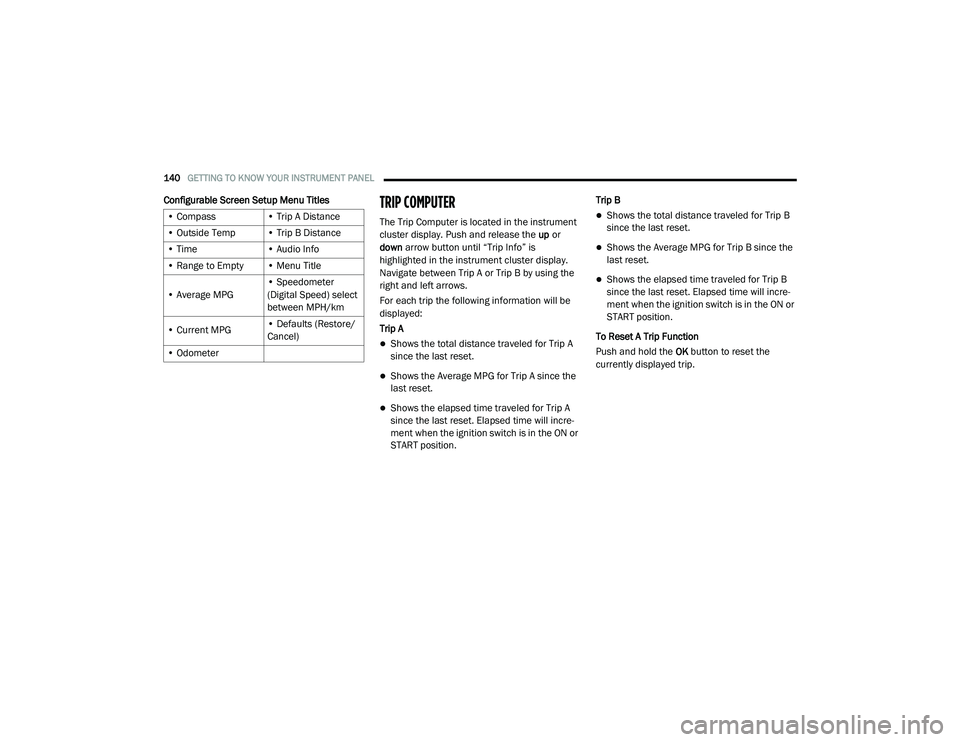
Configurable Screen Setup Menu TitlesTRIP COMPUTER
The Trip Computer is located in the instrument
cluster display. Push and release the up or
down arrow button until “Trip Info” is
highlighted in the instrument cluster display.
Navigate between Trip A or Trip B by using the
right and left arrows.
For each trip the following information will be
displayed:
Trip A
Shows the total distance traveled for Trip A
since the last reset.
Shows the Average MPG for Trip A since the
last reset.
Shows the elapsed time traveled for Trip A
since the last reset. Elapsed time will incre -
ment when the ignition switch is in the ON or
START position. Trip B
Shows the total distance traveled for Trip B
since the last reset.
Shows the Average MPG for Trip B since the
last reset.
Shows the elapsed time traveled for Trip B
since the last reset. Elapsed time will incre
-
ment when the ignition switch is in the ON or
START position.
To Reset A Trip Function
Push and hold the OK button to reset the
currently displayed trip.
• Compass
• Trip A Distance
• Outside Temp • Trip B Distance
• Time • Audio Info
• Range to Empty • Menu Title
• Average MPG • Speedometer
(Digital Speed) select
between MPH/km
• Current MPG • Defaults (Restore/
Cancel)
• Odometer
20_RU_OM_EN_US_t.book Page 140