reset CHRYSLER SEBRING CONVERTIBLE 2010 3.G User Guide
[x] Cancel search | Manufacturer: CHRYSLER, Model Year: 2010, Model line: SEBRING CONVERTIBLE, Model: CHRYSLER SEBRING CONVERTIBLE 2010 3.GPages: 457, PDF Size: 8.76 MB
Page 175 of 457
•RKE (Remote Keyless Entry) Battery Low (with a
single chime)
•Personal Settings Not Available – Vehicle Not in Park
•Personal Settings Not Available – Vehicle in Motion
•Left/Right Door Ajar (one or more, with a single
chime if speed is above 1 mph)
•Door(s) Ajar (with a single chime if vehicle is in
motion)
•Trunk Ajar (with a single chime)
•Headlights On
•Key In Ignition
•Convertible Top Not Secured (with a single chime)
•Convertible Top Complete (with a single chime)
•Secure Cargo Shield (with a single chime)
•Speed Too High (with a single chime)
•Convertible Top Malfunction (with a single chime)
•Oil Change Required (with a single chime)
Oil Change Required — If Equipped
Your vehicle is equipped with an engine oil change
indicator system. The “Oil Change Required” message
will flash in the EVIC display for approximately five
seconds after a single chime has sounded to indicate the
next scheduled oil change interval. The engine oil change
indicator system is duty cycle based, which means the
engine oil change interval may fluctuate dependent upon
your personal driving style.
Unless reset, this message will continue to display each
time you turn the ignition switch to the ON/RUN
position. To turn off the message temporarily, press and
174 UNDERSTANDING YOUR INSTRUMENT PANEL
Page 176 of 457
release the Menu button. To reset the oil change indicator
system (after performing the scheduled maintenance)
perform the following procedure:
1. Turn the ignition switch to the ON position (Do not
start the engine).
2. Fully depress the accelerator pedal slowly three times
within 10 seconds.
3. Turn the ignition switch to the LOCK position.
NOTE:If the indicator message illuminates when you
start the vehicle, the oil change indicator system did not
reset. If necessary repeat this procedure.
Trip Functions
Press and release the MENU button until one of the
following Trip Functions displays in the EVIC:
•Average Fuel Economy
•Distance To Empty
•Elapsed Time
•Display Units of Measure in
Press and release the STEP button to advance the display
through the Trip Functions.
The Trip Functions mode displays the following informa-
tion:
•Average Fuel Economy
Shows the average fuel economy since the last reset.
When the fuel economy is reset, the display will read,
RESET or show dashes for two seconds. Then, the history
information will be erased, and the averaging will con-
tinue from the last fuel average reading before the reset.
•Distance To Empty (DTE)
Shows the estimated distance that can be traveled with
the fuel remaining in the tank. This estimated distance is
determined by a weighted average of the instantaneous
4
UNDERSTANDING YOUR INSTRUMENT PANEL 175
Page 177 of 457
and average fuel economy, according to the current fuel
tank level. DTE cannot be reset through the RESET
button.
NOTE:Significant changes in driving style or vehicle
loading will greatly affect the actual drivable distance of
the vehicle, regardless of the DTE display value.
When the DTE value is less than 30 miles (48 km)
estimated driving distance, the DTE display will change
to a text display of LOW FUEL. This display will con-
tinue until the vehicle runs out of fuel. Adding a signifi-
cant amount of fuel to the vehicle will turn off the LOW
FUEL text and a new DTE value will display.
•Elapsed Time
Shows the total elapsed time of travel since the last reset.
Elapsed time will increment when the ignition switch is
in the ON or START position.
•Display Units In:
To make your selection, press and release the RESET
button until “ENGLISH” or “METRIC” appears.
To Reset The Display
Reset will only occur if a resettable function is currently
displayed. Press and hold the RESET button once to clear
the function currently displayed.
To reset all resettable functions, press and release the
RESET button a second time within three seconds of
resetting the currently displayed function (Reset ALL will
display during this three-second window).
Compass Display
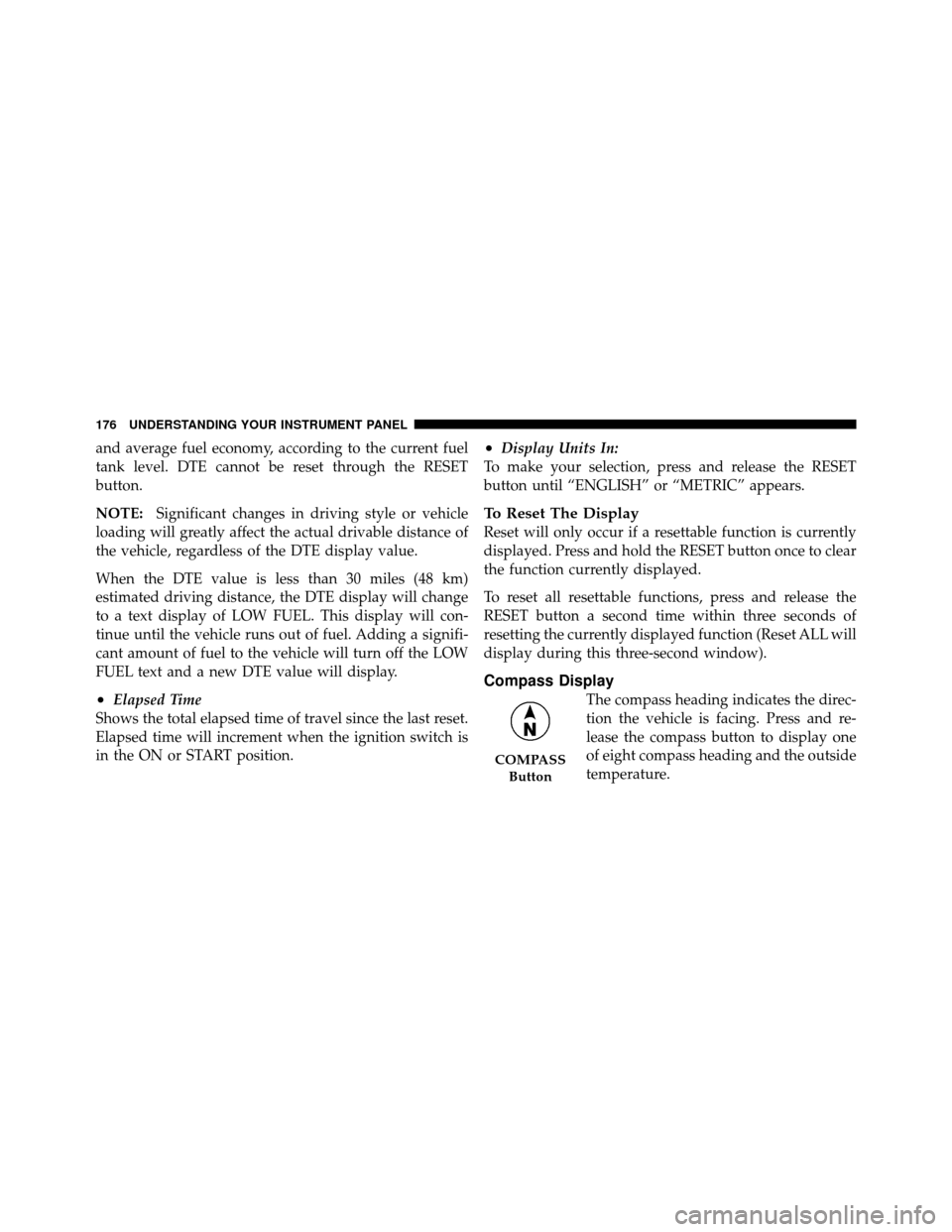
The compass heading indicates the direc-
tion the vehicle is facing. Press and re-
lease the compass button to display one
of eight compass heading and the outside
temperature.
COMPASS
Button
176 UNDERSTANDING YOUR INSTRUMENT PANEL
Page 178 of 457
NOTE:The system will display the last known outside
temperature when starting the vehicle and may need to
be driven several minutes before the updated tempera-
ture is displayed. Engine temperature can also affect the
displayed temperature, therefore temperature readings
are not updated when the vehicle is not moving.
Automatic Compass Calibration
This compass is self-calibrating, which eliminates the
need to calibrate the compass manually. When the ve-
hicle is new, the compass may appear erratic and the
EVIC will flash the CAL indicator until the compass is
calibrated. You may calibrate the compass by completing
one or more 360° turns (in an area free from large metal
or metallic objects) until the CAL indicator in the EVIC
turns off. The compass will now function normally.
Manual Compass Calibration
If the compass appears erratic, inaccurate, or abnormal,
you may wish to calibrate the compass manually. How-
ever, prior to calibrating the compass, make sure the
proper Compass Variance value is selected (Refer to
“Compass Variance” for additional information). Then
continue to calibrate the compass as follows:
1. Start the engine. Leave the shift lever in PARK in order
to enter the EVIC Programming Menus.
2. Press and release the MENU Button until “Personal
Settings” displays in the EVIC.
3. Press and release the STEP button until “Calibrate
Compass Yes” displays in the EVIC.
4. Press and release the RESET Button and the CAL
indicator will quit flashing.
4
UNDERSTANDING YOUR INSTRUMENT PANEL 177
Page 180 of 457
3. Press and release the STEP button until “Compass
Variance” and the current Variance Value displays in the
EVIC.
4. Press and release the RESET button to increment the
Variance Value by one, (one button press per update),
until the proper variance zone is selected according to the
map.
NOTE:The Variance Values will wrap around from 15
back to 1. The Default Variance is Zone 8.
5. Press and release the STEP button to exit. Press the
STEP button if you wish to calibrate the compass manu-
ally (Refer to “Manual Compass Calibration”).
Personal Settings (Customer-Programmable
Features)
Personal Settings allows the driver to set and recall
features when the automatic transaxle is in PARK. Press and release the MENU button until “Personal
Settings” displays in the EVIC.
Press and release the STEP button to display the follow-
ing programmable features:
Language
When in this display you may select different languages
for all display nomenclature, including the trip functions.
Pressing the RESET button while in this display selects
English, Spanish, French, German, Italian, or Dutch de-
pending on availability. As you continue, the displayed
information will be shown in the selected language.
Auto Unlock On Exit
When ON is selected and the transaxle is in the PARK or
NEUTRAL position, all doors will unlock when the
driver’s door is opened. To make your selection, press
and hold the RESET button until ON or OFF appears.
4
UNDERSTANDING YOUR INSTRUMENT PANEL 179
Page 181 of 457
Remote Key Unlock
WhenDriver Door 1st Press is selected, only the driver’s
door will unlock on the first press of the Remote Keyless
Entry (RKE) transmitter UNLOCK button. When Driver
Door 1st Press is selected, you must press of the RKE
transmitter UNLOCK button twice to unlock the passen-
ger’s doors. When All Doors 1st Press is selected, all of
the doors will unlock on the first press of the RKE
transmitter UNLOCK button. To make your selection,
press and release the RESET button until “Driver Door
1st Press” or “All Doors 1st Press” appears.
Sound Horn with LOCK
When ON is selected, a short horn sound will occur when
the RKE transmitter LOCK button is pressed. This feature
may be selected with or without the Flash Lights with
LOCK feature. To make your selection, press and release
the RESET button until ON or OFF appears.
Flash Lights with LOCK
When ON is selected, the front and rear turn signals will
flash when the doors are locked or unlocked with the
RKE transmitter. This feature may be selected with or
without the Sound Horn with LOCK feature selected. To
make your selection, press and release the RESET button
until ON or OFF appears.
Headlights Off Delay
When this feature is selected, the driver can choose to
have the headlights remain on for 0, 30, 60, or 90 seconds
when exiting the vehicle. To make your selection, press
and hold the RESET button until 0, 30, 60, or 90 appears.
Headlights With Wipers (Available with Auto
Headlights Only)
When ON is selected, and the headlight switch is in the
AUTO position, the headlights will turn on approxi-
mately 10 seconds after the wipers are turned on. The
headlights will also turn off when the wipers are turned
180 UNDERSTANDING YOUR INSTRUMENT PANEL
Page 182 of 457
off if they were turned on by this feature. To make your
selection, press and hold the RESET button until ON or
OFF appears.
NOTE:Turning the headlights on during the daytime
causes the instrument panel lights to dim. To increase the
brightness, refer to “Lights” in “Understanding The
Features Of Your Vehicle”.
Key Off Power Delay
When this feature is selected, the power window
switches, radio, Uconnect™ Phone (if equipped), and
power outlets will remain active for up to 10 minutes
after the ignition switch is turned to the LOCK position.
Opening a vehicle door will cancel this feature. To make
your selection, press and hold the RESET button until
OFF, 45 sec, 5 min, or 10 min appears.
Illuminated Approach
When this feature is selected, the headlights will activate
and remain on for up to 90 seconds when the doors are
unlocked with the remote keyless entry transmitter. To
make your selection, press and hold the RESET button
until “OFF,” “30 sec,” “60 sec,” or “90 sec” appears.
Hill Start Assist (HSA) — If Equipped
When on is selected, the HSA system is active. Refer to
“Electronic Brake Control System” in “Starting And
Operating” for system function and operating informa-
tion. To make your selection, press and release the RESET
button until “On” or “Off” appears.
Display Units In
The EVIC and odometer can be changed between English
and Metric units of measure. To make your selection,
press and release the RESET button until “ENGLISH” or
“METRIC” appears.
4
UNDERSTANDING YOUR INSTRUMENT PANEL 181
Page 188 of 457
By pressing the SEEK button when the Music Type icon
is displayed, the radio will be tuned to the next frequency
station with the same selected Music Type name. The
Music Type function only operates when in the FM
mode.
If a preset button is activated while in the Music Type
(Program Type) mode, the Music Type mode will be
exited and the radio will tune to the preset station.
SETUP Button
Pressing the SETUP button allows you to select between
the following items:
NOTE:Turn the TUNE/SCROLL control knob to scroll
through the entries. Push the AUDIO/SELECT button to
select an entry and make changes.
•DVD Enter - When the disc is in DVD Menu mode,
selecting DVD Enter will allow you to play the current
highlighted selection. Use the remote control to scroll
up and down the menu (if equipped).
•DISC Play/Pause - You can toggle between
playing the DVD and pausing the DVD by
pushing the SELECT button (if equipped).
•DVD Play Options - Selecting the DVD Play Options
will display the following:
•Subtitle – Repeatedly pressing SELECT will switch
subtitles to different subtitle languages that are
available on the disc (if equipped).
•Audio Stream – Repeatedly pressing SELECT will
switch to different audio languages (if supported on
the disc) (if equipped).
4
UNDERSTANDING YOUR INSTRUMENT PANEL 187
Page 191 of 457
a disc is loaded, changes will not be effective. Also, the
defaults are effective only if the disc supports the
customer-preferred settings.
AM and FM Buttons
Press the buttons to select AM or FM mode.
SET Button — To Set the Pushbutton Memory
When you are receiving a station that you wish to
commit to pushbutton memory, press the SET button.
The symbol SET 1 will now show in the display window.
Select the button (1-6) you wish to lock onto this station
and press and release that button. If a button is not
selected within five seconds after pressing the SET but-
ton, the station will continue to play but will not be
stored into pushbutton memory.
You may add a second station to each pushbutton by
repeating the above procedure with this exception: Press
the SET button twice and SET 2 will show in the display
window. Each button can be set for SET 1 and SET 2 inboth AM and FM. This allows a total of 12 AM, 12 FM,
and 12 Satellite (if equipped) stations to be stored into
pushbutton memory. The stations stored in SET 2
memory can be selected by pressing the pushbutton
twice.
Every time a preset button is used, a corresponding
button number will display.
Buttons 1 - 6
These buttons tune the radio to the stations that you
commit to pushbutton memory {12 AM, 12 FM, and 12
Satellite (if equipped) stations}.
DISC Button
Pressing the DISC button will allow you to switch from
AM/FM modes to Disc modes.
190 UNDERSTANDING YOUR INSTRUMENT PANEL
Page 206 of 457
SET/RND Button — To Set the Pushbutton
Memory
When you are receiving a station that you wish to
commit to pushbutton memory, press the SET/RND
button. The symbol SET 1 will now show in the display
window. Select the button (1 to 6) you wish to lock onto
this station and press and release that button. If a button
is not selected within five seconds after pressing the
SET/RND button, the station will continue to play but
will not be stored into pushbutton memory.
You may add a second station to each pushbutton by
repeating the above procedure with this exception: Press
the SET/RND button twice and SET 2 will show in the
display window. Each button can be set for SET 1 and
SET 2 in both AM and FM. This allows a total of 12 AM
and 12 FM stations to be stored into pushbutton memory.
The stations stored in SET 2 memory can be selected by
pressing the pushbutton twice.Every time a preset button is used, a corresponding
button number will display.Buttons 1 - 6
These buttons tune the radio to the stations that you
commit to pushbutton memory (12 AM and 12 FM
stations).
DISC Button
Pressing the DISC button will allow you to switch from
AM/FM modes to Disc modes.
Operation Instructions — CD MODE For CD And
MP3 Audio Play
NOTE:
•The ignition switch must be in the ON or ACC
position to operate the radio.
•This radio is capable of playing compact discs (CD),
recordable compact discs (CD-R), rewritable compact
4
UNDERSTANDING YOUR INSTRUMENT PANEL 205