ignition CHRYSLER VOYAGER 2001 Service Manual
[x] Cancel search | Manufacturer: CHRYSLER, Model Year: 2001, Model line: VOYAGER, Model: CHRYSLER VOYAGER 2001Pages: 4284, PDF Size: 83.53 MB
Page 926 of 4284
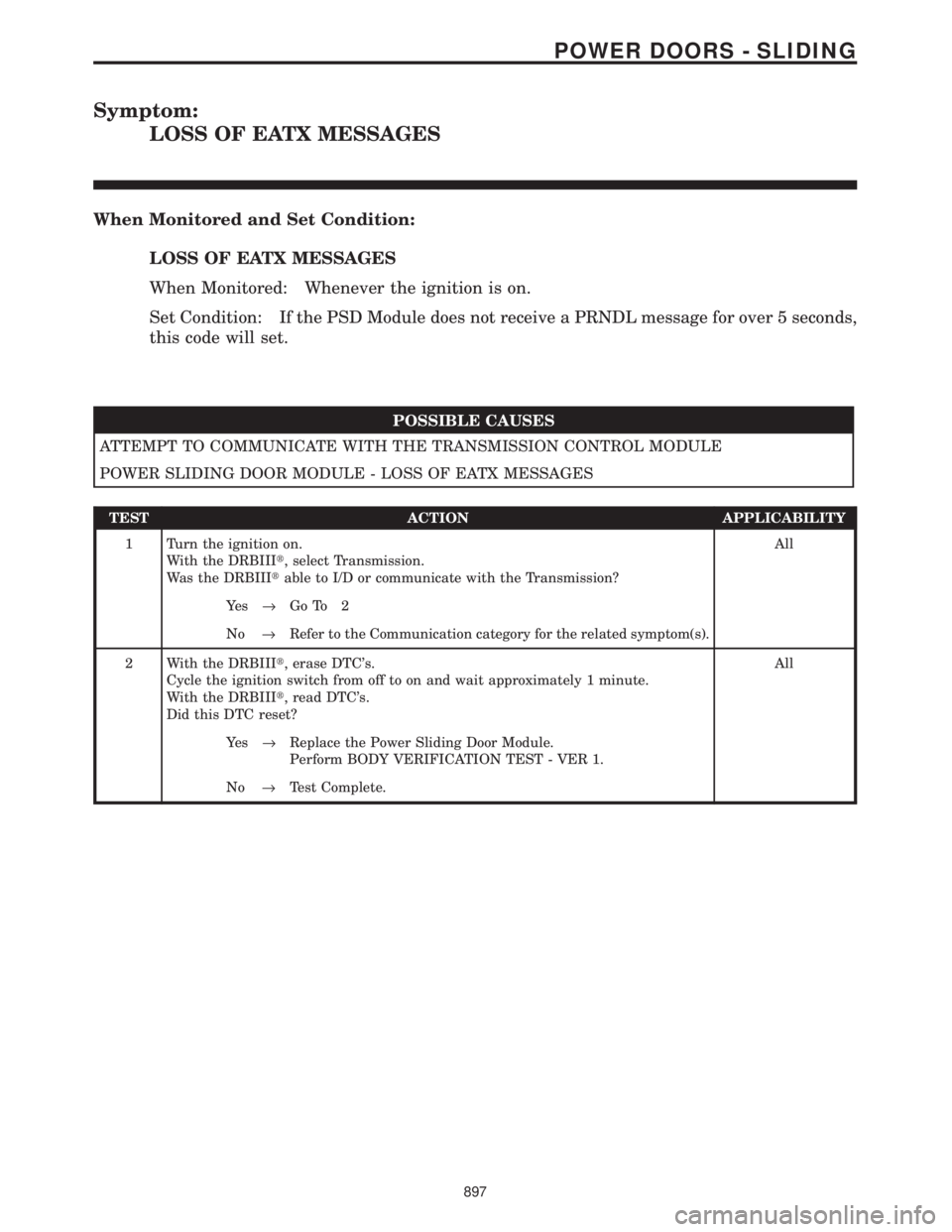
Symptom:
LOSS OF EATX MESSAGES
When Monitored and Set Condition:
LOSS OF EATX MESSAGES
When Monitored: Whenever the ignition is on.
Set Condition: If the PSD Module does not receive a PRNDL message for over 5 seconds,
this code will set.
POSSIBLE CAUSES
ATTEMPT TO COMMUNICATE WITH THE TRANSMISSION CONTROL MODULE
POWER SLIDING DOOR MODULE - LOSS OF EATX MESSAGES
TEST ACTION APPLICABILITY
1 Turn the ignition on.
With the DRBIIIt, select Transmission.
Was the DRBIIItable to I/D or communicate with the Transmission?All
Ye s®Go To 2
No®Refer to the Communication category for the related symptom(s).
2 With the DRBIIIt, erase DTC's.
Cycle the ignition switch from off to on and wait approximately 1 minute.
With the DRBIIIt, read DTC's.
Did this DTC reset?All
Ye s®Replace the Power Sliding Door Module.
Perform BODY VERIFICATION TEST - VER 1.
No®Test Complete.
897
POWER DOORS - SLIDING
Page 927 of 4284
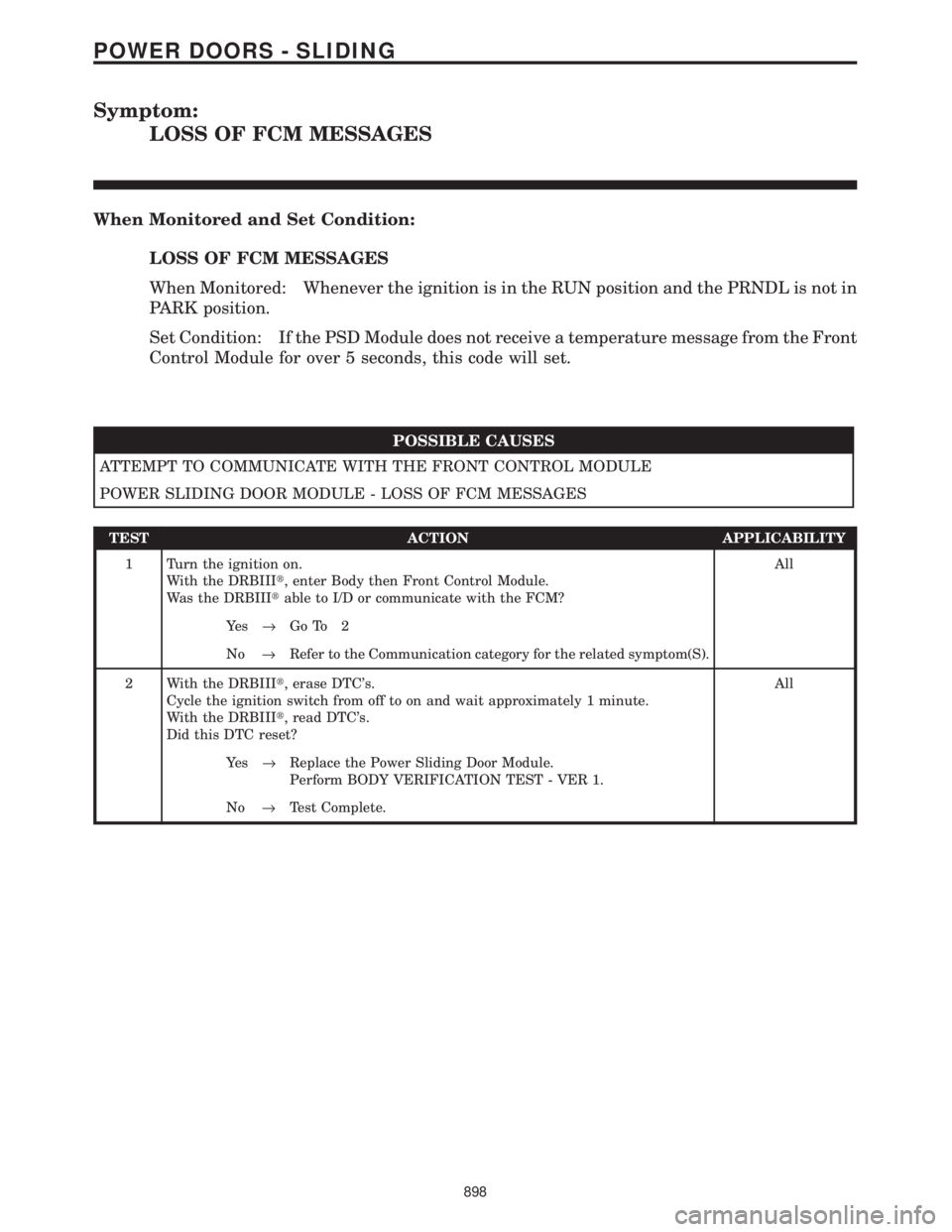
Symptom:
LOSS OF FCM MESSAGES
When Monitored and Set Condition:
LOSS OF FCM MESSAGES
When Monitored: Whenever the ignition is in the RUN position and the PRNDL is not in
PARK position.
Set Condition: If the PSD Module does not receive a temperature message from the Front
Control Module for over 5 seconds, this code will set.
POSSIBLE CAUSES
ATTEMPT TO COMMUNICATE WITH THE FRONT CONTROL MODULE
POWER SLIDING DOOR MODULE - LOSS OF FCM MESSAGES
TEST ACTION APPLICABILITY
1 Turn the ignition on.
With the DRBIIIt, enter Body then Front Control Module.
Was the DRBIIItable to I/D or communicate with the FCM?All
Ye s®Go To 2
No®Refer to the Communication category for the related symptom(S).
2 With the DRBIIIt, erase DTC's.
Cycle the ignition switch from off to on and wait approximately 1 minute.
With the DRBIIIt, read DTC's.
Did this DTC reset?All
Ye s®Replace the Power Sliding Door Module.
Perform BODY VERIFICATION TEST - VER 1.
No®Test Complete.
898
POWER DOORS - SLIDING
Page 928 of 4284

Symptom:
LOSS OF SBEC MESSAGES
When Monitored and Set Condition:
LOSS OF SBEC MESSAGES
When Monitored: Whenever the ignition is in RUN position and the PRNDL is not in
PARK position.
Set Condition: If the PSD Module does not receive a speed message from the Powertrain
Control Module for over 5 seconds, this code will set.
POSSIBLE CAUSES
ATTEMPT TO COMMUNICATE WITH THE POWERTRAIN CONTROL MODULE
POWER SLIDING DOOR MODULE - LOSS OF SBEC MESSAGES
TEST ACTION APPLICABILITY
1 Turn the ignition on.
With the DRBIIIt, select Engine.
Was the DRBIIItable to I/D or communicate with the Transmission?All
Ye s®Go To 2
No®Refer to the Communication category for the related symptom(s).
2 With the DRBIIIt, erase DTC's.
Cycle the ignition switch from OFF to RUN and wait approximately 1 minute.
With the DRBIIIt, read DTC's.
Did this DTC reset?All
Ye s®Replace the Power Sliding Door Module.
Perform BODY VERIFICATION TEST - VER 1.
No®Test Complete.
899
POWER DOORS - SLIDING
Page 929 of 4284
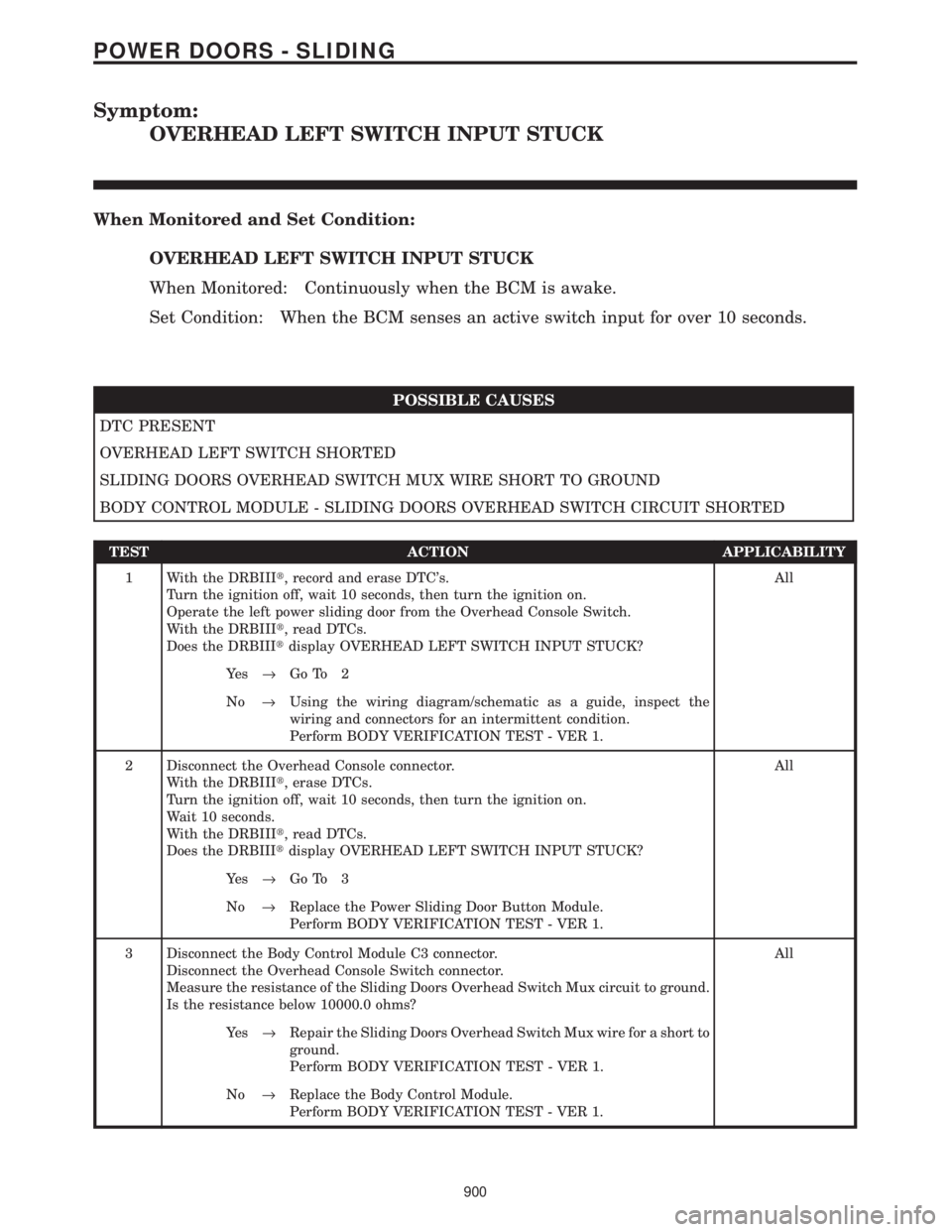
Symptom:
OVERHEAD LEFT SWITCH INPUT STUCK
When Monitored and Set Condition:
OVERHEAD LEFT SWITCH INPUT STUCK
When Monitored: Continuously when the BCM is awake.
Set Condition: When the BCM senses an active switch input for over 10 seconds.
POSSIBLE CAUSES
DTC PRESENT
OVERHEAD LEFT SWITCH SHORTED
SLIDING DOORS OVERHEAD SWITCH MUX WIRE SHORT TO GROUND
BODY CONTROL MODULE - SLIDING DOORS OVERHEAD SWITCH CIRCUIT SHORTED
TEST ACTION APPLICABILITY
1 With the DRBIIIt, record and erase DTC's.
Turn the ignition off, wait 10 seconds, then turn the ignition on.
Operate the left power sliding door from the Overhead Console Switch.
With the DRBIIIt, read DTCs.
Does the DRBIIItdisplay OVERHEAD LEFT SWITCH INPUT STUCK?All
Ye s®Go To 2
No®Using the wiring diagram/schematic as a guide, inspect the
wiring and connectors for an intermittent condition.
Perform BODY VERIFICATION TEST - VER 1.
2 Disconnect the Overhead Console connector.
With the DRBIIIt, erase DTCs.
Turn the ignition off, wait 10 seconds, then turn the ignition on.
Wait 10 seconds.
With the DRBIIIt, read DTCs.
Does the DRBIIItdisplay OVERHEAD LEFT SWITCH INPUT STUCK?All
Ye s®Go To 3
No®Replace the Power Sliding Door Button Module.
Perform BODY VERIFICATION TEST - VER 1.
3 Disconnect the Body Control Module C3 connector.
Disconnect the Overhead Console Switch connector.
Measure the resistance of the Sliding Doors Overhead Switch Mux circuit to ground.
Is the resistance below 10000.0 ohms?All
Ye s®Repair the Sliding Doors Overhead Switch Mux wire for a short to
ground.
Perform BODY VERIFICATION TEST - VER 1.
No®Replace the Body Control Module.
Perform BODY VERIFICATION TEST - VER 1.
900
POWER DOORS - SLIDING
Page 930 of 4284

Symptom:
OVERHEAD RIGHT SWITCH INPUT STUCK
When Monitored and Set Condition:
OVERHEAD RIGHT SWITCH INPUT STUCK
When Monitored: Continuously when the BCM is awake.
Set Condition: When the BCM senses an active switch input for over 10 seconds.
POSSIBLE CAUSES
DTC PRESENT
OVERHEAD RIGHT SWITCH SHORTED
SLIDING DOORS OVERHEAD SWITCH MUX WIRE SHORT TO GROUND
BODY CONTROL MODULE - SLIDING DOORS OVERHEAD SWITCH CIRCUIT SHORTED
TEST ACTION APPLICABILITY
1 With the DRBIIIt, record and erase DTC's.
Turn the ignition off, wait 10 seconds, then turn the ignition on.
Operate the right power sliding door from the Overhead Console Switch.
With the DRBIIIt, read DTCs.
Does the DRBIIItdisplay OVERHEAD RIGHT SWITCH INPUT STUCK?All
Ye s®Go To 2
No®Using the wiring diagram/schematic as a guide, inspect the
wiring and connectors for an intermittent condition.
Perform BODY VERIFICATION TEST - VER 1.
2 Disconnect the Overhead Console Switch connector.
Turn the ignition off, wait 10 seconds, then turn the ignition on.
Wait 10 seconds.
With the DRBIIIt, read DTCs.
Does the DRBIIItdisplay OVERHEAD RIGHT SWITCH INPUT STUCK?All
No®Replace the Power Sliding Door Button Module.
Perform BODY VERIFICATION TEST - VER 1.
Ye s®Go To 3
3 Disconnect the Body Control Module C3 connector.
Disconnect the Overhead Console Switch connector.
Measure the resistance of the Sliding Doors Overhead Switch Mux circuit to ground.
Is the resistance below 2000.0 ohms?All
Ye s®Repair the Sliding Doors Overhead Switch Mux wire for a short to
ground.
Perform BODY VERIFICATION TEST - VER 1.
No®Replace the Body Control Module.
Perform BODY VERIFICATION TEST - VER 1.
901
POWER DOORS - SLIDING
Page 931 of 4284
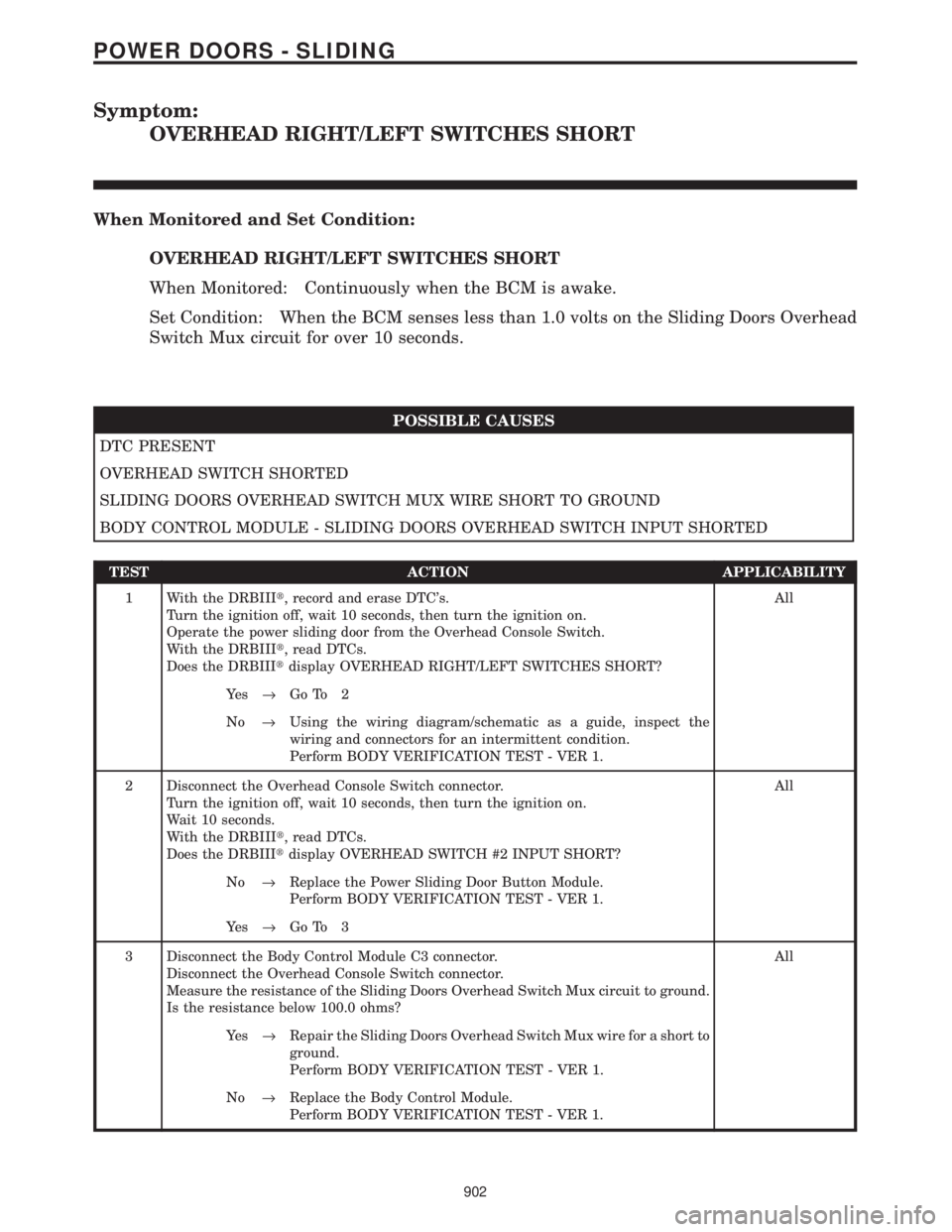
Symptom:
OVERHEAD RIGHT/LEFT SWITCHES SHORT
When Monitored and Set Condition:
OVERHEAD RIGHT/LEFT SWITCHES SHORT
When Monitored: Continuously when the BCM is awake.
Set Condition: When the BCM senses less than 1.0 volts on the Sliding Doors Overhead
Switch Mux circuit for over 10 seconds.
POSSIBLE CAUSES
DTC PRESENT
OVERHEAD SWITCH SHORTED
SLIDING DOORS OVERHEAD SWITCH MUX WIRE SHORT TO GROUND
BODY CONTROL MODULE - SLIDING DOORS OVERHEAD SWITCH INPUT SHORTED
TEST ACTION APPLICABILITY
1 With the DRBIIIt, record and erase DTC's.
Turn the ignition off, wait 10 seconds, then turn the ignition on.
Operate the power sliding door from the Overhead Console Switch.
With the DRBIIIt, read DTCs.
Does the DRBIIItdisplay OVERHEAD RIGHT/LEFT SWITCHES SHORT?All
Ye s®Go To 2
No®Using the wiring diagram/schematic as a guide, inspect the
wiring and connectors for an intermittent condition.
Perform BODY VERIFICATION TEST - VER 1.
2 Disconnect the Overhead Console Switch connector.
Turn the ignition off, wait 10 seconds, then turn the ignition on.
Wait 10 seconds.
With the DRBIIIt, read DTCs.
Does the DRBIIItdisplay OVERHEAD SWITCH #2 INPUT SHORT?All
No®Replace the Power Sliding Door Button Module.
Perform BODY VERIFICATION TEST - VER 1.
Ye s®Go To 3
3 Disconnect the Body Control Module C3 connector.
Disconnect the Overhead Console Switch connector.
Measure the resistance of the Sliding Doors Overhead Switch Mux circuit to ground.
Is the resistance below 100.0 ohms?All
Ye s®Repair the Sliding Doors Overhead Switch Mux wire for a short to
ground.
Perform BODY VERIFICATION TEST - VER 1.
No®Replace the Body Control Module.
Perform BODY VERIFICATION TEST - VER 1.
902
POWER DOORS - SLIDING
Page 932 of 4284
Symptom:
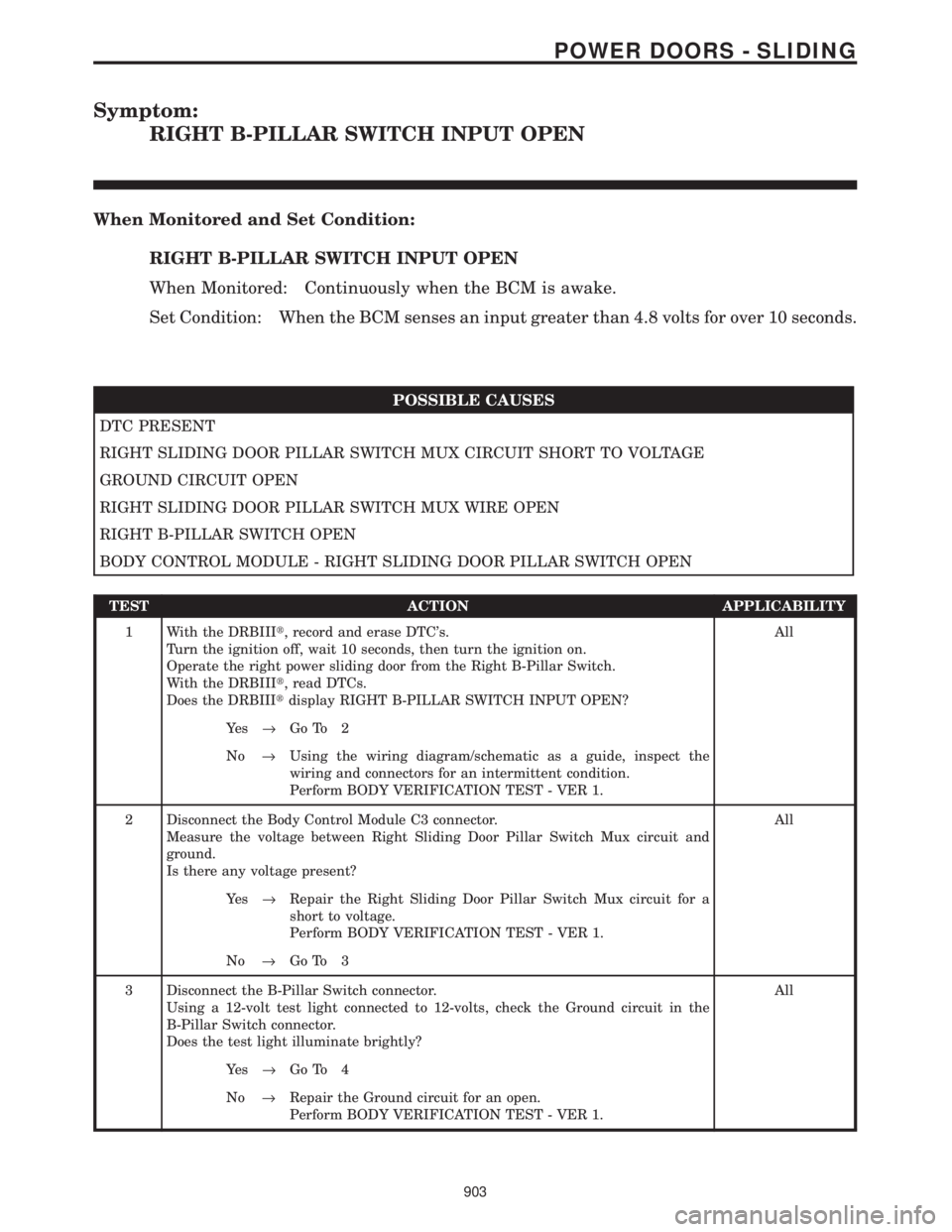
RIGHT B-PILLAR SWITCH INPUT OPEN
When Monitored and Set Condition:
RIGHT B-PILLAR SWITCH INPUT OPEN
When Monitored: Continuously when the BCM is awake.
Set Condition: When the BCM senses an input greater than 4.8 volts for over 10 seconds.
POSSIBLE CAUSES
DTC PRESENT
RIGHT SLIDING DOOR PILLAR SWITCH MUX CIRCUIT SHORT TO VOLTAGE
GROUND CIRCUIT OPEN
RIGHT SLIDING DOOR PILLAR SWITCH MUX WIRE OPEN
RIGHT B-PILLAR SWITCH OPEN
BODY CONTROL MODULE - RIGHT SLIDING DOOR PILLAR SWITCH OPEN
TEST ACTION APPLICABILITY
1 With the DRBIIIt, record and erase DTC's.
Turn the ignition off, wait 10 seconds, then turn the ignition on.
Operate the right power sliding door from the Right B-Pillar Switch.
With the DRBIIIt, read DTCs.
Does the DRBIIItdisplay RIGHT B-PILLAR SWITCH INPUT OPEN?All
Ye s®Go To 2
No®Using the wiring diagram/schematic as a guide, inspect the
wiring and connectors for an intermittent condition.
Perform BODY VERIFICATION TEST - VER 1.
2 Disconnect the Body Control Module C3 connector.
Measure the voltage between Right Sliding Door Pillar Switch Mux circuit and
ground.
Is there any voltage present?All
Ye s®Repair the Right Sliding Door Pillar Switch Mux circuit for a
short to voltage.
Perform BODY VERIFICATION TEST - VER 1.
No®Go To 3
3 Disconnect the B-Pillar Switch connector.
Using a 12-volt test light connected to 12-volts, check the Ground circuit in the
B-Pillar Switch connector.
Does the test light illuminate brightly?All
Ye s®Go To 4
No®Repair the Ground circuit for an open.
Perform BODY VERIFICATION TEST - VER 1.
903
POWER DOORS - SLIDING
Page 934 of 4284
Symptom:
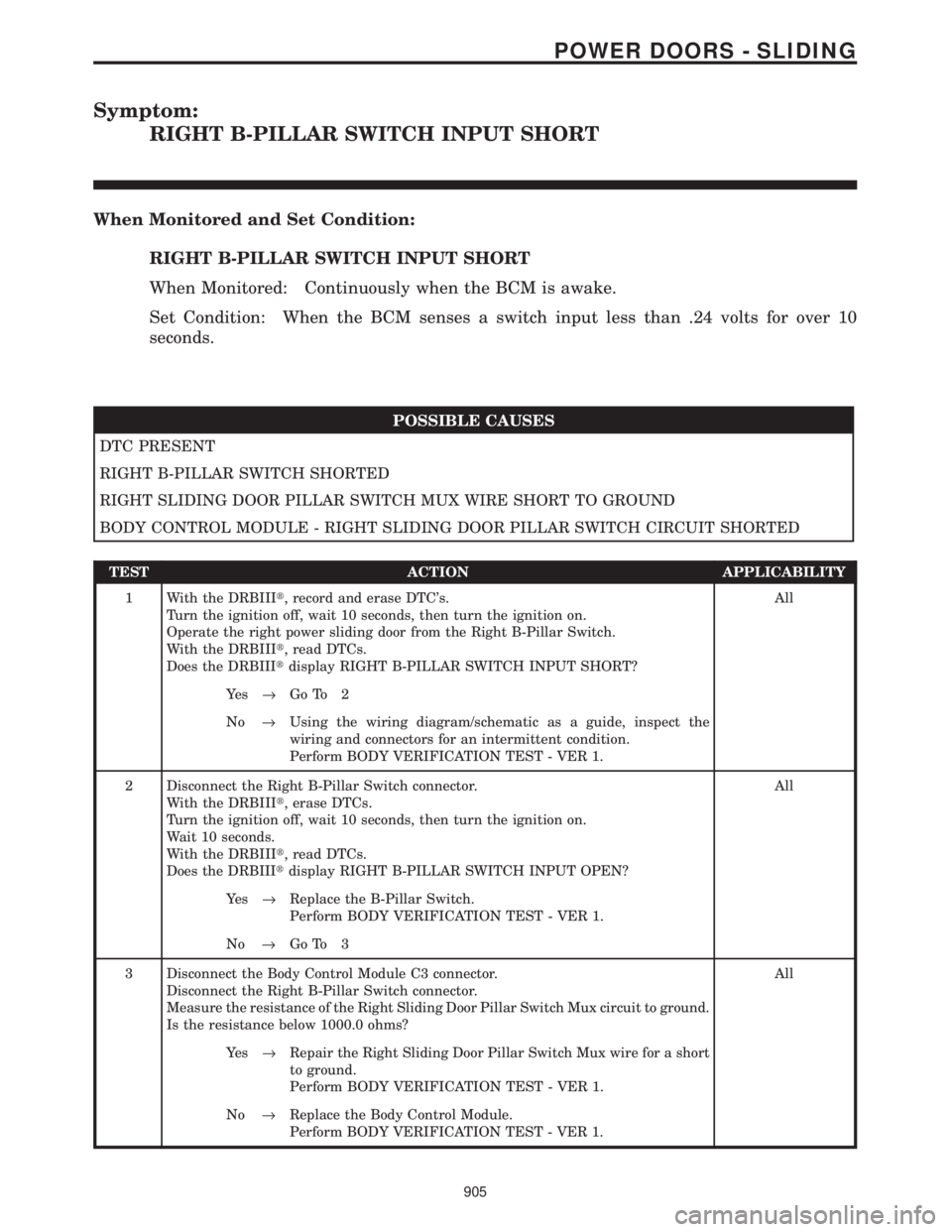
RIGHT B-PILLAR SWITCH INPUT SHORT
When Monitored and Set Condition:
RIGHT B-PILLAR SWITCH INPUT SHORT
When Monitored: Continuously when the BCM is awake.
Set Condition: When the BCM senses a switch input less than .24 volts for over 10
seconds.
POSSIBLE CAUSES
DTC PRESENT
RIGHT B-PILLAR SWITCH SHORTED
RIGHT SLIDING DOOR PILLAR SWITCH MUX WIRE SHORT TO GROUND
BODY CONTROL MODULE - RIGHT SLIDING DOOR PILLAR SWITCH CIRCUIT SHORTED
TEST ACTION APPLICABILITY
1 With the DRBIIIt, record and erase DTC's.
Turn the ignition off, wait 10 seconds, then turn the ignition on.
Operate the right power sliding door from the Right B-Pillar Switch.
With the DRBIIIt, read DTCs.
Does the DRBIIItdisplay RIGHT B-PILLAR SWITCH INPUT SHORT?All
Ye s®Go To 2
No®Using the wiring diagram/schematic as a guide, inspect the
wiring and connectors for an intermittent condition.
Perform BODY VERIFICATION TEST - VER 1.
2 Disconnect the Right B-Pillar Switch connector.
With the DRBIIIt, erase DTCs.
Turn the ignition off, wait 10 seconds, then turn the ignition on.
Wait 10 seconds.
With the DRBIIIt, read DTCs.
Does the DRBIIItdisplay RIGHT B-PILLAR SWITCH INPUT OPEN?All
Ye s®Replace the B-Pillar Switch.
Perform BODY VERIFICATION TEST - VER 1.
No®Go To 3
3 Disconnect the Body Control Module C3 connector.
Disconnect the Right B-Pillar Switch connector.
Measure the resistance of the Right Sliding Door Pillar Switch Mux circuit to ground.
Is the resistance below 1000.0 ohms?All
Ye s®Repair the Right Sliding Door Pillar Switch Mux wire for a short
to ground.
Perform BODY VERIFICATION TEST - VER 1.
No®Replace the Body Control Module.
Perform BODY VERIFICATION TEST - VER 1.
905
POWER DOORS - SLIDING
Page 935 of 4284

Symptom:
RIGHT B-PILLAR SWITCH INPUT STUCK
When Monitored and Set Condition:
RIGHT B-PILLAR SWITCH INPUT STUCK
When Monitored: Continuously when the BCM is awake.
Set Condition: When the BCM senses an active switch input for over 10 seconds.
POSSIBLE CAUSES
DTC PRESENT
RIGHT B-PILLAR SWITCH SHORTED
RIGHT SLIDING DOOR PILLAR SWITCH MUX WIRE SHORT TO GROUND
BODY CONTROL MODULE - RIGHT SLIDING DOOR PILLAR SWITCH CIRCUIT SHORTED
TEST ACTION APPLICABILITY
1 With the DRBIIIt, record and erase DTC's.
Turn the ignition off, wait 10 seconds, then turn the ignition on.
Operate the right power sliding door from the Right B-Pillar Switch.
With the DRBIIIt, read DTCs.
Does the DRBIIItdisplay RIGHT B-PILLAR SWITCH INPUT STUCK?All
Ye s®Go To 2
No®Using the wiring diagram/schematic as a guide, inspect the
wiring and connectors for an intermittent condition.
Perform BODY VERIFICATION TEST - VER 1.
2 Disconnect the Right B-Pillar Switch connector.
With the DRBIIIt, read DTCs.
Does the DRBIIItdisplay RIGHT B-PILLAR SWITCH INPUT OPEN?All
Ye s®Replace the B-Pillar Switch.
Perform BODY VERIFICATION TEST - VER 1.
No®Go To 3
3 Disconnect the Body Control Module C3 connector.
Disconnect the Right B-Pillar Switch connector.
Measure the resistance of the Right Sliding Door Pillar Switch Mux circuit to ground.
Is the resistance below 10000.0 ohms?All
Ye s®Repair the Right Sliding Door Pillar Switch Mux wire for a short
to ground.
Perform BODY VERIFICATION TEST - VER 1.
No®Replace the Body Control Module.
Perform BODY VERIFICATION TEST - VER 1.
906
POWER DOORS - SLIDING
Page 951 of 4284
Symptom:
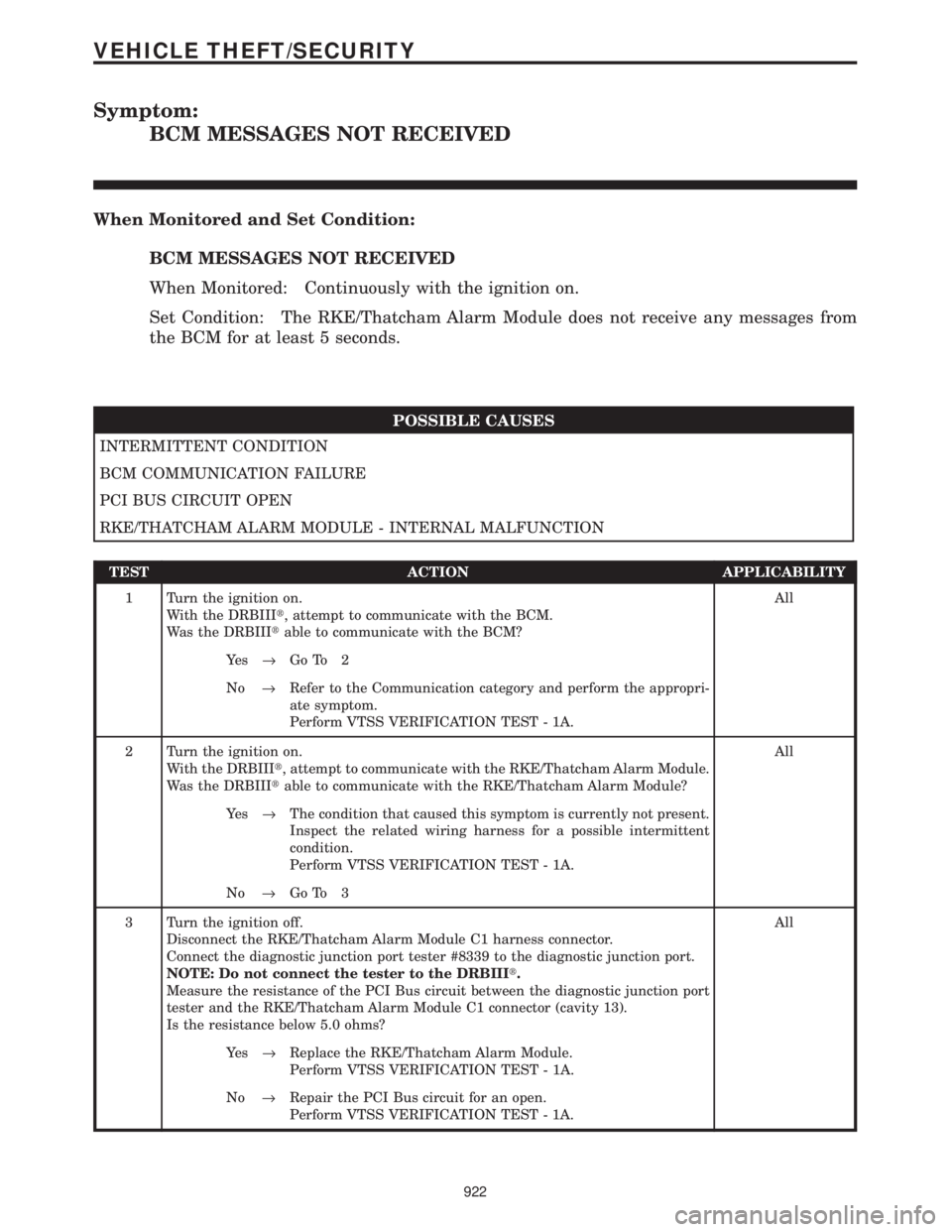
BCM MESSAGES NOT RECEIVED
When Monitored and Set Condition:
BCM MESSAGES NOT RECEIVED
When Monitored: Continuously with the ignition on.
Set Condition: The RKE/Thatcham Alarm Module does not receive any messages from
the BCM for at least 5 seconds.
POSSIBLE CAUSES
INTERMITTENT CONDITION
BCM COMMUNICATION FAILURE
PCI BUS CIRCUIT OPEN
RKE/THATCHAM ALARM MODULE - INTERNAL MALFUNCTION
TEST ACTION APPLICABILITY
1 Turn the ignition on.
With the DRBIIIt, attempt to communicate with the BCM.
Was the DRBIIItable to communicate with the BCM?All
Ye s®Go To 2
No®Refer to the Communication category and perform the appropri-
ate symptom.
Perform VTSS VERIFICATION TEST - 1A.
2 Turn the ignition on.
With the DRBIIIt, attempt to communicate with the RKE/Thatcham Alarm Module.
Was the DRBIIItable to communicate with the RKE/Thatcham Alarm Module?All
Ye s®The condition that caused this symptom is currently not present.
Inspect the related wiring harness for a possible intermittent
condition.
Perform VTSS VERIFICATION TEST - 1A.
No®Go To 3
3 Turn the ignition off.
Disconnect the RKE/Thatcham Alarm Module C1 harness connector.
Connect the diagnostic junction port tester #8339 to the diagnostic junction port.
NOTE: Do not connect the tester to the DRBIIIt.
Measure the resistance of the PCI Bus circuit between the diagnostic junction port
tester and the RKE/Thatcham Alarm Module C1 connector (cavity 13).
Is the resistance below 5.0 ohms?All
Ye s®Replace the RKE/Thatcham Alarm Module.
Perform VTSS VERIFICATION TEST - 1A.
No®Repair the PCI Bus circuit for an open.
Perform VTSS VERIFICATION TEST - 1A.
922
VEHICLE THEFT/SECURITY