instrument CITROEN C-ELYSÉE 2017 Handbook (in English)
[x] Cancel search | Manufacturer: CITROEN, Model Year: 2017, Model line: C-ELYSÉE, Model: CITROEN C-ELYSÉE 2017Pages: 306, PDF Size: 9.34 MB
Page 115 of 306

113
Manual operation
F Select position M for sequential changing
of the six gears.
F
M
ove the selector towards the + sign to
change up a gear.
F
M
ove the selector towards the - sign to
change down a gear.
It is only possible to change from one gear to
another if the vehicle speed and engine speed
permit; otherwise, the gearbox will operate
temporarily in automatic mode.
D disappears and the gears
engaged appear in succession in
the instrument panel.
If the engine speed is too low or too high, the
gear selected flashes for a few seconds, then
the actual gear engaged is displayed.
It is possible to change from position D
(automatic) to position M (manual) at any time.
When the vehicle is stationary or moving
very slowly, the gearbox engages first gear
automatically.
The sport and snow programmes are
inactive in manual operation.Invalid value during manual
operation
This symbol is displayed if a gear
is not engaged correctly (selector
between two positions).
Snow programme T
F Press the " T" button, after starting the
engine.
The gearbox adapts to driving on slippery
roads.
This programme improves starting and traction
when grip is poor.
At any time, press the selected button
again to quit the programme engaged and
return to auto-adaptive mode. T appears in the instrument panel.
6
Driving
Page 117 of 306

115
Gear shift indicator
System which reduces fuel consumption by
advising the driver when to change up.With an electronic or automatic gearbox,
the system is only active in manual mode.
Operation
Depending on the driving situation and your
vehicle's equipment, the system may advise
you to skip one (or more) gear(s). You can
follow this instruction without engaging the
intermediate gears.
Gearshift recommendations should not be
considered obligatory. The configuration of the
road, the amount of traffic and safety remain
determining factors when choosing the best
gear. The driver thus remains responsible
for deciding whether to follow or ignore the
system's instructions.
This function cannot be deactivated. Example:
-
Y
ou are in third gear.
-
Y
ou press the accelerator pedal.
-
T
he system may suggest that you engage
a higher gear.
The information appears in the instrument
panel in the form of an arrow. The system adapts its gear change
recommendation according to the
driving conditions (slope, load, etc.)
and the demands of the driver (power,
acceleration, braking, etc.).
The system never suggests:
-
e
ngaging first gear,
-
enga
ging reverse gear,
-
enga
ging a lower gear.
On vehicles fitted with a manual gearbox,
the arrow is accompanied by the
recommended gear.
6
Driving
Page 118 of 306

116
Stop & Start
The Stop & Start system puts the engine
temporarily into standby - STOP mode - during
stops in the traffic (red lights, traffic jams, or
other...). The engine restarts automatically -
START mode - as soon as you want to move
off. Restarting occurs instantly, quickly and
silently.
Per fect for urban use, the Stop & Start system
reduces fuel consumption and exhaust
emissions as well as the noise level when
stationary.Operation
Going into engine STOP mode
For your comfort, during parking
manoeuvres, STOP mode is not available
for a few seconds after coming out of
reverse gear.
The STOP mode does not affect the
operation of vehicle systems such as
braking, power steering...
Never refuel with the engine in STOP
mode; you must switch off the ignition
using the key.With an electronic gearbox, the
"ECO" indicator illuminates in the
instrument panel and the engine
goes into standby when and the
brake pedal is pressed or the gear
selector is moved into position N
while the vehicle is stationary.
Special cases: STOP mode not
available
STOP mode is not invoked when:
-
T he driver's door is open.
-
T
he driver's seat belt is not fastened.
-
T
he engine is needed to maintain a
comfortable temperature in the passenger
compartment.
-
D
emisting is active.
-
S
ome special conditions (battery charge,
engine temperature, braking assistance,
climate control...) need it to control the
system.
The "ECO" warning light flashes for
a few seconds, then goes off.
This operation is perfectly normal.
Driving
Page 120 of 306

118
With button
Press this button to deactivate the system.
Deactivation is confirmed by the illumination of
the indicator light of the button and the display
of a message.
Pressing the button again reactivates the
system.
The indicator light of the button goes off,
accompanied by the display of a message.
With the touch screen
Press MENU.
In the Driving / Vehicle menu, activate/
deactivate " Stop and Star t System ".
Opening the bonnet
Driving on flooded roads
Before driving through a flooded road, it is
strongly recommended that you deactivate
the Stop & Start.
For more information on Driving advice ,
particularly on flooded roads, refer to the
corresponding section. Before doing anything under the bonnet,
deactivate the Stop & Start system to
avoid the risk of injury related to an
automatic change to START mode.
Malfunction
In the event of a fault in the system,
the indicator light in the "ECO OFF"
button flashes for a moment, then
illuminates continuously.
Have them checked by a
CITROËN dealer or a
qualified workshop.
In the event of a fault in STOP mode, the
vehicle may stall. All of the instrument panel
warning lights come on. It is then necessary to
switch the ignition off and to restart the engine
using the key.
The Stop & Start system requires a
12
V battery of specific technology and
specification.
All work on this type of battery must be
carried out only by a
CITROËN dealer or a
qualified workshop.
For more information on the 12 V batter y ,
refer to the corresponding section.
Driving
Page 121 of 306

119
Speed limiter
System which prevents the vehicle from
exceeding the speed programmed by the
driver.
When the programmed speed limit is reached,
pressing the accelerator pedal in the normal
manner no longer has any effect.
The speed limiter is switched on manually:
it requires a programmed speed of at least
20
mph (30 km/h).
The speed limiter is switched off by manual
operation of the control.
The programmed speed can be exceeded
temporarily by pressing the accelerator firmly.
To return to the programmed speed, simply
slow down to a speed below the programmed
speed.
The programmed speed remains in the system
memory when the ignition is switched off.
The limiter can under no circumstances
replace respect for speed limits, or the
vigilance of the driver.Steering mounted controls
The controls of this system are grouped
together on lever A .
1 Speed limiter mode selection wheel.
2 Value decrease button.
3 Value increase button.
4 Button to start / top the speed limiter.
Displays in the instrument panel
The programmed information is grouped
together in the instrument panel screen.
5Speed limiter on / off indication.
6 Speed limiter mode selection indication.
7 Programmed speed value.
6
Driving
Page 124 of 306

122
Cruise control
System which automatically maintains the
speed of the vehicle at the value programmed
by the driver, without any action on the
accelerator pedal.
Cruise control is switched on manually: it
requires a minimum speed of at least 25 mph
(40 km/h) and the engagement of:
-
F
ourth gear on a manual gearbox.
-
Sec
ond gear on an automatic or electronic
gearbox, in sequential mode,
-
Position A on an electronic gearbox or
position D on an automatic gearbox.
Cruise control is switched off manually or
by pressing the brake or clutch pedal or on
triggering of the trajectory control systems for
safety reasons.
It is possible to exceed the programmed speed
temporarily by depressing the accelerator
pedal.
To return to the programmed speed, simply
release the accelerator pedal.
Switching off the ignition cancels any
programmed speed setting.
Cruise control cannot, in any
circumstances, replace the need to
respect speed limits, nor can it replace the
need for vigilance on the part of the driver.Steering mounted controls
The controls of this system are grouped
together on lever A.
1 Cruise control mode selection wheel.
2 Value decrease button.
3 Value increase button.
4 Cruise control off/resume button.
Displays in the instrument panel
The programmed information is grouped
together in the instrument panel screen.
5Cruise control off/resume indication.
6 Cruise control selection indication.
7 Programmed speed value.
Driving
Page 128 of 306

126
Deactivation / Activation
The function is deactivated or activated via the
vehicle configuration menu.
With audio system
In the "Personalisation -
Configuration " menu, activate/
deactivate " Parking sensors ".
With the touch screen
Press MENU.
In the " Driving / Vehicle " menu,
activate/deactivate " Parking
sensors ".
The function will be deactivated
automatically if a trailer is being towed or
a bicycle carrier is fitted (vehicle fitted with
a tow bar or bicycle carrier recommended
by
CITROËN).
Malfunction
or In the event of a system fault
when engaging the reverse gear,
this warning light is displayed in
the instrument cluster and/or a
message appears in the screen,
accompanied by an audible signal
(short beep).
Contact a
CITROËN dealer or a qualified
workshop.
In bad or wintry weather, ensure that the
sensors are not covered by mud, ice or
snow. When reverse gear is engaged, an
audible signal (long beep) indicates that
the sensors may be dirty.
Certain sound sources (motorcycle,
lorry, pneumatic drill, etc.) may trigger
the audible signals of the parking sensor
system.
Driving
Page 131 of 306

129
Fuel
Capacity of the tank: 50 litres approximately.
Low fuel level
When the low fuel level is reached
this warning light comes on in the
instrument panel.
When it first comes on, around 5 litres of fuel
remain in the tank.
You must refuel as soon as possible to avoid
running out of fuel.
For more information on Running out of fuel
(Diesel) , refer to the corresponding section.
Opening
F Raise the lever.
Refuelling
A label on the inside of the fuel filler flap
reminds you of the type of fuel to use,
depending on your engine type.
Additions of fuel must be of at least 5 litres, in
order to be registered by the fuel gauge.
Opening the filler cap may create a noise
a caused by an inrush of air. This vacuum
is entirely normal and results from the
sealing of the fuel system. F
O
pen the filler cap by turning it a 1/4 turn to
the left.
F
R
emove the filler cap and hang it on its
carrier (on the filler flap).
F F ill the tank. Do not continue past the third
cut-off of the nozzle, as this may cause
malfunctions.
F
R
eplace the filler cap turning it a 1/4 turn to
the right.
F
P
ush the fuel filler flap to close it.
If you have put in the wrong fuel for
your vehicle, you must have the fuel
tank drained and filled with the correct
fuel before star ting the engine.
7
Practical information
Page 159 of 306

157
Removing a wheel
Parking the vehicle
Immobilise the vehicle where it does not
block traffic: the ground must be level,
stable and non-slippery.
Apply the parking brake, switch off the
ignition and engage first gear* to lock the
wheels.
Check that the parking brake warning
lamp illuminates steadily in the instrument
panel.
The occupants must get out of the vehicle
and wait where they are safe.
Make sure that the jack is correctly
positioned at one of the vehicle's jacking
points.
Incorrect use of the jack could cause the
vehicle to drop.
Never go underneath a vehicle raised
using a jack; use an axle stand.Do not use a jack other than the one
supplied by the manufacturer.
*
Position R for an electronic gearbox; P for an
automatic gearbox. Wheel with hub cap
When removing the wheel
, first remove
the hub cap using the wheel wrench1 by
pulling at the valve aperture.
When refitting the wheel , after tightening
the wheel bolts, refit the hub cap, starting
by placing its aperture in line with the
valve and then pushing it into place all
round its edge with the palm of your hand.
List of operations
F Remove each wheel bolt cover using the tool 3 (alloy wheels).
F
L
oosen the bolts using the wheel wrench 1
o n l y.
8
In the event of a breakdown
Page 204 of 306
202
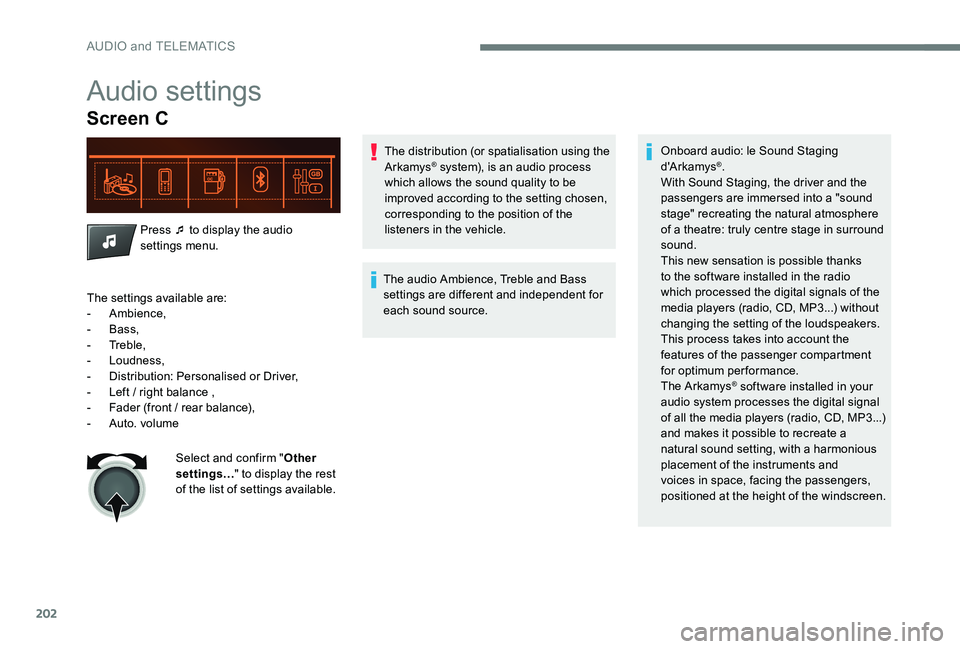
Audio settings
Screen C
Press ¯ to display the audio
settings menu.The distribution (or spatialisation using the
Arkamys
® system), is an audio process
which allows the sound quality to be
improved according to the setting chosen,
corresponding to the position of the
listeners in the vehicle.
The audio Ambience, Treble and Bass
settings are different and independent for
each sound source. Onboard audio: le Sound Staging
d'A r kamys®.
With Sound Staging, the driver and the
passengers are immersed into a "sound
stage" recreating the natural atmosphere
of a theatre: truly centre stage in surround
sound.
This new sensation is possible thanks
to the software installed in the radio
which processed the digital signals of the
media players (radio, CD, MP3...) without
changing the setting of the loudspeakers.
This process takes into account the
features of the passenger compartment
for optimum performance.
The Arkamys
® software installed in your
audio system processes the digital signal
of all the media players (radio, CD, MP3...)
and makes it possible to recreate a
natural sound setting, with a harmonious
placement of the instruments and
voices in space, facing the passengers,
positioned at the height of the windscreen.
The settings available are:
-
Ambience,
-
Bass,
-
Treble,
-
Loudness,
-
D
istribution: Personalised or Driver,
-
L
eft / right balance ,
-
F
ader (front / rear balance),
-
Aut
o. volume Select and confirm " Other
settings… " to display the rest
of the list of settings available.
AUDIO and TELEMATICS