eco CITROEN C1 2017 User Guide
[x] Cancel search | Manufacturer: CITROEN, Model Year: 2017, Model line: C1, Model: CITROEN C1 2017Pages: 269, PDF Size: 7.63 MB
Page 28 of 269
26
Indicators
Total/trip distance recorder
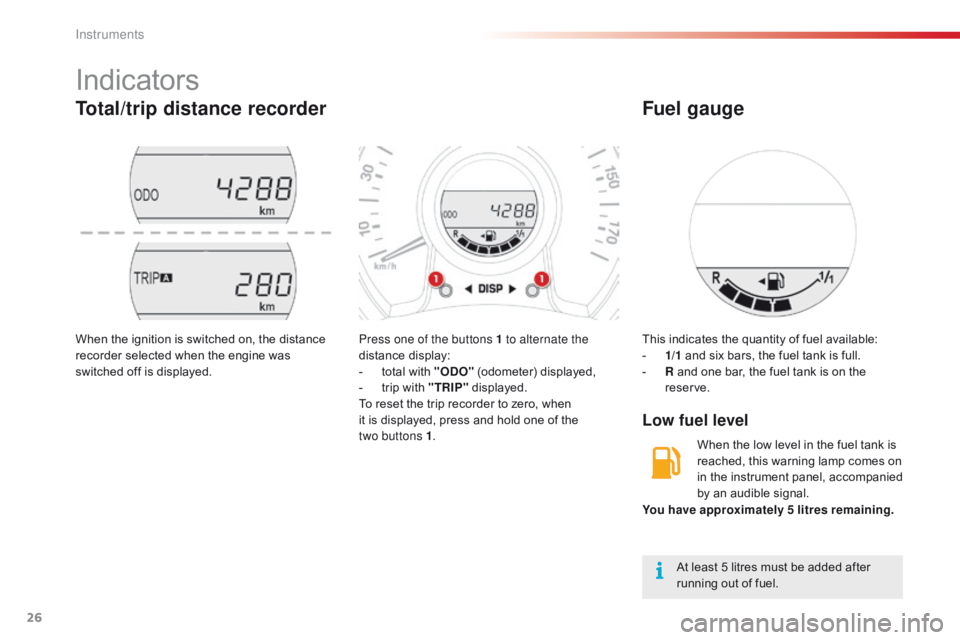
Press one of the buttons 1 to alternate the
distance display:
-
t
otal with "ODO"
(odometer) displayed,
-
t
rip with "TRIP"
displayed.
To
reset the trip recorder to zero, when
i
t is displayed, press and hold one of the
t
wo buttons 1 .
When
the
ignition
is
switched
on,
the
distance
r
ecorder
selected
when
the
engine
was
s
witched
off
is
displayed. This
indicates the quantity of fuel available:
- 1/ 1 and six bars, the fuel tank is full.
-
R
and one bar, the fuel tank is on the
r
eserve.
Low fuel level
Fuel gauge
At least 5 litres must be added after running out of fuel.
You have approximately 5 litres remaining.
When the low level in the fuel tank is
r
eached, this warning lamp comes on
i
n the instrument panel, accompanied
b
y an audible signal.
Instruments
Page 29 of 269
27
C1_en_Chap01_instrument- de-bord_ed01-2016
Trip computer
System that gives you information on the journey in progress (range, fuel consumption…).
Information display
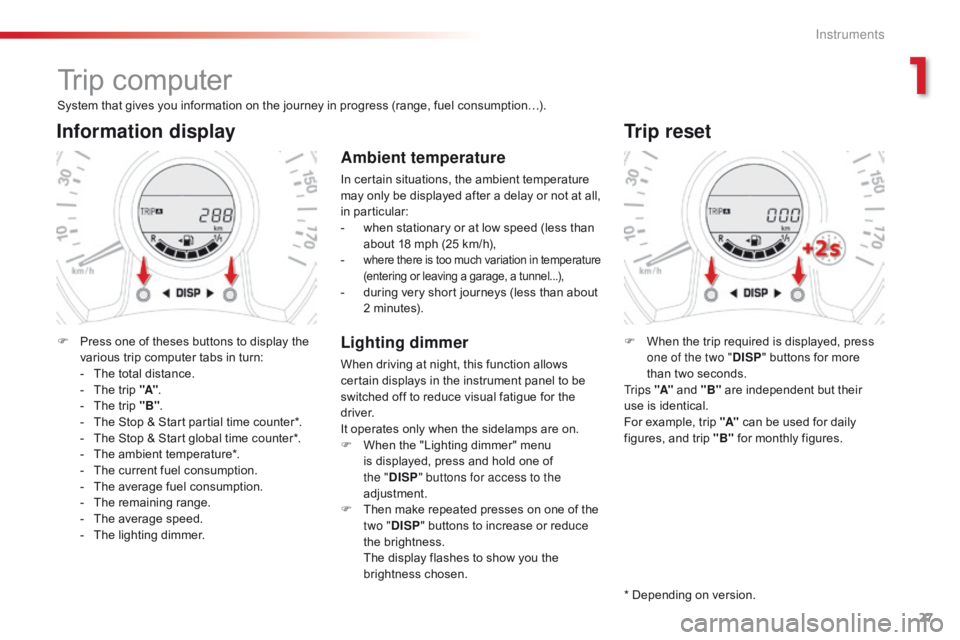
F Press one of theses buttons to display the v
arious trip computer tabs in turn:
-
T
he total distance.
-
T
he trip "A".
-
T
he trip "B".
-
T
he Stop & Start partial time counter*.
-
T
he Stop & Start global time counter*.
-
T
he ambient temperature*.
-
T
he current fuel consumption.
-
T
he average fuel consumption.
-
T
he remaining range.
-
T
he average speed.
-
T
he lighting dimmer.
Trip reset
F When the trip required is displayed, press o
ne of the two " DISP"
buttons for more
t
han two seconds.
Tr i p s "A"
and "B"
are independent but their
u
se is identical.
For
example, trip "A"
can be used for daily
f
igures, and trip "B"
for monthly figures.
* Depending
on version.
Ambient temperature
In certain situations, the ambient temperature may only be displayed after a delay or not at all,
in par
ticular:
-
w
hen stationary or at low speed (less than
a
bout 18 mph (25 km/h),
-
where there is too much variation in temperature (
entering or leaving a garage, a tunnel...),
- during very short journeys (less than about 2
minutes).
Lighting dimmer
When driving at night, this function allows certain displays in the instrument panel to be
s
witched off to reduce visual fatigue for the
d
river.
It
operates only when the sidelamps are on.
F
W
hen the "Lighting dimmer" menu
i
s displayed, press and hold one of
t
he "DISP " buttons for access to the
adjustment.
F
T
hen make repeated presses on one of the
t
wo "DISP "
buttons to increase or reduce
t
he brightness.
T
he display flashes to show you the
b
rightness chosen.
1
Instruments
Page 30 of 269
28
With the touch screen tablet
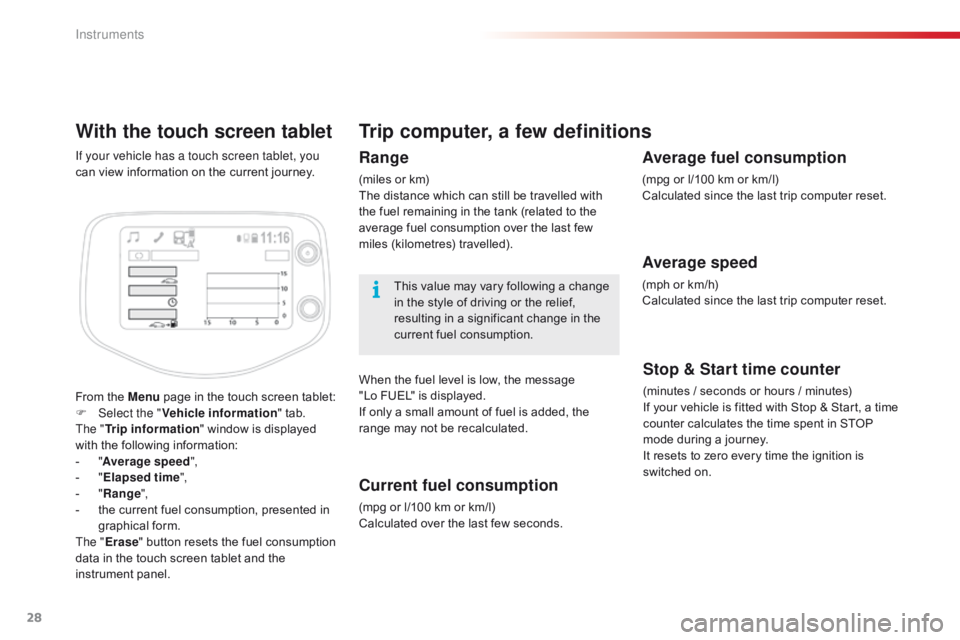
From the Menu page in the touch screen tablet:
F Sel ect the " Vehicle information "
tab.
The " Trip information "
window is displayed
w
ith the following information:
-
"A
verage speed ",
-
" E
lapsed time ",
-
" R
ange",
-
t
he current fuel consumption, presented in
g
raphical
fo
rm.
The " Erase "
button resets the fuel consumption
d
ata in the touch screen tablet and the
in
strument
pan
el.
If your vehicle has a touch screen tablet, you
can
view information on the current journey.
Trip computer, a few definitions
Range
(miles or km)
T he distance which can still be travelled with
t
he fuel remaining in the tank (related to the
a
verage fuel consumption over the last few
m
iles
(
kilometres)
t
ravelled).
This
value may vary following a change
i
n the style of driving or the relief,
r
esulting in a significant change in the
c
urrent fuel consumption.
When
the fuel level is low, the message
"
Lo FUEL" is displayed.
If
only a small amount of fuel is added, the
r
ange may not be recalculated.
Current fuel consumption
(mpg or l/100 km or km/l)
C alculated over the last few seconds.
Stop & Start time counter
(minutes / seconds or hours / minutes)
I f your vehicle is fitted with Stop & Start, a time
c
ounter calculates the time spent in STOP
m
ode during a journey.
It
resets to zero every time the ignition is
s
witched on.
Average fuel consumption
(mpg or l/100 km or km/l)
C alculated since the last trip computer reset.
Average speed
(mph or km/h)
C alculated since the last trip computer reset.
Instruments
Page 34 of 269
32
C1_en_Chap02_ouvertures_ed01-2016
Remote control
This is used to lock, unlock and locate the vehicle at a distance.
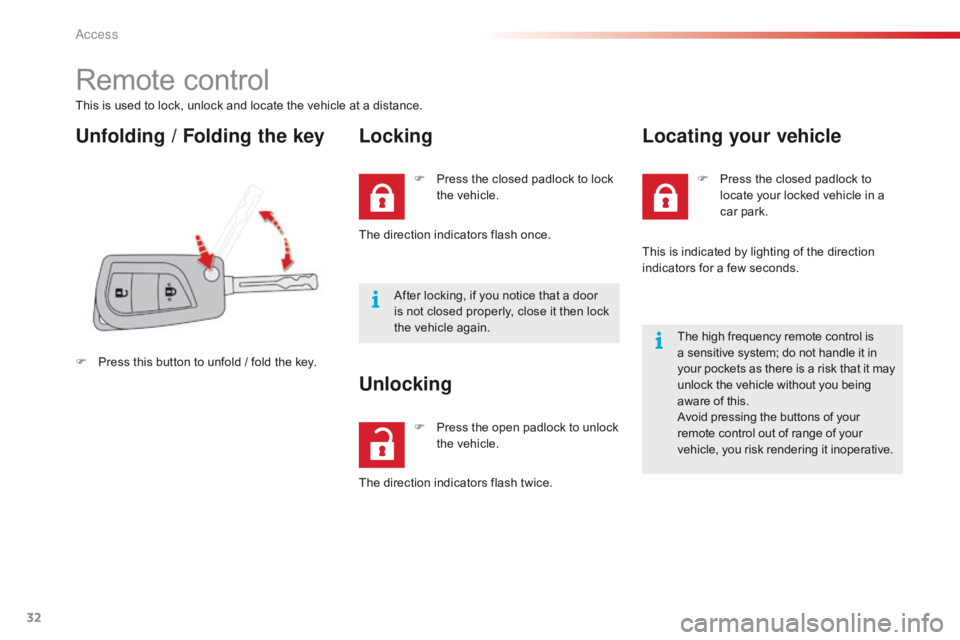
Unfolding / Folding the keyLocking
F Press this button to unfold / fold the key.F
P
ress the closed padlock to lock
t
he vehicle.
The direction indicators flash once.
After locking, if you notice that a door
i
s not closed properly, close it then lock
t
he vehicle again.
F
P
ress the open padlock to unlock
t
he vehicle.
Unlocking
The direction indicators flash twice.F
P
ress the closed padlock to
l
ocate your locked vehicle in a
c
ar
par
k.
Locating your vehicle
This is indicated by lighting of the direction i
ndicators for a few seconds.
The
high frequency remote control is
a
sensitive system; do not handle it in
y
our pockets as there is a risk that it may
u
nlock the vehicle without you being
a
ware of this.
Avoid
pressing the buttons of your
r
emote control out of range of your
v
ehicle, you risk rendering it inoperative.
Access
Page 36 of 269

34
C1_en_Chap02_ouvertures_ed01-2016
Keyless Entry and Starting system
System that allows the opening, closing and starting of the vehicle while keeping the electronic key on your person.
Electronic key
This electronic key can also be used as a remote control.
It
includes an integral emergency key.
For
more information on the remote control,
r
efer to the corresponding section.
Unlocking the vehicle
Unlocking by the doors
F With the electronic key on your person a
nd in one of the recognition zones, press
o
ne of the buttons on the door handles to
u
nlock the vehicle.
F
T
hen pull on the door handle to open the
d
o o r.
Unlocking by the boot
F With the electronic key on your person a
nd in the recognition zone located at the
r
ear, press the button on the boot handle to
u
nlock the vehicle and release the tailgate.
F
T
hen raise the tailgate to open it.
The
direction indicators flash twice to
c
onfirm the unlocking of the vehicle.
As
a
safety
measure,
the
detection
z
ones
in
which
the
the
electronic
key
i
s
operational
have
a
radius
of
about
7
0 cm
around
each
opening
button.
Access
Page 37 of 269
35
C1_en_Chap02_ouvertures_ed01-2016
Locking the vehicle
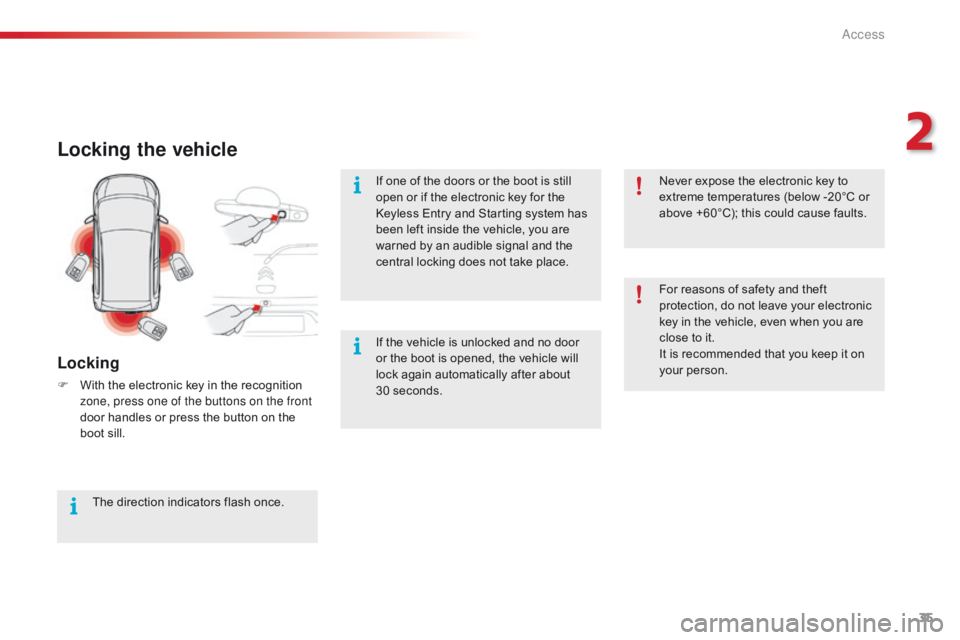
Locking
F With the electronic key in the recognition z
one, press one of the buttons on the front
door
handles or press the button on the
b
oot sill.
The
direction indicators flash once.If
one of the doors or the boot is still
o
pen or if the electronic key for the
K
eyless Entry and Starting system has
b
een left inside the vehicle, you are
w
arned by an audible signal and the
c
entral locking does not take place.
If the vehicle is unlocked and no door
o
r the boot is opened, the vehicle will l
ock again automatically after about 3
0 seconds.For
reasons of safety and theft
p
rotection, do not leave your electronic
k
ey in the vehicle, even when you are
c
lose to it.
It is recommended that you keep it on y
our person.
Never expose the electronic key to
e
xtreme temperatures (below -20°C or
a
bove +60°C); this could cause faults.
2
Access
Page 39 of 269
37
C1_en_Chap02_ouvertures_ed01-2016
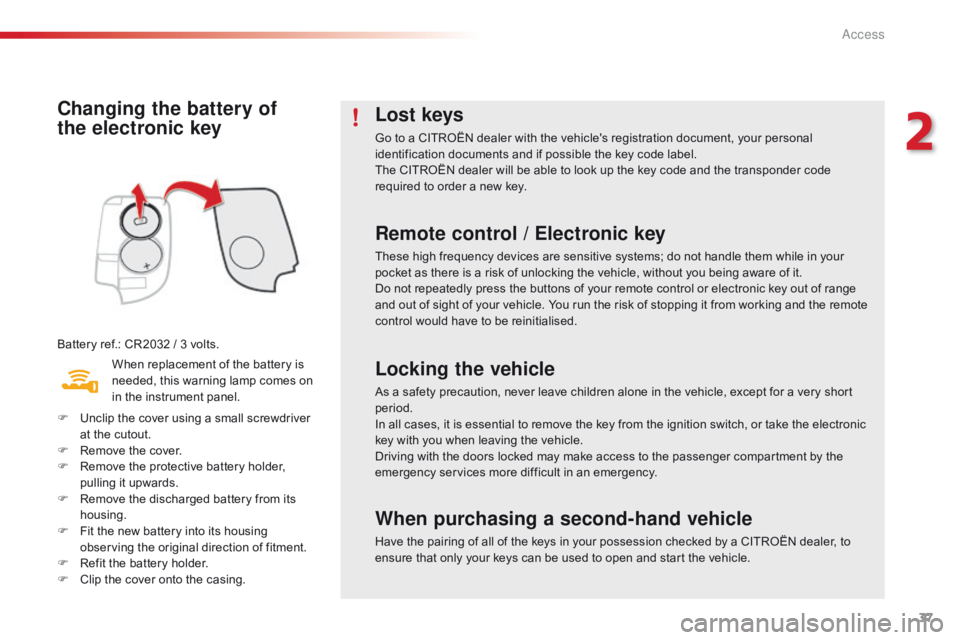
Changing the battery of
the electronic key
Battery ref.: CR2032 / 3 volts.
W hen replacement of the battery is
n
eeded, this warning lamp comes on
i
n the instrument panel.
F
U
nclip the cover using a small screwdriver
a
t the cutout.
F
R
emove the cover.
F
R
emove the protective battery holder,
p
ulling it upwards.
F
R
emove the discharged battery from its
h
ousing.
F
F
it the new battery into its housing
o
bserving the original direction of fitment.
F
R
efit the battery holder.
F
C
lip the cover onto the casing.
Lost keys
Go to a CITROËN dealer with the vehicle's registration document, your personal identification documents and if possible the key code label.
The
CITROËN dealer will be able to look up the key code and the transponder code
r
equired to order a new key.
Remote control / Electronic key
These high frequency devices are sensitive systems; do not handle them while in your pocket as there is a risk of unlocking the vehicle, without you being aware of it.
Do
not repeatedly press the buttons of your remote control or electronic key out of range
a
nd out of sight of your vehicle. You run the risk of stopping it from working and the remote
c
ontrol would have to be reinitialised.
Locking the vehicle
As a safety precaution, never leave children alone in the vehicle, except for a very short period.
In
all cases, it is essential to remove the key from the ignition switch, or take the electronic
k
ey with you when leaving the vehicle.
When purchasing a second-hand vehicle
Have the pairing of all of the keys in your possession checked by a CITROËN dealer, to ensure that only your keys can be used to open and start the vehicle.
Driving
with the doors locked may make access to the passenger compartment by the
e
mergency services more difficult in an emergency.
2
Access
Page 44 of 269
42
C1_en_Chap02_ouvertures_ed01-2016
* Depending on version.
Y our vehicle may be fitted with an electrically operated fabric roof.
Electric fabric ro
of*
Electric opening and closing
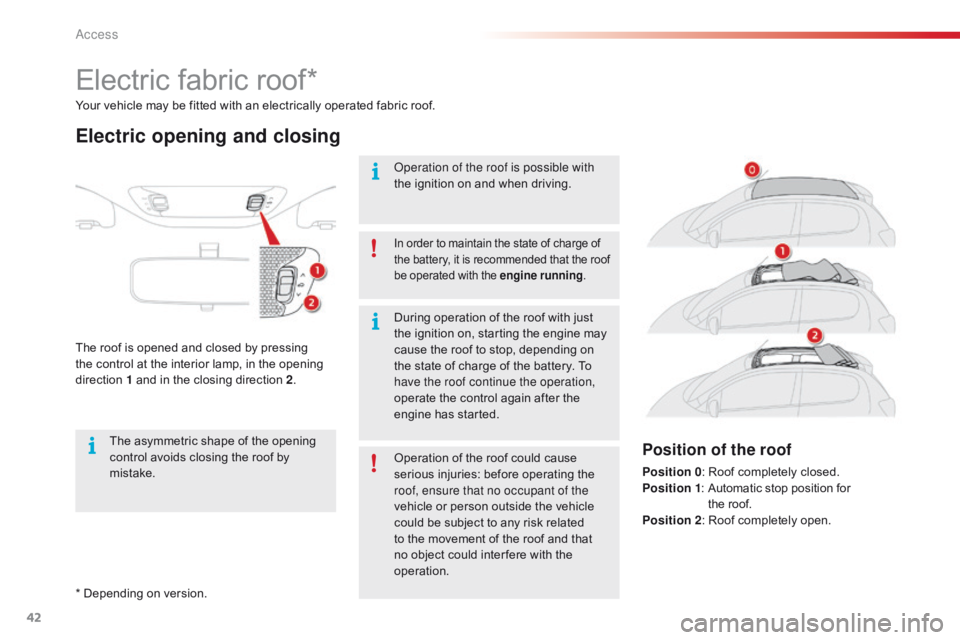
The roof is opened and closed by pressing t
he control at the interior lamp, in the opening
d
irection
1
and in the closing direction 2.
In order to maintain the state of charge of t
he battery, it is recommended that the roof b
e operated with the engine running.
Operation of the roof is possible with
the
ignition on and when driving.
Operation
of the roof could cause
s
erious injuries: before operating the
r
oof, ensure that no occupant of the
vehicle
or person outside the vehicle
c
ould be subject to any risk related
t
o the movement of the roof and that
n
o object could inter fere with the
ope
ration.
During
operation of the roof with just
t
he ignition on, starting the engine may
c
ause the roof to stop, depending on
t
he state of charge of the battery. To
h
ave the roof continue the operation,
operate
the control again after the
e
ngine has started.
The
asymmetric
shape
of
the
opening
c
ontrol
avoids
closing
the
roof
by
m
istake.
Position of the roof
Position 0 : Roof completely closed.
Position 1 :
A utomatic stop position for
t
he roof.
Position 2 :
Roof completely open.
Access
Page 45 of 269
43
C1_en_Chap02_ouvertures_ed01-2016
Opening
F Briefly press the control in the opening d
irection to open the the roof in stages.
or
F
P
ress and hold the control in the opening
d
irection, until the manoeuvre is complete,
t
o open the roof completely.
P
ressing again stops the movement of
the
roof.
Closing
F Briefly press the control in the closing d
irection to open the the roof in stages.
or
F
P
ress and hold the control in the closing
d
irection, until the manoeuvre is complete,
t
o close the roof to position 1 .
P
ressing again stops the movement of
t
he roof.
F
T
o close the roof completely, press and
h
old the control (between positions 1
and
0)
until the roof locks closed.
The
closing manoeuvre of the roof
c
ould cause serious injuries: take
p
articular care with children.
If
the roof does not close correctly:
-
c
heck that nothing is blocking the roof
(
ignition
o
ff),
-
r
epeat the closing command (with the
e
ngine
r
unning).
If
the problem persists, contact a CITROËN
d
ealer or a qualified workshop.
Operating fault
In the event of an electrical fault,
contact a CITROËN dealer or a
q
ualified
w
orkshop.
Protection of the electric motors
used for opening and closing the
roof
Following repeated opening and closing of the roof, the electric motors may become too warm
a
nd no longer allow the roof to be opened or
c
losed. Allow the motors to cool down with no
o
peration of the roof for 10 minutes.
2
Access
Page 46 of 269
44
C1_en_Chap02_ouvertures_ed01-2016
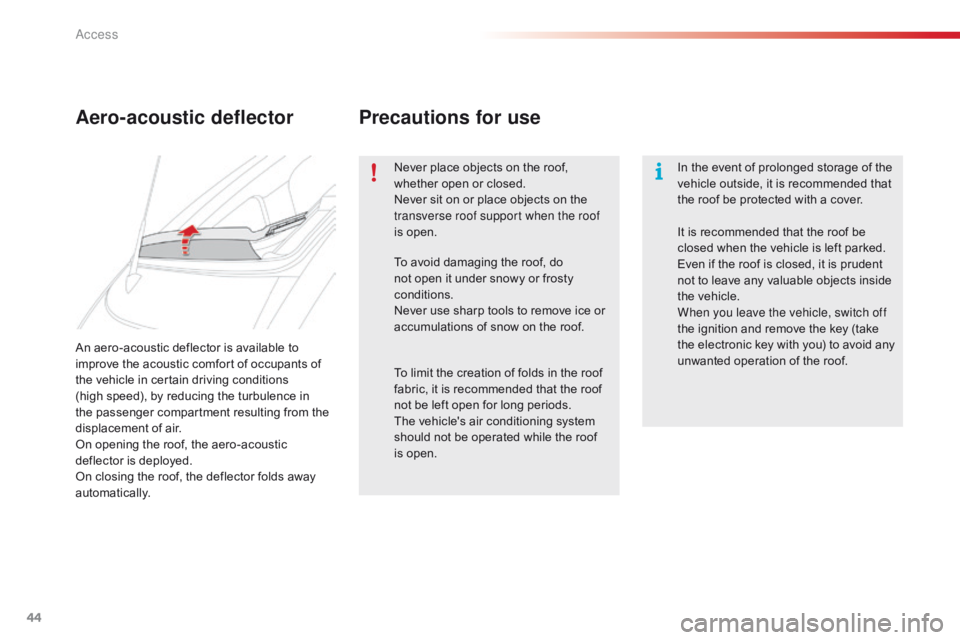
An aero-acoustic deflector is available to improve the acoustic comfort of occupants of
t
he vehicle in certain driving conditions
(high
speed), by reducing the turbulence in
t
he passenger compartment resulting from the
d
isplacement of air.
On
opening the roof, the aero-acoustic
d
eflector is deployed.
On
closing the roof, the deflector folds away
au
tomatically.
Aero-acoustic deflector Precautions for use
Never place objects on the roof, w
hether open or closed.
Never
sit on or place objects on the
t
ransverse roof support when the roof
is
open. In
the event of prolonged storage of the v
ehicle outside, it is recommended that
t
he roof be protected with a cover.
To
avoid damaging the roof, do
n
ot open it under snowy or frosty
c
onditions.
Never
use sharp tools to remove ice or
a
ccumulations of snow on the roof.
To
limit the creation of folds in the roof
f
abric, it is recommended that the roof
n
ot be left open for long periods.
The
vehicle's air conditioning system
s
hould not be operated while the roof
i
s open. It
is recommended that the roof be
c
losed when the vehicle is left parked.
Even
if the roof is closed, it is prudent
n
ot to leave any valuable objects inside
t
he vehicle.
When you leave the vehicle, switch off
the
ignition and remove the key (take
t
he electronic key with you) to avoid any
u
nwanted operation of the roof.
Access