warning Citroen C4 2015 2.G Owner's Guide
[x] Cancel search | Manufacturer: CITROEN, Model Year: 2015, Model line: C4, Model: Citroen C4 2015 2.GPages: 494, PDF Size: 20.49 MB
Page 42 of 494
40
C4-2_en_Chap02_ecran-multifonction_ed01-2015
C4-2_en_Chap02_ecran-multifonction_ed01-2015
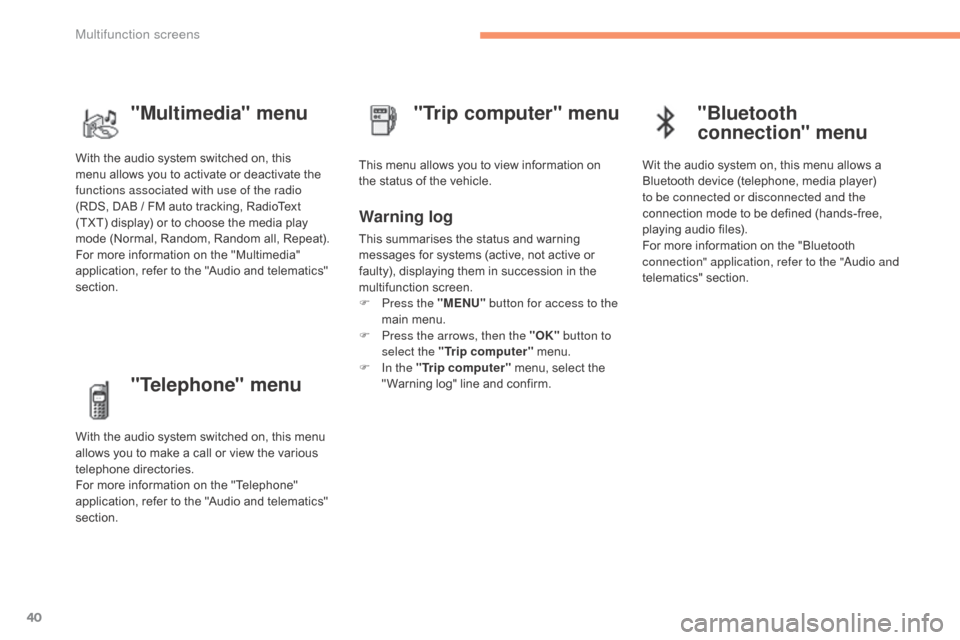
"Telephone" menu
With the audio system switched on, this menu allows you to make a call or view the various
t
elephone
d
irectories.
For
more information on the "Telephone"
a
pplication, refer to the "Audio and telematics"
s
ection. This
menu allows you to view information on
t
he status of the vehicle.
Warning log
This summarises the status and warning m
essages for systems (active, not active or
f
aulty), displaying them in succession in the
m
ultifunction
s
creen.
F
P
ress the "MENU" button for access to the
main
menu.
F
P
ress the arrows, then the "OK" button to
select the "Trip computer"
menu.
F
I
n the "Trip computer"
menu, select the
"
Warning log" line and confirm.
"Trip computer" menu
"Multimedia" menu
With the audio system switched on, this m
enu allows you to activate or deactivate the
f
unctions associated with use of the radio
(RDS,
DAB / FM auto tracking, RadioText
(
TXT) display) or to choose the media play
m
ode (Normal, Random, Random all, Repeat).
For
more information on the "Multimedia"
a
pplication, refer to the "Audio and telematics"
s
ection.
"Bluetooth
connection" menu
Wit the audio system on, this menu allows a B luetooth device (telephone, media player)
t
o be connected or disconnected and the
connection
mode to be defined (hands-free,
p
laying audio files).
For
more information on the "Bluetooth
c
onnection" application, refer to the "
au
dio and
telematics"
se
ction.
Multifunction screens
Page 73 of 494
71
C4-2_en_Chap03_ouvertures_ed01-2015
C4-2_en_Chap03_ouvertures_ed01-2015
doors
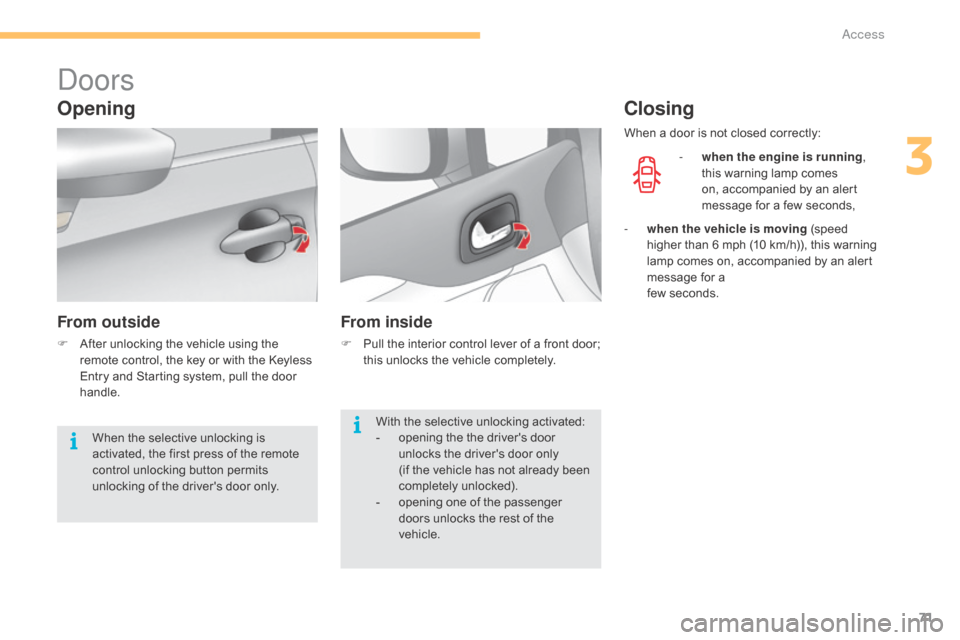
Opening
From outside
F After unlocking the vehicle using the r
emote control, the key or with the Keyless
E
ntry and Starting system, pull the door
han
dle.
From inside
F Pull the interior control lever of a front door; t
his unlocks the vehicle completely.
Closing
- when the engine is running ,
this warning lamp comes
o
n, accompanied by an alert
m
essage for a few seconds,
With
the
selective
unlocking
activated:
-
o
pening
the
the
driver's
door
u
nlocks
the
driver's
door
only
(if
the
vehicle
has
not
already
been
c
ompletely
u
nlocked).
-
o
pening
one
of
the
passenger
d
oors
unlocks
the
rest
of
the
v
ehicle.
When
the
selective
unlocking
is
a
ctivated,
the
first
press
of
the
remote
c
ontrol
unlocking
button
permits
u
nlocking
of
the
driver's
door
only. When
a
door is not closed correctly:
-
w
hen the vehicle is moving (speed
h
igher than 6 mph (10 km/h)), this warning
l
amp
comes on, accompanied by an alert
m
essage for a
few
seconds.
3
access
Page 74 of 494
72
C4-2_en_Chap03_ouvertures_ed01-2015
C4-2_en_Chap03_ouvertures_ed01-2015
boot
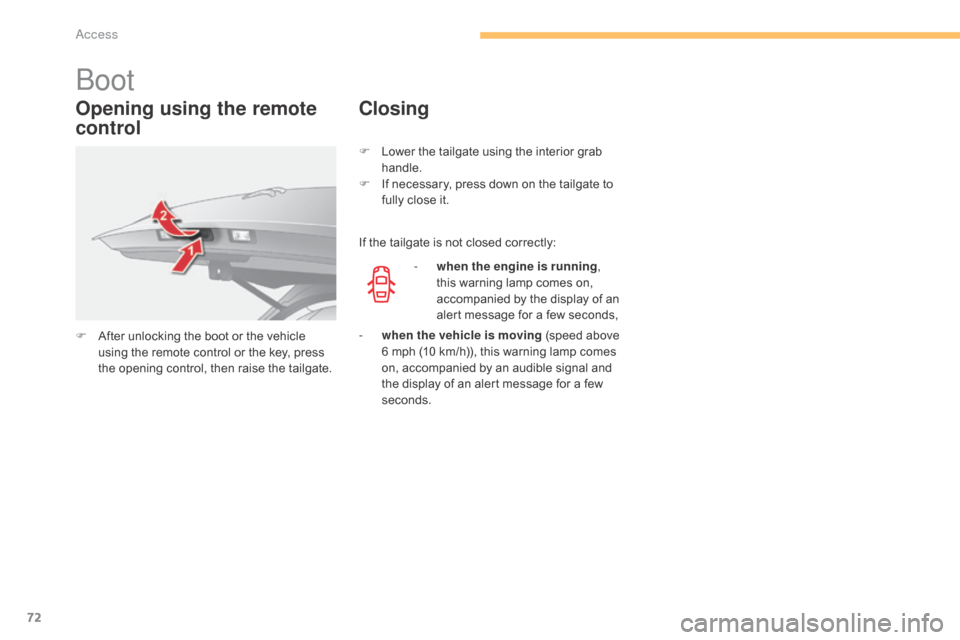
Opening using the remote
control
F After unlocking the boot or the vehicle u
sing the remote control or the key, press
t
he opening control, then raise the tailgate.
Closing
If the tailgate is not closed correctly:
-
w
hen the engine is running ,
this
warning lamp comes on,
a
ccompanied by the display of an
a
lert message for a few seconds,
F
L
ower the tailgate using the interior grab
han
dle.
F
I
f necessary, press down on the tailgate to
f
ully close it.
-
w
hen the vehicle is moving (speed above
6
mph (10 km/h)), this warning lamp comes
o
n, accompanied by an audible signal and
t
he display of an alert message for a few
se
conds.
access
Page 91 of 494
89
C4-2_en_Chap04_confort_ed01-2015
C4-2_en_Chap04_confort_ed01-2015
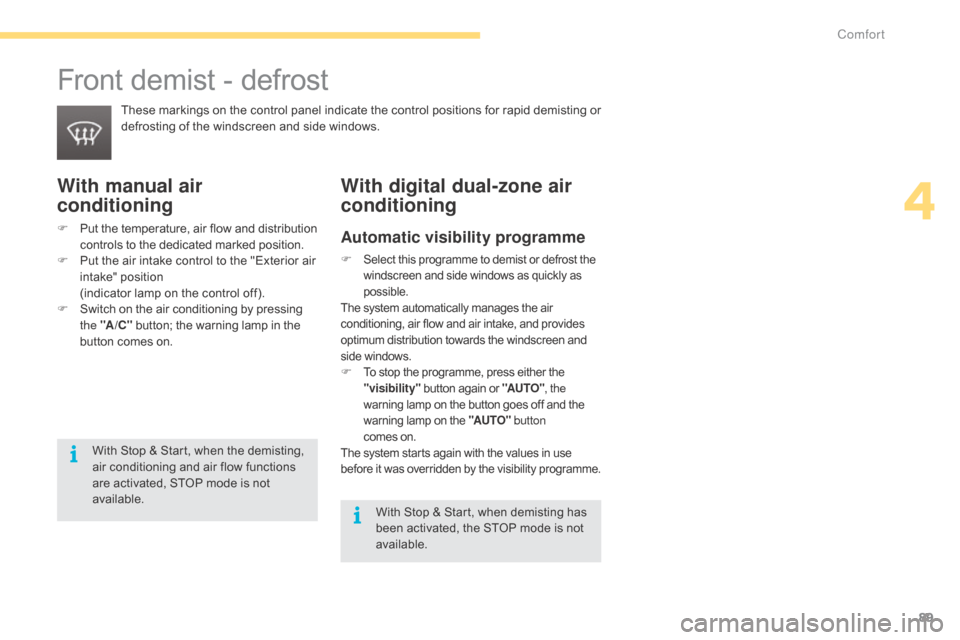
Front demist - defrost
These markings on the control panel indicate the control positions for rapid demisting or defrosting of the windscreen and side windows.
With manual air
conditioning
F Put the temperature, air flow and distribution c
ontrols to the dedicated marked position.
F
P
ut the air intake control to the "Exterior air
i
ntake" position
(
indicator lamp on the control off).
F
S
witch on the air conditioning by pressing
t
he "A /C "
button; the warning lamp in the
b
utton comes on.
With digital dual-zone air
conditioning
Automatic visibility programme
F Select this programme to demist or defrost the windscreen and side windows as quickly as p
ossible.
The
system automatically manages the air
c
onditioning, air flow and air intake, and provides
o
ptimum distribution towards the windscreen and
si
de
w
indows.
F To stop the programme, press either the "
visibility" button again or "AUTO", the
warning
lamp on the button goes off and the
w
arning lamp on the "AUTO" button
comes
on.
The
system starts again with the values in use
b
efore
i
t
w
as
ov
erridden
b
y
t
he
v
isibility
p
rogramme.
With Stop & Start, when demisting has been activated, the STOP mode is not
a
vailable.
With
Stop
&
Start,
when
the
demisting,
a
ir
conditioning
and
air
flow
functions
a
re
activated,
STOP
mode
is
not
a
vailable.
4
Comfort
Page 96 of 494
94
C4-2_en_Chap04_confort_ed01-2015
C4-2_en_Chap04_confort_ed01-2015
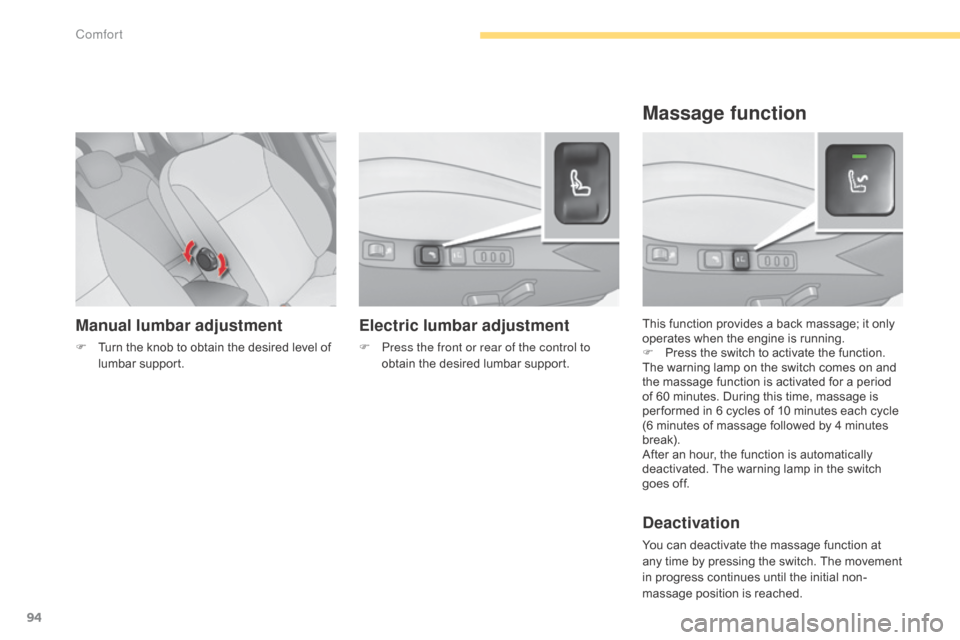
Manual lumbar adjustment
F Turn the knob to obtain the desired level of l
umbar sup port. This
function provides a back massage; it only o
perates when the engine is running.
F P ress the switch to activate the function.
The
warning lamp on the switch comes on and
t
he massage function is activated for a period
o
f 60 minutes. During this time, massage is
p
er formed in 6 cycles of 10 minutes each cycle
(
6 minutes of massage followed by 4 minutes
b
reak).
After
an hour, the function is automatically
d
eactivated. The warning lamp in the switch
g
oes off.
Deactivation
You can deactivate the massage function at any time by pressing the switch. The movement
i
n progress continues until the initial non-
massage
position is reached.
Massage function
Electric lumbar adjustment
F Press the front or rear of the control to obtain the desired lumbar support.
Comfort
Page 111 of 494
109
C4-2_en_Chap05_amenagement_ed01-2015
C4-2_en_Chap05_amenagement_ed01-2015
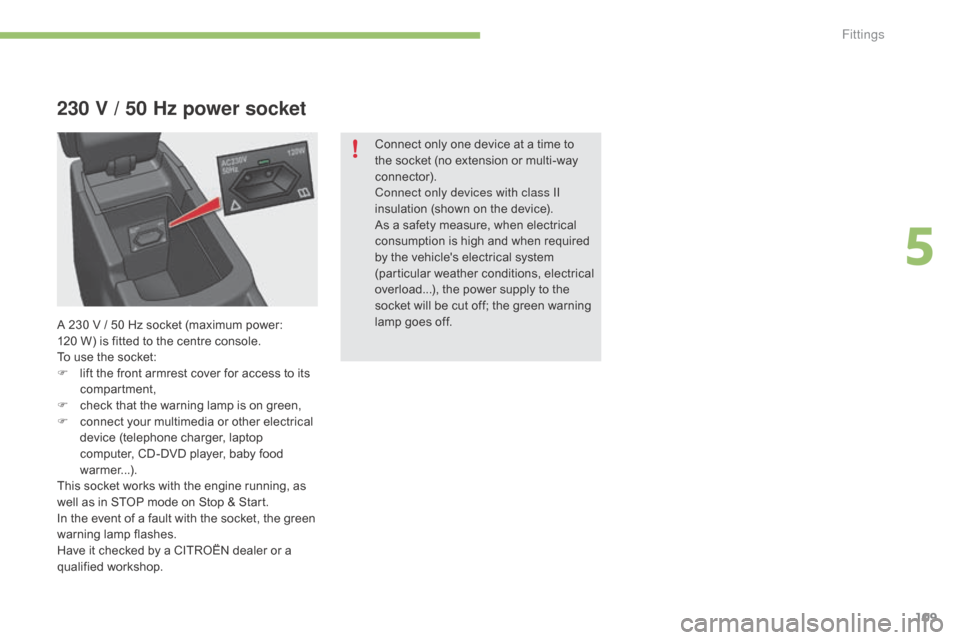
230 V / 50 Hz power socket
Connect only one device at a time to the socket (no extension or multi-way
c
onnector).
Connect only devices with class II
insulation
(shown on the device).
As
a safety measure, when electrical
c
onsumption is high and when required
b
y the vehicle's electrical system
(
particular weather conditions, electrical
ov
erload...), the power supply to the
s
ocket will be cut off; the green warning
l
amp goes off.
A
230
V
/
5
0
Hz
socket
(maximum
power:
1
20 W)
is
fitted
to
the
centre
console.
To
use
the
socket:
F
l
ift
the
front
armrest
cover
for
access
to
its
c
ompartment,
F
c
heck
that
the
warning
lamp
is
on
green,
F
c
onnect
your
multimedia
or
other
electrical
d
evice
(telephone
charger,
laptop
c
omputer,
CD-DVD
player,
baby
food
w
armer...).
This
socket
works
with
the
engine
running,
as
w
ell
as
in
STOP
mode
on
Stop
&
Start.
In
the
event
of
a
fault
with
the
socket,
the
green
w
arning
lam
p
f
lashes.
Have
it
checked
by
a
CITROËN
dealer
or
a
q
ualified
w
orkshop.
5
Fittings
Page 118 of 494
116
C4-2_en_Chap05_amenagement_ed01-2015
C4-2_en_Chap05_amenagement_ed01-2015
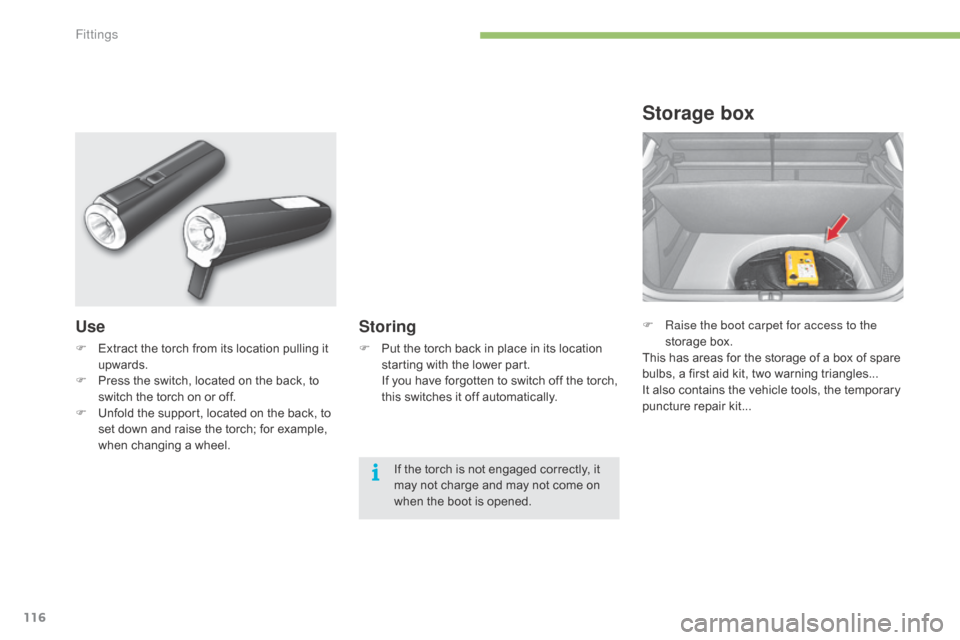
F Raise the boot carpet for access to the storage box.
This
has areas for the storage of a box of spare
b
ulbs, a first aid kit, two warning triangles...
It
also contains the vehicle tools, the temporary
p
uncture repair kit...
Storage box
Use
F Extract the torch from its location pulling it up
wards.
F
P
ress the switch, located on the back, to
s
witch the torch on or off.
F
U
nfold the support, located on the back, to
s
et down and raise the torch; for example,
w
hen changing a wheel.
Storing
F Put the torch back in place in its location s
tarting with the lower part.
I
f you have forgotten to switch off the torch,
t
his switches it off automatically.
If
the torch is not engaged correctly, it
m
ay not charge and may not come on
w
hen the boot is opened.
Fittings
Page 124 of 494
122
C4-2_en_Chap06_visibilite_ed01-2015
C4-2_en_Chap06_visibilite_ed01-2015
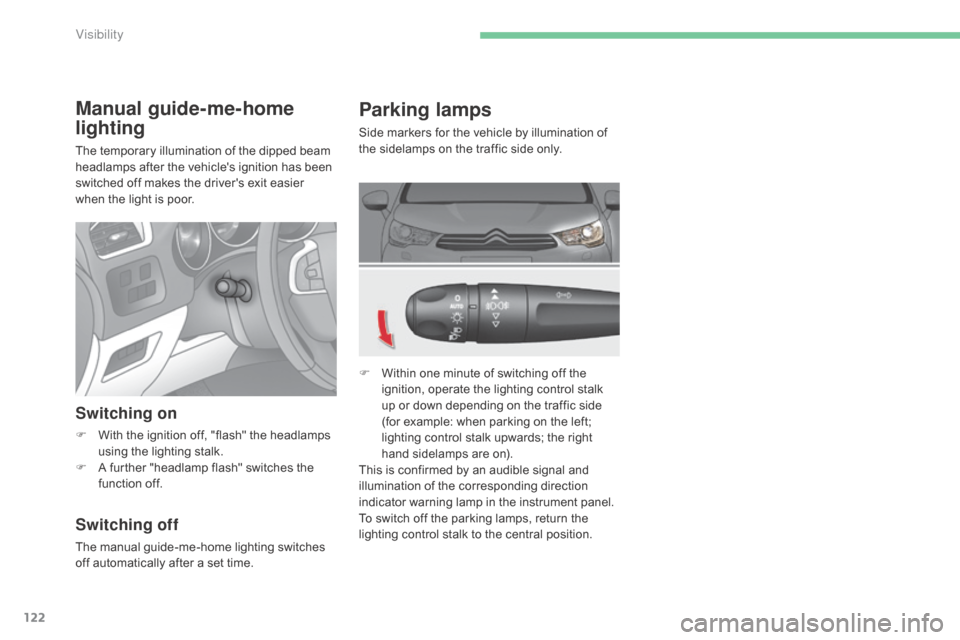
Parking lamps
Side markers for the vehicle by illumination of the sidelamps on the traffic side only.
F
W
ithin one minute of switching off the
i
gnition, operate the lighting control stalk
u
p or down depending on the traffic side
(
for example: when parking on the left;
l
ighting control stalk upwards; the right
h
and sidelamps are on).
This
is confirmed by an audible signal and
i
llumination of the corresponding direction
i
ndicator warning lamp in the instrument panel.
To
switch off the parking lamps, return the
l
ighting control stalk to the central position.
Manual guide-me-home
lighting
The temporary illumination of the dipped beam headlamps after the vehicle's ignition has been
s
witched off makes the driver's exit easier
w
hen the light is poor.
Switching on
F With the ignition off, "flash" the headlamps u
sing the lighting stalk.
F
A
further "headlamp flash" switches the
f
unction off.
Switching off
The manual guide-me-home lighting switches off automatically after a set time.
Visibility
Page 125 of 494
123
C4-2_en_Chap06_visibilite_ed01-2015
C4-2_en_Chap06_visibilite_ed01-2015
Automatic illumination of
headlamps
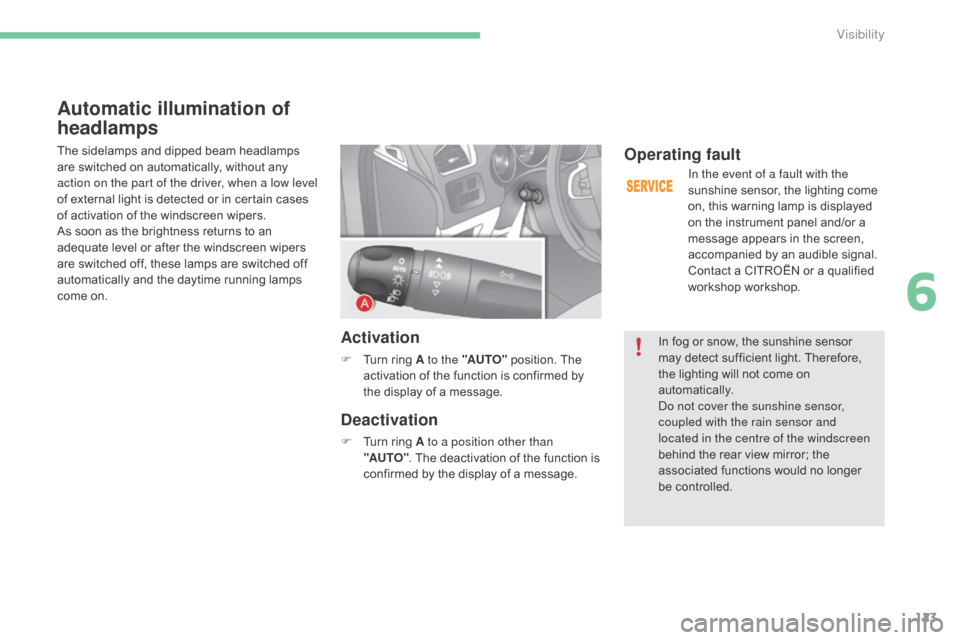
The sidelamps and dipped beam headlamps are switched on automatically, without any
a
ction on the part of the driver, when a low level
of
external light is detected or in certain cases
o
f activation of the windscreen wipers.
As
soon as the brightness returns to an
a
dequate level or after the windscreen wipers
a
re switched off, these lamps are switched off
a
utomatically and the daytime running lamps
c
ome on.
Activation
F Turn ring A to the "AUTO" position. The a
ctivation of the function is confirmed by
t
he display of a message.
Deactivation
F Turn ring A to a position other than
"AUTO" .
The deactivation of the function is
c
onfirmed by the display of a message.
Operating fault
In the event of a fault with the
sunshine sensor, the lighting come
o
n, this warning lamp is displayed
o
n the instrument panel and/or a
m
essage appears in the screen,
a
ccompanied by an audible signal.
Contact
a CITROËN or a qualified
w
orkshop workshop.
In
fog or snow, the sunshine sensor
m
ay
detect sufficient light. Therefore,
t
he
lighting will not come on
au
tomatically.
do n
ot cover the sunshine sensor,
coupled with the rain sensor and
located in the centre of the windscreen
behind
the rear view mirror; the
a
ssociated functions would no longer
be c
ontrolled.
6
Visibility
Page 127 of 494
125
C4-2_en_Chap06_visibilite_ed01-2015
C4-2_en_Chap06_visibilite_ed01-2015
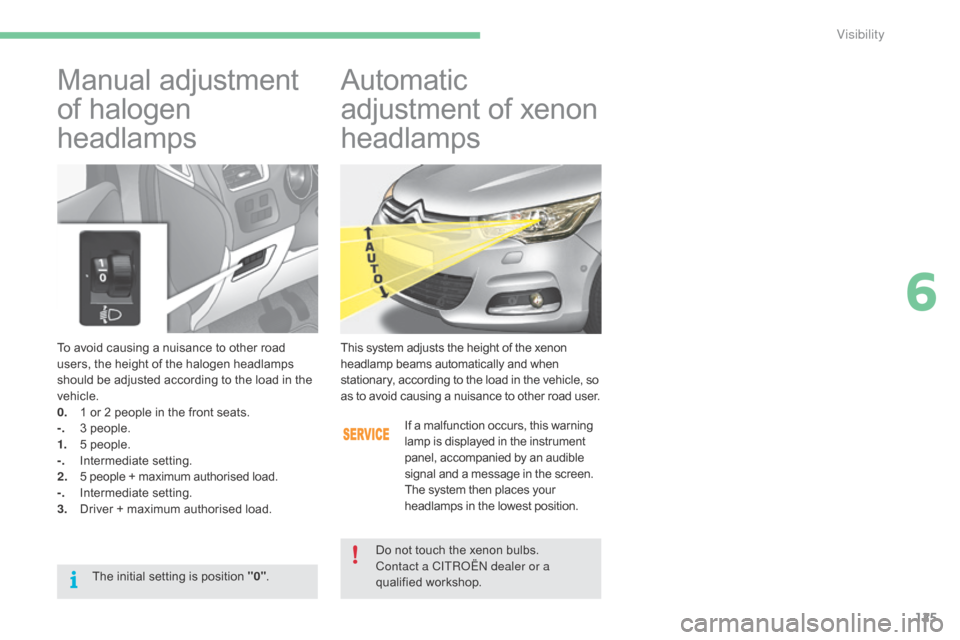
To avoid causing a nuisance to other road users, the height of the halogen headlamps
s
hould be adjusted according to the load in the
v
ehicle.
0.
1
or 2 people in the front seats.
-.
3
people.
1.
5
people.
-.
I
ntermediate
s
etting.
2.
5
people + maximum authorised load.
-.
I
ntermediate
s
etting.
3.
D
river + maximum authorised load.
Manual adjustment
o
f halogen
h
eadlamps Automatic
a djustment of xenon
h
eadlamps
This system adjusts the height of the xenon headlamp beams automatically and when s
tationary, according to the load in the vehicle, so
a
s to avoid causing a nuisance to other road user.
If
a malfunction occurs, this warning
l
amp is displayed in the instrument
p
anel, accompanied by an audible
s
ignal and a message in the screen.
The
system then places your
h
eadlamps in the lowest position.
Do
not touch the xenon bulbs.
Contact a CITR
oËn
dealer or a
qualified
w
orkshop.
The
initial
setting
is
position
"0" .
6
Visibility