Instrument Citroen C4 2015 2.G Repair Manual
[x] Cancel search | Manufacturer: CITROEN, Model Year: 2015, Model line: C4, Model: Citroen C4 2015 2.GPages: 494, PDF Size: 20.49 MB
Page 412 of 494
Driving
8
C4-2-add_en_Chap09_conduite_ed01-2015
Maintenance
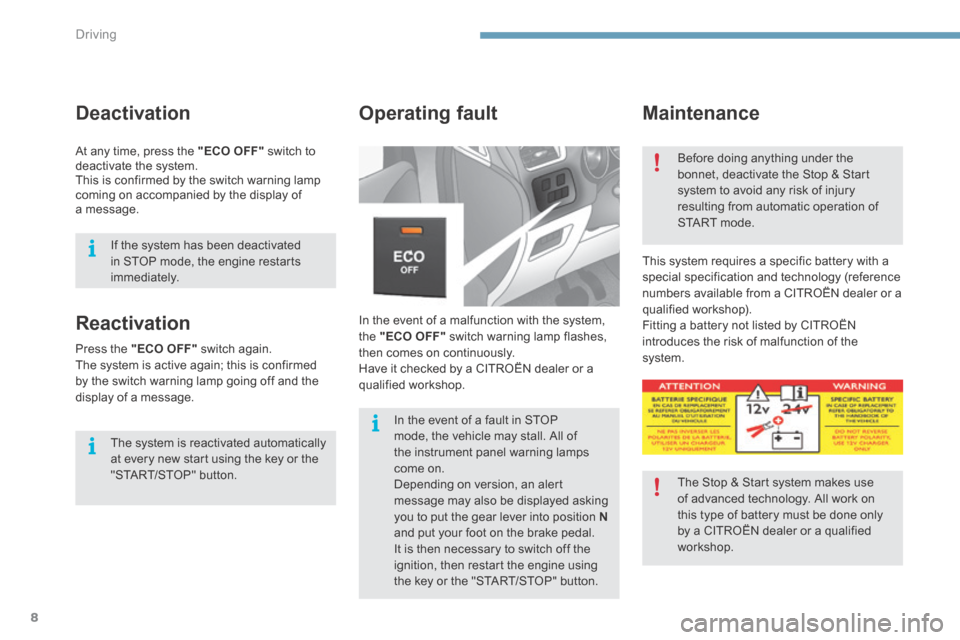
In the event of a malfunction with the system, the "ECO OFF" switch warning lamp flashes, then comes on continuously. Have it checked by a CITROËN dealer or a qualified workshop.
Operating fault
This system requires a specific battery with a special specification and technology (reference numbers available from a CITROËN dealer or a qualified workshop). Fitting a battery not listed by CITROËN introduces the risk of malfunction of the system.
Before doing anything under the bonnet, deactivate the Stop & Start system to avoid any risk of injury resulting from automatic operation of START mode.
The Stop & Start system makes use of advanced technology. All work on this type of battery must be done only by a CITROËN dealer or a qualified
workshop.
In the event of a fault in STOP mode, the vehicle may stall. All of the instrument panel warning lamps come on. Depending on version, an alert message may also be displayed asking you to put the gear lever into position Nand put your foot on the brake pedal.
It is then necessary to switch off the ignition, then restart the engine using the key or the "START/STOP" button.
Reactivation
The system is reactivated automatically at every new start using the key or the "START/STOP" button.
Press the "ECO OFF" switch again. The system is active again; this is confirmed by the switch warning lamp going off and the display of a message.
Deactivation
At any time, press the "ECO OFF" switch to deactivate the system. This is confirmed by the switch warning lamp coming on accompanied by the display of a message.
If the system has been deactivated in STOP mode, the engine restarts immediately.
Page 415 of 494
9
Driving11
C4-2-add_en_Chap09_conduite_ed01-2015
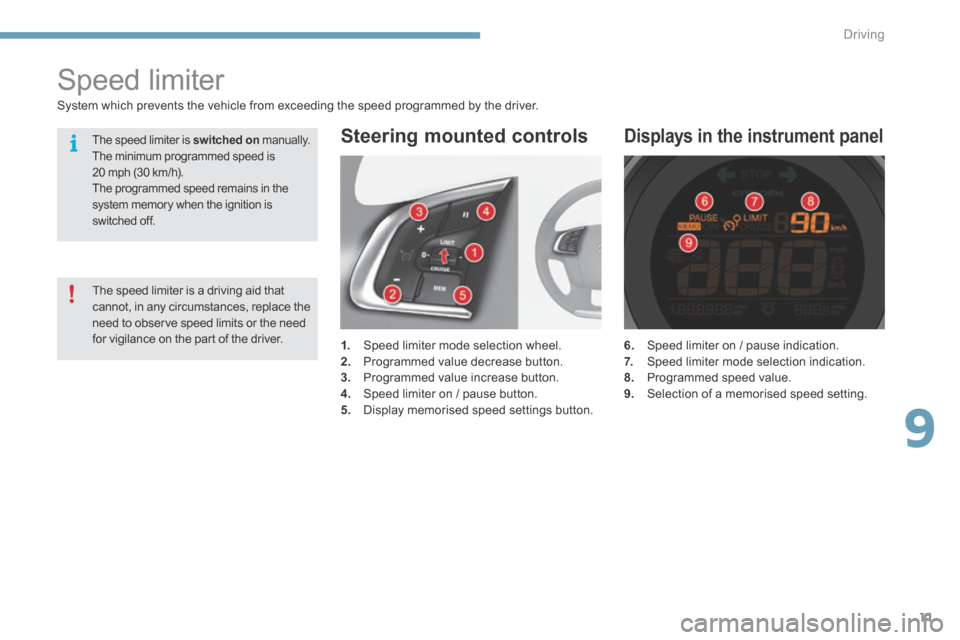
6. Speed limiter on / pause indication. 7. Speed limiter mode selection indication. 8. Programmed speed value. 9. Selection of a memorised speed setting.
Displays in the instrument panel
Speed limiter
1. Speed limiter mode selection wheel. 2. Programmed value decrease button. 3. Programmed value increase button. 4. Speed limiter on / pause button. 5. Display memorised speed settings button.
Steering mounted controls
System which prevents the vehicle from exceeding the speed programmed by the driver.
The speed limiter is a driving aid that cannot, in any circumstances, replace the need to observe speed limits or the need for vigilance on the part of the driver.
The speed limiter is switched on manually. The minimum programmed speed is 20 mph (30 km/h). The programmed speed remains in the system memory when the ignition is switched off.
Page 418 of 494
Driving
14
C4-2-add_en_Chap09_conduite_ed01-2015
Cruise control
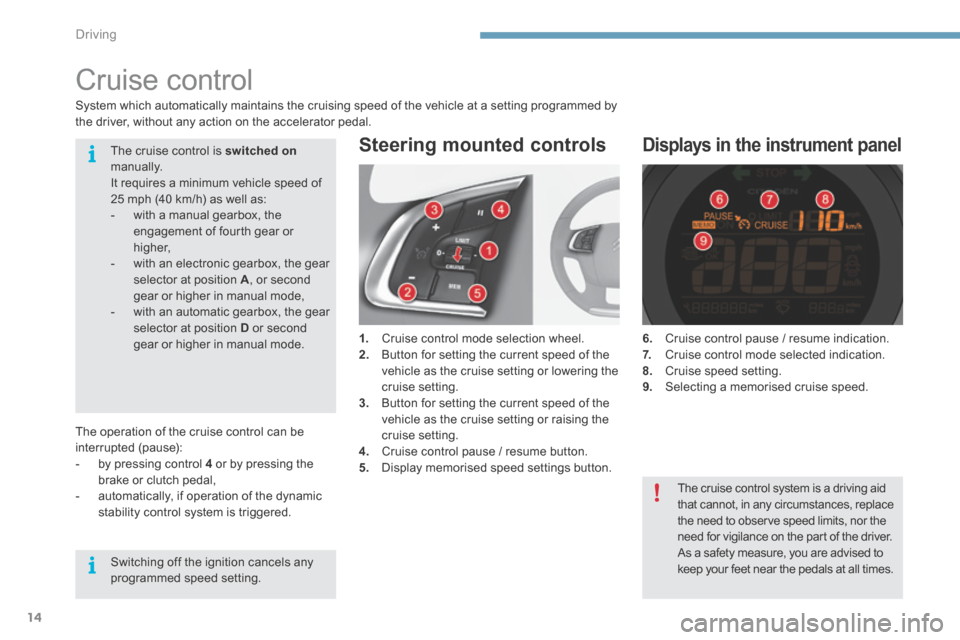
1. Cruise control mode selection wheel. 2. Button for setting the current speed of the vehicle as the cruise setting or lowering the cruise setting. 3. Button for setting the current speed of the vehicle as the cruise setting or raising the cruise setting. 4. Cruise control pause / resume button. 5. Display memorised speed settings button.
Steering mounted controls
6. Cruise control pause / resume indication. 7. Cruise control mode selected indication. 8. Cruise speed setting. 9. Selecting a memorised cruise speed.
Displays in the instrument panel
System which automatically maintains the cruising speed of the vehicle at a setting programmed by the driver, without any action on the accelerator pedal.
The operation of the cruise control can be interrupted (pause): - by pressing control 4 or by pressing the brake or clutch pedal, - automatically, if operation of the dynamic stability control system is triggered.
The cruise control is switched onmanually. It requires a minimum vehicle speed of 25 mph (40 km/h) as well as: - with a manual gearbox, the engagement of fourth gear or higher, - with an electronic gearbox, the gear selector at position A , or second gear or higher in manual mode, - with an automatic gearbox, the gear selector at position D or second gear or higher in manual mode.
Switching off the ignition cancels any programmed speed setting.
The cruise control system is a driving aid that cannot, in any circumstances, replace the need to observe speed limits, nor the
need for vigilance on the part of the driver. As a safety measure, you are advised to keep your feet near the pedals at all times.
Page 428 of 494
.
Audio and Telematics 25
C4-2-add_en_Chap13b_SMEGplus_ed01-2015
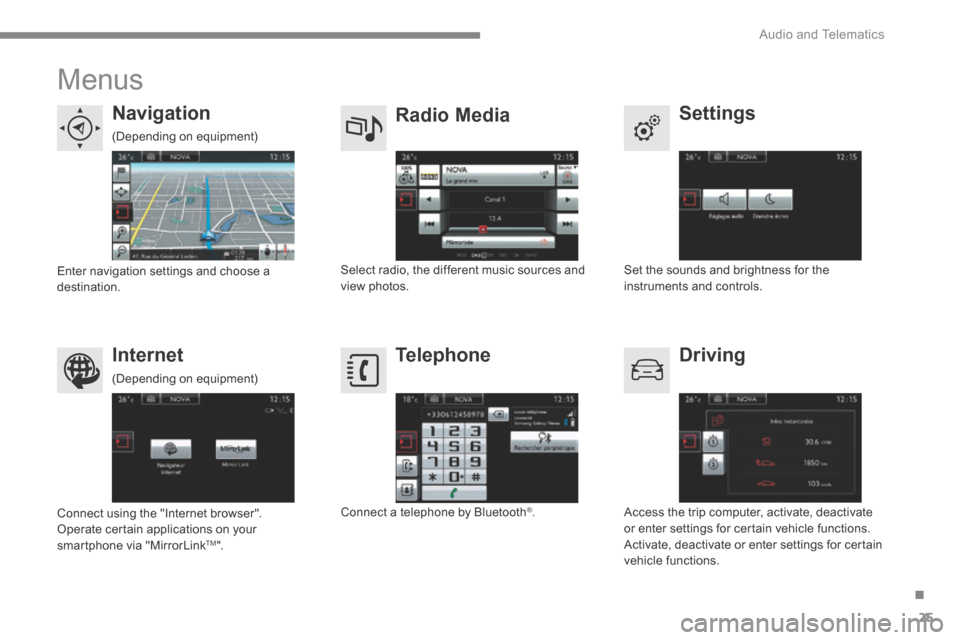
Menus
Settings Radio Media Navigation
Driving Internet Telephone
Set the sounds and brightness for the instruments and controls. Select radio, the different music sources and view photos. Enter navigation settings and choose a destination.
Access the trip computer, activate, deactivate or enter settings for certain vehicle functions. Activate, deactivate or enter settings for certain vehicle functions.
Connect using the "Internet browser". Operate certain applications on your smartphone via "MirrorLink TM ".
Connect a telephone by Bluetooth ® .
(Depending on equipment)
(Depending on equipment)