Instrument Citroen C4 2015 2.G Workshop Manual
[x] Cancel search | Manufacturer: CITROEN, Model Year: 2015, Model line: C4, Model: Citroen C4 2015 2.GPages: 494, PDF Size: 20.49 MB
Page 218 of 494
216
C4-2_en_Chap10_verification_ed01-2015
C4-2_en_Chap10_verification_ed01-2015
Topping up the engine oil level
Refer to the "Petrol engine" or "Diesel engine" section for the location of the oil filler cap in the
engine
compartment of your vehicle.
F
U
nscrew the oil filler cap to reveal the filler
a
perture.
F
A
dd oil in small quantities, avoiding any
s
pills on engine components (risk of fire).
F
W
ait a few minutes before checking the
l
evel again using the dipstick.
F
A
dd more oil if necessary.
F
A
fter checking the level, carefully refit the
o
il filler cap and the dipstick in its tube.
After
topping up the oil, the check when
s
witching on the ignition with the oil level
i
ndicator in the instrument panel is not valid
d
uring the 30 minutes after topping up.
Engine oil change
Refer to the manufacturer's service schedule for details of the interval for this operation.
In
order to maintain the reliability of the engine
a
nd emission control system, never use
a
dditives in the engine oil.
Brake fluid level
Changing the fluid
Refer to the manufacturer's service schedule for details of the interval for this operation.
Fluid specification
The brake fluid must conform to the manufacturer's r ecommendations.
The
brake fluid level should be close
t
o the "MA X" mark. If it is not, check
t
he brake pad wear.
Power steering
fluid level
The power steering fluid level should b
e close to the "MA X" mark. With the e
ngine cold, unscrew the cap to check
t
he level.
Checks
Page 224 of 494
222
C4-2_en_Chap10_verification_ed01-2015
C4-2_en_Chap10_verification_ed01-2015
Range indicators
When switching on the ignition, an indicator gives an estimate of the distance that can
b
e travelled with your vehicle before engine
s
tarting is automatically prevented, once the
v
ehicle starts using the reserve of AdBlue
® or
after
a
fault
is
detected
with
the
SCR
system.
In
the
event
of
simultaneous
system
fault
and
l
ow
a
d
blu
e
® level, the shortest range is the one d
isplayed.
In the event of the risk of non-starting related to a lack of AdBlue®
Range greater than 1 500 miles (2 400 km)
W hen the ignition is switched on, no
i
nformation on range is displayed automatically
i
n the instrument panel.
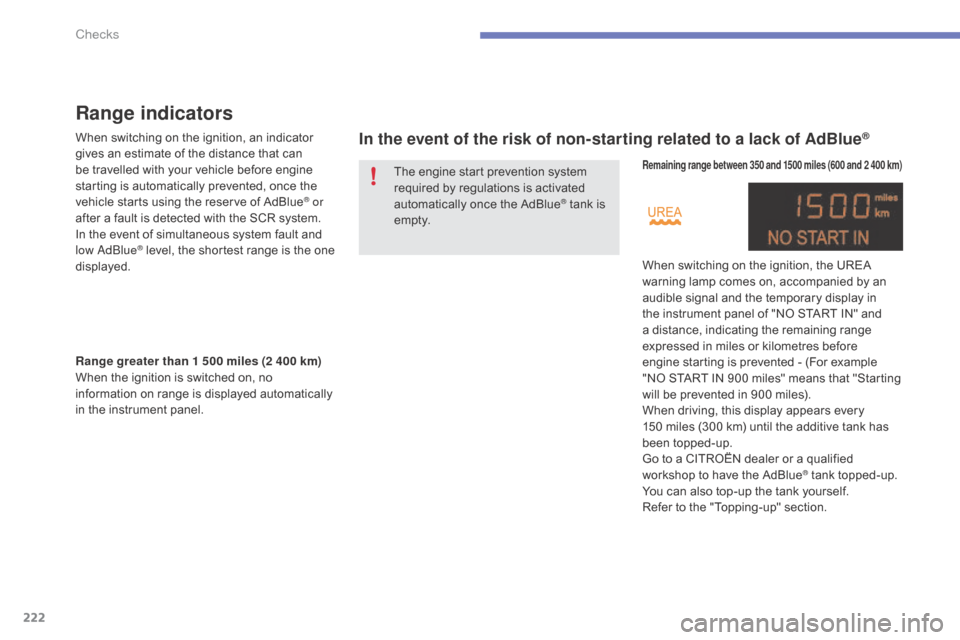
Remaining range between 350 and 1500 miles (600 and 2 400 km)
When switching on the ignition, the UREA warning lamp comes on, accompanied by an
a
udible signal and the temporary display in
t
he instrument panel of "NO START IN" and
a
distance, indicating the remaining range
e
xpressed in miles or kilometres before
e
ngine starting is prevented - (For example
"
NO START IN 900 miles" means that "Starting
w
ill be prevented in 900 miles).
When
driving, this display appears every
1
50 miles (300 km) until the additive tank has
be
en
t
opped-up.
Go
to a CITROËN dealer or a qualified
w
orkshop to have the AdBlue
® tank topped-up.
Y
ou
can
also
top-up
the
tank
yourself.
Refer
to
the
"Topping-up"
section.
The
engine
start
prevention
system
r
equired
by
regulations
is
activated
a
utomatically
once
the
AdBlue
® tank is e
m pt y.
Checks
Page 225 of 494
223
C4-2_en_Chap10_verification_ed01-2015
C4-2_en_Chap10_verification_ed01-2015
Breakdown related to a lack of AdBlue® additive
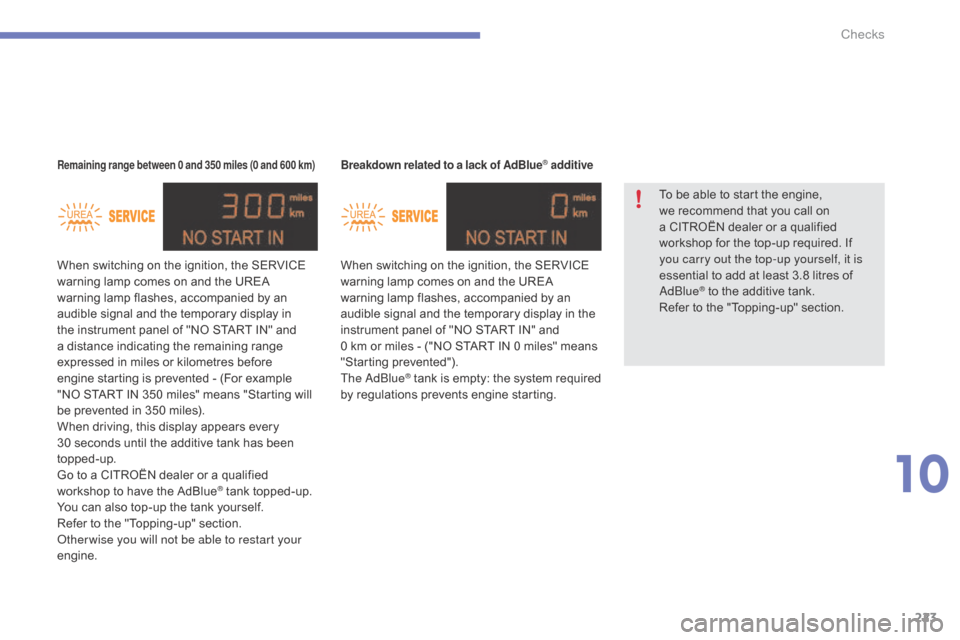
When switching on the ignition, the SERVICE warning lamp comes on and the UREA
w
arning lamp flashes, accompanied by an
a
udible signal and the temporary display in the
i
nstrument panel of "NO START IN" and
0
km or miles - ("NO START IN 0 miles" means
"
Starting
p
revented").
The
a d
blu
e
® tank is empty: t he s ystem r equired b
y
regulations prevents engine starting.
Remaining range between 0 and 350 miles (0 and 600 km)
When switching on the ignition, the SERVICE warning lamp comes on and the UREA
w
arning lamp flashes, accompanied by an
a
udible signal and the temporary display in
t
he instrument panel of "NO START IN" and
a
distance indicating the remaining range
e
xpressed in miles or kilometres before
e
ngine starting is prevented - (For example
"
NO START IN 350 miles" means "Starting will
b
e prevented in 350 miles).
When
driving, this display appears every
3
0 seconds until the additive tank has been
t
opped-up.
Go
to a CITROËN dealer or a qualified
w
orkshop to have the AdBlue
® tank topped-up.
Y
ou
can
also
top-up
the
tank
yourself.
Refer
to
the
"Topping-up"
section.
ot
her wise you will not be able to restart your
engine. To
be able to start the engine,
w
e recommend that you call on
a
CITROËN dealer or a qualified
w
orkshop for the top-up required. If
y
ou carry out the top-up yourself, it is
essential to add at least 3.8 litres of
a d
blu
e
® to the additive tank.
R
efer
to
the "Topping-up" section.
10
Checks
Page 226 of 494
224
C4-2_en_Chap10_verification_ed01-2015
C4-2_en_Chap10_verification_ed01-2015
In the event of a fault with the the SCR emissions control system
In the event of the detection of a fault
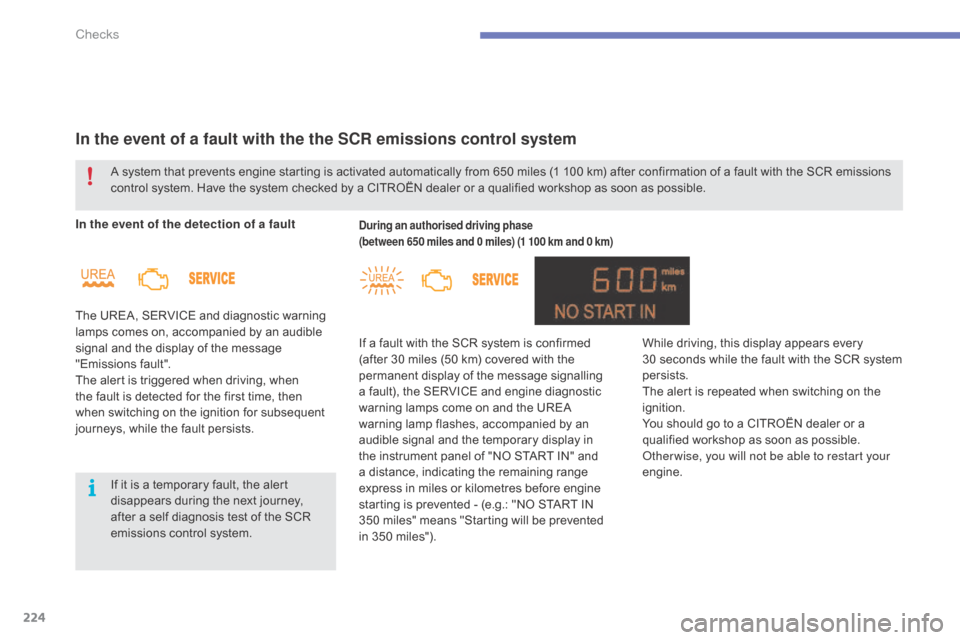
The UREA, SERVICE and diagnostic warning
l
amps comes on, accompanied by an audible
s
ignal and the display of the message
"
Emissions
f
ault".
The
alert is triggered when driving, when
t
he fault is detected for the first time, then
w
hen switching on the ignition for subsequent
j
ourneys, while the fault persists.During an authorised driving phase
(between 650 miles and 0 miles) (1 100 km and 0 km)
If a fault with the SCR system is confirmed ( after 30 miles (50 km) covered with the
p
ermanent display of the message signalling
a
fault), the SERVICE and engine diagnostic
w
arning lamps come on and the UREA
w
arning lamp flashes, accompanied by an
a
udible signal and the temporary display in
t
he instrument panel of "NO START IN" and
a
distance, indicating the remaining range
e
xpress in miles or kilometres before engine
s
tarting is prevented - (e.g.: "NO START IN
350
miles" means "Starting will be prevented
in
350 miles").
A
system
that
prevents
engine
starting
is
activated automatically from 650 miles (1 100 km) after confirmation of a fault with the SCR emissions
c
ontrol
system.
Have
the
system
checked
by
a CITROËN dealer or a qualified workshop as soon as possible.
If
it
is
a
temporary
fault,
the
alert
d
isappears
during
the
next
journey,
a
fter
a
self
diagnosis
test
of
the
SCR
e
missions
control
system. While
driving, this display appears every
30 seconds while the fault with the SCR system
p
ersists.
The
alert is repeated when switching on the
ig
nition.
You
should go to a CITROËN dealer or a
q
ualified workshop as soon as possible.
ot
her wise, you will not be able to restart your
engine.
Checks
Page 239 of 494
237
C4-2_en_Chap11_info-pratique_ed01-2015
C4-2_en_Chap11_info-pratique_ed01-2015
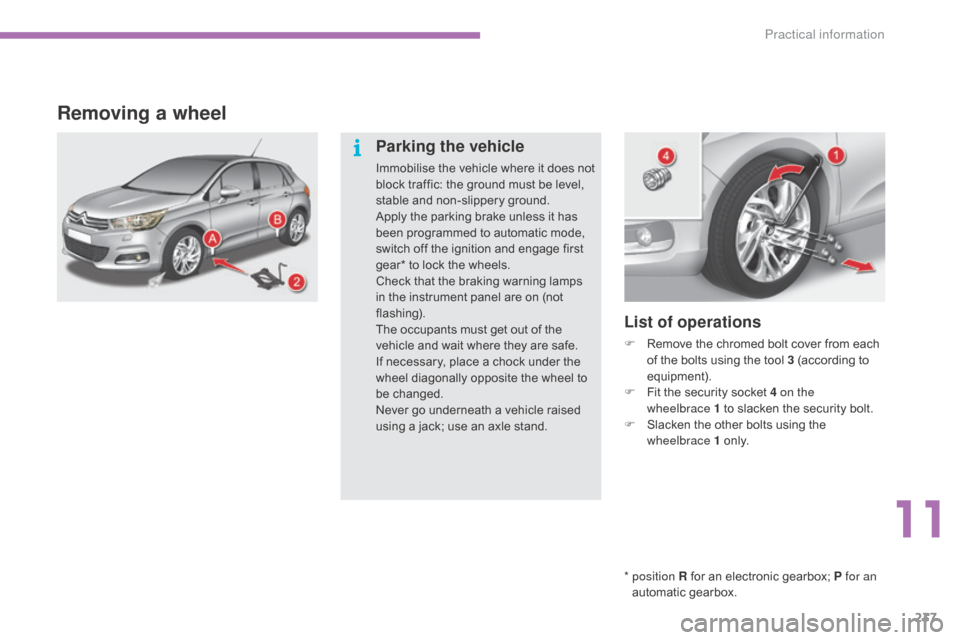
Removing a wheel
* position R for an electronic gearbox; P for an
automatic gearbox.
List of operations
F Remove the chromed bolt cover from each o
f the bolts using the tool 3 (according to
e
quipment).
F
F
it the security socket 4 on the
wheelbrace
1 to slacken the security bolt.
F
S
lacken the other bolts using the
w
heelbrace 1
o
n l y.
Parking the vehicle
Immobilise the vehicle where it does not block traffic: the ground must be level,
s
table and non-slippery ground.
Apply
the parking brake unless it has
b
een programmed to automatic mode,
s
witch off the ignition and engage first
g
ear* to lock the wheels.
Check
that the braking warning lamps
i
n the instrument panel are on (not
f
lashing).
The
occupants must get out of the
v
ehicle and wait where they are safe.
If
necessary, place a chock under the
w
heel diagonally opposite the wheel to
be c
hanged.
Never
go underneath a vehicle raised
u
sing a jack; use an axle stand.
11
Practical information
Page 292 of 494
01
C4-2_en_Chap13b_SMEGplus_ed01-2015
C4-2_en_Chap13b_SMEGplus_ed01-2015
GENERAL OPERATION
290 *
Depending on equipment.
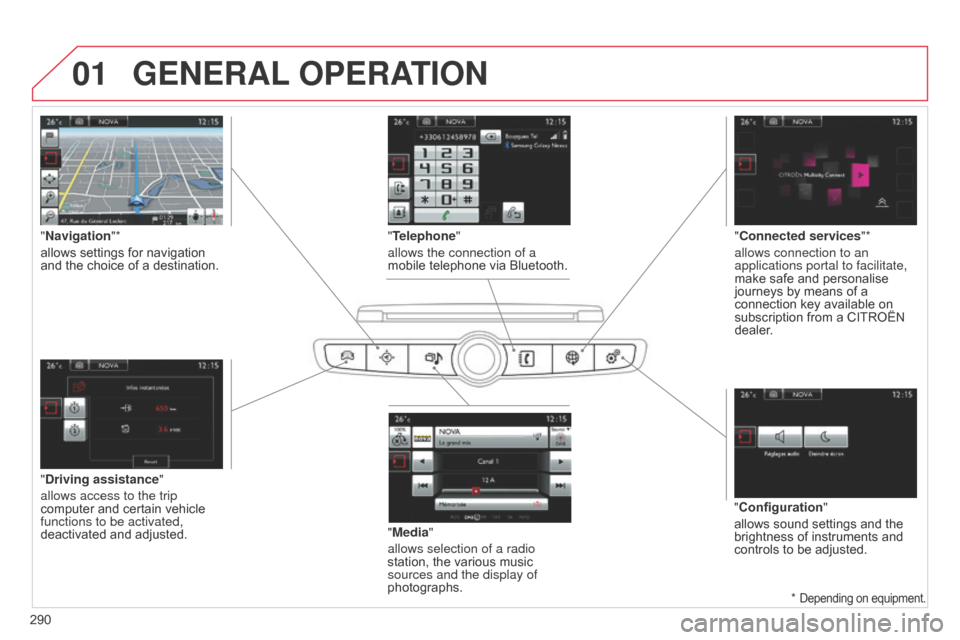
"Driving assistance"
allows access to the trip
computer
and certain vehicle
functions to be activated,
deactivated
and adjusted. "Media"
allows selection of a radio
station,
the various music
sources and the display of
photographs.
"
Navigation"*
allows settings for navigation
and
the choice of a destination.
"Configuration"
allows
sound settings and the
brightness
of instruments and
controls
to be adjusted.
"Connected services
"*
allows connection to an
applications portal to facilitate,
make safe and personalise
journeys
by means of a
connection
key available on
subscription
from a CITROËN
dealer
.
"Telephone"
allows the connection of a
mobile telephone via Bluetooth.
Page 340 of 494
06
C4-2_en_Chap13b_SMEGplus_ed01-2015
C4-2_en_Chap13b_SMEGplus_ed01-2015
338
CONFIGURATION
- "Ambience" (choice of 6 musical ambiences)
- "Bass "
-
"Treble"
-
"Loudness" (Activate/Deactivate)
-
"Balance" ("Driver", "All passengers", "Front only ")
-
"Audio setting on touch screen "
-
"Volume linked to vehicle speed: "
(Activate/Deactivate)
The
audio
settings
( Ambience, Bass , Treble and Loudness)
are
dif
ferent
and
independent
for
each
sound
source.
The
settings
for
distribution
and
balance
are
common
to
all
sources.
The
distribution
(or
spatialisation
using
the
Arkamys© system) of
sound
is
an
audio
process
that
allows
the
audio
quality to be
adapted
to
the
number
of
listeners
in
the
vehicle.
Available
only
with
the
6-speaker
configuration. On-board
audio:
Arkamys© Sound Staging.
With
Sound
Staging,
the
driver and passengers are immersed in an
"audio
scene"
recreating
the natural atmosphere of an auditorium:
truly
a
part
of
the
scene
and its surroundings.
This
new
sensation
is
made possible by software in the audio
system
which
processes
the digital signals from the media players
(radio,
CD,
MP3…)
without changing the audio settings.
This
processing
takes
account
of the characteristics of the passenger
compartment
to
produce
optimum results.
The
Arkamys© software installed in your audio system processes the
digital
signal from the media players (radio, CD, MP3, ...) and
recreates
a
natural musical scene, with harmonious placement of
instruments
and voices in the space in front of passengers, level with
the
windscreen.
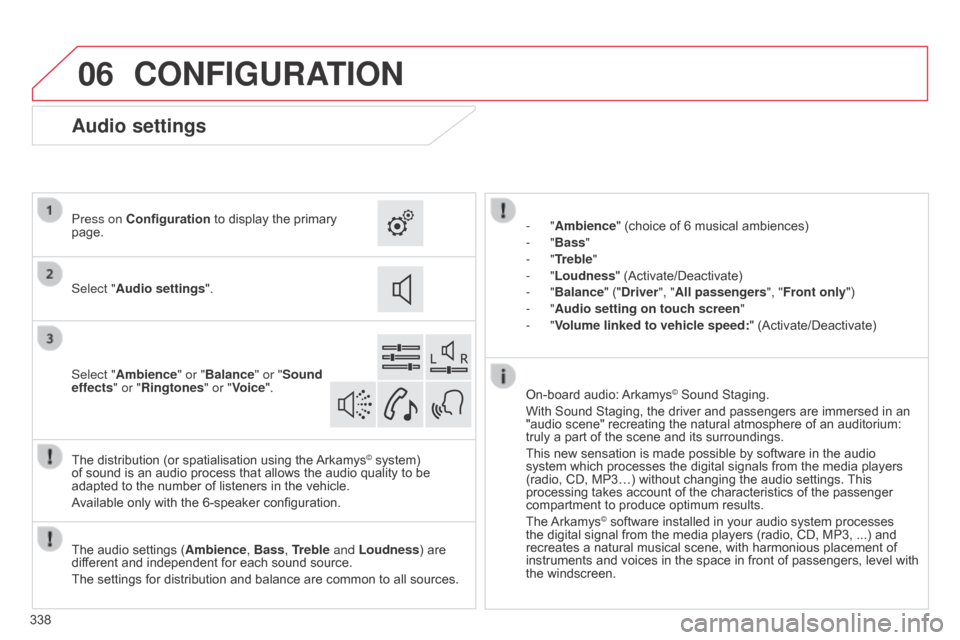
Audio settings
Select "Audio settings ".
Press on Configuration
to display the primary
page.
Select "
Ambience" or "Balance" or "Sound
effects " or "Ringtones" or "Voice".
Page 386 of 494
06
384
C4-2_en_Chap13c_RD5_ed01-2015
C4-2_en_Chap13c_RD5_ed01-2015
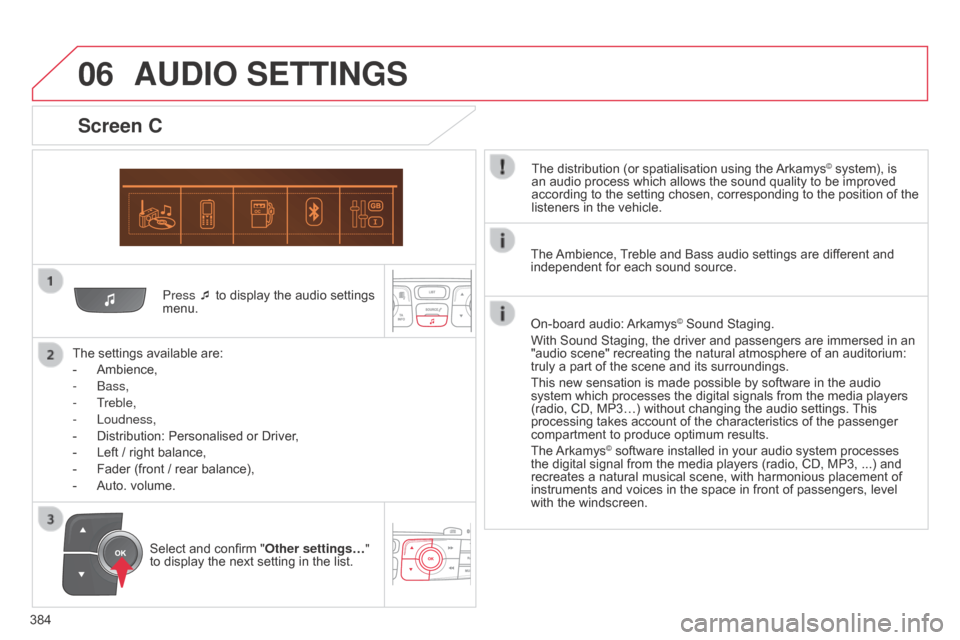
Press ¯ to display the audio settings menu.
The
settings
available are:
-
Ambience,
-
b
ass,
-
Treble,
-
Loudness,
-
Distribution:
Personalised or Driver,
-
Left
/
right
balance,
-
Fader
(front / rear balance),
-
Auto.
volume.
Screen C
The distribution (or spatialisation using the Arkamys© system), is an
audio
process
which
allows
the
sound
quality
to
be improved
according
to
the
setting
chosen,
corresponding
to
the position of the
listeners
in
the
vehicle.
AUDIO SETTINGS
Select and confirm " Other settings… "
to display the next setting in the list. The
Ambience,
T
reble and Bass audio settings are different and
independent
for each sound source.
On-board audio:
Arkamys© Sound Staging.
With
Sound
Staging,
the
driver and passengers are immersed in an
"audio
scene"
recreating
the natural atmosphere of an auditorium:
truly
a
part
of
the
scene
and its surroundings.
This
new
sensation
is
made possible by software in the audio
system
which
processes
the digital signals from the media players
(radio,
CD,
MP3…)
without changing the audio settings.
This
processing
takes
account
of the characteristics of the passenger
compartment
to
produce
optimum results.
The
Arkamys© software installed in your audio system processes the
digital
signal from the media players (radio, CD, MP3, ...) and
recreates
a
natural musical scene, with harmonious placement of
instruments
and voices in the space in front of passengers, level
with
the
windscreen.
Page 397 of 494
395
C4-2_en_Chap14_index-alpha_ed01-2015
C4-2_en_Chap14_index-alpha_ed01-2015
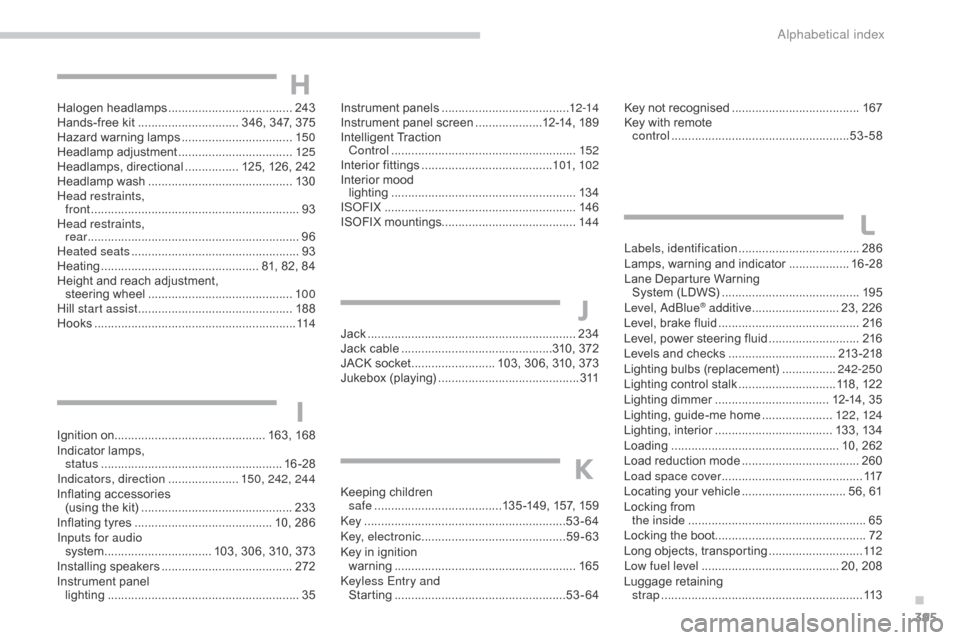
Halogen headlamps .....................................24 3
Hands-free kit .............................. 3 46, 347, 375
Hazard
w
arning
lam
ps
................................. 15
0
Headlamp
adj
ustment
.................................. 12
5
Headlamps,
d
irectional
................ 1
25, 126, 242
Headlamp
w
ash
........................................... 13
0
Head restraints, front
........
...................................................... 93
Head restraints, rear
...............................
................................96
Heated seats
...............................
...................93
Heating
................
............................... 81, 82, 84
Height
and reach adjustment,
steering
w
heel
..............................
.............10 0
Hill start assist
.............................................. 18
8
Hooks
...............................
.............................114Instrument p
anels ............................... .......12-14
Instrument
panel screen ....................1 2-14, 189
Intelligent
T
raction
C
ontrol
.......................................................15
2
Interior
f
ittings
.......................................10
1, 102
Interior
mood
lighting
..............................
.........................13 4
IS
oFI
X
...............
..........................................146
ISOFIX
m
ountings........................................ 14 4Key
not recognised ......................................16
7
Key
with remote
control
..................................................... 53
-58
Labels, identification
.................................... 28
6
Lamps,
warning and indicator
..................16
-28
Lane
Departure Warning
System
(LDWS)
...............................
..........195
Level,
a d
blu
e
® additive .......................... 23, 226
Level,
brake
fluid .......................................... 2
16
Level,
power
steering fluid
........................... 2
16
Levels
and
checks
..............................
..213 -218
Lighting
bulbs
(replacement)
................2
42-250
Lighting
control stalk
.............................1
18, 122
Lighting
dimmer
..............................
.... 12-14, 35
Lighting,
guide-me home
..................... 12
2, 124
Lighting,
i
nterior
................................... 13
3,
13
4
Loading
..............................
.................... 10, 262
Load
reduction mode
................................... 26
0
Load space cover
...............................
...........117
Locating
your
vehicle
............................... 5
6, 61
Locking
from
the inside
..............................
.......................65
Locking
the
boot............................................. 72
Long
objects,
transporting
............................ 11
2
Low fuel level
..............................
........... 20, 208
Luggage
retaining
strap
............................................................ 11
3
L
Ignition on.............................................16 3, 16 8
Indicator lamps,
status
...............
....................................... 16 -28
Indicators, direction
..................... 1
50, 242, 244
Inflating
a
ccessories
(
using the kit)
..............................
...............233
Inflating
tyres
..............................
........... 10, 286
Inputs for audio system
................
................ 103, 306, 310, 373
Installing
s
peakers
...............................
........272
Instrument
panel
lighting
..............................
...........................35
I
Jack .............................................................. 234
Jack cable .............................................3 10, 372
JACK
socket
......................... 1
03, 306, 310, 373
Jukebox
(playing)
.......................................... 3
11
J
H
Keeping children
s afe ............... .......................135 -149, 157, 159
key .......
.....................................................53-64
ke
y, electronic
........................................... 59
-63
Key
in ignition
warning
...............................
.......................165
ke
yless Entry and
Starting
................................................... 53
-64
K
.
alphabetical index
Page 410 of 494
Driving
6
C4-2-add_en_Chap09_conduite_ed01-2015
Stop & Start
Operation
Going into engine STOP mode
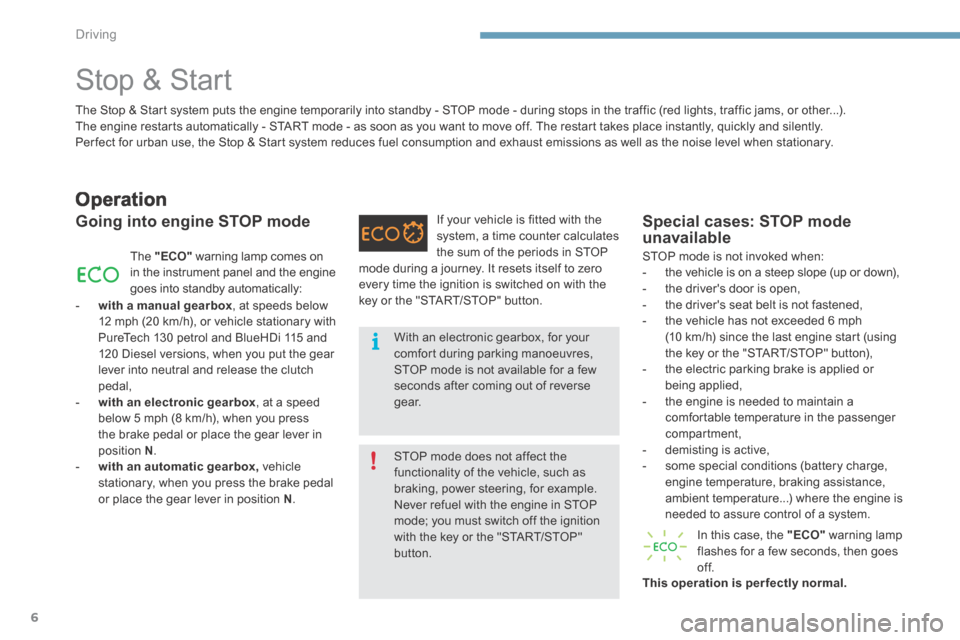
The "ECO" warning lamp comes on in the instrument panel and the engine goes into standby automatically:
- with a manual gearbox , at speeds below 12 mph (20 km/h), or vehicle stationary with PureTech 130 petrol and BlueHDi 115 and 120 Diesel versions, when you put the gear lever into neutral and release the clutch pedal, - with an electronic gearbox , at a speed below 5 mph (8 km/h), when you press the brake pedal or place the gear lever in position N . - with an automatic gearbox, vehicle stationary, when you press the brake pedal or place the gear lever in position N .
If your vehicle is fitted with the system, a time counter calculates the sum of the periods in STOP
Special cases: STOP mode unavailable
STOP mode is not invoked when: - the vehicle is on a steep slope (up or down), - the driver's door is open, - the driver's seat belt is not fastened, - the vehicle has not exceeded 6 mph (10 km/h) since the last engine start (using the key or the "START/STOP" button), - the electric parking brake is applied or being applied, - the engine is needed to maintain a comfortable temperature in the passenger compartment, - demisting is active, - some special conditions (battery charge, engine temperature, braking assistance, ambient temperature...) where the engine is needed to assure control of a system.
In this case, the "ECO" warning lamp flashes for a few seconds, then goes of f. This operation is perfectly normal.
The Stop & Start system puts the engine temporarily into standby - STOP mode - during stops in the traffic (red lights, traffic jams, or other...). The engine restarts automatically - START mode - as soon as you want to move off. The restart takes place instantly, quickly and silently. Per fect for urban use, the Stop & Start system reduces fuel consumption and exhaust emissions as well as the noise level when stationary.
STOP mode does not affect the functionality of the vehicle, such as braking, power steering, for example. Never refuel with the engine in STOP mode; you must switch off the ignition
with the key or the "START/STOP" button.
With an electronic gearbox, for your comfort during parking manoeuvres, STOP mode is not available for a few seconds after coming out of reverse g e a r.
mode during a journey. It resets itself to zero every time the ignition is switched on with the key or the "START/STOP" button.