mirror Citroen C4 2015 2.G Owner's Manual
[x] Cancel search | Manufacturer: CITROEN, Model Year: 2015, Model line: C4, Model: Citroen C4 2015 2.GPages: 494, PDF Size: 20.49 MB
Page 4 of 494
C4-2_en_Chap00a_sommaire_ed01-2015
C4-2_en_Chap00a_sommaire_ed01-2015
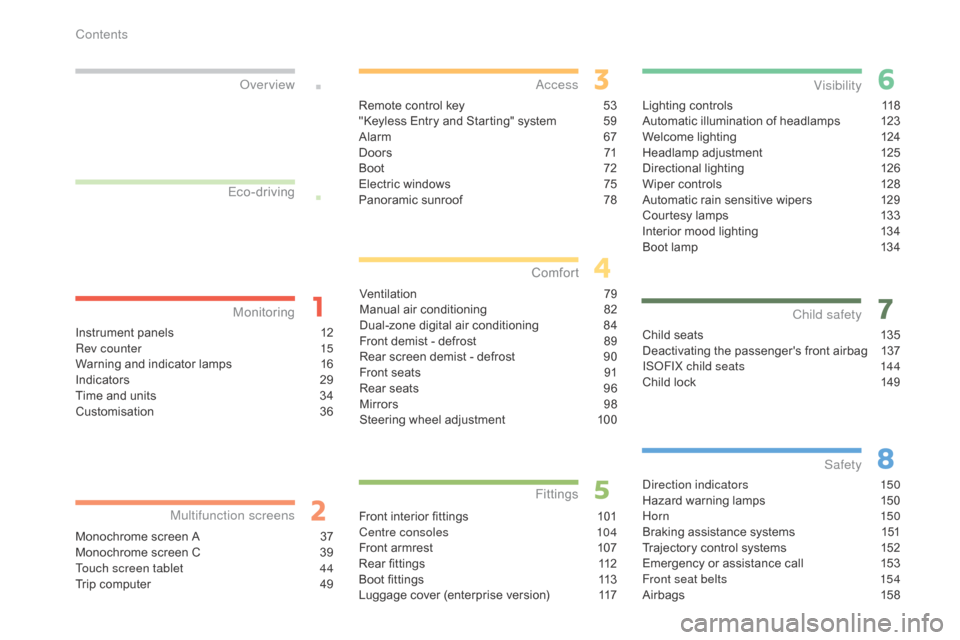
Lighting controls 118
Automatic illumination of headlamps 1 23
Welcome
lighting
1
24
Headlamp
adj
ustment
1
25
Directional
l
ighting
1
26
Wiper
controls
1
28
Automatic
rain sensitive wipers
1
29
Courtesy
lamps
1
33
Interior
mood lighting
1
34
Boot
lamp
1
34
Visibility
Child seats 1 35
Deactivating the passenger's front airbag 1 37
IS
oF
IX child seats
1
44
Child
lock
1
49
Child safety
direction indicators 150
Hazard warning lamps 1 50
Hor n
150
Braking
assistance systems
1
51
Trajectory
control systems
1
52
Emergency
or assistance call
1
53
Front seat belts
1
54
Airbags
1
58
Safety
Instrument panels 1 2
Rev counter 1 5
Warning
and indicator lamps
1
6
Indicators
2
9
Time
and units
3
4
Customisation
3
6
Monitoring
ove
r view
Monochrome screen A 3
7
Monochrome screen C 3 9
Touch screen tablet
4
4
Trip
computer
4
9
Multifunction screens
Remote control key 53
"Keyless Entry and Starting" system 5 9
Alarm
6
7
D o o r s
71
Boo
t
7
2
Electric
windows
7
5
Panoramic
sunroof
7
8
access
Ventilation 7 9
Manual a ir c onditioning 8 2
Dual-zone
d
igital
a
ir
c
onditioning
8
4
Front
demist - defrost
8
9
Rear
screen demist - defrost
9
0
Front
seats
9
1
Rear
seats
9
6
Mirrors
9
8
Steering
wheel adjustment
1
00
Comfort
Front interior fittings 1 01
Centre consoles 1 04
Front
armrest
1
07
Rear
fittings
1
12
Boot
fittings
1
13
Luggage
cover (enterprise version)
1
17
Fittings
Eco-driving
Contents
Page 6 of 494
4
C4-2_en_Chap00b_vue-ensemble_ed01-2015
C4-2_en_Chap00b_vue-ensemble_ed01-2015
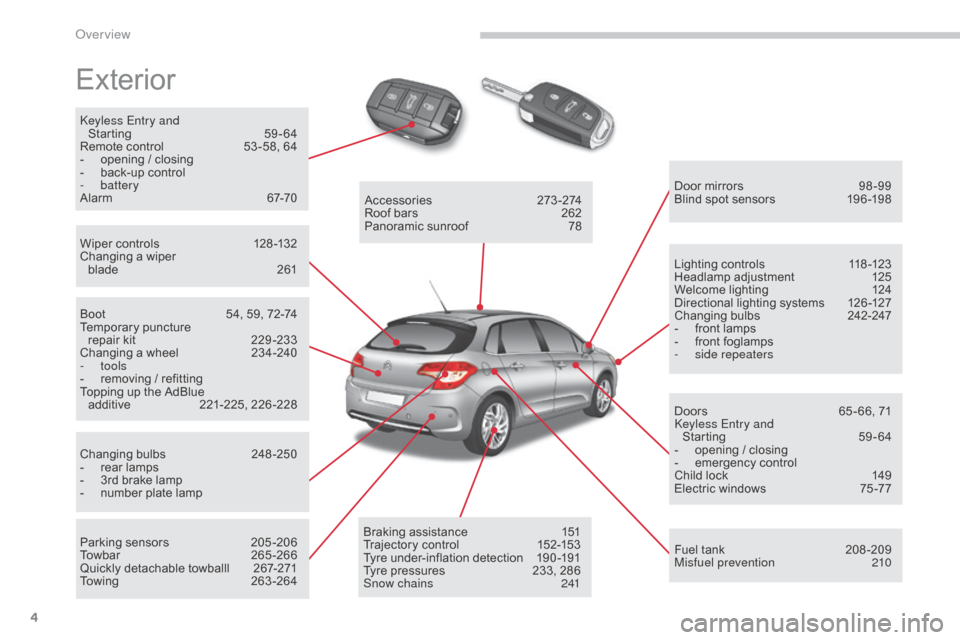
Exterior
keyless Entry and Starting 5 9-64
Remote
control
5
3 -58, 64
-
o
pening / closing
-
b
ack-up control
-
battery
Alarm
6
7-70
Wiper
controls
1
28 -132
Changing
a wiper
blade
2
61 Door
mirrors
9
8 -99
Blind
spot sensors
1
96 -198
Boot
5
4, 59, 72-74
Temporary
pu
ncture
r
epair kit
2
29 -233
Changing
a wheel
2
34-240
-
tools
-
r
emoving / refitting
Topping
up the AdBlue
a
dditive
2
21-225,
2
26-228
Changing
bu
lbs
2
48-250
-
r
ear lamps
-
3
rd brake lamp
-
n
umber plate lamp
Parking
sensors
2
05 -206
Towbar
26
5-266
Quickly
detachable towballl
2
67-271
Towing
26
3-264Accessories
2
73-274
Roof
bars
2
62
Panoramic
sunroof
7
8
Braking
assistance
1
51
Trajectory
control
1
52-153
Tyre
under-inflation detection
1
90 -191
Tyre
pressures
2
33, 286
Snow chains
2
41Lighting
controls
1
18 -123
Headlamp
adj
ustment
1
25
Welcome
lighting
1
24
Directional
lighting systems
1
26 -127
Changing
bu
lbs
2
42-247
-
f
ront lamps
-
f
ront foglamps
-
si
de repeaters
Doors
6
5 - 66, 71
ke
yless Entry and
Starting
5
9-64
-
o
pening / closing
-
em
ergency
c
ontrol
Child
lock
1
49
Electric
windows
7
5 -77
Fuel
tank
2
08 -209
Misfuel prevention
2
10
over view
Page 8 of 494
6
C4-2_en_Chap00b_vue-ensemble_ed01-2015
C4-2_en_Chap00b_vue-ensemble_ed01-2015
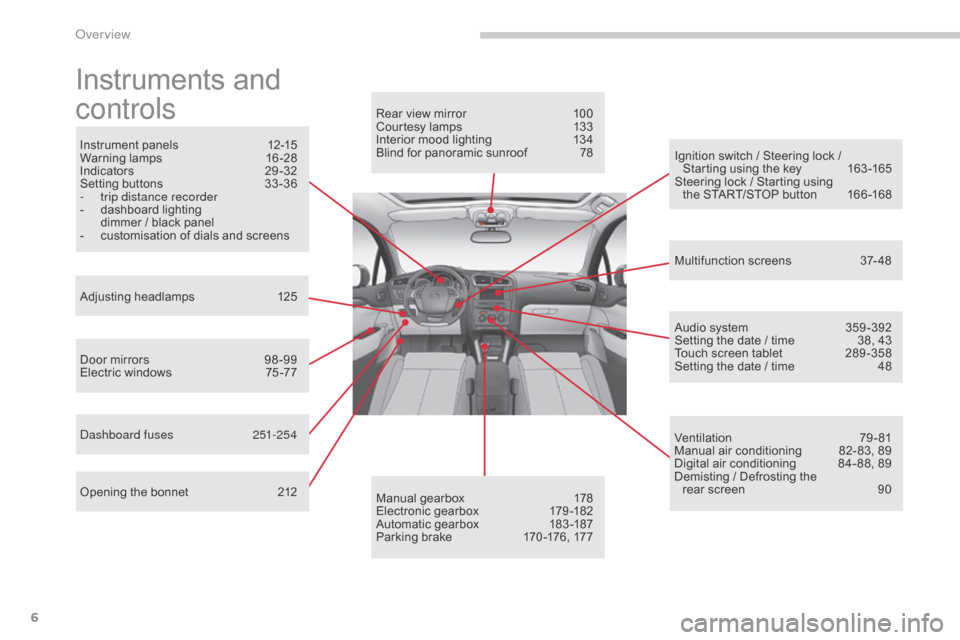
Instruments and
c
ontrols
Instrument panels 1 2-15
Warning lam ps 1 6-28
Indicators
2
9-32
Setting
buttons
3
3 -36
-
t
rip distance recorder
-
d
ashboard lighting
d
immer / black panel
-
c
ustomisation of dials and screens
Adjusting
h
eadlamps
1
25
Door
mirrors
9
8 -99
Electric
windows
7
5 -77
da
shboard fuses
2
51-254
Opening
the bonnet
2
12 Audio
system
3
59 -392
Setting
the date / time
3
8, 43
Touch
screen tablet
2
89 -358
Setting
the date / time
4
8
Manual
g
earbox
1
78
Electronic
gearbox
1
79 -182
Automatic
gearbox
1
83 -187
Parking
brake
1
70 -176, 177
Rear
view mirror
1
00
Courtesy lamps
1
33
Interior mood lighting 1 34
Blind for panoramic sunroof 7 8
Multifunction
screens
3
7- 48
Ventilation
7
9-81
Manual
air conditioning
8
2- 83, 89
Digital
air conditioning
8
4- 88, 89
Demisting
/ Defrosting the
rear
screen
9
0
Ignition
switch / Steering lock /
S
tarting using the key
1
63 -165
Steering
lock / Starting using
the
START/STOP button
1
66 -168
over view
Page 55 of 494
53
C4-2_en_Chap03_ouvertures_ed01-2015
C4-2_en_Chap03_ouvertures_ed01-2015
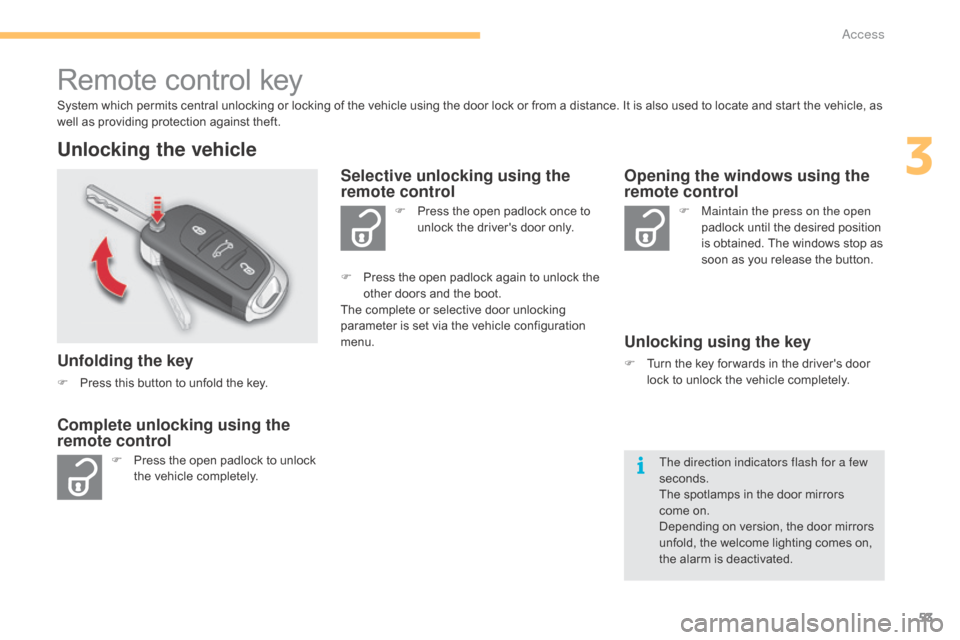
Remote control key
System which permits central unlocking or locking of the vehicle using the door lock or from a distance. It is also used to locate and start the vehicle, as well as providing protection against theft.
Unlocking the vehicle
Unfolding the key
F Press this button to unfold the key.
F
P
ress the open padlock to unlock
t
he vehicle completely. F
P
ress the open padlock once to
u
nlock the driver's door only.
Selective unlocking using the
remote control
F Maintain the press on the open
padlock until the desired position
i
s obtained. The windows stop as
s
oon as you release the button.
Opening the windows using the
remote control
Unlocking using the key
F Turn the key for wards in the driver's door l
ock to unlock the vehicle completely.
Complete unlocking using the
remote control
F Press the open padlock again to unlock the o
ther doors and the boot.
The
complete or selective door unlocking
p
arameter is set via the vehicle configuration
m
enu.
The direction indicators flash for a few
seconds.
The
spotlamps in the door mirrors
come
on.
Depending
on version, the door mirrors
u
nfold, the welcome lighting comes on,
t
he alarm is deactivated.
3
Access
Page 57 of 494
55
C4-2_en_Chap03_ouvertures_ed01-2015
C4-2_en_Chap03_ouvertures_ed01-2015
Locking the vehicle
F Press the closed padlock to lock t
he vehicle.
Normal locking using the remote
control
Normal locking using the key
F Turn the key towards the rear in the driver's d
oor lock to lock the vehicle.
The direction indicators flash for a few
seconds.
Depending
on version, the door mirrors fold,
t
he alarm is activated.
Closing the windows using the
remote control
F Press and hold down the closed padlock until the desired position
i
s obtained. The windows stop
w
hen you release the button.
When
closing the windows using the
r
emote control you must ensure that
n
othing prevents them from closing
c
o r r e c t l y.
If you want to leave the windows
partly
open, you must deactivate the
v
olumetric
alar
m
m
onitoring.
If one of the doors or the boot is still
open,
the
central
locking
does
not
take
p
lace.
However,
the
alarm
(if
present)
will
b
e
completely
activated
after
about
4
5 seconds.
If
the
vehicle
is
unlocked
inadvertently
a
nd with no action on the doors or
boot,
the
vehicle
will
lock
itself
again
a
utomatically
after
about
30
seconds.
If
the
alarm
had
previously
been
a
ctivated, it will not be reactivated
automatically.
The
folding
and
unfolding
of
the
door
m
irrors
using
the
remote
control
can
be
d
eactivated by a CITR
oËn
dealer or a
qualified
w
orkshop.
3
Access
Page 61 of 494
59
C4-2_en_Chap03_ouvertures_ed01-2015
C4-2_en_Chap03_ouvertures_ed01-2015
"Keyless Entry and Starting" system
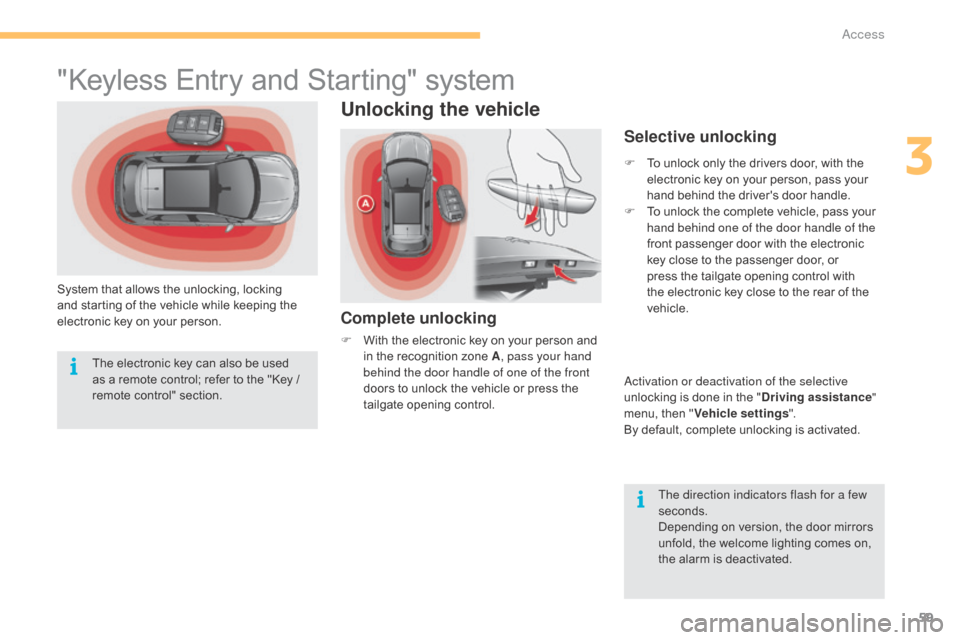
System that allows the unlocking, locking and starting of the vehicle while keeping the
e
lectronic key on your person.
Unlocking the vehicle
Complete unlocking
F With the electronic key on your person and i
n the recognition zone A, pass your hand
behind the door handle of one of the front
doors
to unlock the vehicle or press the
t
ailgate opening control.
Selective unlocking
F To unlock only the drivers door, with the e
lectronic key on your person, pass your
h
and behind the driver's door handle.
F
T
o unlock the complete vehicle, pass your
h
and behind one of the door handle of the
front
passenger door with the electronic
k
ey close to the passenger door, or
p
ress the tailgate opening control with
t
he electronic key close to the rear of the
v
ehicle.
ac
tivation or deactivation of the selective
unlocking
is done in the "Driving assistance "
menu,
then "Vehicle settings ".
By
default, complete unlocking is activated.
The direction indicators flash for a few
seconds.
Depending
on version, the door mirrors
u
nfold, the welcome lighting comes on,
t
he alarm is deactivated.
The
electronic
key
can
also
be
used
a
s
a
remote
control;
refer
to
the
"Key
/
r
emote
c
ontrol"
s
ection.
3
Access
Page 62 of 494
60
C4-2_en_Chap03_ouvertures_ed01-2015
C4-2_en_Chap03_ouvertures_ed01-2015
Locking the vehicle
Normal locking
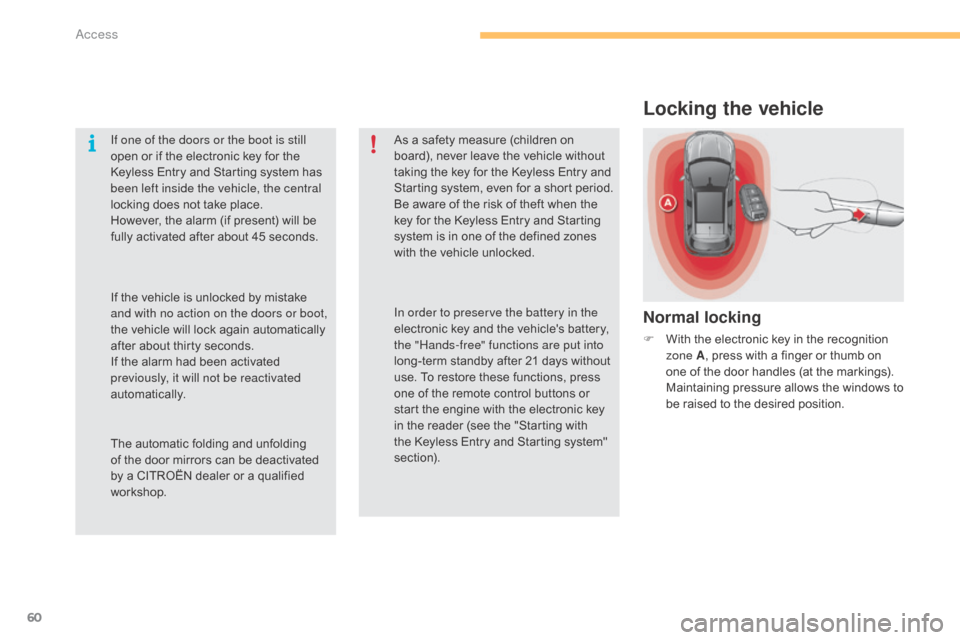
F With the electronic key in the recognition z
one A ,
press with a finger or thumb on
o
ne of the door handles (at the markings).
M
aintaining pressure allows the windows to
b
e raised to the desired position.
If one of the doors or the boot is still
open
or
if
the
electronic
key
for
the
K
eyless
Entry
and
Starting
system
has
b
een left inside the vehicle, the central
locking
does
not
take
place.
However,
the
alarm
(if
present)
will
be
f
ully
activated
after
about
45
seconds.
As
a
safety
measure
(children
on
b
oard),
never
leave
the
vehicle
without
t
aking
the
key
for
the
Keyless
Entry
and
S
tarting
system,
even
for
a
short
period.
Be
aware
of
the
risk
of
theft
when
the
k
ey
for
the
Keyless
Entry
and
Starting
s
ystem
is
in
one
of
the
defined
zones
w
ith
the
vehicle
unlocked.
The
automatic
folding
and
unfolding
o
f
the
door
mirrors
can
be
deactivated
b
y
a
CITROËN
dealer
or
a
qualified
w
orkshop. In order to preserve the battery in the
electronic
key
and
the
vehicle's
battery,
t
he "Hands-free" functions are put into
long-term
standby
after
21
days
without
u
se.
To
restore
these
functions,
press
o
ne
of
the
remote
control
buttons
or
s
tart
the
engine
with
the
electronic
key
i
n
the
reader
(see
the
"Starting
with
t
he
Keyless
Entry
and
Starting
system"
s
ection).
If
the
vehicle
is
unlocked
by
mistake
a
nd with no action on the doors or boot,
the
vehicle
will
lock
again
automatically
a
fter
about
thirty
seconds.
If
the
alarm
had
been
activated
p
reviously, it will not be reactivated
automatically.
Access
Page 92 of 494
90
C4-2_en_Chap04_confort_ed01-2015
C4-2_en_Chap04_confort_ed01-2015
Rear screen demist - defrost
The control button is located on the air conditioning system control panel.
Switching on
The rear screen demisting/defrosting can only operate when the engine is running.
F
P
ress this button to demist /defrost the
r
ear screen and (depending on version)
t
he door mirrors. The indicator lamp
a
ssociated with the button comes on.
Switching off
The demisting/defrosting switches off automatically to prevent an excessive consumption of current.
F It is possible to stop the demisting/defrosting o
peration before it is switched off automatically b
y pressing the button again. The indicator
l
amp associated with the button goes off.
F Switch off the demisting/defrosting o
f the rear screen and door mirrors
a
s soon as appropriate, as lower
current
consumption results in
r
educed
f
uel
c
onsumption.
Comfort
Page 97 of 494
95
C4-2_en_Chap04_confort_ed01-2015
C4-2_en_Chap04_confort_ed01-2015
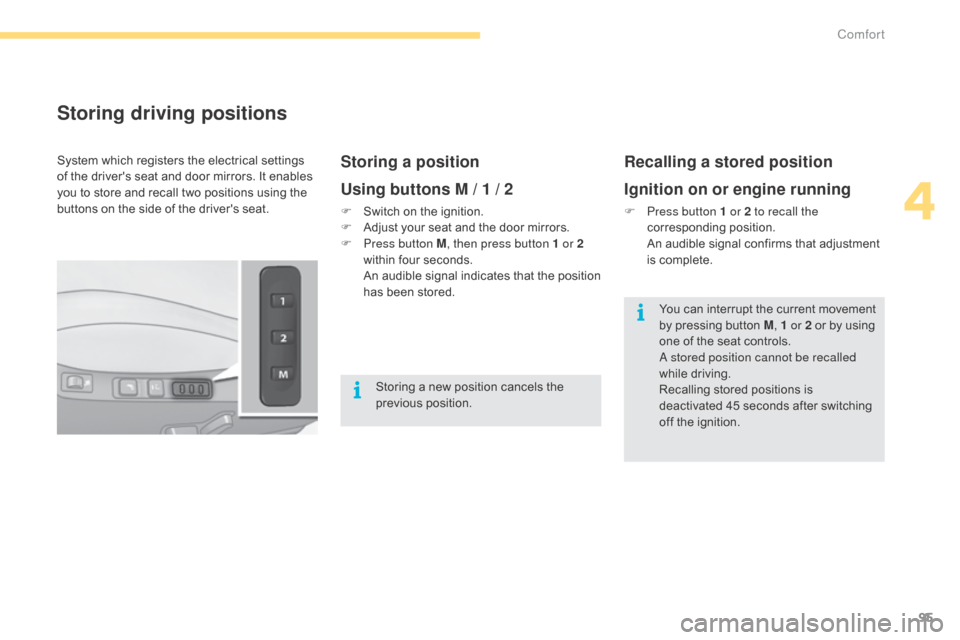
Storing driving positions
Storing a position
Using buttons M / 1 / 2
F Switch on the ignition.
F A djust your seat and the door mirrors.
F
P
ress button M , then press button 1 or 2
within
four seconds.
A
n audible signal indicates that the position
h
as been stored.
Recalling a stored position
Ignition on or engine running
F Press button 1 or 2 to recall the corresponding p osition.
A
n audible signal confirms that adjustment
i
s complete.
System
which
registers
the
electrical
settings
o
f
the
driver's
seat
and
door
mirrors.
It
enables
y
ou
to
store
and
recall
two
positions
using
the
b
uttons
on
the
side
of
the
driver's
seat.
Storing
a
new
position
cancels
the
p
revious
p
osition. You
can interrupt the current movement
b
y pressing button M, 1 or 2
or by using
o
ne of the seat controls.
a
stored position cannot be recalled
while
driving.
Recalling
stored positions is
d
eactivated 45 seconds after switching
o
ff the ignition.
4
Comfort
Page 100 of 494
98
C4-2_en_Chap04_confort_ed01-2015
C4-2_en_Chap04_confort_ed01-2015
Mirrors
Each fitted with an adjustable mirror glass permitting t he la teral r earward v ision n ecessary f
or overtaking or parking. They can also be
f
olded for parking in confined spaces.
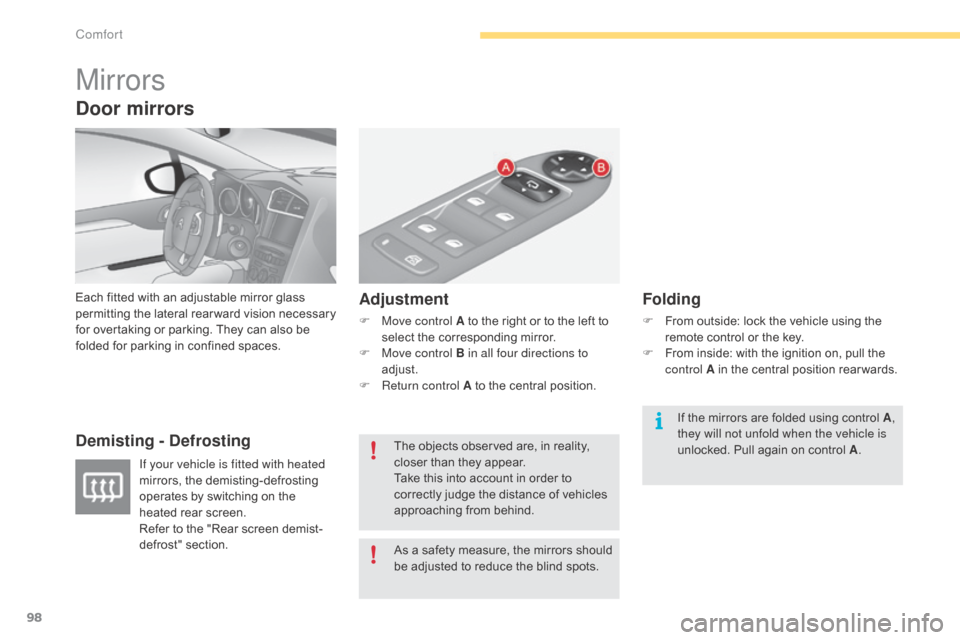
Demisting - Defrosting Adjustment
F Move control A
to the right or to the left to s
elect the corresponding mirror.
F
M
ove control B in all four directions to
adjust.
F
R
eturn control A to the central position.
Folding
F From outside: lock the vehicle using the r
emote control or the key.
F
F
rom inside: with the ignition on, pull the
c
ontrol A in the central position rear wards.
If your vehicle is fitted with heated
mirrors,
the
demisting-defrosting
o
perates
by
switching
on
the
h
eated
rear
screen.
Refer
to
the
"Rear
screen
demist-
defrost"
s
ection. As
a
safety
measure,
the
mirrors
should
b
e
adjusted
to
reduce
the
blind
spots.
The
objects
observed
are,
in
reality,
c
loser
than
they
appear.
Take
this
into
account
in
order
to
c
orrectly
judge
the
distance
of
vehicles
a
pproaching
from
behind. If
the mirrors are folded using control A,
they will not unfold when the vehicle is
unlocked.
Pull again on control A.
Door mirrors
Comfort