audio Citroen C4 2016 2.G User Guide
[x] Cancel search | Manufacturer: CITROEN, Model Year: 2016, Model line: C4, Model: Citroen C4 2016 2.GPages: 396, PDF Size: 10.22 MB
Page 104 of 396

102
C4-2_en_Chap03_ergonomie-et-confort_ed02-2015
Front fittings
1. Grab handle
2. Sun visor
(
see details on a following page)
3.
T
icket holder
4.
I
lluminated glove box
(
see details on a following page)
5.
Doo
r pocket s
6.
L
arge open storage box
(without audio system)
or
S
mall storage box with flap
(with audio system)
7.
S
mall open storage box
(without audio system)
8.
U
SB por t / Auxiliar y socket
(
see details on a following page)
9.
1
2 V accessory socket
(
see details on following pages)
10.
C
entre armrest with storage
(
see details on a following page)
Ease of use and comfort
Page 106 of 396
104
C4-2_en_Chap03_ergonomie-et-confort_ed02-2015
USB Player
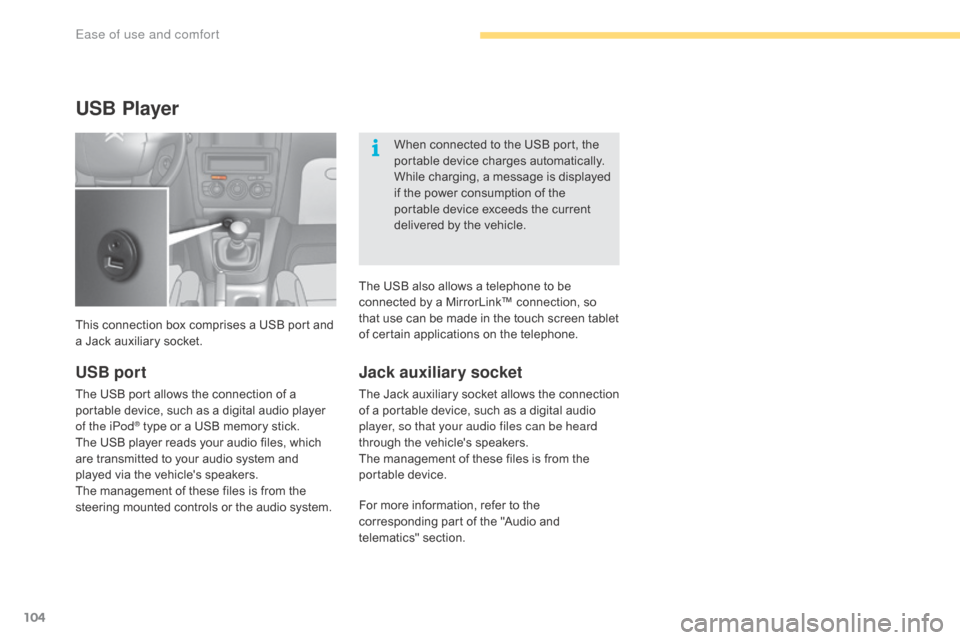
This connection box comprises a USB port and a Jack auxiliary socket. When
connected to the USB port, the
p
ortable device charges automatically.
While charging, a message is displayed
i
f the power consumption of the
p
ortable device exceeds the current
d
elivered by the vehicle.
Jack auxiliary socket
The Jack auxiliary socket allows the connection o
f a portable device, such as a digital audio
p
layer, so that your audio files can be heard
through
the vehicle's speakers.
The
management of these files is from the
p
ortable
d
evice.
USB port
The USB port allows the connection of a portable device, such as a digital audio player
o
f the iPod
® type or a USB memory stick.
T
he
USB
player reads your audio files, which
a
re
transmitted to your audio system and
p
layed
via
the vehicle's speakers.
The
management of these files is from the
s
teering
mounted controls or the audio system.For
more information, refer to the
c
orresponding part of the "Audio and
t
elematics"
se
ction.
The
USB also allows a telephone to be
c
onnected by a MirrorLink™ connection, so
t
hat use can be made in the touch screen tablet
o
f certain applications on the telephone.
Ease of use and comfort
Page 141 of 396
139
C4-2_en_Chap05_securite_ed02-2015
Hazard warning
lam
ps
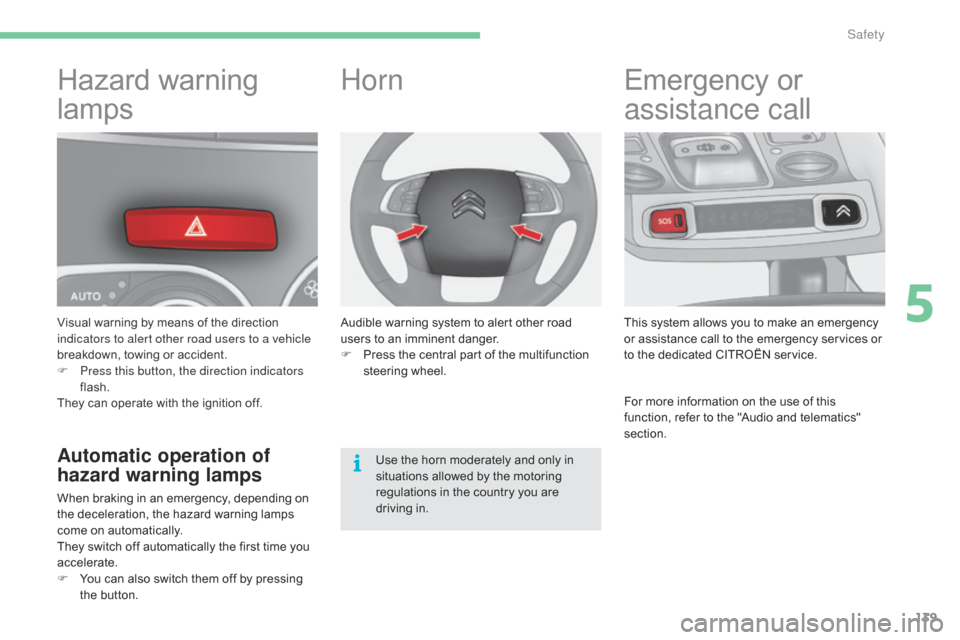
Visual warning by means of the direction i
ndicators to alert other road users to a vehicle
breakdown,
towing or accident.
F
P
ress this button, the direction indicators
flash.
They
can operate with the ignition off.
Automatic operation of
hazard warning lamps
When braking in an emergency, depending on the deceleration, the hazard warning lamps
c
ome on automatically.
They
switch off automatically the first time you
a
ccelerate.
F
Y
ou can also switch them off by pressing
t
he button.
Horn
Audible warning system to alert other road users to an imminent danger.
F
P
ress the central part of the multifunction
s
teering
w
heel.
Use
the horn moderately and only in
s
ituations allowed by the motoring
r
egulations in the country you are
d
riving in.
Emergency or
a
ssistance call
This system allows you to make an emergency o
r assistance call to the emergency services or
t
o the dedicated CITROËN service.
For
more information on the use of this
f
unction, refer to the "Audio and telematics"
s
ection.
5
Safety
Page 172 of 396
170
C4-2_en_Chap06_conduite_ed02-2015
Switching off the engine
Energy economy mode
After switching off the engine (position 1- Stop), f
or a maximum of 30 minutes you can still use
f
unctions such as the audio and telematic
s
ystem, the wipers, dipped beam headlamps,
c
ourtesy lamps, ...
F
C
heck
that
the
parking
brake
is
correctly
a
pplied,
particularly
on
sloping
ground.
Never
switch
off
the
ignition
before
the
v
ehicle
is
at
a
complete
stop.
With
the
e
ngine
off,
the
braking
and
steering
a
ssistance
systems
are
also
cut
off:
risk
o
f
loss
of
control
of
the
vehicle.
To
facilitate
unlocking
of
the
steering
c
olumn,
it
is
recommended
that
the
w
heels
be
returned
to
the
straight
ahead
p
osition
before
switching
off
the
engine.
When
you
leave
the
vehicle,
keep
the
k
ey
with
you
and
lock
the
vehicle. For
more information on the
e
nergy economy mode, refer to the
c
orresponding
s
ection.Key left in the "Ignition on" position
If the key has been left in the ignition switch at position 2 (Ignition on) ,
the
ignition will be switched off
a
utomatically after one hour.
To
switch the ignition back on, turn the
k
ey to position 1 (Stop),
then back to
p
osition 2 (Ignition on) .
F
S
top
the
vehicle.
F
W
ith
the
engine
running
at
idle,
turn
the
key
t
o position 1 .
F
R
emove
the
key
from
the
ignition
switch.
F
T
o
lock
the
steering
column,
turn
the
s
teering
until
it
locks.
Driving
Page 206 of 396
204
C4-2_en_Chap06_conduite_ed02-2015
Memorising speeds
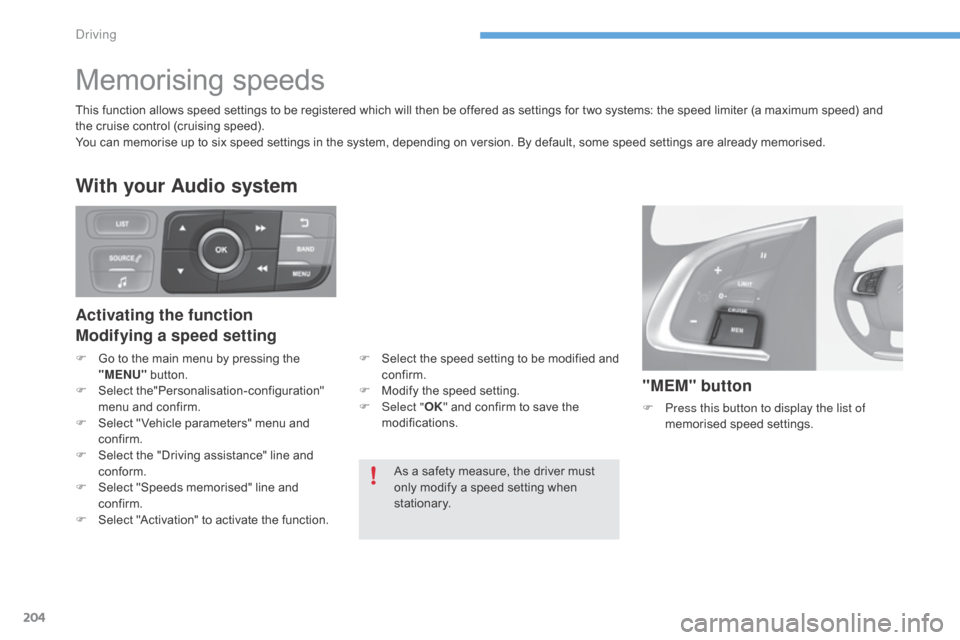
"MEM" button
F Press this button to display the list of
memorised s peed se ttings.
As
a
safety
measure,
the
driver
must
o
nly
modify
a
speed
setting
when
s
tationary.
This
function
allows
speed
settings
to
be
registered
which
will
then
be
offered
as
settings
for
two
systems: the speed limiter (a maximum speed) and
t
he
cruise
control
(cruising
speed).
You
can
memorise
up
to
six
speed
settings
in
the
system,
depending
on
version.
By
default,
some
speed settings are already memorised.
Activating the function
Modifying a speed setting
With your Audio system
F Go
to the main menu by pressing the "
MENU" button.
F
Sel
ect
t
he"Personalisation-configuration"
m
enu and confirm.
F
S
elect " Vehicle parameters" menu and
c
onfirm.
F
S
elect the "Driving assistance" line and
c
onform.
F
S
elect "Speeds memorised" line and
c
onfirm.
F
S
elect "Activation" to activate the function.F
S elect the speed setting to be modified and c
onfirm.
F
M
odify the speed setting.
F
Sel
ect "OK"
and confirm to save the
m
odifications.
Driving
Page 221 of 396
219
C4-2_en_Chap07_infos-pratiques_ed02-2015
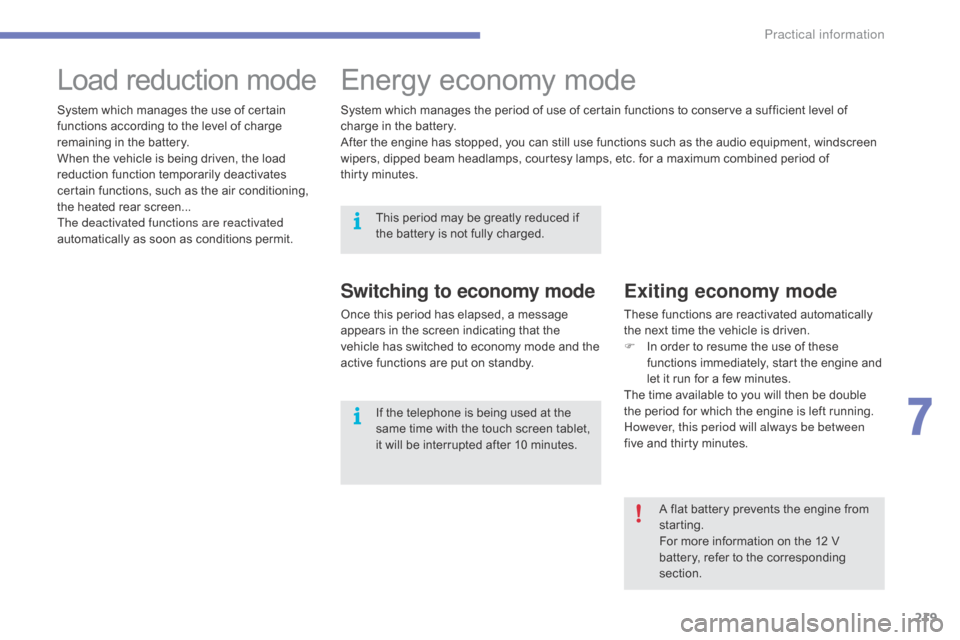
Load reduction modeE nergy ec onomy m ode
Switching to economy mode
Once this period has elapsed, a message a
ppears in the screen indicating that the
v
ehicle has switched to economy mode and the
a
ctive functions are put on standby.
Exiting economy mode
These functions are reactivated automatically the next time the vehicle is driven.
F
I
n order to resume the use of these
f
unctions immediately, start the engine and
l
et it run for a few minutes.
The
time available to you will then be double
t
he period for which the engine is left running.
H
owever, this period will always be between
five
and thirty minutes.
System
which
manages
the
use
of
certain
f
unctions
according
to
the
level
of
charge
r
emaining
in
the
battery.
When
the
vehicle
is
being
driven,
the
load
r
eduction
function
temporarily
deactivates
c
ertain
functions,
such
as
the
air
conditioning,
t
he
heated
rear
screen...
The deactivated functions are reactivated
automatically
as
soon
as
conditions
permit. System
which
manages
the
period
of
use
of
certain
functions to conserve a sufficient level of
c
harge
in
the
battery.
After
the
engine
has
stopped,
you
can
still
use
functions such as the audio equipment, windscreen
w
ipers,
dipped
beam
headlamps, courtesy
lamps,
etc. for a maximum combined period of
t
hirty minutes.
A flat battery prevents the engine from
s
tarting.
For
more information on the 12 V
b
attery, refer to the corresponding
s
ection.
This
period
may
be
greatly
reduced
if
t
he
battery
is
not
fully
charged.
If
the
telephone
is
being
used
at
the
s
ame
time
with
the
touch
screen
tablet,
i
t
will
be
interrupted
after
10
minutes.
7
Practical information
Page 222 of 396
220
C4-2_en_Chap07_infos-pratiques_ed02-2015
Audio pre-equipment
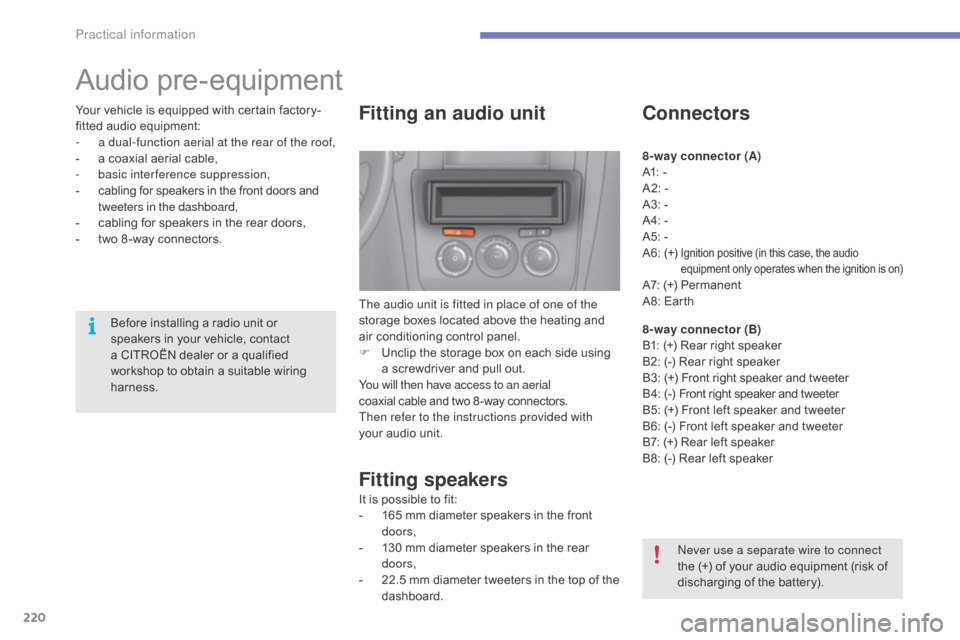
Fitting an audio unit
The audio unit is fitted in place of one of the
storage boxes located above the heating and
a
ir conditioning control panel.
F
U
nclip the storage box on each side using
a
screwdriver and pull out.
You will then have access to an aerial
coaxial
cable and two 8 -way connectors.
Then refer to the instructions provided with
your
audio unit.
Fitting speakers
It is possible to fit:
- 1 65 mm diameter speakers in the front
d
oors,
-
1
30 mm diameter speakers in the rear
d
oors,
-
2
2.5 mm diameter tweeters in the top of the
das
hboard.
Connectors
8-way connector (A)
A1: -
A2:
-
A3:
-
A4:
-
A5:
-
A6:
(+)
Ignition positive (in this case, the audio equipment only operates when the ignition is on)
A7: (+) Permanent
A 8: Earth
8-way connector (B)
B1:
(+) Rear right speaker
B2:
(-) Rear right speaker
B3:
(
+)
F
ront right speaker and tweeter
B 4:
(
-)
F
ront right speaker and tweeter
B5:
(+) Front left speaker and tweeter
B6:
(-) Front left speaker and tweeter
B7:
(+) Rear left speaker
B8:
(-) Rear left speaker
Never use a separate wire to connect
the
(+) of your audio equipment (risk of
d
ischarging of the battery).
Before
installing
a
radio
unit
or
s
peakers
in
your
vehicle,
contact
a
CITROËN
dealer
or
a
qualified
w
orkshop
to
obtain
a
suitable
wiring
har
ness.
Your
vehicle
is
equipped
with
certain
factory-
fitted
audio
equipment:
-
a d
ual-function aerial at the rear of the roof,
-
a
coaxial
aerial
cable,
-
b
asic interference suppression,
-
c
abling
for
speakers
in
the
front
doors
and
t
weeters in the dashboard,
-
c
abling
for
speakers
in
the
rear
doors,
-
t
wo
8 -way
connectors.
Practical information
Page 239 of 396
237
C4-2_en_Chap07_infos-pratiques_ed02-2015
"Multimedia":
audio systems, steering mounted audio controls, speakers, Hi-Fi module, Bluetooth
h
ands-free system, portable satellite navigation
s
ystem, semi-integral support bracket for
p
ortable navigation system, mapping update
C
D, driving assistant, portable video screen,
p
ortable video support bracket, 230 V/50 Hz
s
ocket, 230 V/50 Hz adaptor, iPhone
®
compatible
mobile
phone
charger,
mobile
p
hone/smartphone
bracket,
Wi-Fi
on
board...
By
going to a CITROËN dealer, you can also
o
btain cleaning and maintenance products
(
interior and exterior) - including ecological
p
roducts in the "TECHNATURE" range -,
p
roducts for topping up (screenwash...), touch-
up
pens and paint aerosols for the exact colour
o
f your vehicle, recharges (cartridge for the
t
emporary puncture repair kit...), ...
Installation of radio
communication
transmitters
Before installing any after-market radio communication transmitter, you can
c
ontact a CITROËN dealer for the
specification
of transmitters which can
b
e fitted (frequency, maximum power,
a
erial position, specific installation
requirements),
in line with the Vehicle
E
lectromagnetic
C
ompatibility
D
irective (2004/104/EC). The
fitting of electrical equipment or
a
ccessories which are not recommended
b
y CITROËN may result in a failure of
y
our vehicle's electronic system and
e
xcessive electrical consumption.
Contact a CITROËN dealer
for
information on the range of
r
ecommended equipment and
a
ccessories.
Depending
on the legislation in force in
t
he country, certain safety equipment
m
ay be compulsory: high visibility s
afety vests, warning triangles, b
reathalyzers, spare bulbs, spare fuses,
fire
extinguisher, first aid kit, mud flaps
a
t the rear of the vehicle.
7
Practical information
Page 264 of 396
262
C4-2_en_Chap08_en-cas-de-panne_ed02-2015
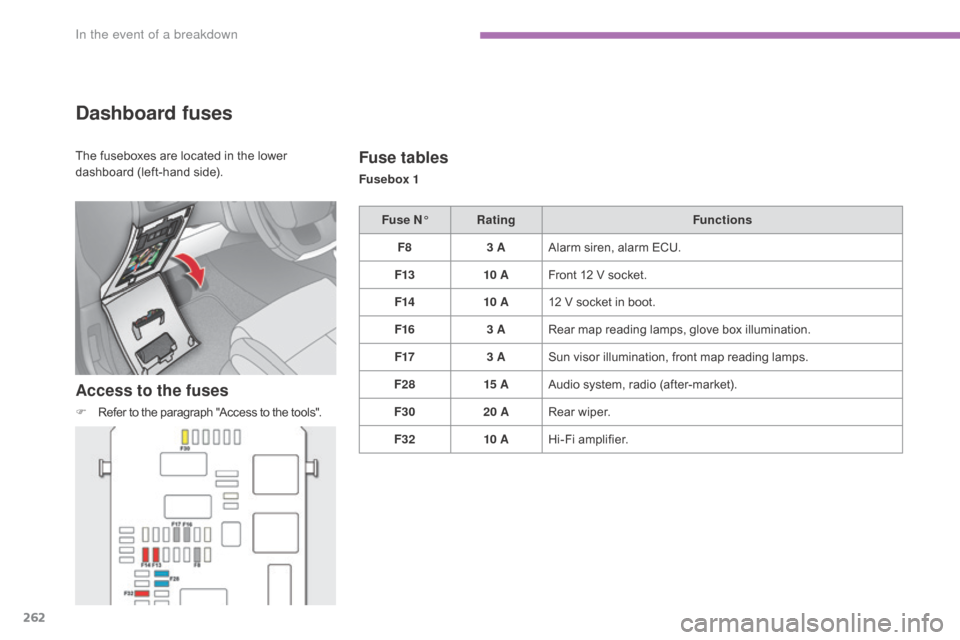
Dashboard fuses
Access to the fuses
F Refer to the paragraph "Access to the tools".
Fuse tables
Fusebox 1
Fuse N° Rating Functions
F8 3 AAlarm
s
iren,
alar
m
E
CU.
F13 10 AFront
12 V socket.
F14 10 A12
V socket in boot.
F16 3 ARear
map reading lamps, glove box illumination.
F17 3 ASun
visor illumination, front map reading lamps.
F28 15 AAudio
system, radio (after-market).
F30 20 ARear
wiper.
F32 10 AHi-Fi
amplifier.
The
fuseboxes
are
located
in
the
lower
d
ashboard
(left-hand
side).
In the event of a breakdown
Page 282 of 396
280
C4-2_en_Chap10a_BTA_ed02-2015
Emergency or assistance call
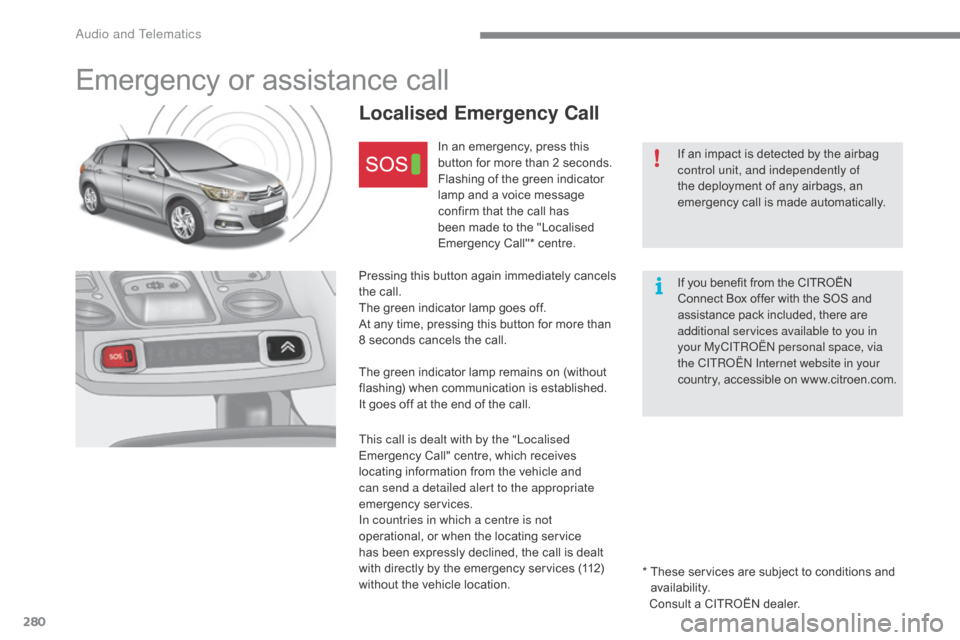
Localised Emergency Call
In an emergency, press this button for more than 2 seconds.
Flashing
of the green indicator
l
amp and a voice message
c
onfirm that the call has
b
een made to the "Localised
E
mergency Call"* centre.
Pressing
this
button again immediately cancels
t
he
call.
The
green
indicator lamp goes off.
At
any
time,
pressing this button for more than
8
seconds
cancels the call.
The
green
indicator lamp remains on (without
f
lashing)
when communication is established.
It
goes
off
at
the end of the call.
This call is dealt with by the "Localised
Emergency
Call" centre, which receives
l
ocating
information from the vehicle and
c
an send a detailed alert to the appropriate
emergency
ser
vices.
In countries in which a centre is not
operational,
or when the locating service
h
as
been
expressly declined, the call is dealt
w
ith
directly
by the emergency services (112)
w
ithout
the
vehicle location. If
an impact is detected by the airbag
c
ontrol unit, and independently of
the
deployment of any airbags, an
e
mergency call is made automatically.
If
you benefit from the CITROËN
C
onnect Box offer with the SOS and
a
ssistance pack included, there are
a
dditional services available to you in
your MyCITROËN personal space, via
the CITROËN Internet website in your
countr y,
accessible
on
w w w.citroen.com.
*
T
hese services are subject to conditions and
a
vailability.
Consult a CITROËN dealer.
Audio and Telematics