ignition Citroen C4 2016 2.G Manual Online
[x] Cancel search | Manufacturer: CITROEN, Model Year: 2016, Model line: C4, Model: Citroen C4 2016 2.GPages: 396, PDF Size: 10.22 MB
Page 242 of 396
240
C4-2_en_Chap08_en-cas-de-panne_ed02-2015
Repair procedure
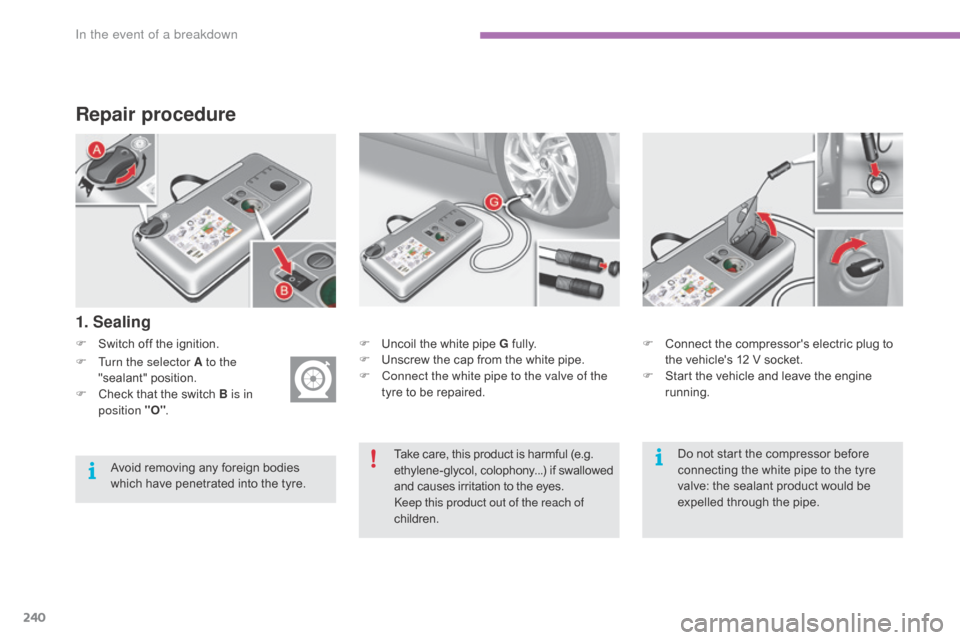
F Switch off the ignition.
1. Sealing
F Uncoil the white pipe G f ully.
F U nscrew the cap from the white pipe.
F
C
onnect the white pipe to the valve of the
tyre
to be repaired. F
C onnect the compressor's electric plug to t
he vehicle's 12 V socket.
F
S
tart the vehicle and leave the engine
r
unning.
F
T
urn the selector A to the
"sealant"
p
osition.
F
C
heck
that
the
switch
B is in
position "O" .
Take
care, this product is harmful (e.g.
e
thylene-glycol, colophony...) if swallowed
a
nd causes irritation to the eyes.
Keep this product out of the reach of
children.
Avoid
removing
any
foreign
bodies
w
hich
have
penetrated
into
the
tyre. Do
not start the compressor before
c
onnecting the white pipe to the tyre
v
alve: the sealant product would be
e
xpelled through the pipe.
In the event of a breakdown
Page 249 of 396
247
C4-2_en_Chap08_en-cas-de-panne_ed02-2015
Removing a wheel
* position P for an automatic gearbox.
List of operations
Parking the vehicle
Immobilise the vehicle where it does not b
lock traffic: the ground must be level,
s
table and non-slippery ground.
Apply
the parking brake unless it has
b
een programmed to automatic mode,
s
witch off the ignition and engage first
g
ear* to lock the wheels.
Check
that the braking warning lamps
i
n the instrument panel are on (not
f
lashing).
The
occupants must get out of the
v
ehicle and wait where they are safe.
If
necessary, place a chock under the
w
heel diagonally opposite the wheel to
be c
hanged.
Never
go underneath a vehicle raised
u
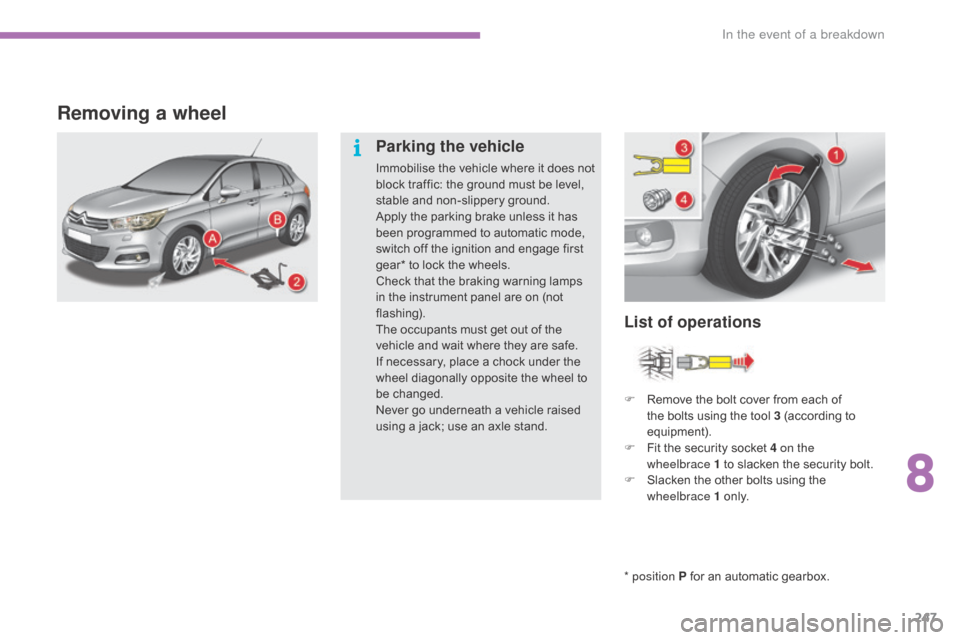
sing a jack; use an axle stand.F
R
emove the bolt cover from each of
t
he bolts using the tool 3 (according to
e
quipment).
F
F
it the security socket 4 on the
wheelbrace
1 to slacken the security bolt.
F
S
lacken the other bolts using the
w
heelbrace 1
o
n l y.
8
In the event of a breakdown
Page 268 of 396
266
C4-2_en_Chap08_en-cas-de-panne_ed02-2015
When your vehicle's battery is discharged, the engine can be started using a slave battery
(
external or on another vehicle) and jump lead
c
ables.
Starting using another
battery
First check that the slave battery has a n ominal voltage of 12 V and a capacity
a
t least equal to that of the discharged
b
attery.
Do
not try to start the engine by
c
onnecting a battery charger.
Do
not disconnect the (+) terminal when
t
he engine is running. F
S
tart the engine of the vehicle with the
g
ood battery and leave it running for a few
m
inutes.
F
O
perate the starter on the broken down
v
ehicle and let the engine run. I
f the engine does not start straight away, s
witch off the ignition and wait a few
m
oments before trying again.
F
R
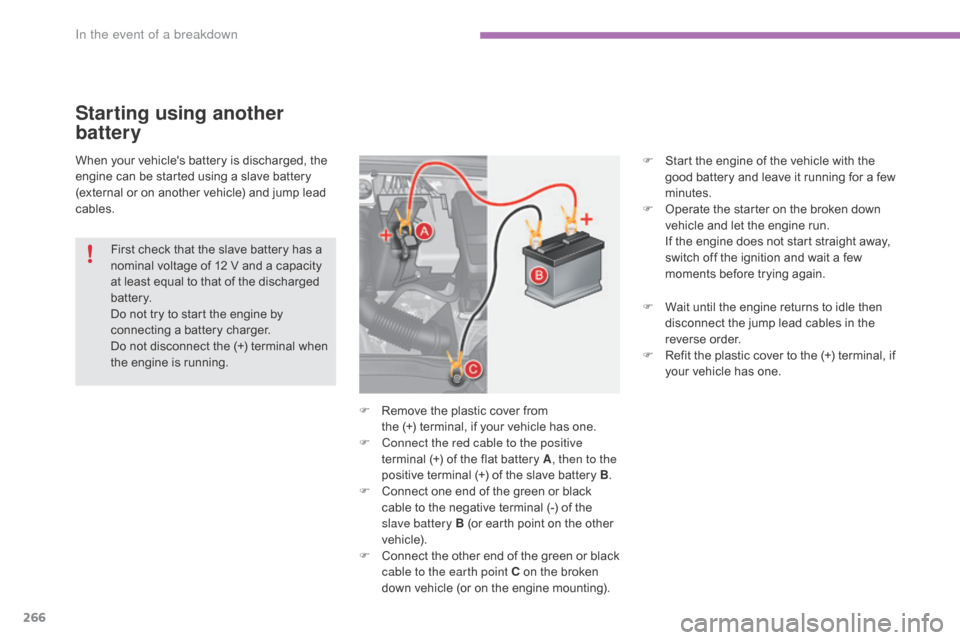
emove the plastic cover from
the
(+) terminal, if your vehicle has one.
F
C
onnect the red cable to the positive
terminal
(+) of the flat battery A, then to the
positive
terminal (+) of the slave battery B.
F
C
onnect one end of the green or black
c
able to the negative terminal (-) of the
s
lave battery B (or earth point on the other
v
ehicle).
F
C
onnect
t
he
o
ther
e
nd
o
f
t
he
g
reen
o
r
b
lack
c
able to the earth point C on the broken
d
own vehicle (or on the engine mounting).F
W
ait until the engine returns to idle then
d
isconnect the jump lead cables in the
r
everse
o
rder.
F
R
efit the plastic cover to the (+) terminal, if
y
our vehicle has one.
In the event of a breakdown
Page 269 of 396
267
C4-2_en_Chap08_en-cas-de-panne_ed02-2015
Charging the battery using
a battery charger
F Disconnect the battery from the vehicle.
F F ollow the instructions for use provided by
the
manufacturer of the charger.
F
C
onnect the battery starting with the
n
egative terminal (-).
F
C
heck that the terminals and connectors
a
re clean. If they are covered
w
ith
s
ulphate
(
whitish or greenish deposit), remove them
a
nd clean them.
Reinitialisation after
reconnection
After any reconnection of the battery, switch on
the ignition and wait at least one minute before
s
tarting, to allow time for the initialisation of the
e
lectronic systems.
By
referring to the corresponding sections, you
s
hould set or initialise the following systems
y
ourself:
-
o
ne-touch electric windows,
-
t
ime and date,
-
a
udio and navigation system settings.
Check
that no alert message or warning lamp
c
omes on after switching on the ignition.
However,
if minor problems persist after
c
arrying out these operations, contact a
C
ITROËN dealer or a qualified workshop.
Reconnecting the (+) cable
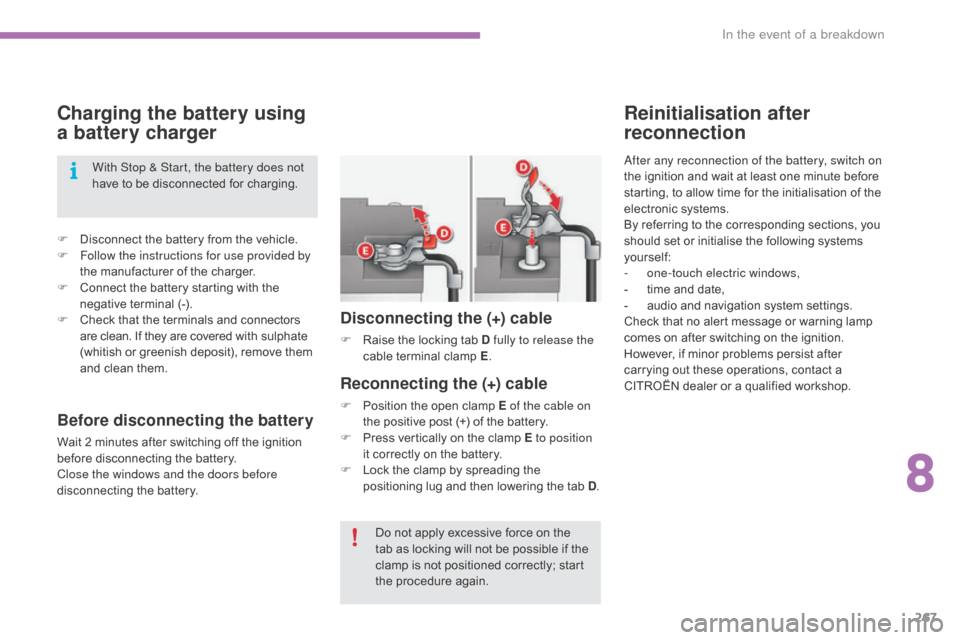
F Position the open clamp E of the cable on
the positive post (+) of the battery.
F
P
ress vertically on the clamp E to position
it
correctly on the battery.
F
L
ock the clamp by spreading the
p
ositioning lug and then lowering the tab D.
Disconnecting the (+) cable
F Raise the locking tab D fully to release the
cable t erminal c lamp E.
D
o not apply excessive force on the
t
ab as locking will not be possible if the
c
lamp is not positioned correctly; start
t
he procedure again.
With Stop & Start, the battery does not
have
to
be
disconnected
for
charging.
Before disconnecting the battery
Wait 2 minutes after switching off the ignition b
efore disconnecting the battery.
Close the windows and the doors before
disconnecting
the battery.
8
In the event of a breakdown
Page 283 of 396
281
C4-2_en_Chap10a_BTA_ed02-2015
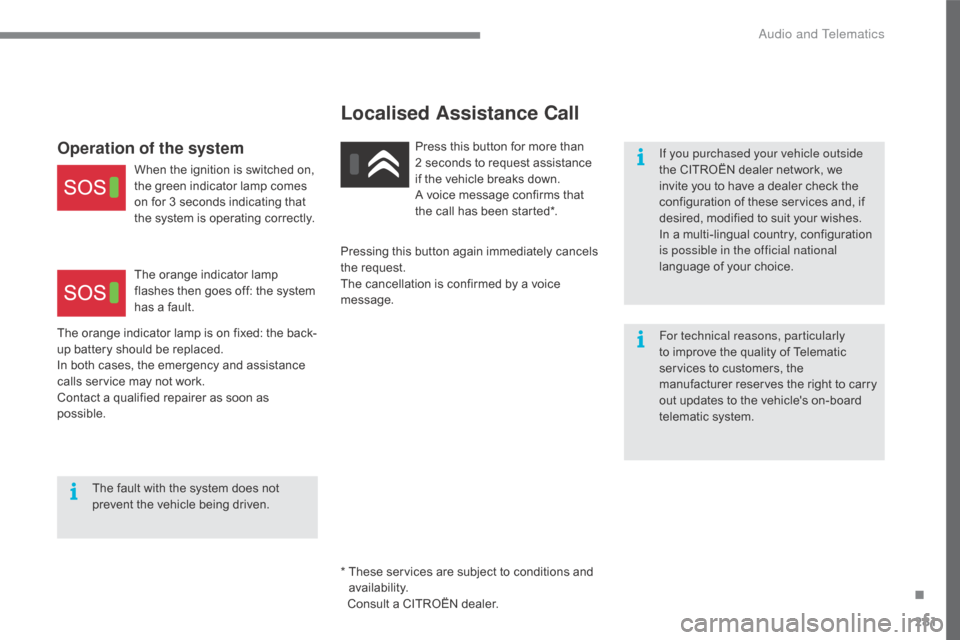
Operation of the system
When the ignition is switched on, the green indicator lamp comes
o
n for 3 seconds indicating that
t
he system is operating correctly.
The
orange indicator lamp
f
lashes then goes off: the system
h
as a fault.
The
orange
indicator lamp is on fixed: the back-
up
battery
should be replaced.
In
both
cases,
the emergency and assistance
c
alls
service
may not work.
Contact
a
qualified repairer as soon as
p
ossible. The
fault with the system does not
p
revent
the vehicle being driven. Press
this button for more than
2 seconds to request assistance i
f the vehicle breaks down.
A
voice message confirms that
t
he call has been started*.
*
T
hese services are subject to conditions and
a
vailability.
Consult a CITROËN dealer.
Pressing
this button again immediately cancels
t
he request.
The
cancellation is confirmed by a voice
m
essage. If you purchased your vehicle outside
the
CITROËN dealer network, we i
nvite you to have a dealer check the
c
onfiguration of these services and, if
d
esired, modified to suit your wishes.
In
a multi-lingual country, configuration
i
s possible in the official national
language
of your choice.
For technical reasons, particularly
to
improve the quality of Telematic
s
ervices to customers, the
m
anufacturer reserves the right to carry
o
ut updates to the vehicle's on-board
t
elematic system.
Localised Assistance Call
.
Audio and Telematics
Page 287 of 396
285
C4-2_en_Chap10b_SMEGplus_ed02-2015
With the engine running, press to mute the sound.
With
the ignition off, press to switch
t
he system on.
Volume
adjustment (each source
i
s
i
ndependent,
i
ncluding
t
raffic
a
nnouncements (TA) and navigation
i
nstructions).
Select
the
audio
source
(depending
on
ve
rsion):
-
F
M
/
DAB
/
AM*
stations.
-
U
SB
memory
stick.
-
C
D
player
(located
in
front
panel).
-
S
martphone
via
MirrorLink
TM or CarPlay®.
-
T
elephone connected by Bluetooth* and
using
Bluetooth*
audio
streaming.
-
M
edia
player
connected
to
the
auxiliary
s
ocket
( jack,
cable
not
supplied).
-
J
ukebox*,
after
first
copying
audio
files
to
t
he
internal
memory
of
the
system. *
Depending on equipment.
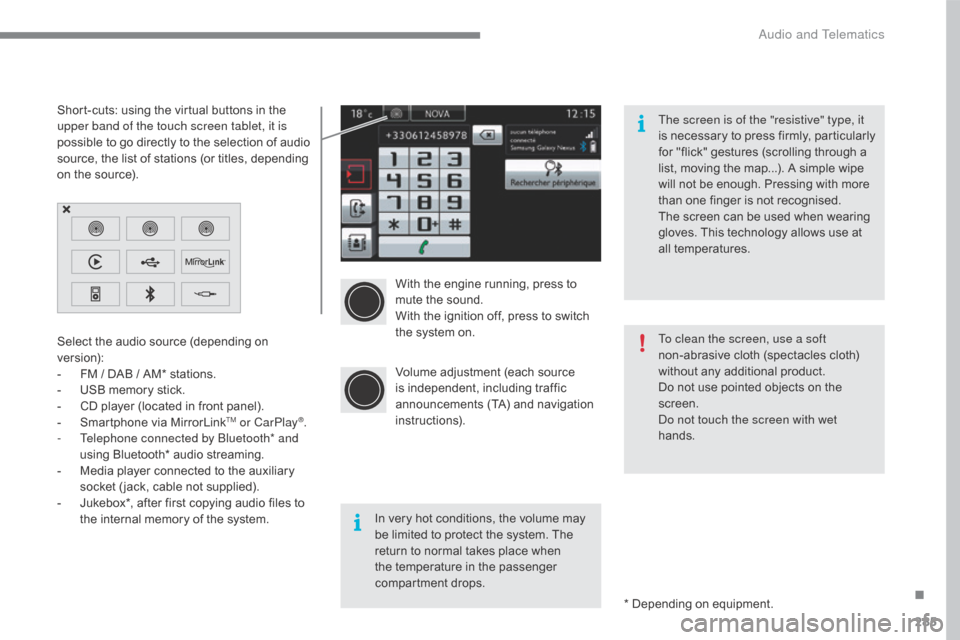
Short-cuts:
using
the
virtual
buttons
in
the
u
pper band of the touch screen tablet, it is
possible
to
go
directly
to
the
selection
of
audio
s
ource,
the
list
of
stations
(or
titles,
depending
o
n
the
source).
The screen is of the "resistive" type, it
is
n
ecessary
t
o
p
ress
f
irmly,
p
articularly
f
or "flick" gestures (scrolling through a
l
ist, moving the map...). A simple wipe
w
ill not be enough. Pressing with more
t
han one finger is not recognised.
The screen can be used when wearing
g
loves. This technology allows use at
a
ll
t
emperatures.
In very hot conditions, the volume may
b
e limited to protect the system. The
r
eturn to normal takes place when
t
he temperature in the passenger
c
ompartment drops. To clean the screen, use a soft
non-abrasive
cloth (spectacles cloth)
w
ithout any additional product.
Do not use pointed objects on the
sc
reen.
Do not touch the screen with wet
hands.
.
Audio and Telematics
Page 343 of 396
341
C4-2_en_Chap10b_SMEGplus_ed02-2015
The services available depend on
the network, the SIM card and the
c
ompatibility of the Bluetooth telephone
u
sed. Check the telephone manual and
w
ith your network provider for details of
t
he services available to you.
The
ability of the system to connect
w
ith only one profile depends on the
telephone.
The three profiles may all
c
onnect by default.
Visit
www.citroen.co.uk for more information
(
compatibility, additional help, ...).
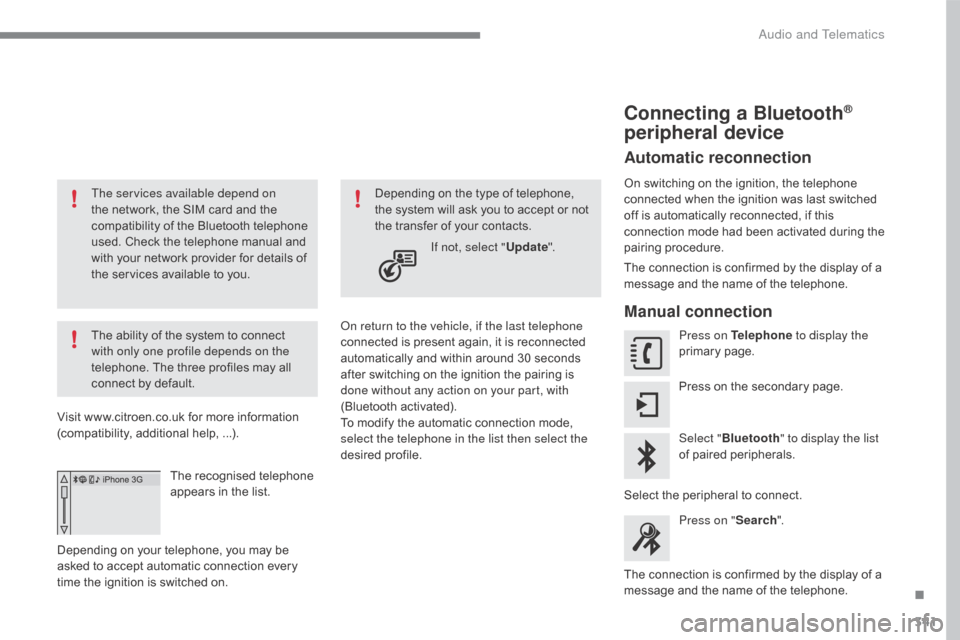
The
recognised telephone
a
ppears in the list.
Depending
on your telephone, you may be
a
sked
to accept automatic connection every
t
ime
the ignition is switched on. On return to the vehicle, if the last telephone
connected
is present again, it is reconnected
a
utomatically and within around 30 seconds
a
fter switching on the ignition the pairing is
d
one without any action on your part, with
(Bluetooth
a
ctivated).
To
modify the automatic connection mode,
s
elect the telephone in the list then select the
desired
p
rofile.
Depending
on the type of telephone, t
he system will ask you to accept or not
t
he transfer of your contacts.
If not, select " Update".
Connecting a Bluetooth®
peripheral device
Automatic reconnection
On switching on the ignition, the telephone c
onnected when the ignition was last switched
o
ff is automatically reconnected, if this
c
onnection mode had been activated during the
pa
iring
p
rocedure.
The
connection is confirmed by the display of a
m
essage and the name of the telephone.
Manual connection
Press on Telephone to display the
primary pag e.
Press
on the secondary page.
Select " Bluetooth " to display the list
of
paired peripherals.
Select
the peripheral to connect.
Press on " Search".
The
connection is confirmed by the display of a
m
essage
and the name of the telephone.
.
Audio and Telematics
Page 368 of 396
366
C4-2_en_Chap10c_RD5_ed02-2015
A message is displayed on the screen of the telephone: enter the same code and confirm.
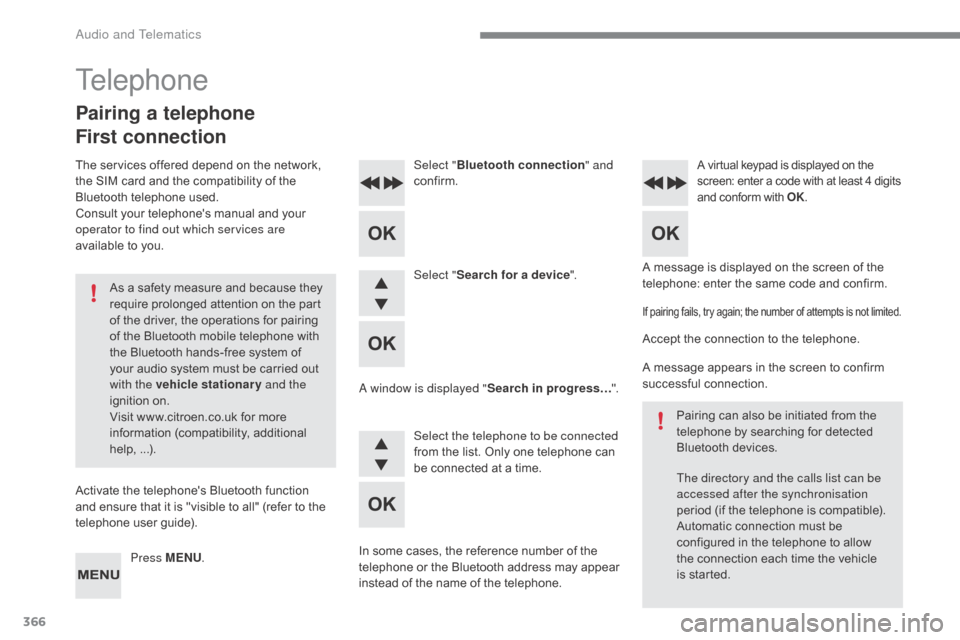
Select "
Bluetooth connection " and
confirm.
A virtual keypad is displayed on the s creen: enter a code with at least 4 digits a
nd conform with OK.
Select "Search for a device".
Select the telephone to be connected
from
the list. Only one telephone can
b
e connected at a time.
A window is displayed "
Search in progress…".
In
some
cases, the reference number of the
t
elephone
or the Bluetooth address may appear
i
nstead
of
the name of the telephone.
If pairing fails, try again; the number of attempts is not limited.
Accept the connection to the telephone.
A message appears in the screen to confirm
s
uccessful
c
onnection.
Pairing
can also be initiated from the
t
elephone by searching for detected
B
luetooth devices.
The directory and the calls list can be
accessed after the synchronisation
period
(if the telephone is compatible).
Automatic
connection must be
c
onfigured in the telephone to allow
t
he connection each time the vehicle
i
s started.
Press MENU
.
Telephone
Pairing a telephone
First connection
The services offered depend on the network, t
he SIM card and the compatibility of the
B
luetooth telephone used.
Consult
your telephone's manual and your
o
perator to find out which services are
available
to you.
As
a safety measure and because they
r
equire prolonged attention on the part
o
f the driver, the operations for pairing
o
f the Bluetooth mobile telephone with
t
he Bluetooth hands-free system of
y
our audio system must be carried out
w
ith the vehicle stationary and the
ignition
o
n.
Visit
www.citroen.co.uk for more
in
formation
(
compatibility,
a
dditional
h
elp,
...
).
Activate
the telephone's Bluetooth function
a
nd ensure that it is "visible to all" (refer to the
t
elephone user guide).
Audio and Telematics
Page 386 of 396
384
C4-2_en_Chap11_index-alpha_ed02-2015
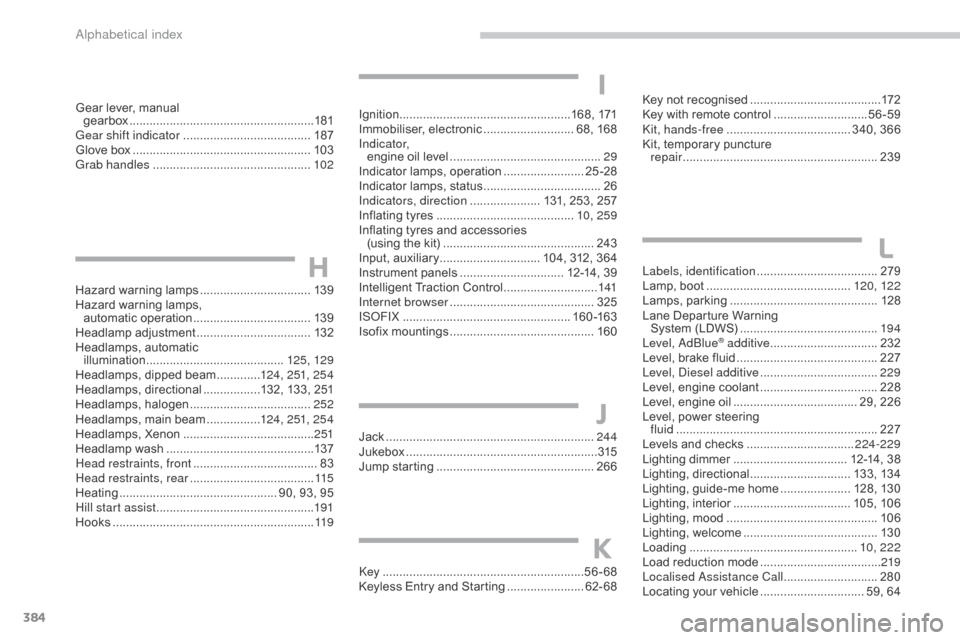
Hazard warning lamps ................................. 13 9
Hazard warning lamps,
automatic
ope
ration
................................... 13
9
Headlamp
adj
ustment
.................................. 13
2
Headlamps,
automatic
illumination
...............................
..........125, 129
Headlamps,
dipped beam
.............12
4, 251, 25 4
Headlamps,
d
irectional
.................1
32, 133, 251
Headlamps,
hal
ogen
.................................... 2
52
Headlamps,
main beam
................12
4, 251, 25 4
Headlamps,
Xenon
....................................... 2
51
Headlamp
w
ash
............................................ 13
7
Head restraints, front
..................................... 83
H
ead restraints, rear
..................................... 11
5
Heating
................
............................... 90, 93, 95
Hill start assist
............................................... 19
1
Hooks
...............................
.............................11 9Jack
........
......................................................244
Jukebox
...............
..........................................315
Jump
starting
..............................
.................266
Key
.......
.....................................................56-68
Keyless
Entry and Starting
.......................6
2- 68Key
not recognised
.......................................
17
2
Key with remote control
............................
5
6-59
Kit, hands-free
..................................... 3
40, 366
Kit, temporary puncture
repair
...............................
...........................
239
Labels, identification
.................................... 2
79
Lamp, boot ............................... ............
120, 12 2
Lamps, par king ............................................12
8
Lane
Departure Warning
System
(LDWS)
...............................
..........19 4
Level, AdBlue
® additive ................................ 2 32
Level,
brake
fluid .......................................... 2
27
Level, Diesel additive
................................... 2
29
Level,
engine
coolant
................................... 2
28
Level,
engine
oil
...............................
...... 29, 226
Level,
power
steering
fluid
...............
............................................. 227
Levels
and
checks
..............................
..224-229
Lighting
dimmer
..............................
.... 12-14, 38
Lighting,
d
irectional
.............................. 13
3,
13
4
Lighting,
guide-me home
..................... 1
28, 130
Lighting,
i
nterior
................................... 10
5,
10
6
Lighting,
m
ood
..............................
...............10 6
Lighting,
welcome
........................................ 13
0
Loading
..............................
.................... 10, 222
Load
reduction mode
.................................... 2
19
Localised Assistance Call
............................ 28
0
Locating
your
vehicle
............................... 5
9, 64
H
J
K
L
Gear lever, manual
g earbox ................ ....................................... 181
Gear shift indicator
...................................... 18
7
Glove
box
..................................................... 10
3
Grab handles
............................................... 10
2Ignition ................
...................................168, 171
Immobiliser,
e
lectronic
........................... 6
8, 168
I n d i c a t o r, engine
oil level
.............................................29
I
ndicator lamps, operation
........................2
5 -28
Indicator
lamps, status
...................................26
I
ndicators, direction
..................... 1
31, 253, 257
Inflating
tyres
..............................
...........10, 259
Inflating
tyres and accessories
(using
the kit)
..............................
...............243
Input,
a
uxiliary
.............................. 1
04, 312, 364
Instrument
p
anels
............................... 1
2-14, 39
Intelligent
T
raction
C
ontrol
............................1
41
Internet browser
........................................... 325
I
SOFIX
...............
...................................160 -163
Isofix
m
ountings
...............................
............160
I
Alphabetical index
Page 387 of 396
385
C4-2_en_Chap11_index-alpha_ed02-2015
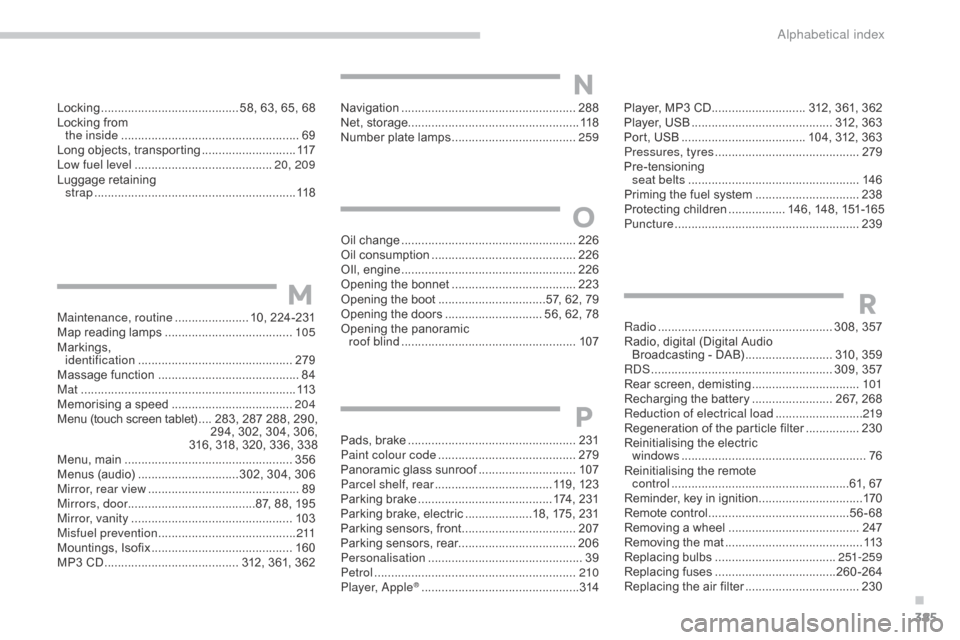
Locking ......................................... 58, 63, 65, 68
Locking from
the inside
..............................
.......................69
Long
objects, transporting
............................11
7
Low fuel level
..............................
...........20, 209
Luggage
retaining
strap
............................................................ 11
8 Player,
MP3 CD ............................ 3 12, 361, 362
Player,
USB .......................................... 3 12, 363
Port,
USB
..................................... 1
04, 312, 363
Pressures, tyres
........................................... 2
79
Pre-tensioning
sea
t belts
..............................
.....................146
Priming
the fuel system
...............................23
8
Protecting
children
................. 1
46, 148, 151-165
Puncture
................
.......................................239
Radio
...............
..................................... 308, 357
Radio,
digital (Digital Audio
Broadcasting
- DAB)
.......................... 3
10, 359
RDS
................
...................................... 309, 357
Rear
s
creen,
d
emisting
................................10
1
Recharging
the battery
........................ 2
67, 268
Reduction of electrical load
.......................... 2
19
Regeneration
of the particle filter
................23
0
Reinitialising
the electric
windows
....................................................... 76
R
einitialising the remote
control
.....................................................6
1, 67
Reminder,
key in ignition
...............................17
0
Remote
control
..........................................56
-68
Removing
a wheel
..............................
.........247
Removing
the mat
...............................
..........113
Replacing
bu
lbs
..............................
......251-259
Replacing
f
uses
..............................
......260-264
Replacing
the air filter
..................................23
0
RMaintenance, routine ...................... 10, 224-231
Map reading lamps ...................................... 10
5
Markings,
id
entification
.............................................. 2
79
Massage
function
...............................
...........84
Mat
.......
......................................................... 113
Memorising
a speed
.................................... 20
4
Menu
(touch screen tablet)
.... 2
83, 287 288, 290,
2
94, 302, 304, 306,
316,
318, 320, 336, 338
Menu,
main
..............................
....................356
Menus
(audio)
..............................3
02, 304, 306
Mirror, rear view
............................................. 89
M
irrors, door ......................................87,
88, 195
Mirror, vanity
..............................
..................103
Misfuel prevention
...............................
..........2 11
Mountings,
I
sofix
...............................
...........160
MP3
CD
................
........................ 312, 361, 362Oil
change
...............................
.....................
226
Oil consumption
...........................................
2
26
OIl,
eng
ine
...............................
.....................
226
Opening the bonnet
.....................................
2
23
Opening the boot
..............................
..57, 62, 79
Opening the doors ............................. 5 6, 62, 78
Opening the panoramic
roof blind
.................................................... 10
7
M
O
Navigation ....................................................288
Net, storage................................................... 118
Number
plate lamps
..................................... 25
9
N
Pads, brake ..................................................2 31
Paint colour code ......................................... 2
79
Panoramic
glass sunroof
.............................10
7
Parcel shelf, rear
................................... 1
19, 123
Parking
brake
........................................ 1
74, 231
Parking
brake, electric
....................1
8, 175, 231
Parking
sensors, front
..................................2
07
Parking
sensors, rear................................... 206
Personalisation
...............................
...............39
Petrol
...............................
.............................210
Player, Apple
® .............................. .................314
P
.
Alphabetical index